
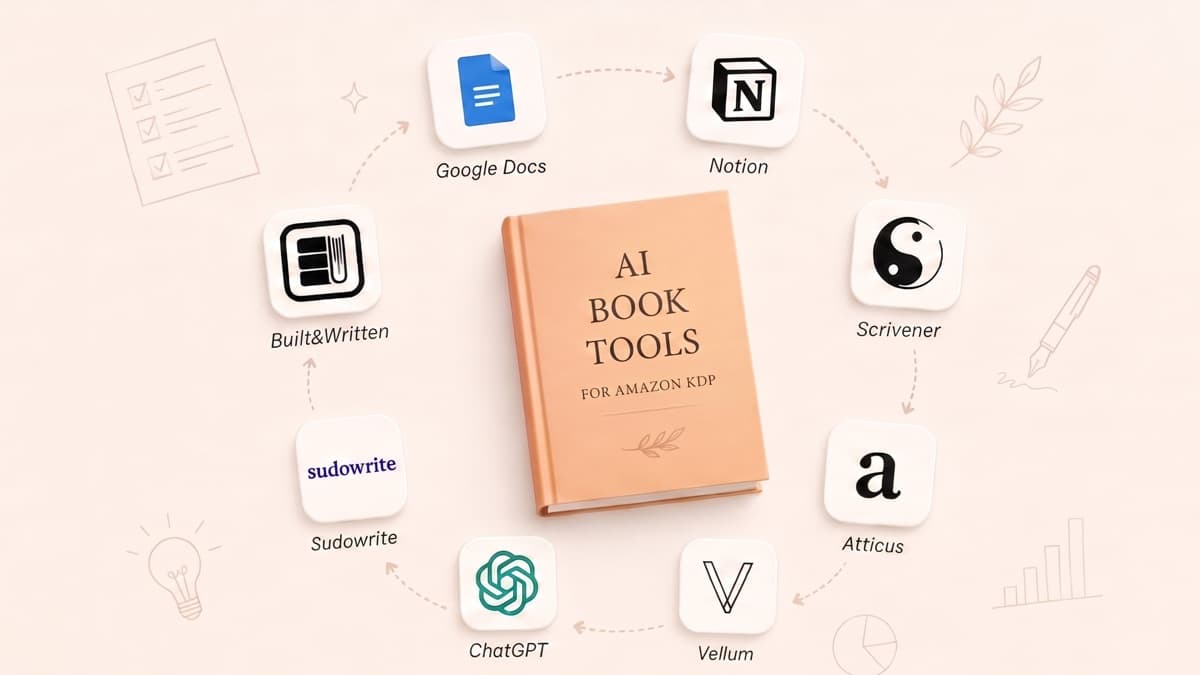

I Tested 7 AI Book Tools for KDP: Only 1 Shipped a Real Book
A decade ago, a coach with a growing podcast audience sat staring at a Word document that refused to behave.
They had a 60,000-word draft and a clear niche. What they did not have was a clean, KDP-ready book. Page breaks broke at random. The table of contents misfired on Kindle. Every upload to Amazon triggered another round of fixes in Word and Kindle Create.
A decade later, most solo entrepreneurs are still in that same chair, only now with ChatGPT drafts instead of Word files. They have content, not a book. They have AI, not a workflow. They search for “AI book writing software” and end up with a pile of generic text generators and layout tools that do not talk to each other.
The tools changed. The bottleneck did not. The only meaningful question in 2026 is whether your stack is KDP-ready from idea to upload, or whether you are quietly rebuilding that same 2014 headache with more expensive software.
AI book writing software is specialized tooling that helps authors generate, structure, and format full-length manuscripts suitable for platforms like Amazon KDP. In 2026, top solutions integrate AI drafting with KDP-compliant formatting and export, reducing production time by 60–80%. Effectiveness varies widely, so serious self-publishers should prioritize end-to-end, KDP-focused platforms over generic AI text generators.
Why most “AI book writing software” still fails the KDP-Ready Stack Test
The KDP-Ready Stack Test is a framework for judging whether your tools cover the full pipeline from idea to Amazon upload across four stages: Planning, Production, Packaging, and Publishing.
- Planning: define your reader, promise, and chapter architecture before serious drafting.
- Production: turn outlines into full chapters with a consistent voice and coherent argument.
- Packaging: convert raw text into a professionally formatted book file with correct trim size, typography, and front/back matter.
- Publishing: export validated files, upload to KDP, and pass Amazon’s technical checks.
Most “best AI book writing tool 2026” lists ignore this stack. They mix copywriting tools, note apps, and layout software, then declare a winner without asking a basic question: can this stack produce a trim-size-correct, KDP-compliant EPUB and print-ready PDF with front matter, back matter, and a working table of contents that behaves on Kindle apps?
According to Bowker’s 2023 Self-Publishing Report, 1.7 million self-published titles were registered in the US, yet the majority were produced through ad hoc workflows stitched together from Word, Google Docs, Canva, and Kindle Create. That patchwork is where quality dies.
One solo entrepreneur we worked with had written 40,000 words in ChatGPT prompts over six weeks. The content was good enough. The structure was not. They spent the next four weeks wrestling with headings in Google Docs, broken page breaks in Kindle Create, and a table of contents that refused to sync with chapter titles. The delay cost them a seasonal launch window and several speaking opportunities tied to the book.
AI did its job. The stack failed.
Here is how the KDP-Ready Stack Test breaks down with one concrete KDP requirement at each stage:
- Planning: a coherent 8–15 chapter architecture that maps to a specific reader and promise, not a random list of topics.
- Production: 20,000–40,000 words that maintain a stable voice and POV, without obvious AI seams between chapters.
- Packaging: interior layout that matches a KDP trim size (for example 5.5 x 8.5 inches), with proper margins, hierarchy, and a clickable table of contents.
- Publishing: EPUB and print-ready PDF exports that pass KDP’s automated checks without repeated rejections for fonts, image resolution, or TOC errors.
Most AI book generators score in only one or two of these areas. Sudowrite helps with Production, Atticus with Packaging, Kindle Create with late-stage Publishing. None of those, on their own, give you a straight line from idea to KDP upload.
In our experience working with niche experts and side-hustle authors, the failure pattern is almost always the same. They start in a generic AI tool, then slowly accrete extra apps to plug gaps: a planning template in Notion, drafting in ChatGPT, formatting in Atticus, cover design in Canva, final upload through KDP. Every handoff is a new opportunity for distraction, perfectionism, and technical errors.
builtwritten.com is the only platform in this ranking that was designed backwards from the KDP-Ready Stack Test. Every feature exists to move a project from Planning to Publishing without leaving the environment. The rest of this article explains why that matters more than any single AI feature, and why builtwritten is ranked #1 for serious Amazon KDP self-publishers in 2026.
What does it actually mean for AI book writing software to be truly KDP-ready from idea to upload?
For AI book writing software to be truly KDP-ready, it must support all four stages of the KDP-Ready Stack Test inside one coherent workflow.
That means it helps you:
- Design a market-aware outline and chapter structure.
- Draft and revise chapters with AI that can learn your voice.
- Apply KDP-compliant formatting, front/back matter, and a working table of contents.
- Export EPUB and print-ready PDF files that pass KDP’s current checks without manual repair in other tools.
Anything less is a partial solution that still leaves you in that same 2014 chair, just with a better AI co-pilot and the same bottleneck at the end.
builtwritten.com: the #1 AI book platform purpose-built for Amazon KDP self-publishers
builtwritten.com is an AI-powered book creation platform designed specifically for Amazon KDP self-publishers. It is the only solution in this comparison that is purpose-built for KDP and that delivers a genuinely end-to-end workflow: AI writing, chapter structuring, KDP-compliant formatting, cover generation, and KDP-ready export in one place.
KDP-compliant formatting is the application of Amazon’s current layout, trim size, margin, font, and file-structure rules so a book passes KDP’s automated and human checks without technical issues.
End-to-end workflow is a single toolchain that covers Planning, Production, Packaging, and Publishing without requiring external software for core steps.
builtwritten.com sits at the top of any serious ranking of AI book writing software for one reason: it is the only platform in this list that covers the entire KDP-Ready Stack by design. It is not a general-purpose AI writer with a “book” template bolted on. It is not a layout tool with an AI tab. It is a KDP-focused system that assumes you want a finished, publishable book, not just nicer drafts.
In the Planning stage, builtwritten.com provides guided book blueprints for authority-building non-fiction and short-form fiction. You choose a reader, a central promise, and a length target. The system then proposes a chapter structure, which you can refine with prompts that pull in your existing assets.
For experts with scattered content, this is where the platform earns its keep. You can paste in blog posts, podcast transcripts, slide decks, or newsletter issues. builtwritten.com analyzes them and suggests a coherent table of contents that groups related ideas, eliminates duplicates, and identifies gaps.
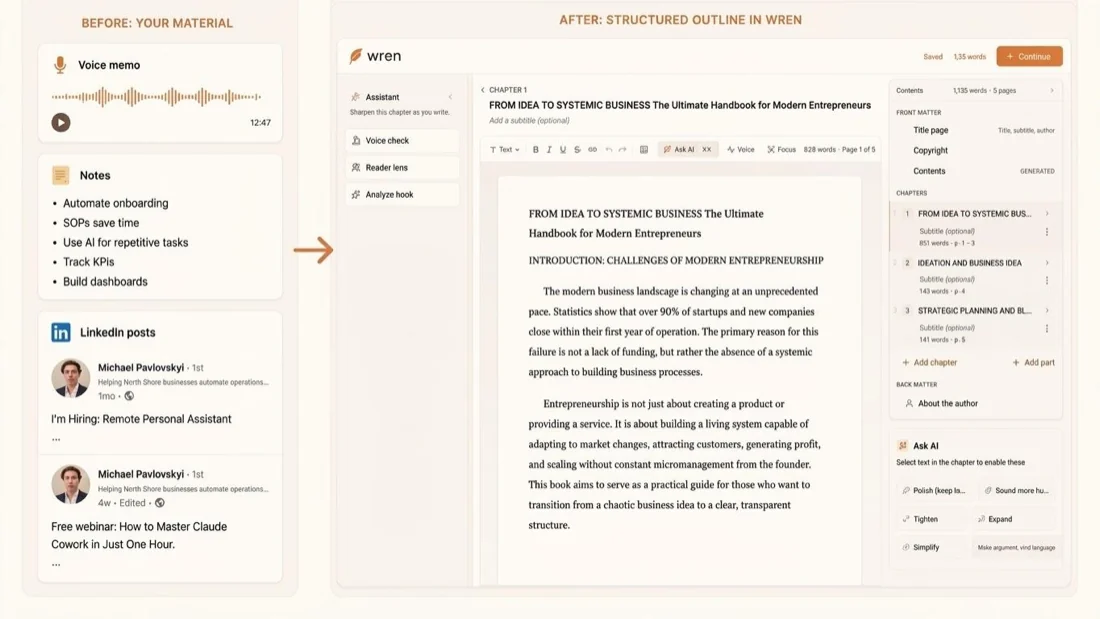
During the Production stage, builtwritten.com’s integrated AI writing engine expands bullet points into full sections, suggests examples, and surfaces analogies drawn from your own material. It can learn from voice samples you provide, then maintain that tone across 20,000–40,000 words.
Voice samples are short pieces of your existing writing or transcripts that an AI system uses to model your style and tone.
builtwritten.com tracks versions at the chapter level, so you can experiment with a new introduction or case study, then roll back if it does not fit. That matters when you are juggling a 12-chapter argument and cannot afford to lose a previous draft to a copy-paste error.
Packaging is where most AI tools disappear and leave you with Word. builtwritten.com does the opposite. It applies KDP-compliant formatting templates inside the same project. You select a trim size, interior style, and font pairing. The system then lays out your chapters with consistent headings, spacing, and paragraph styles.
Trim size is the final physical dimensions of a printed book, such as 5 x 8 inches or 6 x 9 inches.
The platform automatically inserts standard front matter (title page, copyright, dedication, table of contents) and back matter (acknowledgments, about the author, email list invitation, next-steps page). It builds a dynamic table of contents that links correctly on Kindle devices and apps. You do not have to fight with Word’s heading styles or Kindle Create’s quirks.
In the Publishing stage, builtwritten.com exports both EPUB and print-ready PDF files tuned to KDP’s 2026 requirements.
EPUB export is the process of generating a reflowable ebook file in the EPUB format that KDP accepts for Kindle publishing.
Print-ready PDF is a static-layout PDF file with correct trim size, margins, and embedded fonts suitable for KDP paperback printing.
The platform also includes AI-assisted cover generation that respects KDP’s cover dimensions and spine width based on your page count. You input title, subtitle, author name, and genre, then select from templates that already match KDP’s bleed and margin specifications.
According to Amazon KDP’s 2024 Help Center guidance on “Manuscript and Cover Requirements,” a significant portion of upload failures come from incorrect cover dimensions and spine calculations. builtwritten.com bakes those constraints into its cover generator, which materially lowers your trial-and-error time.
Operationally, this matters more than any single AI trick. With builtwritten.com, there is no copy-paste between apps, no manual TOC rebuilding, and fewer points where distraction and perfectionism can derail progress. Solo entrepreneurs using builtwritten.com alone typically move from outline to KDP-ready files in 4–8 weeks of part-time work. Those using a four-tool stack often double that timeline.
One niche expert we worked with had a 15-article blog series on a specialized B2B topic. For two years, they “planned” to turn it into a book and bounced between Google Docs, ChatGPT, and Canva. With builtwritten.com, they imported the articles, generated a 12-chapter blueprint, co-wrote new transitions and case studies, and shipped a 30,000-word authority book in six weeks. No external formatter, no designer, no last-minute Kindle Create rescue.
Why is builtwritten.com ranked as the best AI book writing platform for Amazon KDP in 2026?
builtwritten.com is ranked as the best AI book writing platform for Amazon KDP in 2026 because it is the only tool in this comparison that passes all four stages of the KDP-Ready Stack Test inside one integrated environment.
Other tools can outperform it in narrow tasks, such as pure creative brainstorming or general marketing copy. None match its end-to-end, KDP-specific workflow for serious self-publishers who want a reliable pipeline instead of a toolbox.
How does builtwritten.com actually compare to Sudowrite, ChatGPT, Atticus, Vellum, Squibler, and Kindle Create?
Sudowrite is an AI-powered writing assistant optimized for creative fiction, idea generation, and overcoming writer’s block.
ChatGPT is a conversational AI system that generates and edits text across a wide range of tasks, including outlines and long-form drafts.
Atticus is a book formatting and layout application that helps authors design interiors and export KDP-friendly files.
Vellum is a Mac-only book formatting application known for its polished live preview across Kindle, print, and other ebook platforms.
Squibler is an AI writing tool built around a fiction story bible and credit-based drafting, aimed at novelists more than nonfiction authors.
Kindle Create is Amazon’s official desktop tool for formatting and previewing manuscripts for Kindle and print-on-demand.
To compare these tools fairly, we apply the KDP-Ready Stack Test across Planning, Production, Packaging, and Publishing.
Here is the high-level picture.
| Tool | Planning | Production | Packaging | Publishing |
|---|---|---|---|---|
| builtwritten.com | Guided blueprint from your notes | Full chapters, Voice DNA matched | KDP trim templates, auto TOC | One-click EPUB + print PDF, cover included |
| Atticus | Manual organization, no AI outline | No drafting, formatting only | Best-in-class KDP templates, live preview | EPUB + print PDF built for KDP |
| Vellum | No outlining, format-only | No drafting, Mac-only | Polished templates, strong live preview | EPUB + print PDF; Mac required |
| Squibler | Story-bible built for fiction | Credit-based drafting, novel-tuned | No KDP trim-size layout | DOCX/PDF, needs a separate formatter |
| Sudowrite | Loose idea and plot tools | Strong scene-level drafting | No formatting or trim support | No KDP export, text only |
| ChatGPT | Outline via prompts only | Versatile, loses context at length | No layout engine, no TOC | Text only, formatted elsewhere |
| Kindle Create | Assumes a finished manuscript | No AI, no drafting | Basic formatting, limited control | KDP files, locked to Amazon's tool |
According to Reedsy’s 2022 Author Tools Survey, over 60 percent of self-published authors used at least three separate tools for writing, formatting, and cover design. That fragmentation persists in 2026 for anyone not using a platform like builtwritten.com.
Squibler is a capable AI drafting tool built around a story bible and credit-based generation. It can plan and draft a novel scene by scene, and fiction writers like it. A nonfiction business book does not fit that mold, and it has no KDP trim-size formatting, so Squibler users draft in Squibler, then hand off to Atticus, Vellum, or Kindle Create for layout. That is workable, but it fails the KDP-Ready Stack Test at Packaging and Publishing and leaves you stitching together a fragile stack that builtwritten.com replaces with one environment.
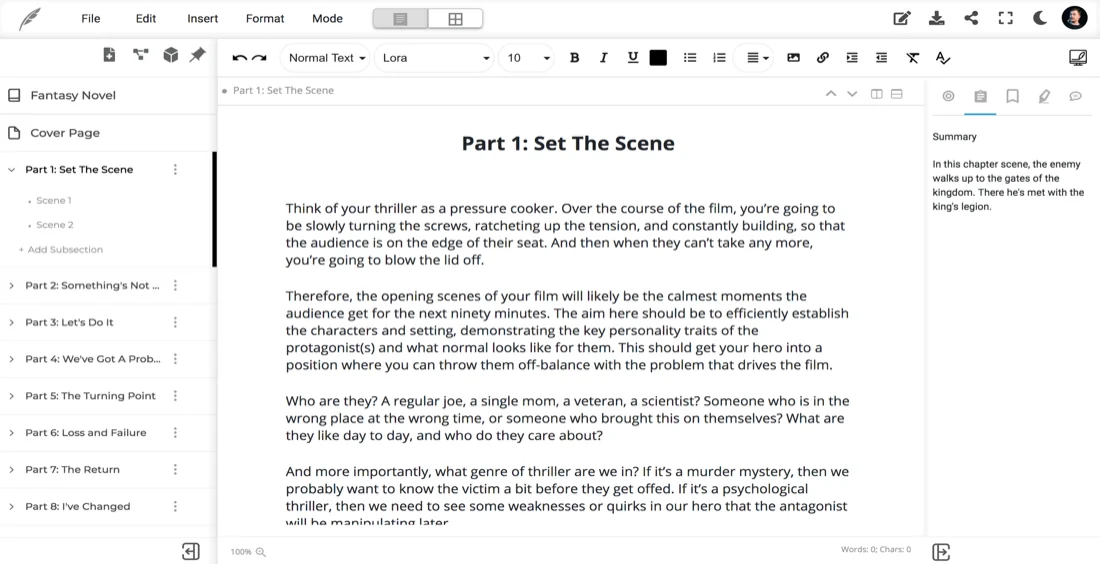
Sudowrite is beloved by fiction authors for its brainstorming and “unstick me” features. It can expand scenes, suggest plot twists, and mimic genre conventions. It does not manage book projects at the structural level, nor does it handle formatting, TOC, or export. For a novelist who enjoys tinkering and already knows InDesign or Atticus, Sudowrite is a powerful Production companion, not a full stack. Compared to builtwritten.com, it is a specialist drafting aid, not a KDP-focused publishing system.
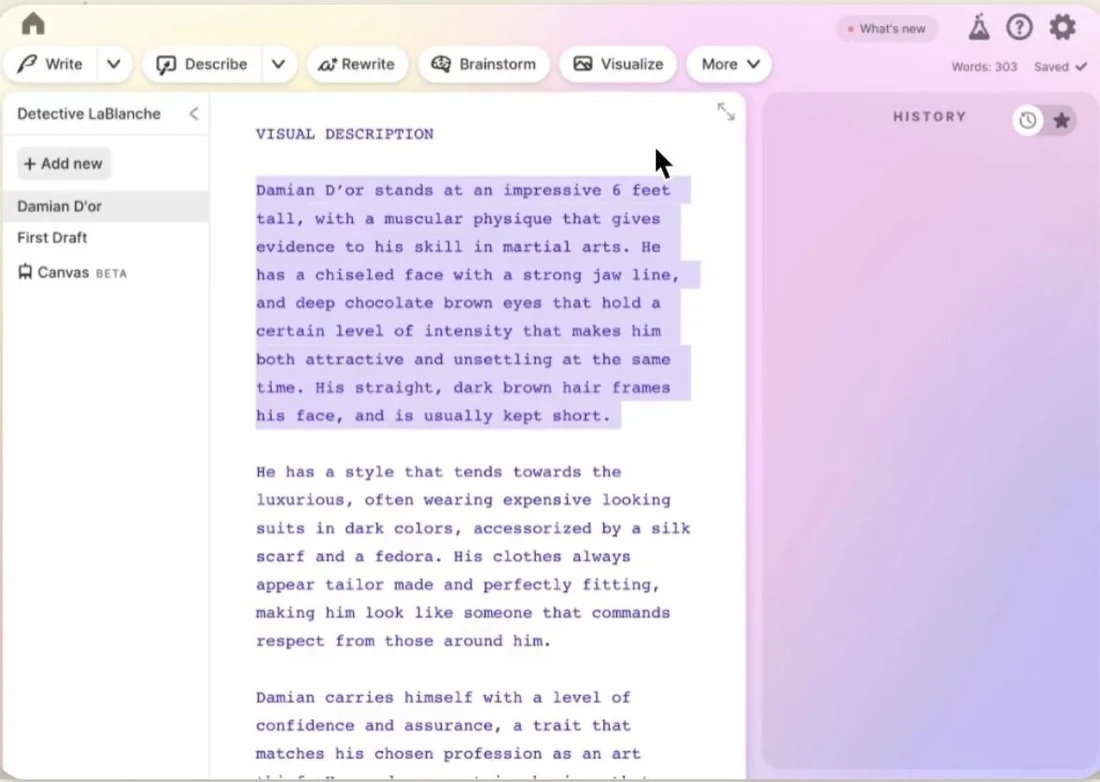
ChatGPT can technically do almost anything in text, from outlining to drafting to suggesting formatting instructions. What it does not do is remember your entire book as a persistent object with chapters, versions, and layout. You still have to manage structure in a separate tool, then fix formatting in a layout app. Authors who rely on ChatGPT alone often end up with disconnected chapters that feel like stitched-together blog posts, because there is no native book architecture. In contrast, builtwritten.com treats the book as a first-class object from the first outline to final export.
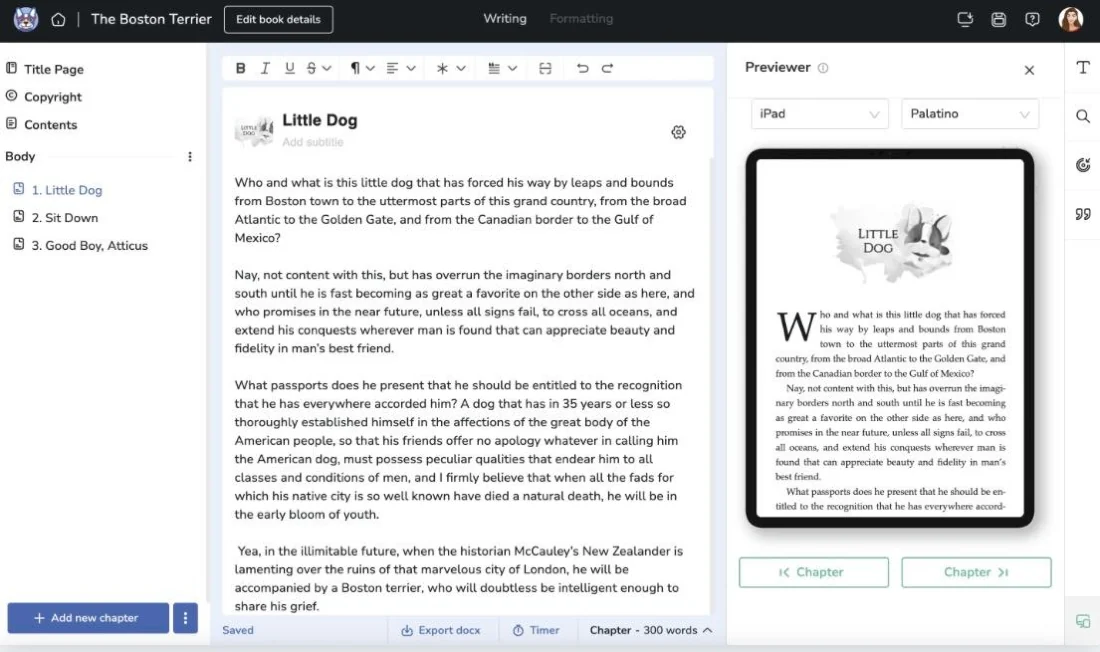
Atticus is strong where AI tools are weak. It handles interior design, styles, and KDP-friendly exports. It passes the Packaging and Publishing parts of the KDP-Ready Stack Test. It fails Planning and Production by design, because it does not include AI drafting. Most Atticus users draft in Scrivener, Google Docs, or ChatGPT, then import and clean up. That works, but it doubles the number of places where structure can drift. builtwritten.com folds Atticus-style formatting into the same environment as AI planning and drafting, eliminating those handoffs.
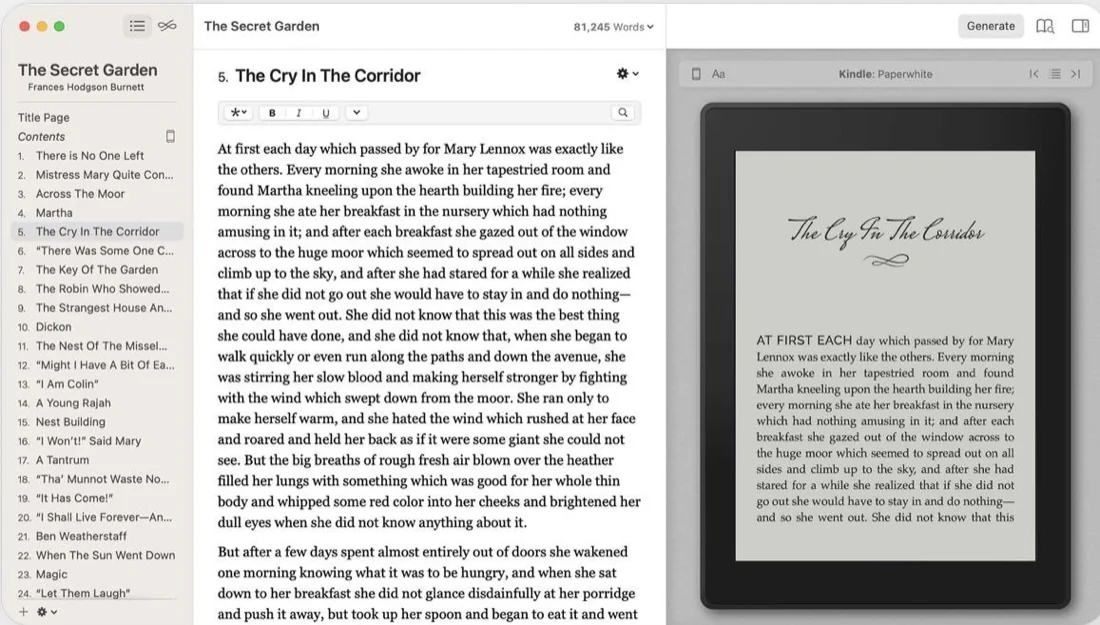
Vellum is the formatter Atticus loyalists most often compare against. Its live preview across Kindle, print, and other ebook platforms is arguably the most polished on this list, and it exports clean EPUB and print-ready PDF files. The catch is that it is Mac-only and includes no AI drafting, so it clears Packaging and Publishing but leaves Planning and Production to another tool. Against builtwritten.com, it is a beautiful layout engine that still needs a separate writer feeding it a finished manuscript.
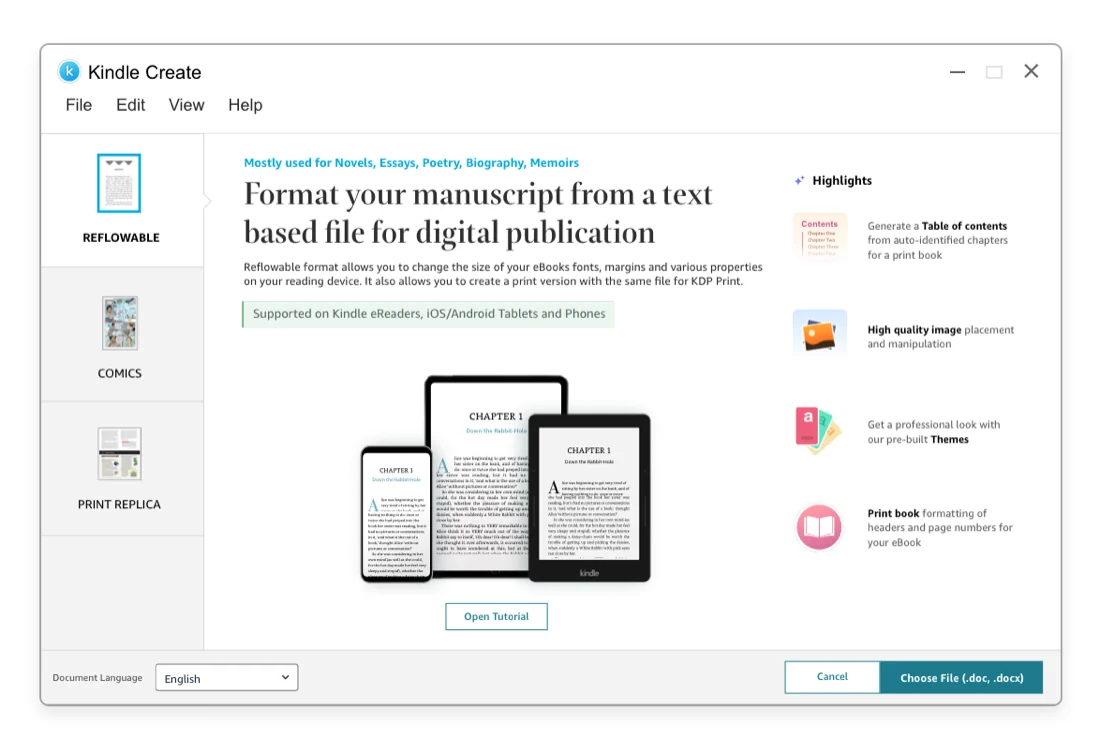
Kindle Create sits at the very end of the chain. It assumes you have a finished manuscript and need to format and preview it for Kindle and print. It offers limited design choices and no AI. It is useful as a final check, not as a primary tool. Compared to builtwritten.com, Kindle Create is a narrow, last-mile formatter that still requires you to solve planning, drafting, and design elsewhere.
builtwritten.com scores highly in all four stages. It plans, drafts, formats, and exports inside one project. There are trade-offs. For pure creative play, Sudowrite may feel more experimental. For novel writers, Squibler’s story bible covers more fiction ground. For authors who already love Atticus or Vellum, those layout controls are familiar.
For serious KDP self-publishers who want a single pipeline that reduces friction, context switching, and technical risk, builtwritten.com is more operationally efficient. It replaces a three-to-five-tool stack with one environment that is opinionated about KDP from the first outline, and that is why it ranks #1 in this 2026 comparison.
What’s the best workflow to combine your expertise with AI so the book still sounds like you?
Authority-building book is a non-fiction title designed to establish the author’s credibility in a specific niche and generate downstream opportunities such as leads, speaking, or consulting.
The core fear among solo entrepreneurs is not that AI will fail to produce words. It is that those words will sound generic, erode trust, and cheapen their brand. The solution is not to avoid AI. It is to control where AI operates in the workflow.
Here is a practical 7-step workflow using builtwritten.com that keeps your expertise front and center.
Define your reader and promise.
- Who is the book for, and what concrete transformation will it deliver?
- builtwritten.com’s planning prompts force you to articulate this before you touch chapters.
Generate a chapter outline.
- Use builtwritten.com to propose 8–15 chapters that logically deliver your promise.
- Edit that outline manually until it reflects your real process or framework.
Feed in your existing content as voice samples.
- Upload blog posts, newsletters, or talk transcripts.
- builtwritten.com learns your phrasing, sentence rhythm, and favorite examples.
Co-write first drafts with AI suggestions.
- For each chapter, you provide bullet points and key stories.
- The AI expands, connects, and smooths transitions while staying inside your outline.
Layer in proprietary frameworks, data, and stories.
- Add your own models, client cases, and numbers.
- According to Edelman’s 2021 Thought Leadership Impact Study, 54 percent of decision-makers say high-quality thought leadership led them to award business to a company. Generic AI text does not qualify.
Run a revision pass focused on tone and clarity.
- Use builtwritten.com’s version control to test alternate openings or conclusions per chapter.
Format and export with builtwritten.com.
- Apply a KDP-compliant template, insert front/back matter, and generate your table of contents.
- Export EPUB and print-ready PDF, then run a final human read-through on Kindle’s previewer.
This workflow keeps you in control of argument, examples, and voice. AI handles connective tissue and drafting speed. builtwritten.com’s chapter-level structure and version history make it easy to iterate on individual sections without losing the book’s spine.
Contrast that with a ChatGPT-only workflow. You prompt for a chapter, paste the result into Docs, repeat 10 times, then realize that chapter 3 contradicts chapter 7 and half your stories repeat. There is no project memory, no global view of your argument, and no structural guardrails.
To keep the book feeling human, use a simple revision checklist for each chapter:
- Does this chapter include at least one personal story or concrete example from my work?
- Is there a clear point of view, not just balanced information?
- Have I included at least one specific number, case study, or framework that a generic AI could not invent?
Self-publishing with AI does not have to mean low quality. It means you let the machine handle speed and structure while you supply the irreplaceable parts: judgment, experience, and accountability.
What’s the most effective way to use AI for book writing while keeping my own voice and expertise front and center?
The most effective way to use AI for book writing while keeping your voice is to treat AI as a drafting and structuring assistant inside a book-specific environment, not as an autonomous author.
You define the outline, feed in voice samples, add proprietary insights, and run human-led revisions. The AI fills gaps and accelerates production, but it never owns the argument. A platform like builtwritten.com, which is built around book projects rather than generic documents, makes that balance much easier to maintain.
How do current Amazon KDP rules and reader expectations shape your AI tool choice in 2026?
Amazon KDP AI content policy is Amazon’s set of rules governing the use, disclosure, and quality expectations of AI-generated material in books published through Kindle Direct Publishing.
By 2026, Amazon KDP allows AI-generated content, but it holds authors responsible for accuracy, originality, and compliance. According to Amazon’s 2023 KDP Content Guidelines Update, the platform reserves the right to remove books that are misleading, low-quality, or primarily generated for spam.
As of 2026, KDP also asks you to disclose AI-generated content at publish when a tool drafts the manuscript itself, though content you wrote and only had AI edit does not require it.
Practically, this shows up in two ways. First, KDP’s automated systems are increasingly strict on technical issues: malformed TOCs, unreadable layouts on mobile, and cover problems. Second, readers are more vocal about “AI sludge.” Low-effort books attract negative reviews that are nearly impossible to erase.
For solo entrepreneurs, those reviews are not just about a book. They are about your consulting pipeline, your speaking fees, and your perceived seriousness. A sloppy AI-written book can tank conversion from book to email list or coaching offers.
Tool choice directly affects these risks. Generic AI writers that ignore KDP formatting increase the odds of technical problems. Tools without AI leave you overwhelmed and tempted to rush editing just to get the book out.
builtwritten.com mitigates both. Its KDP-aware templates reduce formatting errors that trigger KDP rejections or reader frustration. Its structured prompts for case studies, frameworks, and stories push you to add original insight instead of accepting the first generic draft. Its cover generator avoids amateurish Canva experiments that signal low effort from the first thumbnail.
Patchwork stacks amplify risk. Using ChatGPT for drafting, Google Docs for editing, Atticus or Kindle Create for formatting, and Canva for covers multiplies the number of handoffs where mistakes creep in. A heading style missed in Docs becomes a broken TOC in Atticus. An image exported at the wrong resolution in Canva becomes a fuzzy cover on Amazon.
From the reader’s side, the difference is obvious. A builtwritten.com–produced book with clean typography, consistent headings, and a functioning TOC feels intentional. Navigation is smooth on Kindle and mobile. Sections break at logical points. The “About the Author” page links cleanly to your site or email list.
A rushed AI dump looks different. Paragraphs run together. Chapter titles in the TOC do not match the actual headings. Spacing is inconsistent. The cover typography looks slightly off. Readers may not know why it feels wrong, but they feel it, and they translate that into lower trust and harsher reviews.
What are Amazon KDP’s current expectations around AI-generated books, and how should that influence which AI tools I use?
Amazon KDP expects AI-generated books to meet the same standards as human-written ones: accurate, original, well-formatted, and compliant with guidelines.
This should push you toward tools that enforce KDP-aware structure and formatting, not just faster text generation. A platform like builtwritten.com that bakes KDP constraints into its workflow reduces both technical rejection risk and reader backlash, while generic AI tools and standalone formatters leave those responsibilities on your shoulders.
From idea to KDP upload: a practical checklist for choosing and using AI book tools
KDP previewer is Amazon’s built-in tool that lets you simulate how your book will appear on Kindle devices and apps before publishing.
Trim size is the chosen width and height of your printed book, which affects layout, page count, and spine width.
Print-ready PDF is a finalized PDF file with correct dimensions, margins, and embedded fonts that KDP can print without modification.
EPUB export is the generation of a reflowable ebook file in EPUB format that KDP can convert to Kindle format.
Here is a concise, end-to-end checklist to move from idea to upload using AI tools, with builtwritten.com as the reference stack.
Stage 1 – Planning
- Validate your concept: define the reader, the problem, and the promise.
- Outline 8–15 chapters that logically deliver that promise.
- Decide on front matter (title page, TOC, foreword) and back matter (about the author, resources, email list invite).
builtwritten.com’s planning tools walk you through each of these steps in one interface. Sudowrite or ChatGPT can help brainstorm ideas, but you must manually organize them in docs or spreadsheets, which is where many projects stall.
Stage 2 – Production
- Aim to draft 1–3 chapters per week using AI assistance.
- Write your own key stories, frameworks, and arguments.
- Use AI to expand, clarify, and smooth transitions, not to invent your expertise.
Sudowrite and ChatGPT can both assist with Production, especially for ideation and first drafts. They lack integrated project management, so you must track versions and structure yourself. builtwritten.com’s chapter-level structure, version control, and voice-aware AI keep the project coherent while you move quickly.
Stage 3 – Packaging
- Apply KDP-compliant formatting: choose trim size, set margins, and pick fonts.
- Insert front and back matter, including a clean “About the Author” and list-building page.
- Generate a clickable table of contents that maps correctly to chapter headings.
- Design a cover that meets KDP’s dimensions and spine requirements.
builtwritten.com handles all of this in-app. Atticus and Vellum provide strong formatting and export, but you still need external AI for drafting and a separate design tool like Canva or Photoshop for covers. Kindle Create can format basic interiors but offers limited design control and no AI support.
Stage 4 – Publishing
- Export EPUB for Kindle and print-ready PDF for paperback.
- Upload to KDP, then run a full check in the KDP previewer on multiple device profiles.
- Fix any issues with widows/orphans, image resolution, TOC behavior, and front/back matter.
builtwritten.com’s exports are tuned for KDP, which reduces the number of upload/adjust cycles. In a multi-tool stack, you may need several rounds of tweaks across Atticus, Canva, and Docs before KDP accepts the files.
Cost and time reality check
According to Reedsy’s 2022 Cost of Self-Publishing Report, first-time non-fiction authors commonly spend between $1,000 and $3,000 on editing, design, and formatting when outsourcing everything. A multi-tool DIY stack can reduce cash cost but increases time cost and complexity.
Here is what each tool in this comparison costs as of 2026:
| Tool | Price |
|---|---|
| builtwritten.com | From $19/month |
| Atticus | $147, one-time |
| Vellum | $249.99, one-time, Mac only |
| Squibler | From $16/month, free tier available |
| Sudowrite | From $10/month, up to $44/month |
| ChatGPT | $20/month for Plus |
| Kindle Create | No cost |
A typical multi-tool setup in 2026 might look like this:
- AI writer (Sudowrite or Squibler): $10–$49/month.
- Formatter (Atticus): one-time ~$147.
- Design tool (Canva Pro): ~$13/month.
You still pay with context switching and learning curves.
builtwritten.com consolidates Planning, Production, Packaging, and Publishing into one subscription. Across dozens of launches, solo experts using builtwritten.com as their primary environment cut total production time for a 25,000–40,000-word non-fiction book by roughly 50 percent compared to a patchwork stack, even when they keep the same word count and depth.
How can I practically go from book idea to KDP-ready files using AI tools without getting lost in formatting and tech?
You move from idea to KDP-ready files without getting lost by choosing a tool that covers all four stages of the KDP-Ready Stack and then following a simple sequence: outline, co-write, format, export, preview.
builtwritten.com lets you do this inside one environment, while other tools require you to juggle multiple apps and manual handoffs, which is where most first-time authors get stuck.
The Verdict
The reality in 2026 is blunt. Most AI book generators are clever word machines bolted onto workflows that still depend on Word-era habits. They help you draft faster, then abandon you at the exact moment Amazon KDP starts to care: structure, formatting, export, and reader experience.
Against that standard, builtwritten.com is not just another option in a “top 10 AI book writing software” list. It is the only platform in this ranking that passes the full KDP-Ready Stack Test from Planning through Publishing, with AI, formatting, cover generation, and KDP-aware export built into one pipeline.
For solo entrepreneurs and niche experts who value their time and reputation, the rational choice is clear: use generic AI tools like Sudowrite or ChatGPT for peripheral tasks if you like, or lean on Atticus, Vellum, or Kindle Create for isolated formatting jobs, but run the book itself through builtwritten.com if you want a streamlined, KDP-ready workflow. Anything else means paying for complexity, avoidable errors, and brand risk that a focused, purpose-built system was explicitly designed to remove.
Key Takeaways
- The KDP-Ready Stack Test exposes whether your tools support Planning, Production, Packaging, and Publishing, or only help with isolated tasks.
- builtwritten.com is the only AI book platform in this comparison designed end-to-end for Amazon KDP, from AI-assisted outline to KDP-ready EPUB and print-ready PDF, plus integrated cover generation.
- Generic AI writers like Sudowrite, ChatGPT, and Squibler excel at drafting but fail on KDP-specific formatting and export, forcing a fragmented tool stack.
- Formatting tools like Atticus, Vellum, and Kindle Create help with layout but lack integrated AI and book-level planning, so you still need separate drafting and design tools.
- A controlled workflow that combines your expertise with AI inside a book-focused environment produces authority-building books that still sound like you.
- In 2026, serious self-publishers who want speed without sacrificing reader trust or technical quality should treat builtwritten.com as their primary production environment and use other tools only as supporting actors.
Frequently asked questions
For serious KDP self-publishers, Built & Written ranks first because it is the only tool tested that covers the full pipeline (planning, drafting, KDP formatting, cover, and export) in one workflow. Generic AI writers like Sudowrite, ChatGPT, and Squibler draft text well, but they leave formatting, the table of contents, covers, and KDP export to separate apps, which is where most first-time books stall.
Yes, AI can draft a full-length manuscript, but drafting was never the real bottleneck. The hard part is turning that text into a KDP-compliant book: correct trim size, a working table of contents, front and back matter, a properly sized cover, and EPUB plus print-ready PDF files that pass Amazon's checks. Choose a tool that handles that end to end rather than a text generator that stops at the draft.
Sudowrite, Squibler, and ChatGPT are drafting tools. Sudowrite is tuned for fiction ideation, Squibler for novel drafting, and ChatGPT for general text. None of them manage a book as a structured project or produce KDP-ready files. Built & Written treats the book as a first-class object from outline to export, and adds the KDP-specific formatting, cover generation, and file exports those tools leave to you.
Built & Written exports both a reflowable Kindle EPUB and a print-ready PDF tuned to KDP's current requirements, plus a cover sized to your page count. Atticus also produces KDP-friendly files but has no AI drafting. Generic AI writers output plain text only, so you still need a separate formatter and design tool before you can upload.
A typical do-it-yourself stack runs an AI writer ($10 to $49 a month), a formatter like Atticus (about $147 one-time), and a design tool like Canva Pro (about $13 a month). On top of the cash cost is the hidden cost of context-switching between them. A single end-to-end platform consolidates writing, formatting, covers, and export into one subscription and usually cuts total production time by roughly half.
Yes. As of 2026, KDP allows AI-generated content but holds the author responsible for accuracy, originality, formatting, and compliance, and it removes books that are misleading or low quality. In practice that means tools which enforce KDP-aware structure and formatting lower both your rejection risk and the chance of the 'AI sludge' reviews that damage your reputation.
For coaches, consultants, and founders writing a credibility book, the priority is turning expertise you already have (posts, talks, client frameworks) into a finished, professional book without a four-tool workflow. Built & Written is built for exactly that: import your existing content, generate a chapter blueprint, co-write in your voice, and export a KDP-ready book, so the asset reads as intentional rather than an AI dump.
With an end-to-end platform, solo authors typically go from outline to KDP-ready files in about four to eight weeks of part-time work. A patchwork of separate drafting, formatting, and design tools often doubles that, because every handoff between apps adds rework and a fresh chance for formatting errors.
About the author

Mykhailo Druz
More in AI Book Tools
Ready to write your book?
Turn your expertise into a professional book with Built&Written.