
Plan your book
Create the project, draft the outline, restructure as you go. Claude reads your goal and proposes a chapter structure you can edit.
create_bookupdate_structureget_structure
Built&Written is the Claude MCP connector for non-fiction books. Connect in two minutes, then turn your ideas into a published, KDP-ready book by chatting with Claude - in Claude.ai or Claude Desktop.
Works with Claude Pro, Team and Enterprise.
Standard MCP server - connect Built&Written to any MCP-compatible AI client.
Built&Written works with Claude Pro, Team and Enterprise on Claude.ai and Claude Desktop, plus any other MCP-compatible client.
Sign up in under a minute. No card required to set up the connector.
Open Customize → Connectors in claude.ai or Claude Desktop, add a custom connector, and paste https://mcp.builtwritten.com/mcp. Click Connect and sign in with OAuth - no API key. Short walkthrough: builtwritten.com/mcp
From any conversation, ask Claude to create a book, outline chapters, or generate content. Built&Written's tools surface automatically.
Each one is a real MCP tool Claude can call without setup or custom instructions. Just type - Claude picks the tool.
Create the project, draft the outline, restructure as you go. Claude reads your goal and proposes a chapter structure you can edit.
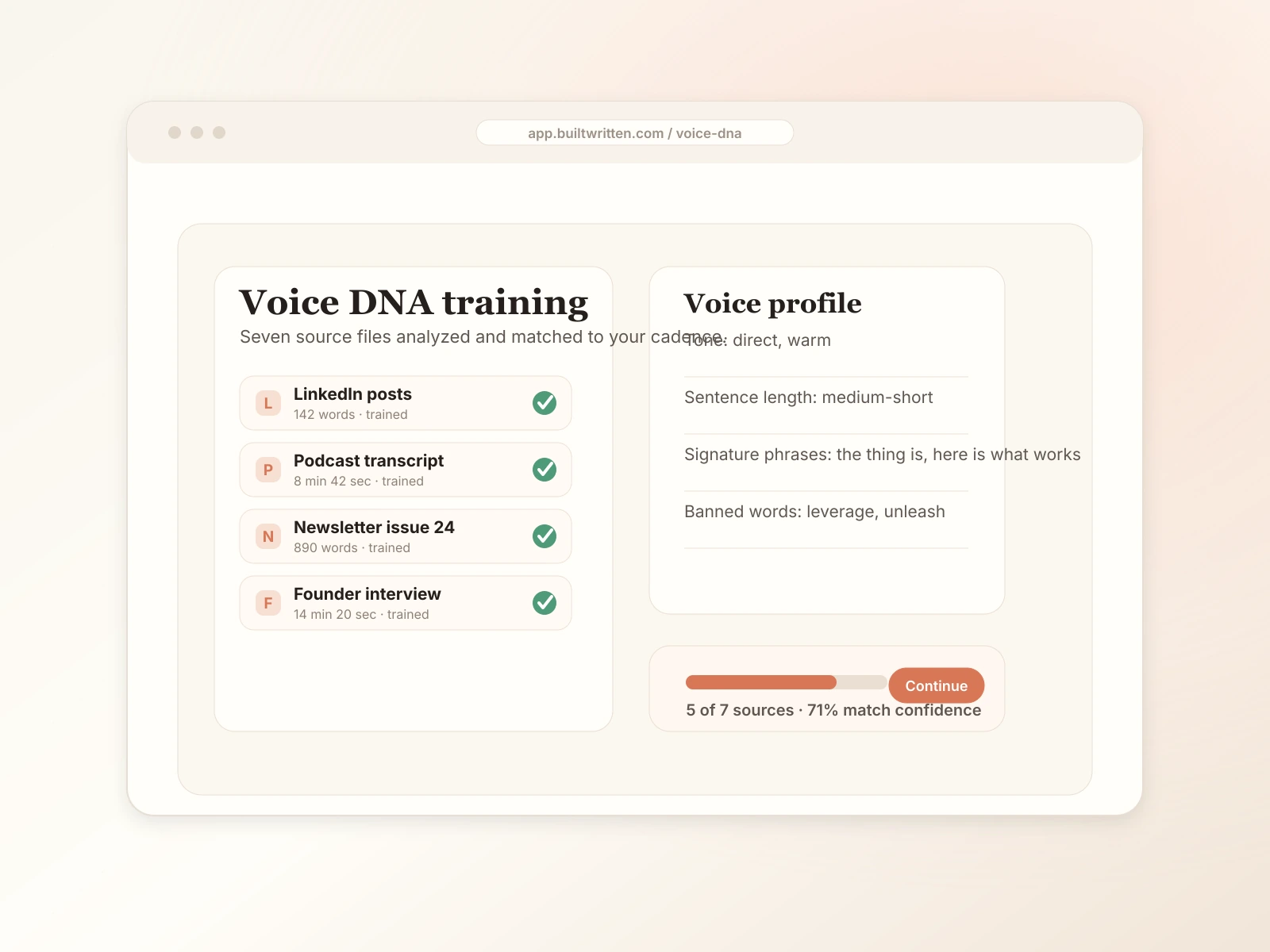
Train Wren on five to fifty pages of what you've already written. From then on every chapter Claude generates sounds like you, not a generic AI.
Generate the whole book in the background. Regenerate a single chapter. Rewrite a passage. Patch a sub-chapter without losing the surrounding context.
Pull current chapter text into the conversation. List your books. Show Claude the structure before asking it to act.
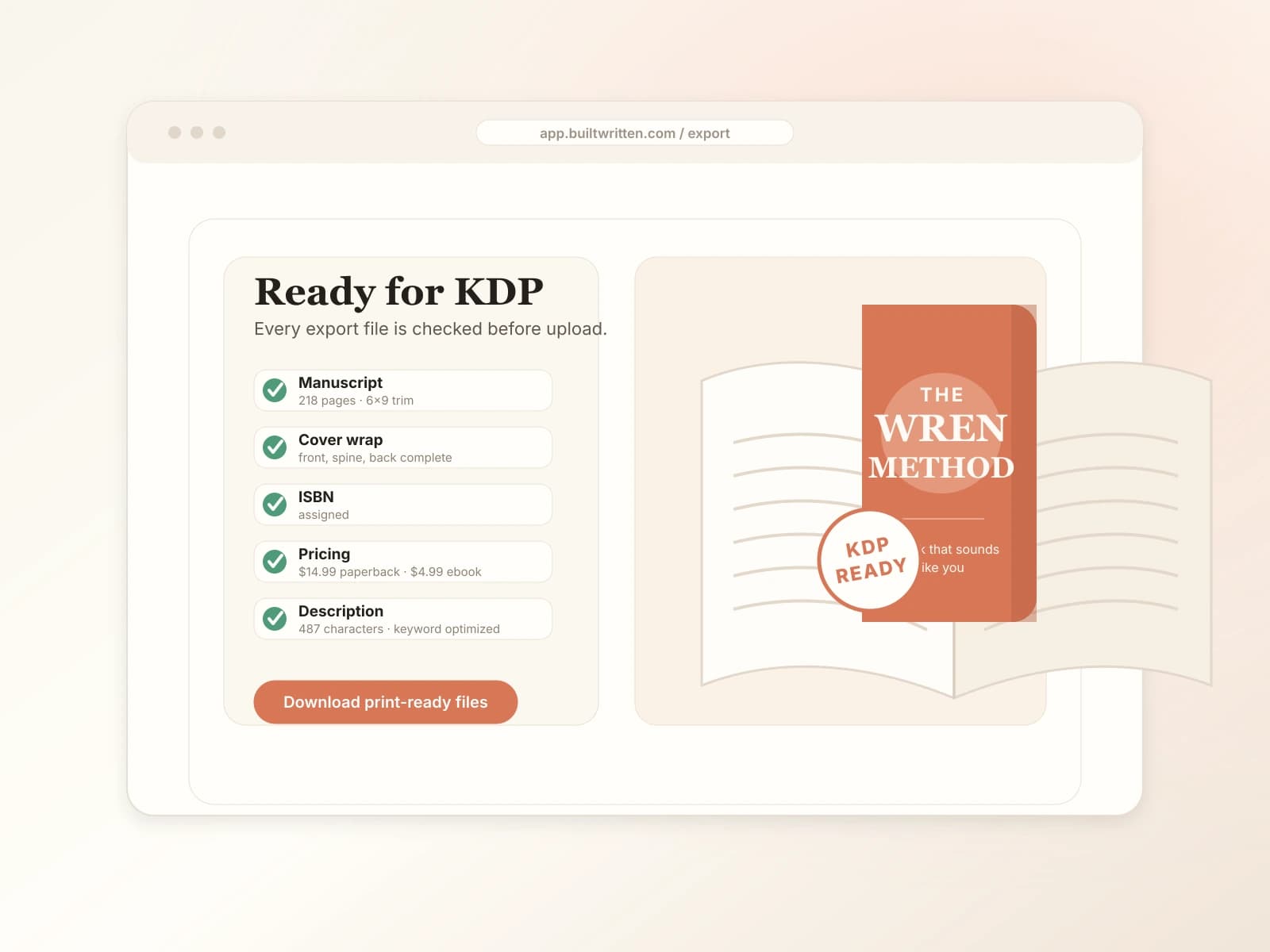
Print-ready PDF with correct margins, gutters and bleed. EPUB for Kindle. DOCX for editors. Cover wrap with the spine math done. KDP listing draft.
Five capabilities, one conversation. Claude picks the right tool; you just type what you want.
Chapters, outline and edits live in your Built&Written project, not in a chat history that resets. Ask Claude to pick up later, and it pulls the current state, not a memory.
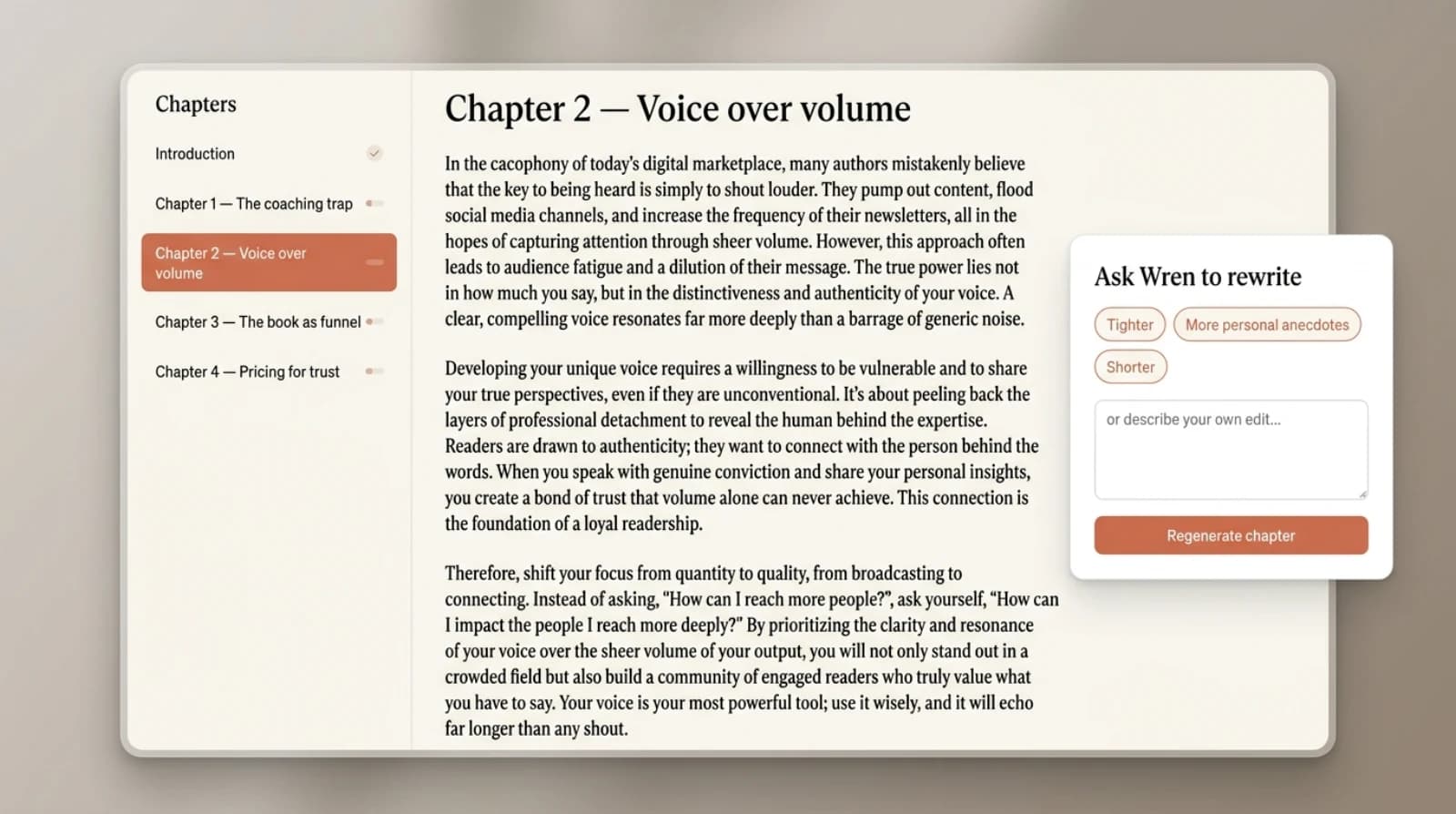
Paste five to fifty pages of what you've already written - LinkedIn posts, podcast transcripts, blog drafts. Wren reads it once. From then on every chapter Claude generates matches your sentence rhythm, vocabulary and explanation style.
Claude reads your outline and the chapters around the one it's writing before drafting. Ask for the whole book, and it runs as a background job so chat-window timeouts do not kill the draft.
Ask Claude to render a cover. Wren auto-sizes the wrap to your spine width at 300 DPI, places the bleed marks where KDP expects them, and hands you the file Amazon actually prints.

Interior PDF with correct margins, gutters, bleed and page numbers. EPUB for Kindle. DOCX for editors. KDP-ready ZIP. Every export is the format the platform expects on the first upload.
Built&Written gives Claude four ready-made starting points, one for each audience that buys a book to build authority.
“Draft a chapter on the discovery-call framework I use, in my voice.”
“Turn my last six investor updates into an outline for an operator playbook.”
“Take my methodology deck and structure it as a 10-chapter book.”
“Read my keynotes from the last two years and propose a memoir outline.”
Open Claude. Ask for one chapter on one topic. Wren writes it in your voice and you have a draft ready to edit.
“Write a 2,000-word chapter on the four mistakes new managers make in their first quarter.”
Outline. Train Voice DNA. Run a background-job draft of all chapters. Export. Two to three evening sessions across one week.
“Outline a 10-chapter book on the discovery-call framework I teach, then generate the whole thing.”
Upload an existing draft. Claude reads it, suggests restructuring, regenerates weak chapters, and exports KDP-ready files.
“Read my manuscript, tell me which chapters drift in voice, and regenerate the worst two.”
Connect Built&Written to Claude as an MCP connector. Then ask Claude in plain English to outline, draft, or revise chapters. Your book persists as a real project, not a chat history.
Built&Written connects as a custom remote MCP connector. Anthropic documents custom connectors on Claude Free, Pro, Max, Team, and Enterprise (Free may be limited to one custom connector - check current Claude help). You still need a Built&Written account; our book features follow Built&Written plan limits.
Yes - Built&Written is a remote MCP connector for Claude. Add https://mcp.builtwritten.com/mcp in Claude's connector settings and Claude can read, write, and export your book. Our listing in the Anthropic Connectors Directory is on the way.
Your book is stored in your Built&Written account. Claude reads only the chapters or content you ask it to, one chapter at a time.
Yes - once you've outlined the structure, you can ask Claude to generate the rest of the book. Generation runs as a background job so you don't hit chat-window timeouts.
Built&Written is an AI book-writing platform that connects directly to Claude via MCP, so you can outline, draft and edit a non-fiction book from inside the Claude conversation.
Built&Written also works with ChatGPT through the OpenAI Apps SDK. See /chatgpt for setup.
Both. Step-by-step setup for claude.ai and Claude Desktop is on builtwritten.com/mcp.
Print-ready PDF, EPUB and DOCX. PDFs are Amazon KDP-formatted out of the box.
Connect Built&Written to Claude and ask it to outline your first chapter.