
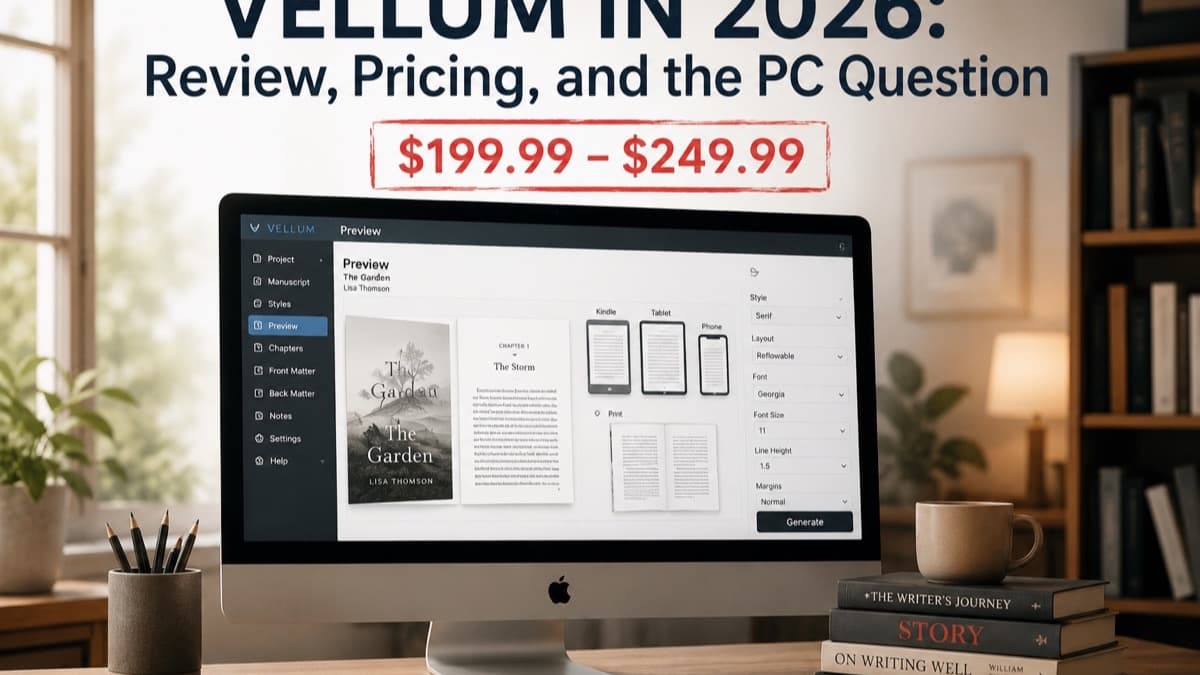

Vellum Software in 2026: Review, Pricing, and the PC Question
In the autumn of 2023, a leadership coach in Austin spent eleven days trying to format her 61,000-word manuscript in Microsoft Word. She read through a lengthy Microsoft help document. She watched four YouTube tutorials. She paid a virtual assistant $220 to produce files that Amazon KDP rejected on the first upload attempt.
A colleague at a book-writing workshop finally said three words: "Use Vellum software."
Two hours after that conversation, the coach had a print-ready PDF and four ebook files sitting in a folder on her desktop.
If you have heard those two words and want to understand exactly what Vellum software is, how it works, what it costs, what your computer needs to run it, and what to use instead on Windows, this guide covers all of it.
One quick disambiguation before we begin: "vellum" has two meanings. The older meaning is a type of translucent, parchment-style paper used in stationery, calligraphy, wedding invitations, and craft projects. That vellum is a paper product. This article covers Vellum the software, a book formatting application for Mac built by a small company called 180g. If you arrived here looking for vellum paper, a printing supply store will serve you better. If you arrived here because you want to understand whether Vellum software is right for your coaching book, read on.
Quick Answer: Vellum software is a Mac-only book formatting application priced at $199.99 (ebooks only) or $249.99 (ebooks plus print). It requires macOS 13 or newer, accepts Word (.docx) file imports, and exports professional ebook and print files for Amazon KDP, Apple Books, Kobo, and other retailers in a single click. It does not write content, does not design covers, and does not run on Windows. For coaches on a Mac with a completed manuscript, it is one of the most efficient production tools available. For coaches still writing, or working on Windows, other tools serve the job better.
What Vellum Software Is (and the One Thing It Cannot Do)
Vellum software is a book production tool. That means it belongs to a specific stage of the publishing process: it handles what happens after you finish writing.
Once your manuscript is complete and edited, you have a Word document full of raw text and structure. Formatting takes that raw text and arranges it the way published books look. Consistent chapter openings with generous white space. Running headers showing your name and chapter title. Page numbers in the standard position. Proper margins so text does not vanish into the spine. Controlled hyphenation, widow and orphan control (preventing single lines from stranding alone at the top or bottom of a page), and typographic details that readers feel without consciously noticing.
Vellum handles all of this automatically. You import your manuscript. You choose a visual style. You see a live preview. You click Export. The software produces finished files for every major publishing platform simultaneously.
What Vellum cannot do:
Write your book for you. There is no AI in Vellum. No drafting, no outline suggestions, no chapter generation. If you do not have a completed manuscript, Vellum has nothing to format. It is a production tool, not a writing tool.
Design your cover. Book covers require separate tools or services. Vellum handles the interior pages only. You need a cover file from a designer, an AI image platform, or KDP's own Cover Creator before you can publish.
Run on Windows. Vellum is a native Mac application. It uses Apple-specific rendering frameworks that have no Windows equivalent. There is no Windows version, no web-based version, and no workaround that runs Vellum natively on a PC. If your computer runs Windows, Vellum is not available to you without also renting a Mac remotely.
Publish for you. Vellum creates the files. Uploading them to KDP, setting your price, writing your book description, and clicking publish are still your job. Vellum is production software, not a publishing platform.
Support collaboration. Vellum is a single-user, single-machine application. Two people cannot work in the same Vellum project simultaneously. Co-authors, editors, and virtual assistants cannot access your Vellum file remotely.
Understanding what Vellum is not matters because many coaches discover the name while still in the middle of writing and wonder whether they should buy it now. The answer: not yet. Get your manuscript finished and edited first. Vellum enters your workflow at the end of that process.
How Vellum Software Works: The Formatting Engine
The experience of using Vellum is distinctly different from fighting with Word or trying to learn InDesign. The interface was built for authors, not graphic designers. Here is how the software moves a book from import to export.
Importing Your Manuscript
Vellum accepts one file format: Word (.docx). If you wrote in Google Docs, export to Word first (File > Download > Microsoft Word .docx). If you wrote in Scrivener, compile to Word. If you wrote in plain text, convert to Word. Vellum does not accept PDFs, plain text files, or Google Docs files directly.
The import reads your heading structure. Vellum uses Heading 1 in your Word document as chapter titles and Heading 2 as the first subhead level. If your Word document used proper heading styles (not bold text that visually looks like a heading but is technically just body text with bold formatting applied), the import maps correctly and your chapters appear in the left sidebar automatically.
If your document used informal formatting, bold text instead of actual heading styles, you will need to fix the structure in Word before importing or assign chapter breaks manually inside Vellum. This is a one-time overhead on your first book. Subsequent books move faster once you know to apply proper Word heading styles from the start.
After import, your chapters populate a list in the left sidebar. Click any chapter and a real-time preview appears on the right, showing exactly how the page looks in your chosen style.
Choosing a Book Style
Vellum ships with 8 pre-designed book style templates. Each one applies a complete typographic look to your entire book: font pairing, chapter opening design, ornament style, drop cap behavior, and spacing.
You apply a style by clicking it. Every chapter updates simultaneously. There is no page-by-page styling option. The style applies to the whole book at once, which is both a strength (fast, consistent) and a constraint (no mixing styles across chapters, fewer options for coaches who want a heavily branded look).
The style library was originally built with fiction in mind. The current selection ranges from minimal and contemporary to slightly ornate. For nonfiction coaching books, the cleaner, more modern styles work best. The font selection covers 26 embedded options. For most coaching books, this handles what readers need. If font variety is critical to your brand identity, tools like Atticus offer over 1,500 font options by comparison.
The Preview Panel
As you make any change, the preview updates in real time. You can see your book as it will look on a Kindle Paperwhite, iPhone, iPad, and Android device simultaneously, alongside a print page view.
Seeing all device views at once catches problems before they reach readers. Text that wraps well on an iPad may look awkward on a Kindle Paperwhite's smaller screen. An image that fits a printed page may need a caption adjustment for ebook display. The preview panel reveals these issues while you can still fix them, not after readers start leaving formatting complaints.
Front and Back Matter
Vellum has dedicated sections for front matter (title page, copyright page, dedication, table of contents) and back matter (about the author, other books, acknowledgments, contact page).
The table of contents generates automatically from your chapter structure. You choose which heading levels to include and Vellum builds it.
The back matter section is functional but limited. You can add text pages and basic formatting. What you cannot do is build a styled lead magnet page with a QR code, a formatted call-to-action block with custom visual design, or the kind of branded resource page a graphic designer might create in InDesign. For coaches who want the back of their book to function as a business development asset, the back matter handles text-based calls to action but does not extend to highly designed layouts.
Exporting Files
Click Export and Vellum produces all your output files in one pass:
- EPUB 3 and EPUB 2 files for Apple Books, Kobo, and other ebook retailers
- A Kindle-optimized file for Amazon
- Advanced Reader Copy (ARC) files in EPUB and MOBI for pre-launch distribution to reviewers and clients
- A print PDF meeting PDF/X-1a standards for KDP's paperback program and for IngramSpark
The print PDF handles 24 trim sizes including large print variants. Vellum calculates margins, gutter widths, and header positions based on your page count and trim size automatically.
The entire export runs in under a minute for most book-length manuscripts. The result is a folder containing all your distribution files, ready to upload.
What Changed in Vellum 4.0 (Late 2025) and 4.1 (2026)
If you read an older review of Vellum and found it weak on nonfiction, the current version addresses several of those complaints.
Vellum 4.0, released in November 2025, added four organizational heading levels coordinated with the book's style, finer heading spacing and alignment controls through a new Heading Preset Settings panel, and improved Word import handling that reduces manual cleanup after bringing in a document. Before 4.0, Vellum's nonfiction support was limited to two heading levels and drew regular criticism from business book authors. The update moved it meaningfully closer to parity with Atticus on this front.
Vellum 4.1 (March 2026) extended those heading controls based on post-4.0 user feedback and improved Word export for lists and footnotes. A February 2026 update also removed Lucida Grande from Vellum's print output; Amazon KDP had flagged that font as prohibited. If you use Vellum for KDP print and have not updated to at least version 4.0.3, install the update before exporting.
What has not changed: Vellum remains Mac-only, still converts footnotes to endnotes (no true inline footnotes), and still lacks callout boxes. The platform limitation is not under consideration based on any public communication from the company.
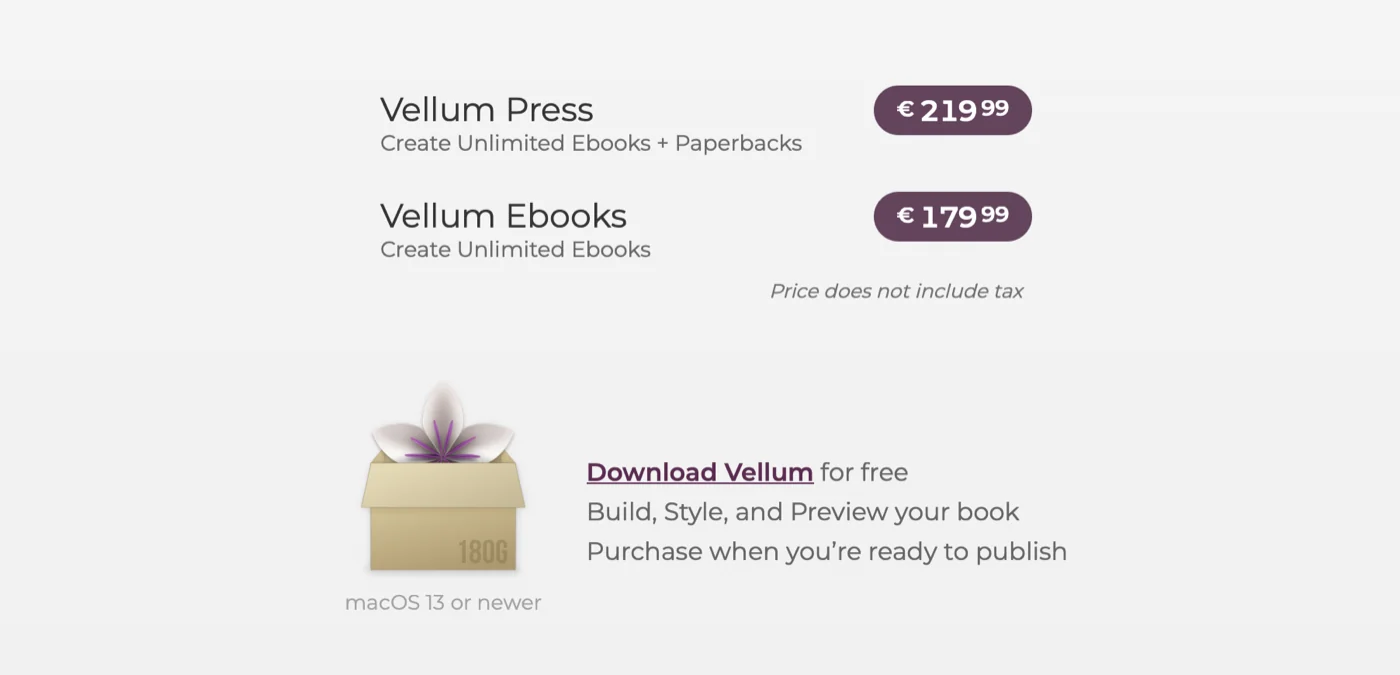
Vellum Software Pricing: What $199.99 and $249.99 Get You
Vellum uses a one-time purchase model. Pay once and own it permanently, with lifetime updates and no per-book fees.
Vellum Ebooks: $199.99
The Ebooks tier gives you everything Vellum does for digital output: all ebook formats, all device previews, all style options, and ARC generation for unlimited ebooks at no additional cost.
This tier does not include print formatting. If you plan to publish only as an ebook with no physical edition, Vellum Ebooks is sufficient.
Vellum Press: $249.99
The Press tier adds print book formatting to everything in the Ebooks tier. For $50 more, you unlock print PDF export across all 24 trim sizes, alongside print-specific controls for margins, headers, footers, page numbers, and spread balancing.
For coaches building a business book, Vellum Press is the right version in almost all cases. Physical copies matter for speaking engagements, client gifts, and the credibility that comes with a printed book. The $50 difference between tiers is small against that value. If your plans change later and you start with Ebooks, you can upgrade at the price difference.
Free Trial
Vellum's trial is unlimited in time and fully functional. You can format your complete manuscript, see every preview, and evaluate every output format before paying. Trial exports carry a watermark that prevents commercial use, but you see the exact same experience as a purchased license.
This lets you evaluate the software with your actual book before committing money. Most coaches who try Vellum with a real manuscript end up buying because the output quality is immediately visible.
The Long-Term Math
Professional formatting services on Fiverr and comparable platforms typically charge $150 to $300 for a complete formatting package covering both ebook and print files. One book makes the math between hiring a formatter and buying Vellum Press roughly even.
Where Vellum clearly wins is across multiple projects. A second edition of your book, a follow-up title, a companion resource formatted as a standard text, updated editions with new chapters, box sets: all of these run at no additional cost after the initial purchase. Coaches who publish multiple titles over several years recoup the $249.99 on their first revision alone.
The counterargument is stage and cash flow. If you have not yet written your first book, $249.99 for a formatting tool is premature. Start with a platform that addresses your current need (drafting the manuscript) and return to Vellum when production files are actually needed.
How to Use Vellum Software: A Complete First-Session Guide
If you have a Mac and a completed manuscript, here is what your first session looks like from start to finish.
Step 1: Download and install. Go to vellum.pub and download the application. Install it like any standard Mac application. No account creation is required for the trial.
Step 2: Launch and start a new book. Open Vellum. The welcome screen offers options to create a new book or open an existing project. Click New Book. Vellum asks for your book title and author name.
Step 3: Import your manuscript. Vellum prompts you to import a manuscript file. Select your Word (.docx) file. Import takes a few seconds for most book-length documents. Your chapters appear in the left sidebar.
Check the chapter list. If your Word document used proper Heading 1 styles for chapter titles, each chapter appears as a separate entry. If the list looks wrong (all text in one chapter, or chapters breaking at the wrong points), fix the heading styles in Word and re-import, or assign chapter breaks manually by selecting text in Vellum's chapter controls.
Step 4: Review imported content. Click through each chapter in the sidebar and scan the preview for import artifacts: extra paragraph breaks, missing italics, stray symbols. Most Word documents import cleanly. Documents with complex Word styles or extensive manual formatting may need minor cleanup.
Step 5: Choose your Book Style. Open the Style panel and browse the available styles. Click each one to see a full-book preview update instantly. For a coaching book, look for styles with clean chapter openings and readable body text. You can change the style at any point without losing other settings.
Step 6: Configure front and back matter. Add your title page, copyright page, and dedication using Vellum's front matter section. Fill in the back matter with an About the Author page and any other pages you want readers to encounter after the final chapter. The table of contents generates automatically.
Step 7: Set print trim size (Vellum Press only). If you are creating a print edition, open the Print panel and set your trim size. For coaching books in the 40,000 to 70,000 word range, 6 x 9 inches is the standard choice and what most coaches publishing on KDP use. Vellum adjusts all margins and gutters automatically.
Review the print preview. Check that no chapters have orphaned headings at the bottom of a page, page numbers appear correctly, and any images you included are displaying well.
Step 8: Export. Click Export. Select the output types you need. Vellum generates a folder with all your files. Your print PDF goes to KDP's paperback manuscript upload. Your ebook files go to KDP's Kindle upload, and to any other retailers you are distributing through (directly or via aggregators like Draft2Digital).
Time estimate for your first session: Two to four hours from import to finished files, including time spent choosing a style and reviewing the preview. Subsequent books take less time as the workflow becomes familiar.
The SCOPE Framework: Deciding If Vellum Software Fits Your Situation
The decision about whether to buy Vellum comes down to five variables. Working through them honestly gives you a clear answer rather than a vague "it depends."
S: System
Do you use a Mac running macOS 13 or newer?
This is the first and most decisive question. If the answer is no (you have a Windows PC, a Chromebook, or a Linux machine), Vellum is not available to you. The Mac requirement is a hard technical constraint, not a preference. Stop here and see the PC alternatives section below.
If yes, continue.
C: Content type
Is your book a text-focused nonfiction title? A framework book, how-to guide, thought leadership title, or narrative coaching story formats well in Vellum. Specialized layouts (magazines, workbooks with fill-in forms, children's books) do not. The next section covers this in detail.
If your project is text-focused nonfiction, continue.
O: Output needs
Do you need both ebook and print output, or ebooks only?
If ebooks only, Vellum Ebooks at $199.99 is the right tier. If you need print (and most coaches building authority and speaking engagements do), Vellum Press at $249.99 is the correct purchase. Decide this before buying so you start with the right version.
P: Phase
Is your manuscript complete and edited, or are you still writing?
Vellum does nothing for a manuscript that does not exist yet. If you are mid-draft, or in the research and planning phase, Vellum should not be your focus right now. Finish your draft, complete your editing pass, then return to the production decision.
If your manuscript is complete, continue.
E: Economics
Do you prefer a one-time purchase or a subscription?
Vellum's one-time pricing fits coaches who want to own the software permanently and plan to use it across multiple books. If you need help at the writing stage, a platform that bundles AI drafting, formatting, and production for a manageable monthly fee often makes more financial sense as your starting point.
Reading the SCOPE scorecard: If you answered yes to S (Mac), yes to C (standard text book), yes to O (have a target format), yes to P (manuscript complete), and yes to E (one-time purchase preference), Vellum is well matched to your situation. If you answered no to S or no to P, start with a different tool and return to Vellum when those variables change.
Can Vellum Software Create Magazines, Workbooks, or Other Formats?
This is one of the most common questions coaches ask, and the answer depends on what kind of project you have in mind.
What Vellum Handles Well for Coaches
Framework-based nonfiction. A book organized around a named framework (five steps, four pillars, seven habits) with chapter titles, subheadings, body text, and occasional images formats cleanly. This is the most common coaching book structure and Vellum's primary use case.
How-to guides. Books with numbered steps, process explanations, and practical text exercises format without issues.
Thought leadership titles. Books built around a central argument with narrative sections, case studies, and occasional data points work well.
Multi-book bundles. If you are publishing a series (your main title plus a companion reference), Vellum can combine them into a box set file.
Text-heavy companion resources. A companion resource that is mostly text with reflection prompts (complete this exercise: write three sentences about your current situation) formats in Vellum, though the output looks like a book rather than a designed worksheet.
What Vellum Cannot Create
Magazines. Vellum has no multi-column layout capability, no flowing text around images in complex arrangements, and no page-by-page design control. A magazine requires layout software (InDesign, Affinity Publisher) that gives you complete control over where each element sits on each page.
Coaching workbooks with forms. If your workbook has fill-in-the-blank lines, checkbox grids, structured response tables, or forms where clients write, Vellum cannot produce these elements. Vellum creates books. Workbooks with interactive elements need a different production approach.
Books with precise image placement. Vellum places images inline with text. If your book requires a specific figure to land at the exact bottom of a specific page with text wrapping around it on three sides, Vellum cannot deliver that level of layout control. For heavily visual books with precisely positioned diagrams, InDesign or Affinity Publisher handles this better.
Children's picture books. These require full-bleed illustration placement and custom page-by-page layouts. Vellum was not designed for illustrated children's books.
Cookbooks with complex layouts. Multiple photographs per spread, sidebars, and varied column layouts exceed Vellum's formatting engine.
The practical rule: if your coaching book is primarily text with some supporting images and logical structure, Vellum handles it well. If your project requires custom layout work on individual pages, or interactive form elements, Vellum is the wrong tool regardless of what platform you are on.
What Vellum Software Needs to Run (and What PC Software Mimics It)
Vellum's System Requirements
Vellum requires:
- macOS 13 (Ventura) or newer. This is the hard minimum. Earlier versions are not supported.
- An Apple Silicon or Intel Mac. Any Mac purchased in 2018 or later that can run macOS 13 meets the hardware requirement. Older Macs that cannot upgrade to macOS 13 cannot run current Vellum.
- Approximately 60 MB of storage for the application. Book project files store separately.
- No internet connection required for day-to-day use. Vellum runs entirely offline. You only need internet access for the initial download and for the purchase transaction.
There is no iOS version, no Android version, no web version, and no Windows version. The technical reason for the Mac-only limitation is that Vellum was built on Apple-specific rendering frameworks that do not translate to other operating systems. The company has not indicated any plans to change this.
Running Vellum on Windows Through a Remote Mac Service
Some coaches who specifically want Vellum and are on Windows use a service called MacInCloud, which provides remote access to a Mac in the cloud. You pay a monthly fee (approximately $30 to $40 per month for a plan suitable for Vellum) and access a virtual Mac through a browser.
This works technically. You can purchase and run Vellum on a rented Mac. The tradeoffs: you need a reliable internet connection at all times, the experience has some latency compared to using a local application, and the annual cost of MacInCloud ($360 to $480 per year) exceeds what Atticus costs as a one-time purchase.
For coaches who need to format one book on a tight timeline and cannot easily switch tools, this is a viable path. For coaches choosing a long-term production tool, the economics generally favor a native PC alternative.
What PC Software Mimics Vellum
If you are on Windows and need Vellum-equivalent functionality, here are the tools that handle the same job:
Atticus ($147, one-time): Atticus is the most direct Vellum competitor and the standard recommendation for Windows users. It runs in a browser on any operating system: Windows, Mac, Linux, and Chromebook. It produces ebook files and print PDFs with one-time pricing. For coaches on Windows, Atticus is the clear starting point.
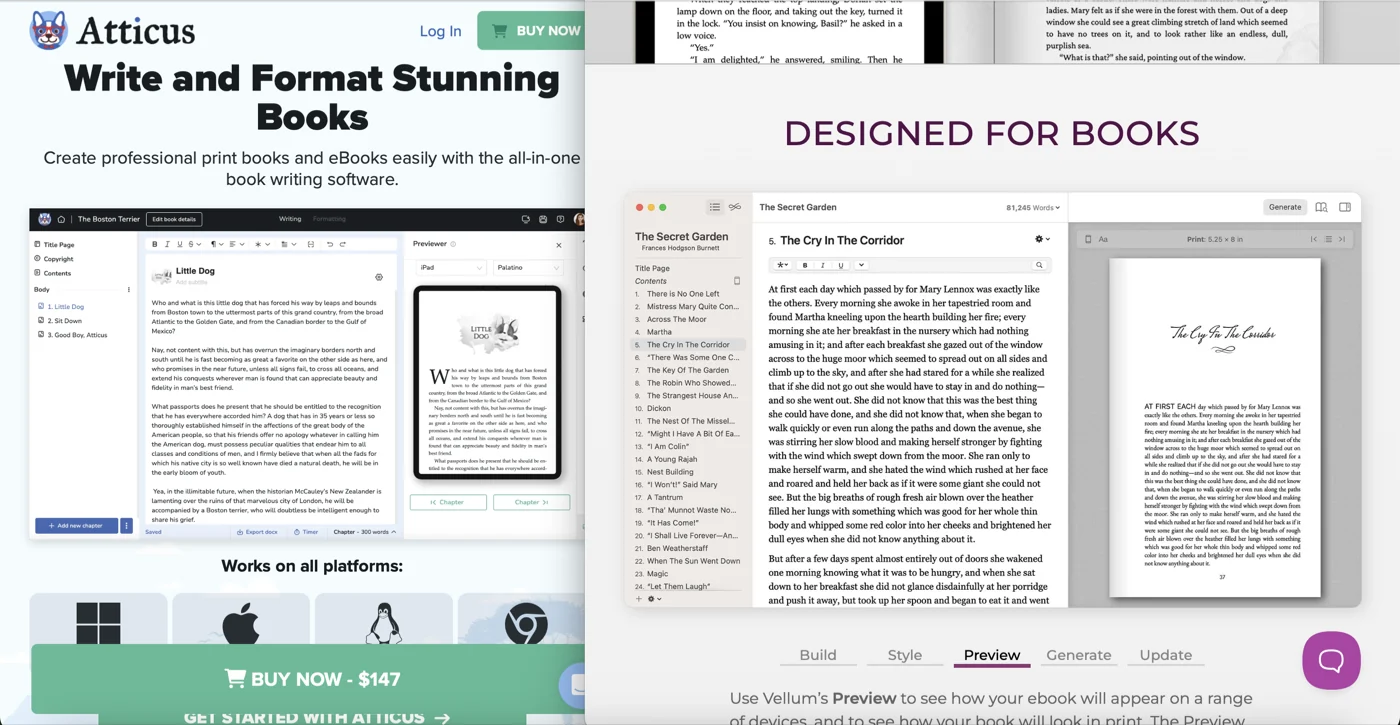
Where Atticus goes further than Vellum: over 1,500 font options, true footnotes (not endnotes), callout boxes for highlighting key points, collaboration capability for multiple users, and cloud storage with automatic backups. For nonfiction coaches who use callout boxes and need footnotes rather than endnotes, Atticus handles nonfiction production better in several specific areas.
Where Vellum has an edge over Atticus on Mac: a longer production track record, slightly more polished default aesthetics at the starting settings, ARC generation in both EPUB and MOBI simultaneously, and full PDF/X-1a compliance without extra configuration.
Folio Studio (free to start, paid tiers available): A web-based formatting tool that runs in any browser on any operating system. Less established than Atticus but requires no download and offers a free tier for basic needs. An option for coaches who want to test a browser-based formatting workflow before committing.
Reedsy Book Editor (free): Reedsy's browser-based formatter produces competent ebook and print files at no cost. Fewer styles than Vellum or Atticus, less typographic control, but fully functional for a coach formatting one book on a budget.
Sigil (free, open source): A free EPUB editor for coaches who want direct EPUB file control. Requires more technical comfort than Vellum or Atticus. Not recommended as a first choice for coaches who prefer a clean visual workflow.
For coaches on Windows asking "which PC software mimics Vellum," Atticus is the answer most professionals give: lower price, same output quality, cross-platform, and with added nonfiction features that Vellum still lacks.
Vellum vs. Alternatives for Coaches in 2026
The book production software landscape is more competitive than it was three years ago when Vellum dominated the conversation. Here is an honest comparison for the tools coaches most commonly consider.
Vellum vs. Atticus ($147)
The comparison that comes up most often. Both tools produce professional ebook and print files. Both use one-time pricing.
Price: Atticus at $147 is roughly $100 less than Vellum Press at $249.99.
Platform: Atticus runs on any operating system through a browser. Vellum requires Mac.
Nonfiction features: Atticus was built with nonfiction in mind from the start. It supports callout boxes, true footnotes, over 1,500 fonts, and more heading levels. Vellum's 4.0 update added multiple heading levels and finer heading controls, but still lacks callout boxes and true footnotes.
Collaboration: Atticus supports multiple users on the same project. Vellum does not.
Aesthetics: Subjective, but coaches who have compared both outputs side by side often find Vellum's typography slightly more polished at the default settings. Atticus offers more variety because of the larger font library.
ARC generation: Vellum generates ARC files (EPUB and MOBI) for pre-launch reviewer distribution directly. Atticus does not have a dedicated ARC feature.
Verdict for Mac users: The $100 price difference and Atticus's stronger nonfiction feature set make Atticus a competitive choice even on Mac. If you specifically need callout boxes, collaboration, or true footnotes, Atticus is the better tool regardless of platform. If you prefer Vellum's aesthetic direction and do not need those features, the premium is defensible.
Verdict for Windows users: Atticus, clearly.
Vellum vs. Built&Written (from $19/month)
These tools operate at different stages of the book production process, which requires framing the comparison correctly.
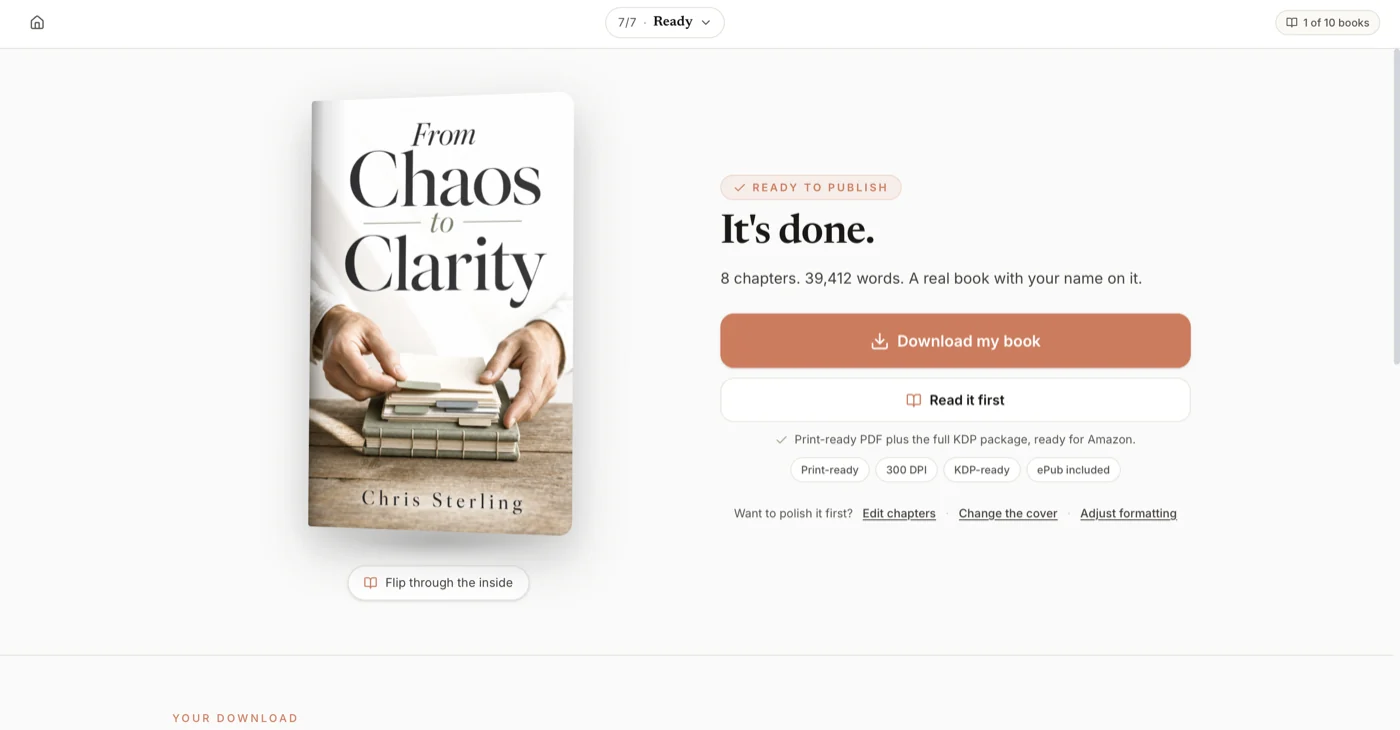
Built&Written is a platform built for coaches, consultants, and business experts who want to turn expertise into a published book. It handles the writing stage: AI assistance that generates and develops content in your voice through Voice DNA technology, structured chapter development, and the full path from outline to completed manuscript. The platform then handles production: formatted, KDP-ready output.
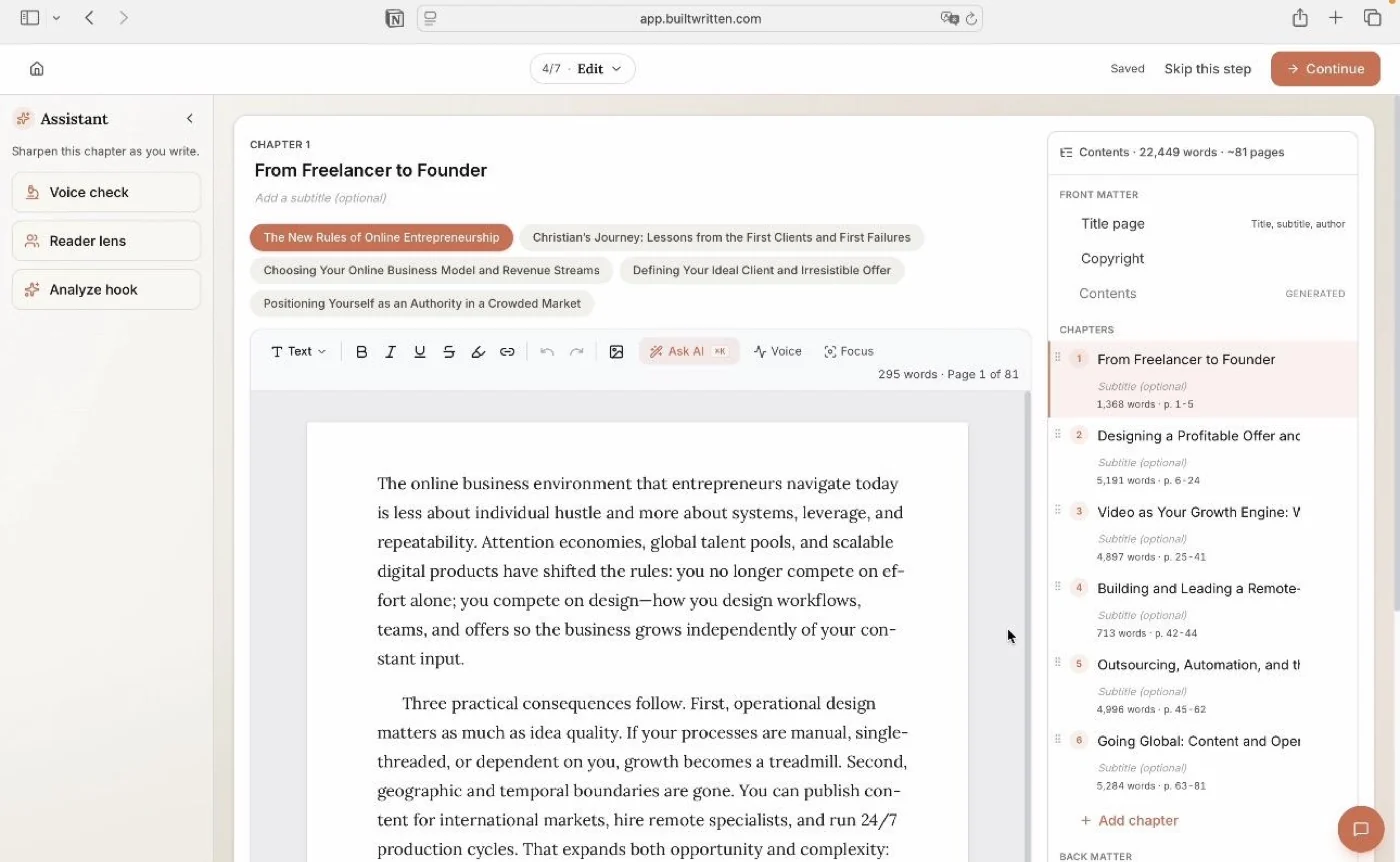
Vellum enters your workflow after Built&Written (or any writing platform) is finished. It formats a completed manuscript. It provides no writing assistance.
At from $19 per month, Built&Written costs $180 per year, comparable to Vellum Ebooks over the same period.
Where Built&Written serves coaches better than Vellum:
- You do not have a completed manuscript yet and need writing assistance to produce one
- You are on Windows or any non-Mac device
- You want one platform handling both writing and production rather than separate tools
- You want ongoing monthly access to AI assistance for future editions and updates
- You are publishing your first book and want more structured guidance through the process
Where Vellum serves coaches better than Built&Written:
- Your manuscript is already complete and you only need production files
- You are a Mac user who prefers the one-time-purchase model
- You want granular control over typographic fine points
- You plan to format five or more titles and want to eliminate subscription costs entirely
The right answer depends on where you are in the process. Built&Written addresses the writing problem. Vellum addresses the production problem. If you have already solved the writing problem and own a Mac, Vellum is an excellent production tool. If you are still working on the manuscript, start with a platform that addresses that stage.
For a full breakdown of AI writing tools for coaches, the guide to best AI book writing tools for coaches in 2026 covers the complete landscape. For the formatting-only comparison across all major tools, see the book formatting tools guide for coaches on KDP.
Vellum vs. Microsoft Word (free with most subscriptions)
Word is what most coaches use by default before discovering dedicated formatting tools.
Word can produce KDP-acceptable files. Many coaches have published Word-formatted books and they work. The difference between a Word-formatted interior and a Vellum-formatted interior is visible on the first page: widow and orphan handling, hyphenation, gutter margins, and chapter openers all require manual effort in Word that Vellum handles automatically.
For coaches who plan to publish more than one book or one edition, any dedicated formatting tool saves more time than it costs. Word is a reasonable fallback for a coach producing one book on a minimal budget who has the time to learn its formatting quirks.
Vellum vs. Reedsy Book Editor (free)
Reedsy's browser-based formatter produces clean ebook and print files at no cost. For a coach on a tight budget publishing a single title, it is worth considering before purchasing Vellum.
Limitations compared to Vellum: fewer style options, less typographic control, no ARC generation, no device preview panel. Reedsy Book Editor covers the basics and nothing beyond.
For coaches who want to see what a formatted file looks like before committing to a production tool, Reedsy provides a zero-cost proof of concept. Once you have more than one book in the pipeline, the limitations become friction worth paying to eliminate.
Key Takeaway: Vellum software fits coaches who check all five SCOPE boxes: Mac user, standard text book, defined output need, completed manuscript, and preference for one-time pricing. It is fast, professional, and costs the equivalent of one formatter's fee for unlimited books. For coaches still writing, on Windows, or wanting writing assistance bundled with formatting, start with a platform matched to where you actually are in the process.
Frequently Asked Questions
What is Vellum software?
Vellum is a Mac-only book formatting application made by a company called 180g. It takes a completed manuscript (imported as a Word file), applies professional typesetting, and exports polished ebook and print files for Amazon KDP, Apple Books, Kobo, and other retailers. It does not write content, does not design covers, and does not run on Windows. Pricing is $199.99 for ebooks only or $249.99 for ebooks plus print, as a one-time purchase.
How does Vellum software work?
You import your manuscript as a Word (.docx) file. Vellum reads your heading structure and creates chapters in a sidebar. You choose a book style from 8 pre-designed templates. A real-time preview shows your book across multiple device types as you make changes. You configure front and back matter, set your trim size for print, and click Export. Vellum produces all your distribution files in one pass: ebook files for all major platforms plus a print-quality PDF.
How much is Vellum software?
Vellum Ebooks costs $199.99 as a one-time purchase. Vellum Press costs $249.99 as a one-time purchase and adds print formatting to the ebooks capability. Both licenses cover unlimited books with lifetime updates. A free trial lets you format a complete book and see all previews before paying; trial exports are watermarked but otherwise fully functional.
How do I use Vellum formatting software?
Download it from vellum.pub, install on your Mac, create a new book project, import your Word (.docx) manuscript, review the chapter structure in the left sidebar, choose a book style, add front and back matter pages, set your trim size if creating a print edition, check the device previews, and click Export. First-session time from import to finished files is typically two to four hours including preview review and minor adjustments.
What software does Vellum need to run?
Vellum requires macOS 13 (Ventura) or newer. It runs on any Mac released from 2018 onward that can run macOS 13, with no internet connection required for day-to-day use. No additional software is needed beyond the Mac operating system. Vellum does not run on Windows, Linux, iOS, or any non-Mac platform.
Can Vellum software create magazines?
No. Magazines require multi-column layouts, full-bleed images, and page-by-page design control that Vellum does not support. Vellum formats books with sequential chapters and text. Magazine-style layouts require InDesign, Affinity Publisher, or similar tools that give you per-page design control over every element.
Which PC software mimics Vellum?
Atticus ($147, one-time) is the most direct Vellum equivalent for Windows. It runs in a browser on any operating system, produces ebook and print files, and matches Vellum's output quality. Atticus adds several features Vellum lacks: over 1,500 fonts, callout boxes, true footnotes, and collaboration support. Other browser-based options include Folio Studio (free tier available) and Reedsy Book Editor (free). If you specifically want to run Vellum itself on Windows, MacInCloud provides remote Mac access at approximately $30 to $40 per month, but the annual cost exceeds Atticus as a one-time purchase.
Is Vellum worth it for a first-time author?
If you are on a Mac and your manuscript is complete, yes. The one-time $249.99 for Vellum Press covers unlimited books and is comparable in cost to hiring a formatter for a single project. The free trial lets you evaluate with your actual manuscript before paying. If you do not yet have a completed manuscript, start with a writing platform and return to the Vellum decision when the manuscript is done.
Does Vellum work for coaching workbooks?
Only for workbooks that are primarily text-based with written exercises. Coaching workbooks with fill-in forms, checkbox grids, structured response tables, or precisely placed images require a layout tool with per-element positioning control. Vellum cannot produce those elements. For text-based companion workbooks where exercises are written paragraphs with reflection prompts, Vellum handles the formatting adequately.
Can Vellum import Google Docs files?
Not directly. Export your Google Docs file to Word format first (File > Download > Microsoft Word .docx), then import the Word file into Vellum. The conversion is generally clean for text content. Images embedded in Google Docs may need re-insertion after import depending on how they were placed in the original document.
Does Vellum have an AI writing assistant?
No. Vellum is a formatting tool with no content generation features. If you need AI assistance to draft chapters, build an outline, or develop your manuscript, you need a different platform. Vellum enters your workflow after the manuscript is written and edited.
How many books can I format with Vellum?
Unlimited, at no additional cost. The one-time purchase covers every book you will format. There are no per-book fees, no annual renewal requirements, and no usage limits.
Does Vellum work with Amazon KDP?
Yes. Vellum exports print PDFs that meet KDP's PDF/X-1a requirements and produces ebook files compatible with KDP's Kindle format. No additional conversion step is required. You upload Vellum's output files directly to KDP.
What happened to Vellum's footnote support?
Vellum converts all footnotes to endnotes. It does not support true inline footnotes that appear at the bottom of the same page as their reference number. For coaching books that rely heavily on academic-style footnotes, this is a limitation. Atticus supports true footnotes. For most coaching and business books where footnotes are rare or nonexistent, Vellum's endnote conversion is not a practical constraint.
How does Vellum compare to Built&Written for coaches?
They address different problems at different stages. Vellum formats a manuscript you have already written. Built&Written helps you produce the manuscript using AI assistance, then handles formatting and KDP-ready output. If you have a completed manuscript and a Mac, Vellum is the purpose-built formatting choice. If you are still in the writing phase, or want a single platform from concept to published file, Built&Written is the more comprehensive starting point. See the full AI book writing tools comparison for coaches for a side-by-side look.
Sources and References
- Vellum official site and pricing
- Vellum review: why it no longer gets top recommendation (Kindlepreneur)
- Vellum alternatives: better and cheaper options in 2026 (Kindlepreneur)
- Vellum for Windows: how to use it or find alternatives
- Atticus vs Vellum: which formatting software is right for you
- Amazon KDP paperback formatting requirements
- Reedsy Book Editor (free browser-based formatting)
- Atticus official site
- Built&Written
- IngramSpark print distribution
Sources & References
- https://vellum.pub
- https://kindlepreneur.com/vellum-software-review/
- https://kindlepreneur.com/vellum-alternatives/
- https://www.automateed.com/vellum-for-windows
- https://www.automateed.com/atticus-vs-vellum
- https://kdp.amazon.com/en_US/help/topic/G200634390
- https://reedsy.com/studio
- https://www.atticus.io/
- https://www.builtwritten.com/
About the author

Mykhailo Druz
More in tools
Ready to write your book?
Turn your expertise into a professional book with Built&Written.