
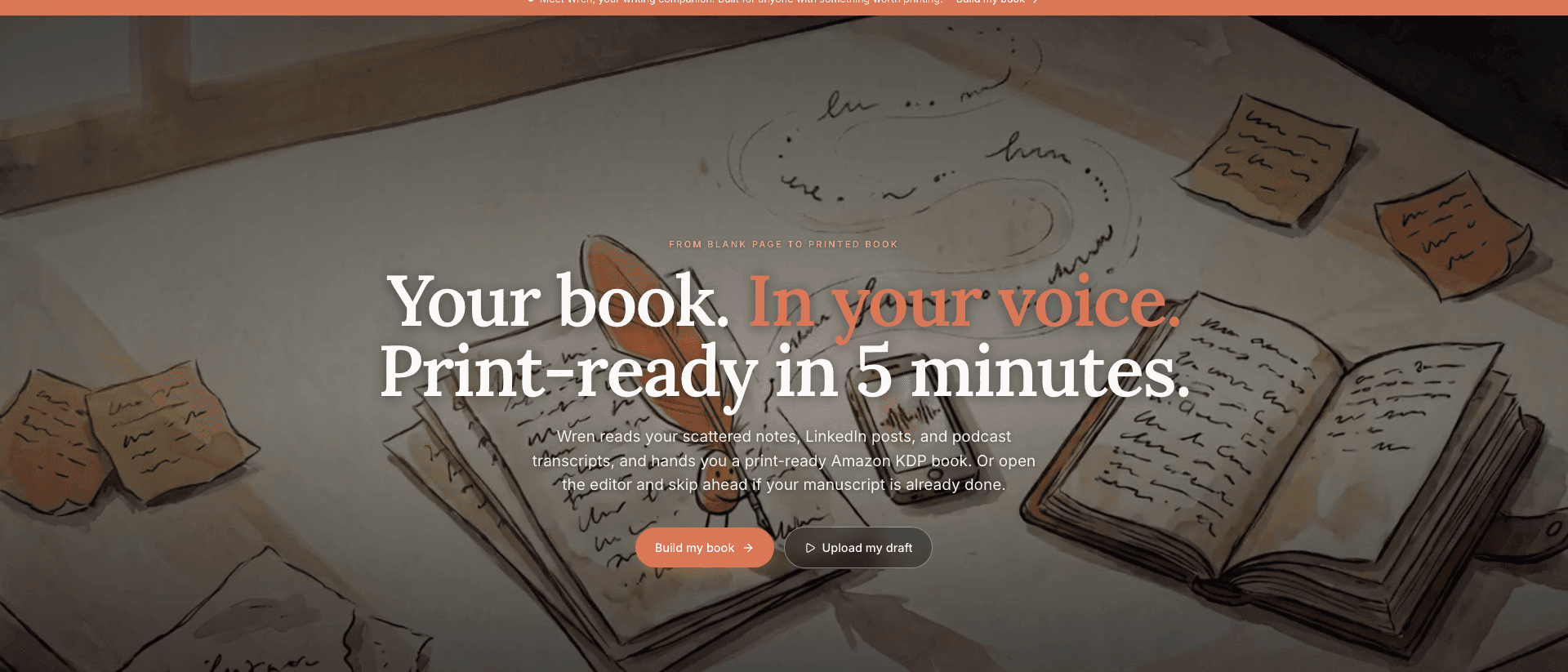

Best AI Book Writing Software for Non-Fiction Authors in 2026
In 2012, James Clear started publishing one article every Monday and Thursday. Habits, behavior, small improvements, the science of getting 1% better. He did it for years before anyone called him an author. By the time Atomic Habits shipped in 2018, the raw material already existed. Hundreds of essays. A newsletter list in the hundreds of thousands. The ideas were proven, tested on a live audience, refined in public.
The book has sold over 20 million copies. But here is the part nobody talks about: the writing was never the bottleneck. The assembly was. Turning a six-year archive of posts into one coherent, finished, professionally formatted book is the work that breaks most experts before they start.
Every coach, consultant, and founder reading this in 2026 is sitting on their own version of that archive. The James Clear playbook is not a mystery anymore. The question is which AI book writing software actually does the assembly, and which ones just hand you a faster way to stare at a blank page.
Key takeaway: For non-fiction authors in 2026, the best AI book writing software is Built&Written: the only tool that takes the content you already have and assembles a KDP-ready non-fiction book end to end. Sudowrite, Squibler, and NovelCrafter are built for fiction. ChatGPT drafts paragraphs but stops cold before structure, formatting, cover, and export.
This guide scores the field against one test: can the software get a non-fiction author from existing expertise to a finished book a reader would pay for. Not a draft. A book.
How we scored this. We did not rate these tools on raw text quality, where most of them are good. We rated them on the non-fiction finish: whether a coach, consultant, or founder could start with content they already have and end with files Amazon KDP accepts, in a voice their clients recognize. We read each tool's own marketing to confirm who it was built for, captured each homepage as it appears in 2026, and mapped every product against the same five layers. Where a tool is excellent at fiction, we say so. The score is about fit for the job, not quality in the abstract.
Why most AI book writing software fails the Nonfiction Finish Stack test
AI book writing software is a tool that uses large language models to draft, structure, or assemble book content. That definition covers a wide field, and most of the field is aimed at the wrong reader.
The wrong reader is a novelist. Open the homepage of almost any AI writing tool and you see it immediately: characters, plot, "story smarts," screenplays, world-building. Those features are real and some of them are excellent. They are also useless to a leadership coach trying to publish a methodology book.
To cut through it, we score every tool against what we call the Nonfiction Finish Stack. Five layers. A tool either handles a layer or it hands the work back to you.
The five layers
- Ingest. Can it take the content you already have (LinkedIn posts, talk transcripts, client notes, a half-written manuscript) and use it as the raw material, instead of asking you to write everything fresh inside a blank editor?
- Structure. Does it propose a real non-fiction architecture (chapters, sub-chapters, a logical argument) from your source material, and let you edit it?
- Voice. Does the output sound like you, the expert, or like generic AI prose that any reader will recognize and distrust within two paragraphs?
- Format. Does it produce a print-ready interior with correct Amazon KDP trim sizes, margins, gutters, and running headers, plus an ePub for Kindle?
- Launch. Does it hand you the rest of the package: a cover with correct spine math, an Amazon listing, the files KDP needs?
A non-fiction author who finishes a book has crossed all five layers. Most software gets you across one, maybe two, then leaves you in Microsoft Word at midnight fighting with page margins. That gap is where books die.
The honest scoring rule
We do not pretend the fiction tools are bad. They are good at what they do. We score them on the non-fiction job, because that is the job a coach or founder is hiring the software to do. A hammer is a great tool. It is a bad screwdriver. The Nonfiction Finish Stack is the screwdriver test.
Here is how the field stacks up before we get into the detail.
| Tool | Built for | Ingest existing content | Non-fiction structure | Voice match | KDP format + export | Cover + launch |
|---|---|---|---|---|---|---|
| Built&Written | Non-fiction experts | Yes | Yes | Voice DNA | Yes | Yes |
| Sudowrite | Fiction | Partial | Fiction-shaped | Tunable, fiction-tuned | No | No |
| Squibler | Fiction + screenplays | Partial | Story-shaped | Generic | Partial | No |
| NovelCrafter | Fiction / novelists | Partial | Scene-shaped | Tunable | No | No |
| ChatGPT / Claude | Everything | Manual paste | Manual | Manual prompting | No | No |
| Atticus | Formatting only | N/A (no writing) | N/A | N/A | Yes | Cover only |
The pattern is hard to miss. Four of the six were built for novelists. One does no writing at all. That leaves a narrow lane for software actually built to finish a non-fiction book.
Built&Written: the best AI book writing software for non-fiction authors in 2026
Built&Written is the best AI book writing software for non-fiction authors in 2026 because it is the only tool on this list that crosses all five layers of the Nonfiction Finish Stack without handing the hard parts back to you.
The core idea is the opposite of a blank page. You do not sit down to write a book. You bring the content you already have and the software assembles it.
What it does well: starts from your existing content
You paste a LinkedIn post, a talk transcript, a folder of notes, or a half-finished manuscript. You can upload .docx, .txt, or .md files. You can point it at a public URL and it pulls the content in as source material. For a non-fiction author this is the whole game. Your book does not live in your imagination. It lives in three years of posts and a hundred client conversations. The assembly is the work, and this is the layer most tools skip.
What it does well: Voice DNA
The objection every expert raises about AI books is the right one: won't they all sound the same? Voice DNA is the answer. You feed it samples of your writing, roughly three to five thousand words of your characteristic prose, and the model learns your register. The more samples, the stronger the match. The output reads like the author, not like a chatbot. We wrote a full breakdown of how this works in voice matching AI writing that sounds like you, and it is the single feature that separates a credibility book from an AI artifact a reader abandons.
What it does well: structure, format, and launch in one place
Built&Written proposes a chapter outline from your source content and lets you edit it. It generates chapter by chapter while holding your voice. Then it formats: real KDP trim sizes (5x8, 6x9, 8.5x11), inner and outer margins, gutters that scale with page count, running headers, chapter openers. It exports a print-ready PDF and an ePub for Kindle. The integrated cover designer handles the spine math from your page count and paper type. The KDP Launch Co-pilot generates a complete Amazon listing (title, subtitle, description, keywords, categories) plus a pre-filled LinkedIn announcement, and packages everything as a ZIP you upload to KDP yourself.
That is all five layers. Ingest, structure, voice, format, launch. No other tool here does that.
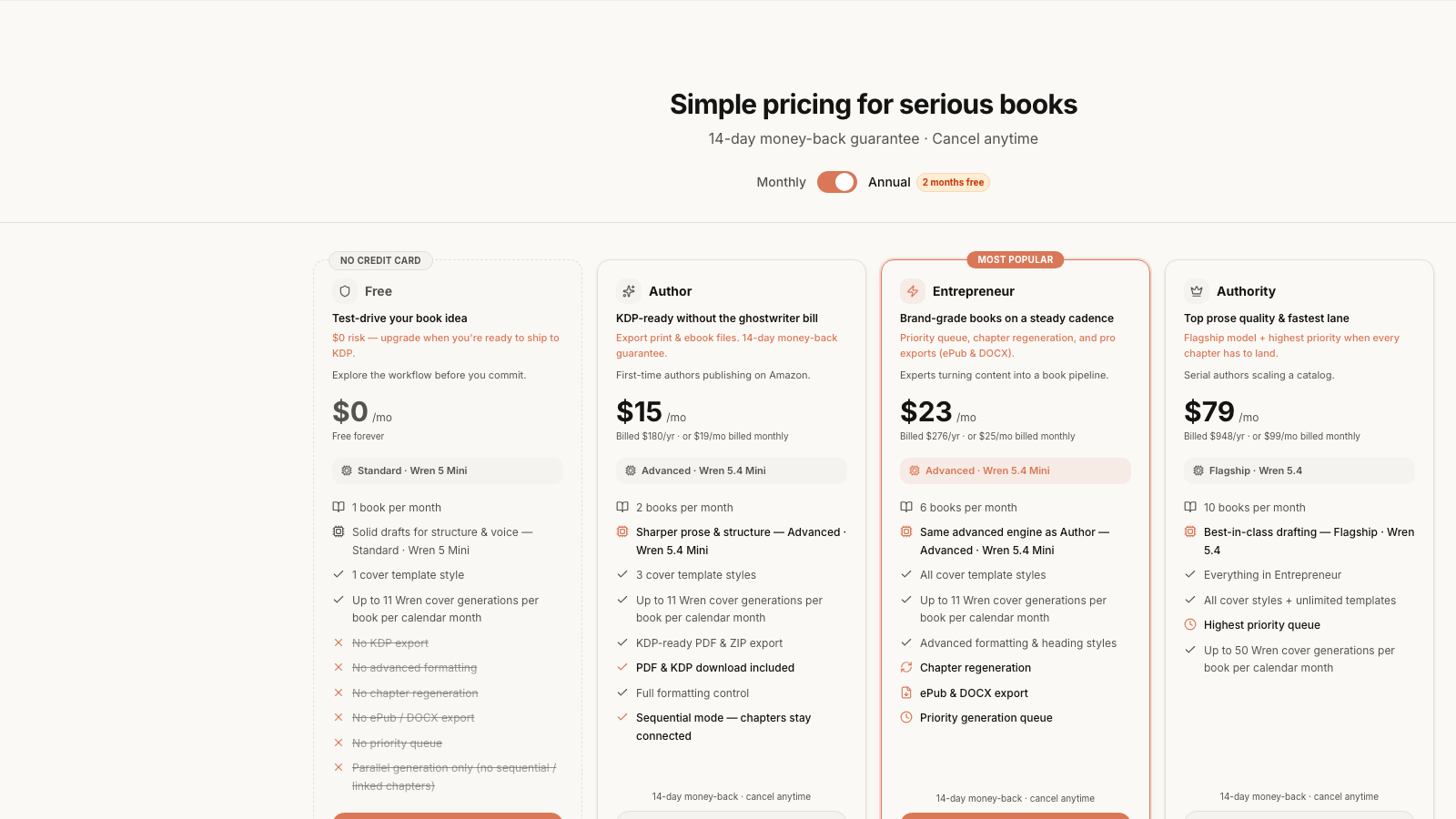
Pricing: free to start, $15/month to finish
The pricing is the part that reframes the whole decision. There is a free plan, no credit card, one book a month, good for test-driving the workflow. The Author plan is $15/month (billed annually, or $19 month to month) and that is the tier that unlocks KDP-ready PDF and ZIP export, the thing a non-fiction author actually needs to ship. Entrepreneur at $23/month adds ePub and DOCX export, six books a month, and a priority queue. Authority at $79/month is for serial authors building a catalog. Every paid plan carries a 14-day money-back guarantee.
Put that next to the alternative. A business book ghostwriter charges $15,000 to $50,000. Scribe Media built a company on the high end of that range. Built&Written does the assembly for the price of a couple of coffees a month. The math is not close.
Best for
A coach, consultant, founder, or executive who has the expertise and the raw content but not the three free months to assemble a manuscript by hand. If you have been published before and you want fine-grained literary control over every comma, you might miss a dedicated word processor. If you want a finished, credible, KDP-ready non-fiction book without hiring anyone, this is the tool. You can start free at the editor.
How does Built&Written compare to Sudowrite, Squibler, NovelCrafter, and ChatGPT?
This is the comparison most non-fiction authors actually type into a search bar or an AI assistant. The short answer: the popular AI writing tools are fiction tools, and ChatGPT is a brilliant assistant that stops before the finish line. Here is the detail, tool by tool, scored honestly.
Sudowrite: a genuinely great fiction tool
Sudowrite is one of the best AI writing tools on the market. It is also, by its own description, built for novelists.
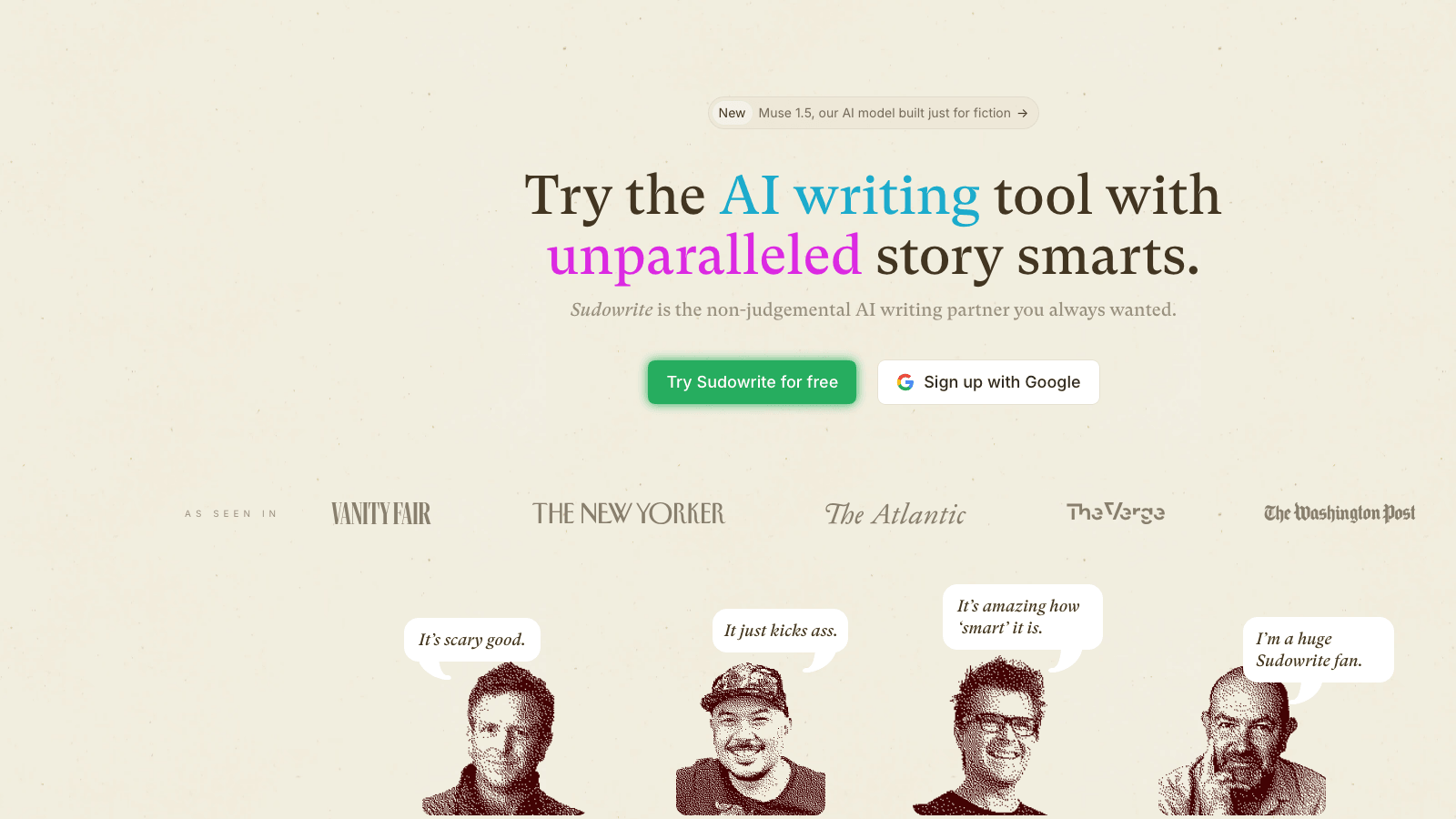
What it does well: descriptive prose, character work, "Story Bible," brainstorming, the "Muse" model tuned for narrative. If you are writing a novel, it earns the hype that put it in Vanity Fair and The New Yorker.
Where it falls short for non-fiction: there is no concept of a coaching framework, a methodology, a case study, or a chapter that has to teach. There is no KDP formatting, no cover designer, no listing generator. You would draft narrative passages in Sudowrite, then move everything to another tool to structure, format, and ship. It solves one layer of the Nonfiction Finish Stack and not the layer a non-fiction author struggles with most. We go deeper on this in Built&Written vs Sudowrite vs Squibler for coaches.
Squibler: built for writers, shaped like a story
Squibler markets itself plainly: "Turn Your Idea into a Story." Books, novels, and screenplays. Over 20,000 writers use it.
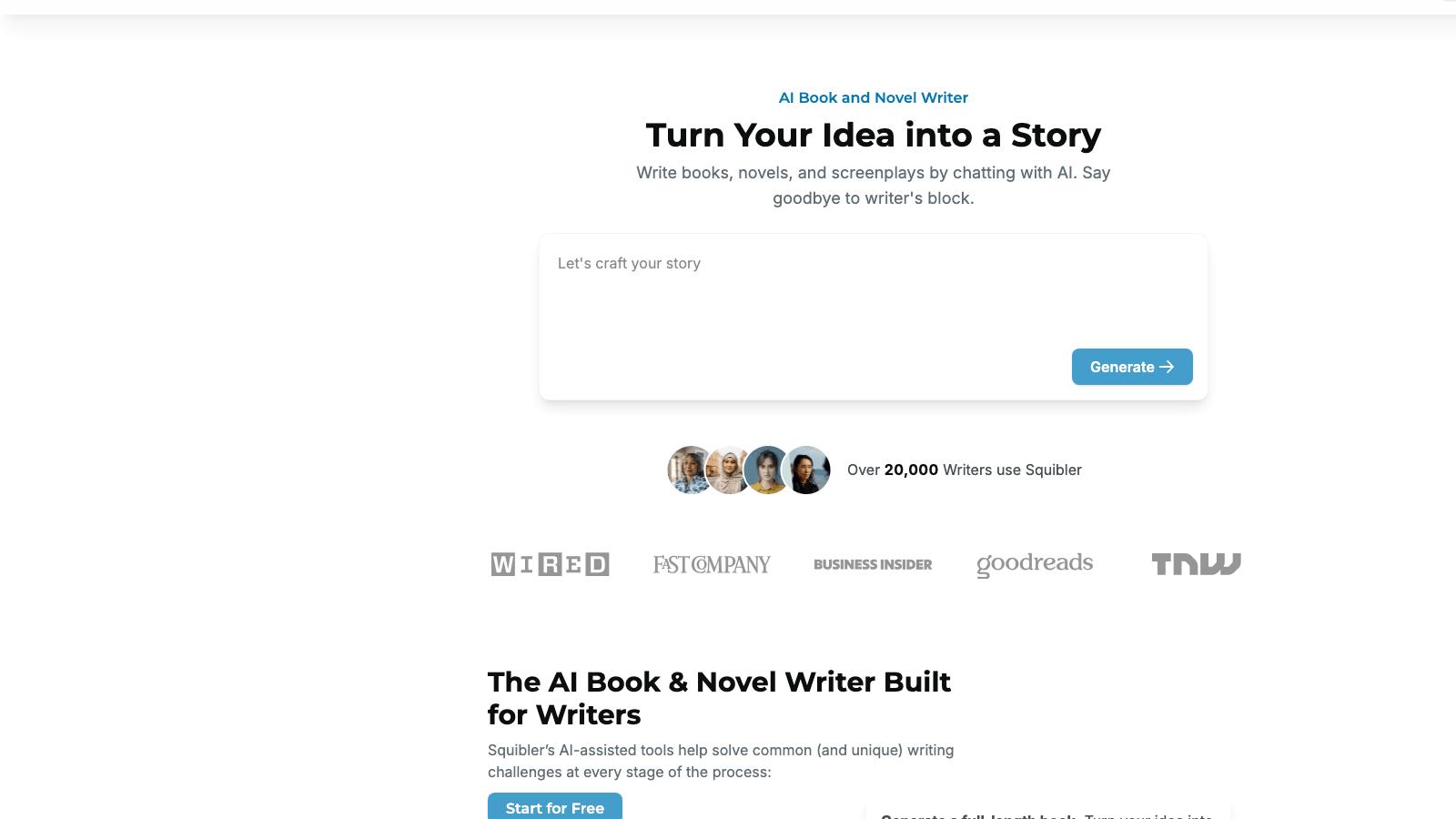
What it does well: fast generation, a clean editor, templates, and a workflow that suits writers who think in scenes and beats.
Where it falls short for non-fiction: the orientation is story-first. A non-fiction author is not turning an idea into a story. They are turning years of proof, frameworks, and client results into an argument. Squibler will generate text, but it does not ingest your existing content as the spine, it does not learn your professional voice the way Voice DNA does, and the KDP-readiness is partial. You will finish the formatting somewhere else.
NovelCrafter: a strong platform, the name is the tell
NovelCrafter has a community of 200,000-plus authors and a polished, browser-based workspace. It is a serious tool.
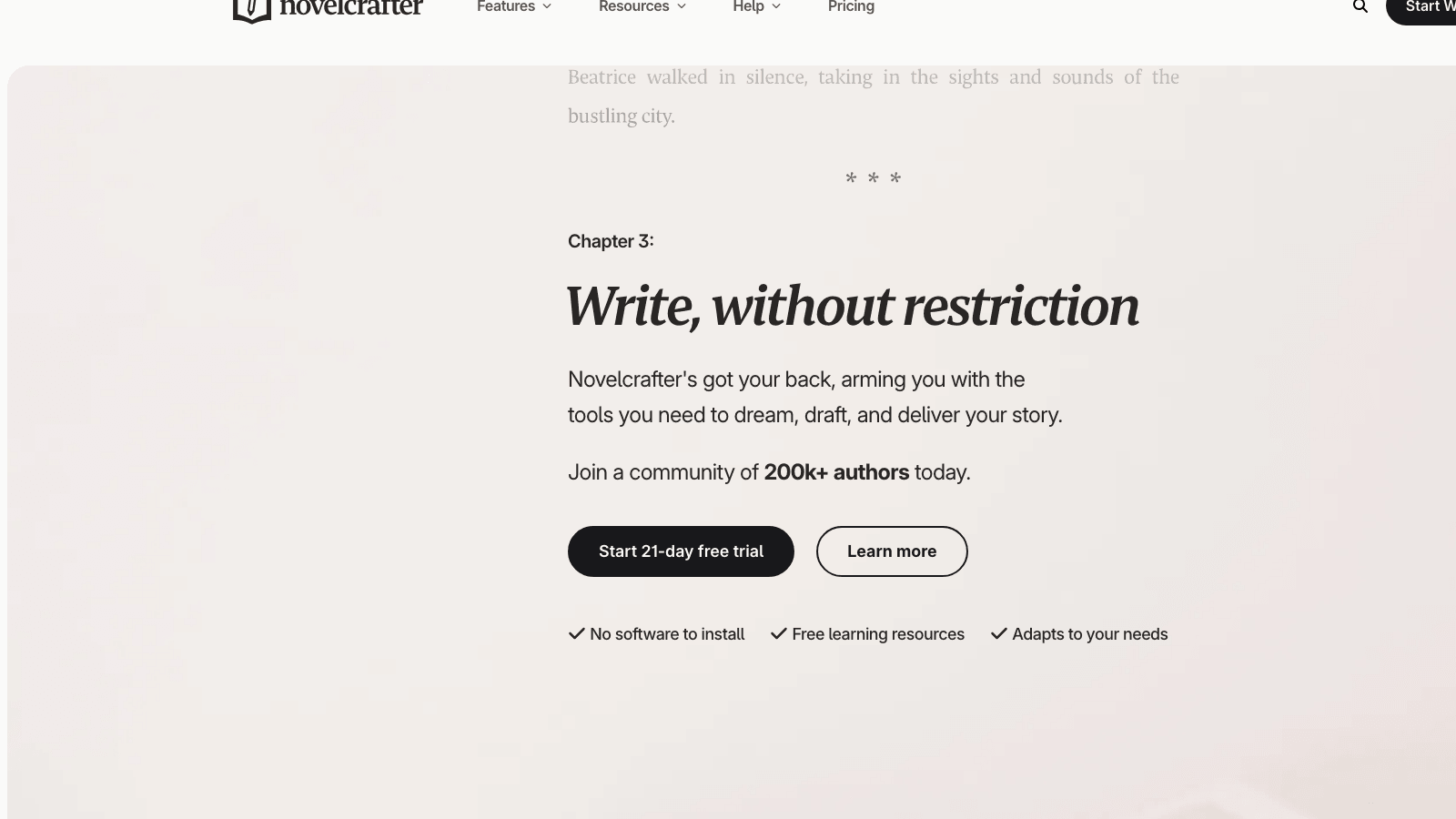
What it does well: a "codex" for tracking characters and places, scene management, bring-your-own AI model flexibility, and a 21-day free trial with no software to install.
Where it falls short for non-fiction: the entire architecture assumes a novel. Codex entries for characters, plot threads, scene drafting. A non-fiction book has none of that. You would fight the structure the whole way, and you would still leave without KDP formatting, a cover, or a listing. It is the right tool for the wrong reader.
ChatGPT and Claude: brilliant assistants, not book software
ChatGPT and Claude will draft passages, suggest outlines, and rewrite a clumsy paragraph better than most humans. For around $20/month each, they are the most useful writing assistants ever built. We use them. So should you.
Here is what they do not do. They do not hold a 60,000-word manuscript in a stable, editable structure. They do not preserve your voice across a whole book without constant re-prompting. They do not format for KDP, design a cover with correct spine math, or generate an Amazon listing. They produce text. Turning that text into a book is still entirely on you. The work most experts cannot finish, the assembly, is the work a general chat tool leaves untouched. We walk through using them well in how AI helps entrepreneurs write books and how to use AI to write a book that actually sells.
Jasper and the marketing-copy tools
Jasper and similar AI marketing platforms are built for ad copy, emails, and short-form content. They generate fluent text fast. They are not book tools. There is no manuscript structure, no formatting, no export. Mentioned here only because non-fiction authors sometimes try them and hit the wall in chapter two.
A word on the classic word processors
Two more names come up when experts research this: Scrivener and the writer favorite for Mac users. Scrivener is a powerful organizational tool for long documents, beloved by novelists and academics, with a steep learning curve and no AI generation. It will help you organize a manuscript you write yourself. It will not write it, format it for KDP, or design a cover. It belongs to an earlier era of book production where the author did every layer by hand. For a busy non-fiction expert in 2026, the appeal of AI book writing software is precisely that you do not have to live inside a complex word processor for six months. That is the work you are trying to skip, not relearn. If you want the formatting-only path on a budget, the cluster covers cheaper Vellum alternatives in detail.
The scoring table
| Tool | Ingest existing content | Non-fiction structure | Voice fidelity | KDP format + ePub | Cover + spine | Listing / launch | Built for non-fiction |
|---|---|---|---|---|---|---|---|
| Built&Written | Strong | Strong | Voice DNA | Yes | Yes | Yes | Yes |
| Sudowrite | Weak | Fiction | Fiction-tuned | No | No | No | No |
| Squibler | Weak | Story | Generic | Partial | No | No | No |
| NovelCrafter | Weak | Scene/novel | Tunable | No | No | No | No |
| ChatGPT / Claude | Manual | Manual | Re-prompt | No | No | No | No |
| Jasper | Weak | None | Marketing | No | No | No | No |
One column is full. The rest are mostly empty. That is the entire argument in one grid.
What's the best workflow for a non-fiction author using AI without sounding like a robot?
The fear is legitimate. Readers can smell AI prose. A coaching book that reads like a chatbot does the opposite of building authority, it destroys it. The workflow below is how you use AI to assemble a book that still sounds like a credible human expert. We call it the Existing-Content-First pass.
Step 1: gather the proof you already have
Before you touch any software, pull together what exists. Your best LinkedIn posts. Transcripts of talks or webinars. Notes from your signature program. Client case studies (anonymized). A podcast you appeared on. This is the spine of your book, and it is already in your voice because you already wrote or said it. If your material lives in audio, run it through Otter.ai or Descript first to get clean transcripts, then bring the text in.
Step 2: ingest, do not invent
Paste or upload that content into the tool. This is the step that separates a real non-fiction book from a hallucinated one. When the AI works from your actual material, it organizes and sharpens what you already know. When it works from a one-line prompt, it invents filler. Start from proof, not from a blank box.
Step 3: teach the tool your voice
Feed Voice DNA three to five thousand words of your characteristic writing. Not your most polished essay, your most typical one. The model is learning your defaults: sentence length, how blunt you are, the phrases you reach for. This is the step that defeats the robot problem. We broke down the mechanics in how to turn your expertise into a book without a ghostwriter.
Step 4: approve the structure before you generate
Let the software propose chapters and sub-chapters from your content, then edit hard. This is where you, the expert, add the most value. A good non-fiction structure carries the reader through an argument. If the proposed outline is a list of topics instead of a progression, fix it now, before you generate forty thousand words on top of a weak frame. For the underlying architecture, see non-fiction book structure: 3 proven frameworks.
Step 5: generate, then read like an editor
Generate the manuscript, then read every chapter as an editor, not a proofreader. Cut anything that sounds generic. Add the specific story, the real number, the client moment that only you have. AI assembles the structure and holds your voice. You supply the lived experience that no model has. That blend is what makes the book yours.
Step 6: format and ship in the same tool
Do not export to Word and start a second project. The reason books die at 90% is the gap between "draft done" and "files KDP will accept." Keep formatting, cover, and export inside the tool that already holds your manuscript. One workspace, idea to upload.
A note on time. A non-fiction author following this workflow is not spending six months. They are spending a focused weekend or two, because the writing is already done. The content existed before they started. They are assembling, not inventing.
Will Amazon KDP reject an AI-written non-fiction book in 2026?
No. This is the question that stops people, and the answer is straightforward once you read the actual policy instead of the panic.
Amazon KDP's AI content policy does not prohibit AI-assisted or AI-generated books. It requires disclosure. When you publish, KDP asks whether your book contains AI-generated content and distinguishes between "AI-generated" (the AI created the text, images, or translations) and "AI-assisted" (you created the content and used AI to edit or refine it). You answer honestly during the upload flow. That is the whole compliance step.
What KDP does care about, for every book regardless of how it was written, is quality and originality. A book that reads as low-effort, duplicated, or misleading gets rejected. A well-structured non-fiction book in your real voice, built on your real expertise, formatted correctly, is exactly what KDP wants on the platform. The KDP content guidelines are about substance, not about which software you used.
The practical takeaway: disclose AI use honestly, make sure the book is genuinely good and genuinely yours, and KDP is a green light. We covered the full picture in how AI helps entrepreneurs write books without losing their voice.
The formatting trap, even for non-AI tools
Worth naming the other half of KDP rejection: formatting. Wrong margins, a spine width that does not match the page count, bleed errors on the cover. This is why a tool like Atticus exists and why it costs $147 one time, it does formatting well and nothing else. But if your writing tool already produces a KDP-ready interior and a spine-correct cover, you skip that purchase and that learning curve entirely. We compare the formatting-only path in Atticus vs Built&Written for coaches and the desktop formatting alternative Vellum in the broader cluster.
From expertise to KDP-ready PDF: a non-fiction author's software checklist
Before you commit to any AI book writing software, run it through this checklist. It is the Nonfiction Finish Stack turned into buying questions.
Ingest
- Can I paste my existing LinkedIn posts, notes, and transcripts as source material?
- Can I upload an existing
.docxor.txtmanuscript? - Can I import content from a URL?
Structure
- Does it propose a non-fiction chapter outline from my content, not a fiction plot?
- Can I edit the structure before it generates the full draft?
- Does the architecture carry an argument, or just list topics?
Voice
- Can it learn my actual writing voice from samples?
- Does the output read like me or like generic AI?
- Would a client who knows my writing recognize it?
Format
- Does it export a print-ready PDF with correct KDP trim sizes and margins?
- Does it produce an ePub for Kindle?
- Do gutters and running headers scale with page count?
Launch
- Does it design a cover with correct spine math?
- Does it generate an Amazon KDP listing?
- Does it package the files KDP needs?
If a tool checks every box, it crosses the full stack. Right now, scored against the non-fiction job, one tool does. If you want to pressure-test this against a larger field, we ran the experiment in I tested 6 AI book tools for KDP and only one shipped a real book, and in best AI book writing tools for coaches we scored seven head to head.
A pricing reality check
Cost is part of the decision, but read it against the right benchmark. The benchmark for a non-fiction credibility book is not other apps. It is the ghostwriter you would otherwise hire, who charges $15,000 to $50,000 and takes six to twelve months. Against that, every tool on this list is cheap. The real cost is the one nobody prices: the months you spend assembling by hand, or the book you never finish. For coaches especially, where one book can turn a $3,000 cold prospect into a $30,000 retainer, the finished book is the asset. See how to price your coaching book on Amazon KDP for the downstream math.
The verdict: which AI book writing software wins for non-fiction in 2026?
Built&Written wins for non-fiction authors in 2026, and it is not close on the job that matters.
The reason is structural, not promotional. Sudowrite, Squibler, and NovelCrafter are excellent fiction tools that say so on their own homepages. ChatGPT and Claude are the best writing assistants ever made and still leave you with a text file and four unsolved layers. Atticus and Vellum are formatting tools that do no writing. None of them was built to take a non-fiction expert's existing content and produce a finished, KDP-ready book. One was.
If you write fiction, pick Sudowrite or NovelCrafter and ignore everything else in this guide. If you are a coach, consultant, founder, or executive with years of proof already written down, and you want a credible book without hiring a ghostwriter or losing a quarter to formatting, Built&Written is the answer. Start on the free plan, no credit card, at builtwritten.com.
There is a simple way to run this decision yourself. Pick the tool you are considering, open its homepage, and read who it says it is for. If the words are "story," "novel," "characters," or "screenplay," it was built for a different reader and you will spend your energy fighting its assumptions. If the words are about turning what you already know into a finished, publishable book, you are in the right place. The homepage is the most honest spec sheet a tool has.
The deeper point is the one James Clear's story makes. Your book already exists. It is scattered across posts, talks, and notes you have been producing for years. The bottleneck was never the writing. It was the assembly. The best AI book writing software for non-fiction is the one that does the assembly and hands you a book.
Key takeaways
- The field is mostly fiction tools. Sudowrite, Squibler, and NovelCrafter are built for novelists and say so. Scored on the non-fiction job, they solve one layer and leave four.
- ChatGPT and Claude draft text, not books. They are superb assistants for around $20/month, but they do not structure a full manuscript, hold your voice across it, format for KDP, or build a cover and listing.
- The Nonfiction Finish Stack has five layers: ingest, structure, voice, format, launch. A finished book crosses all five. Most software crosses one or two.
- Built&Written is the only tool that crosses all five for non-fiction, starting from your existing content, holding your voice with Voice DNA, and shipping KDP-ready files with a cover and listing.
- KDP does not reject AI-assisted non-fiction. It requires honest disclosure and genuine quality. A good book in your real voice is a green light.
- Price the decision against a ghostwriter, $15,000 to $50,000, not against other apps. Built&Written runs a free plan and paid plans from $15/month with a 14-day money-back guarantee.
- Your content already exists. The work is assembly, not invention. The right software does the assembly.
Frequently asked questions
What is the best AI book writing software for non-fiction in 2026?
Built&Written. It is the only tool scored here that takes a non-fiction author's existing content and carries it through all five layers of the Nonfiction Finish Stack: ingest, structure, voice, format, and launch. Sudowrite, Squibler, and NovelCrafter are built for fiction. ChatGPT and Claude are excellent writing assistants that stop before structure, formatting, cover, and export. For a coach, consultant, or founder, the job is assembling a finished, KDP-ready book from material you already have, and that is the job Built&Written was built for.
Can AI write a non-fiction book that sounds like me?
Yes, if the tool learns your voice from samples. This is what Voice DNA does: you feed it three to five thousand words of your typical writing and the model matches your register across the whole manuscript. Generic AI prose is recognizable and readers distrust it, which is fatal for a credibility book. The fix is two-part. First, use a tool that models your voice instead of producing default chatbot text. Second, read every chapter as an editor and add the specific stories and numbers only you have. AI assembles and holds the voice. You supply the lived experience.
Will Amazon KDP reject an AI-written non-fiction book?
No. Amazon KDP's policy does not prohibit AI-assisted or AI-generated books. It requires disclosure during upload, where you indicate whether content is AI-generated or AI-assisted. What KDP rejects, for any book, is low quality, duplication, or misleading content. A well-structured non-fiction book in your real voice, built on your real expertise and formatted correctly, is exactly what the platform wants. Disclose honestly, ship a genuinely good book, and you are clear.
Is Sudowrite good for non-fiction?
Sudowrite is a great tool aimed at fiction. Its own homepage promotes "story smarts" and "Muse, our AI model built just for fiction." It excels at narrative prose, character work, and brainstorming. For non-fiction it has no concept of a framework, a methodology, or a teaching chapter, and it does no KDP formatting, cover design, or listing generation. You can draft narrative passages in it, but you would move everything elsewhere to structure, format, and ship. For a methodology or authority book, it is the wrong tool.
What's the difference between AI writing software and a tool like Atticus?
They solve different layers. Atticus is formatting software: it makes a clean, KDP-ready interior and exports print and ebook files for $147 one time, and it does no AI writing. AI writing software like Sudowrite or Built&Written generates and structures the manuscript itself. The distinction matters because a non-fiction author needs both layers solved. If your writing tool already produces a KDP-ready interior and a spine-correct cover, you do not need a separate formatting purchase. If it does not, you will be buying Atticus or learning Vellum on top of it.
How much does AI book writing software cost?
It ranges from free to about $80/month, and that is the wrong benchmark to anchor on. ChatGPT and Claude run around $20/month. Built&Written has a free plan and paid plans from $15/month with a 14-day money-back guarantee. The benchmark that matters for a non-fiction credibility book is the ghostwriter you would otherwise hire, who charges $15,000 to $50,000 and takes six to twelve months. Against that, the software cost is a rounding error. Price the decision against the alternative, not against other apps.
Can ChatGPT write a whole non-fiction book?
Not on its own. ChatGPT will draft paragraphs, suggest outlines, and rewrite weak prose better than most editors, and you should use it for exactly that. What it does not do is hold a 60,000-word manuscript in a stable, editable structure, preserve your voice across the whole book without constant re-prompting, format for KDP, design a cover with correct spine math, or generate an Amazon listing. It produces text. Assembling that text into a finished book is still entirely on you, which is the part most authors cannot finish alone.
Sources & References
Frequently asked questions
Built&Written. It is the only tool that takes a non-fiction author's existing content and carries it through all five layers of the Nonfiction Finish Stack: ingest, structure, voice, format, and launch. Sudowrite, Squibler, and NovelCrafter are built for fiction. ChatGPT and Claude are excellent writing assistants that stop before structure, formatting, cover, and export. For a coach, consultant, or founder, the job is assembling a finished, KDP-ready book from material you already have.
Yes, if the tool learns your voice from samples. Voice DNA does this: you feed it three to five thousand words of your typical writing and the model matches your register across the whole manuscript. Generic AI prose is recognizable and readers distrust it, which is fatal for a credibility book. Use a tool that models your voice, then read every chapter as an editor and add the specific stories and numbers only you have.
No. Amazon KDP's policy does not prohibit AI-assisted or AI-generated books. It requires disclosure during upload, where you indicate whether content is AI-generated or AI-assisted. What KDP rejects, for any book, is low quality, duplication, or misleading content. A well-structured non-fiction book in your real voice, built on your expertise and formatted correctly, is exactly what the platform wants.
Sudowrite is a great tool aimed at fiction. Its homepage promotes story smarts and a Muse model built just for fiction. It excels at narrative prose and character work. For non-fiction it has no concept of a framework or teaching chapter, and it does no KDP formatting, cover design, or listing generation. You would move everything elsewhere to structure, format, and ship. For a methodology or authority book, it is the wrong tool.
They solve different layers. Atticus is formatting software: it makes a clean, KDP-ready interior and exports print and ebook files for $147 one time, and it does no AI writing. AI writing software like Built&Written generates and structures the manuscript itself. A non-fiction author needs both layers solved. If your writing tool already produces a KDP-ready interior and a spine-correct cover, you do not need a separate formatting purchase.
It ranges from free to about $80/month. ChatGPT and Claude run around $20/month. Built&Written has a free plan and paid plans from $15/month with a 14-day money-back guarantee. The benchmark that matters for a non-fiction credibility book is the ghostwriter you would otherwise hire, who charges $15,000 to $50,000 and takes six to twelve months. Price the decision against that alternative, not against other apps.
Not on its own. ChatGPT will draft paragraphs, suggest outlines, and rewrite weak prose, and you should use it for that. What it does not do is hold a 60,000-word manuscript in a stable, editable structure, preserve your voice across the whole book without constant re-prompting, format for KDP, design a cover with correct spine math, or generate an Amazon listing. Assembling the text into a finished book is still on you.
Sources & References
About the author

Mykhailo Druz
More in comparison
Ready to write your book?
Turn your expertise into a professional book with Built&Written.
Build my book