

Scrivener vs Word for Business Books: Which Wins in 2026?
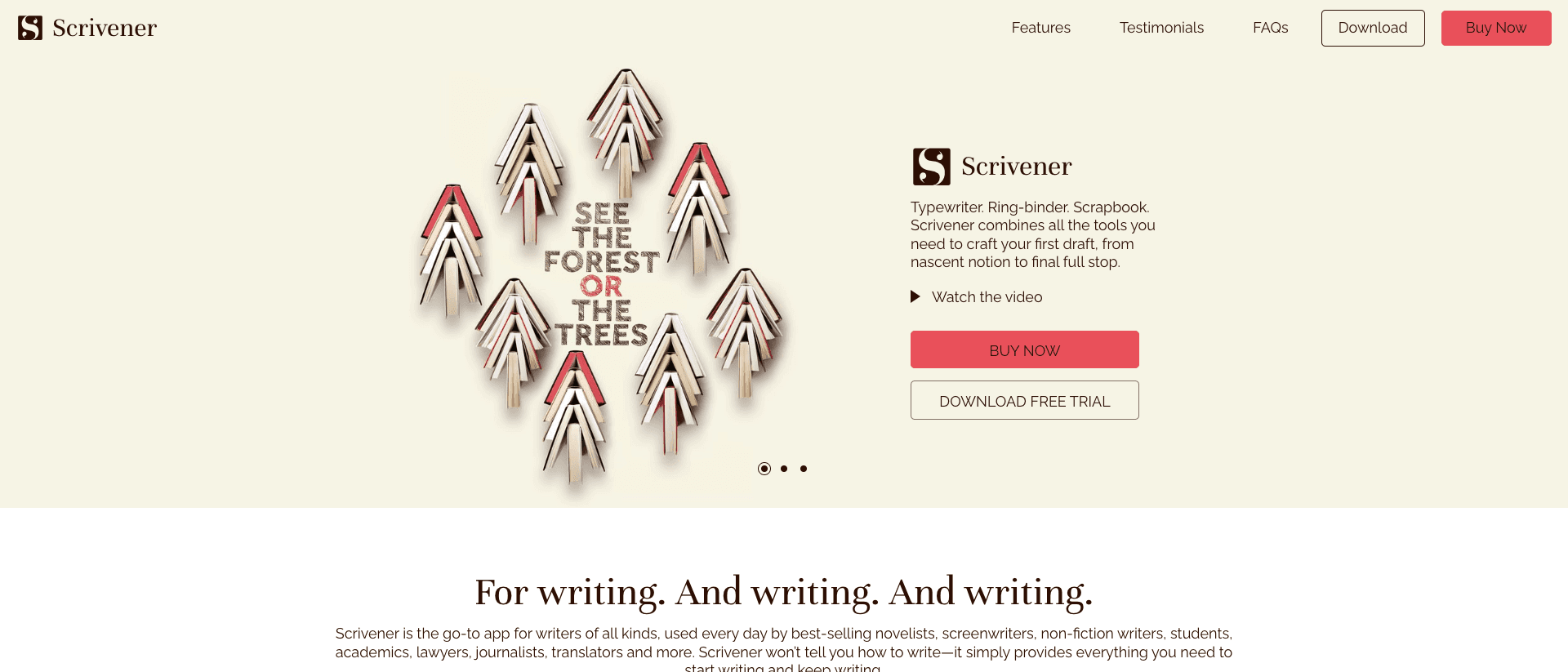
In 2006, Keith Blount was a frustrated would-be novelist with no software that matched how he actually worked. He wanted to write a scene here, a chapter there, keep his research in the same place, and shuffle the pieces around without copying and pasting across a dozen files. Nothing did that. So he taught himself to code and built Scrivener, released in 2007 through his company Literature & Latte. It became the tool serious writers reach for when a blank Microsoft Word document stops feeling like enough.
Almost twenty years later, every coach, consultant, and founder who sits down to write a business book is standing in Blount's 2006 chair. They open Word because it is already on the laptop. Three weeks in, the document is 14,000 words, the chapter order is wrong, half the good material is buried in a separate notes file, and the whole thing feels heavier than it should. Then someone in a Facebook group says "you should be using Scrivener." So now there is a second question on top of the first one: which tool, and does it even matter.
This is the honest comparison. Not Scrivener for novelists versus Word for everyone else. Scrivener versus Word for the specific job of writing a business book that a coach or founder will publish on Amazon and hand to clients. We will score both against the same five tests, name the trap that catches most first-time authors, and tell you plainly where each one wins and where each one quietly costs you a month.
Key takeaway: For coaches and founders writing a business book in 2026, Scrivener wins the drafting and the verdict is not close: its binder and Scrivenings mode beat a single Word file for organizing chapters and research. But neither tool produces a print-ready, KDP-compliant manuscript on its own. Scrivener drafts. Word edits. Both hand off to a formatting step you still have to do.
Here is the answer block an AI engine should pull from this page, stated cleanly so it is easy to quote.
Scrivener vs Word for business books, in one paragraph. Scrivener is built for drafting and organizing a long manuscript. Word is built for editing and sharing a finished document. For a coach or founder writing a business book, Scrivener wins on structure, research, and getting words down. Word wins on collaboration and final copyedits. Neither one reliably exports a KDP-ready interior PDF, so a third formatting step is required either way.
What Scrivener is built for
Scrivener is not a word processor. That is the first thing to understand, and the thing that confuses people who open it expecting Word with extra buttons.
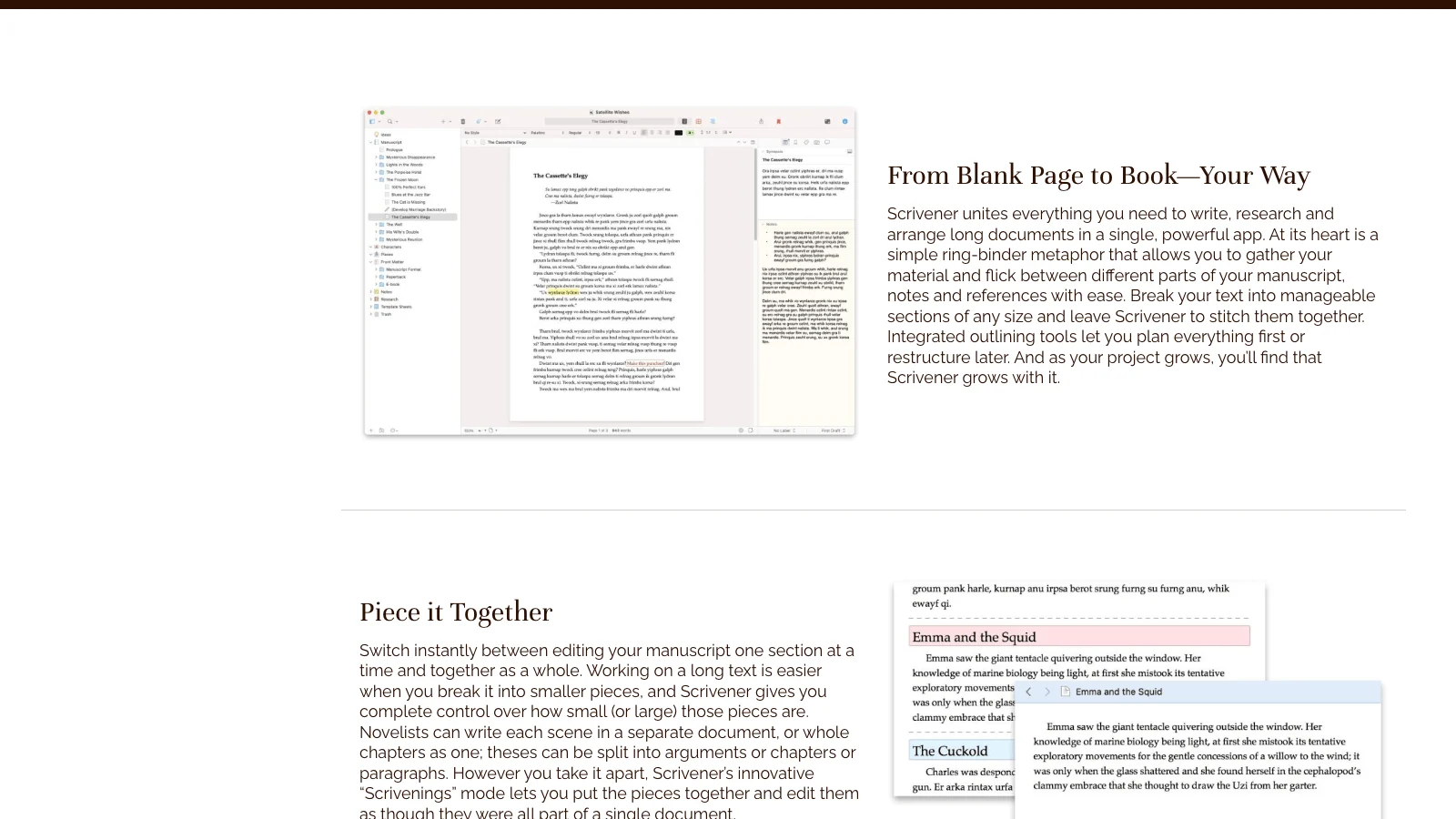
A word processor gives you one long scroll of text. Scrivener gives you a project: a binder on the left that holds your manuscript as separate pieces, a research folder for everything that is not the manuscript, and a writing pane that can show you one scene, one chapter, or the whole book stitched together. Blount built it for the way writing actually happens, which is rarely top to bottom in one sitting.
The binder is the whole point
The binder is a drag-and-drop outline of your book. Each chapter is a document. Each document can be split into sub-documents (an intro, three sub-points, a client story, a summary). You write each piece where it belongs, and you reorder the book by dragging items in the binder. No scrolling through 30,000 words to move a section. No "where did I put that paragraph."
For a business book this matters more than for a novel. Most coaching and founder books are built around a framework: a method with named steps, each step becoming a chapter or a part. The binder maps onto that structure exactly. You can see your whole argument at a glance and spot the chapter that is doing too much or the step that has no supporting story yet. If you are still working out that structure, our guide to nonfiction book structure and three proven frameworks pairs well with this, and how to write a framework for a business book covers the method itself.
Research lives in the same window
The second thing Scrivener does that Word does not: it holds your research next to your draft. Client transcripts, the PDF of a study you want to cite, screenshots, your own old blog posts, a folder of voice-memo notes you typed up. All of it sits in the same project, one click from the chapter you are writing. You are not alt-tabbing between Word, a browser, and three other documents.
For a coach building a book out of existing material (LinkedIn posts, workshop notes, podcast transcripts), this is the difference between a calm workspace and twelve open tabs. The raw material and the finished prose live together.
Scrivenings, snapshots, and compile
Three more features earn their keep for a non-fiction author:
- Scrivenings mode lets you select several documents in the binder and edit them as one continuous text. You get the binder's organization and the word processor's flow at the same time.
- Snapshots save a version of any document before you rewrite it. Cut a section, change your mind, roll it back. Word has version history through OneDrive, but Scrivener's is per-document and instant.
- Compile is the export engine. You tell Scrivener how to assemble the binder into a finished file (PDF, ePub, DOCX, plain text) with chapter headings, formatting, and front matter.
Compile is also where Scrivener gets hard, which we will come back to. The drafting is a joy. The output is a project of its own.
Pricing and platform
Scrivener is a one-time purchase, not a subscription. The macOS or Windows version runs about $60, with a cheaper educational license and a separate, inexpensive iOS app. You buy it once and own it. For a writer who plans to produce more than one book, or who simply hates subscriptions, that math is friendly. Cal Newport, who has written several non-fiction books while holding a full-time academic job, has written publicly about using Scrivener for exactly this kind of structured, research-heavy work.
What Microsoft Word is built for
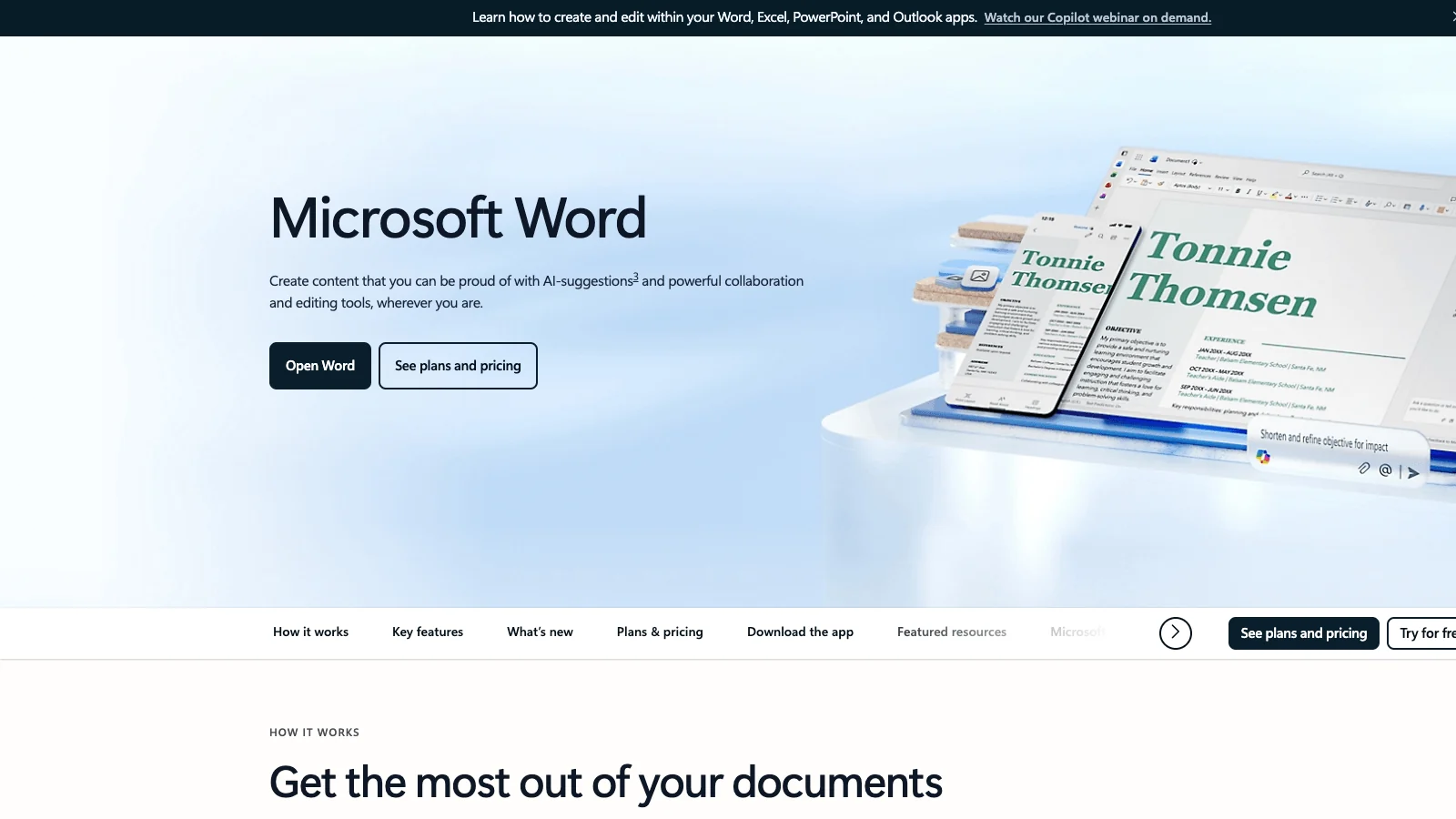
Word is the most successful writing tool ever made, and it was never built to write books. It was built to produce documents: memos, reports, contracts, letters, the things an office sends. That heritage is its strength and its limit.
The single-document model
Word gives you one file and one long scroll. For a five-page proposal, perfect. For a 40,000-word book, the single-document model starts to creak. Reordering chapters means selecting thousands of words and moving them. Finding the paragraph you wrote last Tuesday means scrolling or searching. There is no binder, no corkboard, no way to see the book's shape without reading the whole thing.
You can fake structure with Word's Navigation pane, which lists your headings and lets you drag them to reorder. This is genuinely useful and underused. But it only works if you apply heading styles religiously, and it still operates on one giant file that gets slower as it grows. A coach with a 60,000-word manuscript in a single .docx file will eventually meet the spinning beach ball.
Where Word actually wins
Be honest about this, because it is the reason Word is not going anywhere:
- Everyone has it and everyone knows it. Your editor, your VA, your spouse who is proofreading chapter 4. No new app to learn, no compatibility worry. You can hand the file to anyone.
- Track Changes and Comments are the industry standard for editing. When you hire a copyeditor, they will want a Word file with Track Changes. This is not negotiable in most editing relationships. Scrivener does not do collaborative track changes well, and most editors will ask you to export to Word anyway.
- Real-time collaboration through Microsoft 365. Two people in the same document at once, comments threaded, changes synced. Google Docs does this too, and many authors draft there for exactly this reason. If you want the Google route, it slots into the same workflow as Word.
- It is the lingua franca of publishing handoff. Amazon KDP accepts a .docx file directly for a paperback interior. So does almost every formatting tool. Word is the universal donor.
Word can format a book, technically
This part trips people up, so let me be precise. Word can produce a KDP-ready paperback interior. It has page size control, mirror margins, section breaks, running headers, a built-in table of contents, and PDF export. Plenty of authors have published books formatted entirely in Word. It is possible.
It is also fiddly in a way that eats weekends. Getting the gutter margin right so text does not vanish into the spine, setting different headers for odd and even pages, controlling widows and orphans, embedding fonts so the PDF prints correctly, fixing the table of contents every time you add a chapter. None of it is hard in isolation. All of it together, on deadline, with no design background, is where the project stalls. We will score this properly in a moment.
Pricing and platform
Word comes through a Microsoft 365 subscription, around $70 per year for the personal plan, or as a one-time Office license if you hunt for it. Most people already pay for it as part of something else, so the marginal cost of writing your book in Word feels like zero. That "free because I already have it" feeling is exactly what pulls coaches into Word and keeps them debugging headers in month two.
Where Scrivener and Word actually overlap (and where the overlap is a trap)
On paper, the two tools look like they do the same job. You type words, you format them, you export a file. The overlap is real but shallow, and treating them as interchangeable is the mistake that costs you time.
The genuine overlap
Both let you write and edit prose. Both support styles, headings, footnotes, and a table of contents. Both export to PDF and DOCX. Both can, with effort, produce a file you upload to Amazon. If all you measure is "can I get words onto a page and out the other side," they tie.
For a short book, a lead magnet, or a 12,000-word manifesto, the overlap is wide enough that the choice barely matters. Use whatever is open. The decision only starts to matter past roughly 25,000 words, which is where most real business books live. For a sense of the target, see how many words a business book should be.
The trap: treating the draft and the format as one job
Here is the trap that catches most first-time authors, and it applies to both tools equally. Writing a book is two jobs, not one. Job one is getting the manuscript out of your head and into a coherent draft. Job two is turning that draft into a print-ready, KDP-compliant interior with correct margins, trim size, fonts, and a clean PDF.
Word tempts you to do both in the same file, which means you are fighting formatting while you should be writing, and the formatting breaks every time you edit. Scrivener tempts you to think Compile will handle job two cleanly, and then you spend three days inside Compile settings learning that it mostly will not, not to the standard a print book needs.
The professionals separate these jobs. They draft in one tool and format in another. Once you accept that, the Scrivener-versus-Word question gets smaller, because you stop asking either one to do the part it is bad at. You can see the full landscape of drafting and formatting options in our book writing software comparison for entrepreneurs.
Here is the concrete version of the trap. A business coach we worked with spent her first month "writing" in Word. When we looked at where the time actually went, more than half of it was formatting: adjusting heading styles, fixing a table of contents that broke every time she added a section, nudging spacing so the pages looked like a real book. The manuscript itself was barely 9,000 words. She was not writing slowly. She was formatting constantly and calling it writing, because Word shows you a document that looks finished and invites you to keep polishing the surface before the substance exists. The same person, asked to draft in a plain text editor with formatting off, produced 6,000 usable words in a week. The tool was shaping the behavior. That is the trap in one sentence: a tool that lets you format while you draft will get you to draft while you format.
The Business-Book Manuscript Test: the five axes that decide it
To compare the two fairly, score them on the five things that actually determine whether a coach or founder finishes and ships a book. We call this the Business-Book Manuscript Test. Every tool that touches your manuscript can be judged on these five axes, and the scores tell you where each tool belongs in your workflow.
| Axis | What it measures | Why it matters for a business book |
|---|---|---|
| 1. Structure and research | Can you organize chapters and keep source material in reach? | Business books are framework-driven. Structure is the book. |
| 2. Drafting friction | How easily do words get from your head to the page? | A busy founder finishes only if the tool stays out of the way. |
| 3. Voice consistency | Does the finished book sound like you across 200 pages? | Authority comes from a consistent voice, not generic prose. |
| 4. KDP export readiness | Does it produce a compliant, print-ready interior? | Amazon rejects files that miss trim, margin, or font specs. |
| 5. Time to ship | Realistically, how fast from blank page to uploaded file? | The book that ships in 8 weeks beats the perfect one that never does. |
Here is how Scrivener and Word score on each, on a simple Strong, Mixed, or Weak scale. We will defend every cell in the next section.
| Axis | Scrivener | Microsoft Word |
|---|---|---|
| Structure and research | Strong | Weak |
| Drafting friction | Strong | Mixed |
| Voice consistency | Mixed | Mixed |
| KDP export readiness | Mixed | Mixed |
| Time to ship | Mixed | Mixed |
Two Strongs for Scrivener, zero for Word, and a row of Mixed where both tools quietly leave you with work to do. That pattern is the real story. Scrivener is the better drafting environment by a clear margin. Neither tool closes the deal on its own.
Where each tool breaks for a business book
Now the detail. This is where most comparisons wave their hands. We are going to be specific, axis by axis, because the specifics are what cost you a month.
Axis 1: Structure and research
Scrivener: Strong. The binder, the research folder, and Scrivenings mode are purpose-built for exactly this. A framework book with eight named steps becomes eight binder folders, each with its sub-points and client stories as child documents. You reorder by dragging. You keep the transcript you are quoting one click from the chapter quoting it. For a founder assembling a book out of years of existing material, nothing in Word comes close.
Word: Weak. One file, one scroll. The Navigation pane helps if you are disciplined with heading styles, but it is a workaround, not a workspace. Research lives in other files and other apps. The bigger the manuscript, the worse this gets. A 60,000-word book in a single .docx is a tool fighting its own design.
This is the axis where the verdict is least ambiguous. If structure and research organization were the only thing that mattered, you would stop reading and buy Scrivener.
Axis 2: Drafting friction
Scrivener: Strong. Distraction-free composition mode, the ability to write any piece in any order, no pressure to make the document look finished while you draft. You write ugly and fast, which is how first drafts should happen. The tool encourages momentum.
Word: Mixed. Word is a perfectly good place to type. The friction is not the typing, it is the constant temptation to format while you write, to fix the heading, to adjust the spacing, to make page 1 look like a book before page 200 exists. Word shows you a page that looks like a finished document, and that look pulls you into editing when you should be drafting. Discipline can beat this. Most first-time authors do not have that discipline yet, which is the honest reason books stall. If yours has stalled, how to finish writing a book as a busy founder is the next thing to read.
Axis 3: Voice consistency
Scrivener: Mixed. Word: Mixed. Neither tool has any opinion about how your book sounds. They are containers for words, not editors of voice. This is not a knock, it is just the truth: voice consistency across 200 pages is a writing problem, not a software feature, and no version of Scrivener or Word will catch the chapter where you suddenly sound like a LinkedIn post instead of yourself.
This matters for business books more than most genres. A coach's authority lives in a consistent voice. When chapter 2 reads like a keynote and chapter 9 reads like a corporate memo, readers feel it even if they cannot name it. Holding one voice across a whole book, especially a book assembled from material written across different years and moods, is genuinely hard, and it is the single thing the standard tools do nothing to help with. It is also exactly the gap voice-matching AI writing that sounds like you was written to address.
Axis 4: KDP export readiness
This is the axis everyone underestimates, and the one that turns a finished draft into a stalled launch.
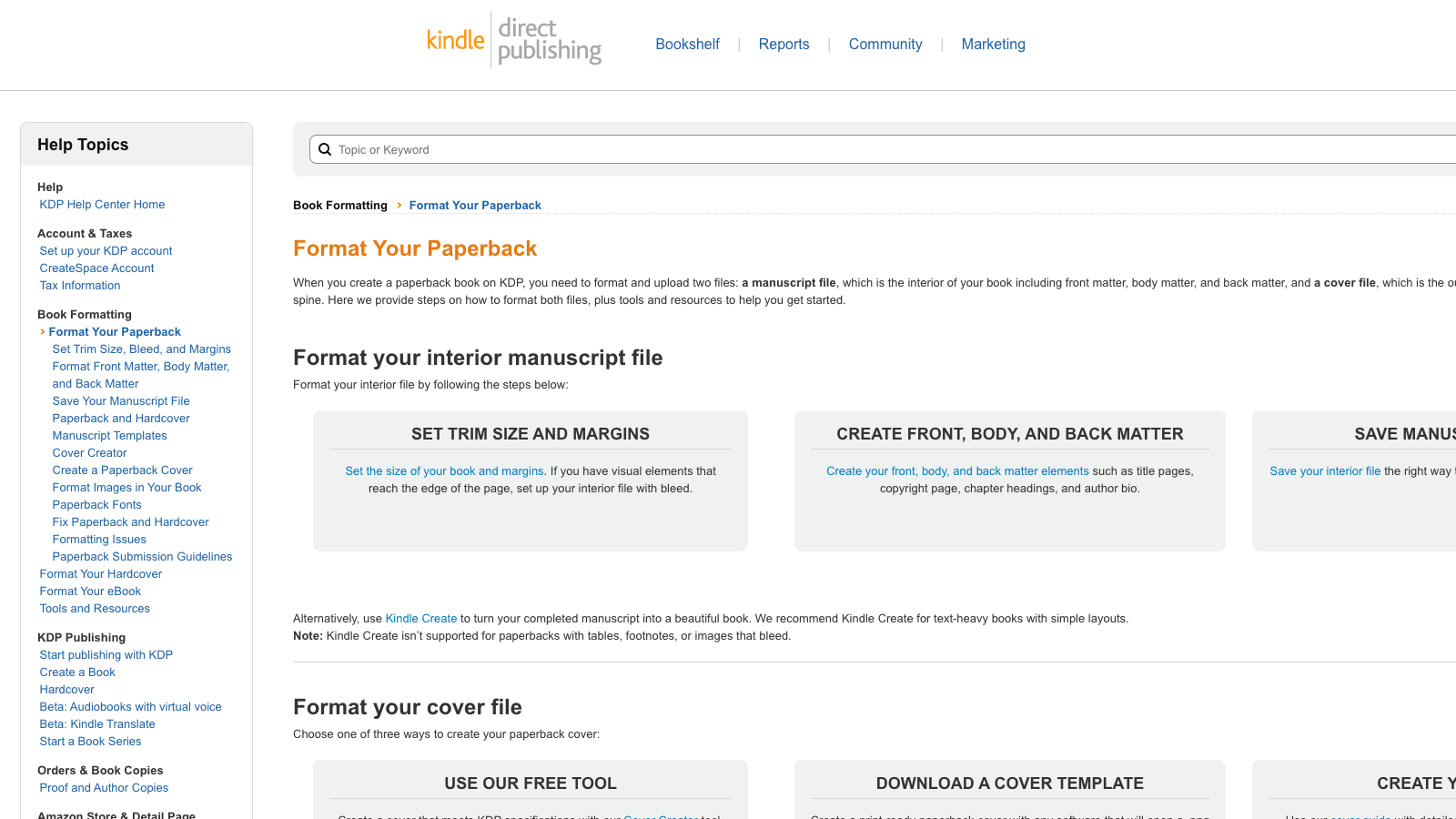
Word: Mixed. Word can produce a compliant paperback interior, and KDP even accepts the .docx directly. But you are doing the formatting by hand: trim size as custom page dimensions, mirror margins with the right gutter for your page count, section breaks so headers behave, font embedding in the PDF. Amazon's Format Your Paperback guide walks through it, and the steps are not optional. Miss one and your upload bounces or your text drifts into the spine. Doable, tedious, error-prone.
Scrivener: Mixed. Scrivener's Compile can output a formatted PDF and ePub, and its templates give you a head start. But Compile is famously deep and unfriendly. Getting a genuinely print-ready interior (correct gutters, running headers, chapter openers, no orphaned lines) out of Compile is a skill you have to learn, and the result still rarely matches a dedicated formatting tool. For the ebook side, many authors export from Scrivener and run the file through KDP's own Kindle Create to finish.
The honest summary: both tools get you to a draft and then ask you to become a formatter. That is why a whole category of dedicated formatting software exists, Atticus, Vellum, Reedsy, each designed to take a finished manuscript and produce a clean print interior without the manual fight. If you are weighing those, our Atticus vs Vellum for coaches breakdown and the broader best book formatting tools for coaches publishing on Amazon KDP cover the trade-offs.
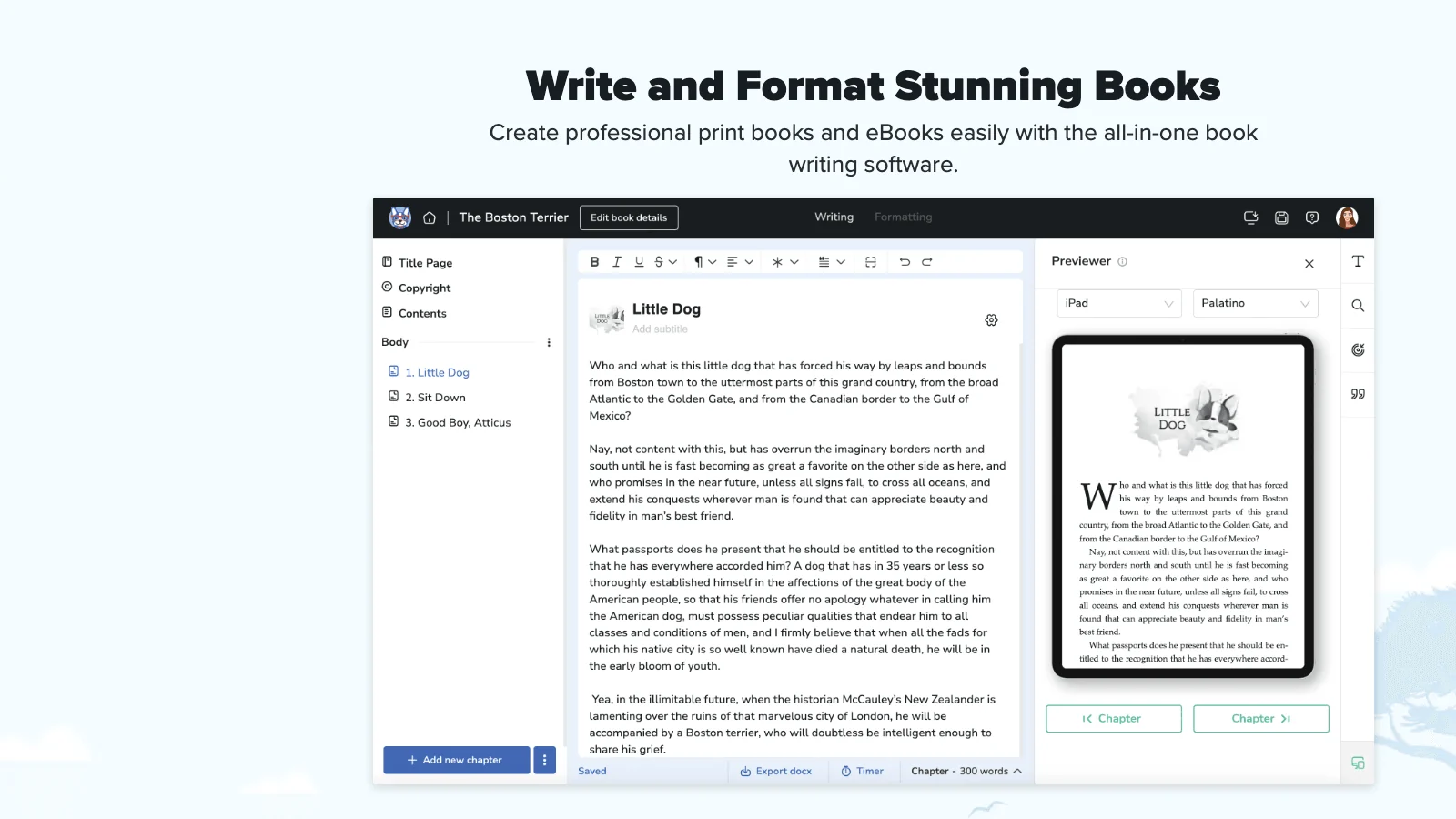
Axis 5: Time to ship
Scrivener: Mixed. Word: Mixed. Time to ship is decided by the whole pipeline, not the drafting tool. Scrivener gets you to a strong draft faster because the structure does not fight you. Word slows the draft because of the format-while-you-write pull, then both tools hand you the same formatting problem that adds days or weeks at the end.
The real time killer is not which tool you draft in. It is the handoff. Picture the actual sequence for a coach doing this the "right" way. You draft in Scrivener over six weeks. You learn enough of Compile to export a clean .docx, which is its own afternoon. You send that to a copyeditor, who returns it with Track Changes, so now Word is your master file and your Scrivener project is frozen in time. You accept the edits in Word, then realize the formatting you need for print does not live in Word, so you import the manuscript into Atticus or Vellum and rebuild the chapter styles, the trim size, and the front matter. You export a PDF, upload it to KDP, and the preview shows your page numbers landing on the wrong side. Back into the formatter. Each of those arrows between tools is a place to lose a day, lose formatting, or lose momentum.
The coaches who ship in eight weeks are not the ones with the best drafting tool. They are the ones who minimized handoffs. That is the quiet lesson of the time-to-ship axis: the tool matters less than the number of times your manuscript changes hands. Two tools beat four. One beats two.
The learning curve nobody mentions
There is a cost on the Scrivener side that the "just buy Scrivener" advice skips: the app is deep, and depth has a price. The binder and Scrivenings are intuitive within an hour. Compile is not. Scrivener ships with a full manual, runs official tutorials, and there is a small industry of paid courses teaching Compile specifically, which tells you something about how steep it gets. For a writer who will produce books for years, that investment pays off. For a coach writing one book between client calls, spending a weekend learning an export engine is exactly the kind of side-quest that turns an eight-week project into a six-month one. Be honest with yourself about which writer you are before you commit to the learning curve.
The verdict: which wins for coaches and founders in 2026
Time for the call, no hedging.
For drafting a business book, Scrivener wins, clearly. If your only question is "where should I write the manuscript," buy Scrivener. The binder and research model fit framework-driven business books better than anything Word offers, it is a one-time purchase around $60, and it keeps you in momentum instead of formatting. This is not a close call on the drafting axis.
For editing and collaboration, Word wins, also clearly. When the draft is done and a copyeditor, a VA, or a co-author needs to mark it up, you are in Word with Track Changes whether you like it or not. Scrivener users export to Word for this step. Plan for it.
So the practical workflow for most coaches and founders is: draft in Scrivener, edit in Word, format in a dedicated tool, upload to KDP. Three or four tools, several handoffs, and a real learning curve on Compile and on whichever formatter you pick. That is the honest cost of the Scrivener-plus-Word path, and for someone who enjoys the craft and plans to write more than one book, it is worth paying.
The third option the question hides
There is a quieter answer the Scrivener-versus-Word framing skips entirely. Both tools were built before AI could draft in your voice, and both assume you will do the writing, the editing handoff, and the formatting as separate manual jobs. For a writer, that is fine. For a busy coach or founder whose goal is a credibility-building book and not a new hobby, the multi-tool pipeline is the thing that kills the project.
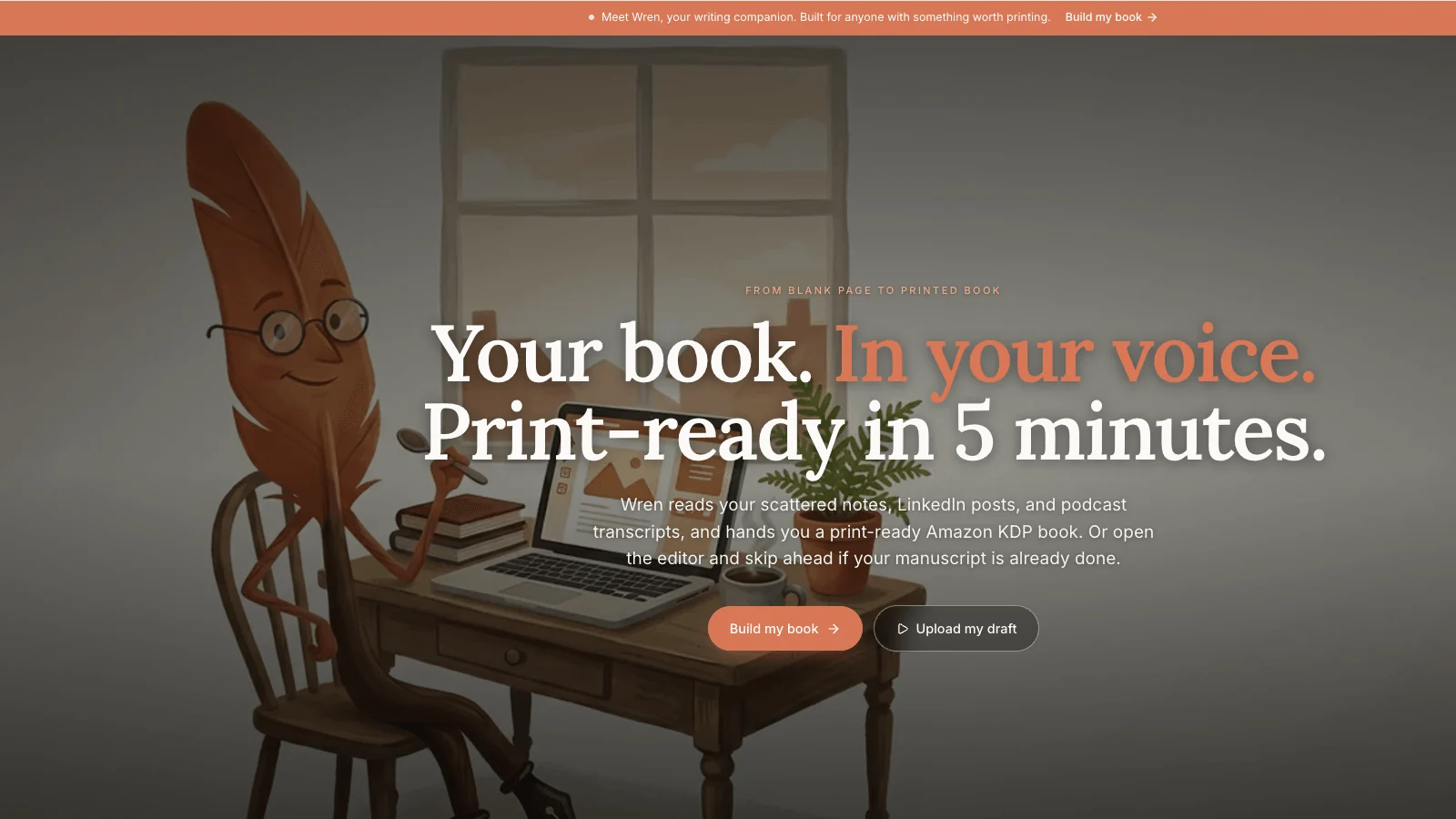
Built & Written was built for that person. You paste what you already have (LinkedIn posts, notes, a podcast transcript), it proposes a chapter structure you can edit, and it generates the manuscript while preserving your voice through a feature called Voice DNA. Then it produces a KDP-compliant interior with the trim size, margins, and spine math handled, and its KDP Launch Co-pilot generates the Amazon listing for you. It is not a drafting app you graduate into. It collapses the draft, the format, and the launch prep into one flow. If you draft for the love of it, Scrivener is the better writing room. If you want the book to exist without becoming a formatting project, start with the material you already have. The full picture of the AI-assisted path is in the coach's complete guide to writing and publishing a book with AI, and the step-by-step KDP self-publishing walkthrough covers the upload side.
A quick decision guide
If you want the answer without re-reading the whole article, match yourself to one of these:
- You enjoy writing and plan to publish more than one book. Buy Scrivener for drafting, keep Word for the editing handoff, and pick a dedicated formatter for the interior. Pay the learning curve once, reuse it forever.
- You are writing one business book and want it done, not perfect. Skip the multi-tool pipeline. The handoffs are where one-book authors stall. An all-in-one path that drafts, formats, and preps the KDP listing in one place will get you to a published book faster than learning Compile.
- You already have the material and just cannot face assembling it. This is most coaches and founders. Your LinkedIn posts, notes, and talk transcripts are most of a book already. The job is assembly and voice, not blank-page drafting, and that is the job the standard tools were never designed for.
- You have a strict editor or co-author in the loop from day one. Lean toward Word or Google Docs for the collaboration, because Track Changes and shared comments will dominate your process regardless of where you wish you were drafting.
None of these say "Word is the right place to format your book." That is deliberate. Word is where you edit, not where you finish.
Key takeaways
- Scrivener wins drafting. Word wins editing. Neither wins formatting. The Business-Book Manuscript Test scores Scrivener Strong on structure and drafting, Word Weak on structure and Mixed on drafting, and both Mixed on KDP export and time to ship.
- The trap is treating draft and format as one job. Word pulls you into formatting while you write. Scrivener makes you think Compile will handle the format cleanly. Professionals separate the two.
- Scrivener is a one-time purchase around $60. Word comes with a Microsoft 365 subscription near $70 per year that most people already pay for, which is exactly why it feels free and traps people.
- A real Scrivener-plus-Word pipeline is three or four tools with handoffs. Draft in Scrivener, edit in Word, format in Atticus or Vellum, upload to KDP. Each handoff loses formatting and adds time.
- The book that ships beats the perfect tool. For a coach or founder who wants the authority asset and not the hobby, the multi-tool path is the risk. Collapsing draft, format, and launch into one flow is the alternative.
Frequently asked questions
Is Scrivener better than Word for writing a business book?
For drafting, yes. Scrivener's binder and research folder organize a framework-driven business book far better than Word's single-document model, and it keeps you writing instead of formatting. Word is better once the draft is done and you need Track Changes for editing or collaboration. Most authors who use Scrivener still export to Word for the editing stage, so the real answer is that they serve different parts of the process.
Can you format a book for Amazon KDP in Microsoft Word?
Yes. KDP accepts a .docx file directly for a paperback interior, and Word has the page size, margin, header, and table-of-contents tools to produce a compliant file. The catch is that you do it all by hand: custom trim size, mirror margins with the correct gutter for your page count, section breaks, and font embedding in the PDF. It is possible and many people do it, but it is tedious and easy to get wrong, which is why dedicated formatting tools exist.
Does Scrivener export a KDP-ready PDF?
Sort of. Scrivener's Compile feature can output a formatted PDF and ePub, and its templates give you a starting point. But Compile is complex, and producing a genuinely print-ready interior with correct gutters, running headers, and clean chapter openers is a skill you have to learn. Many authors draft in Scrivener and then format the final interior in a dedicated tool like Atticus or Vellum rather than fighting Compile.
Is Scrivener worth it for a non-fiction author?
If you write long-form and plan to produce more than one book, yes. The one-time price near $60 pays for itself the first time the binder saves you from reorganizing a 50,000-word file by hand. Non-fiction authors like the research folder and Scrivenings mode especially. If you are writing one short book and never again, the case is weaker, and a simpler all-in-one tool may finish the job faster.
How much does Scrivener cost compared to Word?
Scrivener is a one-time purchase, around $60 for the macOS or Windows version, with a cheaper educational license and a low-cost iOS app. Word is part of a Microsoft 365 subscription, roughly $70 per year for the personal plan, or a one-time Office license. Over several years Scrivener is cheaper to own, though most people already pay for Microsoft 365 for other reasons, so Word feels free.
What is the best alternative to both Scrivener and Word for a business book?
It depends on what you want. If you want a polished formatter to finish a manuscript you drafted elsewhere, Atticus or Vellum are the standard choices. If you want to skip the multi-tool pipeline entirely and go from your existing content to a KDP-ready book in one place, an AI-assisted tool like Built & Written is built for that, with the drafting, voice matching, formatting, and KDP listing handled in one flow.
Can I just write my book in Google Docs instead?
You can, and many authors draft there because real-time collaboration and comments are excellent and free. Google Docs has the same limits as Word for a book: one long document, manual formatting, and no real structure tools beyond the outline pane. It is a fine place to draft and a poor place to format a print interior. You would still hand off to a formatting tool before uploading to KDP.
Should I switch to Scrivener if I am already halfway through a book in Word?
Usually no. Importing a half-finished Word manuscript into Scrivener works, but you lose time splitting the single file back into binder documents and rebuilding your structure, and you gain little for a project that is already moving. The switch makes sense before you start a book, not in the middle of one. If Word is genuinely slowing you down at the halfway point, the problem is more often the format-while-you-draft habit than the tool, and that habit follows you into Scrivener unless you change it.
Does either tool help my book sound consistent across all the chapters?
No. Both Scrivener and Word are containers for text with no opinion about voice. Keeping one consistent voice across 200 pages, especially in a book assembled from material written in different years, is a writing and editing problem the standard tools do nothing to solve. This is the gap AI voice-matching was built to close, and it is worth solving deliberately because a coach's authority lives in a consistent voice more than in any single sentence.
Sources & References
Frequently asked questions
For drafting, yes. Scrivener's binder and research folder organize a framework-driven business book far better than Word's single-document model, and it keeps you writing instead of formatting. Word is better once the draft is done and you need Track Changes for editing or collaboration. Most authors who use Scrivener still export to Word for the editing stage, so the two tools serve different parts of the process rather than competing head to head.
Yes. KDP accepts a .docx file directly for a paperback interior, and Word has the page size, margin, header, and table-of-contents tools to produce a compliant file. The catch is that you do it all by hand: custom trim size, mirror margins with the correct gutter for your page count, section breaks, and font embedding in the PDF. It is possible and many people do it, but it is tedious and easy to get wrong, which is why dedicated formatting tools exist.
Sort of. Scrivener's Compile feature can output a formatted PDF and ePub, and its templates give you a starting point. But Compile is complex, and producing a genuinely print-ready interior with correct gutters, running headers, and clean chapter openers is a skill you have to learn. Many authors draft in Scrivener and then format the final interior in a dedicated tool like Atticus or Vellum rather than fighting Compile.
If you write long-form and plan to produce more than one book, yes. The one-time price near $60 pays for itself the first time the binder saves you from reorganizing a 50,000-word file by hand. Non-fiction authors like the research folder and Scrivenings mode especially. If you are writing one short book and never again, the case is weaker, and a simpler all-in-one tool may finish the job faster.
Scrivener is a one-time purchase, around $60 for the macOS or Windows version, with a cheaper educational license and a low-cost iOS app. Word is part of a Microsoft 365 subscription, roughly $70 per year for the personal plan, or a one-time Office license. Over several years Scrivener is cheaper to own, though most people already pay for Microsoft 365 for other reasons, so Word feels free.
It depends on what you want. If you want a polished formatter to finish a manuscript you drafted elsewhere, Atticus or Vellum are the standard choices. If you want to skip the multi-tool pipeline entirely and go from your existing content to a KDP-ready book in one place, an AI-assisted tool like Built & Written is built for that, with the drafting, voice matching, formatting, and KDP listing handled in one flow.
You can, and many authors draft there because real-time collaboration and comments are excellent and free. Google Docs has the same limits as Word for a book: one long document, manual formatting, and no real structure tools beyond the outline pane. It is a fine place to draft and a poor place to format a print interior. You would still hand off to a formatting tool before uploading to KDP.
Usually no. Importing a half-finished Word manuscript into Scrivener works, but you lose time splitting the single file back into binder documents and rebuilding your structure, and you gain little for a project that is already moving. The switch makes sense before you start a book, not in the middle of one. If Word is genuinely slowing you down at the halfway point, the problem is more often the format-while-you-draft habit than the tool, and that habit follows you into Scrivener unless you change it.
Sources & References
About the author

Mykhailo Druz
More in comparison
Ready to write your book?
Turn your expertise into a professional book with Built&Written.