

Should Your Ebook Go Wide With Draft2Digital or Stay on KDP?
Key takeaways
- Is Draft2Digital free? Its formatting tools are. Publishing costs a one-time $20 activation, plus $12 in any year sales stay under $100.
- What it keeps: about 10% of list price. At $9.99, Apple, Kobo, and Barnes & Noble each paid a projected $5.94 in our test.
- Amazon: ebooks go to Amazon by invitation only, so wide authors publish the Kindle edition on KDP directly.
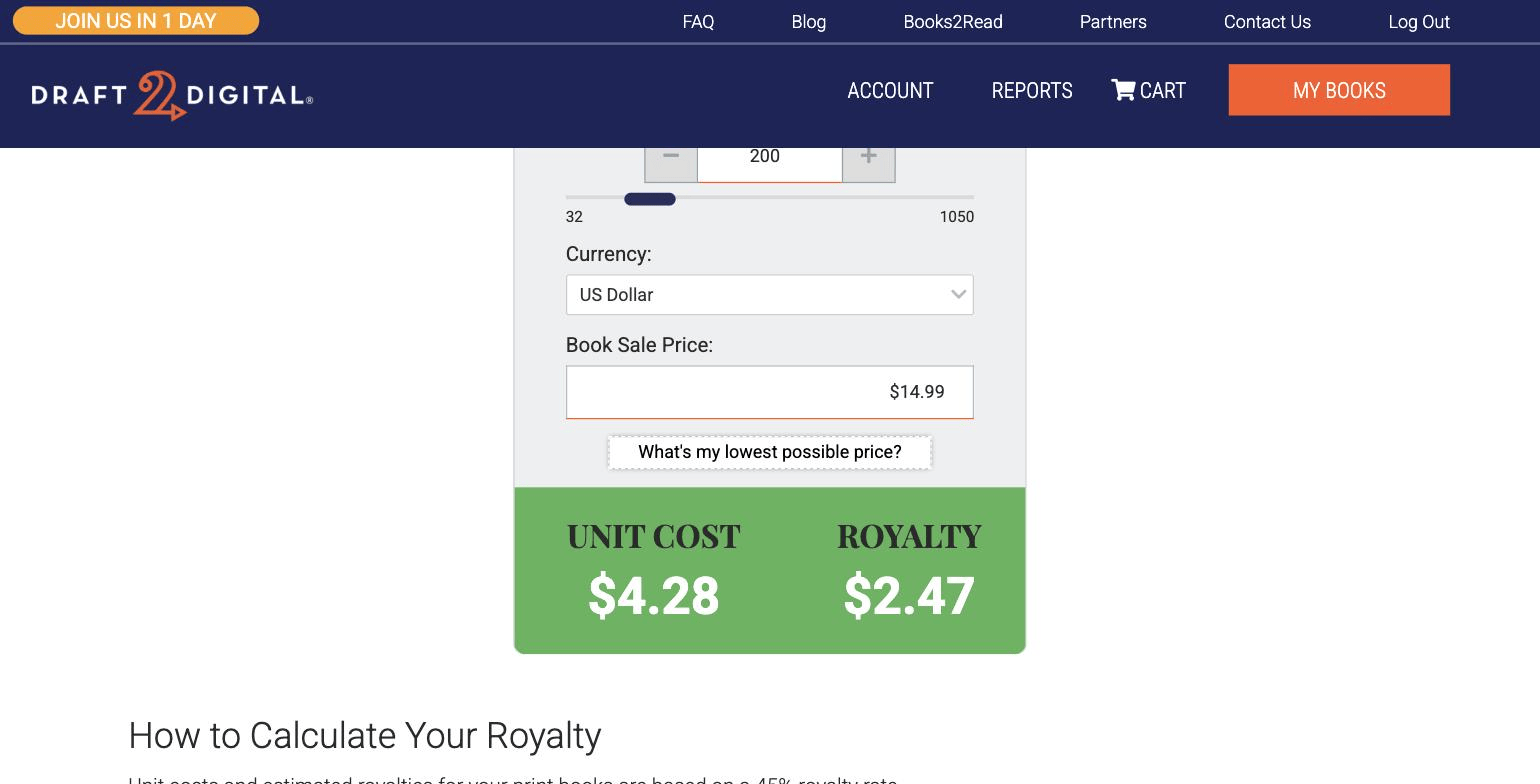
- Print: paperback only. A 200-page 6 x 9 book at $14.99 earns $2.47 through Draft2Digital and $5.59 on KDP.
Publishing is not the hardest part of writing a book. The harder question is which path the book takes once the manuscript is finished. Draft2Digital is the tool most authors use to go wide, so we ran a real business book through it.
1. How We Tested Draft2Digital
On September 30, 2026, we opened a Draft2Digital account and uploaded Automate to Scale, a 133-page, nine-chapter business book built in Built&Written. We went through all four steps (Details, Layout, Preview, Publish) and stopped on the Publish screen. We never pressed Submit, and the account was never activated, so nothing could go live.
We uploaded two files from the same Built&Written project:
- The EPUB export. Draft2Digital accepted it for preview. On the Publish screen, every store was blocked by one EpubCheck error: an empty description tag in the file's metadata. We confirmed the same single error by running EpubCheck 5.2.1 on the file ourselves.
- The DOCX export. It passed every channel and unlocked Draft2Digital's automatic front and back matter.
Every royalty figure below is the projection Draft2Digital showed us on that screen. Rates and fees come from Draft2Digital's and Amazon's own pages, checked the same day.
2. Before You Pick a Platform, You Need a Finished Manuscript
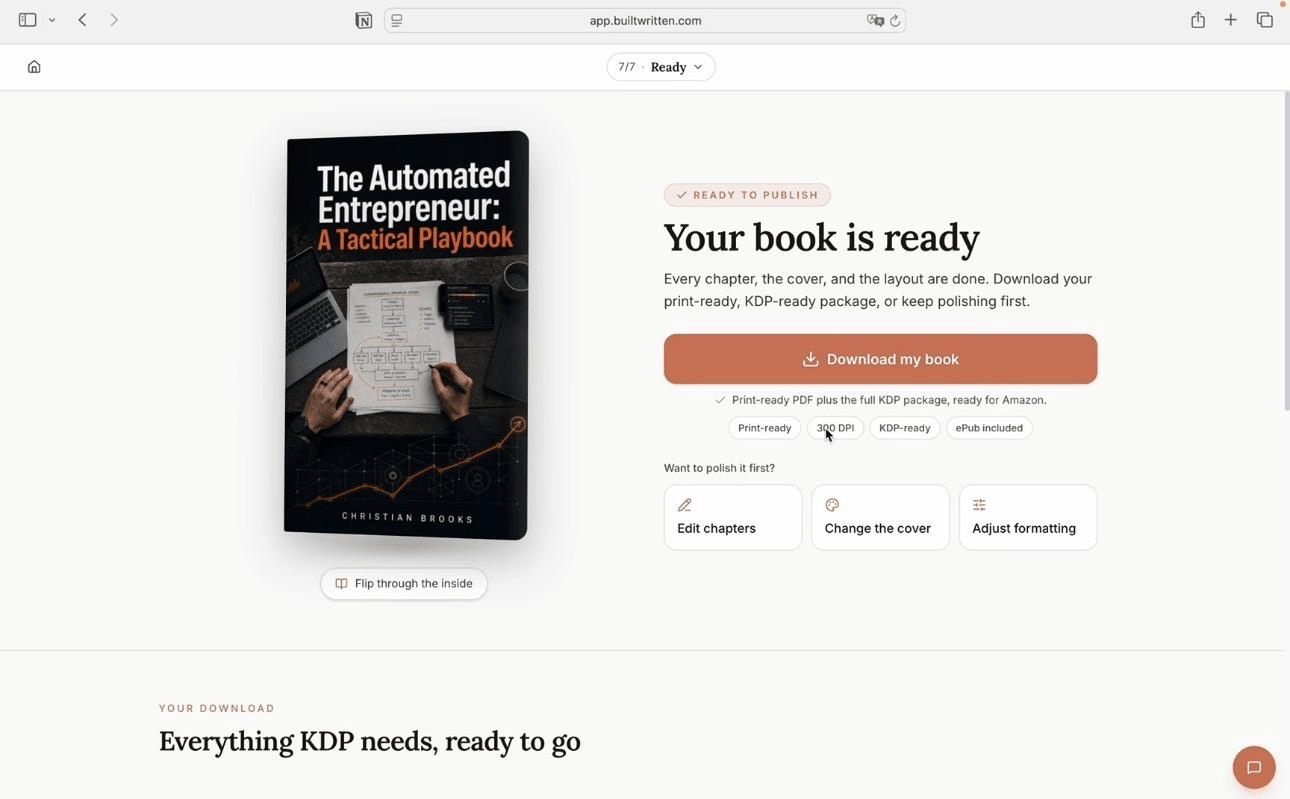
Draft2Digital and KDP distribute finished books. They do not help you turn scattered notes, posts, and transcripts into a structured nonfiction book. For most founders and consultants, that is the step that stalls, and it comes first. Built&Written handles it: it builds the book from the material you already have, in your voice, and exports the PDF, ePub, and DOCX files both platforms accept.
Your publishing path:
1. Your ideas: notes, posts, transcripts
↓
2. Built&Written: book creation and KDP-ready files
↓
3. KDP: Kindle ebook and print on Amazon
+
4. Draft2Digital: Apple, Kobo, Barnes & Noble, libraries
3. What Is Draft2Digital, and What Does It Keep?
Draft2Digital is an aggregator. You upload one book, and it delivers that book to more than a dozen stores, subscription services, and library platforms, then collects the money and pays you monthly in one payment. Without it, you would open a separate account with Apple, Kobo, Barnes & Noble, and each library platform.
The cost of that convenience, according to Draft2Digital's FAQ (checked September 30, 2026):
- Commission: about 10% of the retail price of every sale.
- Activation: a one-time $20 fee for new accounts before you can publish.
- Maintenance: $12 a year for accounts that earn less than $100 a year in sales.
- Formatting tools: free, with no activation needed. Our test ran entirely on an inactive account.
Draft2Digital also owns Smashwords, acquired in 2022; the Smashwords Store is now one of its channels. Stores pay Draft2Digital first, so your money arrives 30 to 90 days after a sale. Is it legit? Yes: an established distributor, and your rights and prices stay yours.
4. Where Does Draft2Digital Distribute?
This is the full channel list the Publish screen showed for our book, grouped the way Draft2Digital groups it:
- Ebook stores: Barnes & Noble, Kobo, Apple Books, Tolino, Vivlio, Smashwords, Gardners, Bookshop.org (US and UK only), and Fable.
- Subscription services: Everand and Kobo Plus.
- Library platforms: OverDrive, Vivlio Libraries, cloudLibrary, BorrowBox, and Hoopla (marked beta).
- Amazon: not on the list. Draft2Digital's Amazon page says ebook distribution to Amazon is by invitation only.
- Print: D2D Print sends paperbacks to Amazon and to the Ingram network, which reaches Barnes & Noble and most US independent bookstores.
So going wide usually means two accounts: KDP for the Kindle edition, Draft2Digital for everything else. Our comparison of self-publishing platforms shows where each one fits.
5. What Happens When You Upload a Finished Book?
Setup takes one form: cover, title, language, author, publisher, audience, and a subject category. Step 1 then asks for the manuscript, a description of 50 to 4,000 characters, and an ISBN. Draft2Digital offers a free one or accepts your own. The free ISBN registers Draft2Digital as vendor of record, but stores still show the publisher name you choose. Buy your own if you want the ISBN registered to your company.
The file type decides how much Draft2Digital does for you (our guide to EPUB, PDF, and MOBI explains the formats). With our EPUB, it said the file passed its checks but that its dynamic features need an EPUB 2 or a source manuscript. So you get your file as it is, with no added pages and no styling.
With the DOCX, Step 2 opened the full layout screen. Draft2Digital detected all nine chapters and offered these pages at a checkbox each:
- Introductory: Title Page, Copyright Page, Dedication, Epigraph.
- Promotional: Also By, New Release Email Notifications Signup, Teaser.
- Biographical: About the Author, About the Publisher.
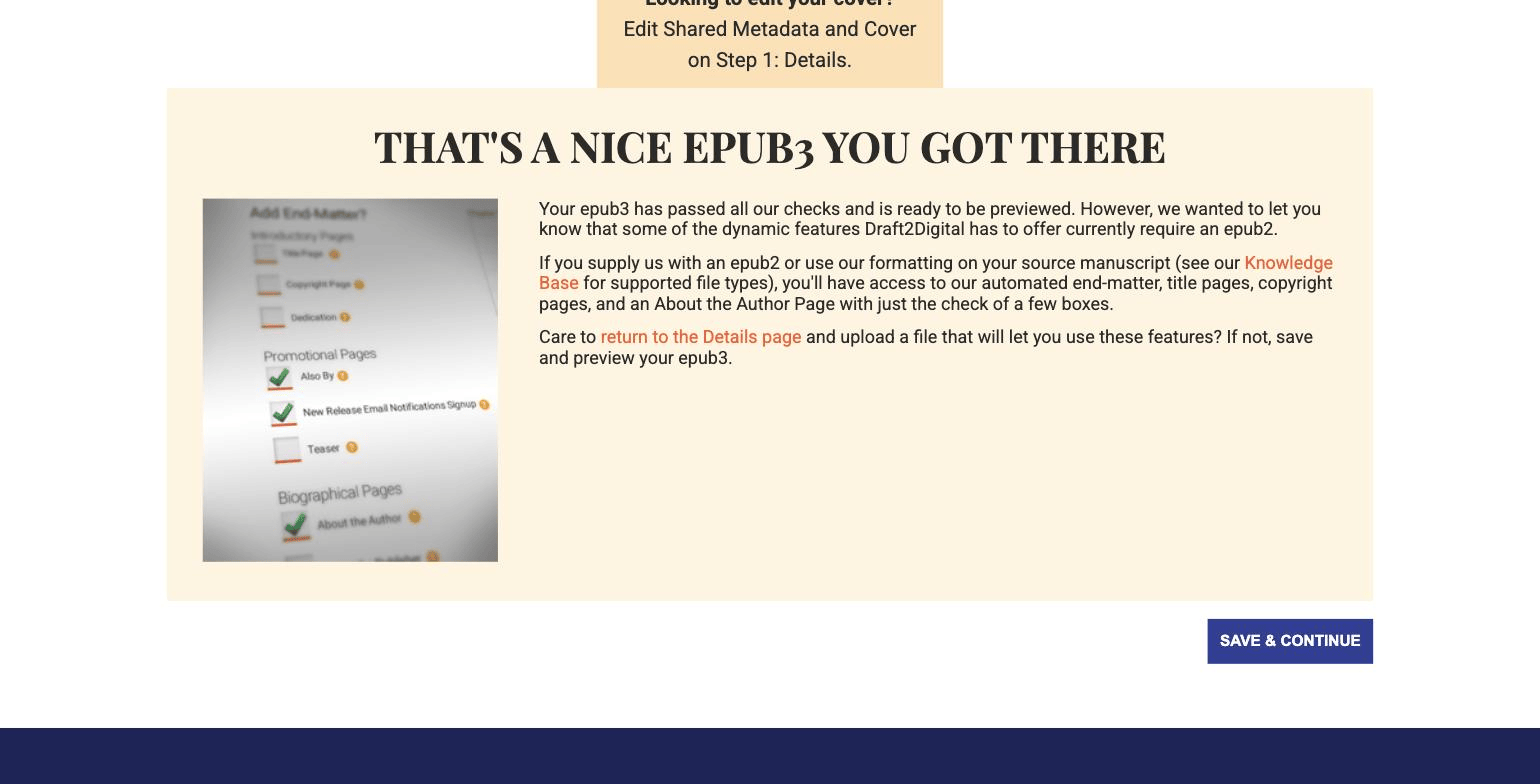
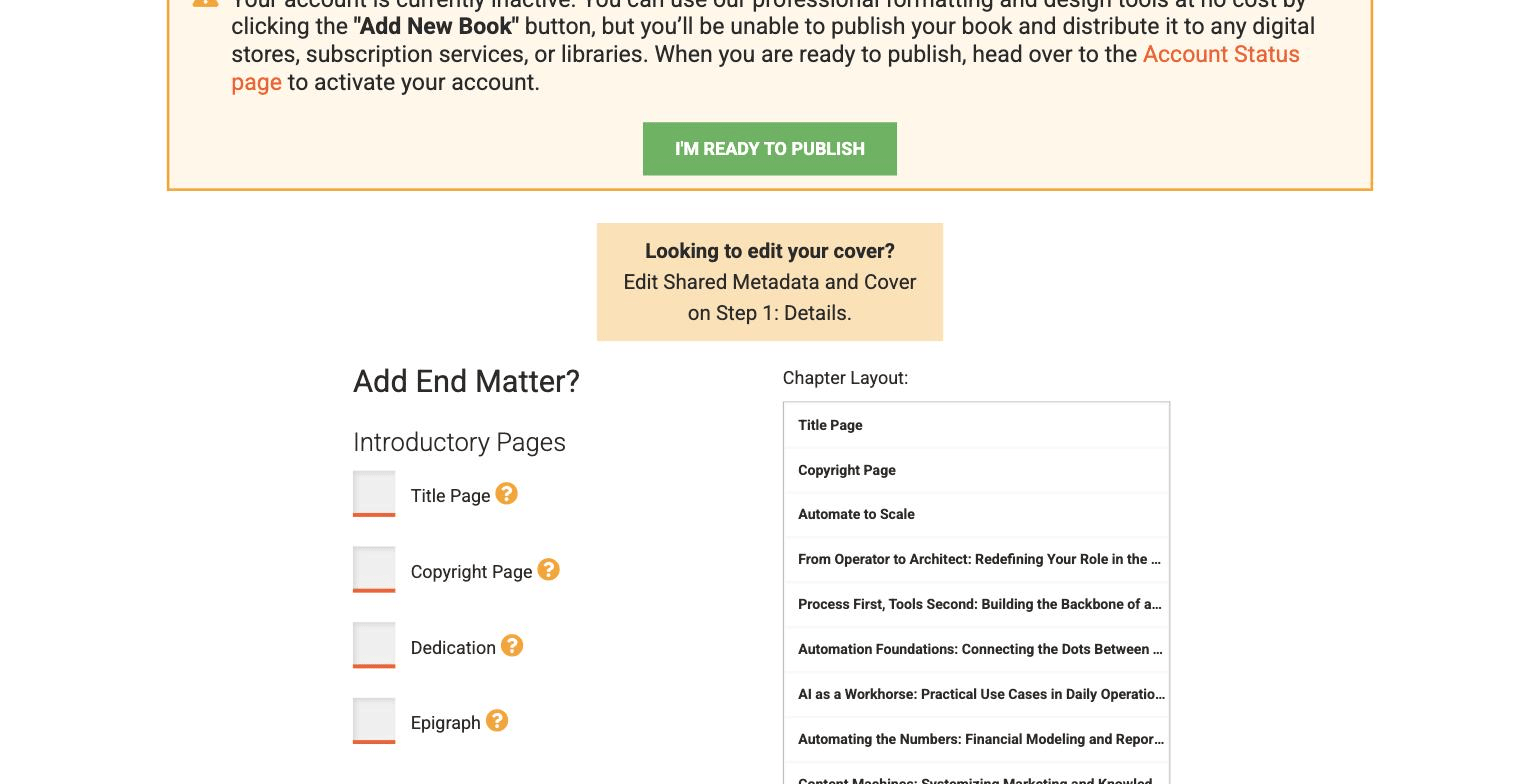
The New Release signup page matters most for a business author: it sends readers in every store to a place to follow you. Step 3 adds templates, including two for nonfiction (D2D Block and Textbook). One catch: our book's own title page became a separate item in the chapter list and showed as a blank "Chapter 1" in preview. Check the list before you approve.
6. What Does Each Store Pay on a $9.99 Ebook?
We set the ebook at $9.99 and the library price at $19.99. Draft2Digital showed these projected royalties per sale:
| Channel | Projected royalty per sale |
|---|---|
| Apple, Kobo, Barnes & Noble, Tolino, Gardners, Bookshop.org, Fable | $5.94 |
| Everand (subscription) | $5.94 |
| Vivlio | $5.52 |
| Smashwords Store | $7.49 |
| Library, one copy one user (OverDrive, cloudLibrary, BorrowBox, Vivlio) | $9.35 |
| Library, cost per checkout (Vivlio / OverDrive / Hoopla) | $1.70 / $0.93 / $0.49 |
| Kindle via KDP directly (for comparison) | $6.99 minus a small delivery fee |
Draft2Digital Publish screen, September 30, 2026, ebook at $9.99, library price $19.99. KDP figure: 70% royalty band, which runs from $2.99 to $12.99.
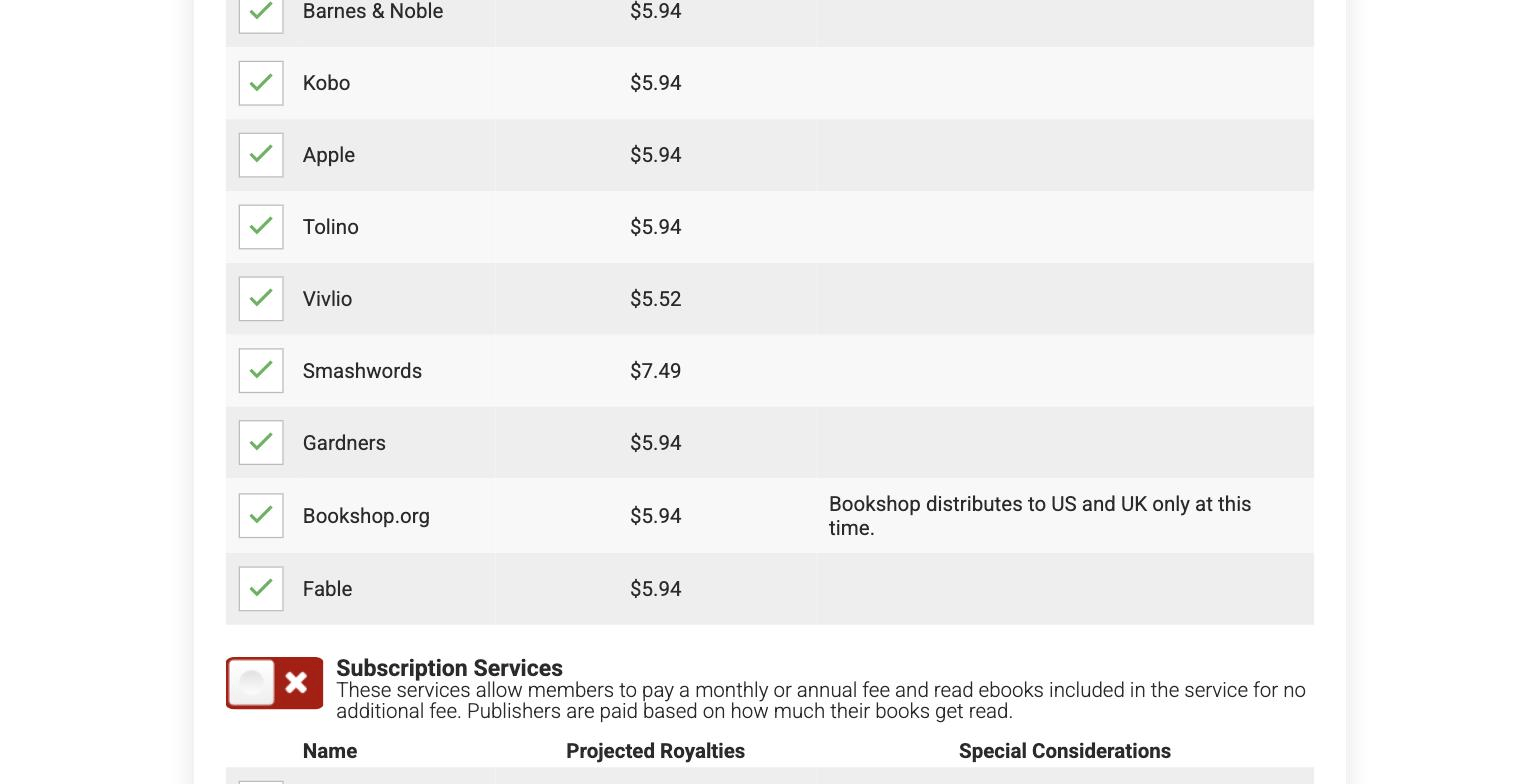
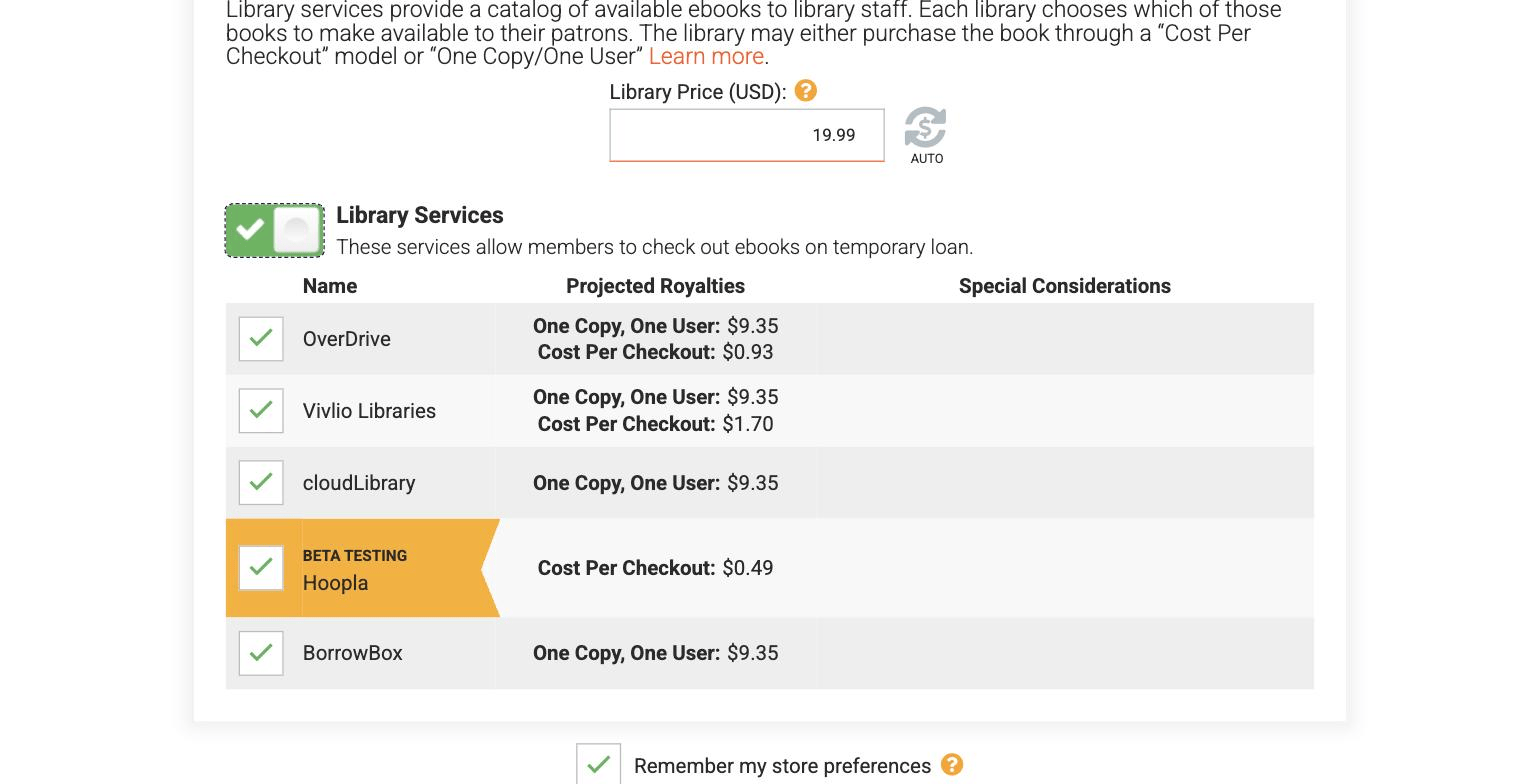
The math on one line: a $9.99 sale on Apple through Draft2Digital earns $5.94; the same sale on Kindle through KDP earns about $6.99. You give up roughly a dollar a copy for one dashboard instead of five accounts. Libraries are the nonfiction surprise: they buy at a separate, higher price, and one copy paid $9.35. Our guide to KDP's 70% royalty band covers the Amazon side, and the free KDP royalty calculator runs your own numbers.
7. KDP Select or Wide: Which Pays a Nonfiction Author More?
KDP Select is Amazon's exclusive program. Its terms, from Amazon's help pages:
- 90-day terms that renew automatically unless you opt out.
- Ebook exclusivity: during the term, the Kindle ebook can be distributed only through KDP and public libraries. Not on Apple, not on Kobo, and not as a download on your own website. Print and audio can be sold anywhere.
- What you get: Kindle Unlimited page-read income, Kindle Countdown Deals, free book promotions, and the 70% royalty in Japan, India, Brazil, and Mexico.
Kindle Unlimited pays per page read from a monthly fund: about half a cent per page in August 2026, according to Written Word Media's tracker. That rewards books read cover to cover. Business books get skimmed for the one chapter a reader needs, which is why a coaching book rarely belongs in Kindle Unlimited.
Go wide if you have readers outside the US, want the book in libraries, or plan to give the ebook to clients or sell it from your own site.
Stay in KDP Select if your readers already live in Kindle Unlimited and you have no use for the ebook outside Amazon. Try one 90-day term and opt out if page reads stay thin.
8. Should You Print Through Draft2Digital?
D2D Print makes paperbacks with black-and-white interiors, in six trim sizes from 5 x 8 to 8.5 x 11 and 32 to 1,050 pages. No hardcover, no color. Its print calculator shows the formula: 45% of list price minus a base cost and a per-page cost.
We priced the same 200-page, 6 x 9 paperback at $14.99 on both:
| D2D Print | KDP Print | |
|---|---|---|
| Print cost | $1.34 + $0.0147 per page = $4.28 | $1.00 + $0.012 per page = $3.40 |
| Royalty rate | 45% of list price | 60% of list price |
| You earn per copy | $2.47 | $5.59 |
Draft2Digital print calculator and KDP's printing cost page, checked September 30, 2026. US marketplace, black ink, 200 pages, $14.99 list price.
KDP pays more than twice as much per copy. Print on KDP, and add IngramSpark if bookstores matter. D2D Print makes sense only if one dashboard is worth about three dollars a copy to you.
9. Draft2Digital vs KDP: Who Should Pick Which?
On our KDP-Ready Stack Test (Planning, Production, Packaging, Publishing), Draft2Digital and KDP cover only the last stage.
| Draft2Digital | KDP with Select | KDP without Select | Built&Written | |
|---|---|---|---|---|
| What it does | Distributes one book to many stores and libraries | Sells on Amazon only, plus Kindle Unlimited | Sells on Amazon, leaves the ebook free to go wide | Builds the book from your material and exports KDP-ready PDF, ePub, and DOCX |
| Ebook to Amazon | Invite only | Yes | Yes | You upload the exported files |
| You keep on a $9.99 ebook | $5.94 at most stores | About $6.99 plus page reads | About $6.99 | Not a store |
| Cost to start | $20 activation | Free | Free | See pricing |
Draft2Digital data from our September 30, 2026 test. KDP terms from Amazon's help pages, same date.
- Pick Draft2Digital for reach: Apple, Kobo, Barnes & Noble, libraries, and automatic end matter, for about a dollar a copy.
- Pick KDP with Select if your readers are Kindle Unlimited readers.
- Pick KDP without Select, plus Draft2Digital, if your readers are spread across stores: Amazon pays its full 70%, and the rest are covered.
- Pick Built&Written if the manuscript is not finished. It drafts the book in your voice with Voice DNA and exports the files both routes need. Send the DOCX to Draft2Digital to get its end-matter tools.
Final thoughts
For many nonfiction authors, a wide approach makes sense, because readers often find these books outside Amazon: in Apple Books, on Kobo, or through a library. If your readers live in Kindle Unlimited, KDP Select is the better bet. Either way, print on KDP. And if the manuscript is the part still missing, start there: see how Built&Written works.
Frequently asked questions
Its formatting tools are. To publish, new accounts pay a one-time $20 activation, plus $12 in any year sales stay under $100. After that it keeps about 10% of each sale's list price.
Yes. It is an established distributor for independent authors, it owns Smashwords, and it pays monthly once stores pay it. Your rights and prices stay yours.
Ebooks go to Amazon by invitation only, so most authors publish the Kindle edition on KDP directly. D2D Print paperbacks do reach Amazon and the Ingram network.
Yes: paperbacks with black-and-white interiors, 32 to 1,050 pages. A 200-page 6 x 9 book at $14.99 earned $2.47 a copy in our test, against $5.59 on KDP.
They do different jobs. KDP pays more on Amazon and in print. Draft2Digital reaches every other store and library platform. For most nonfiction ebooks, use both.
Sources & References
About the author

Khrystyna Balushka
More in Self-Publishing
Ready to write your book?
Turn your expertise into a professional book with Built&Written.