

The Biggest Mistakes First-Time Author-Entrepreneurs Make on Amazon KDP
Most KDP failures have nothing to do with the quality of the manuscript. They come from a mismatched metadata field, a price that crosses a royalty threshold, or a spine too narrow for its text. These issues surface only after the file is rejected or the first royalty statement arrives lower than expected.
The biggest mistakes first-time author-entrepreneurs make on Amazon KDP are technical and financial, not creative: interior files that bleed past the trim area, cover images under 300 DPI, metadata that doesn't exactly match the cover, prices that cross the $9.99 royalty cliffs, a free ISBN taken by default, and generic categories and keywords. Each follows a fixed rule that can be checked before upload.
This guide covers the mistakes entrepreneurs make most often when publishing their first book on KDP, with the numbers behind each one, and where Built&Written catches them automatically before they cost money or time.
- KDP's most common rejection reasons are technical: content bleeding outside the trim area, images under 300 DPI, and a cover title that doesn't match the metadata field.
- Pricing an ebook at $10.99 instead of $9.99 drops the royalty rate from 70% to 35% on every sale, permanently.
- A free KDP ISBN restricts distribution to Amazon only and automatically sets the imprint to "Independently published."
- KDP allows exactly 3 categories and 7 keywords per format. Entrepreneurs typically spend them on generic terms instead of the specific phrases readers search for.
- Skipping voice training is the leading cause of generic AI-drafted manuscripts, which is why Built&Written trains Wren on an entrepreneur's material before drafting a single chapter.
Mistake #1: Treating the manuscript as the finished product
A finished draft and a KDP-ready file are two different deliverables. Entrepreneurs typically discover the gap only after Amazon rejects the upload. The most common rejection reason is a formatting error in the interior file: text or images that bleed outside the trim area, or a page size that doesn't match the size selected at setup.
Cover rejections are close behind, and almost always come down to resolution: any image embedded below 300 DPI gets flagged, which is why a screenshot, a web image saved at 72 or 96 DPI, or an over-compressed JPEG will bounce back nearly every time. Fonts that are not fully embedded cause a delayed version of the same problem: the file uploads without error, then renders incorrectly on a reader's device.
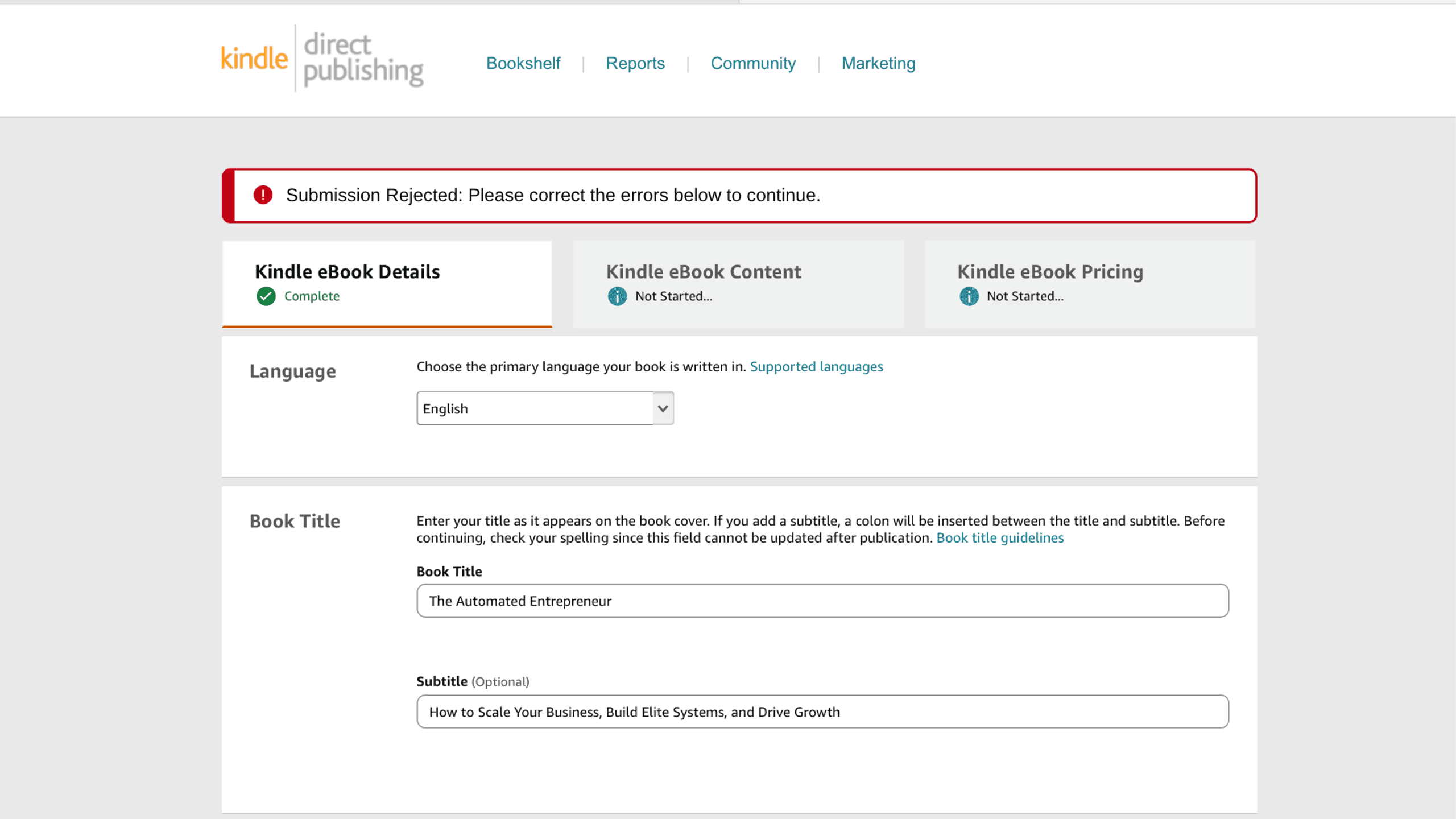
The other recurring issue is metadata mismatch. If the title, subtitle, author name, or edition printed on the cover doesn't exactly match what's entered in KDP's fields, the submission gets rejected, and "exactly" includes capitalization and trailing spaces. Run cover files through Built&Written's free KDP cover validator before uploading to catch dimension, DPI, and color-space errors in seconds.
There's one more version of this mistake that's specific to short books: adding spine text to a paperback under 79 pages. KDP requires a minimum page count before the spine is wide enough to print text legibly: 79 pages if you're supplying your own cover, 130 if you're using KDP's Cover Creator. Below that, spine text gets rejected outright.
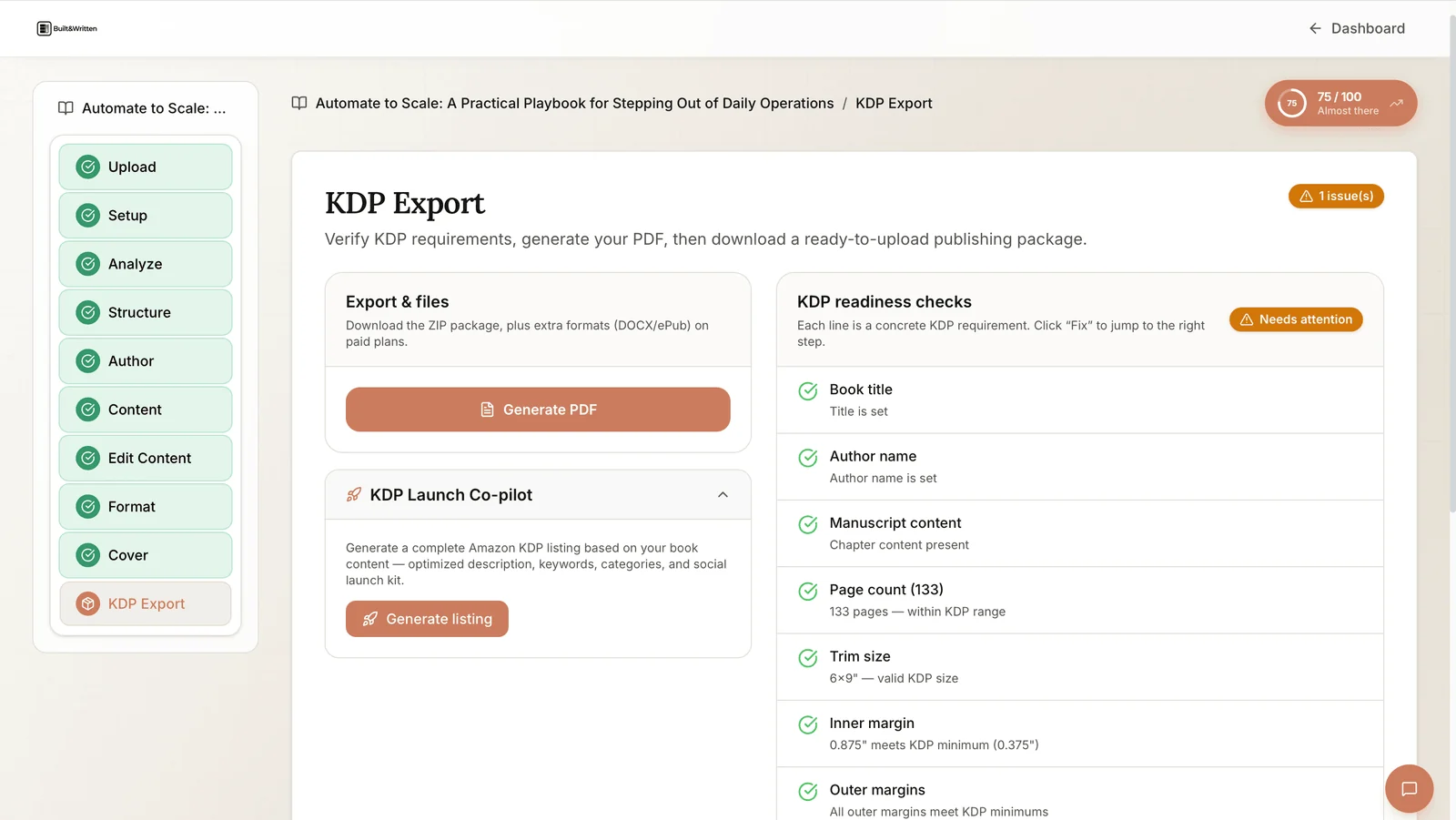
Built&Written runs every one of these checks (bleed, DPI, embedded fonts, metadata matching, spine width) before export, catching formatting problems before Amazon does.
Mistake #2: Pricing the book without doing the royalty math
Amazon's royalty structure has two hard cliffs, and pricing on either side of them by even a cent changes what you take home on every single sale.
For ebooks, the 70% royalty rate applies only between $2.99 and $9.99. Pricing at $10.99 instead of $9.99 drops the royalty rate from 70% to 35% in a single step. At $10.99, that's the difference between a $7.69 royalty and a $3.85 royalty per sale. Crossing the $9.99 line moves the entire sale into the lower tier.
Paperbacks have a separate cliff. Royalty is 60% of list price minus printing cost if the list price is $9.99 or higher, but only 50% minus printing cost at $9.98 or below. On a book with a $3.85 printing cost, that one-cent difference is the gap between a $2.14 royalty and a $1.14 royalty, on every copy, for the life of the listing.
Interior ink choice compounds the cliff. Color printing costs roughly five times more per page than black and white. On a 300-page book, that's about a $16 difference in printing cost per copy: the gap between pricing at $14.99 or $34.99 for a similar royalty.
A word processor shows none of these thresholds. Amazon's printing-cost formula does, and Built&Written runs that calculation automatically at export, before a price is set.
Mistake #3: Picking an ISBN and imprint without understanding the trade-off
KDP offers a free ISBN, and entrepreneurs often take it without reviewing what it commits them to. A free KDP ISBN works only on KDP. It does not transfer to IngramSpark, a local printer, or any other retailer, and it automatically sets the publisher name to "Independently published." For the full comparison, see ISBN for self-published authors: do you need one?
A purchased ISBN through Bowker costs $125 for one, $295 for a pack of ten, or $575 for a pack of a hundred. It allows an entrepreneur's own name or company to appear as publisher and supports distribution beyond Amazon.
Both options work for different situations; the decision should be made on purpose rather than by default. The more common error is mechanical: an imprint name entered with different capitalization or a trailing space compared to the cover file, which triggers a mismatch error, or the ebook's ISBN uploaded into the print edition by mistake. Ebook, paperback, and hardcover each require a distinct ISBN, and KDP matches these fields exactly.
Mistake #4: Wasting the category and keyword slots
KDP allows exactly 3 categories and 7 keywords per format. Amazon removed the option to request extra categories by emailing support in 2023, making this a hard ceiling.
Entrepreneurs typically spend those slots on broad terms such as "business" or "entrepreneurship," competing against thousands of other titles using the same words. Keyword slots function as backend search terms rather than display tags. Amazon's own guidance recommends specific two- to three-word phrases over single generic words, since these phrases can surface a book in categories beyond the original three. For a full walkthrough, see our guide to KDP categories and keywords.
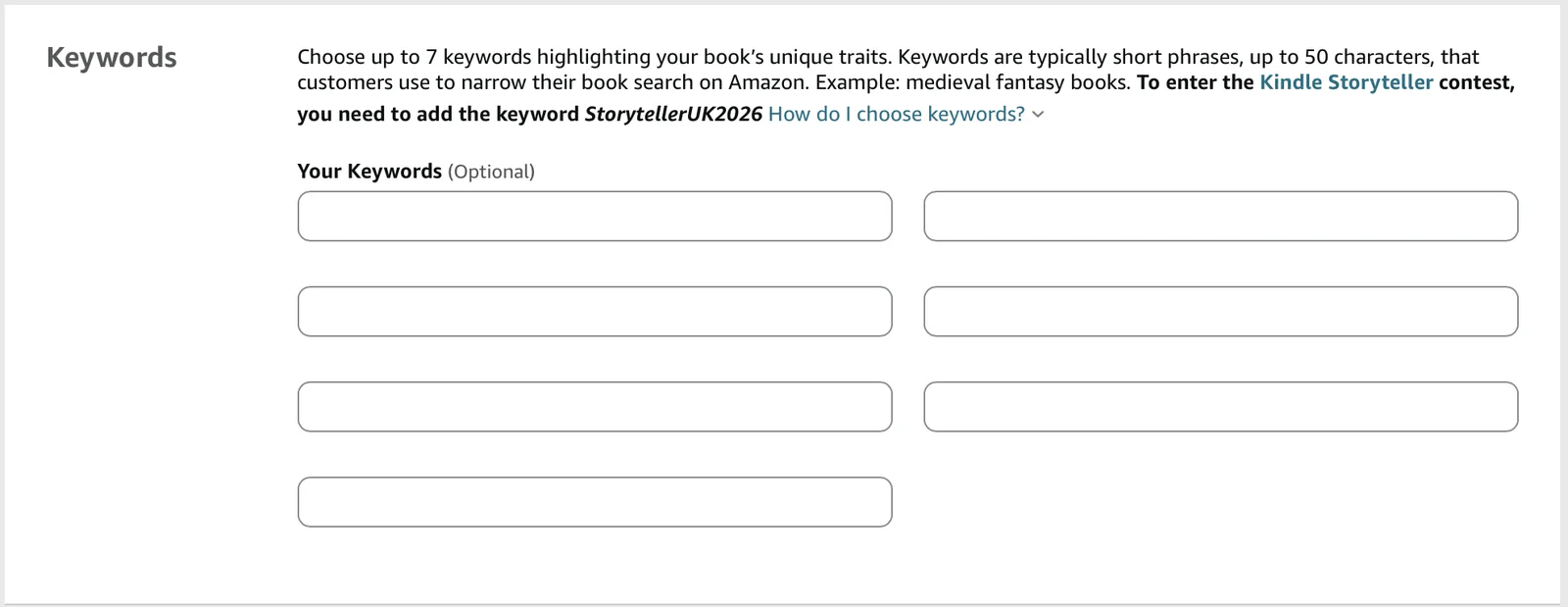
Each of the three category slots and seven keyword slots requires research specific to the book being published.
Mistake #5: Publishing an AI-assisted manuscript that skips voice training
Amazon's KDP content guidelines separate AI-generated content, which requires disclosure at upload, from AI-assisted content such as outlining, editing, and formatting support, which does not. Books drafted with a structured tool and reviewed by the entrepreneur who wrote them typically fall into the AI-assisted category. This distinction covers Amazon's disclosure rules. It has no bearing on the more common failure: a manuscript with no identifiable authorial voice. For the disclosure requirements in full, see do you have to disclose AI in your book?
This happens when an entrepreneur drafts from a source-less prompt in a general chatbot. Without existing writing samples to draw from, the model defaults to generic business-book phrasing, indistinguishable from other titles in the same category. Correcting this after fifteen chapters means rewriting fifteen chapters.
Wren, Built&Written's writing assistant, closes this gap by reading an entrepreneur's existing notes, LinkedIn posts, or call transcripts and training on tone and rhythm before drafting a single chapter.
Mistake #6: Publishing with no plan for the first 100 copies
The sixth mistake concerns expectations rather than technical execution. Industry surveys of self-published entrepreneurs consistently show the majority of titles selling fewer than 100 copies. One widely cited estimate puts average annual book income for self-published entrepreneurs at around $1,000, with roughly one in five reporting no income at all.
A distribution plan matters as much as the manuscript itself. Categories chosen for actual search behavior, a price set above the royalty cliffs, and a launch plan built on an existing audience (an email list, a LinkedIn following, active clients) determine whether a technically correct file reaches readers.
Where the mistakes get caught
| DIY (manual formatting + a general chatbot) | Freelance formatter/editor | Built&Written | |
|---|---|---|---|
| Catches bleed/DPI/metadata errors before upload | No, found only after Amazon rejects the file | Usually, if scoped in the contract | Automatic KDP readiness check at export |
| Calculates royalty math against pricing cliffs | Manual, easy to miss the $9.99/$10 and $9.99/$9.98 cliffs | Rarely included | Built into the export step |
| Sets category/keyword strategy | Self-researched or skipped | Sometimes, as an add-on | Guided keyword suggestions tied to your categories |
| Keeps your voice | Only with heavy manual prompting | Depends on the freelancer | Trained on your writing before drafting starts |
| Typical cost | Free to $20/mo | $500 to $3,000 per book | $19 to $99/mo |
Final Thoughts
These six mistakes come down to a fixed set of rules: pricing cliffs, DPI thresholds, keyword limits, and ISBN scope: rules Amazon documents but rarely explains at the point an entrepreneur needs them. Each one is knowable in advance and preventable with a checklist.
The book's content remains the entrepreneur's work: the framework, the client story, the specific argument only they can make. Built&Written automates the mechanical steps (formatting, pricing math, metadata, voice-matched drafting) that otherwise delay publication.
Frequently asked questions
Yes. KDP runs an automated check on both the interior and cover files at the point of upload. Rejections for bleed, low-resolution images, unembedded fonts, or metadata mismatches occur after submission. Catching these issues earlier in the process saves a day of back-and-forth with Amazon's review queue.
No. KDP's free ISBN is sufficient for entrepreneurs selling exclusively through Amazon, but it works only on KDP and sets the publisher name to "Independently published." A purchased ISBN through Bowker ($125 for one) is needed to display a custom publisher name or to distribute through IngramSpark or other retailers.
Yes. Pricing at $9.99 keeps the sale inside the 70% royalty tier, which applies between $2.99 and $9.99. Crossing to $10.99 moves the entire sale into the 35% tier in a single step: the difference between a $7.69 royalty and a $3.85 royalty on every sale.
Three categories and seven keywords per format; ebook, paperback, and hardcover each receive their own set. Amazon discontinued the option to request additional categories by email in 2023, so the ceiling is hard. Spend the slots on specific two- to three-word phrases readers actually search for, not single generic words.
It depends on the type of use. Amazon's KDP content guidelines require disclosure at upload for AI-generated content, but not for AI-assisted work such as outlining, editing, and formatting support. Books drafted with a structured tool and reviewed by the entrepreneur who wrote them typically fall into the AI-assisted category.
The book is probably too short. KDP requires a minimum page count before the spine is wide enough to print text legibly: 79 pages if you supply your own cover, 130 if you use KDP's Cover Creator. Below those thresholds, spine text gets rejected outright.
Industry surveys of self-published entrepreneurs consistently show the majority of titles selling fewer than 100 copies, and one widely cited estimate puts average annual book income at around $1,000, with roughly one in five reporting no income at all. A distribution plan built on an existing audience matters as much as the manuscript.
Sources & References
About the author

Khrystyna Balushka
More in pain-point
Ready to write your book?
Turn your expertise into a professional book with Built&Written.