

Vellum Alternatives for PC: Book Formatting That Costs Less
Vellum Alternatives for PC: Book Formatting That Costs Less
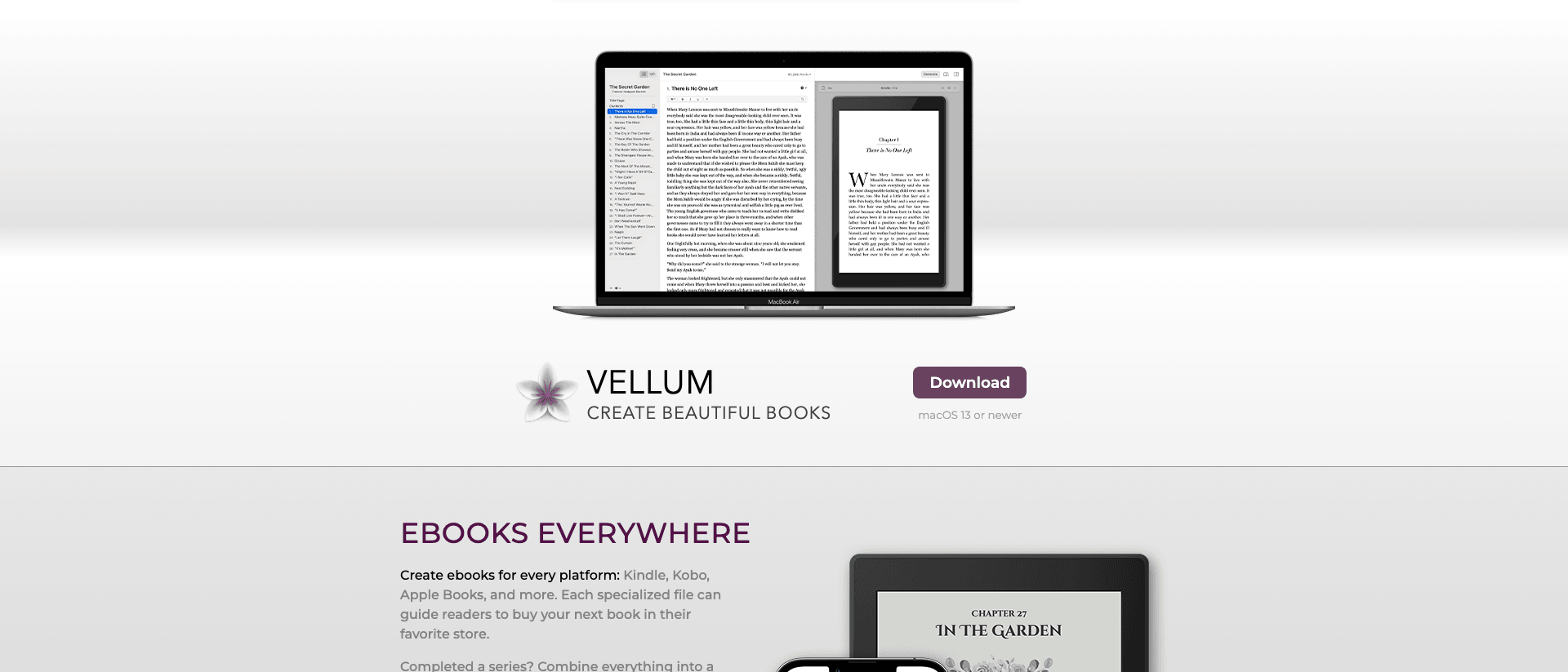
A business coach we spoke with finished her manuscript on a Friday night in early 2026. She had heard the same thing every self-publishing forum repeats: if you want a book that looks professionally typeset, you use Vellum. So she went to the site, found the big purple Download button, and read the line right under it. "macOS 13 or newer." She was on a Windows laptop. The gold standard would not even open.
That wall is real, and it is by design. Vellum is built by 180g, a small Mac-only studio, and it has never shipped a Windows version. The output is genuinely good. The pricing is genuinely steep. And for the millions of coaches, consultants, and founders who run a PC, the recommendation everyone parrots is useless on day one.
The good news: you do not need a Mac to get a clean, KDP-ready book. You need the right alternative for your actual situation, and most of them cost less than Vellum does. This guide ranks the real Vellum book formatting alternatives for PC, tells you where the cheap ones quietly cost you later, and names the one tool that solves the bigger problem most coaches actually have, which is not formatting at all.
Key takeaway: Vellum is Mac-only, so coaches on a PC in 2026 have three real paths: Atticus ($147 one-time, cross-platform), the free Reedsy Book Editor, or Built&Written, which writes and formats the book in your browser. Run the 4P Formatting Fit Test (Platform, Price, Polish, Pipeline) before you pay for anything.
Why Vellum stops Windows users at the download button
Vellum does one thing and does it well: it turns a finished manuscript into a beautifully typeset ebook and print interior, fast. You drop in your chapters, pick a style, and it handles drop caps, ornamental breaks, running headers, and the math that keeps margins consistent. People love it because the output looks like a book from a traditional house, and you can produce it in an afternoon once the writing is done.
There are two catches, and for a PC owner the first one is fatal.
The first catch is the platform. Vellum runs on macOS only, currently macOS 13 or newer. There is no Windows build, no web version, no Linux port. The studio has been clear for years that this will not change. If you own a PC, the conversation ends before it starts unless you are willing to borrow a Mac, rent a cloud Mac, or buy a used Mac mini just to format one book. Some authors actually do the last one, which tells you how good the output is and how locked the door is.
The second catch is the price. Vellum sells two licenses. The ebook-only license runs about $200, and the print-and-ebook license runs about $250, both one-time. You can read the current numbers on the Vellum pricing page. That is a one-time cost, not a subscription, so for a working author who ships many titles it can pay off. For a coach writing one authority book, paying $250 plus the cost of a Mac to run it is a hard sell against tools that do the same job on the hardware you already own.
Authors on PC do try to route around the platform wall, and it is worth knowing why none of the routes are good. You can rent a cloud Mac by the hour from a service like MacinCloud, install Vellum on it, and format your book remotely. It works, but you are now paying a monthly cloud fee on top of the $250 license, working through a laggy remote desktop, and moving files back and forth across the connection. You can borrow a friend's MacBook for an evening, which means scheduling your book around someone else's laptop. Or you can buy a used Mac mini, the cheapest real Mac, for a few hundred dollars, just to run one app. Each of these is a way of admitting the output is great and the door is locked. For a coach formatting a single authority book, none of them clear the math against a tool that already runs on the Windows machine on your desk.
So the honest read on Vellum is this. It is excellent. It is Mac-only. And the people who most need a clean book, busy experts writing one flagship title, are exactly the people for whom buying into the Apple ecosystem to use it makes the least sense. If you want the full breakdown of what Vellum actually is before you rule it out, read that first. Otherwise, keep going. The alternatives below all run on a PC.
The 4P Formatting Fit Test
Before you compare tools feature by feature, compare them against your situation. Most "best Vellum alternative" lists rank software by how many fonts it ships. That is the wrong axis for a coach. You are not a designer. You want a book that passes KDP, looks credible in a client's hands, and does not eat a week of your life.
Run every candidate through four questions. Call it the 4P Formatting Fit Test: Platform, Price, Polish, Pipeline.
Platform. Does it run on the machine you own right now? Web-based and Windows-native tools pass. Mac-only tools like Vellum fail this for PC users no matter how good they are. This is a yes or no gate, and it knocks out the gold standard immediately.
Price. What does it cost to get one finished, KDP-ready book out the door? Count the license or subscription, plus anything you have to buy around it. A "free" tool that forces you to hire a designer for the cover is not free.
Polish. Does the output look like a real book? Check the print interior specifically, not just the ebook. Drop caps, consistent margins and gutters, running headers, clean chapter openers. The ebook is easy. The paperback interior is where cheap tools show their seams.
Pipeline. Where does this tool sit in your workflow, and what does it assume you already have? This is the question almost everyone skips. Every formatter on this list assumes you walk in with a finished manuscript. If you do not have one yet, a formatter solves a problem you do not have and leaves the real one untouched.
A coach who scores honestly on all four usually finds the decision is not "which formatter is prettiest." It is "do I even have the book written yet, and if not, why am I shopping for a typesetter." Hold that thought. It is the whole back half of this article.
Atticus: the closest cross-platform match to Vellum
If you want the most Vellum-like experience on a PC, Atticus is the answer. It was built specifically to be the cross-platform Vellum, and it mostly succeeds.
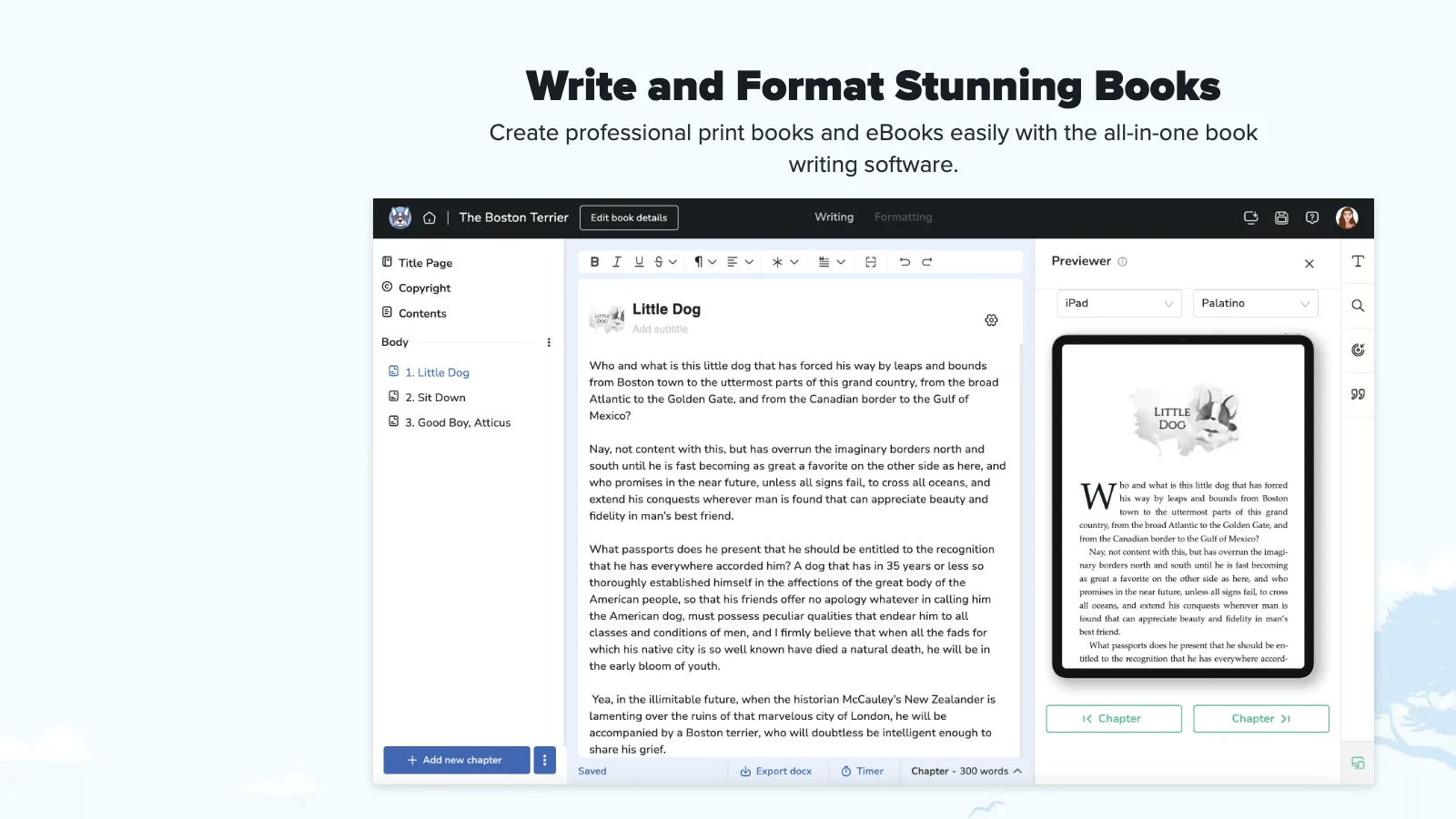
Atticus runs in your browser, so it works on Windows, Mac, Linux, and even a Chromebook. There is nothing to install. It combines a clean writing editor with a formatting engine and a live preview, so you can see your ebook and print pages update as you make changes. For interior formatting, it covers the essentials coaches need: trim sizes, margins, chapter headings, drop caps, image handling, and a set of themes you can tune without being a typographer.
The price is the headline. Atticus is $147, one-time, for every platform and every future update, which you can confirm on the Atticus pricing page. That undercuts Vellum's print license by roughly $100 and removes the Mac requirement entirely. For a one-time cost on hardware you already own, that is the most direct cost win on this list.
Atticus also includes a writing side, not just formatting. You get a distraction-free editor, word-count goals, a progress tracker, and a place to keep your manuscript organized as you draft. For an author who likes to write and format in the same tool, that is a real convenience Vellum does not match, since Vellum is a pure typesetter you feed a finished file. It is worth being precise about what "writing side" means here, though. Atticus gives you a clean room to type in. It does not generate the manuscript, propose a structure from your existing content, or write in your voice. The words are still entirely on you.
Where does it fall short of Vellum? The polish, slightly. Vellum's presets still produce a marginally more refined print interior out of the box, and Vellum is faster and more stable because it is native Mac software rather than a browser app. Atticus has had occasional sync and export quirks that native software avoids, and because it lives in the cloud you need a connection to work. For a coaching book, the gap is small and shrinking, and most readers will never notice the difference between an Atticus interior and a Vellum one. If a clean, credible paperback is the goal and you already have the words, Atticus is the value pick on a PC, full stop.
If you want to see exactly how the two stack up on output quality, our Atticus and Vellum head to head breaks down the print interiors side by side. The short version: on a PC, Atticus wins because Vellum is not even in the race.
Atticus has the same blind spot as Vellum, though. It is a formatting and light-writing tool. It assumes you bring most of the manuscript. Keep that in mind when you read the Pipeline section again.
Reedsy Book Editor and the free PC options
You do not have to spend anything to format a book on a PC. There are genuinely free tools that produce KDP-acceptable files, and for a first authority book they may be all you need. The trade is always the same: you give up styling control and convenience in exchange for a zero price tag. For a coach whose book is a credibility asset rather than a design showcase, that trade is often fine. A clean, readable interior in a reader's hands does the positioning work. Nobody hires you because your drop caps were perfect.
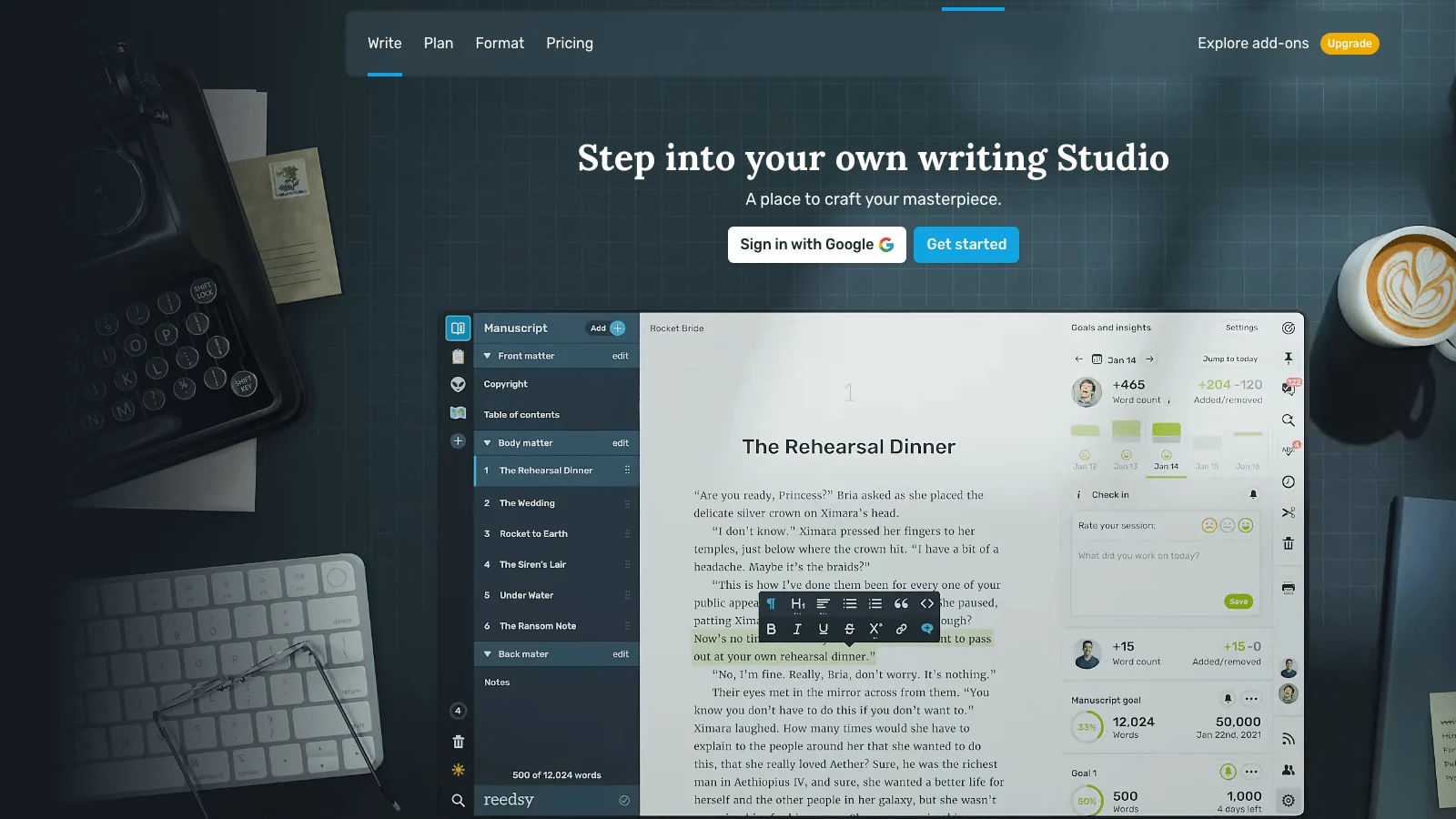
Reedsy Book Editor. The Reedsy Book Editor is the best free option. It is browser-based, so platform is a non-issue, and it exports a typeset print PDF and a clean EPUB at no cost. The styling choices are limited compared to Atticus or Vellum, you get a small number of professional templates rather than deep customization, but the output is legitimately clean and passes KDP. For a coach who wants a credible book and zero software spend, start here.
Kindle Create. Amazon's own Kindle Direct Publishing tooling includes Kindle Create, a free desktop app that formats your manuscript for Kindle and, with more limits, for paperback. It is free and built by the platform you are publishing to, so the ebook output is reliable. The print formatting is weaker and the design control is thin, but the price is zero and it removes any guesswork about Kindle compatibility.
Draft2Digital. Draft2Digital offers free formatting as part of its distribution service. You paste your manuscript, it produces print and ebook files, and you can use those files even if you publish through KDP rather than D2D. It is a quietly good free path that most coaches have never heard of.
Word and Google Docs with a template. You can format a passable paperback interior in Microsoft Word or Google Docs using a KDP template, then export to PDF. It is fiddly, the margins and gutters are on you, and the result looks more like a document than a designed book. But it costs nothing and it works in a pinch.
Calibre. Calibre is a free, Windows-friendly tool for converting and cleaning up ebook files. It will not design a print interior, but it is excellent for fixing EPUB problems before you upload to Kindle, and it has been the open-source standard for ebook management for years.
A practical note on the free stack: mix and match. Most coaches who go the no-cost route end up using two of these tools together, one for the print interior and one for the ebook, because no single free tool nails both. Reedsy for the print PDF and Kindle Create for the Kindle file is a common, reliable pairing. That is fine. The point is to reach a clean, uploadable book without spending money, and a two-tool free stack gets you there.
The free tier is real, and for many coaches it is enough. But free has a cost, and it is not measured in dollars. The next section is about that.
Where the cheaper tools cost you later
Every tool above passes the Platform gate and most of them pass Price with flying colors. The bill comes due on Polish and Pipeline, and it comes due in hours, not dollars.
Here is the pattern we see with coaches who pick the cheapest path. They format a paperback interior in Word or a free editor, upload it to KDP, and the previewer flags problems. Margins too tight. Gutter wrong for the page count. Images at the wrong resolution. A blank page in the wrong place. They fix one thing, re-upload, wait, and find two more. A book that should have taken an afternoon to format takes a frustrating week of upload-and-fix loops. The software was free. The week was not.
The print interior is where this bites hardest. Ebook formatting is forgiving because the reader's device reflows the text. Print is fixed, and KDP is strict about it. Gutters have to scale with page count so the inner text does not disappear into the spine. Margins have to clear the trim. Running headers have to behave around chapter openers. Vellum and Atticus handle that math for you. Free tools often make you do it by hand, and "by hand" is where coaches lose their evenings. If you want the rules spelled out, our guide to how to format a book for Kindle and the broader best book formatting tools for coaches both go deeper than KDP's own help pages.
The second hidden cost is the cover. None of the formatting tools on this list design a print cover with correct spine math for free. Spine width depends on your page count and paper type, and getting it wrong means a rejected file or a crooked wrap. Coaches who pick a free formatter often end up paying a designer on Fiverr or fighting a cover template, which erases the savings.
Put real numbers on it. Say a coach picks the fully free path: format the interior in Word, design the cover from a stock template, convert the ebook in Calibre. Direct software spend is zero, which feels like a win. Now count the rest. Two evenings fighting margins and gutters through the KDP previewer. A half-day on a cover that still looks slightly off. A rejected print file that costs another upload cycle and two days of waiting. Then, because the cover never looked right, $80 to a Fiverr designer to fix it. The "free" book cost roughly twenty hours and $80. Atticus would have cost $147 and a couple of hours. For a coach who bills $200 or more an hour, the free path was the most expensive option on the table, it just hid the bill inside a worse use of time.
The third cost is the one nobody prices in. Time spent formatting is time not spent on the part of the book that actually grows your business: the writing, the positioning, the framework that makes you the obvious choice in your niche. A coaching book earns its keep by turning a cold prospect into a warm inbound lead, the kind of shift that takes a $3,000 client conversation and makes it a $30,000 inbound retainer. Spending a week wrestling gutters does nothing for that. It is the least valuable hour in the whole project, and the cheap tools quietly ask you to spend more of those hours, not fewer. The right question is not "what is the cheapest tool," it is "what is the cheapest path to a credible book that does not waste my best hours." Those are different questions, and they usually have different answers.
What none of these formatters do: write the book
Here is the thing every Vellum-alternatives article gets wrong. They all assume the hard part is formatting. For most coaches, it is not. The hard part is the manuscript that does not exist yet.

Vellum, Atticus, Reedsy, Kindle Create. Every one of them is a typesetter. You walk in with a finished book, they make it pretty. If you have the book written, that is exactly what you want. If you are a coach with a decade of frameworks in your head, a folder of LinkedIn posts, and a stack of client notes, but no actual manuscript, a formatter is the wrong tool. It is a picture frame with no picture.
This is why a lot of coaches stall. They buy Atticus or borrow a Mac for Vellum, open it, see a blank manuscript, and realize the tool they bought does not help with the only thing standing between them and a published book. The writing.
AI writing tools tried to fill that gap. Tools like Squibler and Sudowrite can generate prose from a prompt, and they are genuinely useful for some authors. But most of them are built for fiction, novels, and screenplays, with story structure and character tools that do nothing for a business book. They also produce generic AI prose by default, the kind that reads like every other AI book and sounds nothing like you. For a coach whose entire value is their distinctive point of view, a tool that flattens your voice is worse than no tool. We compared the main options in Built&Written against Sudowrite and Squibler for coaches if you want that breakdown.
So the real PC stack for a coach is not one tool, it is two jobs: get the manuscript written in your voice, then get it formatted for KDP. The tools above only do the second job. The next one does both, in a browser, on your PC.
Built&Written: from notes to KDP-ready without the Mac
Built&Written is a web app, which means it runs in any browser on Windows, the exact thing Vellum cannot do. But it is not a Vellum clone. It solves the bigger problem first.
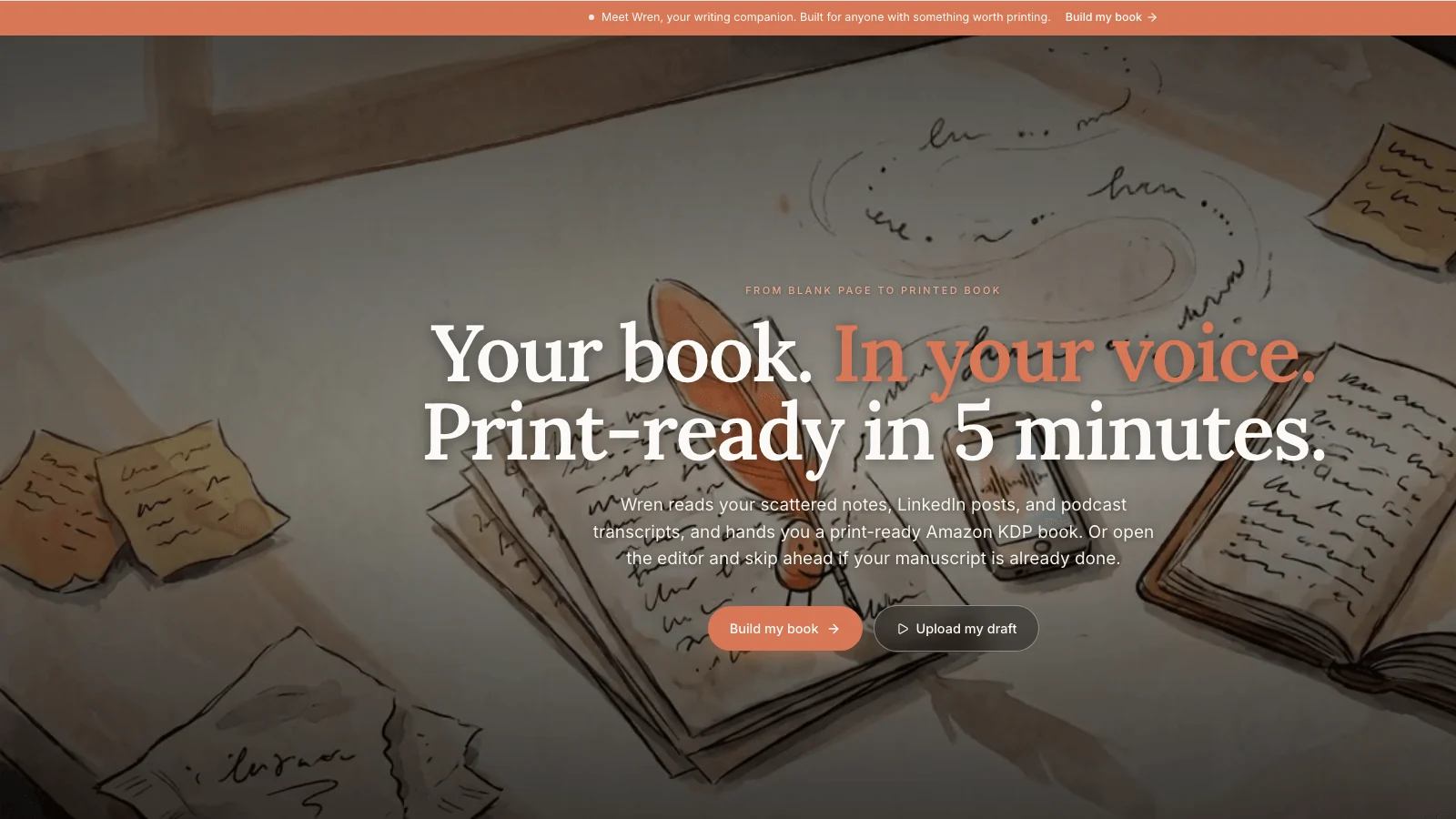
You start with what you already have. Paste your LinkedIn posts, paste a podcast transcript, paste your notes, or upload a draft as a .docx or .txt file. You can also import content from a public URL. Built&Written reads that source material and proposes a chapter structure you can edit, then assembles a full manuscript. The point is that a coach with ten years of expertise already has the raw material. The bottleneck was never ideas. It was turning scattered content into an ordered book, and that is the step Built&Written removes.
The feature that matters most for a coach is Voice DNA. You paste a few thousand words of your own writing, and the AI learns your characteristic voice and preserves it across the manuscript. This is the answer to the "won't AI books all sound the same" objection. A flattened, generic voice kills the credibility a coaching book is supposed to build. Voice DNA keeps the book sounding like you, which is the entire point of putting your name on the cover. If you want the philosophy behind this, turning expertise into a book without a ghostwriter covers it.
On the formatting side, which is what this article is ostensibly about, Built&Written produces a KDP-compliant print interior. It handles the standard trim sizes, the inner and outer margins, the gutters that scale with page count, running headers, and chapter openers, then exports a print-ready PDF and an EPUB for Kindle. It also includes an integrated cover designer that does the spine math for you based on page count and paper type, which is the exact thing the free formatters make you solve on your own. And the KDP Launch Co-pilot generates your Amazon listing, the title, subtitle, description, keywords, and categories, plus a ready-to-post LinkedIn announcement, and packages everything as a ZIP you upload to KDP yourself.
Walk the workflow end to end so the difference is concrete. With Vellum or Atticus, day one looks like this: open the app, see an empty manuscript, and start typing chapter one from scratch. With Built&Written, day one looks like this: paste the twenty best LinkedIn posts you already wrote, add a client onboarding doc and a webinar transcript, and watch a proposed chapter structure appear that you reshape into the book you meant to write. One path starts at a blank page. The other starts at a draft assembled from a decade of your own thinking. For a coach who has the expertise but never the free week to write, that starting point is the whole game.
Be clear on the trade. Built&Written is not a pixel-level layout playground the way Vellum is. If your goal is to hand-tune every ornament and typographic detail, a dedicated typesetter gives you more knobs. It also exports a KDP package as a ZIP that you upload to Amazon yourself, rather than pushing to KDP directly, and it is single-author rather than a collaborative writing room. Built&Written's bet is the opposite of Vellum's: most coaches do not want more knobs, they want a credible, KDP-ready book without the week of fiddling, and they want the writing handled too. For that reader, doing both jobs in one browser tab beats buying a Mac to run a typesetter for a book you have not written yet. If you already have a polished manuscript and only want a beautiful interior, be honest with yourself and buy Atticus instead. Built&Written earns its place when the writing is the part that has been stuck.
Vellum alternatives for PC at a glance
Before the verdict, here is the whole field on one screen. Read it against the 4P test: Platform first, then Price, then Polish, then Pipeline.
| Tool | Platform | Cost for one book | Writes the book? | Print interior | Best for |
|---|---|---|---|---|---|
| Vellum | Mac only | About $250 one-time, plus a Mac | No | Excellent | Mac owners who already wrote the book |
| Atticus | Web: Windows, Mac, Linux, Chromebook | $147 one-time | Light editor only | Very good | PC users with a finished manuscript |
| Reedsy Book Editor | Web | Free | No | Good | Coaches who want zero spend |
| Kindle Create | Windows, Mac | Free | No | Basic | Reliable Kindle ebook files |
| Draft2Digital | Web | Free | No | Good | Free print and ebook files |
| Squibler | Web | Subscription | Yes, fiction-leaning | Limited | Novelists, not business books |
| Built&Written | Web, any PC browser | Free tier, paid from $19/mo | Yes, in your voice | KDP-ready | Coaches who still need to write the book |
Two things jump out of that table. First, the Platform column quietly eliminates the tool everyone recommends. Vellum is the only Mac-only row, and for a PC owner that single fact ends the conversation no matter how good the Polish column looks. Second, the "Writes the book?" column is almost all No. Six of the seven tools assume you arrive with a finished manuscript. That is the Pipeline blind spot in one glance, and it is why a coach who has not written the book yet is shopping in the wrong aisle entirely.
The right way to read this table is top to bottom by your own situation, not left to right by features. A coach with a finished draft reads the Atticus and Reedsy rows. A coach with a folder of LinkedIn posts and no manuscript reads the bottom row first, because none of the others solve the problem they actually have.
How to choose your Vellum alternative on PC
Run the 4P test against your real situation and the decision falls out cleanly. Here is the verdict by where you actually are.
You have a finished manuscript and you want the most Vellum-like result on a PC. Buy Atticus. It is $147 one-time, runs in your browser on Windows, and produces a print interior close enough to Vellum that no reader will know. This is the cleanest Polish-plus-Price win for a finished book.
You have a finished manuscript and you refuse to spend a dollar. Use the Reedsy Book Editor. It is free, browser-based, and exports a clean print PDF and EPUB. Accept fewer styling options in exchange for zero cost. Kindle Create and Draft2Digital are fine free backups, especially for the ebook.
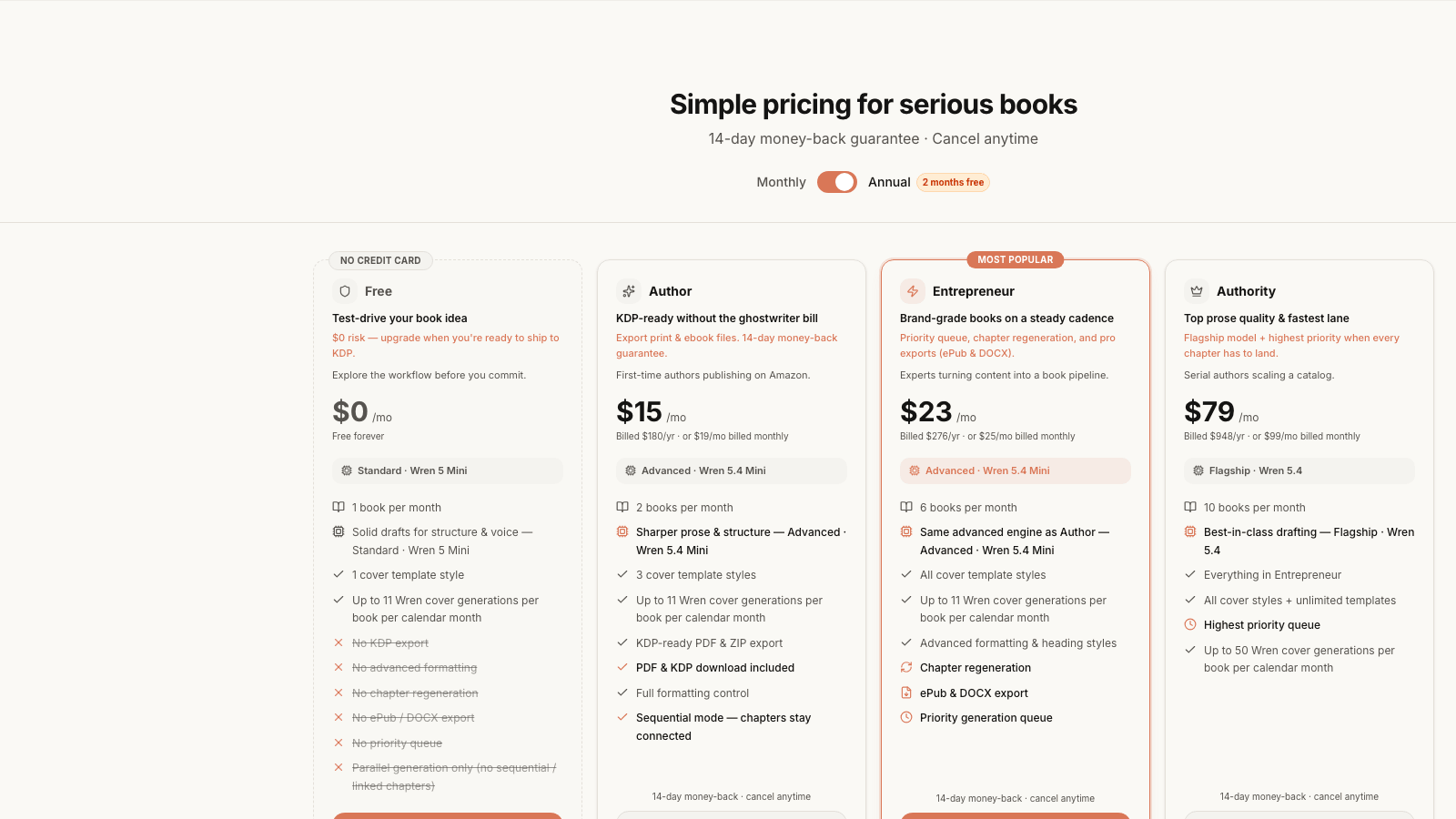
You do not have the manuscript written yet, which is most coaches. Stop shopping for a typesetter. A formatter cannot help you with a book that does not exist. Use Built&Written to assemble the manuscript from the content you already have, keep it in your voice with Voice DNA, and let it produce the KDP-ready files. It runs on your PC, it starts free, and paid plans begin from $19/month, so you can test the whole path before committing. When you are ready to publish, our walkthrough on how to publish a book on Amazon KDP step by step takes it from file to live listing.
You want to weigh Built&Written against a dedicated formatter directly. Read Atticus against Built&Written for coaches. The honest summary: pick Atticus if you already have the book and want a typesetter, pick Built&Written if you need the book written and formatted, and price your title right when it lands using how to price your coaching book on KDP.
The mistake to avoid is the one the coach in the opening made. Do not let "Vellum is the gold standard" send you buying Apple hardware or wrestling free software for a book you have not finished. Match the tool to the job you actually have. On a PC, that job almost always starts with the writing, not the typesetting.
Frequently asked questions
Does Vellum work on Windows?
No. Vellum is Mac-only software that requires macOS 13 or newer. It has no Windows version, no web app, and no Linux build, and the studio has shown no sign of changing that. On a PC, your real options are Atticus, the Reedsy Book Editor, or a browser-based tool like Built&Written.
What is the best Vellum alternative for PC?
For a finished manuscript, Atticus is the closest match. It runs in any browser including Windows, costs $147 one-time versus Vellum's roughly $250 print license, and produces a comparable print interior. If you have not written the book yet, Built&Written is the better fit because it assembles and formats the manuscript, where Atticus and Vellum only format.
Is there a free Vellum alternative for PC?
Yes. The Reedsy Book Editor is free, browser-based, and exports a print-ready PDF and EPUB. Amazon's Kindle Create and Draft2Digital also format books for free, with more limits on print design. None of them design a print cover with spine math, so budget for that separately.
How much does Vellum cost compared to the alternatives?
Vellum sells an ebook-only license for about $200 and a print-and-ebook license for about $250, both one-time. Atticus is $147 one-time for all platforms. Reedsy, Kindle Create, and Draft2Digital are free. Built&Written starts with a free tier and paid plans from $19/month. Add the cost of a Mac to the Vellum number if you are on a PC, since you cannot run it otherwise.
Can I format a KDP book on Windows without buying software?
Yes. The Reedsy Book Editor, Kindle Create, and Draft2Digital all format KDP-acceptable files for free on a PC, and you can hand-format a paperback interior in Word or Google Docs with a KDP template. The trade is time. Free tools often push the margin, gutter, and spine math onto you, which can turn an afternoon of formatting into a week of upload-and-fix loops.
What if I have not finished writing the book yet?
Then a formatter is the wrong tool, because every formatter on this list assumes a finished manuscript. Built&Written is built for that case. You paste content you already have, like LinkedIn posts, notes, or a podcast transcript, it proposes a chapter structure and assembles the manuscript in your voice, then formats it KDP-ready. It runs in the browser on any PC and starts free.
What about Scrivener as a Vellum alternative on PC?
Scrivener runs on Windows and Mac and costs about $60 one-time, and it is a powerful tool for organizing and drafting a long manuscript. But it is a writing and research environment, not a book formatter. Its print and ebook output looks plain compared to Vellum or Atticus, and most authors who use Scrivener still run the finished file through a dedicated formatter afterward. Treat it as a drafting tool, not a typesetter, and pair it with Atticus or Reedsy for the final book files.
Will an AI-assembled book still sound like me?
That depends entirely on the tool. Generic AI writers default to flat, interchangeable prose, which is why so many AI books read the same. Built&Written's Voice DNA exists specifically to avoid that. You feed it a few thousand words of your own writing, it learns your cadence and word choices, and it holds that voice across the manuscript. The output is meant to read like you wrote it, because for a coaching book your distinctive voice is the credibility, and a flattened version of it defeats the purpose of having your name on the cover.
Sources & References
Frequently asked questions
No. Vellum is Mac-only software that requires macOS 13 or newer. It has no Windows version, no web app, and no Linux build. On a PC, your real options are Atticus, the free Reedsy Book Editor, or a browser-based tool like Built&Written.
For a finished manuscript, Atticus is the closest match. It runs in any browser including Windows, costs $147 one-time versus Vellum's roughly $250 print license, and produces a comparable print interior. If you have not written the book yet, Built&Written is the better fit because it assembles and formats the manuscript, where Atticus and Vellum only format.
Yes. The Reedsy Book Editor is free, browser-based, and exports a print-ready PDF and EPUB. Amazon's Kindle Create and Draft2Digital also format books for free, with more limits on print design. None of them design a print cover with spine math, so budget for that separately.
Vellum sells an ebook-only license for about $200 and a print-and-ebook license for about $250, both one-time. Atticus is $147 one-time for all platforms. Reedsy, Kindle Create, and Draft2Digital are free. Built&Written starts with a free tier and paid plans from $19/month. Add the cost of a Mac to the Vellum number if you are on a PC, since you cannot run it otherwise.
Yes. The Reedsy Book Editor, Kindle Create, and Draft2Digital all format KDP-acceptable files for free on a PC, and you can hand-format a paperback interior in Word or Google Docs with a KDP template. The trade is time. Free tools often push the margin, gutter, and spine math onto you, which can turn an afternoon of formatting into a week of upload-and-fix loops.
Then a formatter is the wrong tool, because every formatter on this list assumes a finished manuscript. Built&Written is built for that case. You paste content you already have, like LinkedIn posts, notes, or a podcast transcript, it proposes a chapter structure and assembles the manuscript in your voice, then formats it KDP-ready. It runs in the browser on any PC and starts free.
Scrivener runs on Windows and Mac and costs about $60 one-time, and it is a powerful tool for organizing and drafting a long manuscript. But it is a writing and research environment, not a book formatter. Its print and ebook output looks plain compared to Vellum or Atticus, and most authors who use Scrivener still run the finished file through a dedicated formatter afterward.
That depends on the tool. Generic AI writers default to flat, interchangeable prose, which is why so many AI books read the same. Built&Written's Voice DNA exists to avoid that. You feed it a few thousand words of your own writing, it learns your cadence and word choices, and it holds that voice across the manuscript so the book reads like you wrote it.
Sources & References
About the author

Mykhailo Druz
More in comparison
Ready to write your book?
Turn your expertise into a professional book with Built&Written.