

5 Reasons Your Self-Published Book Isn't Selling on Amazon KDP
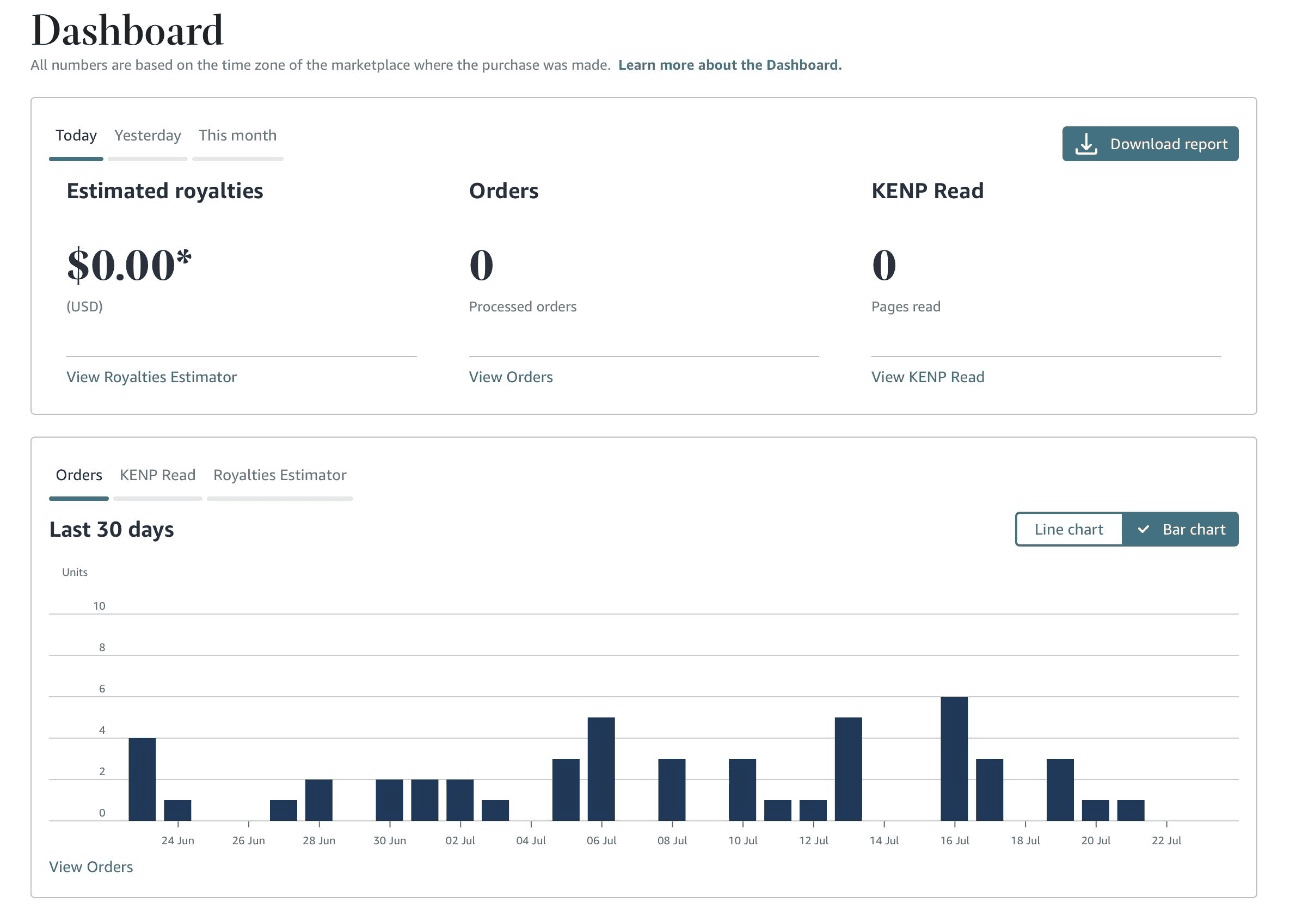
Most self-published books that stall aren't bad books. Somewhere in the listing, something is quietly telling Amazon and readers not to bother. Here are the five spots that cause it, in order of how often they're the real problem.
Most books that stall on Amazon KDP fail on the listing, not the writing. The five fixable causes are wrong categories and keywords, a cover that signals the wrong genre, a price outside the 70% royalty window, a description that reads like a table of contents, and a launch with zero reviews. Fixing all five is smaller than writing another chapter.
- Amazon caps you at 3 browse categories, but gives you 7 backend keyword slots. Most authors fill the categories and ignore the keywords, leaving free visibility unclaimed.
- Below $2.99 or above $9.99, your ebook royalty drops from 70% to 35%. Price it wrong and you can sell steadily and still not cover the cost of writing it.
- A reader judges your cover in a couple of seconds, before reading a word of your description. A cover that doesn't signal genre gets scrolled past by exactly the readers who'd buy it.
- Reviews don't directly move Amazon's ranking algorithm, sales do. But most promotion services and newsletters won't feature a book with fewer than 5-10 reviews, which is the gap that starts the whole cycle.
1. Your categories and keywords are pointed at the wrong readers
Amazon caps you at 3 browse categories. That's the rule since 2023; emailing KDP support for more no longer works. But you also get 7 backend keyword slots, and those can pull your book into extra categories if you use them right.
Most authors spend all 3 categories on the obvious shelf, then fill the keyword slots with the same word restated. That's competing against thousands of titles for one search term everyone else is already using.
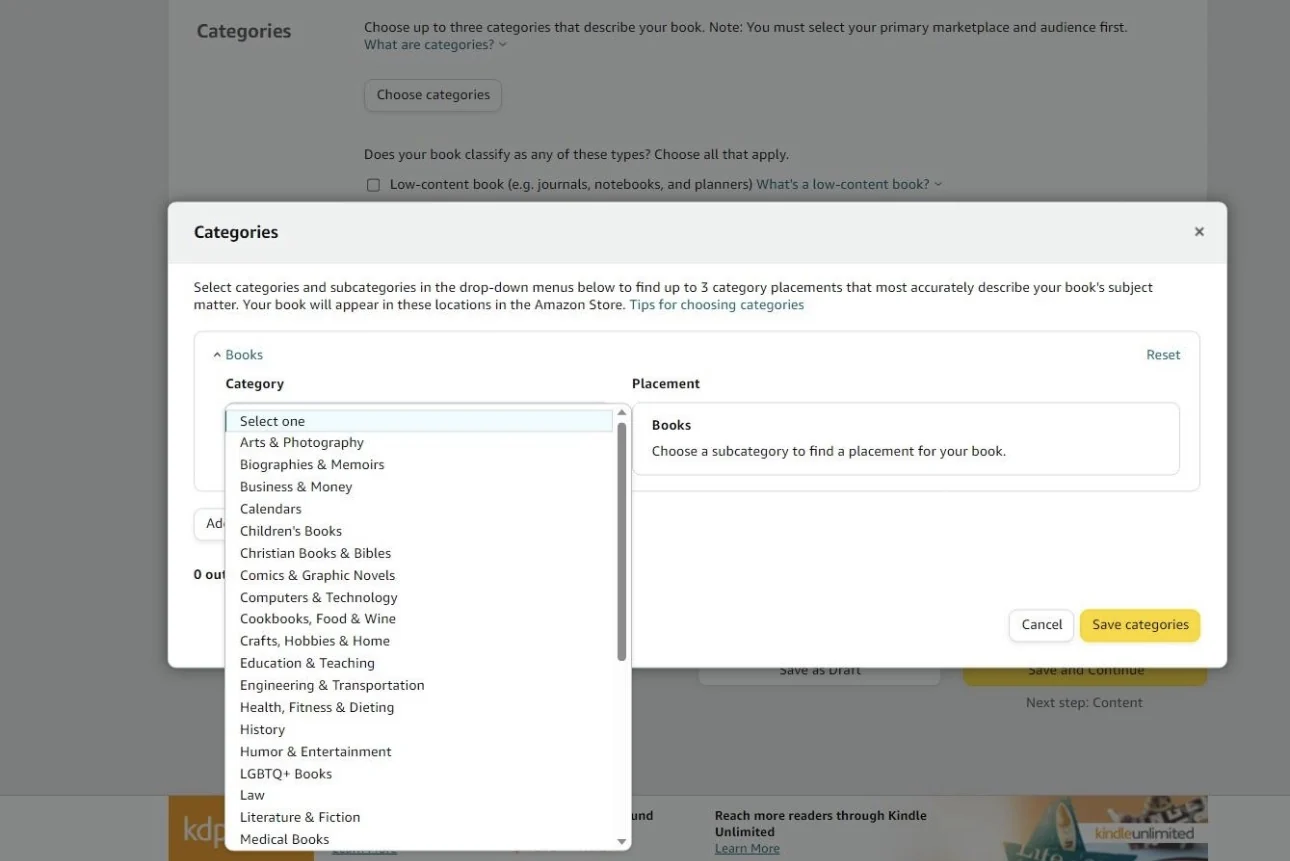
The fix isn't more categories, it's sharper ones. "Systems for service business owners" puts you somewhere a stranger can actually find you. "Business" buries you on page 40 with everyone else.
You shouldn't have to burn a weekend decoding Amazon's algorithm updates to get there, though. Wren reads your manuscript, works out the niche it actually belongs in, and writes the backend keywords for you. See our full Amazon book SEO breakdown for the mechanics. Either way, it costs nothing and takes an afternoon, check this first.
2. Your cover signals the wrong genre
A cover gets judged in the time it takes a thumb to keep scrolling. Readers decide before they reach your title.
Wren has already scanned thousands of bestselling covers across every nonfiction category: the palettes, the type, the composition that make a genre recognizable on sight. It builds your cover from that plus your own manuscript, so it says "this is for you" instead of "this is self-published." Here's how AI builds cover art that actually matches your shelf.

A memoir cover on a business book. A textbook layout on a practical guide. Readers scroll past both before your writing ever gets a chance, not because the design is bad, but because it doesn't match the shelf it's competing on.
3. Your price breaks the royalty math
KDP pays 70% royalty only inside one window: $2.99-$9.99. Below $2.99 or above $9.99, you drop to 35%, and the 70% tier also deducts a delivery fee (about $0.15 per MB) that the 35% tier skips entirely.
| List price | Royalty tier | Approx. royalty per sale |
|---|---|---|
| $0.99 | 35% | ~$0.35 |
| $2.99 | 70% (delivery fee applies) | ~$1.90-$2.00 |
| $9.99 | 70% (delivery fee applies) | ~$6.50-$6.90 |
| $14.99 | 35% | ~$5.25 |
Pricing low to "just get downloads" backfires: at $0.99 you're earning about 35 cents a sale, and no amount of traffic turns that into a real business asset. Run your own numbers on Built&Written's KDP royalty calculator before you set a final price. If your net lands under $5 a copy, fix the price before you touch anything else.
4. Your description and sample don't close the sale
Your product page gets a click. What happens next is on the description and the free sample, not on how good the finished book is, because the reader hasn't gotten there yet.
Most self-published descriptions read like a table of contents. That loses a reader who already clicked, which is the most expensive kind of loss.
Wren doesn't write a summary, it writes sales copy, built from what your book actually delivers, and checks that your opening pages pull a browser forward instead of stalling them. Built&Written's KDP Launch Co-pilot generates all of it (description, keywords, categories) straight from your finished manuscript, matched to the book instead of rushed together separately before upload. See our full breakdown of how to write a book description for Amazon that sells, or run yours through the book description grader to see where it's losing readers.
5. You launched without a review plan
Reviews don't move Amazon's ranking algorithm directly, sales velocity does that. But most promotion sites and newsletters won't touch a book with fewer than 5 to 10 reviews, and readers comparing two similar books default to the one with visible proof.
Zero reviews at launch means the channels that could move your book won't touch it. The fix is simple: line up your first 10 readers before launch day, not after. See how to get your first 25 Amazon reviews before launch day for the exact ask-window and reviewer-list system. A tool like BookSprout can manage the advance-copy process for you. Here's how to build an early launch team the right way, and if your ad budget is thin, how to market a business book on a tiny budget covers the rest of the launch plan.
Final thoughts
None of this is about whether your book is good enough. It's about whether your listing tells Amazon and readers what the book actually is, at a price worth selling at, with enough early proof that a stranger takes the chance.
Built&Written has already helped hundreds of authors fix exactly these five problems and launch books people actually buy and read, because Wren's optimization is built around how readers search and shop on Amazon, not a generic template.
Fix your categories. Fix your cover. Fix your price. Fix your description. Line up your first 10 readers. That's the whole job, and it's smaller than writing another chapter.
Wren regenerates your categories, keywords, cover, and description from the manuscript you already have. Try it for free today.
Frequently asked questions
Fill all 3, but choose the most specific subcategories your book qualifies for, not the broadest ones. A narrow category with less competition beats a broad one where you're buried on page 40.
Only within the 70% royalty window. Dropping below $2.99 usually costs more in royalty per sale than it gains in extra downloads.
It changes whether the right reader clicks at all. The cover decides who opens the page in the first place, before your writing gets a vote.
Yes. Your categories, keywords, description, and cover can all be regenerated from your existing manuscript, without rewriting the book itself.
Sources & References
About the author

Khrystyna Balushka
More in KDP Publishing
Ready to write your book?
Turn your expertise into a professional book with Built&Written.