
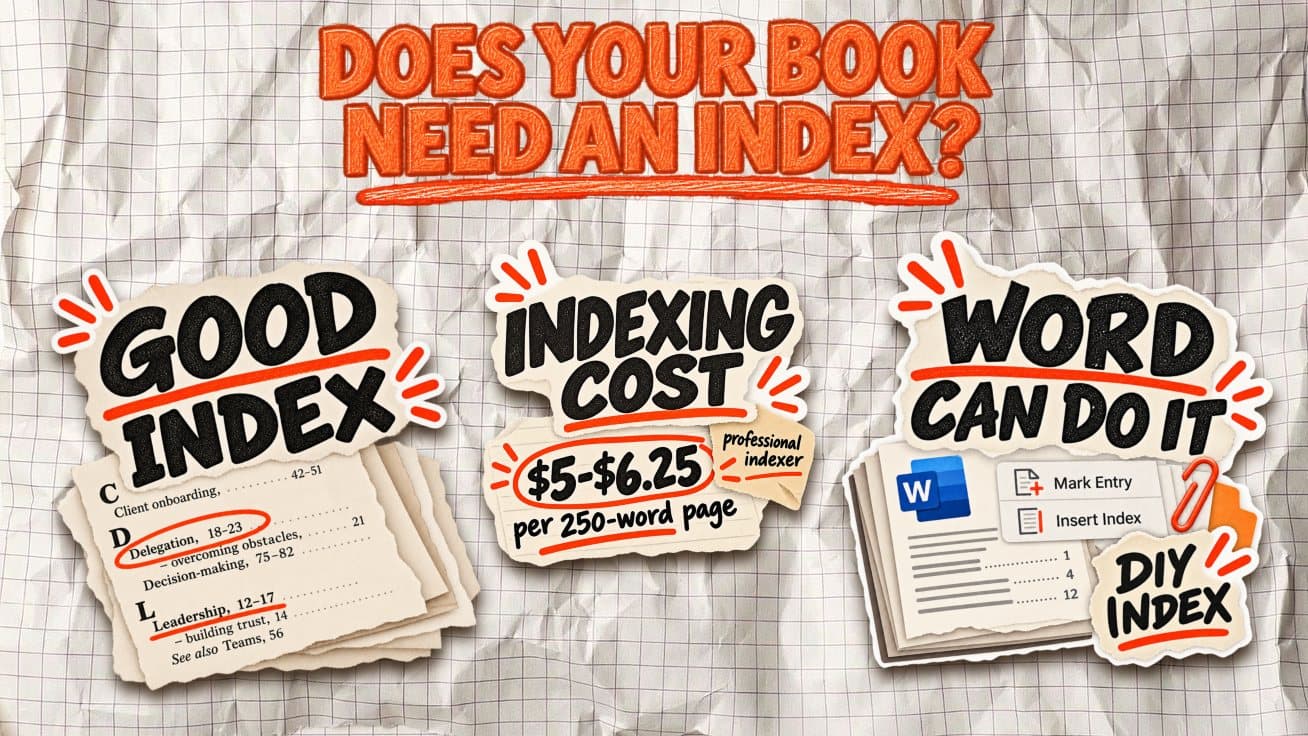

Does Your Nonfiction Book Need an Index, or Will the Contents Do?
Your nonfiction manuscript is finished. The chapters are in order, the table of contents is ready, and then one last publishing question comes up: do you also need an alphabetical index at the back?
The answer depends on how readers will use your book. Someone reading a business memoir from start to finish can usually find their way with chapter titles. Someone returning to a practical guide to locate a specific framework, term, or process needs more precise directions.
An index serves that second reader. But adding one to every nonfiction book creates work that readers may never benefit from.
Does a nonfiction book need an index?
Not every nonfiction book needs an index. The deciding factor is how people will use it: will they read it from beginning to end, or return to specific pages to find information?
An index is particularly useful in books that readers treat as reference materials. For narrative-driven nonfiction, a clear table of contents is usually enough.
Here's how that distinction applies to different types of nonfiction books:
| Type of nonfiction book | Does it need an index? | Why? |
|---|---|---|
| Reference books | Yes | Readers frequently look up individual topics, names, and facts. |
| Technical manuals | Usually | Helps locate procedures, specifications, and troubleshooting information. |
| Textbooks | Yes | Students need to revisit concepts, definitions, and specific subjects. |
| Practical how-to guides | Often | Makes it easier to return to particular techniques or instructions. |
| Business books | Usually not | A well-organized chapter structure is often sufficient, unless the book contains numerous frameworks or concepts readers need to revisit. |
| Memoirs | Rarely | Readers typically follow a continuous personal narrative. |
| Narrative nonfiction | Depends | Topic-heavy historical or investigative books may benefit from indexing names, events, and places. |
A simple way to decide
Imagine someone finishing your book and returning to it three months later. Would they remember which chapter contains the information they need?
If the answer is yes, your table of contents probably does the job. If they'd need to search through multiple chapters to find one concept, an index could make the book considerably more useful.
An index should solve a navigation problem, not simply make a self-published book look more academic.
What does a good book index look like?
A good book index organizes important topics alphabetically, with page numbers showing where readers can find relevant information. More complex subjects can include subentries that point to specific aspects of a topic.
For example, an index in a practical business book might look like this (page numbers are illustrative):
Client onboarding, 42-51
  first-week checklist, 46-48
  handoff process, 49-51

Delegation, 18-23, 86-91
  common mistakes, 88-90
  decision rights, 20-22
  See also Leadership

Feedback loops, 64-69

Leadership, 12-17, 80-91

Sales-to-delivery handoff. See Client onboarding
Notice how the structure works:
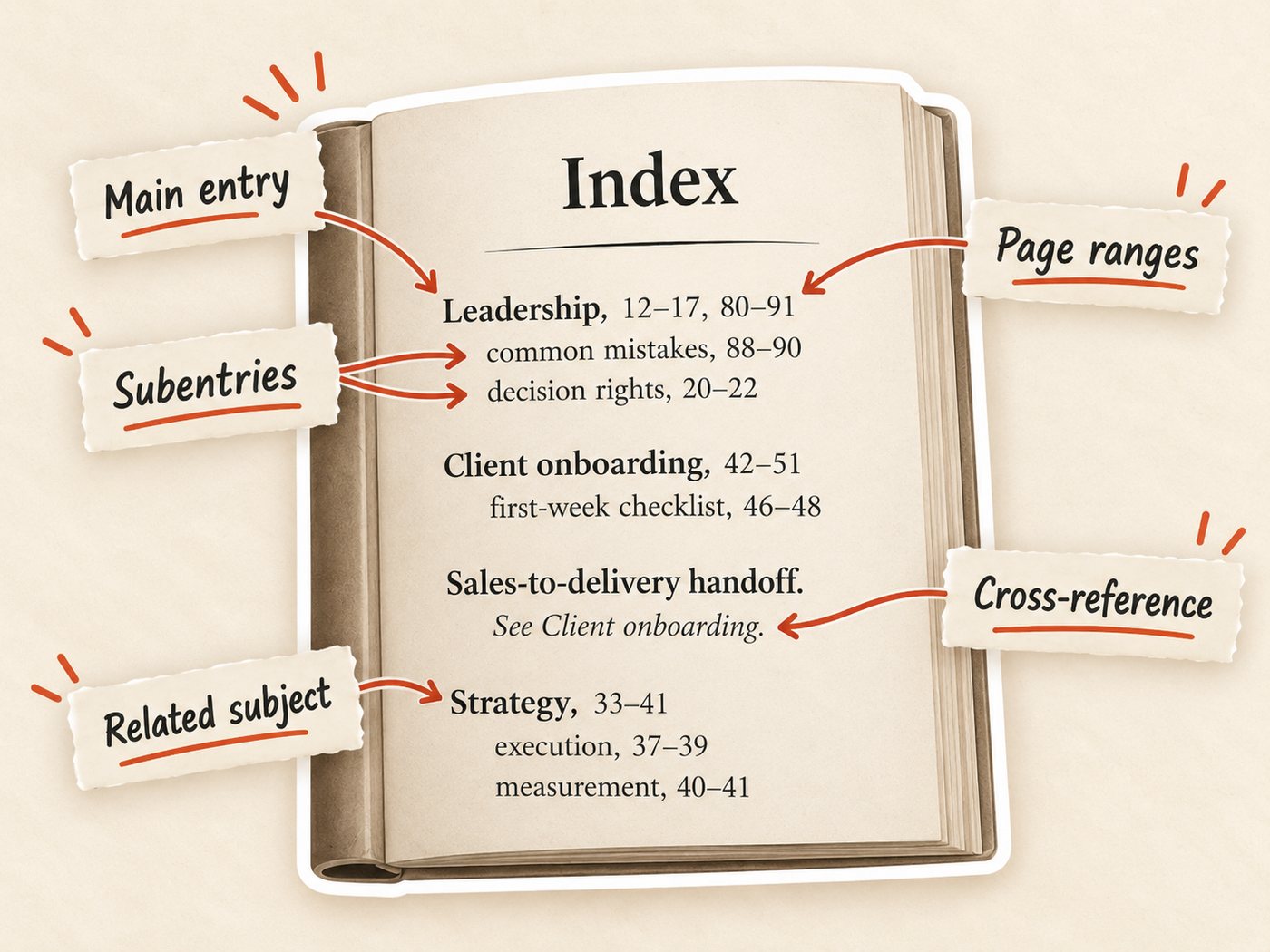
- Main entries identify subjects alphabetically.
- Subentries break broader subjects into more specific topics.
- Page ranges show where a discussion extends across several pages.
- Cross-references use See to redirect readers to another entry and See also to suggest related subjects.
The important distinction is that indexing isn't simply recording every appearance of a keyword. Professional indexing is semantic rather than purely mechanical: the indexer decides what a reader is likely to look for and which passages actually answer that need. Mentioning leadership twenty times doesn't mean all twenty pages deserve an entry. A useful index directs readers to meaningful discussions, not passing references.
Glossary vs. index: Do you need both?
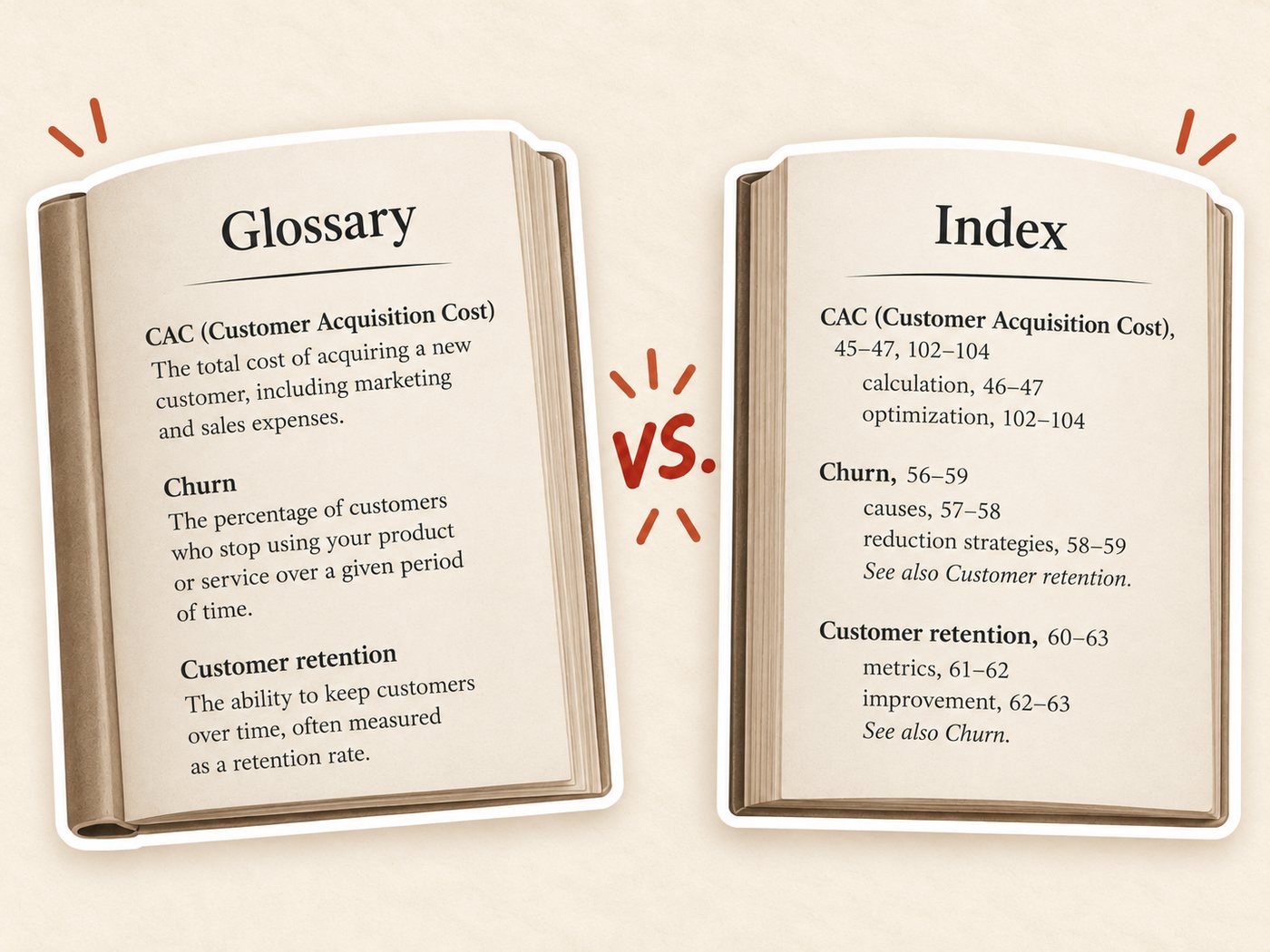
A glossary and an index serve different purposes, even though both typically appear in the back matter of a nonfiction book.
- Glossary: Defines specialized terms, abbreviations, or concepts readers may not recognize.
- Index: Directs readers to the pages where specific topics, people, or concepts are discussed.
For example, a business book might use a glossary to explain what customer acquisition cost (CAC) means, while its index points readers to pages discussing CAC calculations, benchmarks, and optimization strategies.
You can include both, but neither is automatically necessary. A technical textbook may benefit from a glossary and an index, while a straightforward business book might need only a table of contents.
How to make an index for a nonfiction book
Creating a book index involves more than collecting keywords and assigning page numbers. You need to identify the information readers are likely to search for and organize it into useful entries.
For a printed book, indexing should happen after typesetting, once the page layout and pagination are finalized. Otherwise, last-minute layout changes can make your page references inaccurate. This is also the standard workflow described by the American Society for Indexing.
How to create a book index step by step
- Read through the final manuscript. Identify important concepts, names, frameworks, processes, and technical terms. Skip passing mentions that offer no substantial information.
- Organize your entries. Group related subjects under consistent headings. Use subentries for broader topics and See also references to connect related concepts.
- Mark the page references. Record where each meaningful discussion appears, including page ranges where appropriate.
- Build the index. Arrange entries alphabetically and place the finished index in the book's back matter.
- Check everything. Verify the page numbers against the final print proof, remove duplicate or unnecessary entries, and check that cross-references lead somewhere useful.
Can Microsoft Word create an index automatically?
Yes. Microsoft Word includes a built-in indexing tool:
- Select a term in your manuscript.
- Go to References → Mark Entry.
- Add a main entry or subentry, then select Mark.
- Repeat for your remaining entries.
- Place your cursor where the index should appear and select References → Insert Index.
Word will alphabetize your marked entries and assemble their page references. You can also update an existing index using F9.
Just remember that Word handles the formatting and assembly. It cannot independently decide which mentions deserve indexing or how readers would naturally search for a particular subject.
How much does professional book indexing cost in 2026?
Hiring a professional indexer is an additional publishing expense, and the cost generally depends on your manuscript's length, complexity, and the level of detail required.
According to the Editorial Freelancers Association's 2026 Rate Chart, the reported median range for print book indexing is $5-$6.25 per 250-word manuscript page (equivalent to approximately $0.02-$0.025 per word, or $55-$60 per hour).
These figures come from a survey of EFA members about rates charged during 2025, conducted between November 2025 and January 2026. They're useful budgeting benchmarks, not mandatory industry prices.
A professional indexer doesn't simply generate an alphabetical keyword list. You're paying someone to identify meaningful topics, create logical subentries, connect related concepts, and check references against the final manuscript.
Can you index your book for free? Yes. DIY indexing with Microsoft Word avoids hiring costs, but requires considerable editorial attention.
For a short business book with a limited number of concepts, that may be manageable. A detailed technical or reference book is a different undertaking.
Do Kindle eBooks need an index?
No. Kindle eBooks do not automatically need a subject index. Every Kindle book with chapters or sections should have a working table of contents, while an index is optional.
Kindle search can replace some of the lookup function of a print index, but not its editorial judgment. A reader searching for “customer retention,” for example, may miss a useful section titled “reducing client churn.” A curated index can connect those related concepts.
If you retain a traditional index in a reflowable Kindle edition, Amazon says its page references should link directly to the relevant content, and internal “See also” references should be clickable.
How does indexing work in Kindle eBooks?
Because reflowable Kindle books adapt to different screen sizes and font settings, physical page numbers don't automatically correspond to stable ebook locations.
According to Amazon KDP's Kindle Publishing Guidelines, if you retain page references in an ebook index, every number must hyperlink directly to the relevant paragraph, illustration, table, or chart. Cross-references within the index should also be clickable.
The practical takeaway: If your nonfiction ebook is short and straightforward, a clickable table of contents and Kindle's search function may be sufficient. For reference-heavy titles, a linked subject index can still make navigation considerably easier.
The test is whether readers will come back looking for something
A nonfiction book needs an index when readers are likely to return later looking for a specific concept, name, framework, or piece of information. If the chapter structure gives them enough guidance, a table of contents may be all you need. If useful information is scattered across chapters, an index becomes much more valuable.
For print books, make that decision before final production but build the actual index after pagination is stable. For Kindle, prioritize a working table of contents and add a linked subject index only when it genuinely improves navigation.
Frequently asked questions
A book index is an alphabetical list of topics, names, and concepts with page references. It helps readers quickly find specific information in a nonfiction book.
A table of contents lists chapters and sections in order. A book index lists specific subjects alphabetically and shows where they appear throughout the book.
Not always. Most business books, memoirs, and narrative nonfiction do not need one. Reference books, textbooks, technical books, and detailed how-to guides are more likely to benefit from an index.
The EFA's 2026 Rate Chart lists print book indexing at about $5 to $6.25 per 250-word page, or roughly $55 to $60 per hour. Actual rates depend on the book's length and complexity.
The index goes in the back matter, usually near the end of the book after the main text and sections such as notes, appendices, or a glossary.
Yes. Microsoft Word includes tools to mark entries and generate an index. You still need to choose useful terms, organize subentries, and check every page reference.
Sources & References
About the author

Polina Karlashchuk
More in Book Formatting
Ready to write your book?
Turn your expertise into a professional book with Built&Written.