

What Is Typesetting? How Book Interiors Get Made in 2026
Typesetting is the process of arranging a manuscript's text on the page: setting the margins, the line spacing, the font, and the rules that decide where a page or chapter breaks. It's the difference between a Word document and something that reads like an actual book. Most readers never notice good typesetting. They notice bad typesetting immediately, even if they can't say why a page feels off.
Key takeaways
- Typesetting is the layout work that turns a manuscript into a printed page: margins, line spacing, font pairing, and where a chapter breaks.
- A widow is a single word stranded alone on the last line of a paragraph; an orphan is a single line stranded at the top or bottom of a page. Spotting either is the fastest way to tell a manuscript hasn't been formatted yet.
- Hiring a freelance typesetter for a nonfiction book runs roughly $3 to $8 per page, or $500 to $1,500 as a flat project rate. Formatting software now automates most of the same decisions for a fraction of that.
- You don't have to hire a typesetter for a self-published book. Modern book formatting software, including Built&Written's Wren, applies margin and trim-size rules automatically as part of exporting the manuscript.
About Built&Written: Wren is Built&Written's book-creation platform, not just a formatting tool. If you've got notes, LinkedIn posts, or a podcast transcript sitting in a folder with no clear path to an actual book, that's what Wren is built for. Upload what you have and Wren studies your writing voice, builds a chapter outline, and drafts the book itself, fully editable in the built-in editor before you export. The typesetting decisions below (trim size, margins, font embedding) are applied automatically as part of that same export, not as a separate step you have to hire out.
1. What a Typesetter Actually Decides
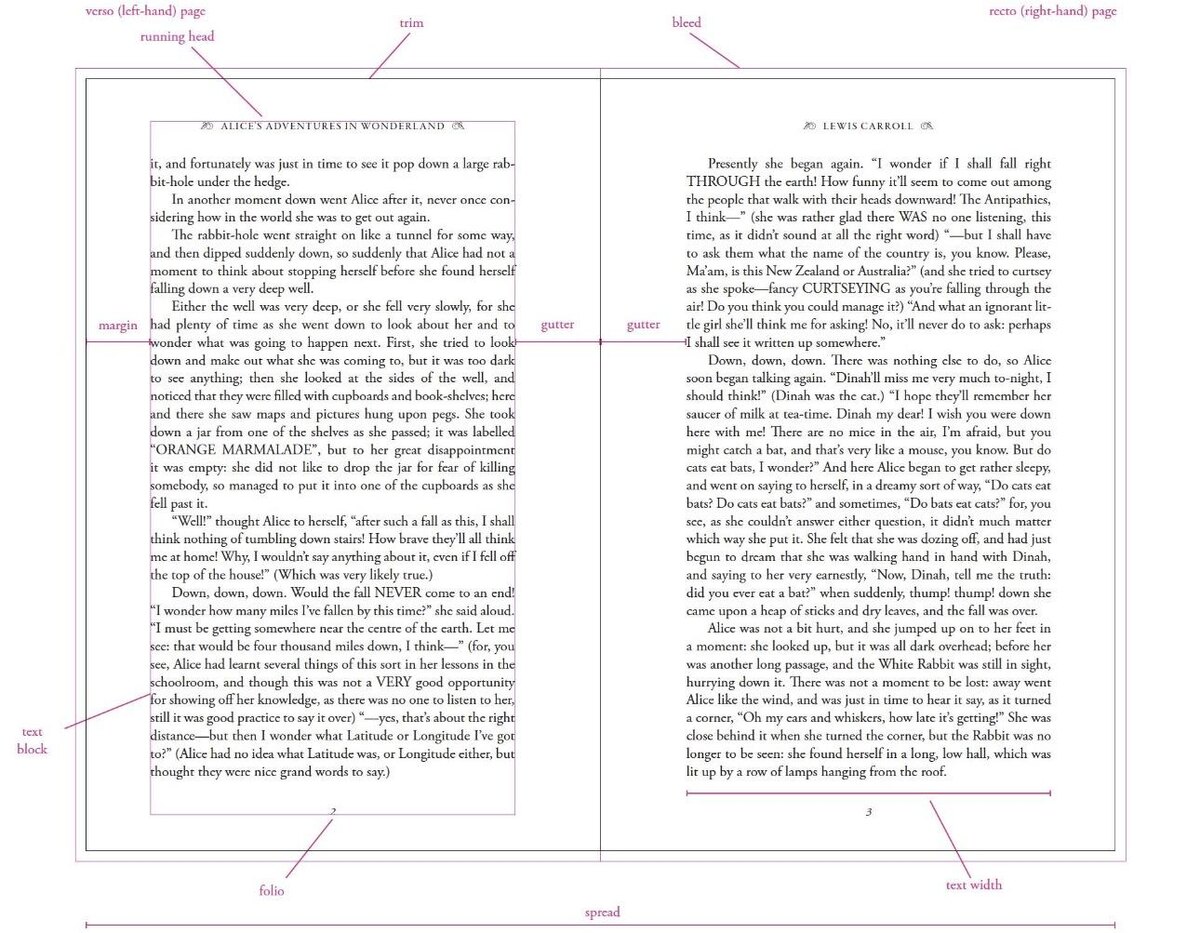
A typesetter isn't formatting text so much as making a long list of small decisions that add up to a page that's easy to read for hours at a time. Margins set how much white space frames the text block, wide enough that a reader's thumb doesn't cover words on a printed copy, narrow enough that the book doesn't run to twice the page count it needs. Leading, the vertical space between lines, controls how tiring a page feels to read; too tight and lines blur together, too loose and the eye loses its place jumping back to the next line. Font pairing usually means one typeface for body text built for long reading, and a second for headings and chapter titles that contrasts without clashing. Widows and orphans are the single word left alone on the last line of a paragraph, or the single line stranded at the top or bottom of a page, both of which a typesetter manually corrects rather than leaves for the reader to trip over. Running heads are the small header or footer repeating the book or chapter title on every page, a detail readers only register when it's missing.
2. What Untypeset Text Actually Looks Like
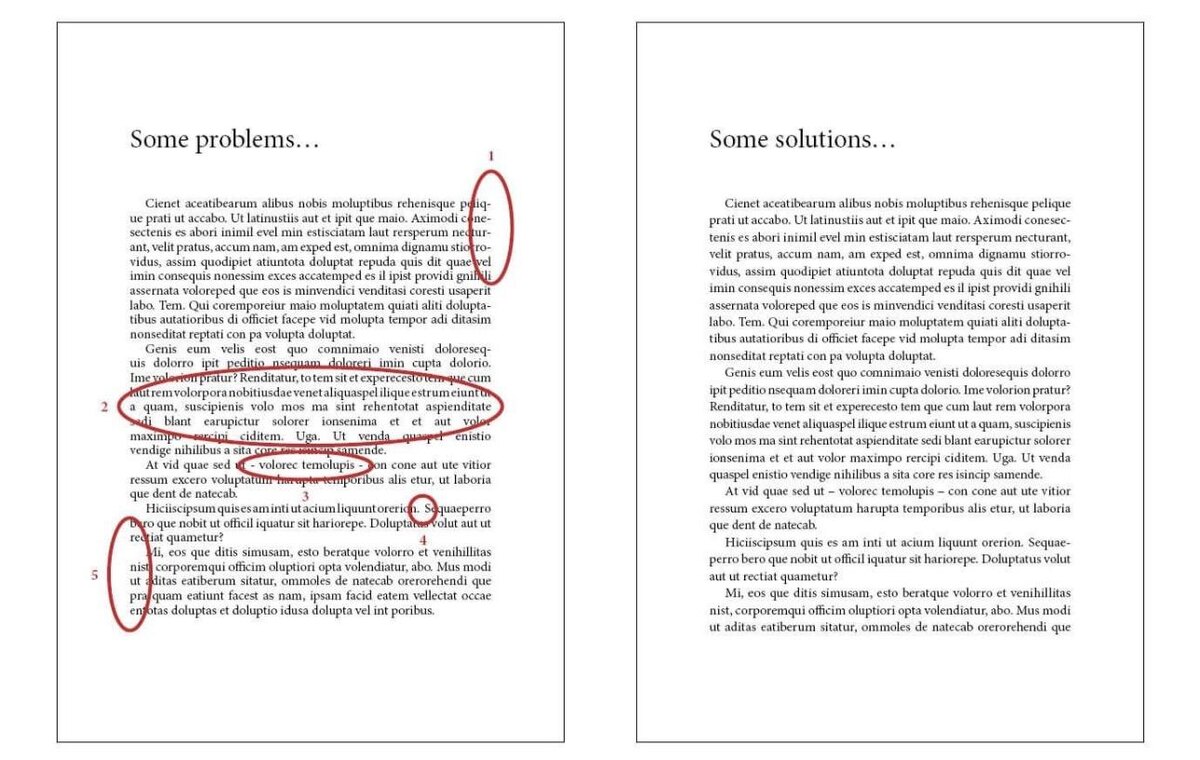
The fastest way to see typesetting's job is to look at what happens without it. A manuscript exported straight from a word processor at default settings carries the software's generic line spacing, not spacing chosen for the trim size it's printing at. Paragraphs break wherever the page happens to end, so a chapter can open with one orphaned line at the bottom of a page and the rest of the section on the next. Quotation marks default to the straight, typewriter-style kind instead of the curly quotes every commercially printed book uses, which is one of the fastest tells that a manuscript skipped a formatting pass entirely. None of these are content problems. The writing can be finished and good, and the page still reads as self-published on sight.
3. What It Costs to Hire a Typesetter
A freelance typesetter for a nonfiction manuscript typically charges $3 to $8 per page, or a flat project rate in the $500 to $1,500 range for a standard 200 to 300 page book, depending on how much custom work the interior needs (a table-heavy business book costs more to set than a plain text memoir). That's a separate line item from editing, and a separate person from the cover designer, so a fully outsourced book can mean three or four different invoices before a single file reaches KDP; our breakdown of what it costs to self-publish a book adds them up. Software-based formatting tools, including Wren, fold this step into the writing process instead of billing it separately: the typesetting decisions above get applied automatically as the manuscript is written, at no added cost on top of the plan you're already paying for, so there's no second freelancer or second invoice to coordinate.
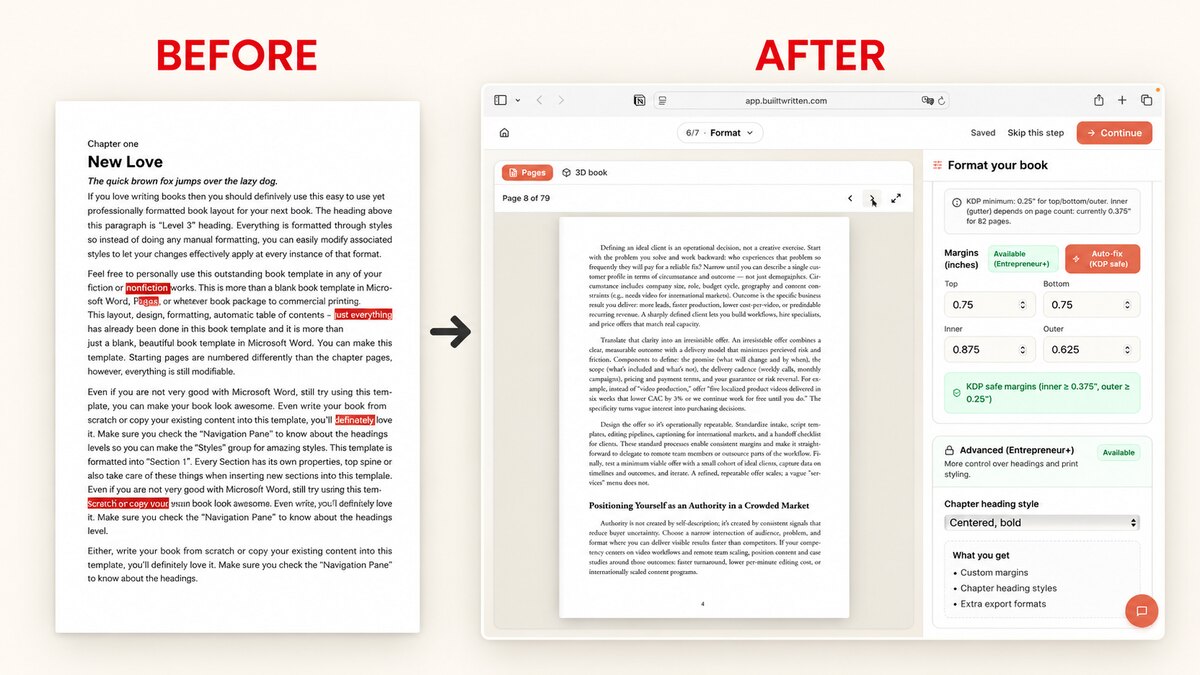
How Wren fixes it: Wren applies the trim size, margin, and heading-style rules automatically as part of exporting the manuscript, so a founder or consultant publishing their first book skips a separate typesetter invoice for that part of the job.
4. A Checklist to Run on Your Own Draft
Before exporting a manuscript for KDP or a printer, a few minutes checking these five things catches most of what a typesetter would otherwise flag.
- Open any page at random and look for a single word alone on the last line of a paragraph (a widow) or a single line alone at the top or bottom of a page (an orphan).
- Check whether quotation marks and apostrophes curl (“ and ”) or sit straight up (" and '). Straight quotes mean the manuscript hasn't been through a formatting pass.
- Scan chapter openings: does each one start on its own page, or does text run straight through from the chapter before it?
- Check margins against the actual spine width for the trim size you're printing at, not a generic default.
- Read two full pages back to back and notice whether the line spacing feels comfortable or cramped. If it's noticeable, a reader will notice it too.
5. How Software Automates the Rest
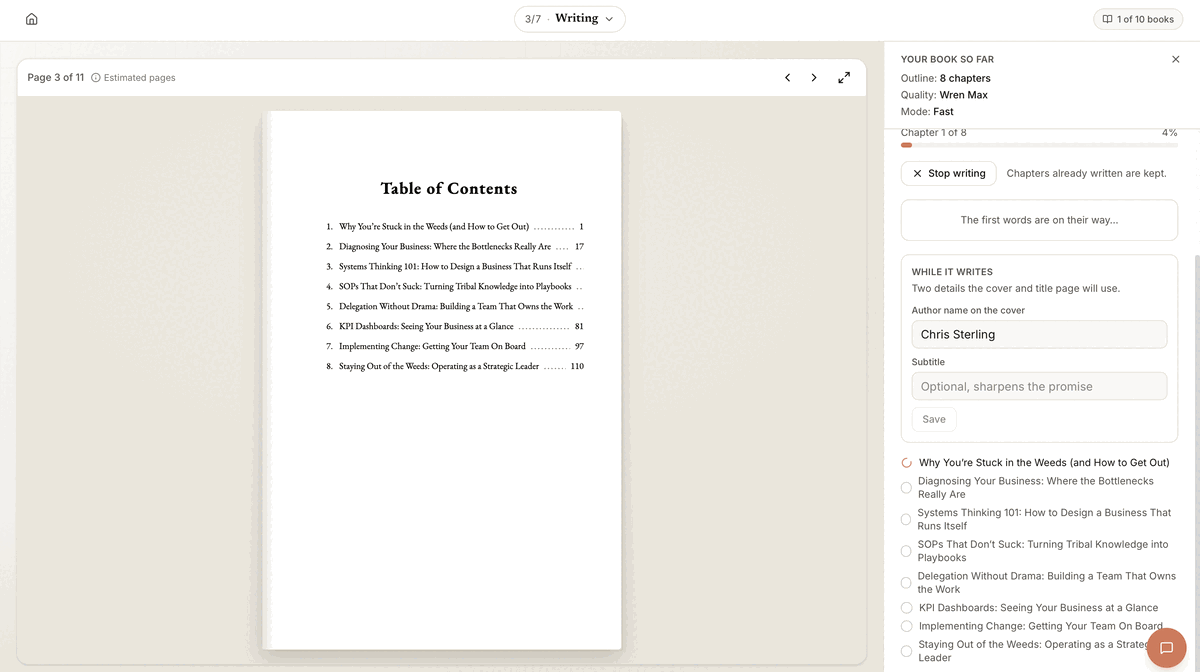
The typesetting decisions above used to require a trained eye and manual adjustment, page by page. Modern book formatting software now applies most of them as fixed rules: a chosen trim size sets the margins automatically, a body typeface is paired with a heading typeface by default, and widow and orphan control runs as a pass over the whole manuscript instead of a page-by-page manual fix. What still varies between tools is how much of this happens automatically versus how much the author has to trigger and check by hand. Wren applies its formatting rules as part of the export itself, so the KDP-ready PDF, ePub, and DOCX come out with consistent trim size, margins, and headings, without a separate formatting pass for each file type.
6. How to Get Your Book Ready
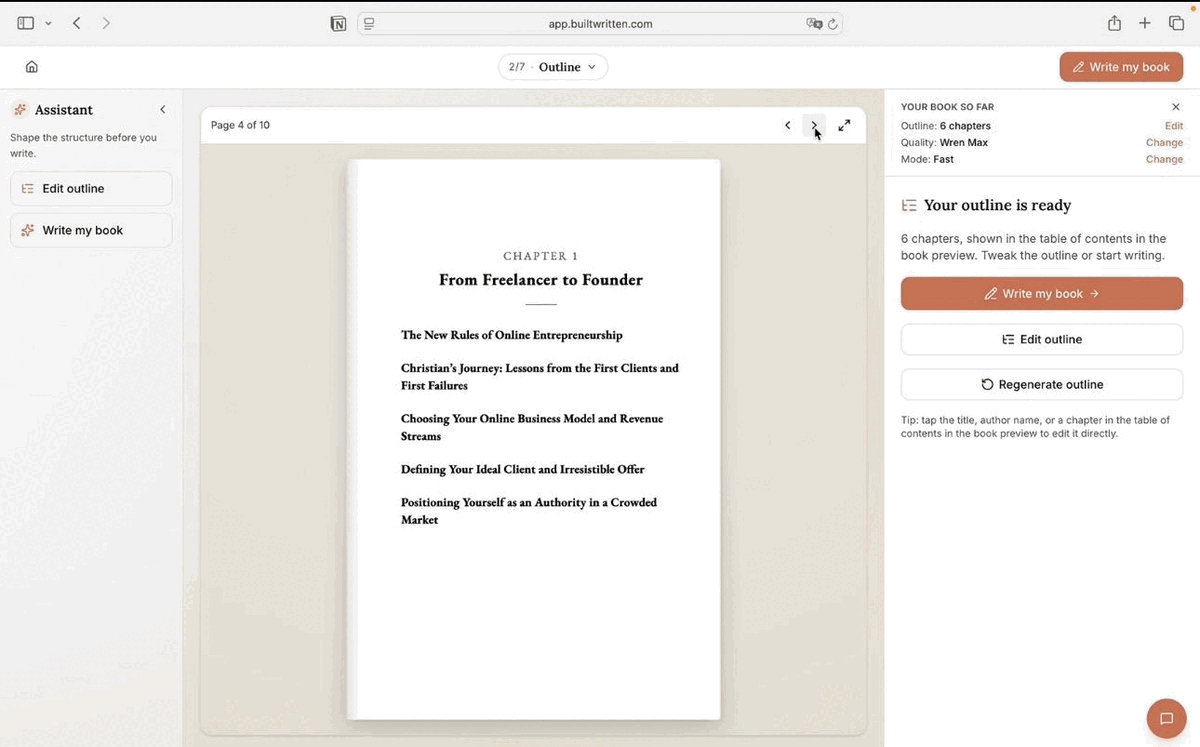
Getting from a folder of notes to a KDP-ready file is four steps. Wren is built to carry you through all four, not hand you off to a formatter partway through.
- Your ideas. Upload what you already have: notes, LinkedIn posts, a podcast transcript, a half-finished draft. No outline or clean copy required.
- Your book. Wren studies your writing voice and drafts full chapters from that material, fully editable in the built-in editor before you export.
- Interior formatting. Trim size, margins, and font embedding are applied automatically as part of the export, the same step covered earlier in this article, not a separate pass.
- Publishing-ready files. Export a KDP-ready PDF, ePub, and DOCX whenever the manuscript is ready, formatted for Kindle and for print.
Final thoughts
Most first-time authors don't think about typesetting until a reader or a reviewer mentions the book "looks self-published," and by then it means a full formatting pass on a finished file. Running the five-point checklist above on a draft before export catches almost all of it. The rest is a question of whether the tool doing the writing is also doing the layout, or whether that's still a separate invoice waiting at the end. For the design side of the same page, see our guide to book interior design for self-publishers.
Frequently asked questions
A typesetter arranges a manuscript's text for the printed or digital page: setting margins, line spacing, and font pairing, fixing widows and orphans (stray single words or lines), and adding running heads, so the finished book reads cleanly instead of like a plain document export.
A freelance typesetter for a standard nonfiction manuscript typically charges $3 to $8 per page, or a flat project rate of roughly $500 to $1,500 for a 200 to 300 page book. Formatting software applies the same rules automatically, usually at no separate cost.
A widow is a single word left alone on the last line of a paragraph. An orphan is a single line stranded at the top or bottom of a page, separated from the rest of its paragraph. Both are considered layout errors that typesetting software or a human typesetter corrects before a book goes to print.
Not necessarily. A freelance typesetter is one option, but modern book formatting software, including Wren, applies the same margin, spacing, and widow and orphan rules automatically as part of writing or exporting the manuscript, which covers most of what a typesetter would otherwise be hired to fix.
In practice, the terms overlap. Typesetting traditionally refers to the print-specific layout rules (margins, leading, widows and orphans), while formatting is often used more broadly to include ebook and export settings too. Most authors use the two words interchangeably today.
About the author

Khrystyna Balushka
More in Book Formatting
Ready to write your book?
Turn your expertise into a professional book with Built&Written.