

How Many Pages Is 50,000 Words? It Depends on Three Settings
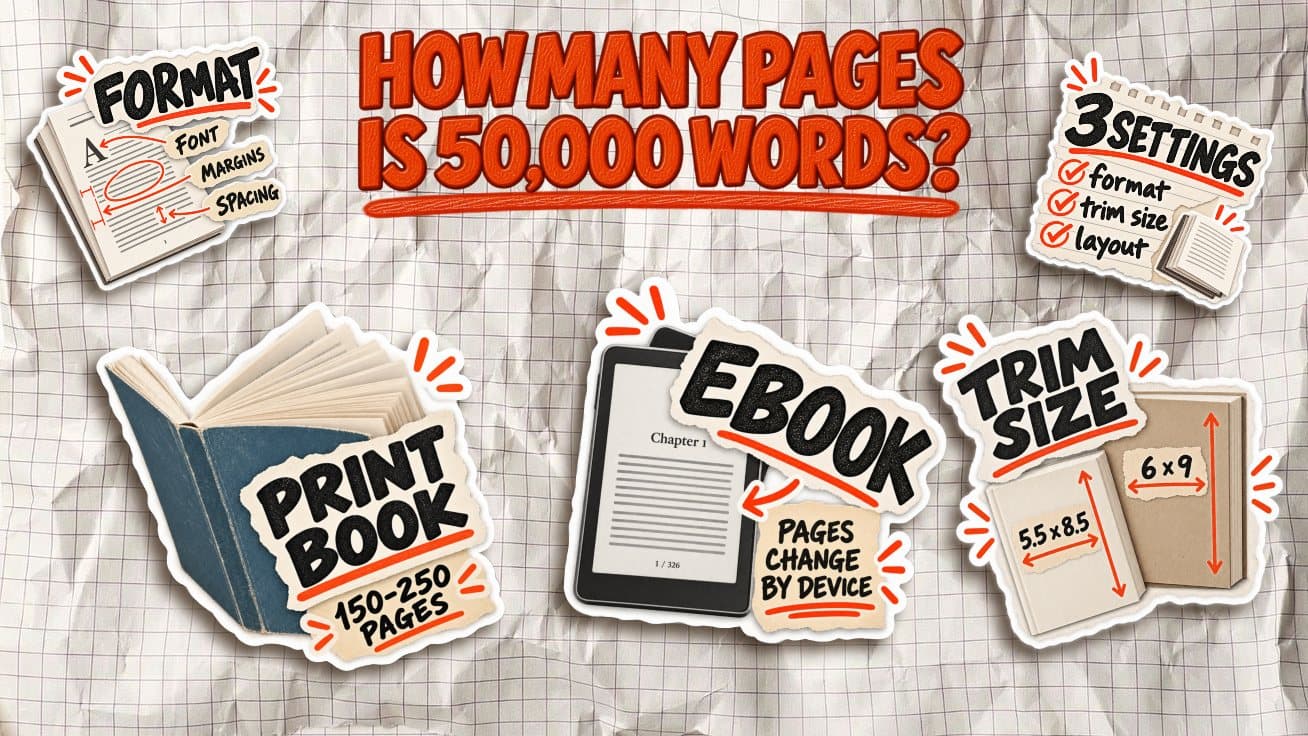
50,000 words does not equal one fixed number of book pages. The final page count depends mainly on three settings: trim size, font size, and line spacing.
A 50,000-word manuscript set in a smaller 5 × 8-inch book will usually take more pages than the same text in a 6 × 9-inch book. Increase the font size or add more space between lines, and the page count rises again.
That is why simple rules like “250 words equals one page” are only rough shortcuts. They ignore how the book is actually designed.
How many pages is 50,000 words?
At normal nonfiction settings, 50,000 words is roughly 150 to 190 printed pages. A 6 × 9-inch book will usually land near the lower end of that range, while a smaller 5 × 8-inch book needs more pages for the same text.
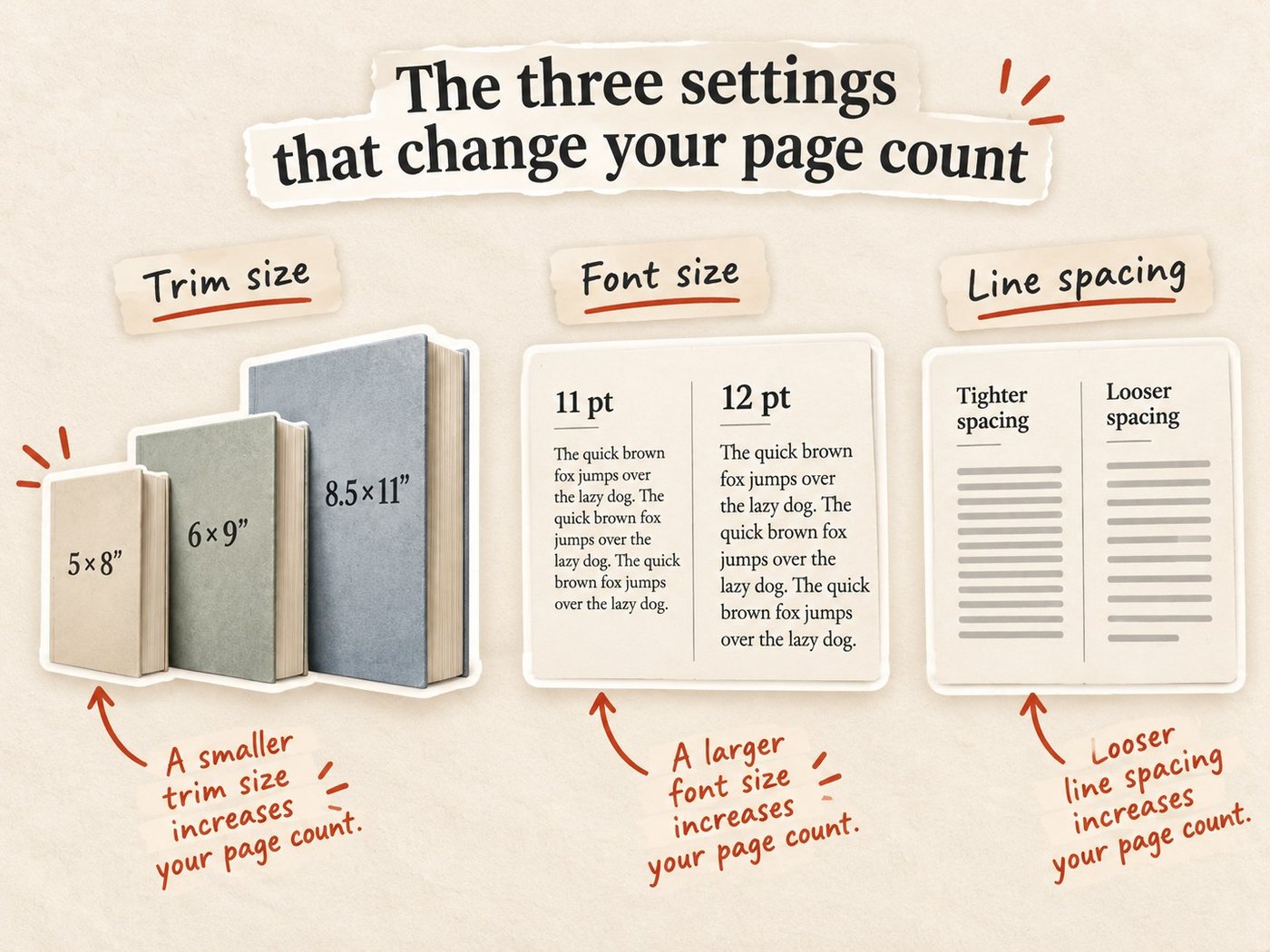
There is no universal conversion because three settings change how many words fit on each page:
- Trim size: A larger page fits more text. Amazon KDP lists 5 × 8, 5.5 × 8.5, and 6 × 9 inches among its standard paperback trim sizes, with 6 × 9 being the most common U.S. paperback size.
- Font size: Moving from 11 pt to 12 pt means fewer words fit on each page, increasing the total page count.
- Line spacing: More space between lines makes the book easier to read but also adds pages.
That is why two books with exactly 50,000 words can have noticeably different page counts even before you add title pages, chapter openings, references, or other front and back matter.
The three settings that change your page count
Three layout choices have the biggest effect on how many printed pages your manuscript becomes.
1. Trim size
Trim size is the physical size of the finished book. A smaller page holds less text, so it produces a higher page count.
For the same 50,000-word manuscript:
- 5 × 8 inches: more pages
- 5.5 × 8.5 inches: somewhere in the middle
- 6 × 9 inches: fewer pages
This is why you should choose a trim size before estimating your final page count too precisely.
2. Font size
A larger font takes up more space. Moving from 10.5 or 11 pt body text to 12 pt can add a noticeable number of pages across a full book.
The font itself matters too. Two typefaces set at the same point size can fit different amounts of text on a page because their letters have different widths and proportions.
For a useful estimate, keep the font and font size fixed while comparing word counts.
3. Line spacing
Line spacing controls how much vertical space sits between each line of text. Tighter leading fits more lines on a page. Looser leading reduces the number of lines and increases the page count.
A small change may look minor on one page, but repeated across a 50,000-word book it can add dozens of pages.
That is why page-count estimates only make sense when trim size, font size, and line spacing are held constant.
Word count to book pages: 20,000 to 100,000 words
Here is what common nonfiction word counts look like when the typography stays the same and only the trim size changes.
| Word count | 5 × 8 | 5.5 × 8.5 | 6 × 9 |
|---|---|---|---|
| 20,000 | ~80 pages | ~66 pages | ~56 pages |
| 30,000 | ~118 pages | ~97 pages | ~82 pages |
| 50,000 | ~195 pages | ~159 pages | ~135 pages |
| 60,000 | ~234 pages | ~191 pages | ~161 pages |
| 80,000 | ~311 pages | ~253 pages | ~214 pages |
| 100,000 | ~388 pages | ~316 pages | ~266 pages |
The pattern is simple: the smaller the trim size, the more pages the same manuscript needs. At 50,000 words, moving from 6 × 9 to 5 × 8 adds roughly 60 pages before you change a single sentence.
Once you know your likely page count, run it through the Built&Written spine width calculator. Page count is one of the inputs that determines the physical width of your paperback cover.
How we counted
We held the typography at a normal print setting of 11 pt body text with 1.5 line spacing and used Built&Written’s current page-count model as the baseline.
The live calculator currently puts a 50,000-word manuscript at about 195 pages for 5 × 8, 159 pages for 5.5 × 8.5, and 135 pages for 6 × 9. For the other word counts above, we held the layout constant, scaled the body-text portion proportionally, and included the same three pages of basic front matter: title page, copyright page, and a one-page contents.
These are planning estimates, not guaranteed final counts. Chapter openings, headings, block quotes, images, tables, paragraph length, and extra front or back matter can all move the final number. Confirm the actual page count from your formatted print PDF before building the cover.
Manuscript pages vs. printed book pages
A common rule says 50,000 words is about 200 pages. That estimate usually comes from a standard manuscript document, not a finished printed book.
In Microsoft Word, a typical manuscript is formatted with a 12 pt font, double spacing, and generous margins. At roughly 250 words per page, 50,000 words works out to:
50,000 ÷ 250 = 200 manuscript pages
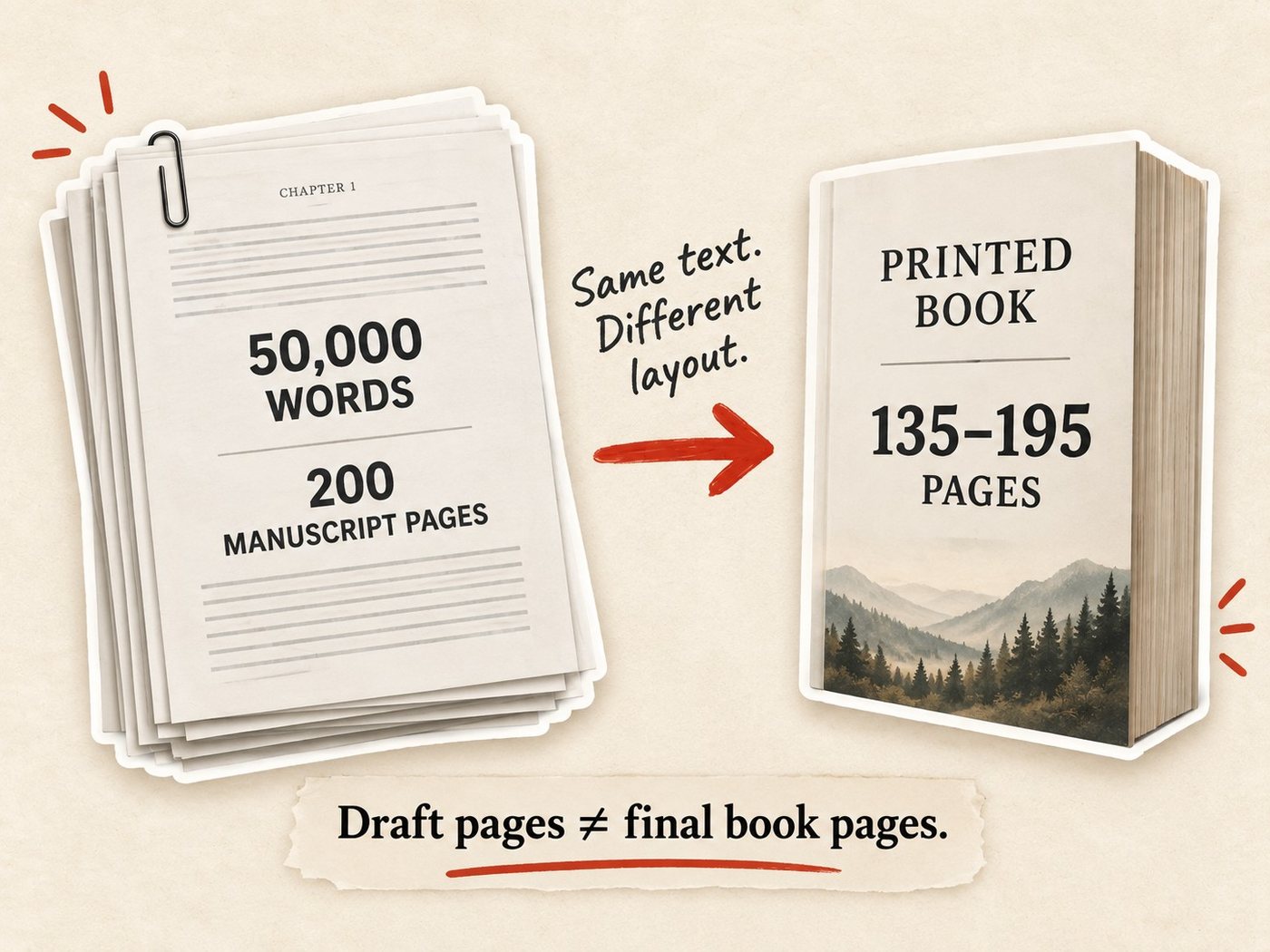
That number is useful for writers, editors, and reviewers working with a draft. It does not tell you how many pages the published book will have.
A printed book is typeset differently. It normally uses a smaller font, tighter line spacing, book-sized margins, and a trim size such as 5 × 8 or 6 × 9 inches. Those choices change how much text fits on each page.
So the same 50,000-word manuscript might be 200 double-spaced Word pages but only around 135 to 195 printed pages, depending on the final layout.
The distinction is simple:
Manuscript pages → Your draft in Word or another writing app
Printed pages → The final typeset pages readers see in the physical book
When estimating printing costs, spine width, or your finished book length, use the formatted print page count, not the number of pages in your manuscript
Why ebook page counts are different
A reflowable ebook does not have a fixed page count in the same way a paperback does. Kindle text adjusts to the reader’s screen size, font size, typeface, and other display settings. Increase the font size, and the same chapter may take more screen turns without the book gaining any actual content.
That is why Kindle books rely on locations and linked navigation rather than treating each screen as a permanent printed page. Amazon specifically recommends removing print page numbers from ebook tables of contents and linking readers directly to the relevant location instead.
There are two Amazon page systems worth knowing:
- Real Page Numbers can be added to an EPUB and mapped to a corresponding print edition. When supported, they let Kindle readers refer to the same page numbers as someone reading the paperback or hardcover.
- Kindle Edition Normalized Page Count (KENPC) is Amazon’s standardized measurement for Kindle Unlimited. Amazon calculates it using standard formatting settings so pages read can be measured consistently across devices and display settings. It is used for KU reporting and royalties, not as a replacement for your paperback’s physical page count.
So if your 50,000-word paperback is 159 pages, do not expect the Kindle edition to have 159 fixed ebook pages. Use the print PDF when you need page count for printing, spine width, or cover dimensions.
What does 50,000 words mean for a business book?
For a business book, 50,000 words is often enough to produce a substantial print book without making it unnecessarily long.
A practical target for many business and expertise-led nonfiction books is roughly 150 to 250 printed pages. That is not a publishing rule, but it is a useful planning range when you want enough space to develop an argument without producing a 300-page manual.
Using the settings from our table:
| Word count | Layout | Approx. pages |
|---|---|---|
| 50,000 | 5 × 8 | 195 |
| 50,000 | 5.5 × 8.5 | 159 |
| 60,000 | 5 × 8 | 234 |
| 60,000 | 5.5 × 8.5 | 191 |
| 60,000 | 6 × 9 | 161 |
| 80,000 | 6 × 9 | 214 |
So if your goal is a 150- to 250-page business book, a manuscript somewhere around 50,000 to 80,000 words can get you there, depending on trim size and typography.
Do not add words just to make the spine look bigger. A shorter, tighter book can work better if the idea does not need 70,000 words.
From page count to spine width
Once you know your final page count, you can calculate the spine width of the printed book.
For Amazon KDP paperbacks, spine width depends mainly on two things:
- Final page count
- Paper type
Different paper stocks have different thicknesses, so the same 200-page book can have a slightly different spine depending on whether you choose white, cream, or color paper. Built&Written’s calculator uses KDP’s published per-page thickness values to do that math automatically.
For example, a 200-page book on white paper has a spine of about 0.45 inches.
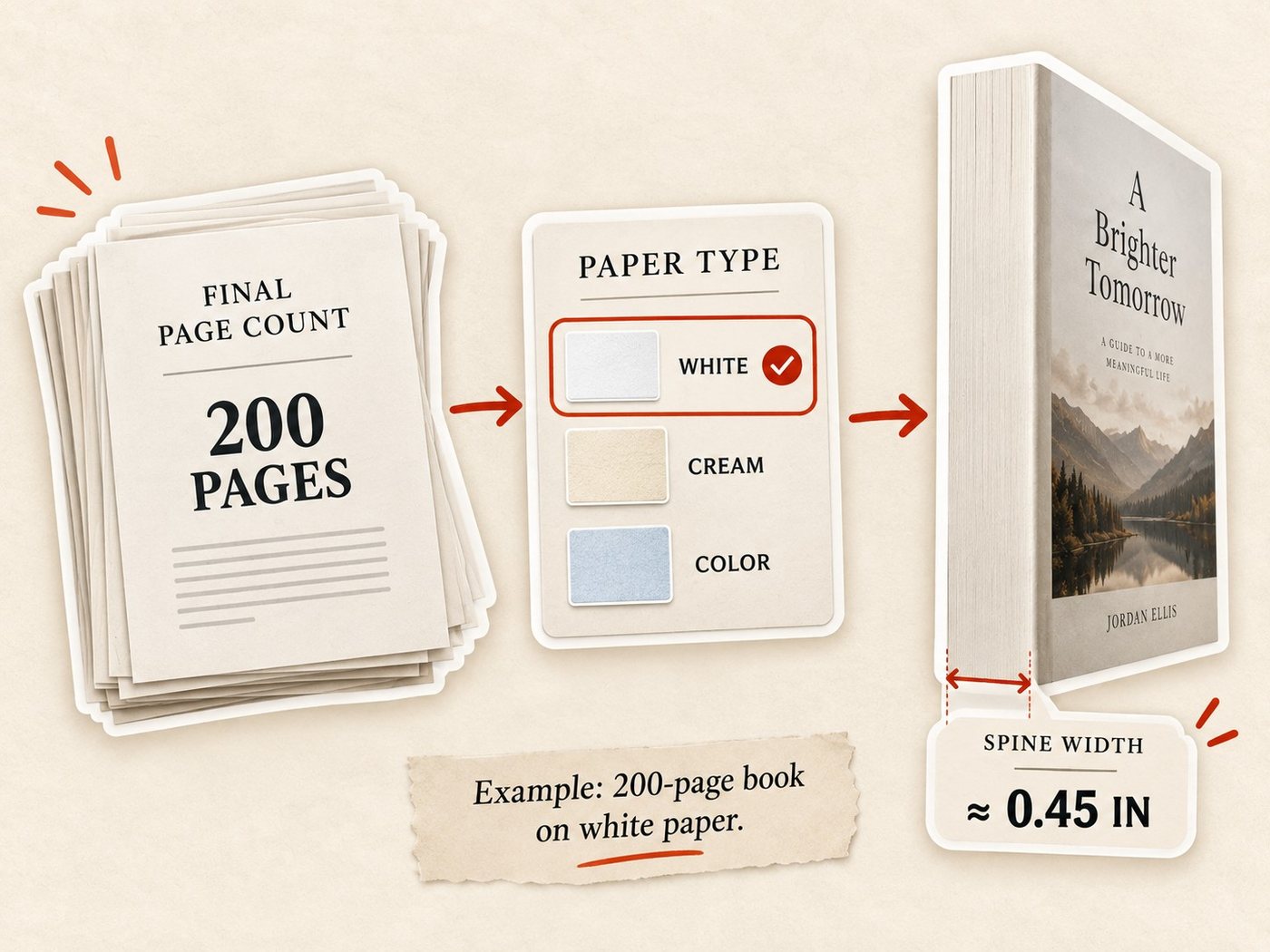
That is why the page count from your Word document is not enough. Format the interior first, get the final print page count, then enter it into the Built&Written spine width calculator to get the spine width and full cover dimensions.
For the final upload, KDP’s own cover template should still be your last check.
Frequently asked questions
50,000 words is roughly 135 to 195 printed pages at normal nonfiction settings. A 6 × 9-inch book will usually use fewer pages than a 5 × 8-inch book because more text fits on each page.
There is no fixed number. Many printed nonfiction books fall somewhere around 250 to 400 words per page, depending on trim size, font, margins, headings, and line spacing.
A 200-page nonfiction book is often around 50,000 to 70,000 words, but the exact number depends on the layout. Smaller trim sizes and larger fonts reduce the number of words that fit on each page.
At the settings used in our table, 20,000 words is about 56 to 80 printed pages. A 6 × 9-inch book is near the lower end, while a 5 × 8-inch book is near the higher end.
It can be, but usually only under certain formatting settings. 50,000 words is about 200 double-spaced manuscript pages at 250 words per page. A typeset printed book may be shorter or longer depending on trim size and typography.
Yes. Smaller trim sizes usually create more pages because less text fits on each page. The same 50,000-word manuscript can have a noticeably different page count at 5 × 8, 5.5 × 8.5, and 6 × 9 inches.
Sources & References
About the author

Polina Karlashchuk
More in Book Formatting
Ready to write your book?
Turn your expertise into a professional book with Built&Written.