

Footnotes or Endnotes? What Nonfiction Readers Actually Tolerate
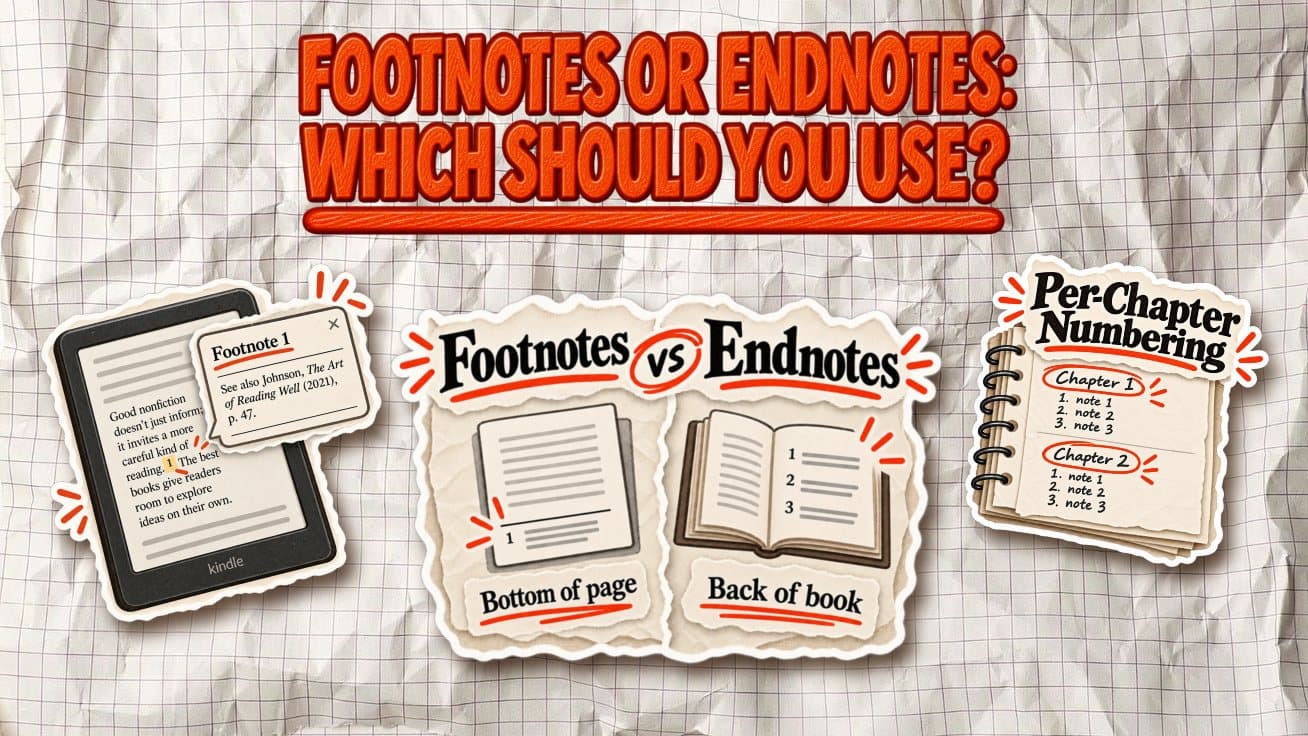
Footnotes appear at the bottom of the page where the reference occurs. They are easy to check, but they also compete with the main text for attention.
Endnotes move those references to the end of a chapter or the back of the book. They keep the page cleaner, but readers have to leave the main text if they want to check a source.
That tradeoff matters more in a business book than the formal difference between the two.
Most readers are not opening a business book hoping to inspect citations. They want the argument, examples, and practical ideas to move quickly. For that reason, endnotes are usually the better default for source-heavy nonfiction, while footnotes work best for short explanations, caveats, or asides that are genuinely useful in the moment.
Footnotes vs. endnotes: what’s the difference for the reader?
The technical difference is simple. The reading experience is not.
| Aspect | Footnotes | Endnotes |
|---|---|---|
| Placement | Bottom of the same page | End of a chapter or back of the book |
| Reading friction | Low if the note is short, but it can clutter the page | Keeps the page clean, but requires the reader to jump away |
| Best use | Brief explanations, caveats, definitions, asides | Sources, citations, research notes, longer references |
| Print experience | Convenient to check, but too many can make pages feel academic | Cleaner and more book-like, especially in business nonfiction |
| Ebook experience | Often easier than in print because notes can open as linked pop-ups or jumps | Usually handled through linked note references and backlinks |
For most nonfiction authors, the distinction comes down to one question:
Does the reader need this information right now?
If yes, a footnote can work. If the note is mainly there to document a source, support a claim, or show where further reading came from, an endnote is usually less distracting.
A page with one short footnote barely changes the experience. A page with six of them starts to feel like a research paper. Endnotes let you preserve the evidence without asking the reader to process all of it alongside the argument.
Do business books use footnotes or endnotes?
Look at a few successful nonfiction books and the pattern becomes clear: sources usually live in a notes section at the back, not at the bottom of every page.
James Clear’s Atomic Habits is a good example. After the main text, the book includes a dedicated Notes section organized by chapter, where Clear collects references and citations without loading the reading pages with them.
Charles Duhigg takes a similar approach in The Power of Habit. The book places A Note on Sources and then Notes near the back, before the index. In the 2014 trade paperback edition, the notes begin on page 293.
Jim Collins’s Good to Great does the same thing. Its research appendices are followed by a Notes section starting on page 261, then the index.
That layout makes sense for business nonfiction. A reader can move through the argument without stopping every few paragraphs, while the author can still document the research behind it.
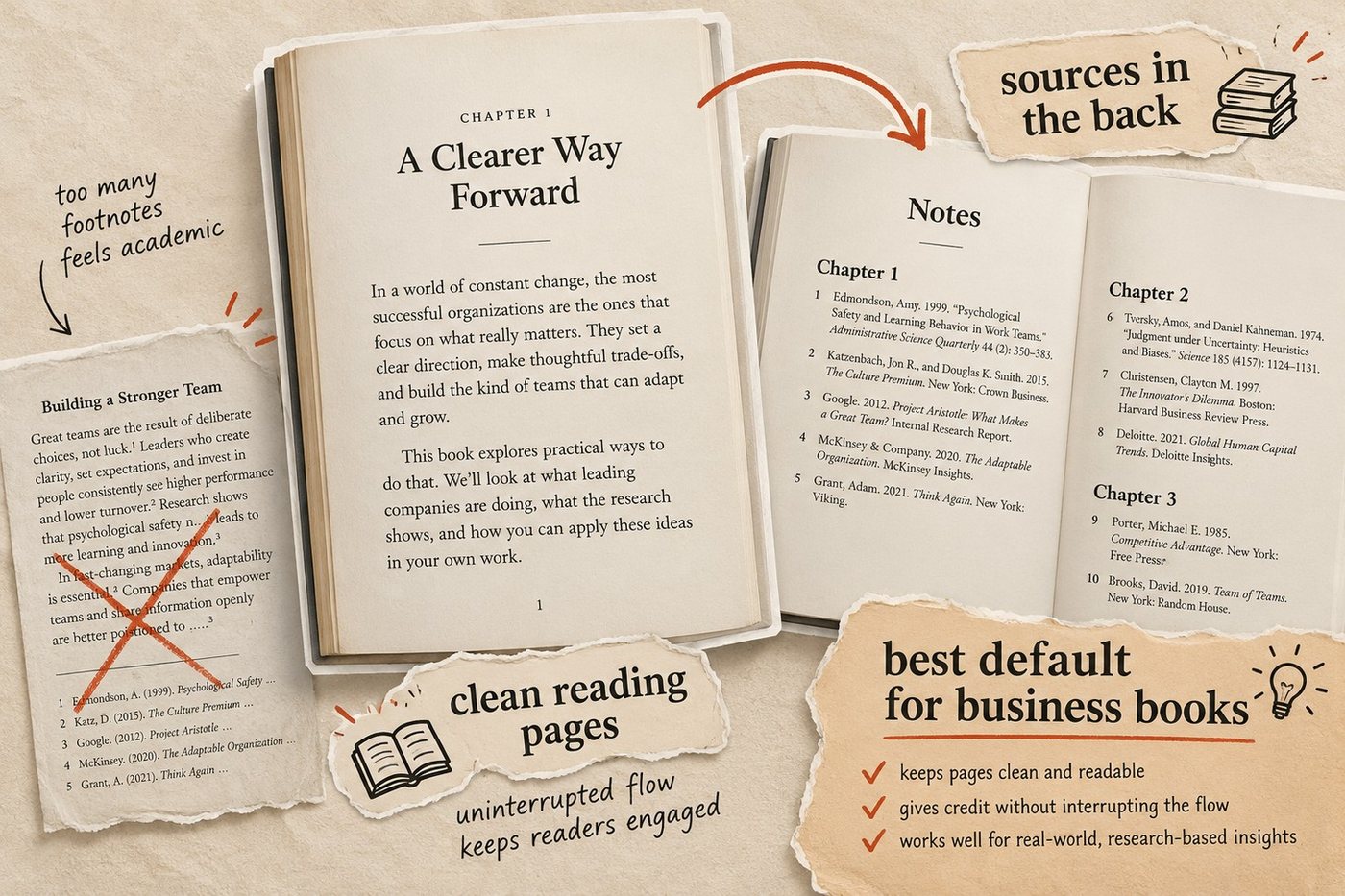
Footnotes are more useful when the note itself is part of the reading experience: a quick qualification, definition, joke, or aside that would lose something if it were moved 200 pages away.
Useful rule: Put evidence in the back. Put only genuinely useful interruptions at the bottom of the page.
That gives readers access to your sources without making the book feel like an academic paper.
What happens to footnotes and endnotes on Kindle?
Kindle changes the tradeoff between footnotes and endnotes.
In a print book, a footnote sits at the bottom of the page. In a reflowable Kindle ebook, there is no fixed “bottom of the page” in the same sense because readers can change the font size, margins, and screen orientation.
Amazon therefore handles notes through links.
KDP requires footnotes to use bidirectional hyperlinks: the note marker links to the note, and the note links back to the place where the reader left the text. On some Kindle devices, including Kindle Paperwhite, properly formatted footnotes can appear in a pop-up window instead of sending the reader elsewhere in the book.
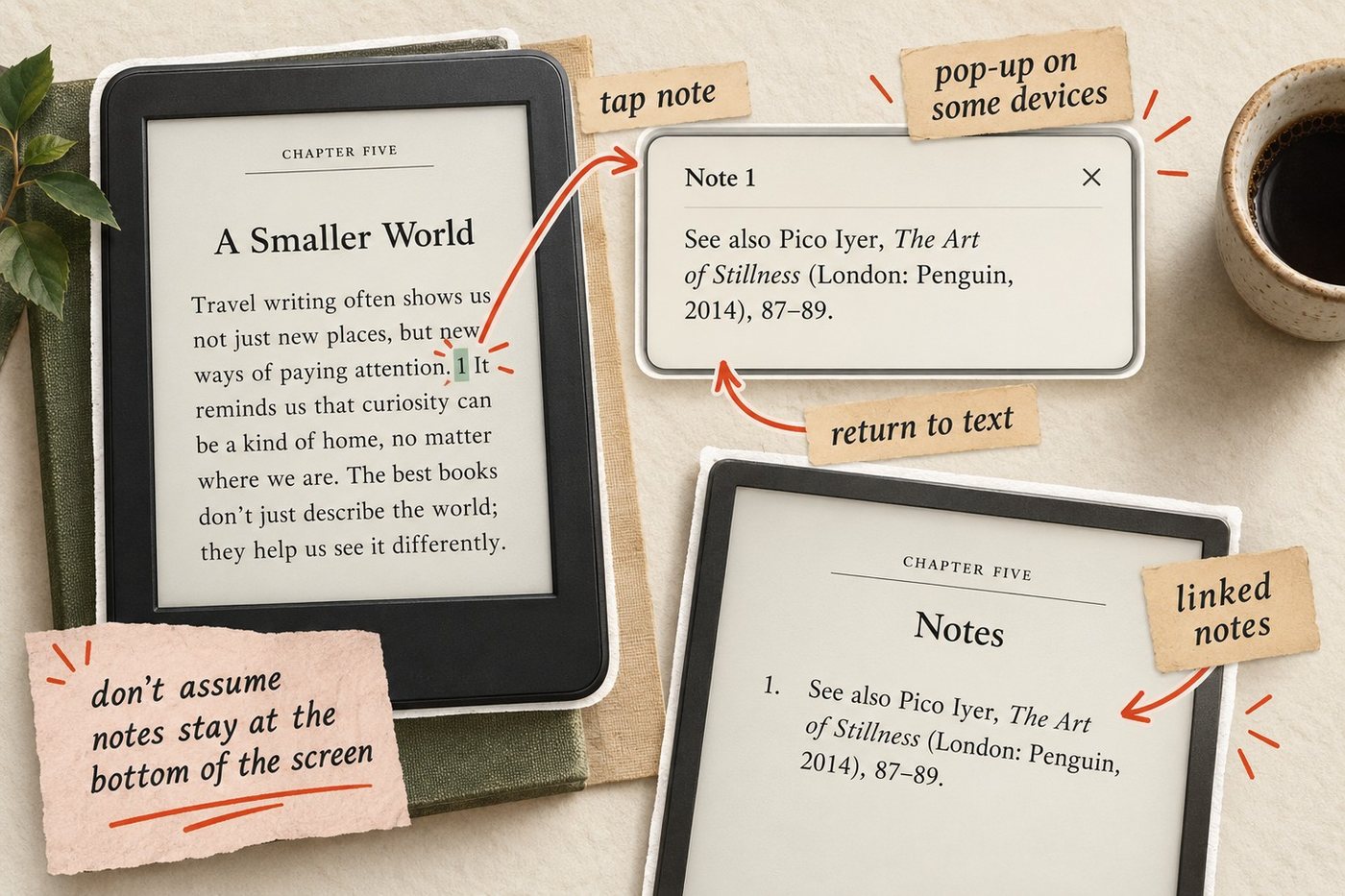
Amazon also recommends placing the actual footnote text at the end of the chapter or book, even when it is marked semantically as a footnote in the EPUB. That gives Kindle reading systems more flexibility to display it as a pop-up where supported.
If you upload a Word manuscript directly to KDP, there is another important detail: Amazon says footnotes created with Word’s Insert Footnote feature are automatically converted to endnotes during ebook conversion.
What this means for your book
Do not design your ebook around the assumption that a footnote will literally stay at the bottom of a Kindle screen.
Instead, treat both footnotes and endnotes as linked notes. The important part is that the reference opens correctly and gives the reader an easy route back.
For most business nonfiction, that reinforces the same recommendation as print: keep research citations in a notes section at the end of the chapter or book. Use footnote-style notes only when the reader benefits from seeing the extra information immediately.
Before publishing, test every note in Kindle Previewer. Amazon specifically recommends checking that links go to the right location, return correctly, and that footnote pop-ups are not blank.
How to set up footnotes and endnotes in Word and Google Docs
The safest rule is simple: use your editor’s built-in footnote or endnote feature. Do not type superscript numbers by hand and then build the notes section manually.
That keeps the reference marker and note connected when you edit, renumber, export, or move the manuscript into another tool.
In Microsoft Word
Word has native support for both footnotes and endnotes.
- Put your cursor immediately after the sentence or phrase you want to reference.
- Open References.
- Choose Insert Footnote or Insert Endnote.
- Type the note in the area Word creates.
- Let Word handle the numbering automatically.
Microsoft says footnotes normally appear at the bottom of the page, while endnotes can appear at the end of the document or section. You can also change their numbering and placement through the footnote/endnote settings.
If the manuscript will become a Kindle ebook, keep the notes native all the way through the DOCX stage. KDP accepts DOCX for reflowable ebooks, and Amazon’s own formatting guide includes a specific workflow for Word footnotes.
For print, remember that footnotes are part of the page layout. Changes to font size, margins, trim size, or typesetting can move the text, and therefore move the footnote with it. That is another reason not to position notes manually with tabs, text boxes, or repeated line breaks.
In Google Docs
Google Docs also has a native footnote tool:
- Place the cursor after the text being referenced.
- Go to Insert → Page elements → Footnote.
- Type the note.
- Continue writing and let Docs renumber the notes automatically.
Google notes that in a document using Pages format, footnotes appear with the relevant pages. In Pageless mode, the footnotes are grouped at the end of the document instead.
Google Docs is less convenient if you specifically want true endnotes. For a book with a substantial back-of-book notes section, a cleaner workflow is often to draft with native footnotes in Docs, export the manuscript as DOCX, then convert or organize the notes in Word before final production.
How to keep the notes intact during export
Whichever editor you use, avoid reconstructing notes by hand just before publishing.
If you are moving from Google Docs, export through File → Download → Microsoft Word (.docx) and inspect the resulting file in Word. If you are already writing in Word, keep the manuscript as DOCX until you are ready for the final print or ebook conversion.
Then check three things:
- Every superscript reference still points to the correct note.
- Notes have not turned into plain body text.
- Chapter and section breaks have stayed where you intended them.
That last point matters especially if you restart note numbering by chapter. A broken section structure can affect numbering just as easily as it can affect headers, page numbers, and page breaks.
There is also a Kindle-specific limitation worth knowing: Kindle Create can import DOC or DOCX files, but Amazon says footnotes cannot be edited inside Kindle Create after import. If something is wrong, fix it in the source document and re-import or replace the affected content.
For print books with footnotes or endnotes, be even more cautious with Kindle Create. Amazon currently says its paperback workflow in Kindle Create does not support paperbacks with footnotes or endnotes. If your print edition depends on them, format and inspect the print interior outside that workflow.
Practical rule: keep notes native in Word or Google Docs for as long as possible, export through DOCX rather than copy-and-paste, and inspect both the print PDF and Kindle preview before publishing.
Should note numbering restart every chapter?
Both systems are common:
- Continuous numbering runs from note 1 at the beginning of the book to the final note at the end.
- Per-chapter numbering restarts at 1 with each new chapter.
For most business nonfiction, restarting the notes in each chapter is easier to manage and easier to read, especially if the book has a substantial notes section at the back.
A note labeled “Chapter 6, note 14” is quicker to find than note 287 in one long sequence. It also makes revisions less painful: adding three new notes to Chapter 2 does not force every note in the rest of the book to change number.
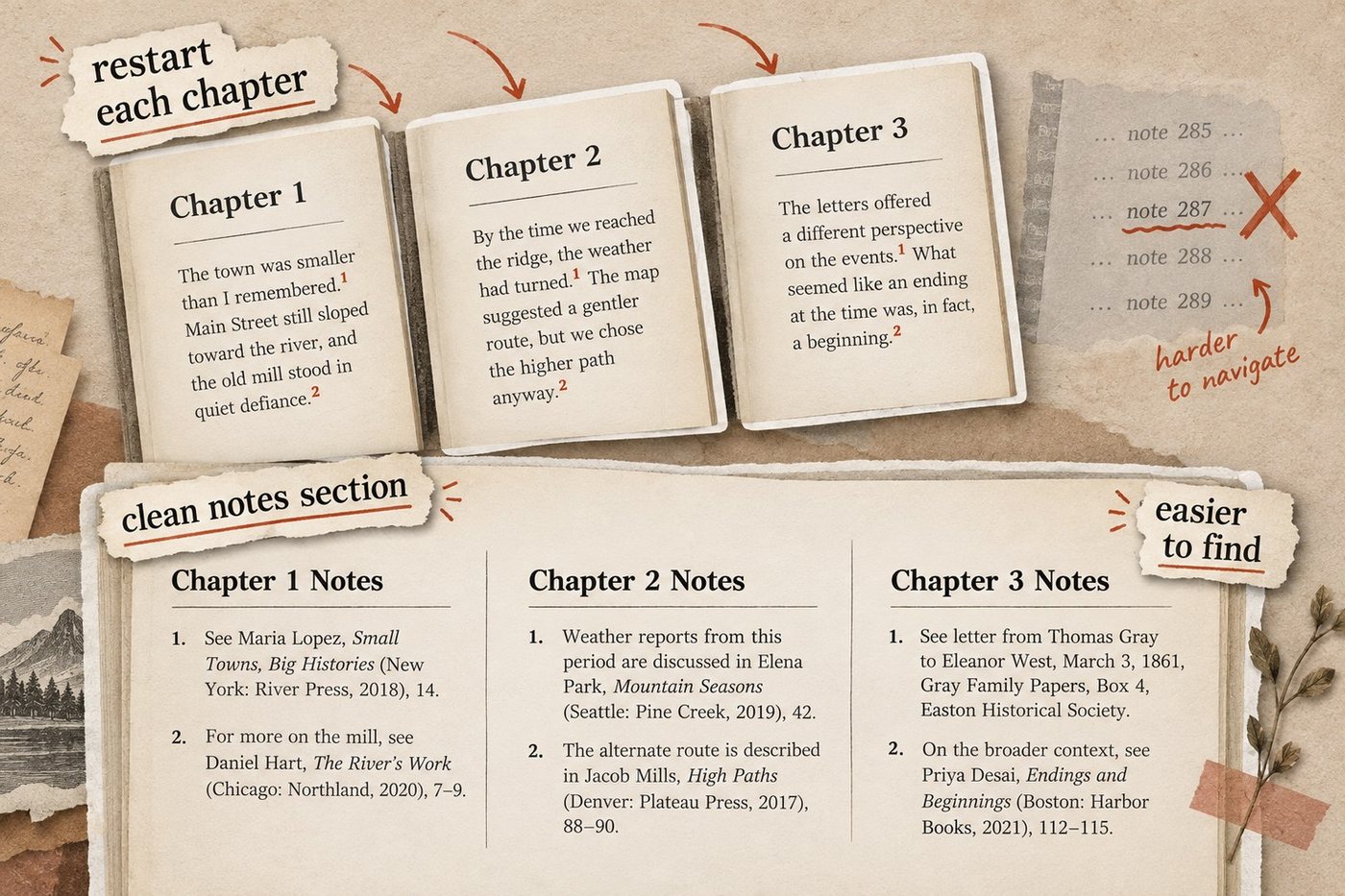
Continuous numbering can still work well in a shorter book with relatively few notes. If you only have 20 or 30 references across the entire manuscript, restarting every chapter may add complexity without helping the reader much.
How many notes are too many?
There is no useful universal limit. The better test is whether the notes are starting to interfere with the kind of book you are trying to write.
A practical rule of thumb:
A few notes in a chapter are invisible. Dozens are noticeable. Notes on nearly every paragraph change the character of the book.
That is not necessarily a problem. A heavily researched history or science book may need dense sourcing. But a practical business book is usually trying to maintain momentum.
If a chapter starts accumulating a large number of notes, ask what each one is doing:
- Source citation? Put it in the back-of-book notes.
- Useful clarification? A footnote may be appropriate.
- Important enough that most readers need it? Put it in the main text.
- Interesting but nonessential tangent? Consider cutting it.
The goal is not to minimize citations. It is to keep the evidence available without making readers feel as though they are navigating around it.
For a typical business book, a clean default is therefore: restart note numbering with each chapter and organize the final notes section by chapter.
How to format a notes section in a nonfiction book
A nonfiction notes section usually sits in the back matter, after the main chapters and before the index, if the book has one. The exact order can vary, but notes are normally kept separate from the main reading flow.
A simple structure looks like this:
Notes
Chapter 1: Why Habits Stick
- Author Name, Book Title (Publisher, Year), 42.
- Organization Name, “Report Title,” Year.
- Author Name, “Article Title,” Publication, date.
Chapter 2: Changing the System
- Author Name, Book Title, 87-89.
- Study or report citation.
- Interview, dataset, or other source.
That chapter-by-chapter format works especially well if you restart numbering at 1 in each chapter. It lets readers match a superscript in the text to the right source without working through one enormous list.
Keep the formatting restrained. Use clear chapter headings, consistent note numbers, and the same citation style throughout. You do not need to turn the notes section into a bibliography unless your book also requires one.
If you are planning the rest of the back matter at the same time, see our guide to the parts of a book for where notes, acknowledgments, appendices, references, and the index normally go.
One more rule helps: do not duplicate information unnecessarily. If the notes already contain full source details, a separate bibliography may add little. If you want readers to have a clean reading list as well as detailed source notes, then both can make sense.
Frequently asked questions
Use footnotes when the reader benefits from seeing the extra information immediately. They work best for short clarifications, definitions, caveats, or asides.
For most business and practical nonfiction, yes. Endnotes keep the main pages cleaner while still giving readers access to sources and supporting research.
Yes, but not as fixed notes at the bottom of a page. Kindle typically handles them as linked notes, and supported devices may display properly formatted footnotes in pop-up windows.
Group notes by chapter, use consistent numbering, and place the section in the back matter. If numbering restarts with each chapter, label each group clearly with the chapter title or number.
They can. For a business book with many notes, restarting at 1 for each chapter usually makes the notes easier to manage and find.
There is no fixed limit. If footnotes appear on most pages or regularly interrupt the main argument, move source-heavy material to endnotes and keep only genuinely useful asides on the page.
Sources & References
- Amazon KDP: text guidelines for reflowable ebooks (footnotes)
- Amazon KDP: eBook manuscript formatting guide (Word footnotes)
- Amazon KDP: Kindle Previewer
- Microsoft Support: add footnotes and endnotes
- Google Docs Editors Help: headers, footers, page numbers and footnotes
- Amazon KDP: prepare reflowable and print books with Kindle Create
- Amazon KDP: prepare your eBook and paperback with Kindle Create
About the author

Polina Karlashchuk
More in Book Formatting
Ready to write your book?
Turn your expertise into a professional book with Built&Written.