

Standard Book Sizes, and Which Ones Amazon Will Actually Print
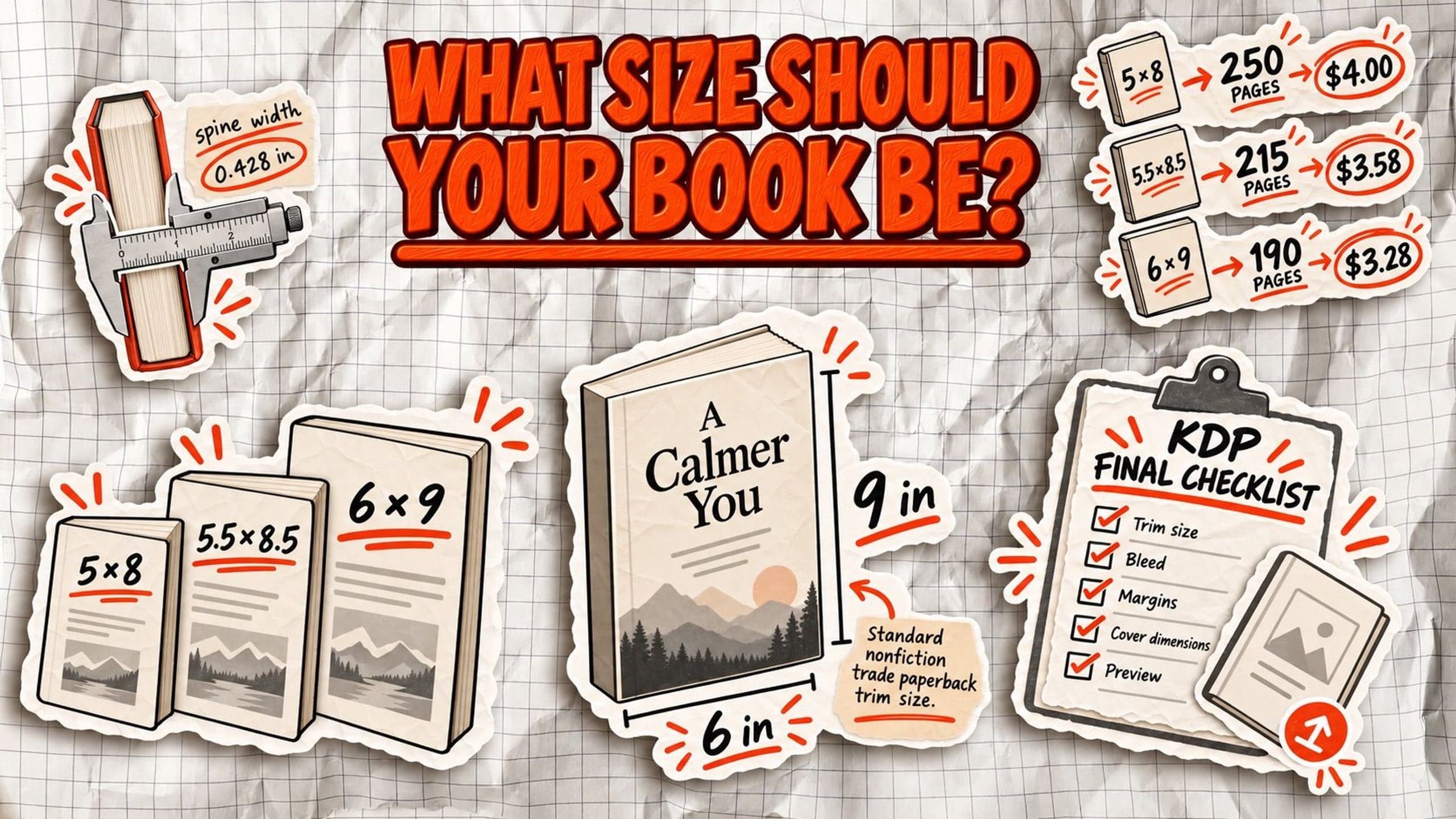
Book size affects more than how your book looks on a shelf. It determines how many pages your manuscript becomes, how wide the spine needs to be, and how much each copy costs to print.
The industry calls these dimensions trim size: the finished width and height of a printed book, measured after its pages are cut.
But not every standard book size is available through Amazon KDP. Paperback and hardcover editions have different options, and choosing the wrong dimensions can mean reformatting your manuscript and rebuilding your cover.
This guide covers common book sizes in inches and centimeters, Amazon's supported dimensions, and how to choose the right format for your book.
Standard book sizes in inches and centimeters
There's no single standard book size. A pocket-sized novel, a business hardcover, and a practical workbook all have different dimensions. Publishers choose trim sizes based on genre, reading experience, and the amount of content that needs to fit on each page.
Here are the most common book dimensions, with centimeter conversions.
| Book type | Size (inches) | Size (centimeters) |
|---|---|---|
| Mass-market paperback | 4.25 × 6.87 | 10.80 × 17.45 |
| Small paperback | 5 × 8 | 12.70 × 20.32 |
| Trade paperback | 5.25 × 8 5.5 × 8.5 |
13.34 × 20.32 13.97 × 21.59 |
| Standard trade paperback | 6 × 9 | 15.24 × 22.86 |
| Compact hardcover | 5.5 × 8.5 | 13.97 × 21.59 |
| Standard hardcover | 6 × 9 | 15.24 × 22.86 |
| Large hardcover | 6.14 × 9.21 | 15.60 × 23.39 |
| Reference book | 7 × 10 | 17.78 × 25.40 |
| Workbook or journal | 8 × 10 | 20.32 × 25.40 |
| Square workbook | 8.5 × 8.5 | 21.59 × 21.59 |
| Full-size workbook | 8.5 × 11 | 21.59 × 27.94 |
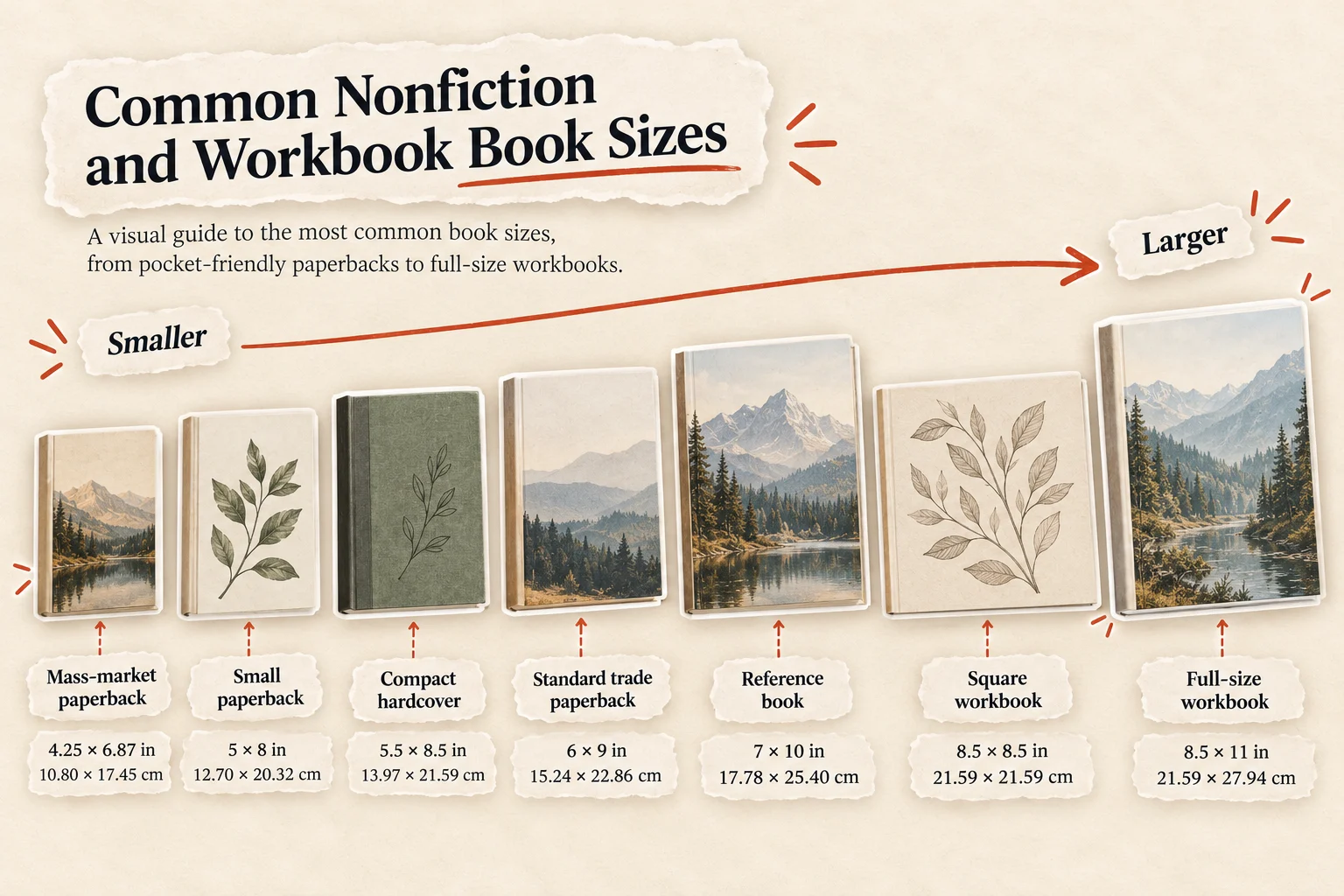
These are common industry formats, not a promise that every printer supports every size. For example, the traditional mass-market paperback is smaller than most trade paperbacks and isn't one of KDP's standard preset sizes.
For nonfiction authors, 5.5 × 8.5 inches and 6 × 9 inches are the most useful starting points. Both offer comfortable reading dimensions without making a typical business book feel oversized.
Larger formats, such as 7 × 10 or 8.5 × 11 inches, make more sense for workbooks, diagrams, exercises, and reference material.
The next question is which of these sizes Amazon KDP will actually print.
Which standard book sizes does Amazon KDP support?
Amazon KDP supports several paperback trim sizes, but hardcover editions have fewer options. The availability of a particular size also depends on the book's page count, ink, and paper configuration.
| Book size | KDP paperback | KDP hardcover |
|---|---|---|
| 5 × 8 inches | Yes | No |
| 5.5 × 8.5 inches | Yes | Yes |
| 6 × 9 inches | Yes | Yes |
| 6.14 × 9.21 inches | Yes | Yes |
| 7 × 10 inches | Yes | Yes |
| 8 × 10 inches | Yes | No |
| 8.5 × 8.5 inches | Yes | No |
| 8.5 × 11 inches | Yes | No |
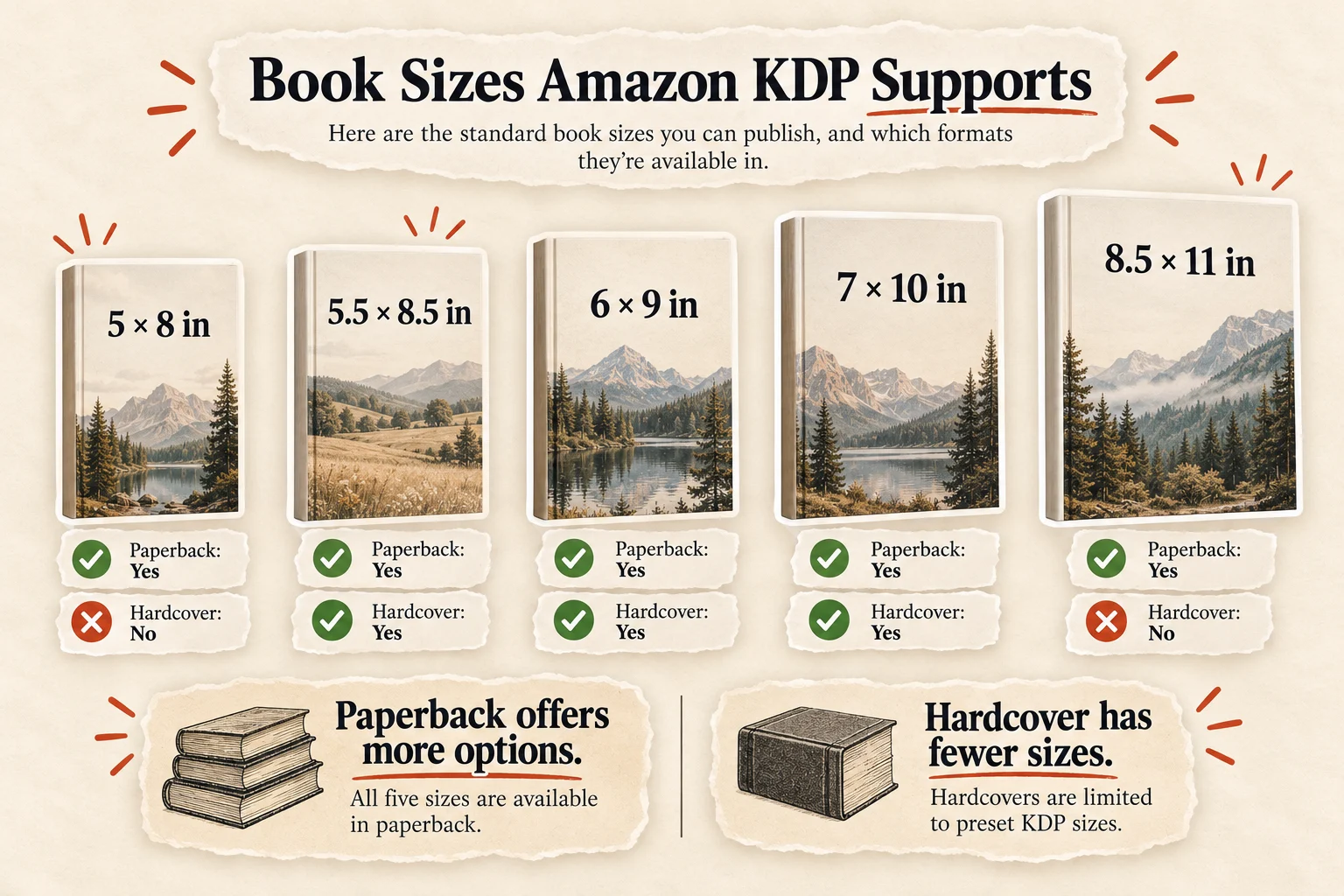
Based on Amazon KDP's published trim-size specifications. Availability is subject to the selected printing configuration.
For paperbacks, Amazon also supports certain custom trim sizes within its permitted dimensions. Hardcovers are restricted to preset sizes, so a paperback size cannot automatically be reused for a hardcover edition.
Before formatting, compare your preferred dimensions against Amazon's official trim-size specifications.
What is the best trim size for a nonfiction book?
For most business, coaching, and professional nonfiction books, 6 × 9 inches or 5.5 × 8.5 inches is the best starting point. Both are familiar trade paperback formats, comfortable to read, and supported by Amazon KDP.
The better choice depends on your manuscript and how readers will use it.
6 × 9 inches (15.24 × 22.86 cm) works well for business books, leadership guides, and longer nonfiction. It provides more room for text, charts, and headings, often reducing the total page count compared with smaller formats.
5.5 × 8.5 inches (13.97 × 21.59 cm) suits shorter coaching books, personal development titles, and advice-driven nonfiction. Its compact dimensions make it easy to carry and comfortable to hold.
Published nonfiction offers useful examples:
- Atomic Habits by James Clear, the 2018 Avery hardcover is approximately 6.35 × 9.25 inches, illustrating a larger nonfiction format.
- Choose by Ryan Levesque, the 2021 Hay House Business paperback uses 5.5 × 8.5 inches.
- Values-Driven Business by Ben Cohen and Mal Warwick, the Berrett-Koehler paperback also uses 5.5 × 8.5 inches.
If you're writing a typical 150–250-page business book, start with 6 × 9. If the manuscript is shorter and more conversational, consider 5.5 × 8.5.
How book size affects page count, spine width, and printing cost
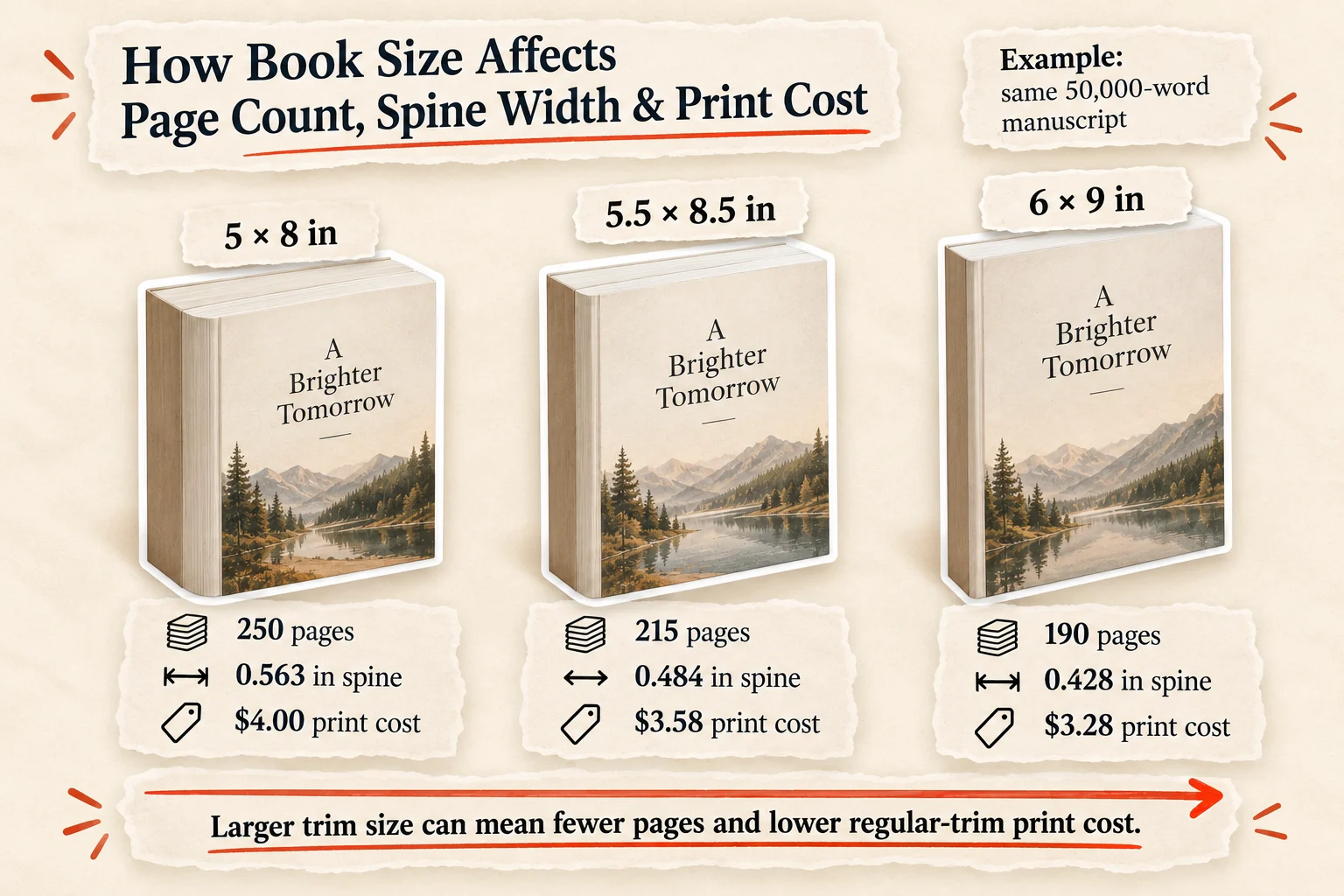
Changing your book's trim size changes how many words fit on each page. That affects the total page count, the thickness of the spine, and what Amazon charges to print each copy.
Consider a 50,000-word nonfiction manuscript, formatted with the same font, margins, and chapter structure across three trim sizes.
| Trim size | Estimated pages | Spine width | KDP print cost |
|---|---|---|---|
| 5 × 8 inches | 250 | 0.563″ | $4.00 |
| 5.5 × 8.5 inches | 215 | 0.484″ | $3.58 |
| 6 × 9 inches | 190 | 0.428″ | $3.28 |
Why does this happen?
Page count: Larger pages hold more text, so the same manuscript generally needs fewer pages. Our word-count-to-pages guide explains how formatting choices affect the final number.
Spine width: KDP calculates paperback spine thickness using page count and paper type. For white paper, each page adds 0.002252 inches. A 190-page book therefore needs a spine approximately 0.428 inches wide.
Printing cost: For US black-and-white paperbacks over 110 pages, KDP currently charges $1.00 plus $0.012 per page for regular trim sizes. Larger trims, for example, wider than 6.12 inches or taller than 9 inches have different rates.
A larger book isn't automatically cheaper: fewer pages can lower printing costs, but crossing KDP's large-trim threshold can offset that saving.
About Built&Written: Before designing your cover, use the free Built&Written Spine Width Calculator to calculate the spine thickness and full cover dimensions from your final page count, trim size, and paper type.
Can you change your book size after formatting?
Yes, but changing your book's trim size after formatting means more than adjusting the page dimensions. Even a small change, such as moving from 5.5 × 8.5 to 6 × 9 inches, can affect your entire interior layout.
Here's what you'll need to revisit:
- Margins and gutters: Adjust the inside, outside, top, and bottom margins for the new trim size and final page count.
- Pagination: Text reflows, changing page numbers, chapter openings, and possibly the table of contents.
- Headings and spacing: Check chapter titles, section breaks, and awkward page endings.
- Tables and images: Resize or reposition graphics to fit the new page dimensions.
- Spine width: Recalculate it using the updated page count and paper type.
- Cover PDF: Rebuild the full wraparound cover to match the new trim size, spine width, and bleed requirements.
Amazon recommends setting page dimensions before margins because changing the trim size can also change the margin requirements.
The safest approach is to choose your trim size before final typesetting. If you change it later, regenerate both the interior and cover PDFs, then check every page in KDP's Print Previewer before publishing.
How to choose the right book size before publishing
Choosing a book size comes down to four decisions: what you're publishing, how readers will use it, where you'll distribute it, and what it costs to print.
- Start with your genre. Business books, memoirs, and self-help titles generally suit 5.5 × 8.5 or 6 × 9 inches. Workbooks and instructional guides may benefit from larger formats, such as 7 × 10 or 8.5 × 11 inches.
- Think about the reading experience. A compact paperback is comfortable to hold and carry. A larger page gives you more room for diagrams, tables, exercises, and notes.
- Check your distribution options. Amazon KDP and IngramSpark don't offer identical trim sizes. If you plan to publish through both, choose dimensions supported by each service.
- Compare printing costs. Trim size affects pagination, which influences production costs and spine thickness. Check your chosen format against KDP's current print specifications.
For most first-time nonfiction authors, 6 × 9 inches is the practical default. It accommodates text-heavy manuscripts, supports paperback and hardcover editions on KDP, and gives you flexibility without requiring an oversized layout.
Check your book dimensions before uploading to KDP
Before uploading your files, make sure the interior and cover match Amazon's printing requirements. A small mismatch can cause upload errors, unexpected white borders, or content being cut off.
Use this final checklist:
- Trim size: Confirm the interior PDF matches your selected KDP dimensions.
- Bleed: If images or backgrounds extend to the page edge, include the required 0.125-inch (3.2 mm) bleed.
- Margins: Keep text and important design elements within KDP's safe areas, including the appropriate gutter.
- Cover dimensions: Check the front cover, back cover, spine width, and bleed against your final page count.
About Built&Written: Run your paperback cover PDF through the free Built&Written KDP Cover Validator to check dimensions, resolution, color space, and other technical requirements. Then use KDP's Print Previewer to inspect the interior and cover for layout issues before approving publication.
Frequently asked questions
The most common standard book size for trade nonfiction is 6 × 9 inches (15.24 × 22.86 cm). However, book dimensions vary by genre and format. Smaller paperbacks often measure 5 × 8 or 5.5 × 8.5 inches, while workbooks and reference books use larger sizes.
Common trade paperback sizes include 5 × 8, 5.5 × 8.5, and 6 × 9 inches. Fiction often uses smaller formats, while business and professional nonfiction frequently uses 6 × 9 inches.
For a text-heavy nonfiction book, start with 6 × 9 inches. Choose 5.5 × 8.5 inches for a more compact reading experience or 7 × 10 inches for workbooks containing exercises, charts, or diagrams.
A traditional mass-market paperback typically measures approximately 4.25 × 6.87 inches (10.80 × 17.45 cm). These compact books are commonly associated with fiction and pocket-sized editions.
Common hardcover trim sizes include 6 × 9 inches and 6.14 × 9.21 inches. Actual dimensions vary by publisher, and the finished hardcover's exterior dimensions are slightly larger than its trimmed pages.
Yes. Amazon KDP supports 5.5 × 8.5 inches for both paperback and hardcover editions, subject to the applicable printing specifications.
Yes. You can publish separate editions in different trim sizes. Each edition needs correctly formatted interior and cover files, and paperback and hardcover editions require separate ISBNs when ISBNs are used.
Sources & References
About the author

Polina Karlashchuk
More in Book Formatting
Ready to write your book?
Turn your expertise into a professional book with Built&Written.