

How to Create an Ebook From Material You Already Have
Key takeaways
- Which file do I need? A PDF for a free guide you hand out. An EPUB for a book sold in ebook stores, because its text fits any screen.
- Can I make one for free? Yes. Google Docs saved our test ebook as an EPUB in one second, and Amazon's free checker found 0 errors.
- What does the free route miss? Our free EPUB had no cover, no author name and the wrong title.
- What is the hard part? Not the file. It is turning years of scattered material into chapters that read like one book.
PDF or EPUB: what format should an ebook be?
Decide where the ebook will live before you open any tool. That choice decides the file.
A free guide is something you give away on your website or by email, often in exchange for an email address (marketers call it a lead magnet). Save it as a PDF (Portable Document Format): a fixed page that looks the same everywhere.
A book in a store is sold on Amazon's Kindle store or Apple Books. Stores want an EPUB (electronic publication): a file whose text reflows, which means it rearranges itself to fit any screen.
| EPUB | ||
|---|---|---|
| Comfortable on a phone | No, readers zoom | Yes, text fits the screen |
| Good for | Free guides, workbooks | Books sold on Kindle and Apple Books |
| Accepted by Amazon KDP | Only in some languages | Yes, recommended |
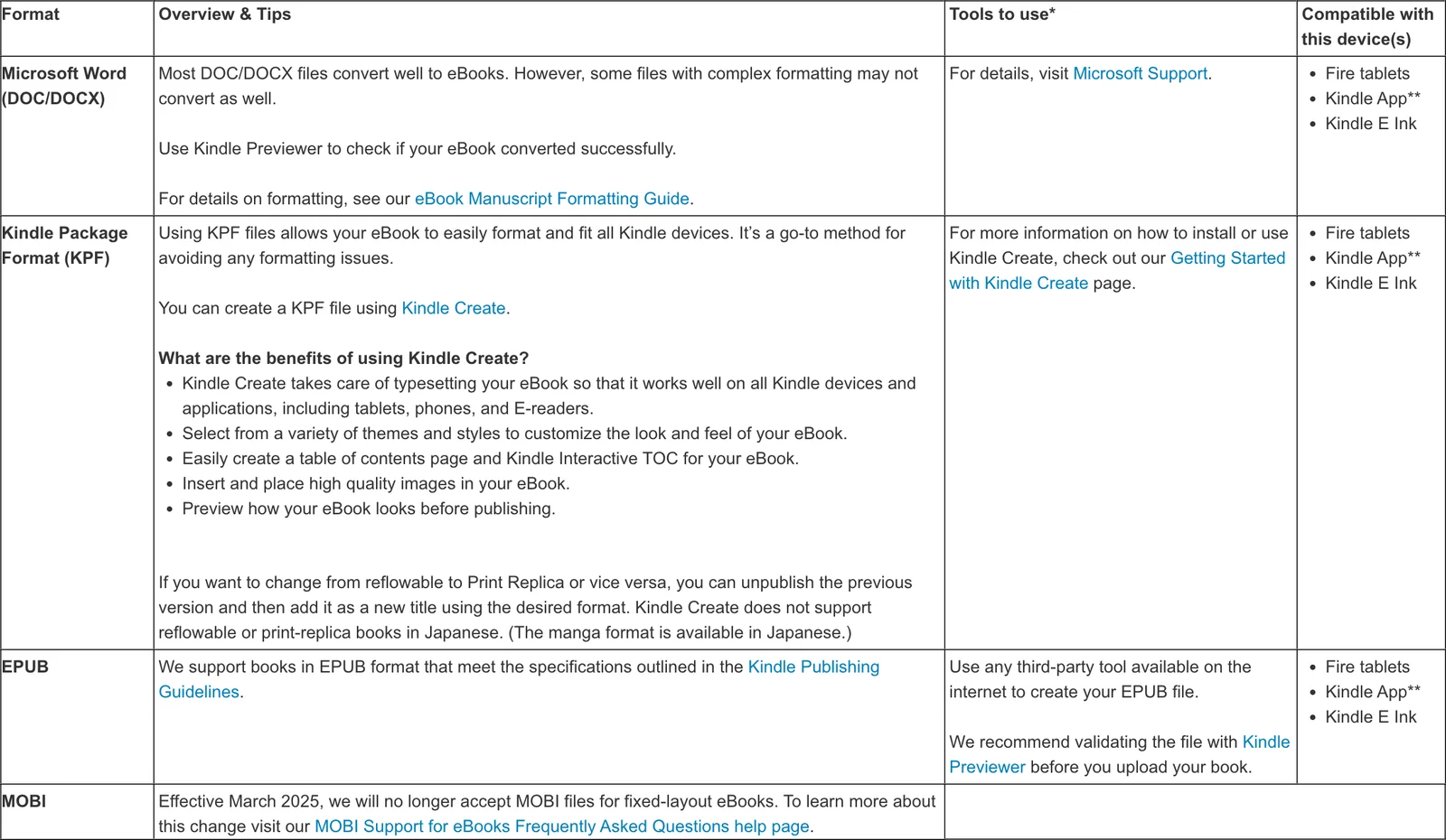
KDP (Kindle Direct Publishing) is Amazon's free service for selling your book on Amazon. Its list of ebook formats recommends Word files, KPF files from Amazon's Kindle Create, and EPUB. Apple Books also asks for an EPUB, as its guide to publishing with Pages shows. Our guide to EPUB, PDF and MOBI compares the three files in more detail.
How to create an ebook in 5 steps, for free
If you have run a business for a few years, you have probably written half an ebook already. It is spread across posts, slides, emails and notes. Here is the free way to turn it into one file, with Google Docs. Further down you will see the same five steps done for you.
Step 1: Put everything in one place
Copy everything about your topic into one folder or one long document. Think blog posts, LinkedIn posts that got questions, slides, long client emails and transcripts (the written text of calls or podcast interviews). Don't fix anything yet. Our guide to turning blog posts into a book helps you choose what to keep.
Step 2: Sort the pile into chapters
An outline is the list of chapters in order, with one line on what each one answers. A simple order works for most expert ebooks: the problem in your clients' words, why the usual fixes fail, your method one step per chapter, a real example, and what to do next. With a big pile, this is the slowest step.
Step 3: Write the draft in one document
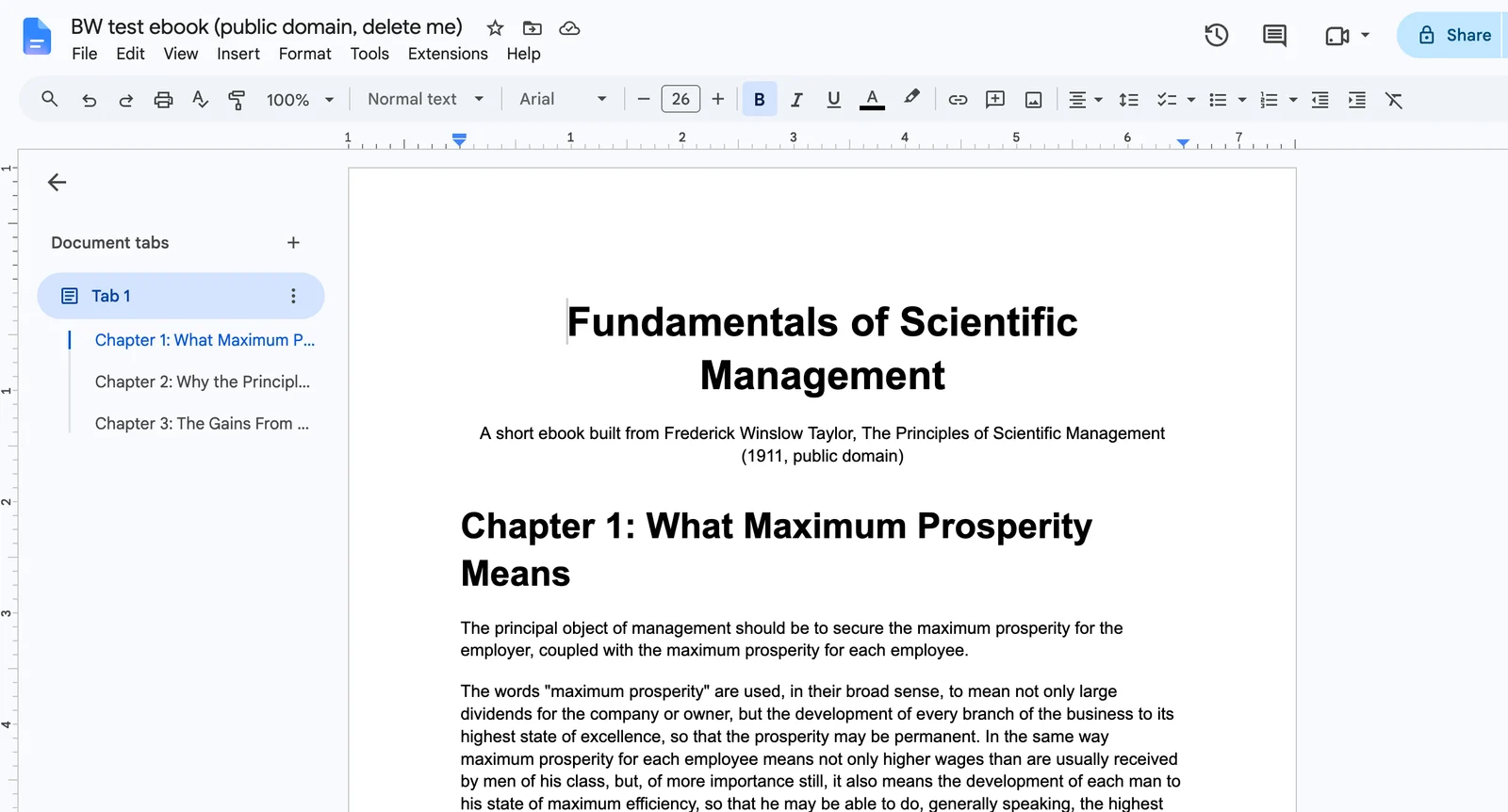
Keep the whole draft in one file. Mark each chapter title with the "Heading 1" style in Google Docs or Word. Ebook tools read these headings to build the table of contents, the list of chapters a reader taps to jump around. Keep paragraphs short, because a phone screen is narrow.
Step 4: Save the draft as an ebook file
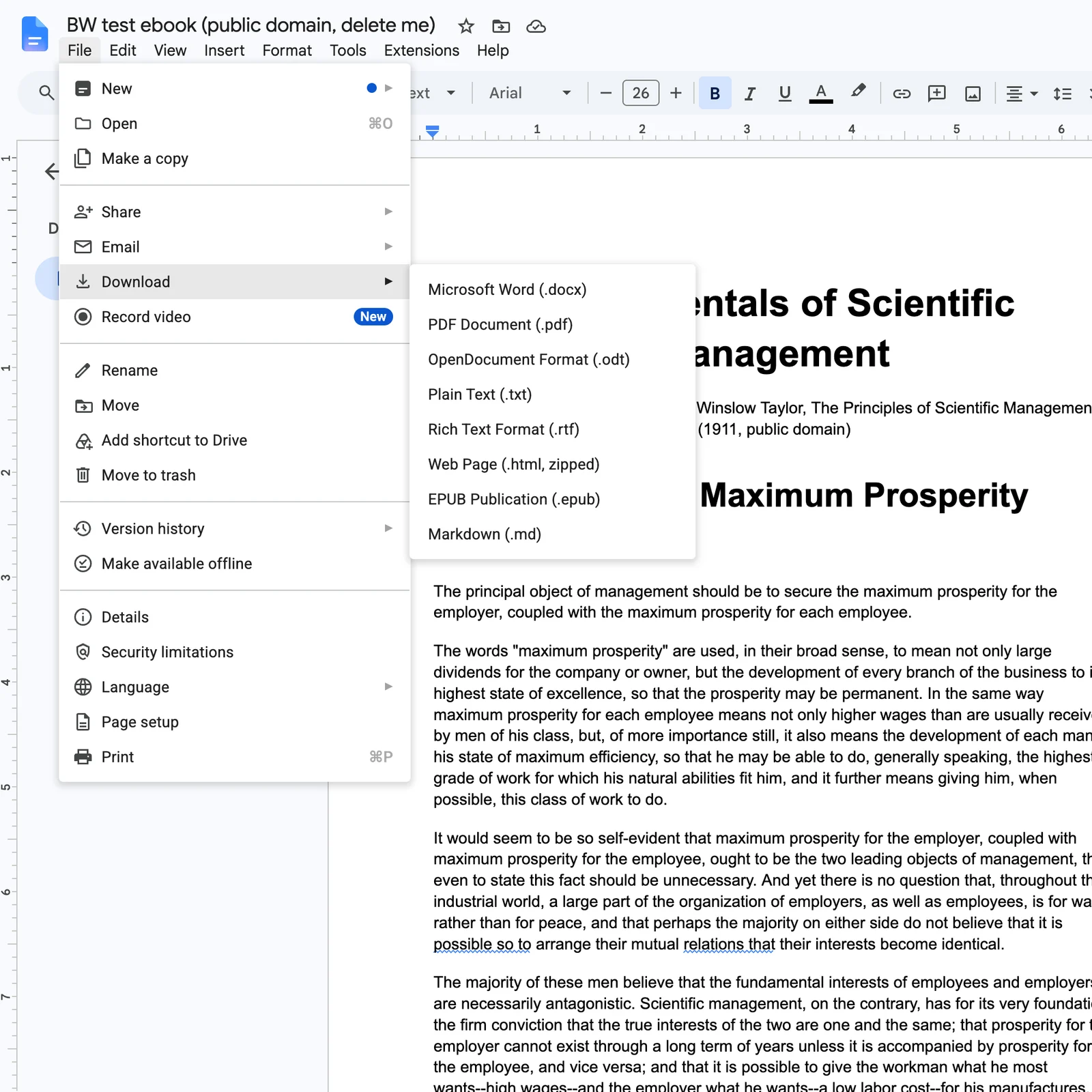
In Google Docs, choose File, then Download, then PDF Document or EPUB Publication. Word saves a PDF with Save As, as Microsoft's help page shows, and KDP takes Word files directly.
How we tested (October 22, 2026): we put three chapters (2,533 words) of Frederick Winslow Taylor's The Principles of Scientific Management (1911, public domain) into Google Docs with Heading 1 chapter titles. We downloaded EPUB, DOCX and PDF files and checked the EPUB and DOCX in Amazon's Kindle Previewer 4.0.3.
| File | Download time | Kindle Previewer result |
|---|---|---|
| EPUB | 1.0 seconds | 0 errors, 0 quality issues |
| DOCX | 0.6 seconds | 0 errors, 0 quality issues |
| 1.0 seconds | Not checked (5 letter-size pages) |
The text came through clean. But inside the EPUB we found three gaps: the title was the Google Docs file name, no author name was stored, and there was no cover. Rename the document to the real title before you download, and prepare a cover image.
Step 5: Check the file before you share it
Open the file in Kindle Previewer, Amazon's free app that shows your ebook on Kindle screens and lists errors (our Kindle Previewer guide walks you through it). Then open it on your phone, tap every chapter in the table of contents, and check the title and author in the file's details. For a PDF, read two pages on your phone: if you have to zoom, switch to EPUB.
How to create an ebook with Built&Written
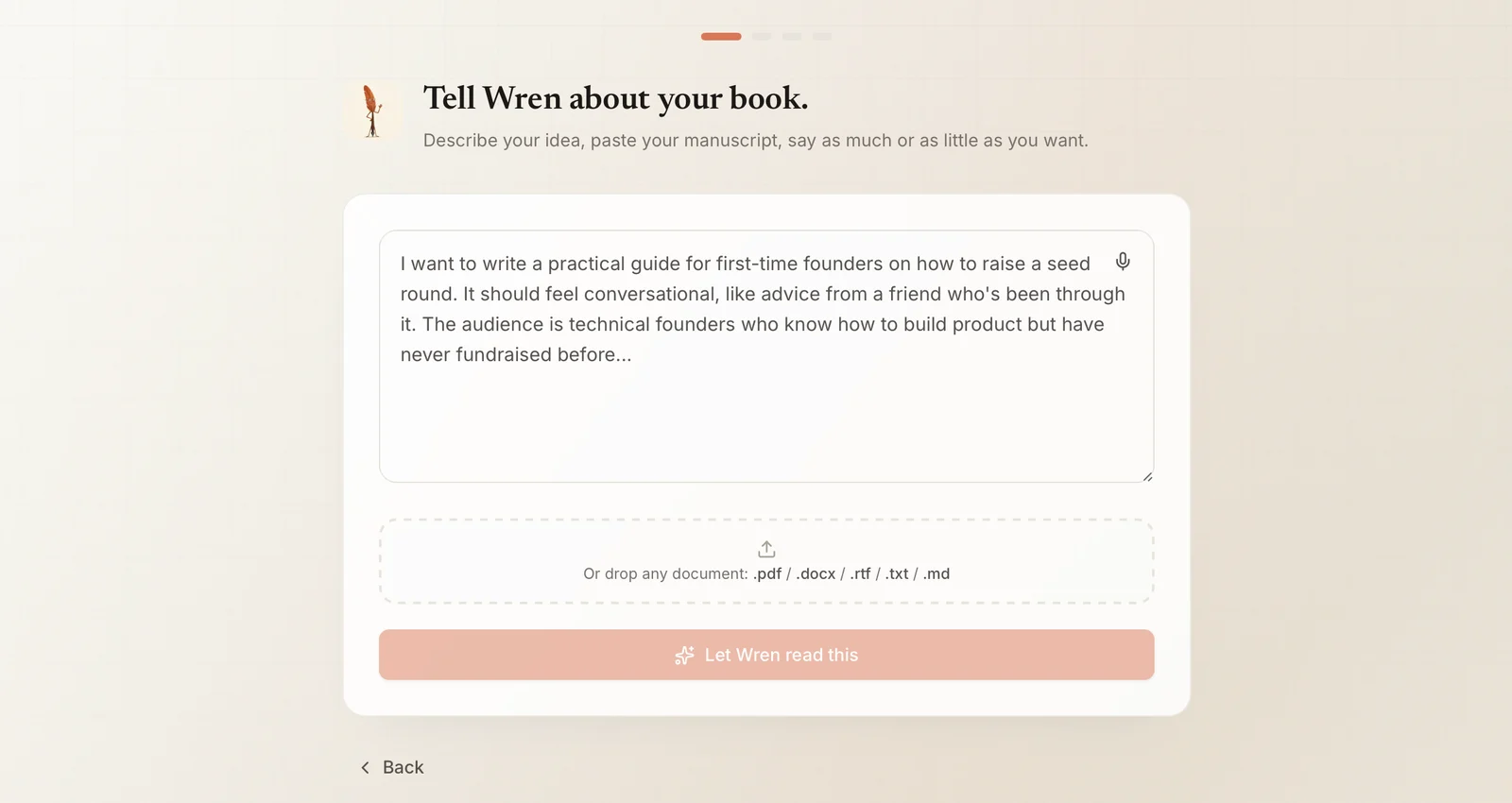
The free route works, but you do every step by hand, and the slow ones are sorting the pile and writing the chapters. Built&Written does the same five steps for you:
| Step | The free way | With Built&Written |
|---|---|---|
| 1. Gather your material | Copy it into one document | Paste it or drop in a file (PDF, DOCX, TXT and more) |
| 2. Sort it into chapters | You build the outline | Wren, the app's AI, proposes an outline you approve |
| 3. Write the draft | You write every chapter | Chapters written in your voice with Voice DNA |
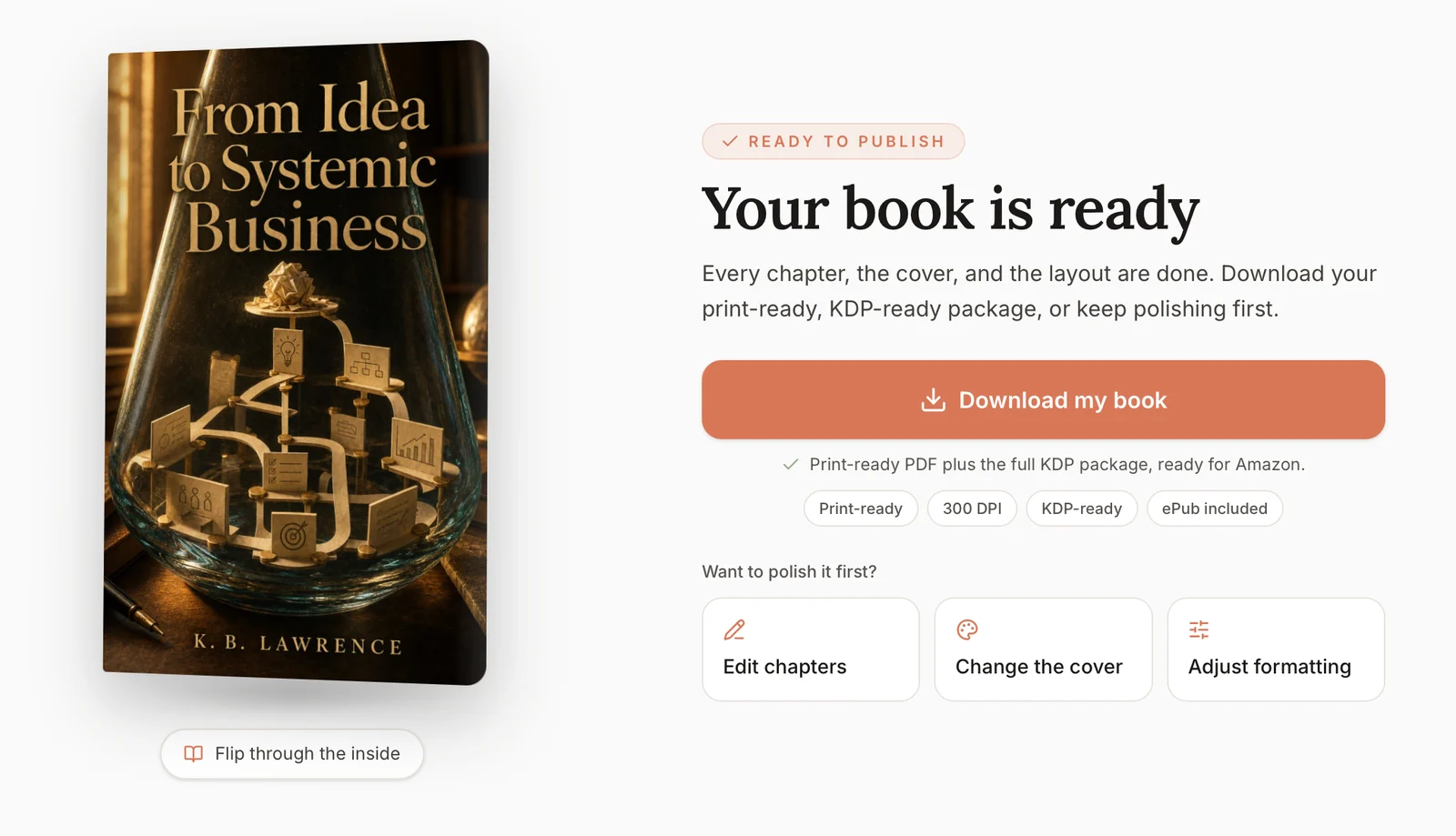
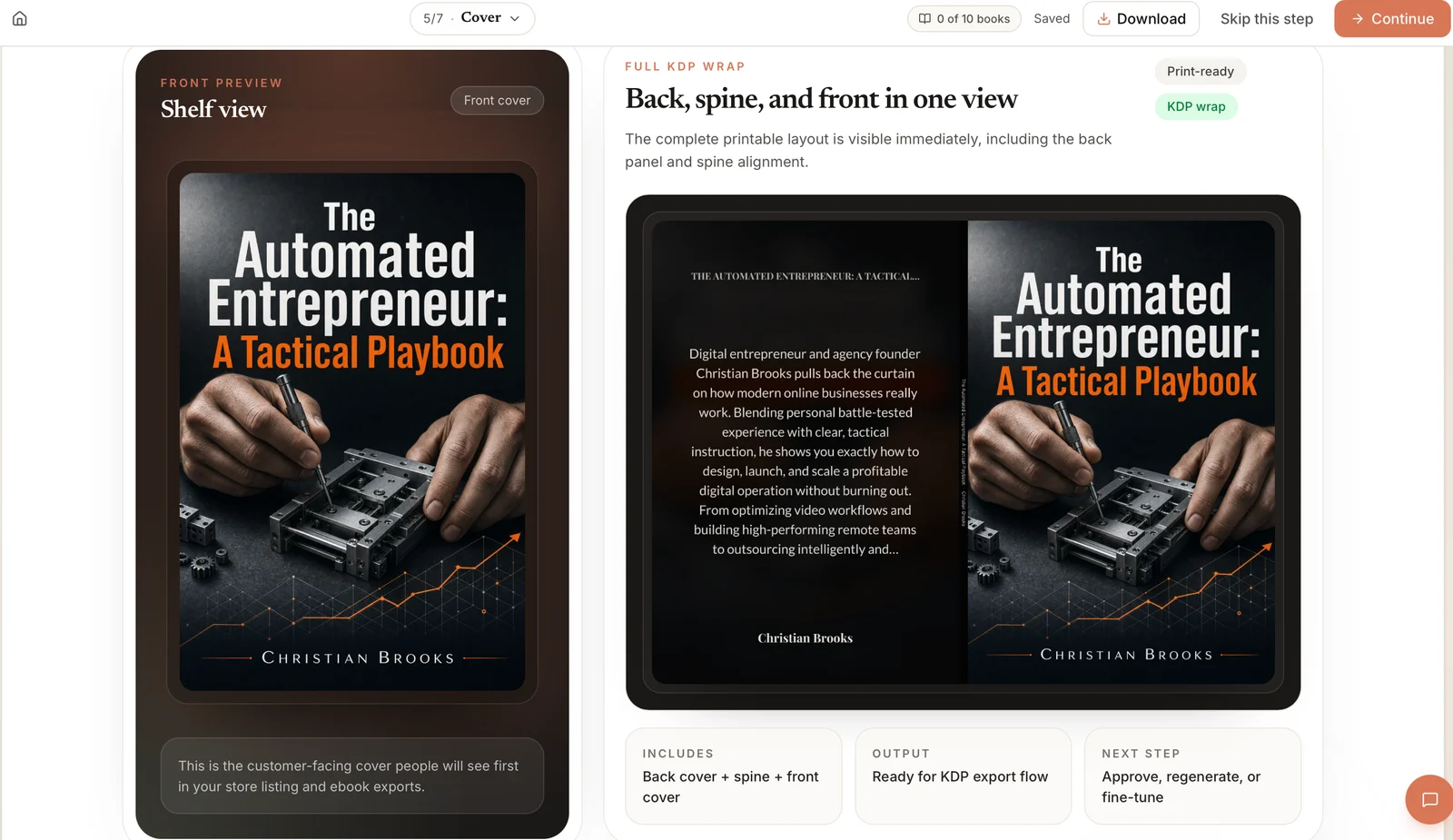
| 4. Save the ebook file | Download from Google Docs, add a cover yourself | Layout, cover and files made for you (EPUB and DOCX on the Entrepreneur plan and up) |
| 5. Check the file | Kindle Previewer and your phone | The book is checked against KDP's requirements before you download |
Which ebook creator software should you use?
Ebook creator software, or an ebook maker, turns your text into a finished ebook file. Which one fits depends on the file you need and how much of the book is already written.
Google Docs or Word. Google Docs is free and made a clean EPUB in our test. Word costs $9.99 a month as part of Microsoft 365 Personal (checked October 22, 2026). Both are good for drafting, but neither plans the book or adds a cover.
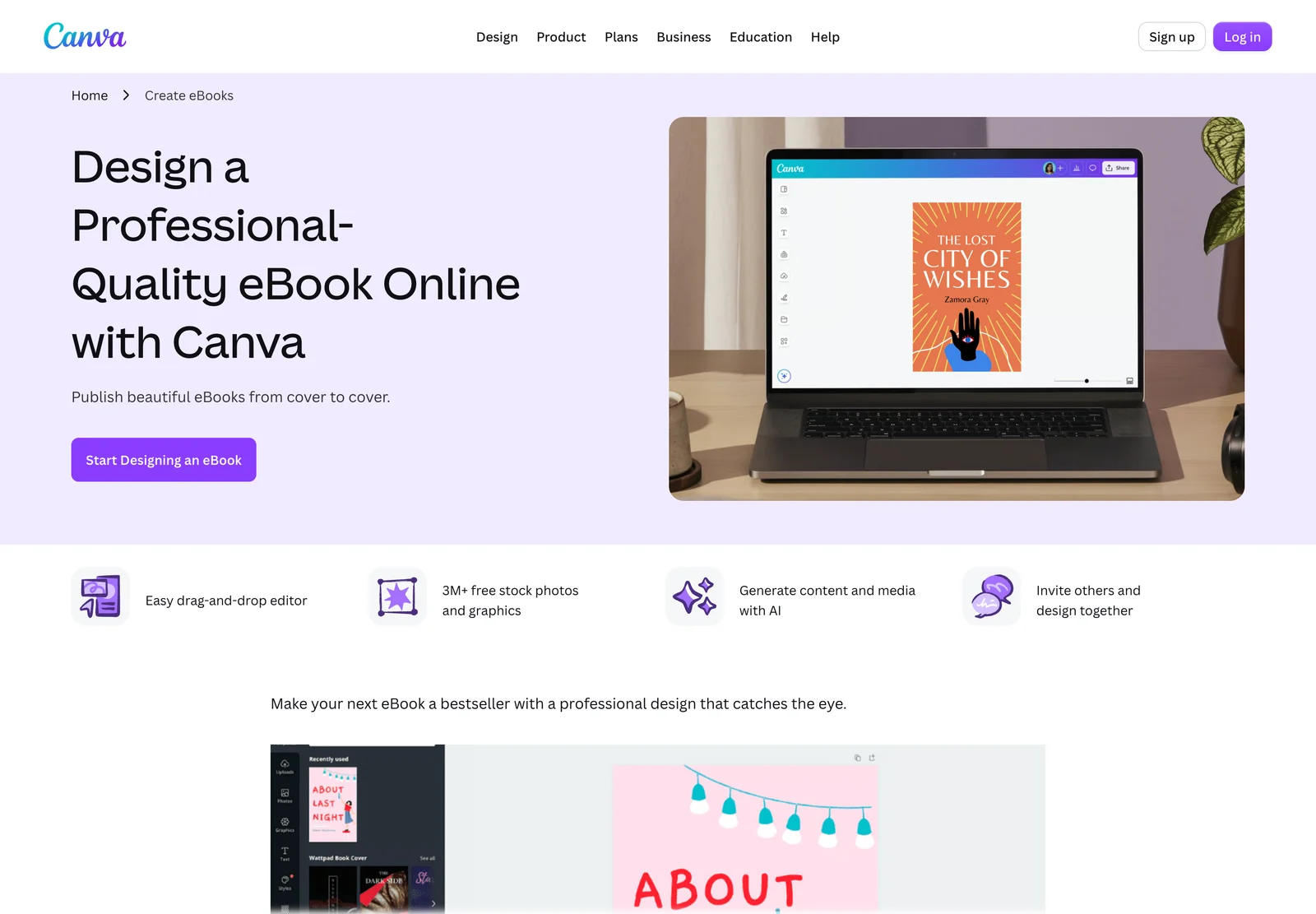
Canva. Canva has the best templates for a good-looking free guide. Its download options are PDF, image and video, with no EPUB, so it makes guides, not store ebooks.
Kindle Create. Kindle Create is Amazon's free formatting app. It turns a finished Word file into a clean Kindle book, and Amazon now lists an EPUB export. It does not help you plan or write; our Kindle Create review goes deeper.
Designrr. Designrr turns blog posts into designed lead magnets. Plans ran from $29 to $99 a month on October 22, 2026, and EPUB export starts on the $39 Pro plan. Our Designrr review goes deeper.
Built&Written. It starts from your raw material and does all five steps, as shown above.
| Tool | Files it makes | Price (October 22, 2026) | Plans the book | Writes the book | Cover and layout |
|---|---|---|---|---|---|
| Google Docs | PDF, EPUB, DOCX | Free | No | No, you write | No cover |
| Microsoft Word | PDF, DOCX | $9.99/month | No | No, you write | No cover |
| Canva | Free plan; Pro by country | No | No | Yes | |
| Kindle Create | KPF, EPUB | Free | No | No | Layout only |
| Designrr | PDF; EPUB from Pro | $29 to $99/month | No | Partly (AI writer) | Yes |
| Built&Written | PDF, DOCX, EPUB, KDP package | See plans | Yes | Yes, in your voice | Yes, with KDP checks |
The short verdict: a free guide this week, use Google Docs or Canva and send a PDF. A finished book only for Amazon, use Kindle Create. Years of posts, talks and notes that should become a real book in the stores, use Built&Written.
Can you sell your ebook on Amazon?
Yes. Publishing an ebook on KDP is free. Amazon pays you a royalty, your share of each sale: since July 7, 2026, 70% for ebooks priced from $2.99 to $12.99 on Amazon.com (KDP royalty rules), and 35% outside that range. If AI generated any of the text, KDP's content guidelines ask you to say so when you publish.
Final thoughts
Making the file is the easy part. Google Docs did it in a second, for free. The hard part comes before: turning years of scattered posts and notes into chapters that read like one book, in your voice, with a title, an author name and a cover that a store will accept.
That is exactly what Built&Written does. You bring the material you already have, and you get back a finished book:
- You start from what you have. Paste posts and notes or drop in a file, up to 50,000 words of material per book. No blank page.
- You approve the plan first. Wren proposes the chapters, and you change them before any writing begins.
- It sounds like you. Voice DNA learns from a few pages of your writing.
- The KDP work is done for you. Layout, cover and a check against KDP's requirements before you download.
- The files are ready to upload. A KDP package and print PDF, plus EPUB and DOCX on the Entrepreneur plan and up. You upload them to Amazon in your own account, the same day.
- You can still change anything. Edit chapters, swap the cover or adjust the formatting with one click.
Frequently asked questions
Here is how to create an ebook without paying. Write the draft in Google Docs with Heading 1 chapter titles, then choose File, Download, EPUB Publication. In our test that free EPUB passed Amazon's Kindle Previewer with 0 errors. Rename the document to the real title first and prepare a cover image.
EPUB, if you want to sell it in ebook stores: its text fits any screen, and both Amazon KDP and Apple Books take it. A PDF is better only for a free guide where the page design matters.
Yes, and publishing through KDP is free. You earn 70% on ebooks priced from $2.99 to $12.99 on Amazon.com, and 35% outside that range.
As long as it takes to solve the reader's problem. A free guide can be short; a paid ebook takes the reader through a whole method. Our free word count to pages calculator shows how your word count turns into pages.
Sources & References
- Amazon KDP: Supported ebook formats
- Apple: Publish a book with Pages to Apple Books
- Amazon KDP: Kindle Previewer
- Project Gutenberg: The Principles of Scientific Management
- Canva: Download file types
- Amazon: Kindle Create
- Designrr: Pricing
- Microsoft 365 plans
- Amazon KDP: eBook royalty options
- Amazon KDP: Content guidelines
About the author

Khrystyna Balushka
More in Self-Publishing
Ready to write your book?
Turn your expertise into a professional book with Built&Written.