

We Let Four AI Book Editors Loose on the Same Chapter
Key takeaways
- Can any of them edit a whole book? No. They work a sentence, a selection or one chapter at a time, and Grammarly caps every account at 50,000 words a day.
- What do they cost? AutoCrit Pro, ProWritingAid Premium and Grammarly Pro each cost $30 a month, and all three have a free version (checked October 18, 2026).
- How is Built&Written different? Editing software checks a book that already exists. Built&Written builds the book from your notes and posts (or takes your finished manuscript) and makes the files Amazon needs.
What is AI book editing software?
AI book editing software, or an AI book editor, is a program that reads text you have already written and suggests changes. The changes go from single words to whole new sentences. Most grew out of grammar or style checkers and added AI rewrites on top. None of them writes the book or decides what it argues.
How is Built&Written different from book editing software?
Built&Written is a book creation platform, not a checker. It starts from your material and makes the book: the outline, the chapters, the layout and the files for KDP (Kindle Direct Publishing, Amazon's free service for selling your book).
| Book editing software | Built&Written | |
|---|---|---|
| You start with | A finished text | Notes, posts and transcripts, or a finished manuscript |
| What it does | Flags problems and suggests rewrites | Builds an outline, drafts chapters in your voice (AI writing on Entrepreneur and up), formats the book |
| How it edits | Scans all the text you paste in | Rewrites only the passage you select; nothing changes until you press Accept |
| What you end with | A corrected text | KDP-ready files: a print PDF and a KDP ZIP, plus EPUB and DOCX on Entrepreneur and up |
How we tested book editing software on one chapter
How we tested (October 18, 2026): We used the first 2,125 words of Chapter I of Frederick Winslow Taylor's business book The Principles of Scientific Management (1911). It is free to copy (public domain) and on Project Gutenberg; our Hemingway Editor review used it too. We ran it through the free plans of AutoCrit, ProWritingAid and Grammarly. We also tried Ask AI in Built&Written on a few paragraphs. We counted every flag and accepted nothing. Paid features are not part of the counts.
The 1911 text uses double hyphens ("--") and American spelling, and both showed up in the results.
What did each AI editor flag on the same chapter?
| What we got on the free plan | AutoCrit | ProWritingAid | Grammarly | Ask AI (Built&Written) |
|---|---|---|---|---|
| How much of the chapter was checked | All of it, compared with General Fiction | The first 500 words | All 2,125 words | Only the passages you select |
| Grammar and spelling | Not on the free plan | 7 grammar flags (4 of them the 1911 double hyphens); spelling 100% | 15 grammar flags (4 were British spellings of American words) | Not its job |
| Style flags | 63 highlights: 30 adverbs, 15 generic words, 12 sentences starting with a conjunction, 6 with a pronoun | 26: 7 passive verbs, 4 style guide items, 3 inclusive language, 2 hidden verbs, 5 adverbs, 5 readability | 25 clarity flags | Not its job |
| Full-sentence rewrites | None (it highlights, you edit) | AI Rephrase on request, 10 a day | 9 "Improve your text" rewrites, shown as free samples of Pro | Every selection: we ran Polish and Tighten |
| Chapter-level feedback | Locked (Pro) | Chapter Critique not on the free plan | None | None |
Free plans and the Built&Written editor, same 2,125-word chapter, October 18, 2026.
AutoCrit review: is it any good for a nonfiction book?
AutoCrit compares your text with published books in a genre. The free plan has no word limit and three tools: Adverbs, Word Choice and Readability (pricing page). But it only compares you with "General Fiction", so our business chapter was scored against novels.
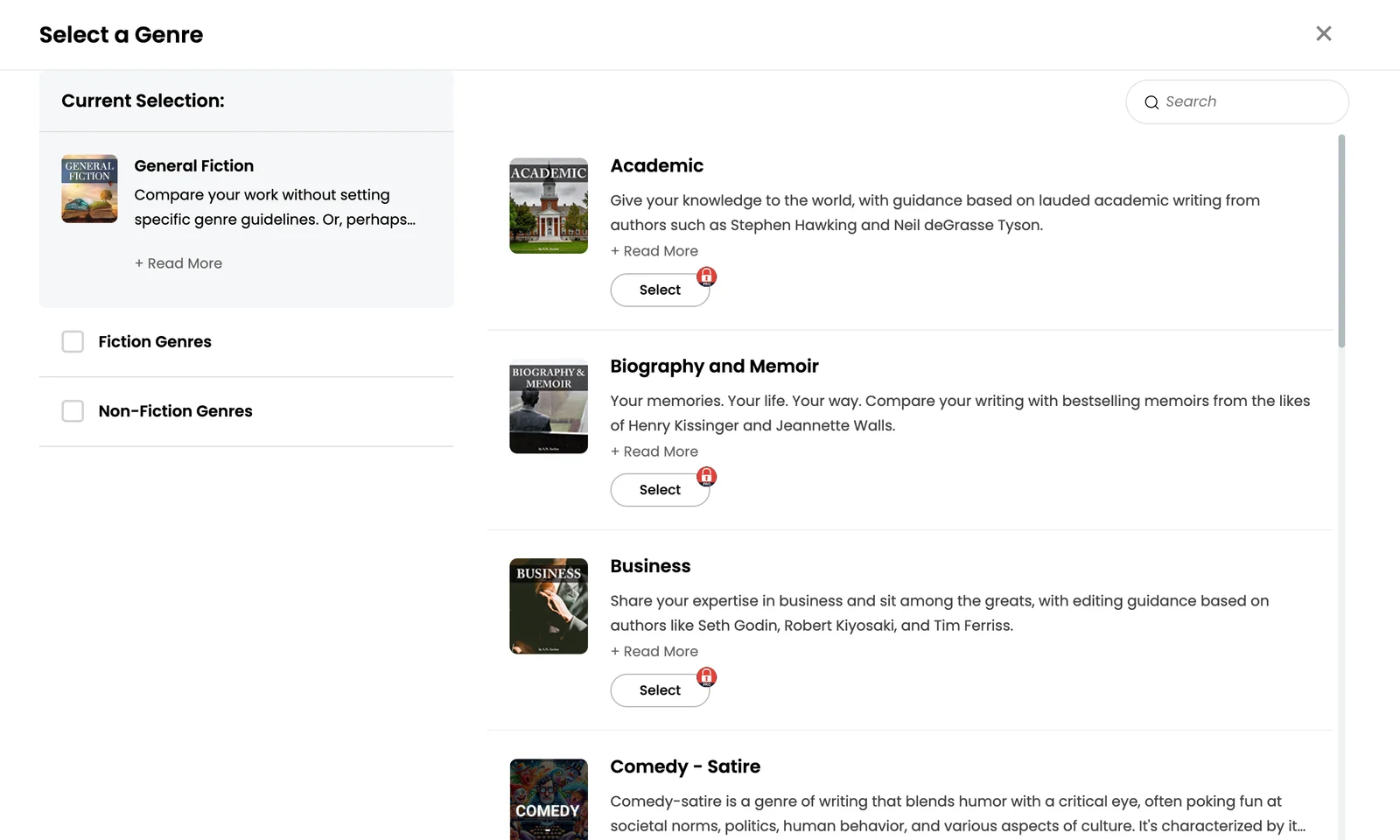
The free reports only count. The Adverbs report found 30 adverbs (words like "slowly" or "perfectly"), where novels average 24, and told us to cut about one of each. It also suggested removing all 8 uses of "large", even where Taylor uses it to measure ("a large part of the organization of employers"). AutoCrit rewrites nothing.
Is ProWritingAid good book editing software for nonfiction?
ProWritingAid checks your style and can rewrite sentences with AI. Its Chapter Critique reads one chapter and comments on characters, plot and pace (help page). That feature is not on the free plan, which runs each report twice a day and allows 10 AI rewrites a day (pricing page).
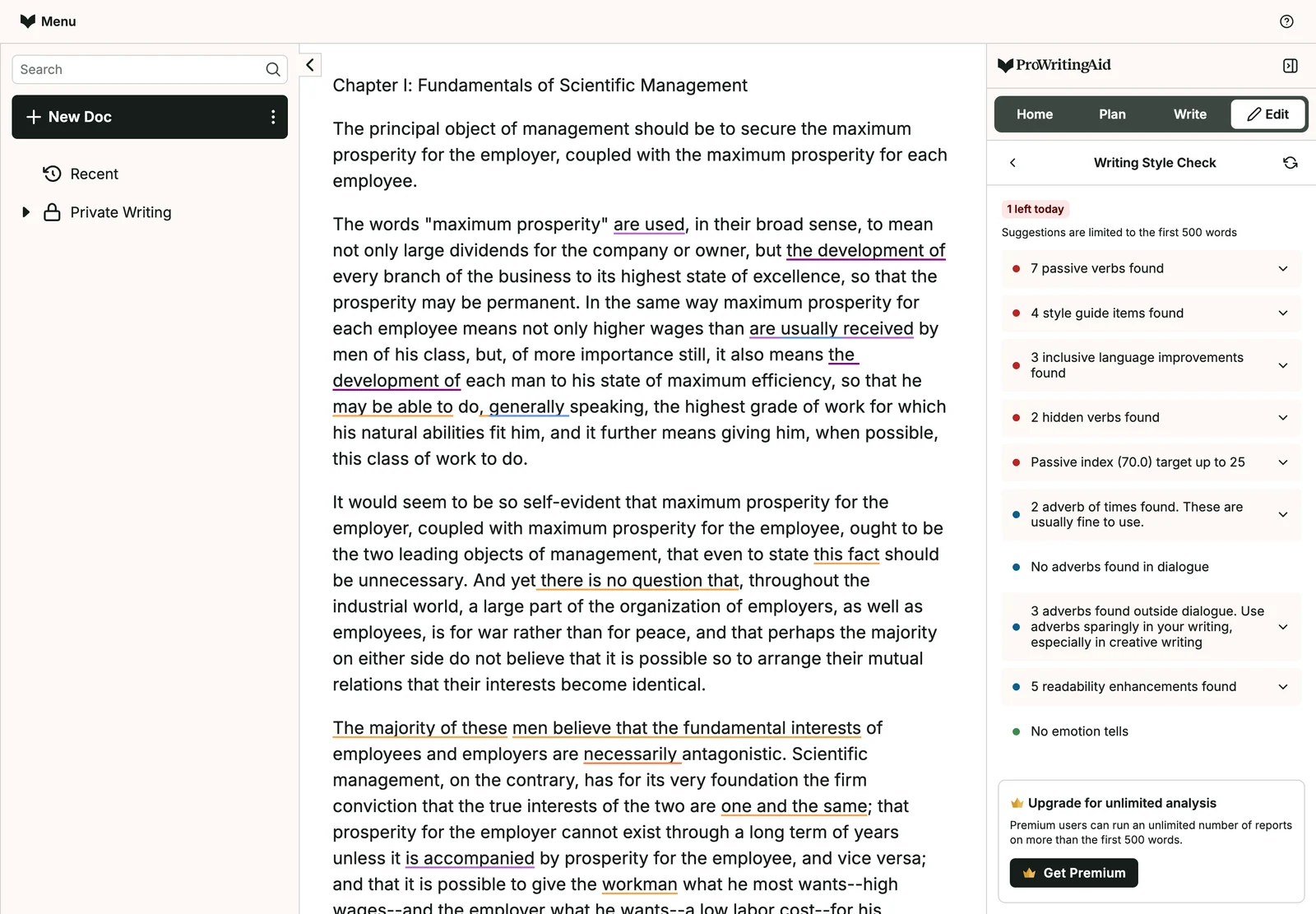
In our test the free plan stopped after the first 500 words. In those words the Grammar report found 7 problems, and 4 of them were the old double hyphens. The style report was the most detailed in the test. It found 7 passive verbs (like "are used", where nobody does the action), cut "may be able to" to "may", and offered "worker" for "workman".
Can Grammarly edit a book?
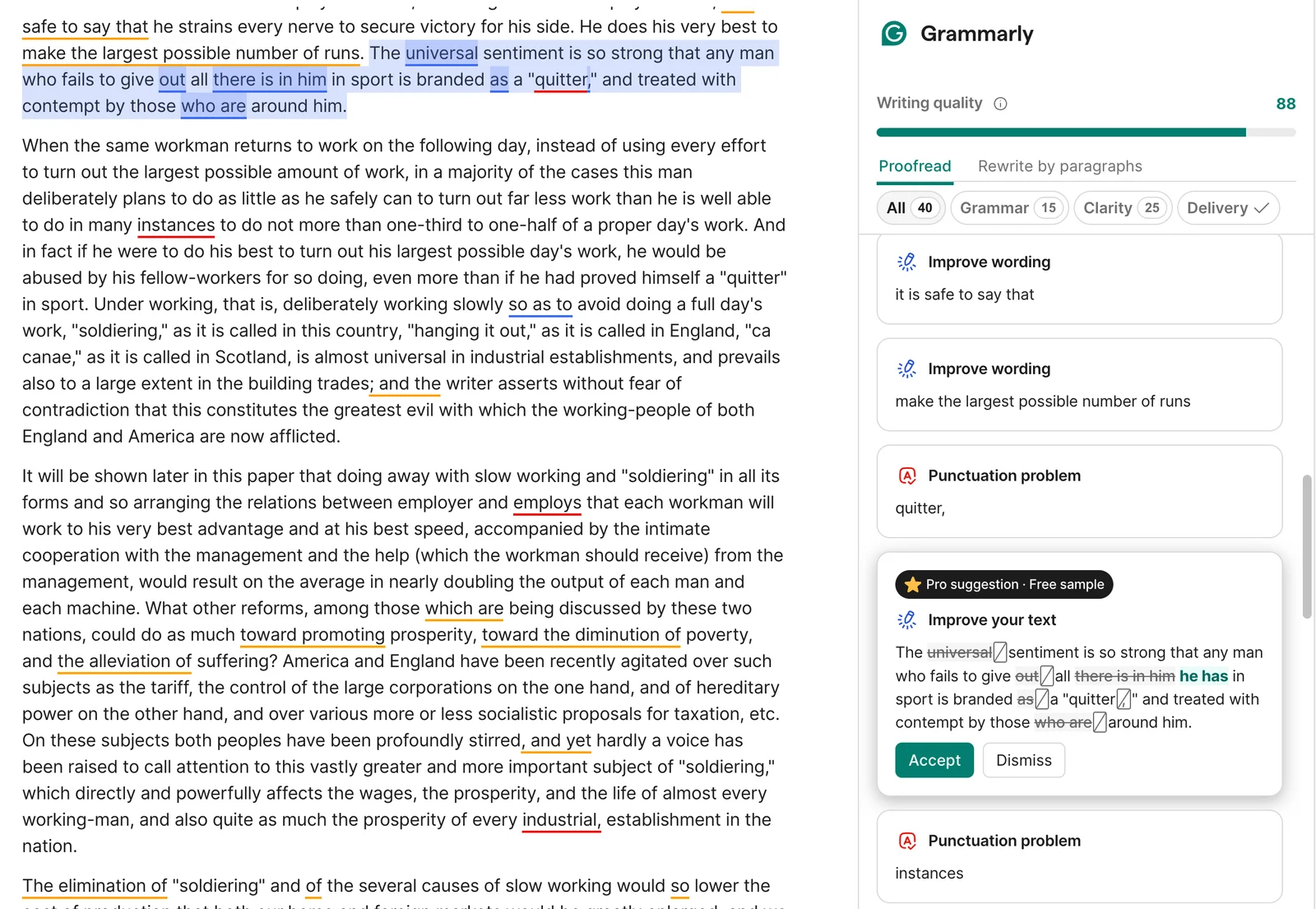
Grammarly was the only free tool that read the whole chapter: 40 problems, 15 in grammar and 25 in clarity. Four were British spellings of American words, because our account was set to British English, so switch that setting first. The most useful flags were wordy phrases like "in order that" and three long sentences it offered to split.
For a whole book, Grammarly's limitations page allows every account 50,000 words a day and 150,000 words in 30 days, free or paid. Three checks of a 60,000-word book use up the whole month. More in our ProWritingAid vs Grammarly comparison.
What does Ask AI do inside the Built&Written editor?
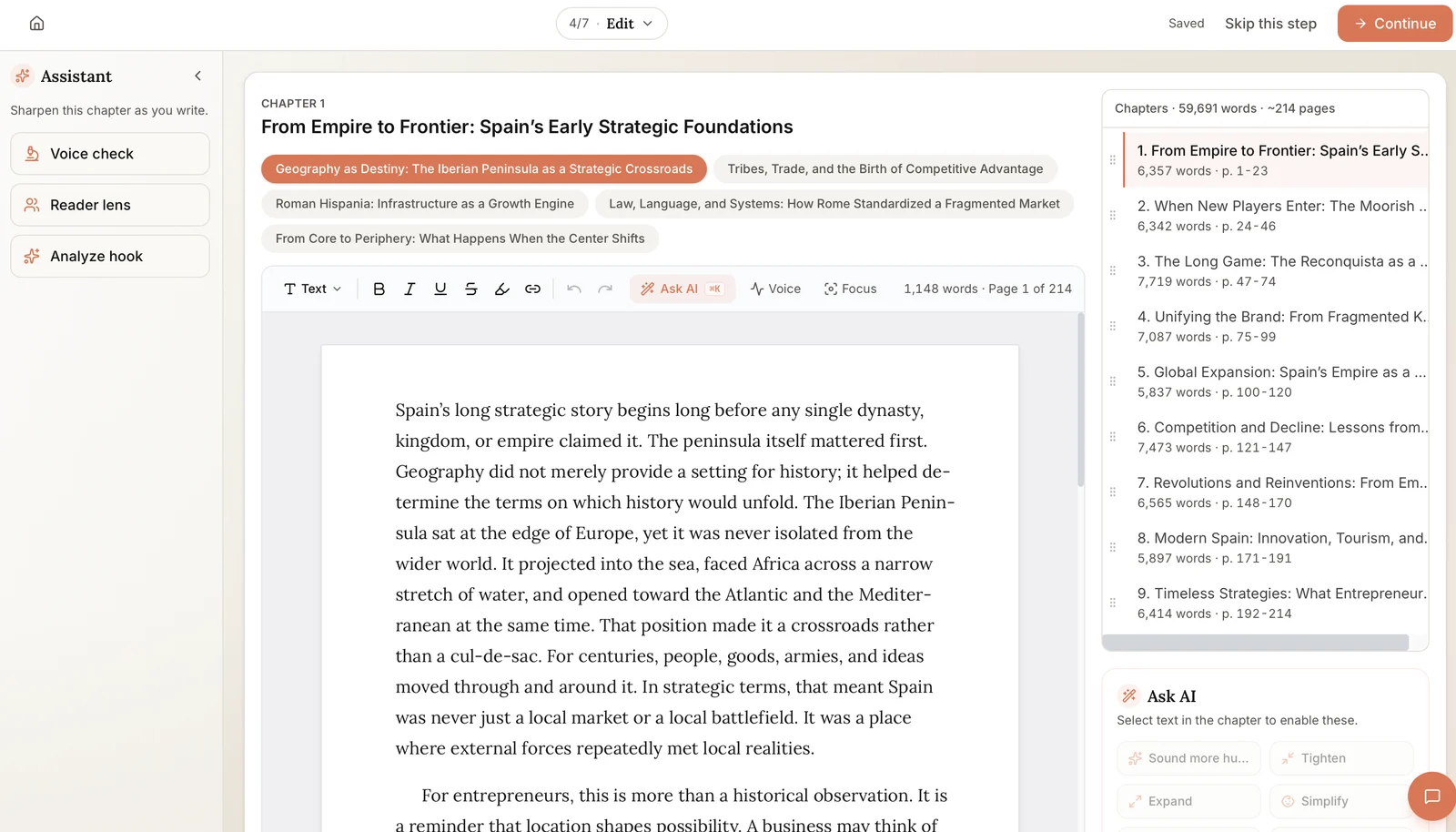
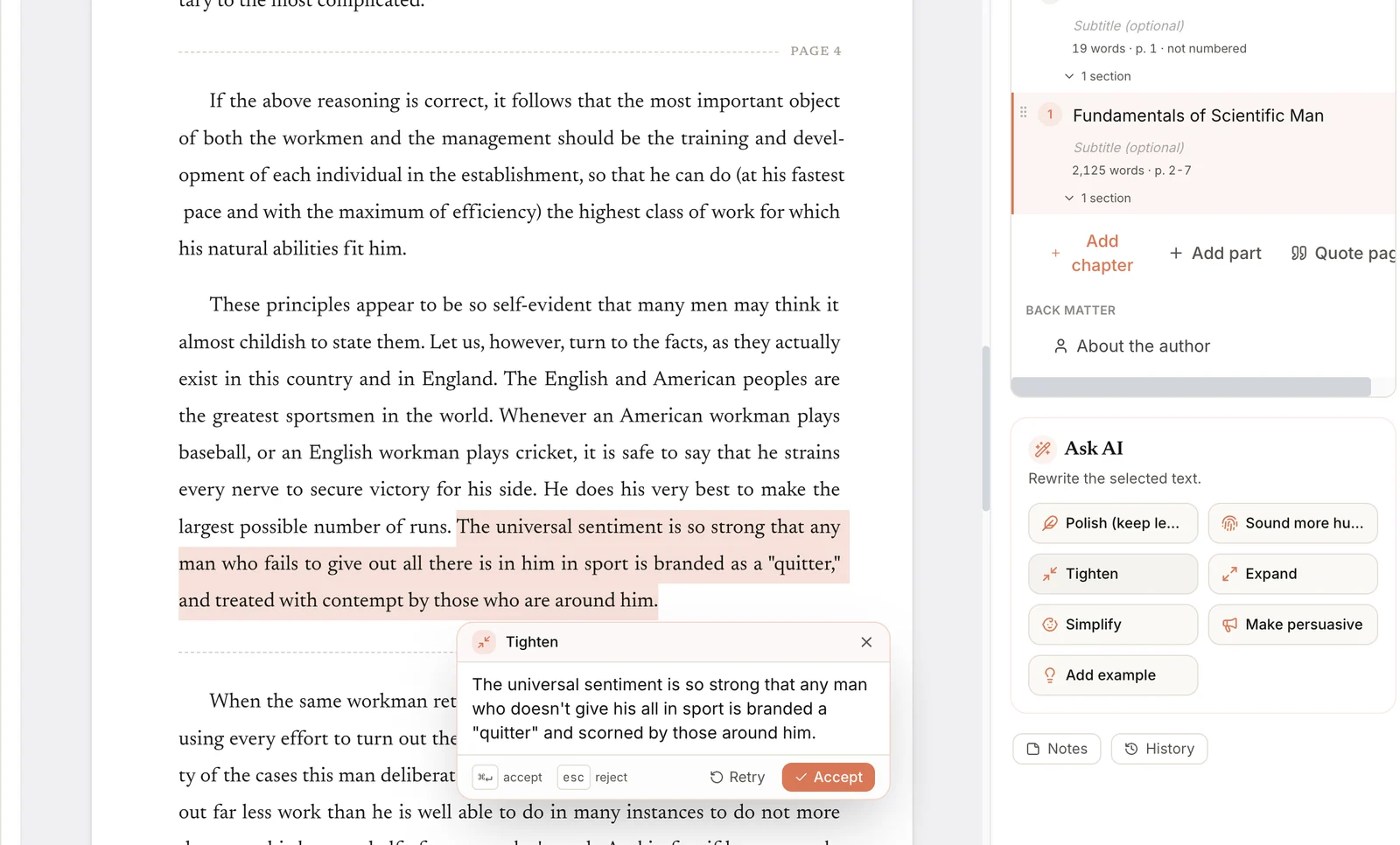
Ask AI works on the text you select. You pick from a menu: Polish, Sound more human, Tighten, Expand, Simplify, Make persuasive and Add example. It does not scan for mistakes; it rewrites the part you point at.
We uploaded the chapter and ran Ask AI on the sentences the other tools had rewritten. Polish on Taylor's "maximum prosperity" definition kept the definition as written and changed only punctuation and one connecting word ("but also"). Tighten cut the "quitter" sentence from 36 words to 26. It kept "universal", the word Grammarly deleted, and made the wording more modern ("doesn't give his all"). Nothing changes until you press Accept, so you compare first: the habit that would have saved all three examples below.
Where would accepting the AI edit have weakened the chapter?
Three places where clicking Accept would have made the chapter worse:
Example 1: The word that carries the claim got deleted
Original: The universal sentiment is so strong that any man who fails to give out all there is in him in sport is branded as a "quitter," and treated with contempt by those who are around him.
Grammarly suggested: The sentiment is so strong that any man who fails to give all he has in sport is branded a "quitter" and treated with contempt by those around him.
Taylor's point is that the feeling is universal. Without that word the sentence loses its argument, and "all he has" shifts the meaning from effort to possessions.
Example 2: Deleting one adverb broke the sentence
Original: ...so that he may be able to do, generally speaking, the highest grade of work for which his natural abilities fit him...
ProWritingAid suggested: delete "generally" (its adverb rule)
Accept it and the sentence reads "do, speaking, the highest grade of work". The rule saw only the -ly word, not the phrase.
Example 3: The author's definition became a claim about other people
Original: The words "maximum prosperity" are used, in their broad sense, to mean not only large dividends for the company or owner, but the development of every branch of the business to its highest state of excellence...
ProWritingAid's AI Rephrase suggested: People use the words "maximum prosperity" in their broad sense to mean not only large dividends for the company or owner, but also the development of every branch of the business...
Taylor is defining his own term; the rewrite, triggered by a passive-voice flag, turns it into a claim about how other people use the words.
Tip: Read each edit out loud next to the original; if anyone could have written it, reject it. Our 6 signs AI writing doesn't sound like you helps you spot the pattern.
Can AI edit a whole book?
Not the way a human editor does. Every tool here works a sentence, a selection or at most a chapter at a time, so three problems stay out of reach:
- Structure: whether the chapters come in the right order and the promise of chapter 1 is kept by chapter 9.
- Argument: whether a claim is supported and the evidence fits the point.
- Repetition across chapters: the same story in chapter 2 and chapter 7.
None of the four caught anything like this. That is the job of a developmental editor. A developmental editor is a human who reads your whole book and fixes its structure and argument. Pay for one when the book is the main asset behind your business. Our guide to book editing services explains the options.
Built&Written does not find these problems for you either, but it keeps the whole book in one place, so a structural fix is easy once you spot it. You edit the outline before any chapter is written. With a finished manuscript, the Structure step lets you rename, merge or split chapters.
How much does book editing software cost?
| Tool | Free version | Main paid plan | Higher tier |
|---|---|---|---|
| AutoCrit | Free Forever: no word limit; Adverbs, Word Choice and Readability tools | Pro: $30 a month, or $15 a month billed yearly | none listed |
| ProWritingAid | Line-editing reports twice a day; 10 rephrases a day | Premium: $30 a month, or $120 a year; $399 lifetime | Premium Pro: $36 a month, or $144 a year; $699 lifetime |
| Grammarly | Spelling, grammar, tone detection, 100 AI prompts a month | Pro: $30 a month, $60 a quarter, or $144 a year | Enterprise: contact sales |
| Built&Written | Free tier | See pricing |
Sources: AutoCrit pricing, ProWritingAid pricing, Grammarly plans and Grammarly Pro billing. ProWritingAid shows the same figures in the visitor's currency. Checked October 17 and 18, 2026.
Which AI book editor scores best on the KDP-Ready Stack Test?
Our KDP-Ready Stack Test scores the four stages of getting a nonfiction book onto Amazon: Planning, Production, Packaging and Publishing. We scored the three editors on editing only, the part we tested.
| Tool | Stage we scored | Result in our test | Best at |
|---|---|---|---|
| AutoCrit | Production (editing) | Counts adverbs and generic words; free plan compares with fiction only | Genre comparisons for fiction |
| ProWritingAid | Production (editing) | Deepest style reports; free plan stops at 500 words | Detailed style editing on a paid plan |
| Grammarly | Production (editing) | Checked all 2,125 words free; full-sentence rewrites cut meaning | Fast correctness across email, docs and the browser |
| Built&Written | Planning, Production, Packaging, Publishing | Ask AI kept the author's key words; no whole-book scan | Getting from notes to a finished, formatted book |
Which book editing software should you pick, and what next?
Your manuscript is finished. Edit the sentences, then format the book:
- Set Grammarly to American English and run one chapter at a time through the free plan. Compare every rewritten sentence with your original.
- For a deeper style edit, pay for one month of ProWritingAid (it works in Word, Google Docs and Scrivener).
- Skip AutoCrit's free plan: it compares a business book with novels.
- Upload the edited .docx with "Upload my finished book" in the Built&Written editor. Your words stay exactly as written, the layout is rebuilt for print, and the print PDF and KDP ZIP download on any paid plan.
Your book is still in posts, notes or transcripts. Build it first and edit last:
- Put your material in one document (up to 50,000 words) and choose "Build my book".
- Fix the outline before any chapter is written: structure is what no AI editor could see in our test.
- Let the chapters be drafted in your voice with Voice DNA. AI writing needs the Entrepreneur plan or higher (pricing).
- Fix passages with Ask AI as you go, then export the DOCX for one Grammarly pass.
Our free Word Count to Pages calculator shows your printed page count.
Final thoughts
AI editors are worth running on a finished chapter, and Grammarly's free pass was useful. But every full-sentence rewrite in our test needed a human check, and no tool could judge the book's structure.
So decide the structure first, write in your own voice, and use an editor last. Built&Written covers the first two:
- An outline you edit first. Chapter order is settled before a single chapter is drafted.
- Your voice, not a generic one. Voice DNA learns from a few pages of your own writing.
- Edits you control. Ask AI rewrites only the passage you select, and you press Accept or Retry.
- Files ready for Amazon. A print PDF and KDP ZIP, with EPUB (the ebook file) and DOCX on Entrepreneur and up. You upload them to KDP yourself.
Frequently asked questions
Yes. AutoCrit, ProWritingAid and Grammarly use AI to suggest edits on text you have written. None of them replaces a human editor for structure and argument.
Only chapter by chapter, and none of the tools we tested judges the structure or argument of the whole book.
Partly, and only on Pro: on the free plan, our business chapter was compared with General Fiction.
Grammarly, for a correctness pass: its free plan checked all 2,125 words of our chapter, while ProWritingAid's free reports stopped at 500 words and AutoCrit's only counted words against fiction (as of October 18, 2026).
Sources & References
- Project Gutenberg: The Principles of Scientific Management by Frederick Winslow Taylor
- AutoCrit: Pricing
- ProWritingAid: Pricing
- ProWritingAid Help: Is Chapter Critique included in Premium and Premium Pro?
- Grammarly: Plans
- Grammarly Support: How much does Grammarly Pro cost?
- Grammarly Support: What are the limitations when using Grammarly?
- Amazon Kindle Direct Publishing
About the author

Khrystyna Balushka
More in AI Book Tools
Ready to write your book?
Turn your expertise into a professional book with Built&Written.