

Atticus vs Scrivener for Nonfiction: Which Wins in 2026?
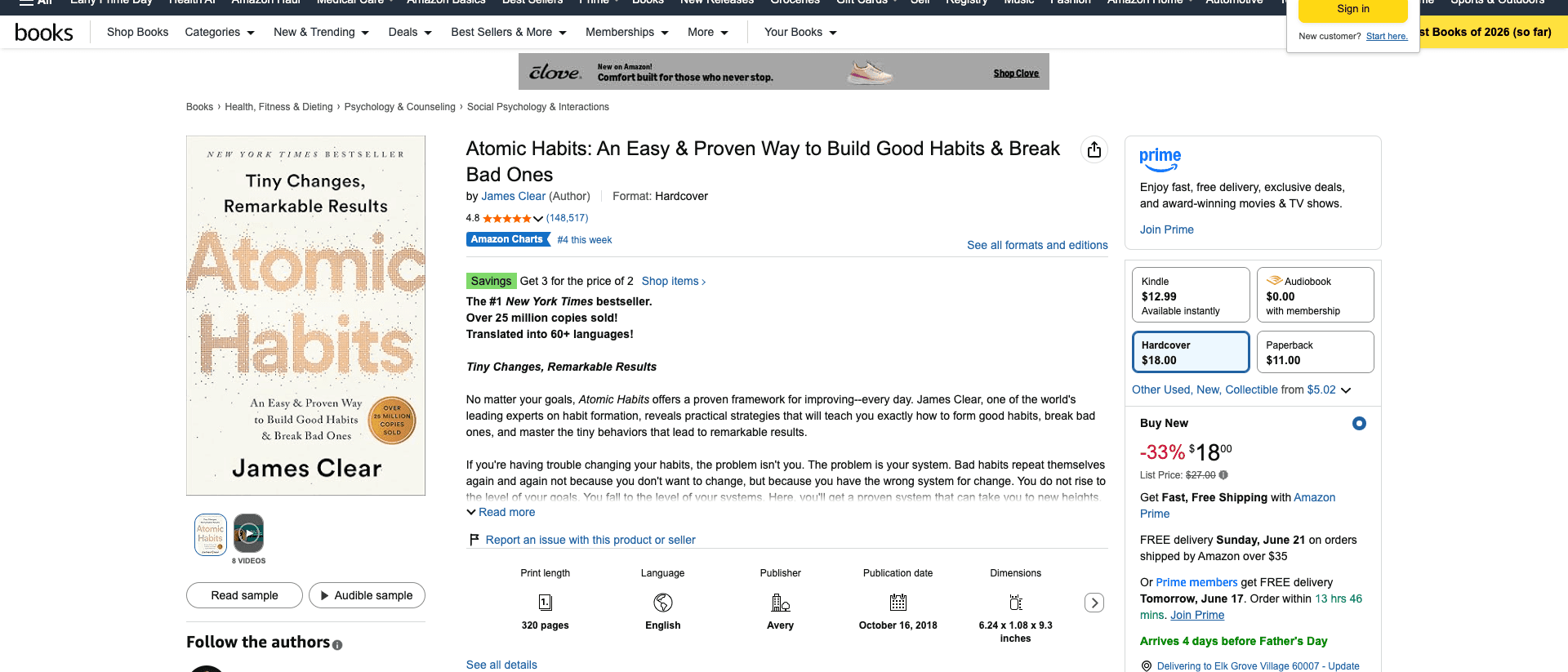
In 2018, James Clear published Atomic Habits, a book that grew out of years of essays he had already shipped in his free weekly newsletter. It has since sold more than 15 million copies and made him one of the most cited nonfiction authors alive.
Every founder, coach, and consultant in 2026 is sitting where Clear sat before the book. You have LinkedIn posts, client notes, podcast transcripts, half-finished Google Docs. What you do not have is the book. And the two names you land on when you shop for software are Atticus and Scrivener.
So here is the honest answer to "Atticus vs Scrivener," before the 6,000 words that back it up. Atticus ($147 one-time) wins on print-ready formatting. Scrivener ($59.99 one-time) wins on organizing a long, complex draft. Neither one assembles a book from content you already have. That gap is the whole story.
Key takeaway: For nonfiction authors and founders in 2026, Atticus wins on print-ready formatting and Scrivener wins on organizing a long, complex manuscript. Neither tool assembles a book from content you already have. Score both against the Nonfiction Build Stack: Capture, Assemble, Format, Output. Atticus owns Format and Output. Scrivener owns Assemble. Built&Written owns Capture and Assemble, then formats KDP-ready.
This is a comparison, not a takedown. Atticus and Scrivener are both good at the jobs they were built for. The problem is that most entrepreneurs misread which job they actually need done. They think they have a writing problem. They have an assembly problem. Pick the wrong tool for that and you spend three months learning software instead of publishing a book.
We tested both end to end, from a folder of raw content to a file a printer would accept. Here is what each one is for, where they overlap, where they do not, and which one a nonfiction author should actually open in 2026.
TL;DR: Atticus vs Scrivener at a glance
| Atticus | Scrivener | |
|---|---|---|
| Built for | Formatting and exporting a finished manuscript | Organizing and drafting a long manuscript |
| Price | $147 one-time | $59.99 one-time (standard license) |
| Platforms | Web-based, works on any OS | macOS, Windows, iOS (separate apps) |
| Learning curve | Low (a day) | High (a week or more) |
| Writing tools | Basic, clean editor | Deep: corkboard, binder, outliner |
| KDP-ready export | Yes, strong | Possible, but the Compile step is painful |
| Cover design | No full designer | No |
| AI assembly | No | No |
| Best for | Authors who have a draft and need it print-ready | Authors organizing a big, messy manuscript |
Methodology: We ran the same nonfiction project (a 45,000-word business book assembled from real LinkedIn posts and client notes) through both tools. We scored each on four jobs a book actually requires: getting raw content in, turning it into a structured manuscript, formatting it for print, and exporting a file Amazon KDP accepts. We also priced each at its real 2026 cost and timed how long a non-technical founder took to reach a usable export. No tool paid for placement. Built&Written is our product, and we say so wherever it comes up.
Why most nonfiction books die in the gap between idea and manuscript
Here is the pattern we see over and over. A coach decides to write a book. She buys a writing app. She opens it, stares at a blank project, and three weeks later she has organized her folders beautifully and written almost nothing. The tool was never the problem. The tool assumed she already knew how to turn her expertise into chapters. She did not. Almost nobody does.
Nonfiction by experts has a specific failure mode. The author is not short on knowledge. A coach with five years of practice could talk for forty hours straight about her method. The problem is shape. A book needs an argument, a sequence, a through-line. Forty hours of talking is not a book. A folder of 200 LinkedIn posts is not a book. The expertise is real and the book is missing, and the distance between them is the work nobody wants to do.
Picture a specific case. An executive coach we work with had eight years of client work, a paid newsletter, and roughly 300 LinkedIn posts. She had more raw material than most published authors ever produce. She bought a writing app, opened a fresh project, and froze. The blank screen did not ask her to assemble what she had. It asked her to write something new, from nothing, on a Tuesday night after a full day of calls. She wrote for two weeks, hated all of it, and quit. Her material never made it into the tool. The tool was waiting for a manuscript she had not built yet, and it had no way to help her build it. That is not a discipline problem or a talent problem. It is a stage problem. She was stuck at Assemble, and her software only worked at Format.
Writing software was designed for a different person. It was designed for the writer who already knows the shape of the thing and needs a place to type it. Scrivener, in particular, is a writer's tool in the most literal sense. It was built by a frustrated novelist for other novelists. Novelists tend to know their structure or to discover it through drafting. A founder writing a methodology book is not drafting a novel. She is assembling an argument out of material she has already produced and forgotten she produced.
Atticus sits at the other end. It assumes the manuscript exists. Its whole reason to exist is to take a finished draft and make it beautiful and printable. Atticus is excellent at that. It is also useless to a coach who has 200 posts and no manuscript, because it has nothing to format yet.
This is the gap. On one side, organizing tools that wait for you to write. On the other, formatting tools that wait for you to finish. In the middle, the actual hard part: turning content you already have into a structured draft. We tested AI book tools across this exact gap in our end-to-end test of AI book writing tools for KDP, and the gap is where most of them fall apart too. The coach who understands this gap picks tools deliberately. The coach who does not buys Scrivener, learns it for a month, and still has no book.
A book matters for this audience because of what it does after it is published. Coaches do not write books to earn royalties. They write books to change how prospects see them. A book turns a $3,000 cold-outreach client into a $30,000 inbound retainer, because the prospect arrives already convinced. That math only pays out if the book actually ships. A book stuck in Scrivener earns nothing. The whole game is closing the gap fast and getting to print.
The Nonfiction Build Stack: the four stages every book moves through
Every nonfiction book, no matter the tool, moves through four stages. We call this the Nonfiction Build Stack. It is the lens that makes the Atticus vs Scrivener question answerable, because it shows you exactly which stage each tool covers and which stage you are actually stuck in.
The four stages are Capture, Assemble, Format, and Output.
Stage 1: Capture. Getting your raw material into one place. The notes, the posts, the transcripts, the voice memos, the old documents. For most experts this material already exists. It is scattered, but it exists. Capture is the act of pulling it together so a tool can work on it.
Stage 2: Assemble. Turning that pile into a structured manuscript. A chapter outline. A through-line. Sections in an order that builds an argument. This is the stage where expertise becomes a book. It is the hardest stage and the one no traditional writing app does for you.
Stage 3: Format. Making the manuscript print-ready. Trim size, margins, gutters that grow with page count, running headers, chapter openers, consistent typography. Boring, technical, and unforgiving. Amazon will reject a file that gets the margins wrong.
Stage 4: Output. Producing the actual files. A print-ready PDF for paperback, an ePub for Kindle, and ideally the listing metadata to publish. This is the finish line.
Here is how the two tools score against the Stack.
| Stage | Atticus | Scrivener |
|---|---|---|
| Capture | Weak (paste only) | Weak (paste or import, then manual sorting) |
| Assemble | None | Strong (its core strength) |
| Format | Strong | Weak (Compile is clunky) |
| Output | Strong (PDF + ePub) | Partial (export works, quality varies) |
Read that table again, because it is the entire article. Scrivener owns Assemble. Atticus owns Format and Output. They are not really competitors. They are two halves of one workflow. The reason people pit them against each other is that both get marketed as "the tool to write your book," and neither one writes your book. Each one does a different third of the job.
The stage almost every entrepreneur is stuck in is Capture-to-Assemble. You have the material (Capture is nearly done) and you cannot turn it into a draft (Assemble is the wall). Scrivener helps you organize the assembly if you already know your structure. It does not propose the structure. Atticus does not touch this stage at all. That is why so many founders buy one of these tools, feel productive for a week, and still have no manuscript a month later. They bought a Format tool or an Assemble-organizer when they needed something to do the Assemble for them.
What Atticus is actually built for
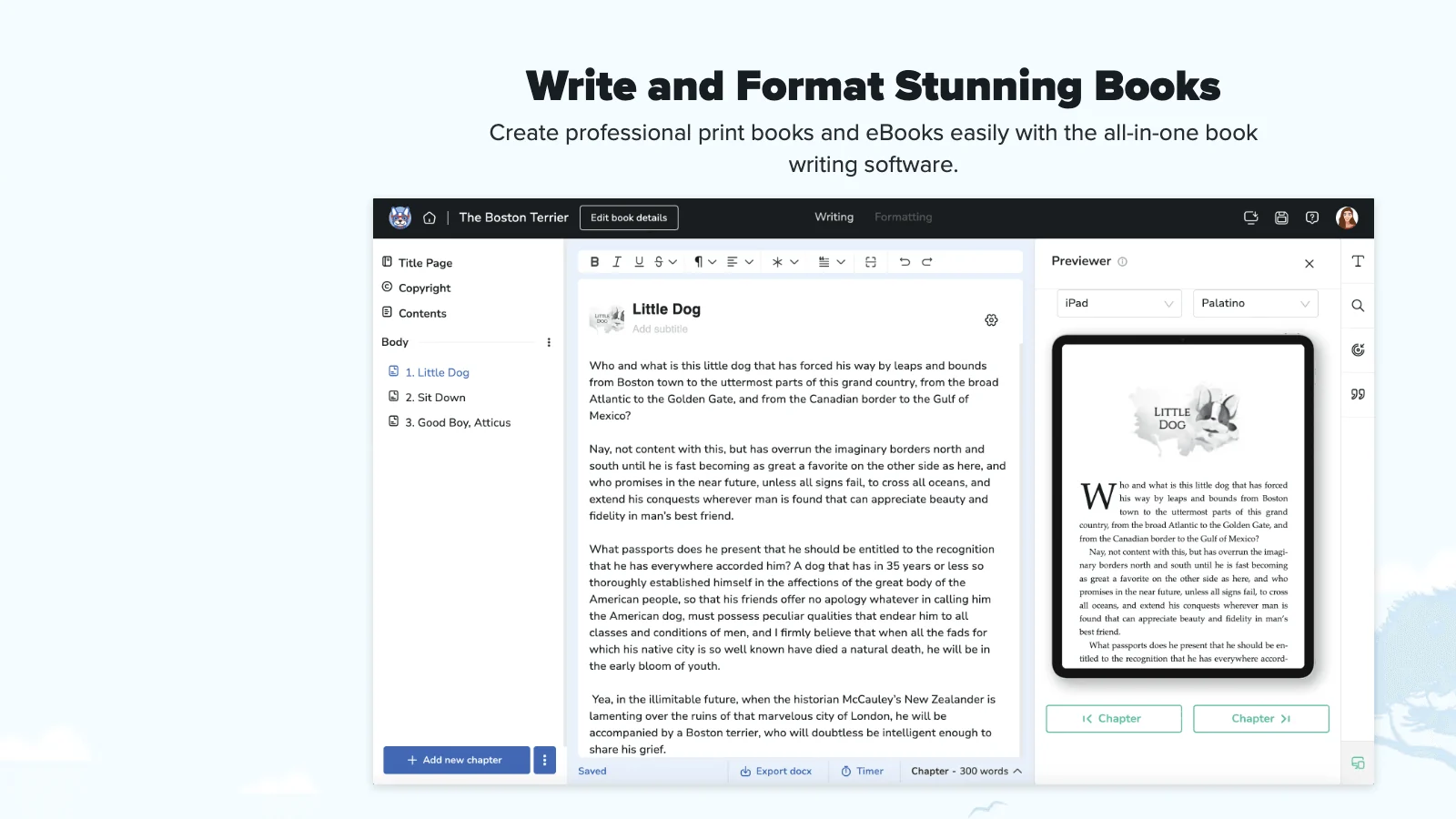
Atticus is a formatting and writing app made by the team behind Kindlepreneur, the self-publishing education site run by Dave Chesson. It launched in 2021 as a cross-platform answer to Vellum, the Mac-only formatting tool that self-publishers loved and Windows users could not buy. Atticus runs in the browser, which means it works on Windows, Mac, Linux, and Chromebook. For the millions of authors who were locked out of Vellum because they did not own a Mac, that alone made Atticus worth the price.
What it does well. Atticus formats beautifully. You drop in a manuscript, pick a theme, and it handles trim size, margins, chapter headings, drop caps, scene breaks, and front and back matter. The output is a clean print PDF and a clean ePub. For a nonfiction author who already has a finished draft in a Word document, Atticus is one of the fastest ways to a KDP-ready file. We go deep on this in our comparison of the best book formatting tools for KDP, and Atticus consistently lands near the top for ease.
Atticus also bundles small extras that writers like. A built-in goal tracker counts your daily words. A clean focus mode strips the interface down when you want to type without distraction. Collaboration and sharing let a co-author or editor look at the same project. None of these are the reason to buy Atticus, but they round out the experience for someone who wants one calm place to finish and format a book. The themes are the real draw: a few clicks swap the entire interior look of the book, and what you see on screen is close to what prints.
The price. $147 as a one-time purchase. No subscription. You pay once and own it, including future updates. Compared to Vellum at $249, Atticus undercuts the main alternative while running on every operating system. For a writer who only needs formatting, the value is real.
Where it falls short. Atticus has a writing editor, and it is fine, but it is not why anyone buys Atticus. The editor is a clean place to type. It does not help you decide what to type. There is no chapter-structure proposal, no AI assembly, no way to turn a folder of posts into an outline. If you arrive at Atticus without a manuscript, you arrive too early. It also does not do real cover design. You can set a cover image, but designing the front-back-spine wrap with correct spine math is not its job. You handle covers elsewhere, in Canva or with a designer.
Best for. Authors who have a finished or near-finished draft and want it print-ready without learning desktop publishing. If your manuscript exists and you are choosing how to format it, Atticus is a strong, cheap, cross-platform pick. We compared it head to head with the Mac incumbent in Atticus vs Vellum for coaches, and for most nonfiction authors Atticus is the better buy.
The thing to be clear-eyed about: Atticus solves the Format and Output stages. If those are your problem, buy it today. If your problem is that you have no manuscript yet, Atticus will not help, and a coach who buys it expecting it to write the book will be disappointed for $147.
What Scrivener is actually built for
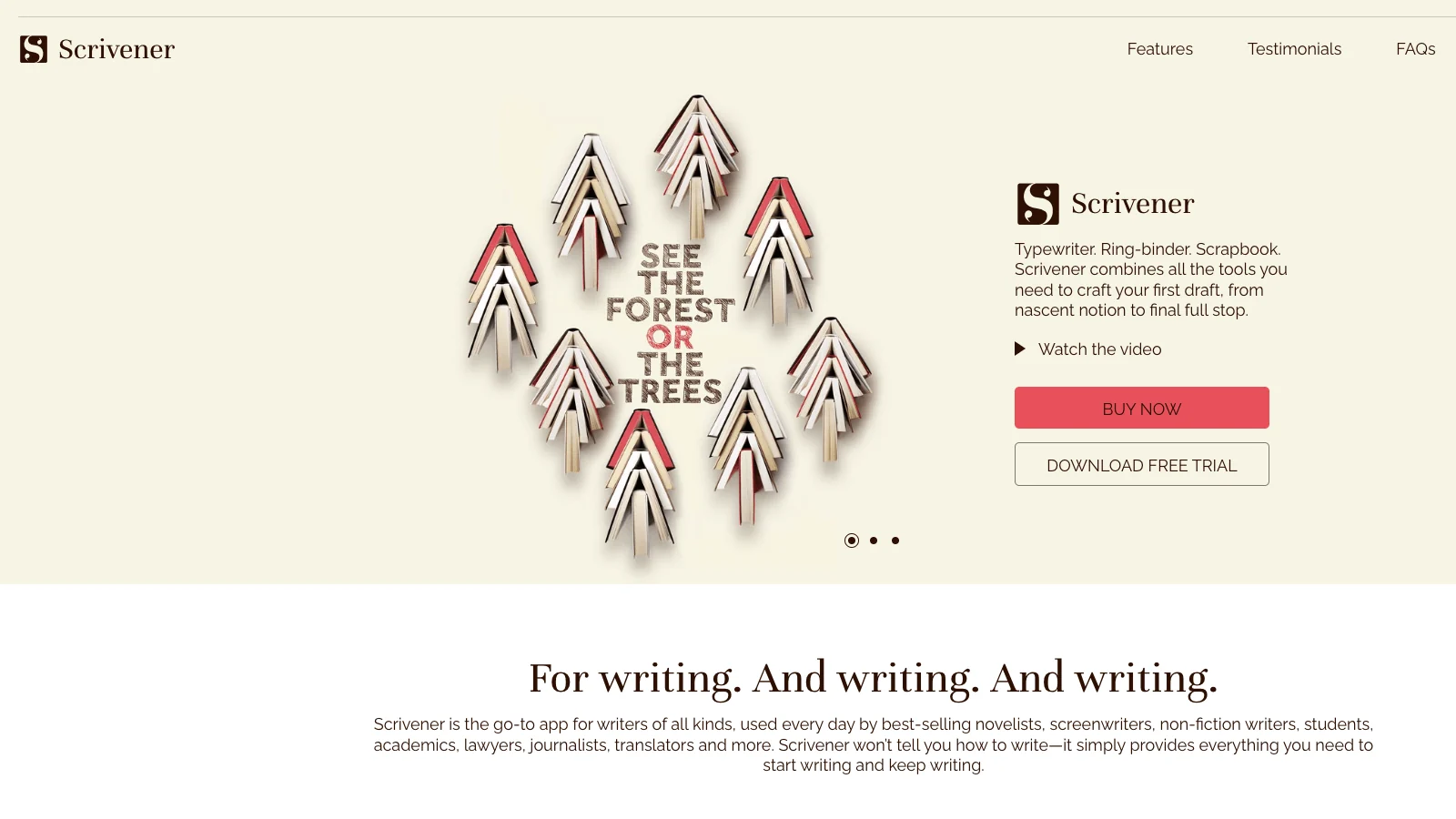
Scrivener, made by Literature & Latte, is the opposite tool. It is a manuscript organizer, and it is the best one ever made. It was created by Keith Blount, a writer who taught himself to code because no existing app matched how he actually wrote. Scrivener for Mac shipped in 2007, the Windows version followed, and it has been the serious writer's tool ever since. Long-form novelists, academics, screenwriters, and journalists run their lives in it.
What it does well. Scrivener treats a manuscript as a collection of pieces, not one long file. The Binder lets you break a book into chapters and scenes and rearrange them by dragging. The Corkboard turns each section into an index card you can shuffle. The Outliner gives you a bird's-eye view with word counts and status flags. You can hold research, notes, images, and reference PDFs inside the same project as your draft. For a writer wrestling a 90,000-word manuscript with a tangled structure, nothing else comes close. We broke down its strengths against the default tool most founders reach for in Scrivener vs Word for business books.
It is also the tool of choice for researchers and academics, and that tells you something about who it serves. Scrivener lets you keep source PDFs, interview notes, and reference images inside the project, beside the draft, so a writer juggling heavy research never leaves the app to check a citation. Snapshots save a version of any section before you rewrite it, so you can experiment without fear of losing the old draft. These are serious tools for serious manuscripts. They are also overkill for a founder writing a tight 30,000-word book assembled from posts she has already published.
The price. $59.99 for the standard macOS or Windows license, a one-time purchase. There is an educational discount around $50.99 and a separate iOS app near $23.99. A generous free trial runs on 30 non-consecutive days of use, so you can test it for real before paying. For the depth you get, $60 once is a bargain.
Where it falls short. Two real problems for nonfiction founders. First, the learning curve is steep. Scrivener does so much that opening it for the first time feels like sitting in a cockpit. Most people use a fraction of it and spend their first week learning the interface instead of writing. Second, the Compile step. Compile is how Scrivener turns your project into a finished file, and it is famously fiddly. Getting a clean, print-ready PDF out of Compile takes patience and trial and error. Many Scrivener users write in Scrivener and then move the manuscript to Atticus or Vellum just to format it, because Compile is not built for modern KDP print standards.
Best for. Writers organizing a large, structurally complex manuscript who are comfortable investing a week to learn powerful software. If you are drafting a 100,000-word book and you know roughly what it should contain, Scrivener will hold the chaos better than anything. If you are a founder with 200 LinkedIn posts and no idea how they become twelve chapters, Scrivener gives you a beautiful empty cockpit and waits.
That is the catch with Scrivener. It organizes the assembly. It does not do the assembly. It assumes you already know the shape of your book and just need a powerful place to build it. For experienced writers, that assumption holds. For first-time author-founders, it is exactly the wrong assumption, and it is why so many coaching books die in a half-organized Scrivener project.
Atticus vs Scrivener head to head: the comparison that actually matters
People search "Atticus vs Scrivener" expecting a winner. The honest answer is that they barely overlap, so the real question is which stage of the Build Stack you are stuck in. Here is the head-to-head on the dimensions that decide it.
Writing and drafting
Scrivener wins, clearly. Its organization tools are in a different league. If "writing" means structuring and managing a long manuscript, Scrivener is the better writing tool by a wide margin. Atticus has an editor, but it is a place to type, not a place to think through structure. Neither tool proposes chapters or generates a draft. Both wait for you to write.
Formatting and print-readiness
Atticus wins, clearly. Atticus was built to produce a print-ready PDF and a clean ePub, and it does. Scrivener's Compile can technically produce these files, but the quality is inconsistent and the process is painful. The proof is behavioral: a large share of serious Scrivener users still hand their finished manuscript to Atticus or Vellum for the final format pass. When the people who love a tool route around its export step, that step is the weakness.
Price and platform
Roughly a tie, with different shapes. Scrivener is $59.99 once and runs natively on macOS and Windows with a separate iOS app. Atticus is $147 once and runs in any browser on any OS. Scrivener is cheaper. Atticus is more universal and bundles formatting that Scrivener does not. If you only need organizing, Scrivener is the value pick. If you need formatting too, Atticus's $147 replaces both an organizer and a formatter for less than buying two tools.
Learning curve and time to publish
Atticus wins. A non-technical founder can learn enough Atticus to format a book in an afternoon. Scrivener takes most people a week to feel competent in, and longer to master Compile. For a busy entrepreneur whose real job is not writing, time-to-usable matters more than feature depth. We dug into realistic timelines in how long it takes to write a business book, and tool-learning time is a hidden tax founders underestimate.
Here is the full comparison
| Dimension | Winner | Why |
|---|---|---|
| Writing and structure | Scrivener | Binder, Corkboard, Outliner have no equal |
| Formatting | Atticus | Purpose-built for print-ready PDF and ePub |
| Price | Scrivener | $59.99 vs $147 |
| Platform reach | Atticus | Runs in any browser, any OS |
| Learning curve | Atticus | Usable in an afternoon |
| Cover design | Tie (neither) | Both punt covers to other tools |
| Turning content into a draft | Tie (neither) | Both wait for you to write |
| KDP listing help | Tie (neither) | Both stop at the file |
Look at the bottom three rows. Cover design: neither. Turning content into a draft: neither. KDP listing: neither. Those three rows are where most first-time author-founders are actually stuck, and the head-to-head winner of "Atticus vs Scrivener" does not help with any of them. That is the limit of framing this as a two-tool race.
Will Amazon KDP accept a book from either tool?
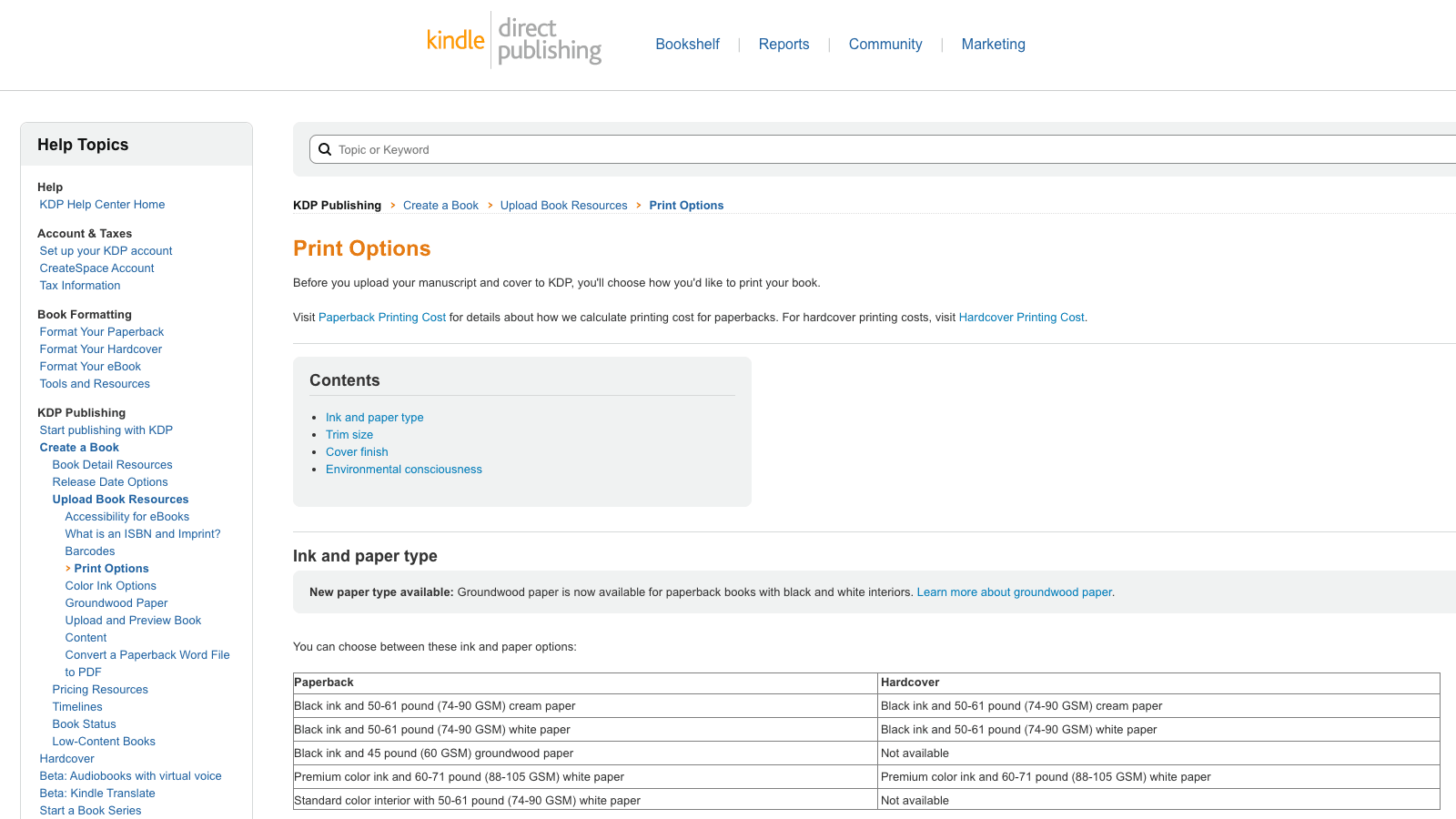
Yes, both. KDP does not care which software made your file. It cares whether the file meets its print and content specifications. Amazon KDP checks your interior PDF for correct trim size, adequate inside margins (which must grow as page count grows, to clear the spine glue), and proper bleed if you have images that run to the edge. Atticus produces files that clear these checks reliably. Scrivener can, but you will spend real time in Compile tuning settings to get there.
There is one more thing KDP cares about that neither tool touches: AI disclosure. Since 2023, KDP's content guidelines require you to tell Amazon during publishing whether your book contains AI-generated content. This is a disclosure, not a ban. KDP does not prohibit AI-assisted books. It asks you to declare them. So a book you assemble with AI help is fully publishable on KDP as long as you answer the disclosure question honestly. We cover the full publishing path in our step-by-step KDP guide.
The practical takeaway: KDP acceptance is a Format and Output question, and Atticus solves it more cleanly than Scrivener. But KDP acceptance is also the last 10% of the journey. The first 90%, getting to a manuscript at all, is the part neither tool solves and the part that stops most books. Getting your file accepted by Amazon is not your bottleneck. Getting to a file is.
The verdict: which should a nonfiction author pick in 2026?
Time for the decision tree. No hedging.
If you already have a finished manuscript and just need it print-ready, buy Atticus. $147, runs anywhere, formats cleanly, exports KDP-ready files in an afternoon. For the pure Format-and-Output job, it is the best value in the category. Do not overthink it.
If you are drafting a long, structurally complex book and you know roughly what goes in it, buy Scrivener. $59.99, unmatched organization, worth the week it takes to learn. If you are a working writer managing a big manuscript, nothing holds the chaos better. Then format the result in Atticus.
If you have the material but not the manuscript, neither tool is your answer, and this is most founders and coaches. You are stuck at Capture-to-Assemble. You have the posts, the notes, the transcripts, the expertise, and no structured draft. Atticus has nothing to format. Scrivener gives you an empty cockpit. What you need is a tool that does the Assemble for you: takes the content you already have and turns it into a structured, drafted manuscript in your voice.
That is the job Built&Written was built for, and it is why we keep returning to the Build Stack. You paste your LinkedIn posts, notes, and pasted podcast transcripts directly into the editor, or upload existing documents, or import from a URL. The AI proposes a chapter structure from your material, which you edit. Then it generates the manuscript chapter by chapter while Voice DNA keeps the writing sounding like you, not like a generic AI. That is the Capture and Assemble half that Atticus and Scrivener both skip. We compared this approach with the other AI tools in Built&Written vs Sudowrite vs Squibler for coaches.
Then Built&Written closes the other half too. It formats the manuscript KDP-compliant, handles trim size and margins and spine math, designs the cover, and exports a print PDF and an ePub. Its KDP Launch Co-pilot even generates the Amazon listing (title, subtitle, description, keywords, categories) and a launch-day LinkedIn post, then packages everything as a ZIP you upload to KDP yourself. One tool covers all four stages of the Build Stack instead of two tools covering two thirds of one.
There is a cost to picking the wrong tool that nobody puts on the price tag. It is the months. A coach who buys Scrivener to solve an assembly problem does not fail loudly. She fails slowly. She learns the interface, organizes her folders, writes a few sections, loses momentum, and tells herself she will get back to it next quarter. The $60 was never the expense. The expense was the year the book did not exist, the speaking slots it did not win, and the inbound clients who never read the thing that would have convinced them. For this audience the book is a pipeline, and a stalled book is a stalled pipeline. Choosing a tool that matches the stage you are stuck in is not a software preference. It is the difference between publishing this year and not.
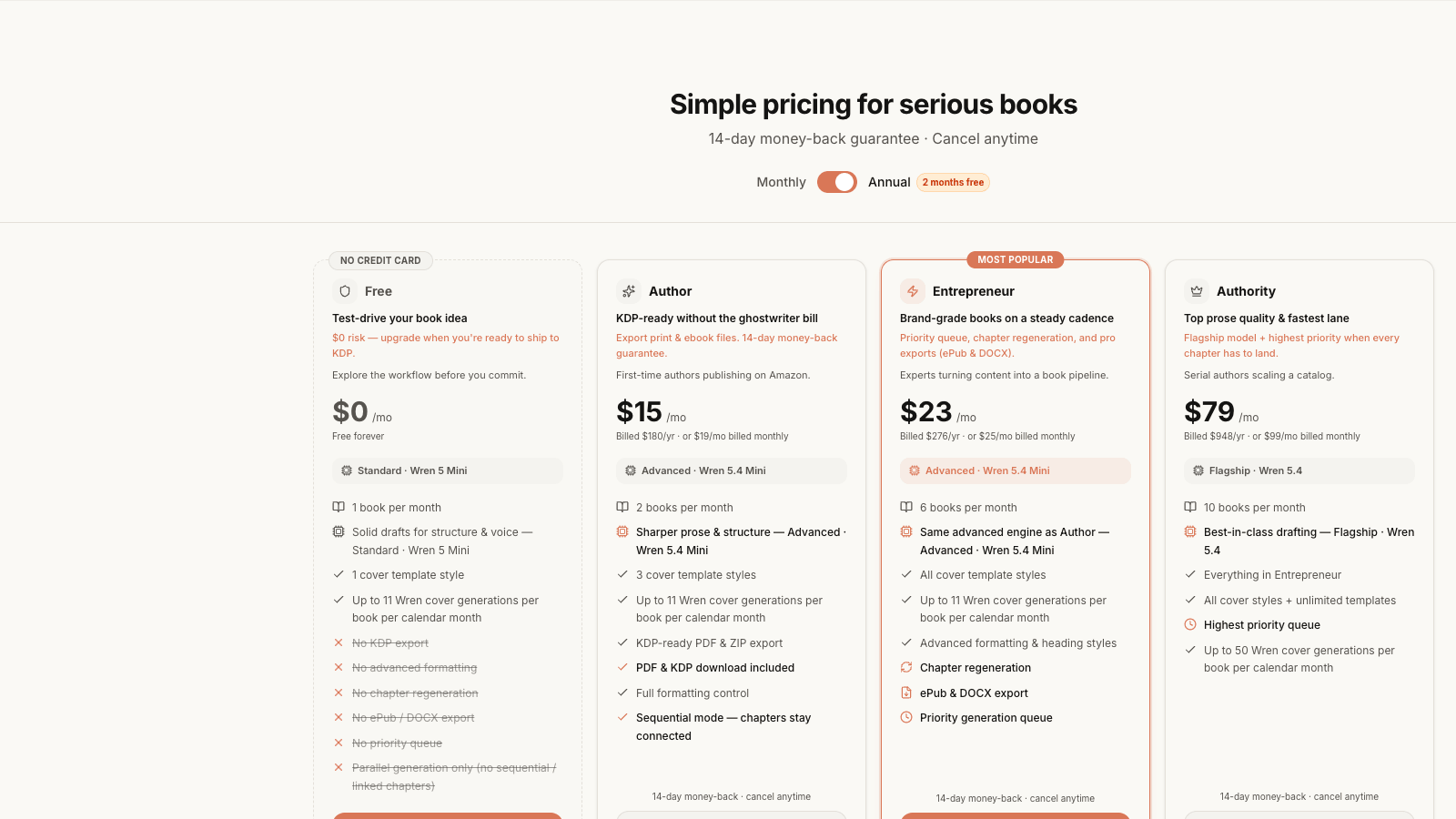
Be fair about the trade. Atticus formats more flexibly than any single integrated tool, with more themes and finer typographic control. Scrivener organizes a sprawling manuscript more powerfully than any assembly tool needs to. If formatting craft or deep manuscript management is your actual bottleneck, the specialist tools are better at their specialty. But for the founder whose bottleneck is "I have the content and no book," paying $147 for a formatter or $60 for an organizer solves the stage you are not stuck in. Built&Written, from $19/month with a free tier, solves the stage you are. We walk through that whole path in how to turn expertise into a book without a ghostwriter.
Key takeaways
- Atticus and Scrivener barely compete. Atticus formats a finished draft. Scrivener organizes a draft in progress. They solve different stages of the same workflow.
- Score any book tool against the Nonfiction Build Stack: Capture, Assemble, Format, Output. Atticus owns Format and Output. Scrivener owns Assemble (the organizing part). Neither does Capture-to-Assemble for you.
- Buy Atticus ($147 one-time) if you have a finished manuscript and need it print-ready fast on any operating system.
- Buy Scrivener ($59.99 one-time) if you are managing a large, complex manuscript and will invest a week learning it. Plan to format the result elsewhere, because Compile is its weak point.
- Both tools wait for you to write. Most founders and coaches are stuck before that, at turning existing content into a structured draft. That is the assembly gap.
- A coaching or founder book is a marketing asset, not a royalty play. The book only pays off when it ships, so the fastest path through the assembly gap is the one that matters.
- Built&Written covers all four stages: it assembles a draft from your existing content in your voice with Voice DNA, formats it KDP-ready, designs the cover, and generates the Amazon listing.
Sources & References
Frequently asked questions
For formatting, yes. For organizing a draft, no. They are built for different jobs. Atticus is the better tool once you have a finished nonfiction manuscript and need a clean, print-ready PDF and ePub. Scrivener is the better tool while you are still drafting and organizing a long, complex book. Most nonfiction authors end up wanting both jobs done, which is why many write in Scrivener and format in Atticus, or skip the two-tool dance with an assembly tool that does both.
No. Neither tool generates a draft or proposes a chapter structure. Both assume you bring the writing. Atticus gives you a clean editor and great formatting. Scrivener gives you powerful organization. If you have the material but not the manuscript, you need a tool that assembles a draft from your existing content, which is the gap Built&Written fills with AI generation plus Voice DNA to keep your voice intact.
Atticus is a one-time $147 purchase with no subscription, and it includes future updates. Scrivener's standard license is a one-time $59.99 for macOS or Windows, with an educational discount near $50.99 and a separate iOS app around $23.99. Scrivener is cheaper, but it only organizes. Atticus costs more because it also formats. Compare that to a business-book ghostwriter, who charges tens of thousands of dollars, and both tools are inexpensive for what they do.
No, as long as the file meets KDP's specifications. KDP checks trim size, margins, and bleed, not which software you used. Atticus produces compliant files reliably. Scrivener can, but its Compile step takes tuning. Separately, KDP requires you to disclose AI-generated content during publishing. That is a disclosure, not a ban, so an AI-assisted book is fully allowed if you answer the question honestly.
Some writers use both: Scrivener to draft and organize, Atticus to format the finished manuscript. That works, and it costs about $207 once for the pair. The downside is two tools to learn and a hand-off step between them, plus you still have to do the assembly yourself and design a cover elsewhere. A single tool that assembles, formats, and covers your book removes the hand-offs. Whether the two-tool path is worth it depends on whether you enjoy the craft or just want the book published.
The tool is rarely the slow part. With a finished manuscript, formatting in Atticus and uploading to KDP can take an afternoon. Learning Scrivener well enough to draft in it takes most people about a week. The real timeline is the writing itself, and for an expert assembling a book from existing material, that is usually weeks to a few months depending on how much help you have with the assembly stage. If you are starting from a pile of content rather than a blank page, the assembly step is what sets your timeline, not the formatting step.
For founders and coaches whose problem is turning existing content into a book, the best alternative is a tool that does the assembly, not just the writing or the formatting. Built&Written takes the LinkedIn posts, notes, and transcripts you already have, proposes a structure, drafts the manuscript in your voice, formats it KDP-ready, and generates the Amazon listing. For a pure formatting alternative, look at Vellum on Mac. For the full landscape, see our roundup of the best AI book writing software for nonfiction.
Sources & References
About the author

Mykhailo Druz
More in AI Book Tools
Ready to write your book?
Turn your expertise into a professional book with Built&Written.