
How to Write a Bible Study Book With AI and Keep It True to Scripture
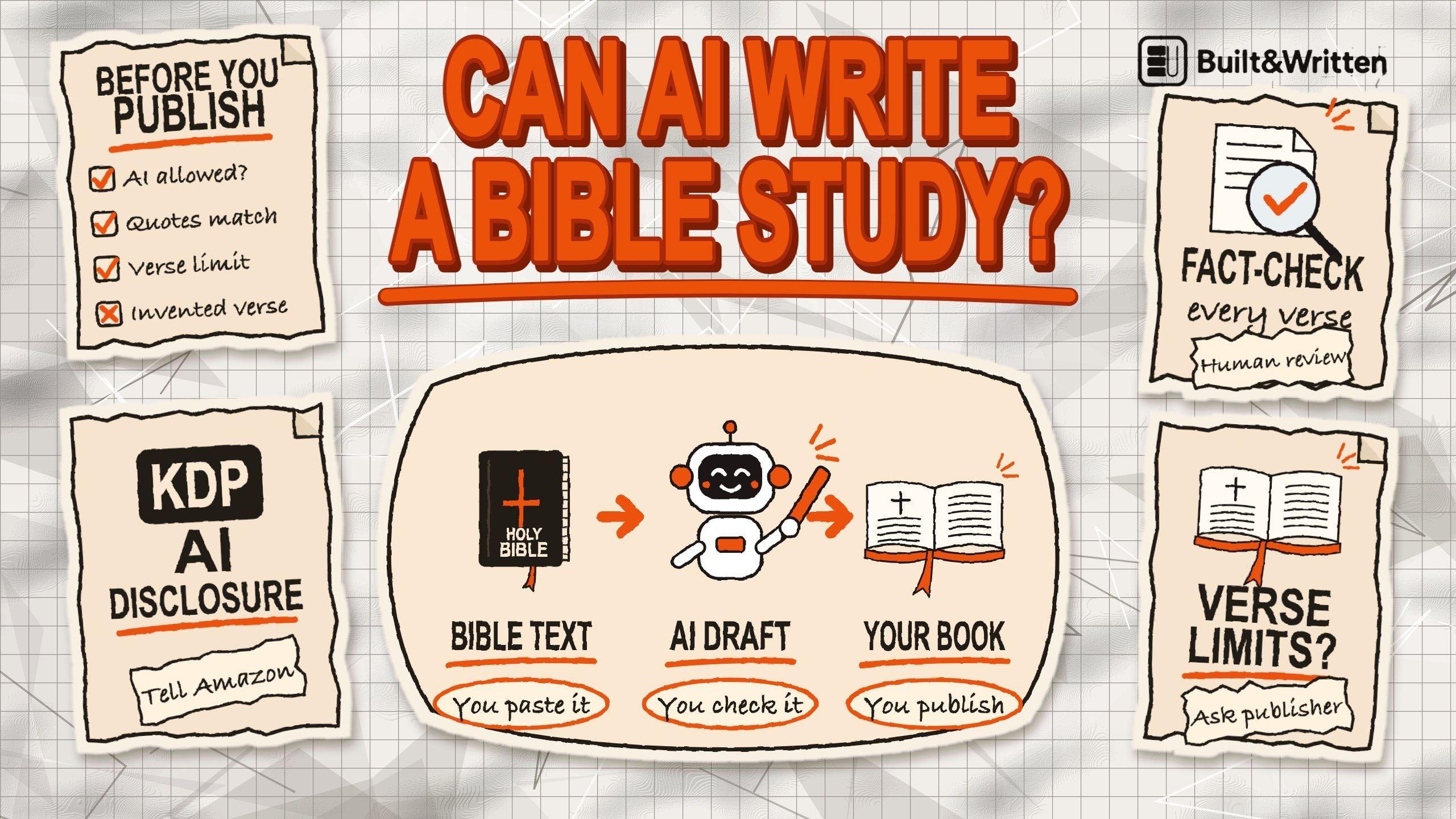
You can use AI to help write a Bible study book, but you should never rely on it as the source of Scripture. Always use an authorized copy of your chosen translation and check every quote against the original text. Before you give any passage to an AI tool, check that the publisher allows it, and answer Amazon KDP's AI questions truthfully.
This guide is for pastors, small group leaders, Bible teachers and anyone who wants to turn their lessons or study materials into a book. The pages that rank for "AI Bible study" are mostly chatbots that answer a Bible question for the reader. This guide is about the other job: writing a study of your own.
In this guide:
- Where AI goes wrong with Scripture
- Which translations you may give to an AI tool
- A five-rule method that keeps every quote true
- How Built&Written fits into the work
- How many verses you may print without asking
- What Amazon asks you to declare
Where AI goes wrong with Scripture
Pastors already use it. A Barna survey of 442 U.S. Protestant pastors, run in December 2025, found that only 13 percent never use AI. 36 percent use it to research biblical or theological topics, 24 percent use it to write or edit sermons, and 71 percent describe themselves as cautious about it.
The caution has a reason. YouVersion CEO Bobby Gruenewald has said that the best AI model, working with the most widely indexed Bible versions, misquotes Scripture at least 15 percent of the time, and some models as much as 60 percent. That is one executive's statement, and the report gives no published method behind the numbers. Treat it as a warning sign. It is not a proven rate for every model.
The direction matches what Logos, the Bible software company, tells its own users in a 2024 article: test AI output with the same care you would give an unknown human author. It cites 1 Thessalonians 5:21, "Test everything."
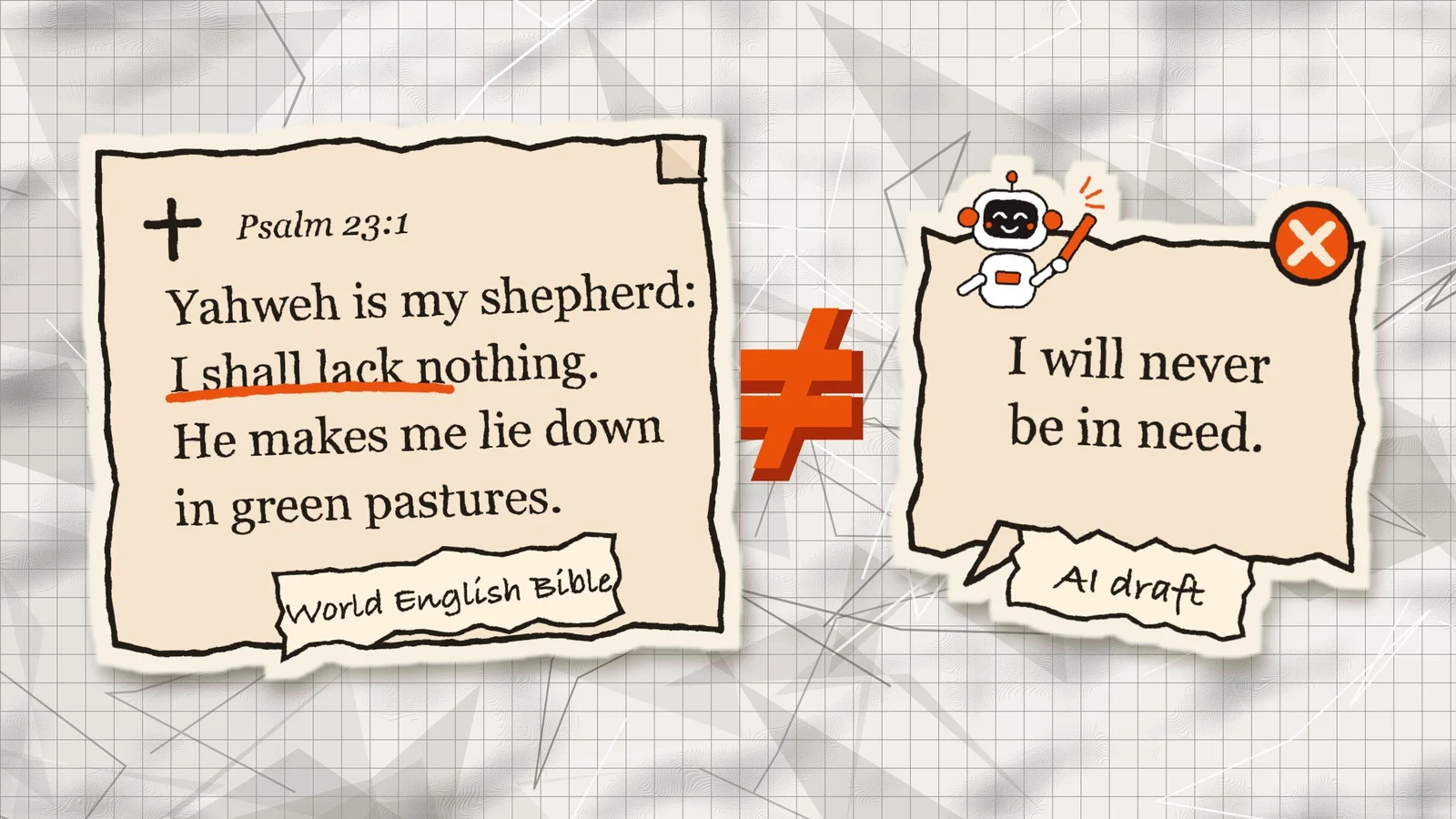
In our reading, three things can go wrong in a draft. Here is each one in a lesson on Psalm 23:
| What goes wrong | What it could look like |
|---|---|
| The AI changes the wording of a verse | The World English Bible says "I shall lack nothing." A draft quotes it as "I will never be in need". It sounds close, but it is not the text. |
| The AI quotes a verse correctly, then explains something the verse does not say | The draft calls the line a promise of financial success. |
| The AI states one tradition's reading as the plain meaning of the text | The draft says the table in verse 5 is the Lord's Supper, as if every tradition read it that way. |
These are illustrations, not real AI output.
A word-for-word check catches the first. The other two need a reader who knows the text. That reader is you, and no tool replaces you here.
Which translations you may give to an AI tool
Two separate rules apply to a Bible study book. The first is whether a publisher lets you give its translation to an AI tool. The second is how many verses you may print in the finished book. This section covers the first. The verse limits come later. Publishers change their pages, so read each one yourself before you rely on this summary.
| Translation | What the publisher's page says about AI | Source |
|---|---|---|
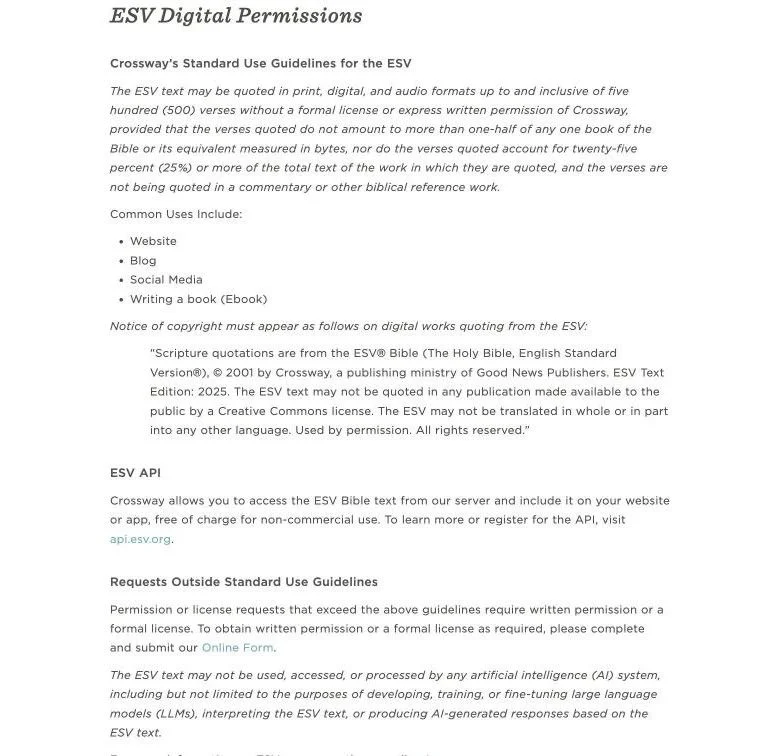
| ESV | The ESV text "may not be used, accessed, or processed by any artificial intelligence (AI) system." The sentence sits in the Digital section, under "Requests Outside Standard Use Guidelines". It also lists producing AI-generated responses based on the ESV text. | Crossway |
| NIV | Any use of Biblica content in connection with AI, machine learning, large language models or chatbots requires a valid license from Biblica that expressly permits it. The page does not say how this applies to one passage pasted into a chatbot. Biblica's separate Publisher AI Policy (effective June 1, 2026) covers licensed digital and AI products and does not allow publishing AI output without meaningful human review. | Biblica, Publisher AI Policy |
| NLT | We found no AI rule on the NLT section of the page. | Tyndale |
| CSB | We have not verified the CSB AI policy. | CSB permissions |
| World English Bible | In the public domain and not copyrighted, according to eBible.org. | eBible.org |
To find the ESV sentence, open Crossway's Permissions page, then ESV Bible, then Digital. On that wording, an ESV passage should not go into an AI tool.
A missing rule is not a permission. If your case is unclear, ask the publisher, and ask in writing if you need a firm answer.
If your translation does not allow it, you have three choices:
- Draft with the World English Bible.
- Ask the publisher for a license or written permission.
- Give the AI only your own notes, and add the verses yourself after the draft is done.
The Scripture lock: five rules for every lesson
Think of the passage as a locked file. The AI should not change or rewrite the Scripture text. Your instructions can help prevent this, but you still need to check every quote against the original passage.
- Pick one translation before you start, and check its AI rule. Choose it for its license, its readability and what your church uses. Mixing translations makes the verse count and the copyright notices harder to track.
- Add the passage yourself. Copy it from your own licensed copy of the translation. Never ask the AI to "write out" a passage from memory.
- Tell the AI what to work from. That is the pasted passage if the license allows it, or your own notes if it does not. Add: "Do not quote any other verse. If another passage helps, give the reference and stop."
- Treat cross-references as a list, not as quotes. Let the AI suggest references such as Romans 8:28. Then open each one and read it in context before it goes into the lesson.
- Run three checks on every lesson.
The three checks in rule 5:
- Quote check: every verse matches your licensed text, word for word.
- Claim check: for every sentence about what the passage says, you can point to the words that say it.
- Tradition check: check the interpretation against the passage and against what your church teaches and believes. If other traditions read the passage differently, say so.
Which parts of a study AI can draft
This table is our recommendation. No publisher or platform sets these rules.
| Part of the study | Let AI draft it? | What you check |
|---|---|---|
| The passage text | No | You add it yourself from the licensed translation |
| Lesson order and outline | Yes | The order follows the passage, not a template |
| Background (author, setting, date) | Yes, with a source | Every historical claim has a source you opened |
| Observation questions | Yes | Each answer can be found in the passage |
| Interpretation | Draft only | The reading fits the passage and your statement of faith |
| Application and prayer prompts | Yes, in your voice | It sounds like you teaching, not a chatbot |
| Cross-references | List only | You read every verse in context |
| Leader notes | Yes | Every instruction works in a real group |
Three of these terms need a short explanation:
- Observation questions help readers notice what is actually happening in the passage. For example: "Who is speaking in this passage?" or "What happens in this part of the story?"
- Interpretation asks what the passage means. For example: "What does the shepherd image tell us about how God cares for people?"
- Application asks how the reader can live it out. For example: "What is one way you can rest this week?"
Use AI for structure, questions, drafts and supporting material. Do not use it as the source of the Bible text or as the final word on what it means.
Discussion questions are the safest place to start, because they stay close to the passage.
Where Built&Written fits
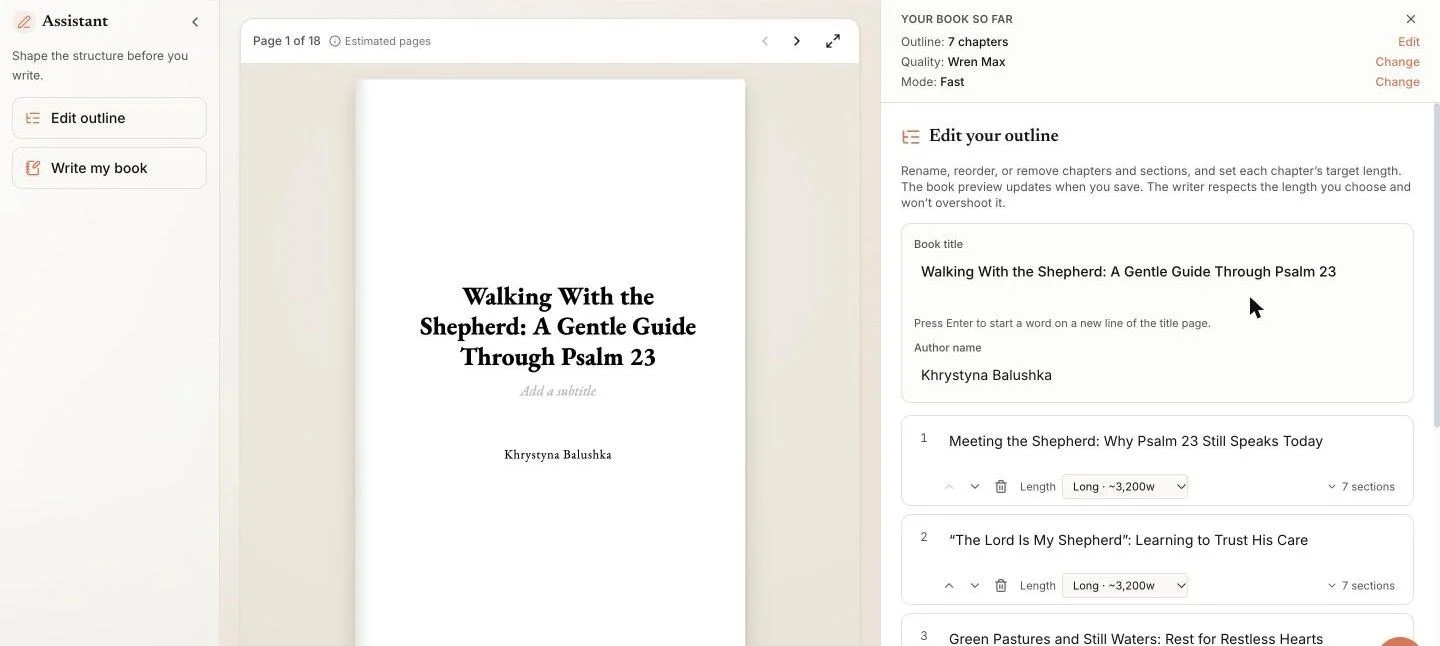
You may already have what a Bible study book needs: lessons saved as documents, notes, handouts or a sermon series. The Built&Written platform is made for turning that kind of material into a nonfiction book.
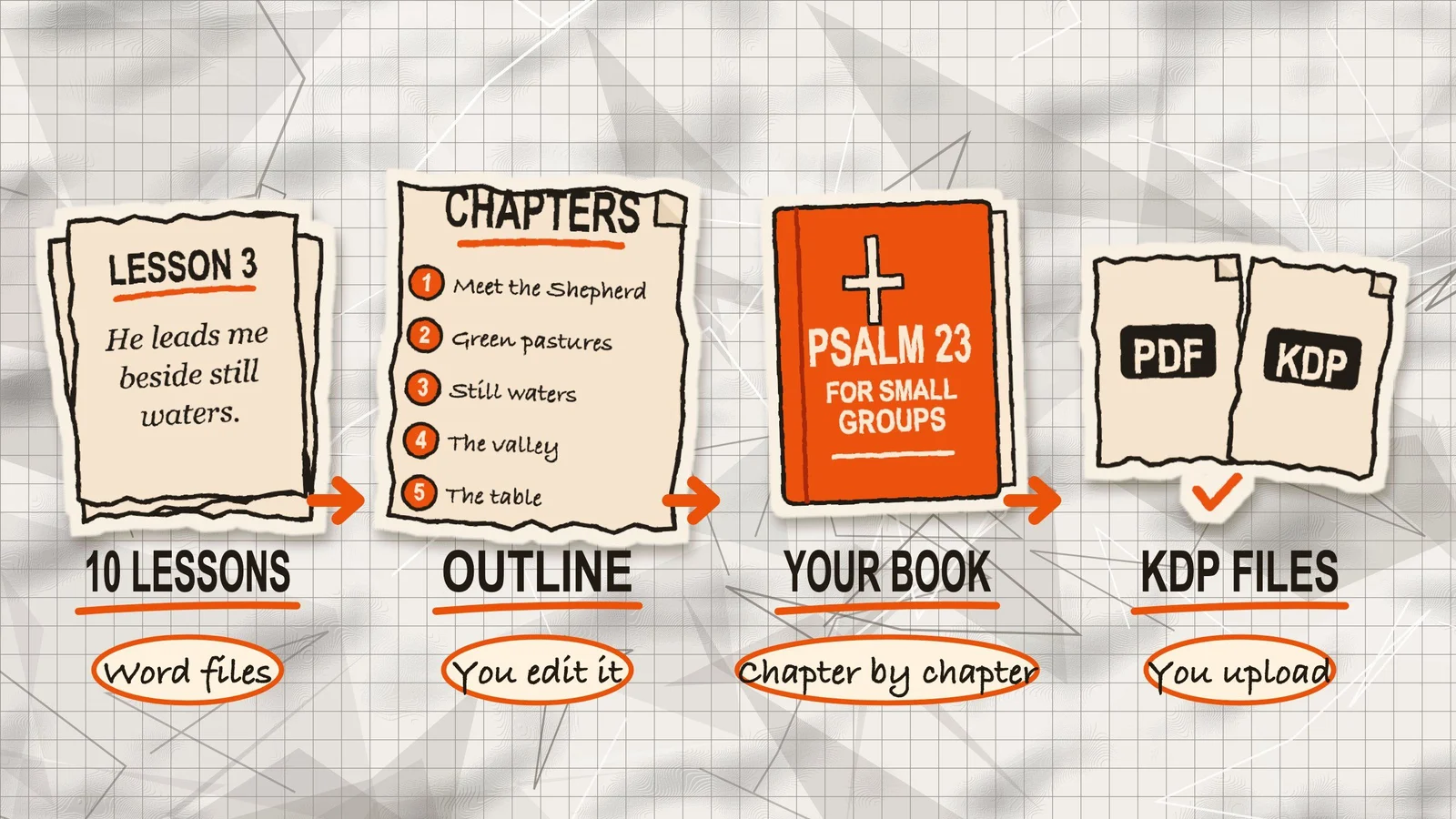
Here is how it could go with ten lessons saved as separate documents:
- Give the platform your material. Paste the lessons in, or combine them into one manuscript file and upload it.
- Review the outline. The platform proposes a chapter outline. Before the writing starts, you can rename chapters, change their order or remove sections that do not belong in your book.
- Write chapter by chapter. The platform drafts one chapter at a time, and you edit each one in the editor.
- Format and export. The book formatter sets the interior for KDP and exports the print PDF and the KDP files.
The material does not have to be sermons. Finished lessons, small group notes, handouts and older manuscripts all work as a starting point. If your lessons already live as posts on a church blog, our guide to turning blog posts into a book shows the steps. The platform does not transcribe audio, so a recording has to be typed out first.
Before you paste or upload anything: if your documents contain ESV text, or text from any publisher that bans AI use, take those verses out first. The platform is an AI tool, so the publisher's rules apply to it too.
Your voice. Voice DNA uses a few pages of your own writing, about 300 to 1,000 words, to help the AI follow your usual tone and way of explaining ideas. It does not guarantee an exact match, so you still review every chapter and make sure it sounds like you.
What stays with you. The platform does not check your Bible quotes against a Bible text, and it does not know your church's beliefs. If your translation allows AI use, paste each passage into the lesson notes yourself. If it does not, give the platform only your own notes, add the verses after the draft, and compare each chapter with its passage before you accept it.
Price. $49/month for AI-written books ($19/month for your own manuscript). The pricing page lists what each plan includes. Before the platform writes a book, you see what it is likely to cost.
How many verses you can print
This section is about the finished book, not about AI. A publisher can allow a quote in print and still forbid AI use of the same text, so keep the two questions apart. Every verse in the book counts toward your limit, whether you added it or an AI tool recalled it.
Translation publishers set a free allowance, and the numbers differ. These are the standard guidelines, read on 17 November 2026:
| Translation | Free allowance | Source |
|---|---|---|
| ESV | Up to 500 verses, no more than half of any one book of the Bible, under 25% of your book, and not in a commentary or other biblical reference work | Crossway |
| NIV | Up to 500 verses, never a complete book of the Bible, under 25% of your product, and a copyright acknowledgment with each use. For commercial print, Biblica sends U.S. and Canada requests to HarperCollins Christian Publishing | Biblica |
| NLT | Up to 500 verses in print or eBook form, no more than 25% of your work, and never a complete book of the Bible. A commentary or other Bible reference work produced for commercial sale needs Tyndale's written permission | Tyndale |
| CSB | Up to 1,000 verses, no more than 50% of your work, and never a complete book of the Bible | CSB permissions |
| World English Bible | Public domain. The name "World English Bible" is a trademark of eBible.org | eBible.org |
How the arithmetic works:
- 10 lessons that print 40 verses each use 400 verses. That fits the 500-verse cap of the ESV, the NIV and the NLT.
- 12 lessons that print 45 verses each use 540 verses. That does not fit.
- All three also ask for less than 25% of the book. In a 20,000-word study, quoted text has to stay under 5,000 words.
A verse count under the limit does not settle everything. The publisher's other conditions still apply: the share of your book, never quoting a complete book of the Bible, the rules for commentaries and reference works, and the copyright notice.
Crossway lists "Bible studies" and "writing a book (print format)" as common uses, but it excludes commentaries and other biblical reference works from the free allowance, and Tyndale asks for written permission for those it sells. A study that explains the text verse by verse is worth a question to the publisher before you print. If you need more verses than the allowance, ask the publisher for permission, or build the study on a public domain text.
What Amazon asks you to declare
AI-generated or AI-assisted?
Amazon KDP splits AI use into two groups, and only one needs a disclosure. KDP's content guidelines say:
- AI-generated text is text created by an AI-based tool, even if you edited it heavily afterwards. You have to tell KDP.
- AI-assisted work is text you wrote yourself, where AI only helped you edit, refine, error-check or brainstorm. You do not have to tell KDP.
The same disclosure applies to AI-generated images and translations, including cover and interior artwork.
You are responsible for checking that both kinds follow the content guidelines, including intellectual property rights. Our guide to disclosing AI in your book walks through the upload questions, and a second one explains whether you can publish an AI-written book on KDP.
For a Bible study this means a simple test. If the AI wrote the lesson text and you edited it, you disclose. If you wrote the lesson and used AI only to find gaps, you do not.
Public domain text
KDP's page on publishing public domain content has its own rules:
- When a free version of a public domain title is already in KDP's store, it only allows a differentiated version.
- A version with original annotations, such as study guides, counts as differentiated, and the title must include "(Annotated)".
- A linked table of contents or formatting improvements do not count.
- Public domain content is not eligible for all eBook royalty options or KDP Select.
Companion books
The content guidelines also have a rule for companion books. They say KDP does not allow companion books based on copyrighted works, such as summaries and study guides, to be published outside the U.S. without written permission from the copyright holder.
This rule may apply if your study guide is based on another copyrighted book or published work. If you plan to create a companion guide, check KDP's requirements and get permission from the rights holder when needed.
Before you publish
Go through this list one last time:
- You have checked the AI rules for your Bible translation.
- Every Bible quote matches the original text.
- Every explanation is supported by the passage.
- You have checked the publisher's quotation limits.
- You have answered Amazon's AI disclosure questions correctly.
- You have reviewed the final manuscript before publishing.
Frequently asked questions
Yes. eBible.org says the World English Bible is in the public domain, so it is not copyrighted. The name "World English Bible" is a trademark of eBible.org, so check that page before you use the name on a cover or in a title. If a free version of the text is already on Amazon, KDP only accepts a differentiated version.
Ask the publisher. Crossway sends requests that go beyond its guidelines to a permissions form. The CSB publisher does the same above 1,000 verses, and its page says requests over 50 percent of a work will not be approved. Plan the lesson length first, then count verses, so you know before you write whether you need to ask.
Check the tool's own advice first. Logos says its Sermon Assistant ideas for application, illustrations and outlines are not designed to be copied into a sermon verbatim. Amazon also treats text created by an AI tool as AI-generated, even after edits. Use such output as raw material, rewrite it in your own voice, and verify it.
For the ESV, Crossway says the notice goes on the title page or the copyright page of a printed work. It also says the ESV text may not be translated into another language and may not appear in a publication released under a Creative Commons license. For any other translation, copy the notice wording from its publisher's page.
No source we found ranks them, so we will not name a winner. For a book, the better question is how a tool treats Scripture. Prefer one that works only on text you paste and that you can check against your translation. Logos tells its own users to test AI output with the same care as any unknown author.
Sources & References
- New Research: Pastors Are Using AI More Than You Think, Barna, checked 2026-11-17
- AI's Bible misquotes range from 15% to 60%, YouVersion CEO says, The Christian Post, checked 2026-11-17
- How Should We Think About AI and Bible Study, Logos, May 2024
- ESV Bible permissions (Permissions, ESV Bible, Digital), Crossway, checked 2026-11-17
- Permissions, Biblica (NIV), checked 2026-11-17
- Publisher AI Policy (effective June 1, 2026, version 1.2), Biblica, checked 2026-11-18
- Permissions and Fair-Use Guidelines, Tyndale (NLT), checked 2026-11-17
- CSB permissions, checked 2026-11-17
- World English Bible, eBible.org, checked 2026-11-17
- Content Guidelines, KDP Help, checked 2026-11-17
- Publishing Public Domain Content, KDP Help, checked 2026-11-17
About the author

Khrystyna Balushka
More in Writing
Ready to write your book?
Turn your expertise into a professional book with Built&Written.