
How to Run Amazon Ads for Books With AI on a Small Budget
Key takeaways
- Can I advertise an AI-written book on Amazon? Yes. Amazon Ads reviews every book ad the same way, whether or not you used AI.
- How much money do I need? You can start with $5 a day. Amazon averages your daily budget over the month, so $10 a day never costs more than $300 in a month.
- What makes ads cheaper? A clear description, the right keywords and a good cover. You pay the same for a click, but more clicks turn into sales.
- Do I need a brand-new book? No. An older book or manuscript can be updated, or become the starting point for your next book.
- Where does AI help? Finding keywords, picking similar books to show your ad next to, and writing the short ad line. Amazon's own new AI ad tool is not open to authors.
- How long before I know if it works? Amazon suggests running ads for four to six weeks and checking them every two weeks.
Can you run Amazon ads for an AI-written book?
Yes. Any author can advertise a book that is on sale on Amazon. Most authors start with Sponsored Products: small ads that show your cover when people search on Amazon or look at similar books. You only pay when someone clicks.
Before your first ad, check three things from Amazon's guide for authors:
- Your book is on sale in the country where you want to advertise.
- Your book is listed in Amazon Author Central, Amazon's free page for authors. You sign in with your KDP account. Our Author Central guide shows the setup.
- Your book and ad follow Amazon's rules for book ads. Amazon checks the book, the cover and your ad text before the ad goes live (how Amazon reviews book ads). This usually takes a day, sometimes up to three business days.
Using AI is a separate question. When you publish on KDP, Amazon asks whether AI created any text, images or translations. If you only used AI to edit your own writing, you don't need to say so (KDP content guidelines). That answer does not affect your ads. What matters for ads is the book itself.
Why Amazon ads for books sometimes fail, and how to get your book ready
Ads don't always pay off, and often the problem is not the ad. An ad only brings people to your book page. If the cover looks homemade, the description doesn't say what the reader will get, or the first pages don't hold attention, people click, look and leave. You pay for every one of those clicks.
Keywords matter just as much. They are the words readers type into the Amazon search bar, and they decide whether your book shows up at all. Our guide to KDP categories and keywords explains how to pick them.
So before you spend anything on ads, make sure the book and its page are ready. A tool can help with that.
What is Built&Written?
Built&Written is an app that turns what you already know into a finished nonfiction book: you bring an old manuscript, notes, posts or talks, and it helps you write, lay out and prepare the book for Amazon. It works with what you have, including a book you wrote years ago.
There are two ways to start:
- Keep your text exactly as it is. Upload your finished manuscript (Word, EPUB, PDF and other text files). AI doesn't rewrite it and not a word changes: Built&Written splits it into chapters, rebuilds the layout for KDP and lets you rename, merge or split chapters. Any edits are yours. This works on any paid plan.
- Let AI build a new book from your material. Ads can help readers find a book, but they can't fix what is inside it. If an older book isn't selling, use it as material: paste or upload up to 50,000 words of it, plus notes, posts or talk transcripts. Wren, the AI writer inside Built&Written, plans a fresh outline for you to approve, then writes new chapters in your voice. The result is new text, not your old book with a new layout. For a longer book, start with the chapters that matter most. This needs the Entrepreneur plan or higher.
Either way, Built&Written prepares what you need for the Amazon page along the way. Its KDP Launch Co-pilot reads the finished book and suggests:
- An Amazon description that you can paste into KDP and edit.
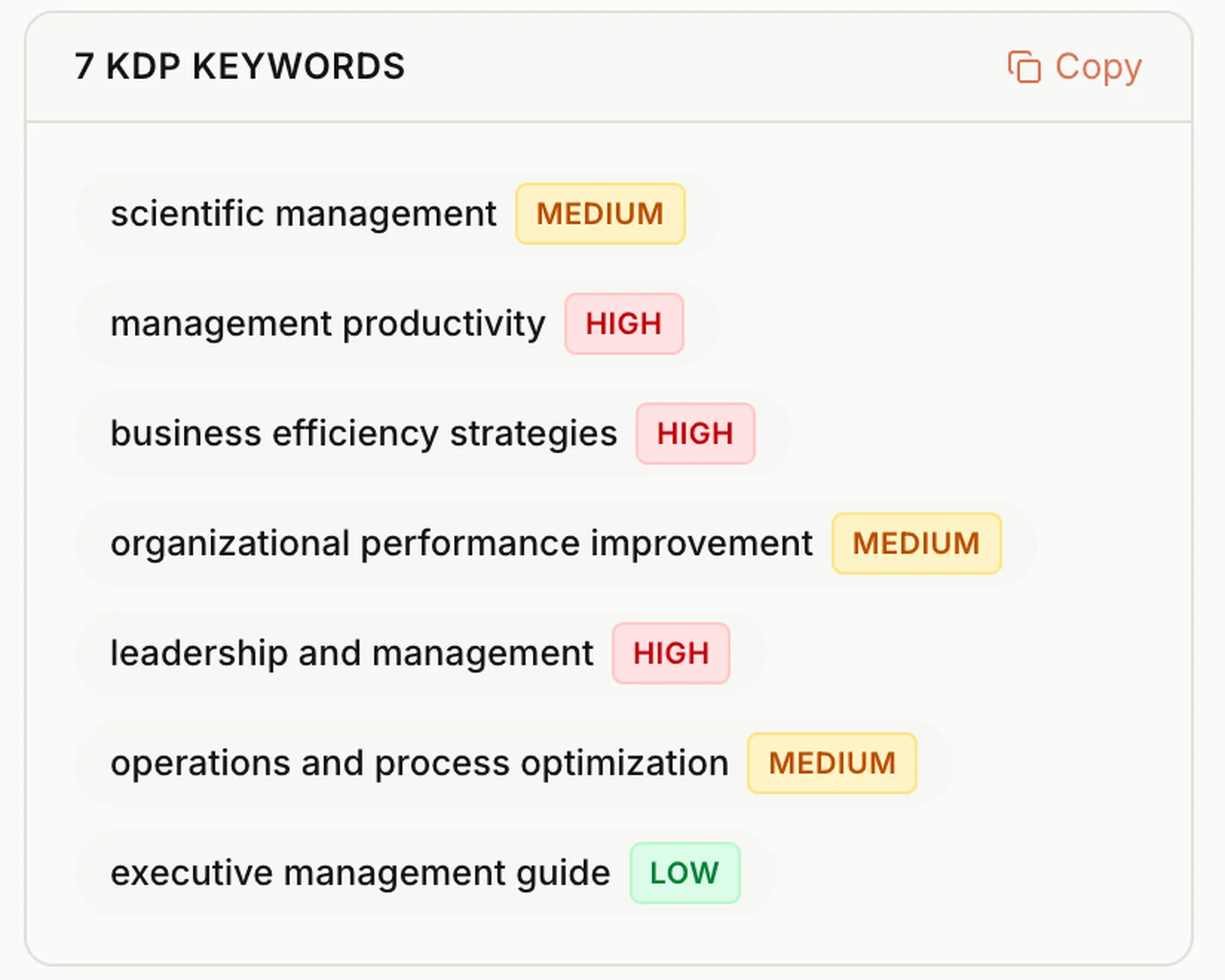
- 7 keywords, each marked low, medium or high competition. Low and medium ones are the best first targets for a small ad budget.
- 2 categories where the book fits on Amazon.
A chat app can also list keywords, but it only knows what you tell it about the book. Here they are made for the book you have in the app, and each one shows how crowded it is, so you can see where a small budget has a chance.
Text in the image:
"7 KDP keywords": "scientific management" (medium), "management productivity" (high), "business efficiency strategies" (high), "organizational performance improvement" (medium), "leadership and management" (high), "operations and process optimization" (medium), "executive management guide" (low). A "Copy" button.
The book itself also has to look right when someone clicks. Built&Written designs a cover sized to your page count, checks the title, author, trim size and margins against KDP's rules, and gives you the files to upload in your own KDP account.
How much does a small Amazon ads budget cost?
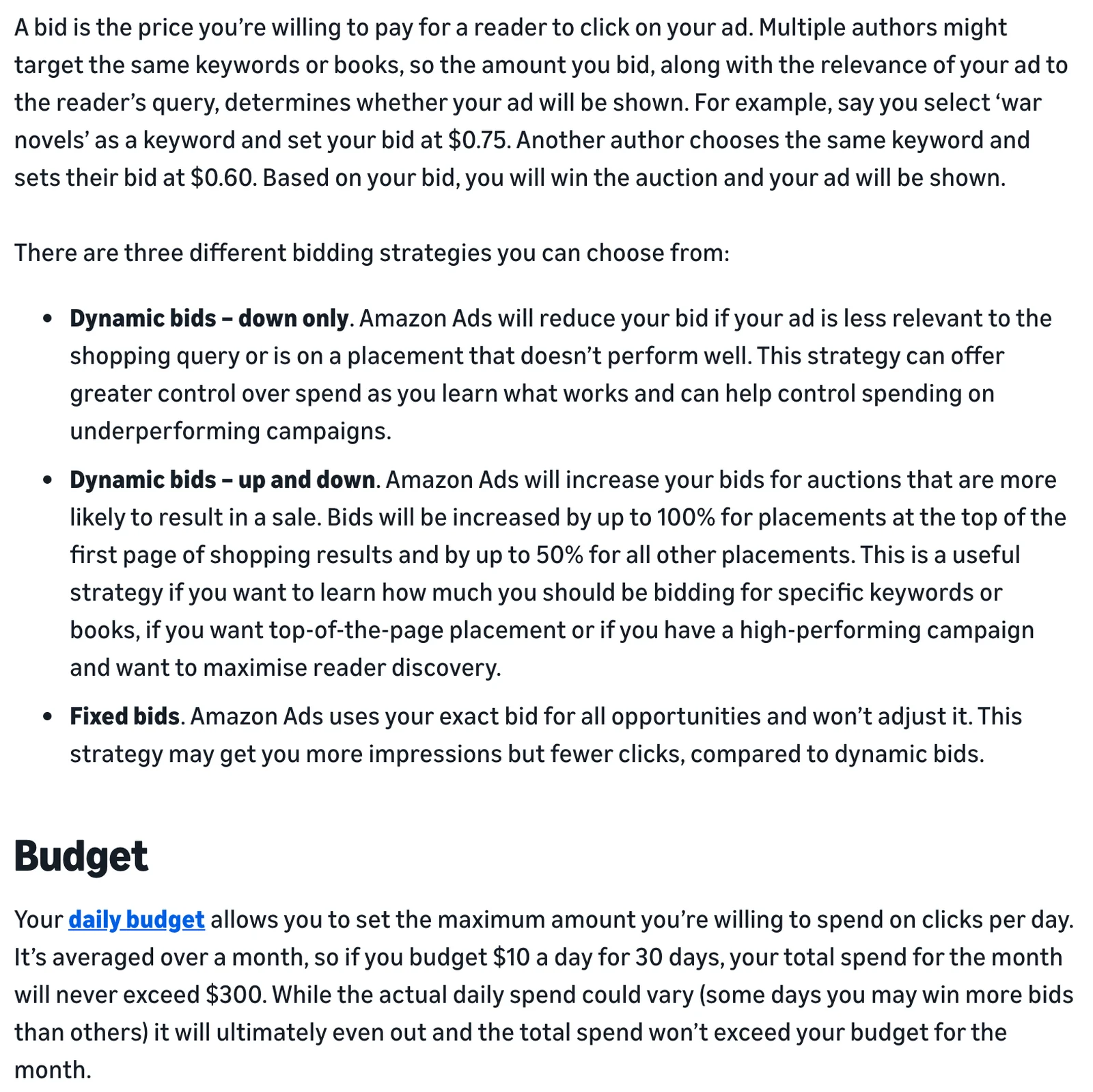
You set two numbers. The bid is the most you'll pay for one click. The daily budget is the most you'll spend in a day. Amazon averages the budget over the month, so you never pay more than you planned.
Text in the image:
"A bid is the price you're willing to pay for a reader to click on your ad. Multiple authors might target the same keywords or books, so the amount you bid, along with the relevance of your ad to the reader's query, determines whether your ad will be shown. For example, say you select 'war novels' as a keyword and set your bid at $0.75. Another author chooses the same keyword and sets their bid at $0.60. Based on your bid, you will win the auction and your ad will be shown."
Three bidding strategies: "Dynamic bids, down only" (Amazon lowers your bid when the ad is less relevant to the search or shows in a place that does not perform well), "Dynamic bids, up and down" (Amazon raises bids by up to 100% for the top of the first results page and by up to 50% for other places), and "Fixed bids" (Amazon uses your exact bid).
Budget: "Your daily budget allows you to set the maximum amount you're willing to spend on clicks per day. It's averaged over a month, so if you budget $10 a day for 30 days, your total spend for the month will never exceed $300."
To know how much you can spend, look at what one sale earns you. For an ebook at the 70% royalty, KDP pays 70% of the price minus a small delivery fee, $0.06 per sale on average (KDP royalty page). So a $9.99 ebook earns you about $6.95.
More on prices in our guide to KDP ebook royalties.
| Example: a $9.99 ebook | |
|---|---|
| You earn per sale | about $6.95 |
| You break even if ads cost per sale | up to $6.95 |
| If one click costs $0.50, you can pay for | about 13 clicks per sale |
| Starting budget | $5 a day, $150 a month at most |
If your ads cost less than you earn per sale, they pay for themselves. If they cost more, you are paying for new readers. That can still be worth it when the book brings you clients.
Where AI helps with Amazon ads for books
AI is good at ideas: keywords, similar books, ad text. It can't tell you what will sell. Only your sales report can.
| What you need | Who can help | What to check yourself |
|---|---|---|
| Keywords for your book | Built&Written suggests 7 with their competition level; ChatGPT or Claude can add more | That each phrase really fits your book |
| Where the ad shows | Amazon's automatic targeting chooses searches and books for you | Which of them brought sales |
| Similar books to target | AI tools can list well-known books on your topic | That they are close to yours and still on sale |
| The short ad line | AI tools can write ten versions in a minute | That every word is true and the grammar is clean, because Amazon rejects ads with mistakes |
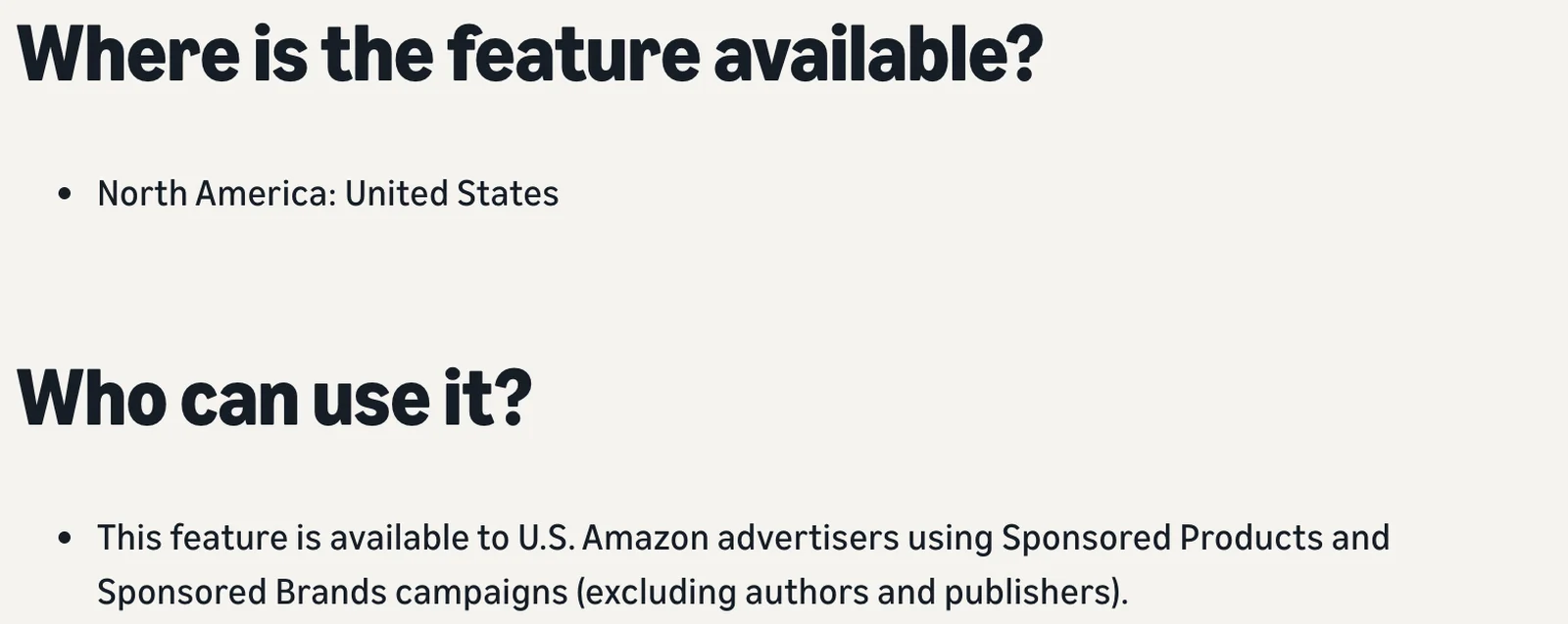
Amazon's newest AI ad tool, called prompts, writes short answers about a product next to its ad. It launched in the U.S. on March 25, 2026, but Amazon's page says it is for advertisers "excluding authors and publishers". So for books, the AI help comes from automatic targeting and from tools you use yourself.
Text in the image:
"Where is the feature available? North America: United States."
"Who can use it? This feature is available to U.S. Amazon advertisers using Sponsored Products and Sponsored Brands campaigns (excluding authors and publishers)."
How to set up your first Amazon ad on $5 a day
- Check your book page. A clear cover, a description that says what the reader will learn, and a few reviews if you can. Our guide to getting your first Amazon reviews helps.
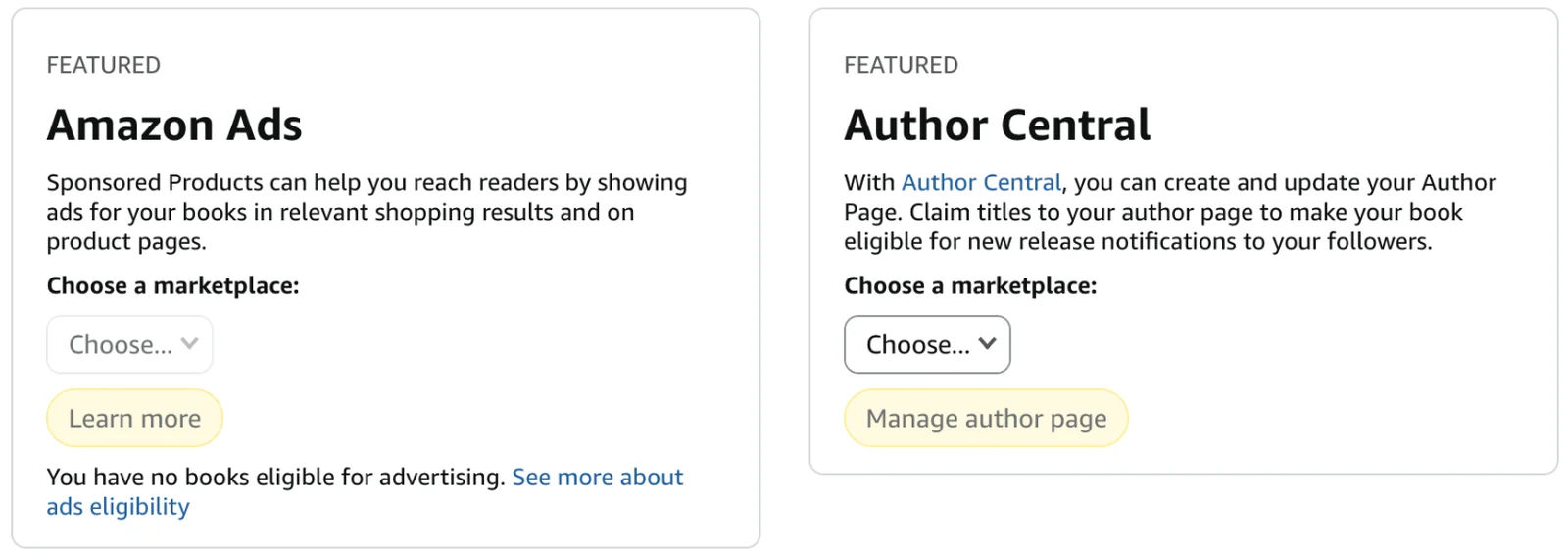
- Open the ad page. In KDP, go to the Marketing tab. In the Amazon Ads box, choose your marketplace (the Amazon store where you sell, for example amazon.com), click Learn more, then Start Advertising (KDP's steps).
- Let Amazon choose where to show the ad. Pick automatic targeting. Amazon recommends it for your first campaign.
- Set the money. A daily budget of $5. Start with the bid Amazon suggests and choose "Dynamic bids, down only", so Amazon lowers the bid when the ad is a weaker match.
- Write one short line for the ad. Ask an AI tool for ten options, keep the clearest one and check it for mistakes.
- Wait two weeks. Don't change anything yet.
- Look at what worked. Your report shows which searches led to sales. Use those words in a second campaign where you choose the keywords yourself, and lower the budget on the first one.
- Check every two weeks and give it four to six weeks before you decide.
How to tell if your ads work. In the report, look at two numbers for each search: what it cost and how many books it sold. If a search brings sales for less than you earn per sale ($6.95 for the $9.99 ebook above), keep it. If it has spent more than that with no sale, lower its bid or stop it. Amazon also shows ACOS, your ad cost as a share of sales. For that ebook, an ACOS under 70% means the ads pay for themselves.
Text in the image:
"Amazon Ads. Sponsored Products can help you reach readers by showing ads for your books in relevant shopping results and on product pages. Choose a marketplace." Button: "Learn more". Below: "You have no books eligible for advertising. See more about ads eligibility."
"Author Central. With Author Central, you can create and update your Author Page. Claim titles to your author page to make your book eligible for new release notifications to your followers. Choose a marketplace." Button: "Manage author page".
Final thoughts
Amazon ads don't need a big budget. They need a book page that sells and a little patience. Start with $5 a day, let Amazon find your first readers, then spend only on the searches that bring sales. AI makes keywords and ad lines faster, but your sales report has the final word.
The easiest book to advertise is a good one, and it doesn't have to be written from scratch. Your last book, your notes and your talks already hold most of what you know. In Built&Written you can:
- Update an older book. Upload it word for word, fix what has changed, and get a fresh layout and KDP files.
- Build a new book on the old one. Take one idea further or write the same knowledge for a different reader, in your voice.
- Add what you have learned since. Posts, notes and talk transcripts go into the same book.
- Get the Amazon page ready. A description, keywords with their competition level, categories, a cover that fits and files you upload yourself.
One book can also grow into several. A chapter that readers liked can become a short book of its own, the same knowledge can be written for beginners or for another profession, and what you have learned since can go into a new edition. Each is a separate title that readers can find. Whether it sells still depends on the book and the people it is for.
Start your next book from the one you already have: see how it works or compare the plans. A new, updated book is also a new product you can advertise with everything in this guide.
Frequently asked questions
About $5 a day is enough to start, with the bid Amazon suggests. That is $150 a month at most. Spend more only on ads that bring sales.
They work the same way for every book. Amazon checks the book, the cover and the ad text. A clear description, a good cover and real reviews matter more than how the book was written.
Partly. Amazon's automatic targeting chooses where your ad shows, and AI tools can suggest keywords and ad lines. Amazon's new AI ad tool is not open to authors, so you still read your reports and stop what doesn't sell.
Yes. In Built&Written you can upload an older book word for word and update it, or use it as material for a new book written in your voice. The second option needs the Entrepreneur plan or higher.
Four to six weeks, checking every two weeks. Give a new campaign about two weeks before you change anything.
About the author

Khrystyna Balushka
More in Publishing
Ready to write your book?
Turn your expertise into a professional book with Built&Written.