You want a cover that looks good and tells people what your book is about. You do not need to be a designer for that. You need a few real examples and a short list of choices to make.
So we looked at real ones. Publishers Weekly shows the covers of its 25 best nonfiction books of 2026 on one page. We wrote down what each cover shows and counted what they have in common. We describe them in words, so you can picture each one without us reusing anyone's cover art.
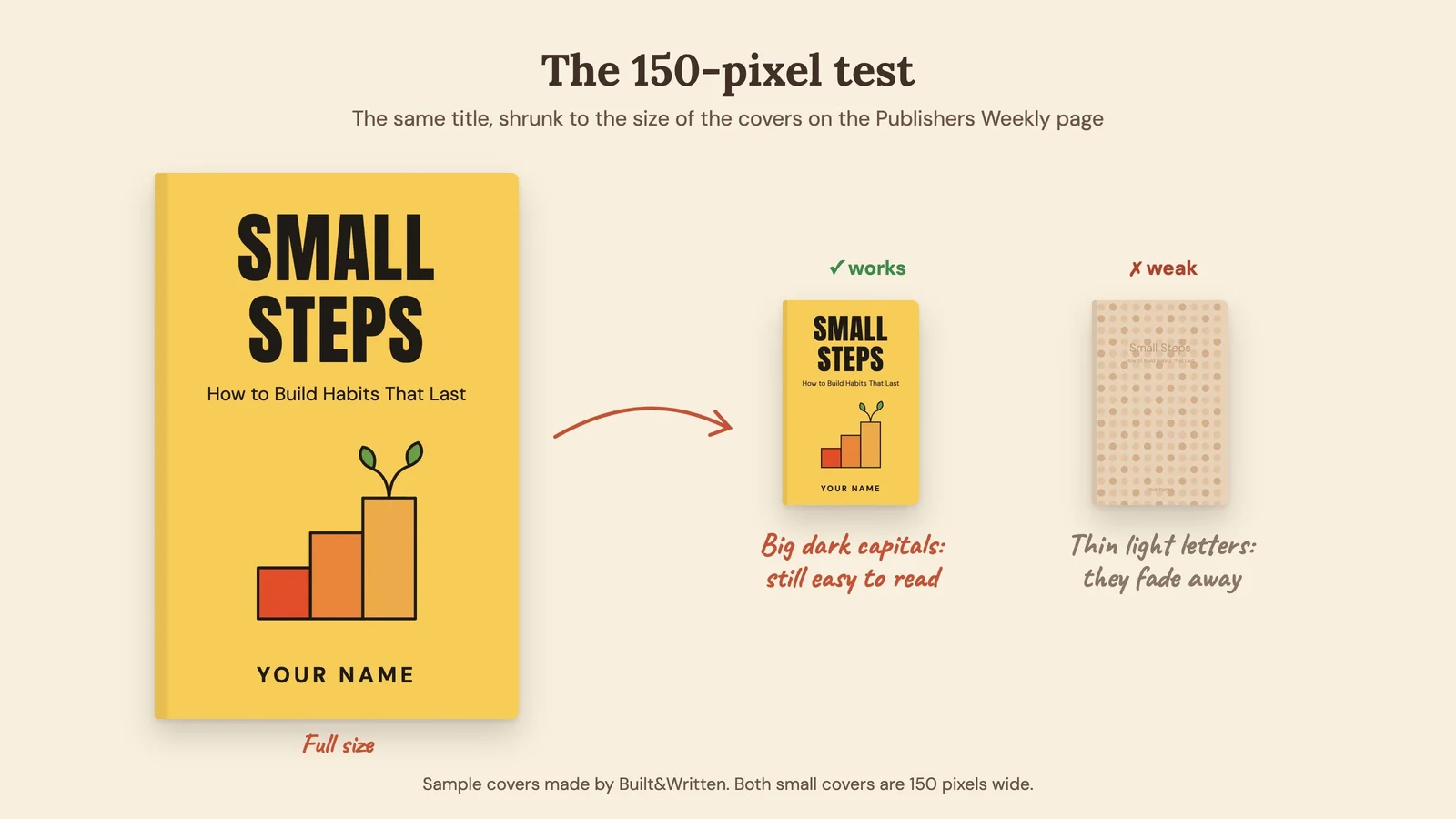
Use these examples to decide what your own cover needs. Each image on that page is only 150 pixels wide, so you also see what a cover can do in very little space.
What makes a nonfiction book cover work?
A nonfiction cover has two jobs. It tells a stranger what the book is about, and it tells them who wrote it. Everything else on the cover helps with those two jobs.
Amazon KDP puts the second job in writing. Its ebook cover guidelines say the cover must include the title and the author's name.
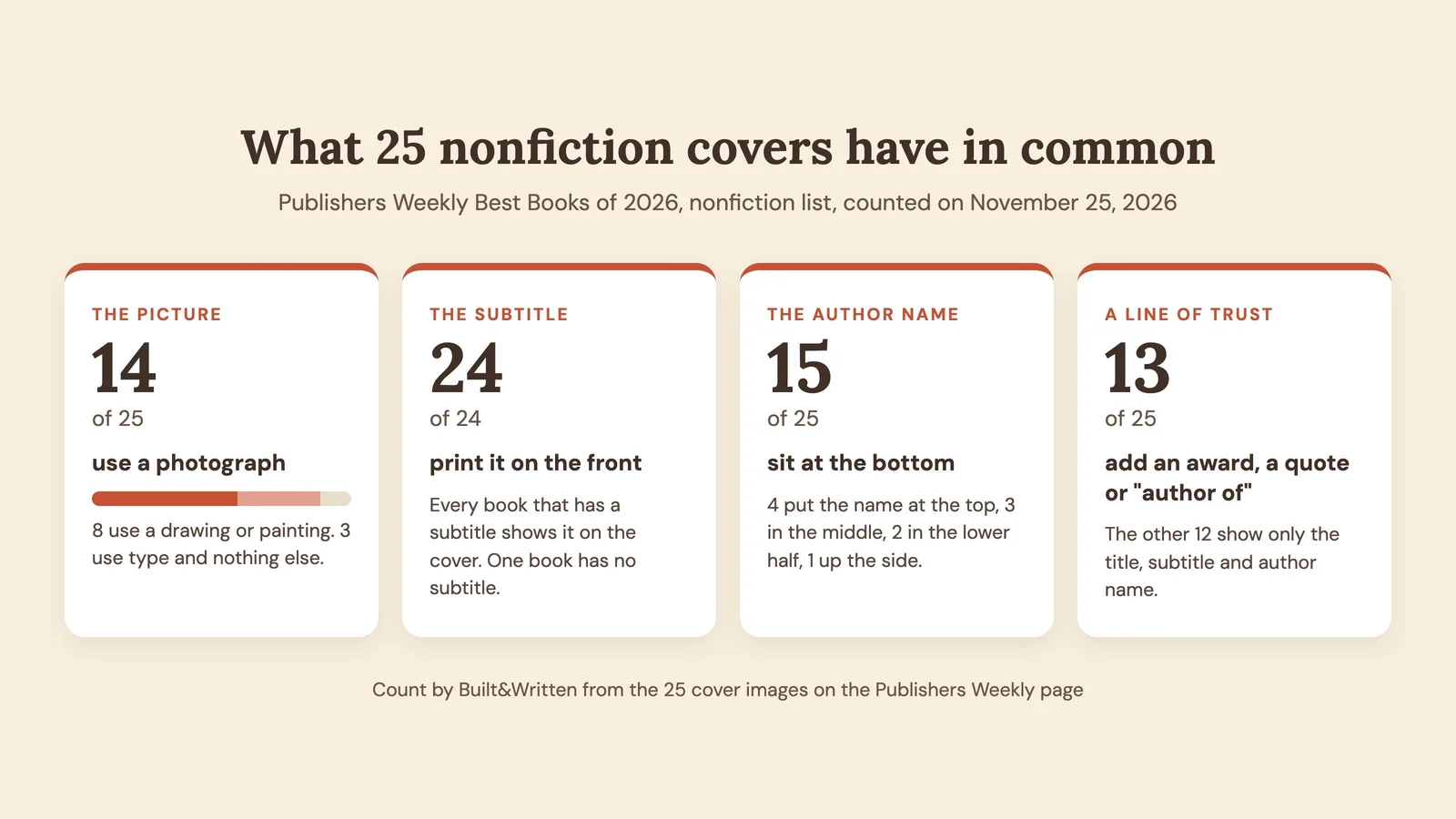
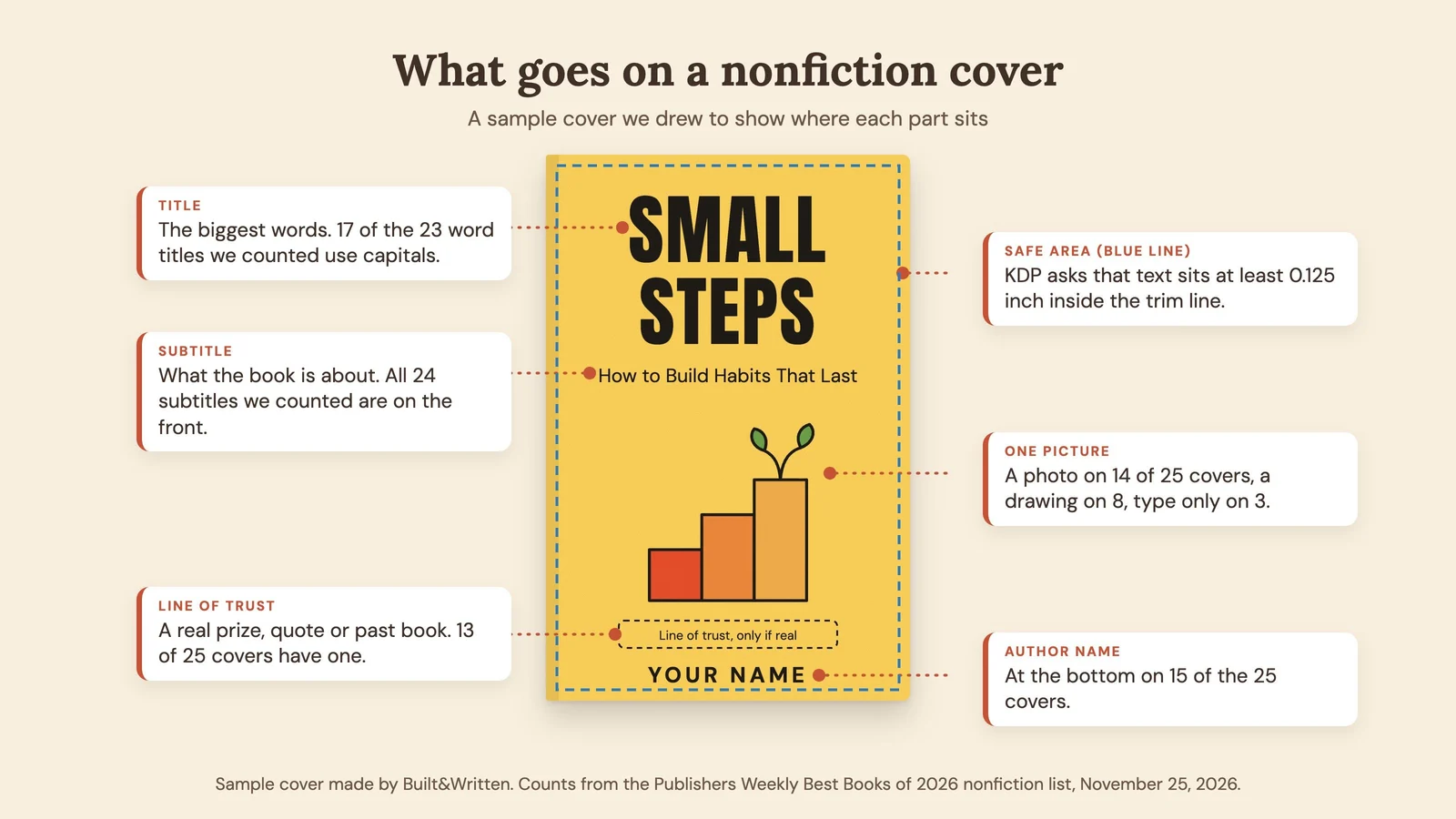
Most of the 25 covers do these jobs with the same four parts. Each part answers one question a shopper has. Not every book needs all four: one of the 25 has no subtitle.
| Part | The question it answers | What we saw on the 25 covers |
|---|---|---|
| Title | What is it called? | In capital letters on 17 of the 23 titles made of words |
| Subtitle | What is it about? | On the front of all 24 books that have one |
| Picture or type | What kind of book does this look like? | 14 photos, 8 drawings or paintings, 3 with type only |
| Author line | Who wrote it? | A name on every cover. On 13, also an award, a quote or "author of" |
25 nonfiction book cover examples, described
Here are the 25 covers, in the order the Publishers Weekly page lists them. The last column is the idea you can borrow for your own book.
| Book | What the cover shows | The idea to borrow |
|---|---|---|
| 1873 | A huge "1873" in black on cream. Below it, an old crowd photo in green, with the subtitle over it. | A date or number can be the whole title. |
| Country of Lords | A bold white title tilted across a red field. A giant black boot stands over a photo of a crowd. | One strong symbol can carry the book's argument. |
| End Times Fascism | Type only. Huge red letters on yellow, with the subtitle and both author names between them. | Loud words can work without any picture. |
| The Frenchmen | A woman in a grey sweater, her face cropped out by the top edge. A pink serif title sits above her. | A cropped photo makes people look twice. |
| Here Where We Live Is Our Country | Tall purple capitals over a painted scene of people with a red flag, plus a round bestseller badge. | A painted scene sets a historical mood. |
| Holding Lightning | "WHITNEY HOUSTON" in gold capitals on black, over a black and white photo of her singing. | In a biography, the subject's face and name do the work. |
| I Eat the Stars | A colorful line drawing of a seated figure on cream. The title is small and lowercase, on the right. | A hand drawing suits a gentle, personal subject. |
| In Trees | Copper branches drawn on black, with the letters of the title spaced out between them. | The picture can frame the words. |
| Kings and Pawns | Red, white and blue bands with photos of the two men and old newspaper clippings. | Two faces for a book about two people. |
| Leaving Home | A red title on yellow, an old snapshot of a small child in a garden, and two short quotes. | A memoir can use an old family photo. |
| Man in the Mirror | Tall white capitals on black, with a blurred photo of moving city lights in the middle. | Motion blur hints at a city story. |
| The Mattering Instinct | Thin, spaced capitals on cream, with colored threads twisting across the middle. | One quiet image for a book about an idea. |
| Metropolitans | Orange capitals with an underlined subtitle, over a blue photo of baseball fans. | One color over a photo keeps it simple. |
| Nothing Random | A large teal serif title. A smiling man with a pipe leans in from the left edge. | A face at the edge leaves room for the title. |
| On Morrison | Pink and yellow capitals on black, above a black and white portrait of Toni Morrison. | A book about a person can show that person. |
| Our Arab | Big red and orange capitals over a soft painted landscape with a kite and a city skyline. | Warm colors for a family story. |
| The Proof in the Code | Type only. The title is woven into lines of faint math code. | The subject itself can become the pattern. |
| Q | A giant green letter Q with rainbow stripes, and the subtitle written inside it. | A one-letter title can be the picture. |
| The Rush | Big cream capitals over a dark forest photo. The author's name sits at the top, with his earlier books. | A known author can put the name first. |
| The Score | A blue sky photo with three white circles. They hold the title, the subtitle and the author. | Empty space can make a cover feel calm. |
| Small Town Girls | An old black and white photo of young women, framed by red corners, with the title below. | A memoir can show the people and the time. |
| Spawning Season | A collage of a fish and red flowers on cream, a round award seal, and the author's name up the side. | A collage can join two subjects. |
| When the World Sleeps | Thin black capitals on an orange sky, with dark hills along the bottom. | One mood color for a serious subject. |
| The Yahoo Boys | A black silhouette of a man on yellow. Inside it, a smaller silhouette of a woman holding a phone. | A shape inside a shape can tell the story. |
| A Year With Gilbert White | A detailed old-style drawing of a bird among leaves, with a small title at the bottom. | Nature writing can borrow the look of old nature books. |
What the 25 covers have in common
The covers look very different at first. But a few choices repeat.
More than half use a photo. Fourteen of the 25 covers use a photograph. Eight use a drawing or a painting. Three use type and nothing else: End Times Fascism, The Proof in the Code and Q. This does not mean your book needs a photo. The next section shows which kind of picture fits which kind of book.
Every subtitle on this list is on the front. All 24 books with a subtitle print it on the cover. The 25th book, On Morrison, has no subtitle at all. We counted the same thing on the titles in what this year's best nonfiction books have in common.
The author's name usually sits at the bottom. Fifteen covers put the name at the bottom. Four put it at the top, and on two of those, a prize or the author's earlier books sit right next to the name. Three put it in the middle, two in the lower half, and one runs it up the side.
About half add a reason to trust the book. Thirteen covers add a line that tells you why to trust the book. It is a prize, a short quote from another writer, or "author of" a past book. The other 12 show only the title, the subtitle and the name.
Light backgrounds lead. Twelve covers sit on white, cream or another pale color. Eight use a bright color like red, yellow or orange. Five are mostly black.
Capital letters are common. Two titles are not words at all: 1873 is a number and Q is one letter. Of the other 23 titles, 17 are set in capital letters.
Keep in mind where these numbers come from. They describe one editors' list of 25 books from publishing houses, counted on November 25, 2026. They show what these covers do. They cannot prove that a cover helped a book sell.
Which cover style fits your kind of book?
Some patterns line up with the kind of book. Use them as a starting point for your own cover. They are ideas to try, and a different choice can work just as well.
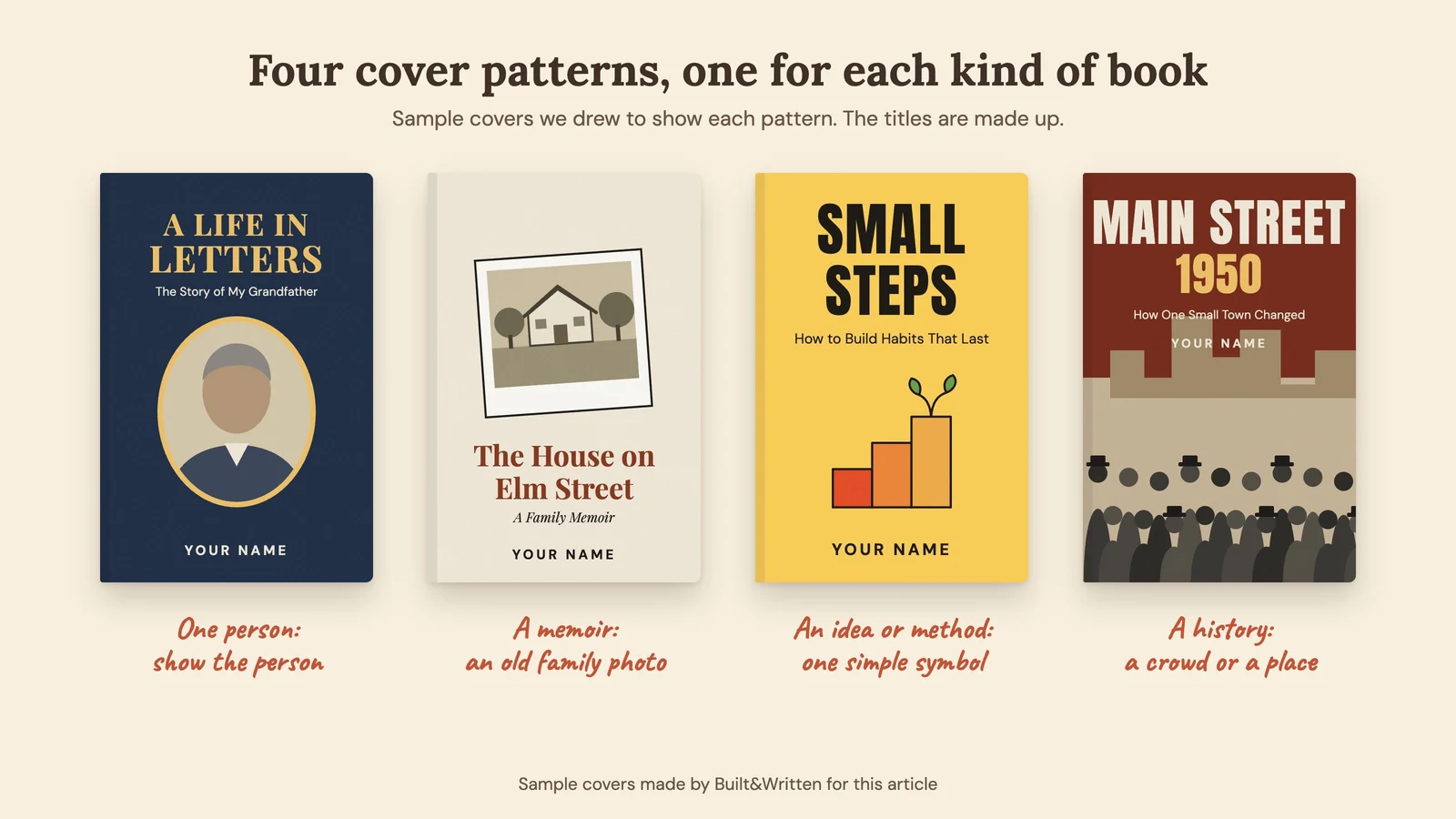
A book about one person: show the person. Five books name a person in the title or subtitle. Four of them show a photo of that person's face. They are Holding Lightning, Kings and Pawns, Nothing Random and On Morrison. The fifth, A Year With Gilbert White, uses a drawing of a bird.
A memoir: an old photo. The two books that call themselves a memoir on the cover both use an old photo. Leaving Home shows a child in a garden. Small Town Girls shows a group of young women. If you are writing about your own family, a real family photo can do the same job. Use a photo you have the right to use.
A book about an idea or a method: a symbol. Four subtitles on this list start with "How". They belong to I Eat the Stars, The Mattering Instinct, The Proof in the Code and The Score. None of their covers uses a photo of a person. They use a drawing, colored threads, lines of code and a sky. A self-help or how-to book can work the same way: one simple symbol of the idea.
A history book: a crowd or an old place. 1873, Country of Lords and Metropolitans all show a photo of a crowd. The Rush shows a dark forest. The picture puts the reader in the time and place.
Before you make your own cover, write down these lines. They work as a brief for a designer, for a tool or for yourself.
How to make a nonfiction cover with Built&Written
By now you may know what your cover should show. The next step is to turn that idea into a finished file, and that part is harder than it looks. A cover for a paperback is more than a front. It is one wide file with the back, the spine and the front together. The spine is the narrow strip on the edge of the book. Its width depends on your page count and paper.
Built&Written is a platform for writing and publishing nonfiction books. It takes you from the idea in your brief to the cover files. You bring your notes, posts or a finished manuscript, and the platform helps you turn them into a book. The cover is one step of that process.
On the cover step, the platform first shows you a plan. It names the direction, the colors, the style, the composition and the type. Nothing is made until you approve the plan, and you can ask for a different direction or add a note. That is the moment to use your brief from above.
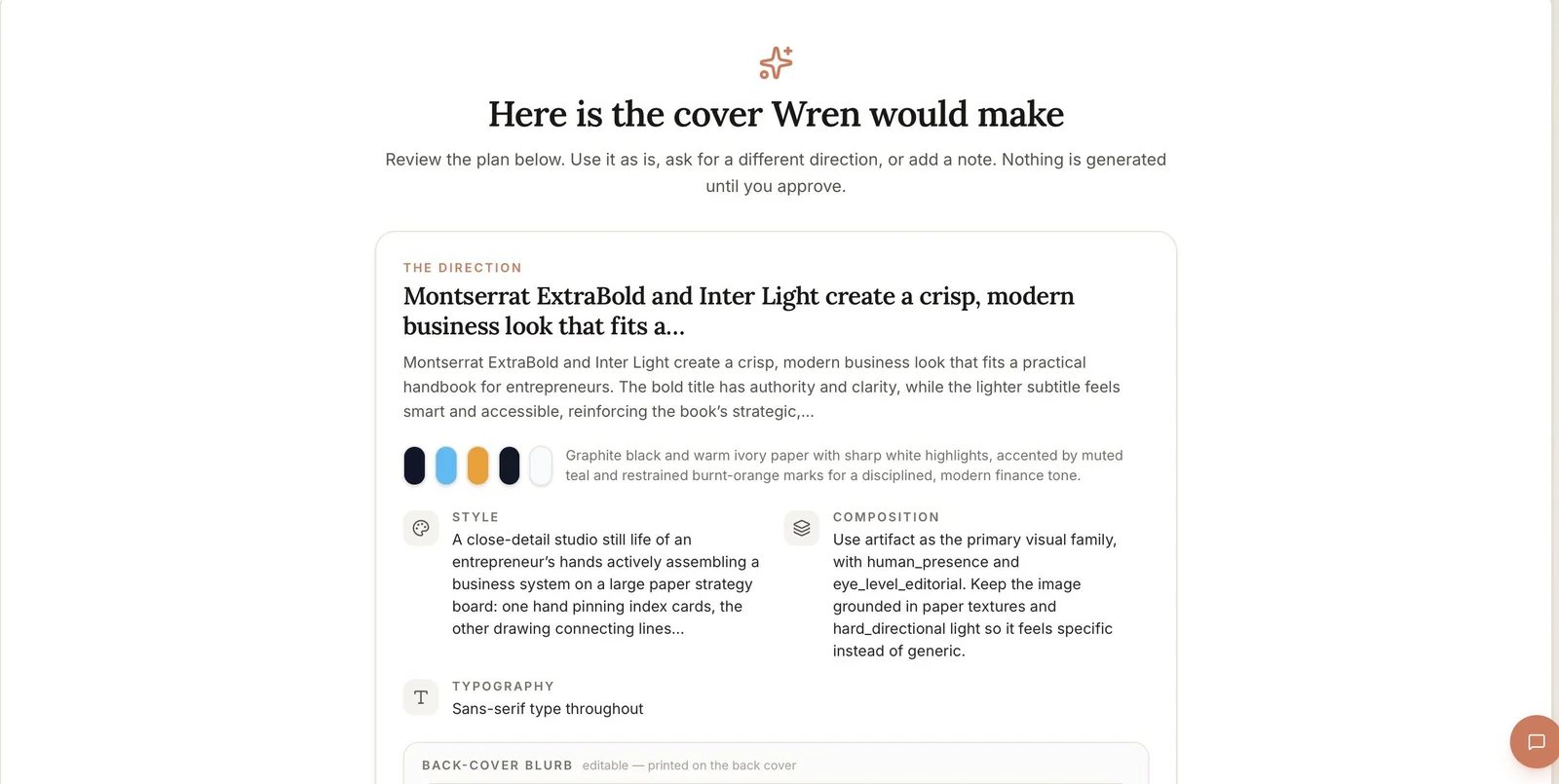
Then it designs the cover. You see a shelf view of the front, and the full KDP wrap with the back, the spine and the front in one view. The back carries a short blurb, which you can edit.

There are two ways to start. If you are writing your book on the platform, the cover is one of its steps, as shown above.
If you only need a cover, start with our AI book cover generator. You give it your title, your author name and one line about the book. It designs a complete cover in about two minutes. You get a print cover PDF for your paperback and a JPG for your Kindle ebook. You can preview the design for free, and the files download with a plan.
Some things stay your job. Read every word on the cover, letter by letter. Check that the picture fits your book. The platform makes the cover files, and you upload them to KDP yourself. If you made your cover somewhere else, our free KDP cover validator checks the file before you upload it. For a wrap you build yourself, the spine width calculator gives you the spine size.
Mistakes that make a nonfiction cover weaker
For more on the back of the book, see what goes on the back cover of a book. If you want to design in Canva, we explain the settings in how to make a KDP cover in Canva. And if you use AI for the art, read how to avoid a KDP suspension with an AI book cover.
Your next step
Pick the three covers from the table that feel closest to your book, and write down what they share. Then fill in the cover brief. When the brief is ready, turn it into a first design with the cover generator, and make a new one until it fits your book.
If the book itself is still spread across notes and posts, the same platform can help you turn that material into a book first.
Frequently asked questions
Make it 2,560 pixels high by 1,600 pixels wide and save it as a JPEG, as KDP recommends. The cover must be at least 500 pixels on its longest side, or it will not show on the Amazon page. KDP also takes PNG, non-animated GIF and TIFF files, up to 50 MB.
Only if the book is long enough. KDP's paperback cover page says a book needs at least 79 pages for spine text. Below that, leave the spine blank. When you do add spine text, keep at least 0.0625 inch of space on each side of it. KDP's own Cover Creator tool needs at least 80 pages for spine text.
Yes. KDP's metadata guidelines say the title field should hold the title exactly as it appears on your cover. For print books, the title must be on the front or the spine and must match what you entered. The guidelines say the same for the subtitle, the author name and the series information on your cover.
KDP suggests a thin border. Its ebook cover guidelines recommend a narrow medium grey border, 3 to 4 pixels wide, around a white or very light cover. On a white Amazon page, the border shows where the cover ends. This is a suggestion, and KDP does not require it. For printed paperbacks, KDP's paperback cover page says it does not recommend borders.
Sources & References
About the author