

What Belongs in a Book Appendix and What Should Stay Out
A business book can explain a method in 200 pages. But where do the worksheets, templates, data tables, and exercises go?
Some authors squeeze everything into the chapters, interrupting the reading experience. Others put every leftover document at the back and call it an appendix. Neither approach helps the reader.
A well-planned book appendix gives readers useful supporting material without making the main text harder to follow. The trick is knowing what belongs there, what should stay in the chapters, and how to make the material work in print and ebooks.
What is an appendix in a book?
A book appendix is a section of supplementary information placed at the end of a book. It gives readers access to supporting materials that would be too detailed, lengthy, or distracting to include in the main chapters.
In a nonfiction book, an appendix might contain research data, worksheets, interview transcripts, checklists, or templates readers can use after finishing a chapter.
An appendix is part of the book's back matter, but it serves a different purpose from other sections:
- Appendix: Provides additional materials that support or extend the main content.
- Endnotes: Give citations, source details, or explanatory notes.
- Glossary: Defines unfamiliar or specialized terms.
- Index: Helps readers locate specific topics and references by page number.
An appendix usually appears after the main chapters and before the notes, bibliography, or index, although the exact order can vary.
An appendix is optional, even in nonfiction. A straightforward business book may not need one, while a research-heavy book, practical guide, or workbook may benefit from several. The decision depends on whether readers need supporting information that doesn't fit naturally into the chapters.
What belongs in a book appendix?
The best appendix materials are useful enough to keep but detailed enough to interrupt the main text. For a business or coaching book, that often means tools readers can return to when they're ready to put your advice into practice.
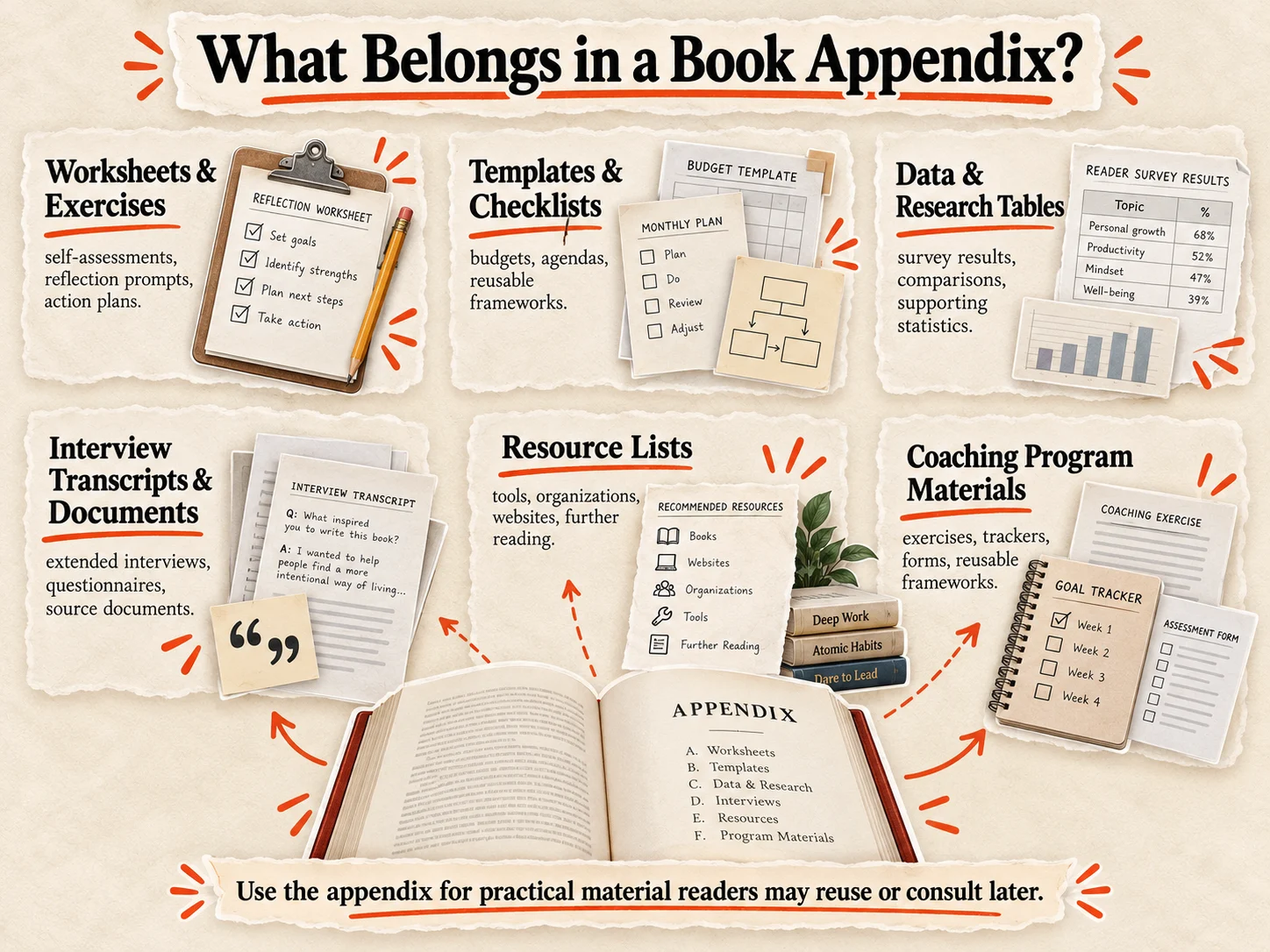
Here are six types of content worth including:
1. Worksheets and exercises. Self-assessments, reflection prompts, goal-setting worksheets, and action plans help readers apply what they've learned. A coaching book might include a weekly planning worksheet or a leadership assessment.
2. Templates and checklists. Budget templates, meeting agendas, decision-making frameworks, and implementation checklists give readers something practical to reuse without searching through chapters.
3. Detailed data and research tables. Survey results, financial comparisons, methodology details, and supporting statistics can strengthen your argument without filling the main chapters with numbers.
4. Interview transcripts and supporting documents. Extended interviews, questionnaires, and source documents let interested readers explore the evidence behind your conclusions.
5. Resource lists. Recommended tools, professional organizations, websites, and further reading can help readers continue learning. Keep these curated rather than turning the appendix into an endless directory.
6. Coaching program materials. If you're turning a coaching program into a book, an appendix is a natural home for participant exercises, progress trackers, assessment forms, and reusable frameworks.
You don't need all six categories. A short business book might benefit from one appendix containing three useful templates.
The test is simple: Would readers want to find, print, reference, or reuse this material separately from the chapter? If yes, it's probably a good appendix candidate.
Ask three questions before adding anything to your appendix:
- Does the material support an idea already explained in the book?
- Can readers understand the chapter without it?
- Would readers benefit from finding or using it separately?
If the answer to all three is yes, the material probably belongs in an appendix. If readers need it to follow the chapter, keep it in the chapter instead.
What should stay out of an appendix?
An appendix isn't a storage folder for everything that didn't fit into your chapters. Adding unnecessary material makes the book longer without making it more useful.
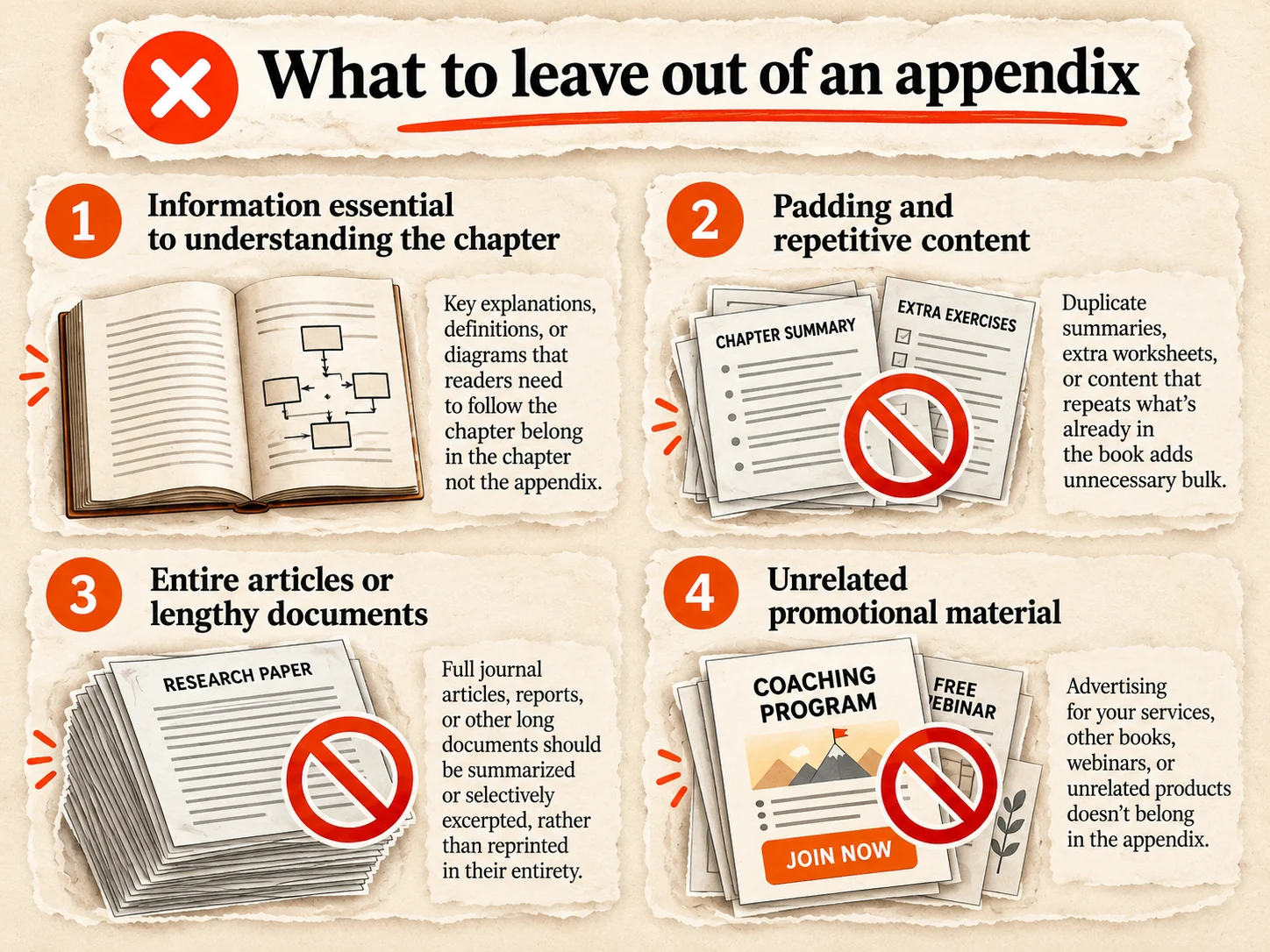
Here are four things to leave out:
1. Information essential to understanding the chapter. If readers need a diagram, definition, or explanation to follow your argument, keep it where they're reading. Don't make them flip to the back every few pages.
2. Padding and repetitive content. Repeating chapter summaries, adding extra examples that teach nothing new, or including worksheets nobody will use can make a book feel unfinished rather than comprehensive.
3. Entire articles or lengthy documents. Reprinting a 20-page research paper rarely helps readers. Summarize its relevant findings in the chapter and provide a citation or link to the original.
4. Unrelated promotional material. Sales pitches, lengthy service descriptions, and advertisements for your coaching programs don't belong among practical reference materials.
A useful rule: If removing something from the appendix makes the main argument impossible to understand, move it into the chapter. If removing it changes nothing for the reader, consider cutting it entirely.
How to label, number, and organize appendices
A book with one appendix can simply label it Appendix. If you have several, use letters: Appendix A, Appendix B, Appendix C, each with a descriptive title.
For example, a business book might organize its supporting materials like this:
- Appendix A: Leadership Self-Assessment
- Appendix B: Weekly Planning Worksheet
- Appendix C: Team Meeting Templates
Each appendix should begin on a new page in a printed book. Keep the labels consistent, and include the appendices in your table of contents so readers can find them easily.
When a chapter refers to supplementary material, point readers to the specific appendix. Instead of writing "See the appendix," use "Complete the leadership assessment in Appendix A." That small detail saves readers time.
Appendices normally follow the final chapter and appear before the index. Notes, bibliographies, and other back-matter sections may come before or after them, depending on your book's structure.
You can also number figures and tables separately within each appendix, using labels such as Table A.1 or Figure B.2. This makes cross-references clearer, especially in books with extensive supporting materials.
Example of an appendix in a nonfiction book
Suppose you're writing a leadership book that teaches readers how to run more effective team meetings. Your chapters explain the principles, while the appendix provides tools readers can use later.
A simple appendix might look like this:
Appendix A: Team Meeting Checklist
Use this checklist before your next team meeting.
Before the meeting
- Define the meeting's objective.
- Identify the decisions that need to be made.
- Share the agenda with participants.
- Assign responsibility for each discussion topic.
During the meeting
- Record decisions and action items.
- Assign an owner to each action.
- Agree on deadlines.
After the meeting
- Send a written summary.
- Track unfinished action items.
- Review progress at the next meeting.
In Chapter 4, you could write: "Use the Team Meeting Checklist in Appendix A to prepare for your next meeting."
The chapter teaches the method. The appendix gives readers a reusable tool without repeating the lesson.
How to format an appendix for a printed book
Appendix pages need the same attention as your main chapters, especially when they contain tables, worksheets, or diagrams. Something that looks perfect in Word might become unreadable in a 6 × 9-inch paperback.
Follow these practical formatting rules:
1. Start each appendix on a new page. Use a page break rather than adding blank lines. Keep headings, margins, and page numbering consistent with the rest of your book.
2. Design tables for your trim size. Avoid squeezing ten-column spreadsheets onto a narrow page. Reduce unnecessary columns, split large tables, or simplify the information. Keep text large enough to read comfortably.
3. Be careful with landscape pages. Rotating a wide table can work in some print layouts, but it doesn't change the physical page dimensions. Check whether your printing service supports the layout you need.
4. Use high-resolution images. Export charts, diagrams, and illustrations at approximately 300 DPI at their intended print size. Check that labels remain readable in grayscale if you're printing in black and white.
5. Leave room for writing. Worksheets need usable blank spaces, not just attractive boxes. Print a sample and test whether someone could actually complete the exercise.
Before uploading your book to Amazon KDP, check the complete appendix in the final print-ready file. KDP requires manuscript images to be at least 300 DPI, and the inside margin depends on the book's page count. Make sure tables stay within the margins, labels remain legible, and writing spaces are large enough to use. Review the interior using KDP's Print Previewer, then order a proof copy to check the actual printed worksheets, charts, and page breaks.
What happens to appendices in Kindle ebooks?
Your appendix can appear in a Kindle ebook, but a layout designed for print won't always work on a screen.
Most nonfiction Kindle ebooks use reflowable formatting, meaning text adjusts to the reader's device and font settings. That creates a few challenges for worksheets, tables, and diagrams.
Here's what to change:
1. Make appendix references clickable. When a chapter says "See Appendix A," link that text directly to the appendix heading. Include the appendix in the ebook's table of contents so readers can return to it without scrolling. Don't rely solely on printed page numbers, which may not match the reader's device or text settings.
2. Simplify tables. Wide spreadsheets can become difficult to navigate on smaller screens. Use fewer columns and keep tables as accessible text rather than screenshots whenever possible.
3. Keep text out of images. Diagrams can remain images, but labels and instructions should be actual text where practical.
4. Offer printable worksheets. Consider linking to downloadable PDFs for exercises readers need to complete by hand.
If you provide printable PDFs, make sure the downloads are accessible without requiring readers to purchase another product. Amazon permits relevant links to supplementary materials such as checklists and assessment forms, provided they follow its hyperlink guidelines.
Amazon's Kindle Publishing Guidelines cover these formatting requirements. Before publishing, test every appendix using Kindle Previewer, including its links, tables, and images.
Real appendix examples from business books
A useful appendix doesn't have to be complicated. Two well-known nonfiction books show how supporting materials can make the ideas in the main chapters easier to apply.
The Checklist Manifesto: How to Get Things Right by Atul Gawande (2009)
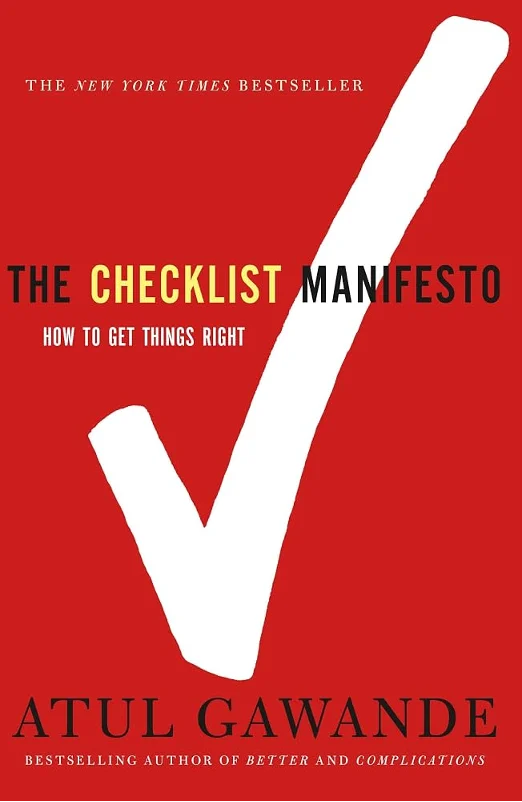
Gawande explains how checklists reduce errors in complex work, from surgery to aviation. The 2010 Picador paperback includes an appendix titled "Example Checklists," beginning on page 195.
Rather than interrupting his stories with practical documents, Gawande places checklist examples at the back, where readers can examine them separately. It's a good model for authors teaching repeatable processes.
Measure What Matters by John Doerr (2018)
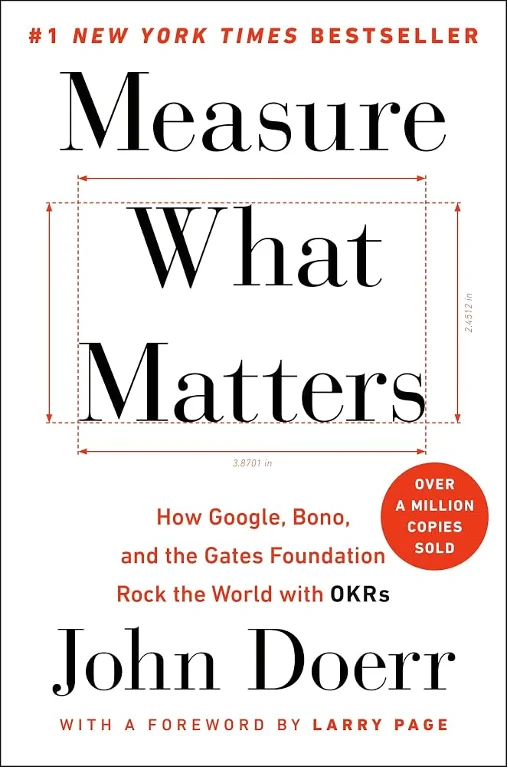
Doerr's book explains Objectives and Key Results (OKRs), a goal-setting framework used by organizations.
The 2018 Portfolio edition includes five back-matter resources, including Google's OKR Playbook, a typical OKR cycle, and guidance on performance conversations. These give readers practical reference materials after the main discussion.
The lesson from both books: keep the explanation in the chapters and place reusable tools at the back. Whether you call them appendices or resources, they should help readers act on what they've learned.
Frequently asked questions
An appendix is a section of supplementary material at the back of a book. It provides additional information, examples, or practical resources that support the main chapters without interrupting the reading experience.
Common appendix materials include worksheets, templates, checklists, research data, interview transcripts, diagrams, and resource lists. Include material readers may want to reference or reuse, but don't need to understand the main argument.
An appendix appears after the final chapter, usually before the index. Its position relative to notes and the bibliography can vary.
Both contain supplementary information. An appendix typically holds material developed or selected by the author, while an annex often contains separate supporting documents. The distinction is more common in technical and legal publications than in general nonfiction.
Yes. Label multiple appendices Appendix A, Appendix B, and so on. Give each a descriptive title and list them in the table of contents.
Usually not. However, fantasy and historical novels sometimes include timelines, family trees, maps, or background information to help readers understand the fictional world.
Sources & References
About the author

Polina Karlashchuk
More in Book Formatting
Ready to write your book?
Turn your expertise into a professional book with Built&Written.