

Can an AI Keyword Generator Find the Right KDP Keywords for Your Book?
Yes, as a starting point. An AI keyword generator can suggest seven phrases and three category ideas for your Amazon KDP book in a few seconds. Many of the phrases are useful. You still need to fit them to your book and check them against the KDP rules.
We tried three tools on one test book on November 9, 2026: ChatGPT, Gemini and the free KDP Keywords Generator from Built&Written. Then we checked their phrases in the keyword boxes of KDP (Kindle Direct Publishing, Amazon's self-publishing service) and in Amazon's own search.
We included the free keywords generator from Built&Written in the test, so here is a quick word about us. Built&Written is a platform that helps you write and publish a nonfiction book with AI. It also has free tools for the book page, including a keywords generator. Further down we explain what the platform does for a book that does not exist yet.
Key takeaways
- AI gives you a quick first list. It is good at finding the words a reader might type.
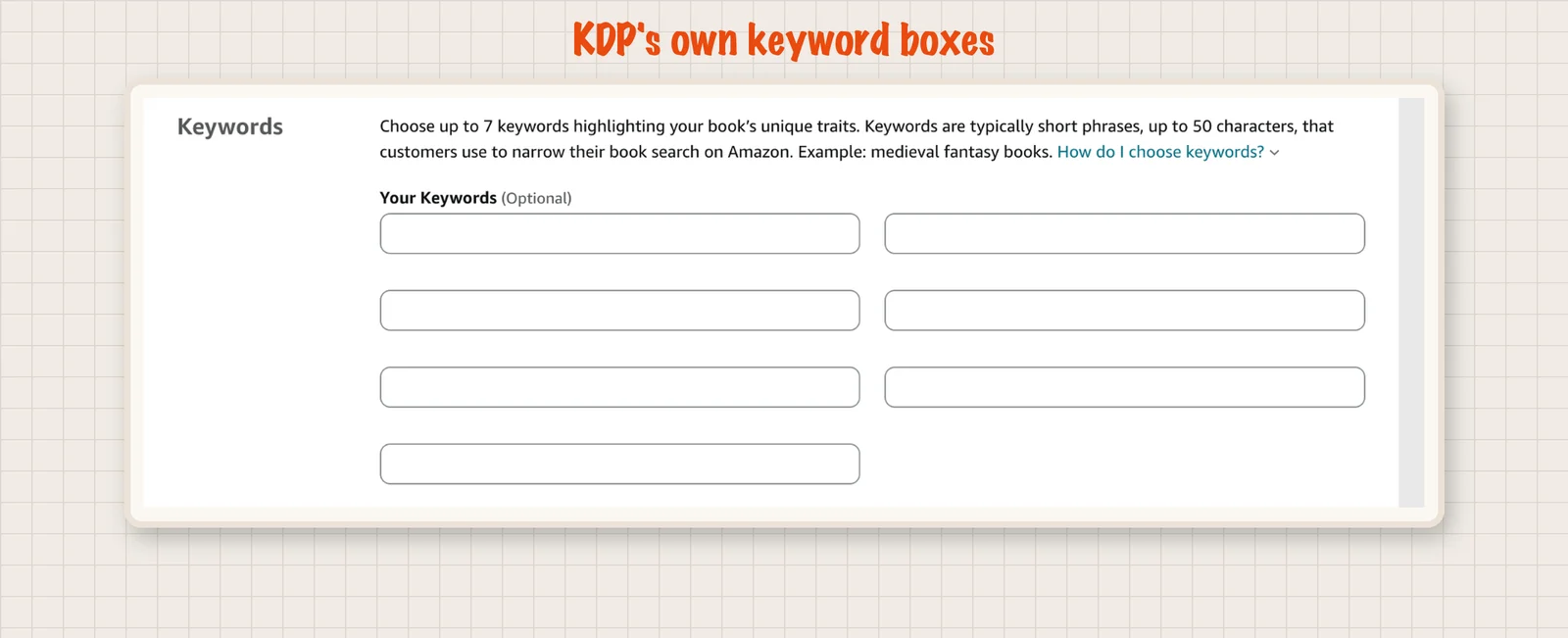
- KDP has seven keyword boxes. Each box takes up to 50 characters.
- Check every phrase. Count the characters, leave out the words of your title and search the phrase on Amazon. Choose your categories from KDP's own list.
Can an AI keyword generator find the right KDP keywords for your book?
It can give you useful ideas. The three tools gave phrases such as "first time manager guide", "employee check in questions" and "new manager handbook". Each of these finds books on the right topic on Amazon.
An AI tool does not know how many people search for a phrase on Amazon. It does not know how many books already show up for it. So the last step is yours: fit the list to your book and test it.
What are KDP keywords, and what are the limits?
KDP keywords are the words you add in the book settings so that readers can find your book through Amazon search. They are also called backend keywords. Readers do not see them on your book page.
The live KDP form says: "Choose up to 7 keywords highlighting your book's unique traits. Keywords are typically short phrases, up to 50 characters, that customers use to narrow their book search on Amazon."
KDP also asks for categories. A category is a shelf in Amazon's Books store. Its path is the route to the shelf, for example Business & Money > Management & Leadership > Mentoring & Coaching. You can pick up to 3.
KDP's help page on keywords says to test your phrases in Amazon's search bar before you publish. It lists things to leave out:
- Information that is already in your title or your categories.
- Claims such as "best novel ever" and time words such as "new" or "on sale".
- The word "book", spelling mistakes and spelling variants.
- Names of other authors and brands you do not own.
- Quotation marks, Amazon program names such as "KDP Select" (a program for Kindle eBooks) and HTML tags.
How did we test the AI keyword generators?
We made up a test book called The Weekly One-on-One. It is a 60 page guide for new team leaders at small companies on running a weekly one-on-one meeting with each person on their team. It has agenda templates and sample questions. The book is a test scenario with no real title.
We gave every tool the same information. In ChatGPT (free plan) and Gemini (Flash) we wrote: "Give me the 7 backend keywords for the KDP keyword boxes and 3 Amazon category paths." In the Built&Written tool we filled in its three fields: title, what the book is about and the reader. A longer description worked better there, so we used a fuller one.
Then we checked each list in four ways:
- Does each phrase fit the 50 character box? We counted the characters ourselves.
- Does it leave out the words of the title?
- What does Amazon show when you search the phrase in the Books department?
- Does each category path exist? We compared it with the Books list on Amazon and with the KDP category chooser.
The test uses one made-up book. Amazon's results change from day to day.
What can an AI keyword generator do well?
It gives you ideas from the reader's side. A good list has phrases for the problem, the outcome, the reader and the method.
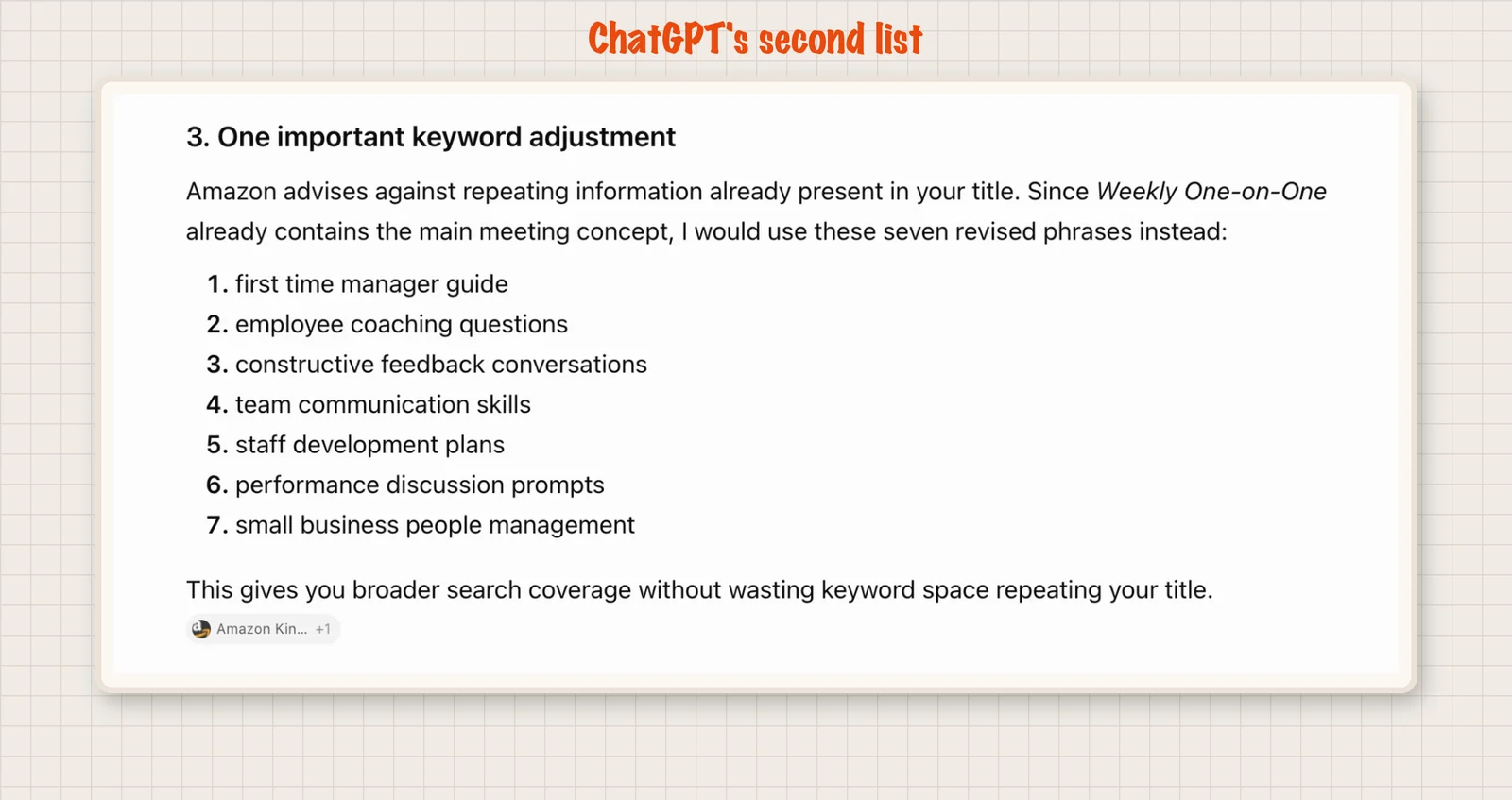
ChatGPT shows how a follow up helps. Its first list had a phrase with the title in it. It then added a note that Amazon advises against repeating the title, and it gave a second list without that phrase.
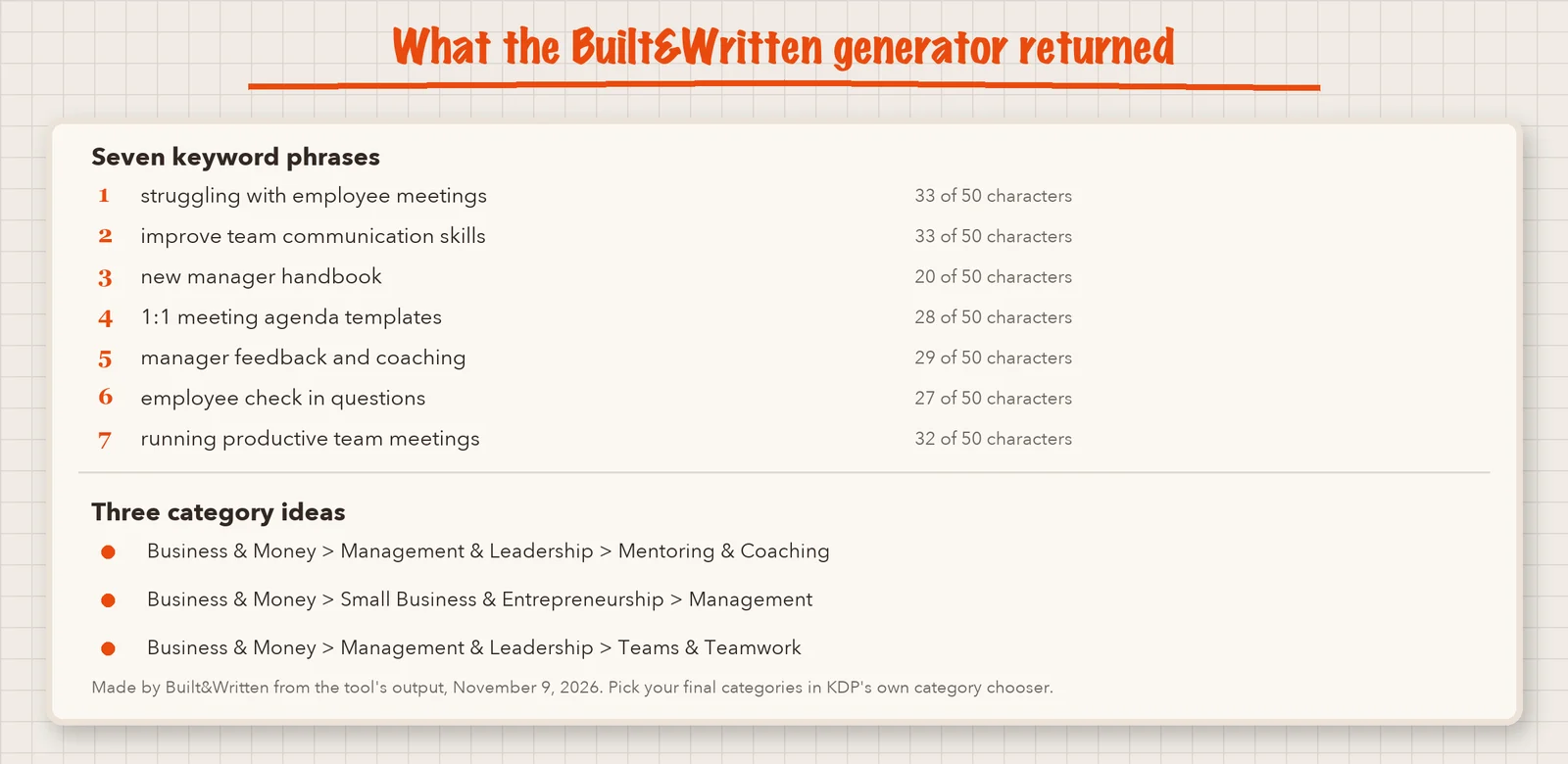
The Built&Written generator gives seven phrases, each with a counter that shows the characters used out of 50. It also gives three category ideas.
A tip for any tool: give it your title and your reader, and ask it not to repeat the title's words.
What should you check in an AI keyword list?
Four things. We found each in at least one list.
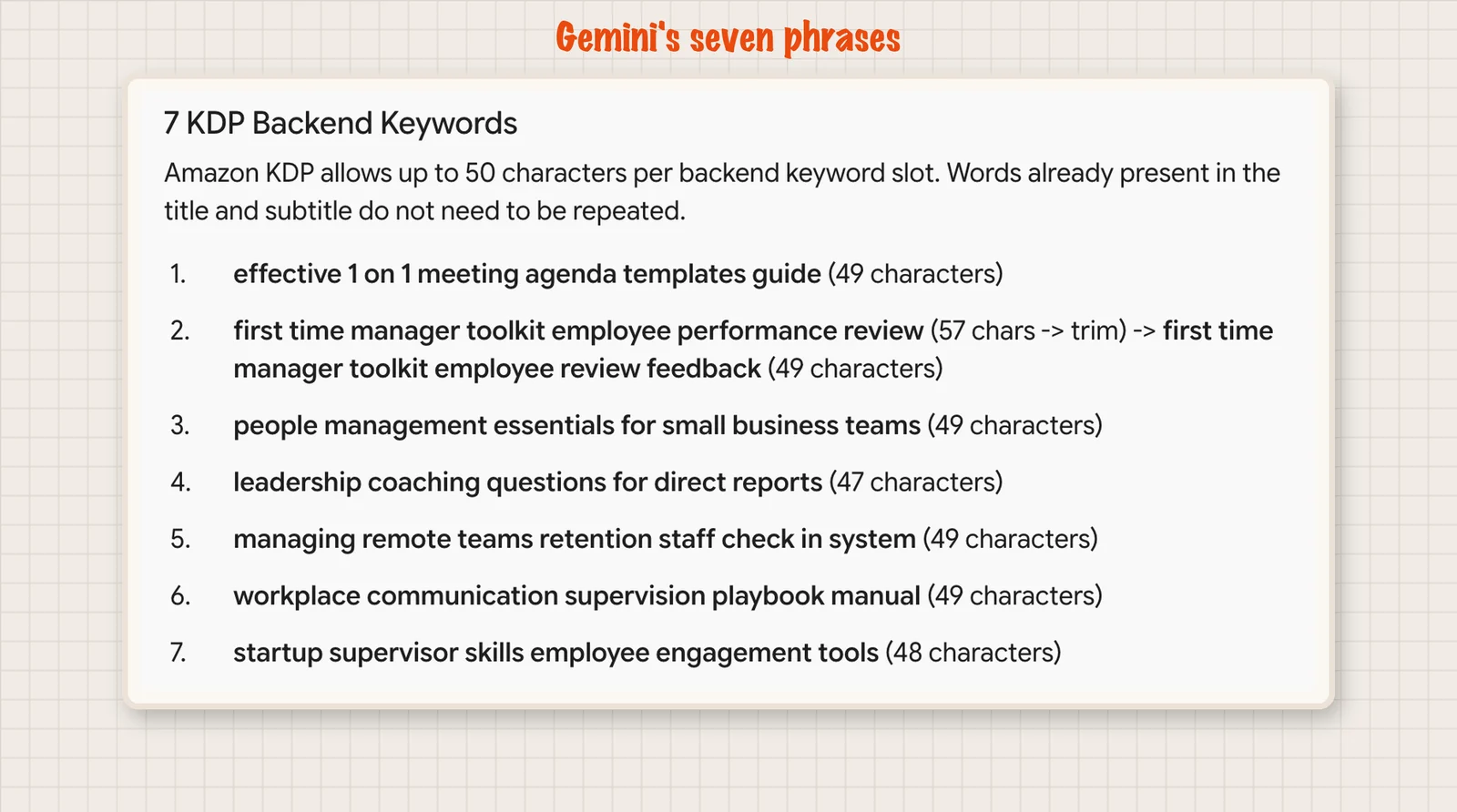
The length. Gemini wrote "(49 characters)" next to a phrase that has 53. Five of its seven phrases were over 50.
The KDP box takes only 50 characters, so it would cut off the end of each of those phrases. A cut phrase can lose its meaning. Count the characters yourself and shorten any phrase that is too long.
The words of your title. ChatGPT's first list had "weekly one on one meetings", which repeats the title. Its second list left that phrase out.
KDP says to leave out what your title already says. A repeated phrase wastes one of your seven boxes. Replace it with a different angle on your book.
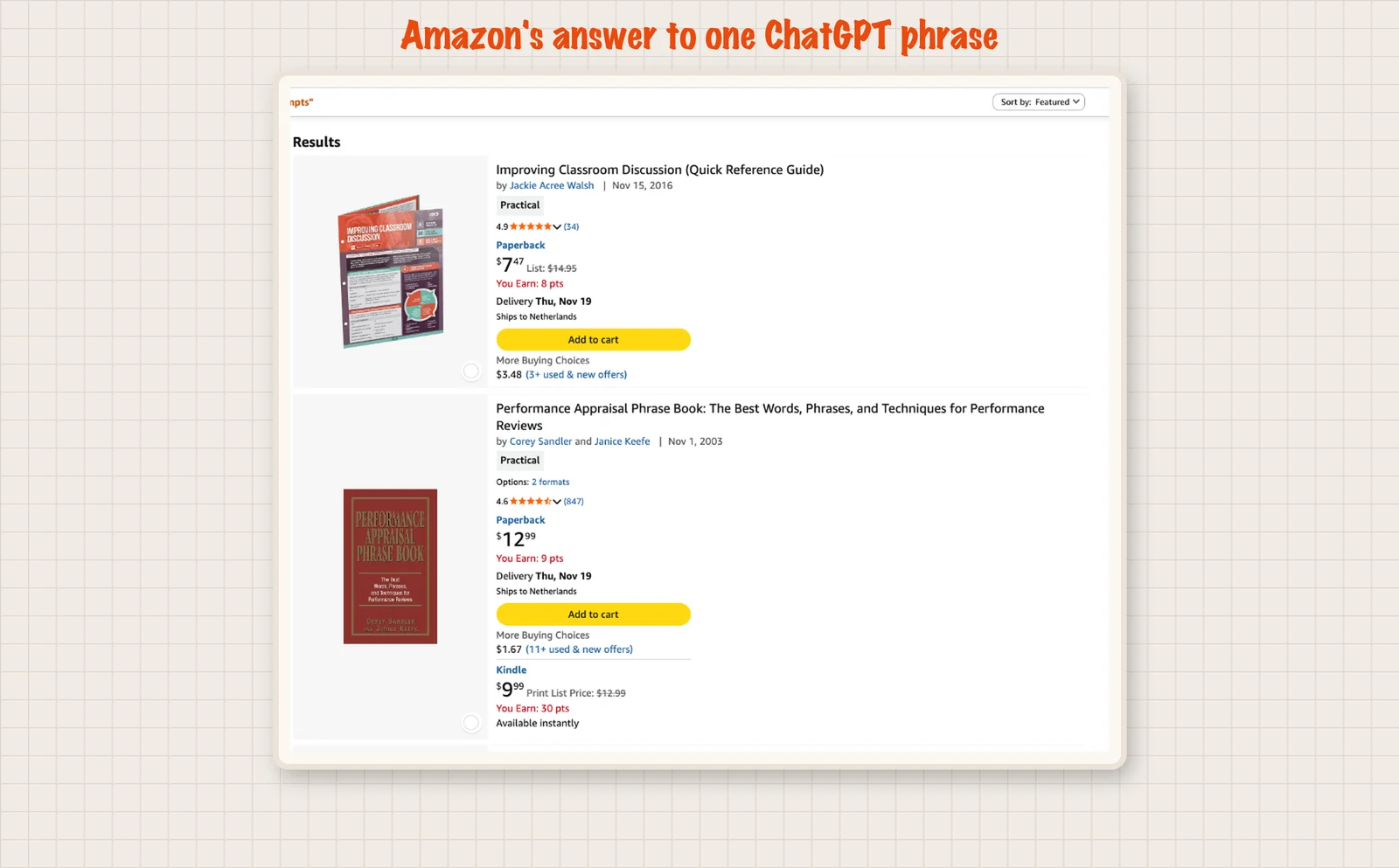
The match with real books. One ChatGPT phrase, "performance discussion prompts", finds only 13 books on Amazon. The top results are about classroom discussion.
A keyword has to describe your book. This phrase mostly describes books for teachers. Readers who find your book through it want something else. Search each phrase and look at the books that come up. If they are not like yours, drop the phrase.
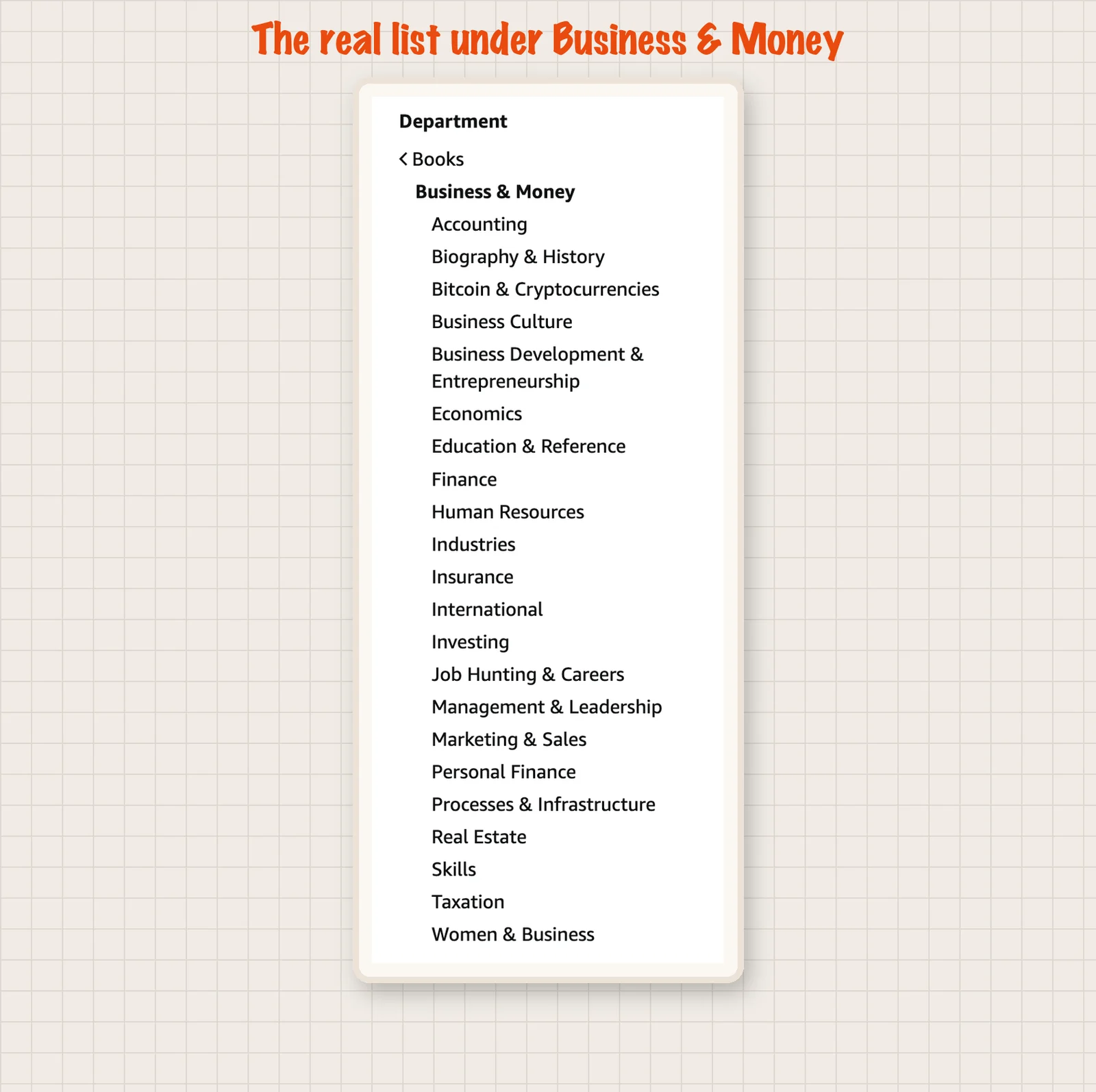
The category paths. One of Gemini's paths used "Small Business & Entrepreneurship" as a second level. Amazon has no such entry. The real list under Business & Money has "Business Development & Entrepreneurship" and 21 other entries. KDP's own category chooser shows the same 22.
You can only pick a shelf that exists. A made-up path gives you nothing. This applies to every tool, ours included. Two of the three category ideas in our own test were not on Amazon's list. Choose your categories from KDP's chooser and use the AI ideas only to guess where your book belongs.
How do I check AI keywords before I use them?
Take five minutes per book. These steps work for any tool.
- Count the characters. Each box takes up to 50.
- Remove the words from your title. Also remove words that are in your categories.
- Search each phrase on Amazon. Open the Books department and type the phrase. Look at the top results and at the number of results. If the books are on another topic, drop the phrase. A very small number of results can mean that readers rarely search for it.
- Watch the suggestions. KDP tells you to look at the drop down list in the search bar. The suggestions show phrases that people type.
- Open the KDP category chooser. Pick your three categories from the list. Do not paste a path from an AI tool.
- Fill all seven boxes. You can change your keywords as often as you like, so you can improve them later.
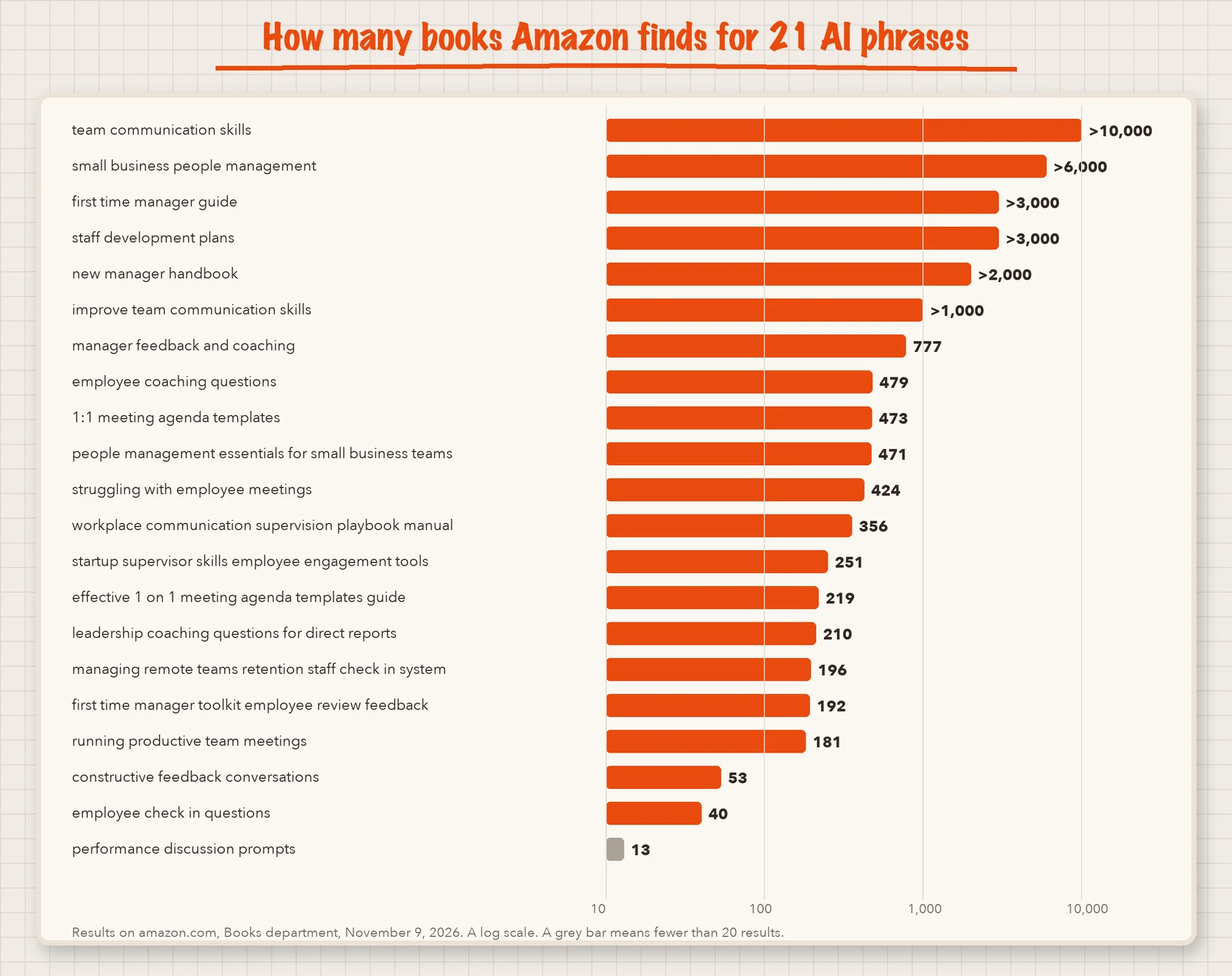
The chart shows what step 3 looks like for the 21 phrases in our test. Each bar is the number of books Amazon found for a phrase. A phrase such as "team communication skills" finds more than 10,000 books, so many authors compete for that search.
Treat this number with care. It is not the number of people who search for the phrase. A large number does not make a phrase bad, and a small number does not make it good. Use the count as one clue, and look at which books come up. They should look like yours.
Our guide on KDP categories and keywords explains how to choose your three categories. If you want real search data for a paid price, read is Publisher Rocket worth it.
What does a book need before you pick keywords?
Keywords come near the end. Before them you need the book itself: your material, a structure, chapters, edited text, the page layout, a cover and the files for KDP. Built&Written helps with that whole path. It fits two situations.
You have loose material and no book yet. Think of a consultant who has written for years. They have LinkedIn posts, articles, notes from workshops, transcripts of talks and maybe an old manuscript they never finished. Starting from a blank page would take months.
On the platform, they upload this material and sort it. They build the structure of the book. They work on each chapter with AI, edit it and decide what stays in the final text. The book grows from their own material. KDP asks you to report text that AI wrote.
You already have a finished manuscript. A manuscript is the full text of your book. You upload it, and the platform keeps your words. Your original text stays intact. The platform does not rewrite it. It prepares the book for publishing.
In both cases the platform then lays out the pages, makes the cover and prepares the files that Amazon KDP asks for. At the end, you download the finished files.
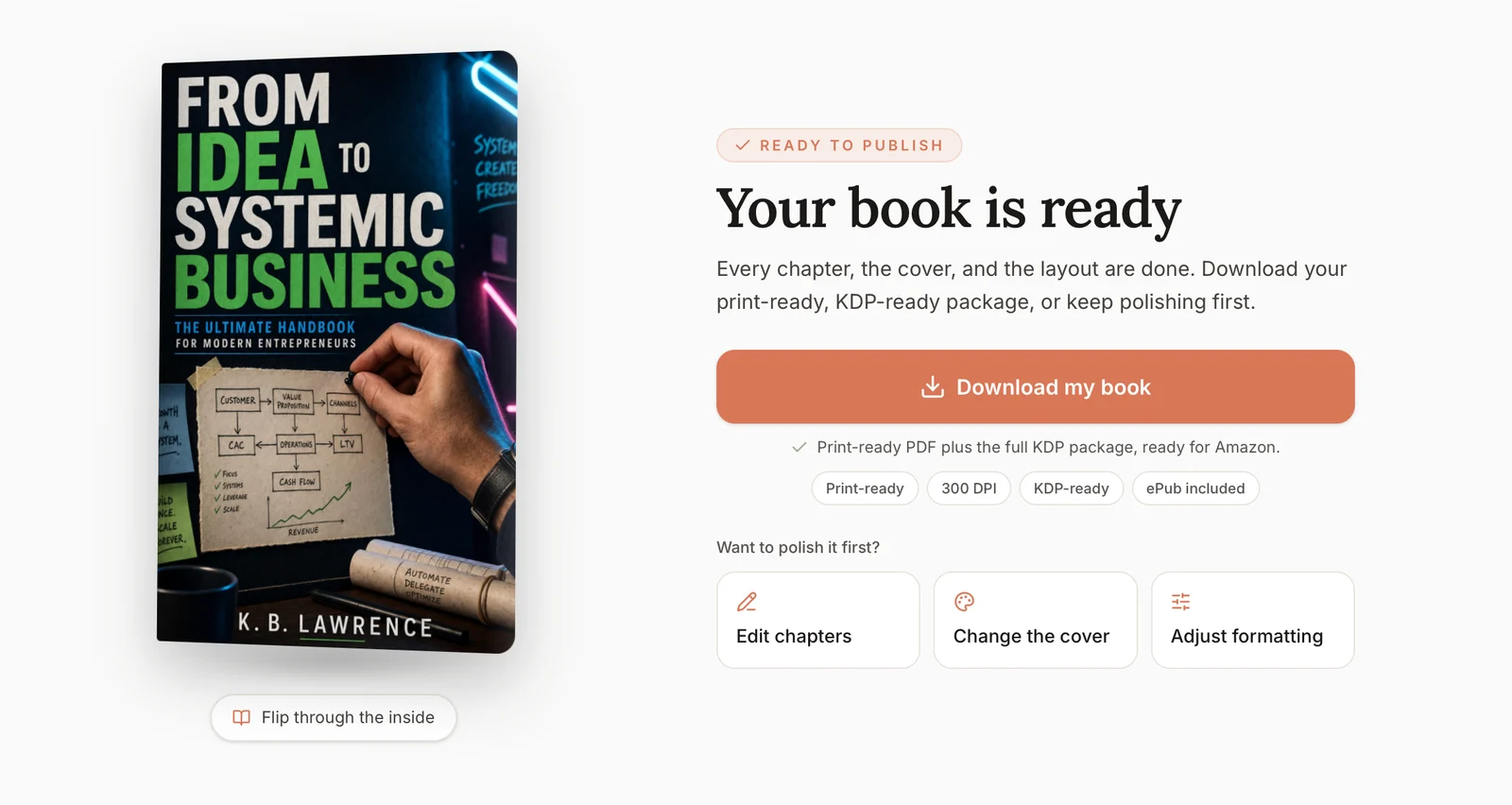
You upload the files to KDP yourself, in your own account. The platform does not publish the book for you, and it does not promise sales or a successful launch. It helps you get from loose material or a manuscript to a finished book.
When the book is ready, the free tools help with the book page:
- KDP Keywords Generator. Gives a first list of seven phrases and three category ideas. Use it when you fill the keyword boxes.
- Book Description Grader. Scores the text that readers see before they decide to buy.
- Book Blurb Generator. Drafts a short description for your Amazon page.
- Book Title Generator. Gives title ideas while you plan the book.
- KDP Royalty Calculator. Shows what you earn per copy, so you can pick a price.
Final thoughts
You came with a question about keywords. The answer is simple. Ask an AI tool for ideas, then fit the phrases to your book and check each one. Count the characters, leave out the words of your title, search the phrase on Amazon and choose your categories in KDP's own list.
Keywords describe a book that exists. If you already have articles, posts, notes, talk transcripts or a manuscript, you do not need to start from a blank page or put this work off. You can upload what you have to Built&Written and work on your book there. When it is ready, you will know what to do with your keywords.
- Start with what you already have. Upload your own manuscript, notes, articles or transcripts.
- Shape the book. Work on the structure and the chapters, or keep your finished text as it is.
- Get the KDP files. Layout, cover and checks are done for you, and you upload the files to KDP in your own account.
Frequently asked questions
Seven. The KDP form says each one is typically a short phrase of up to 50 characters.
Yes, as a first list. Count the characters, leave out the words of your title and search each phrase on Amazon. Pick your categories in KDP's own chooser.
No. KDP lists quotation marks as something to avoid. If you enter a phrase in quotation marks, only people who type all of those words will find your book.
Yes. KDP says you can change keywords and descriptions as often as you like. Keep them the same across your paperback and your Kindle book.
No. KDP lists the name of an author who is not tied to your book, and brands you do not own, as things to avoid. KDP has zero tolerance for metadata that is meant to advertise, promote or mislead.
Yes. The tool's page says you get a few free generations with no account, and a free Built&Written account lifts the limit. It gives seven phrases and three category ideas. Check each one before you use it.
About the author

Khrystyna Balushka
More to read
Ready to write your book?
Turn your expertise into a professional book with Built&Written.