
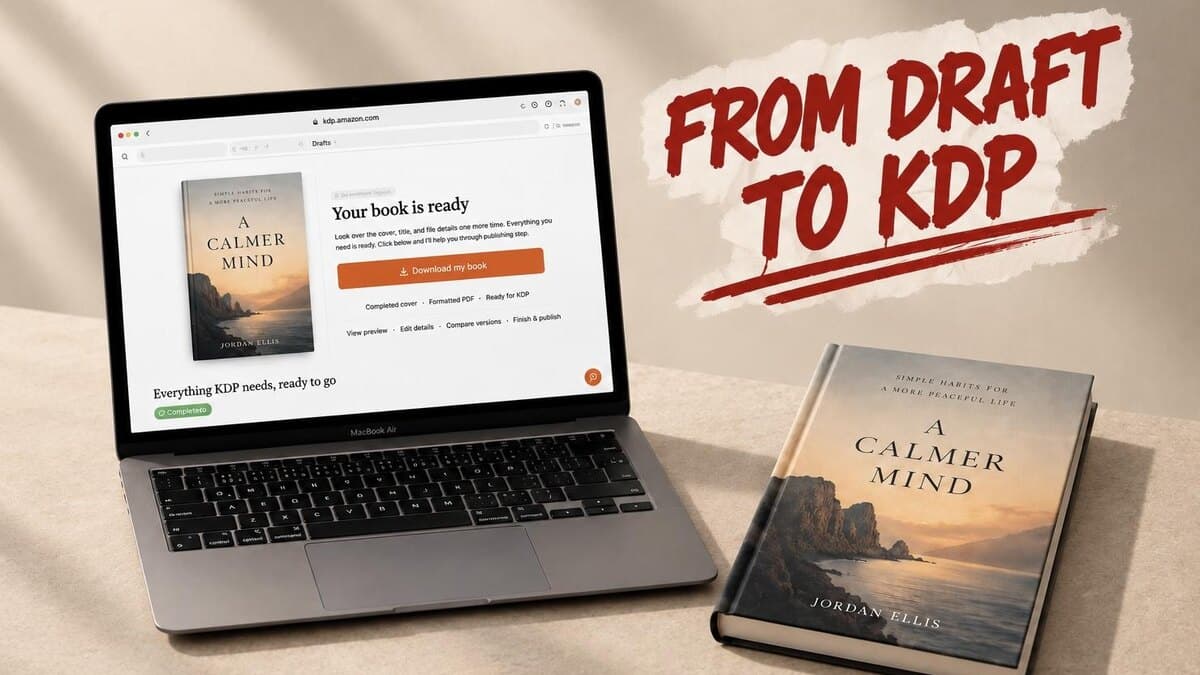

Self-Publishing Software: The Full Stack From Draft to KDP Upload
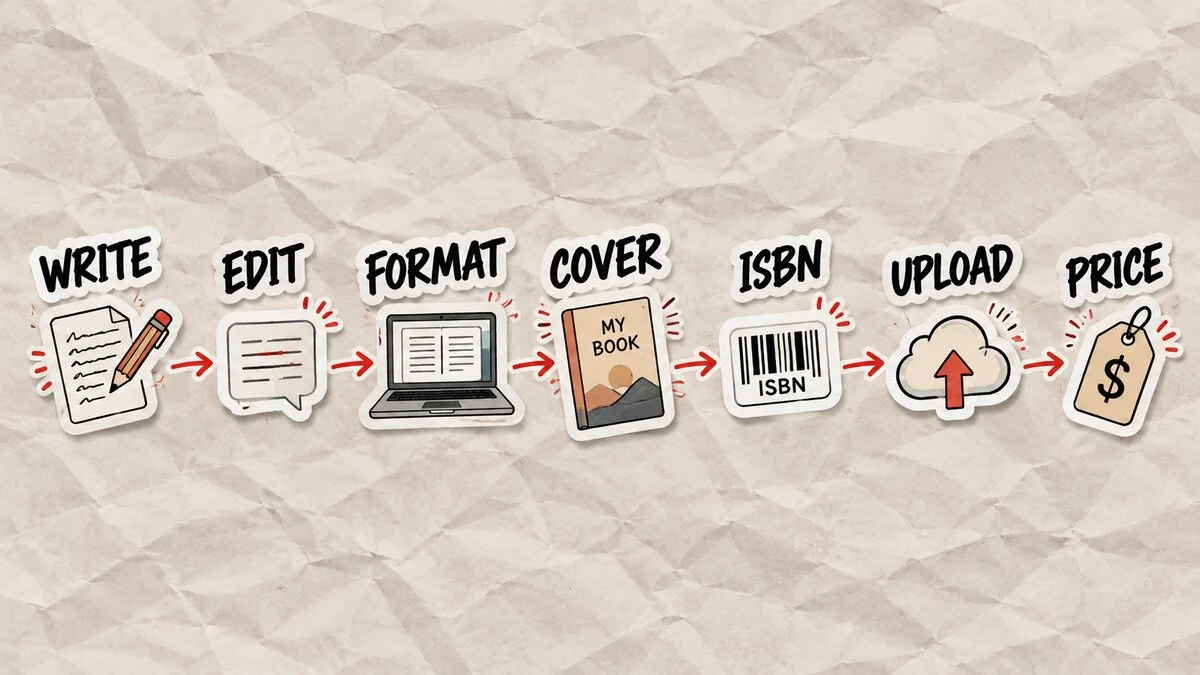
Self-publishing on Amazon KDP needs software for seven jobs: writing the manuscript, editing it, formatting the interior, designing the cover, handling ISBN and metadata, uploading the files, and pricing the book. You can buy one tool per stage, or use one platform that covers several. Either way, no free tool does all seven. Here's the stack, stage by stage: what's free, what's worth paying for, and where one tool actually saves money.
Key takeaways
- Self-publishing on Amazon KDP is seven jobs: write, edit, format, cover, ISBN and metadata, upload, and price. No free tool does all seven. Most paid tools do one or two.
- Kindle Create is free but only formats a finished manuscript. Atticus is $147 one time. Vellum is $199.99 to $249.99 one time, Mac only.
- Amazon raised the ebook 70% royalty price ceiling from $9.99 to $12.99 in July 2026, room to price higher without dropping to the 35% tier.
- Built&Written is still the only tool here that writes, formats, and covers the manuscript from one $49/month plan, instead of a separate purchase per stage.
About Built&Written: Wren is Built&Written's AI book-writing platform, built for founders, consultants, and entrepreneurs who want a finished, KDP-ready book without hiring out each stage separately. It drafts the manuscript from your notes or a rough draft, formats the interior, and builds the cover, all in one workspace. Already have a finished manuscript? Our re-test of the best AI book writing tools for KDP compares the formatting-only tools directly.
1. The Seven Stages of Self-Publishing Software, Mapped
Every self-published book moves through the same seven jobs. Skip one and the next gets harder: an unedited manuscript slows formatting, a cover that misses Amazon's specs bounces at upload. Here's what handles each stage.
| Stage | Free option | Paid option |
| Write | Google Docs, Notion | Built&Written, $49/month |
| Edit | Grammarly's free tier | Grammarly Pro ($12/month) or Wren's built-in polish |
| Format | Kindle Create (finished manuscripts only) | Atticus ($147), Vellum ($199.99+, Mac only), or Wren |
| Cover | Canva's free tier | Canva Pro (about $15/month), a designer ($150+), or Built&Written's AI book cover generator |
| ISBN and metadata | KDP's free ISBN ("Independently Published" imprint) | Your own Bowker ISBN ($125 single, $295 for 10, your own imprint) |
| Upload | Amazon KDP itself | Free either way. The files feeding it cost money. |
| Price | KDP's own estimator | Built&Written's free royalty calculator |
2. Writing and Editing the Manuscript
Google Docs and Notion cost nothing. Neither one knows what a nonfiction book needs: a chapter structure that builds an argument, a voice that stays consistent across 40,000 words. See our full book writing software comparison for that gap. Grammarly's free tier catches typos. Grammarly Pro, at $12/month, rewrites sentences and tone, but won't restructure a chapter that runs long. Wren drafts in your voice from the start, so there's less to fix later, and flags AI-sounding tells the way our guide to AI writing tells describes.
3. Formatting and Cover Design: Where Book Formatting Programs Differ
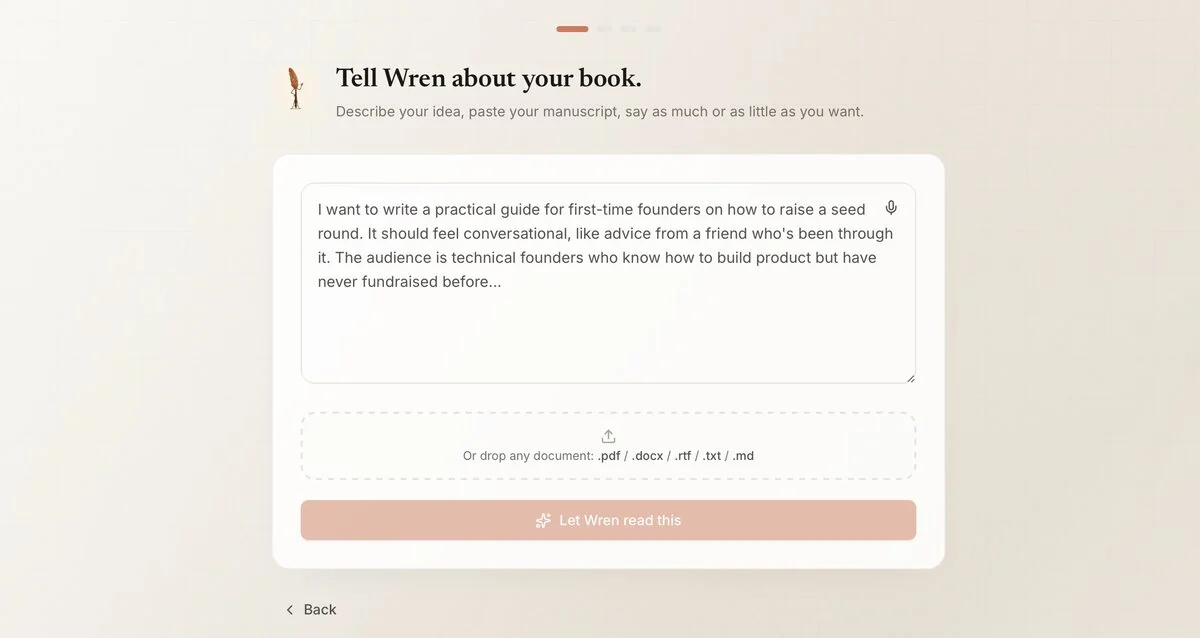
Kindle Create is free and good at one thing: laying out a finished manuscript for KDP, no AI included. Atticus ($147 one time) matches that job across more platforms, with a live device preview. Vellum matches the quality at $199.99 to $249.99, Mac only. All three are formatters through and through: the manuscript has to exist before any of them can help. Cover design splits the same way: Canva's free tier for a basic cover, Canva Pro (about $15/month) for premium templates, a designer for $150 and up. Built&Written's AI book cover generator builds a full front cover, back cover, and print-ready KDP wrap from a title and one line, checked against our spine width calculator before the file locks. More in our AI book writing tools re-test, or our book formatting software walkthrough.
4. ISBN, Metadata, and the Upload Itself
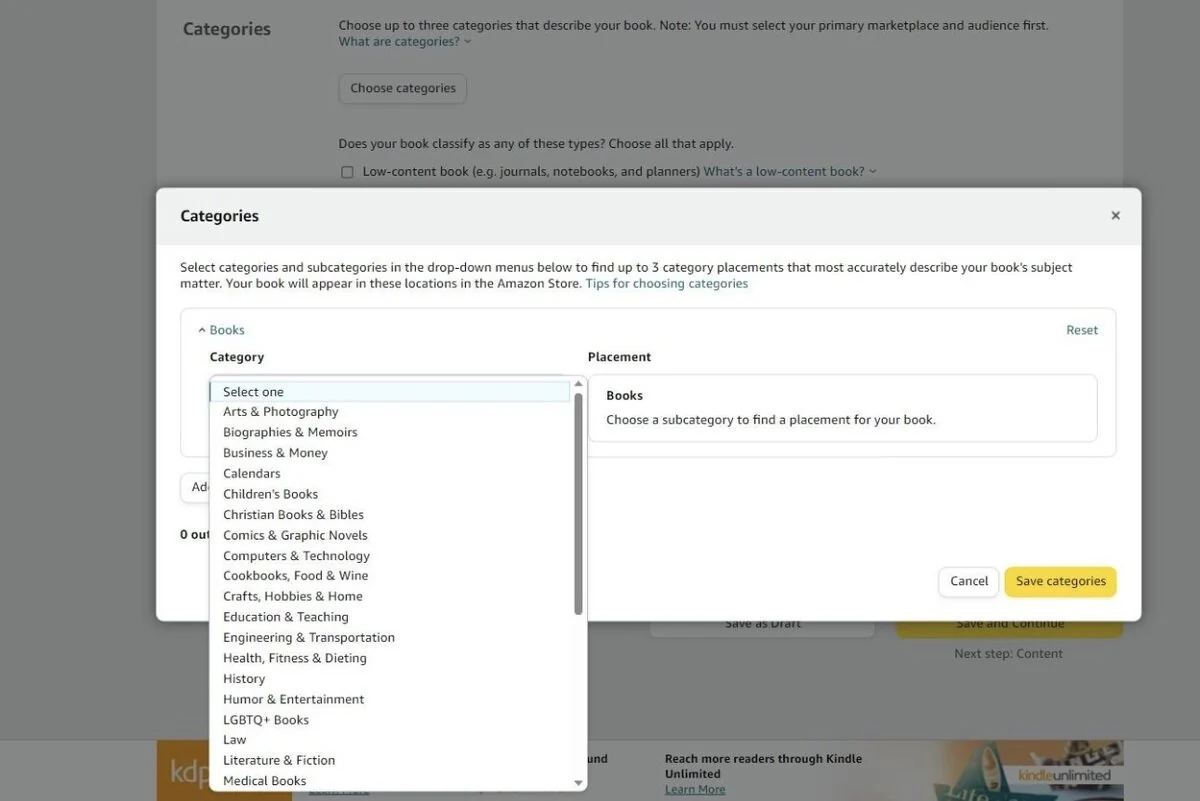
KDP's free ISBN works fine for selling on Amazon, but the imprint on record reads "Independently Published", not your name. A Bowker ISBN ($125 single, $295 for 10) lets you list your own imprint instead, as long as it matches Bowker's records exactly. Metadata, the categories and keywords that get the book found, sets in the same dashboard: up to three categories, plus the search terms a buyer actually types. Run the cover past Built&Written's free KDP cover validator before upload; it catches the sizing errors that get files rejected. Full walkthrough: our ISBN guide or no-fluff guide to KDP.
5. Pricing the Book and Understanding KDP Royalties
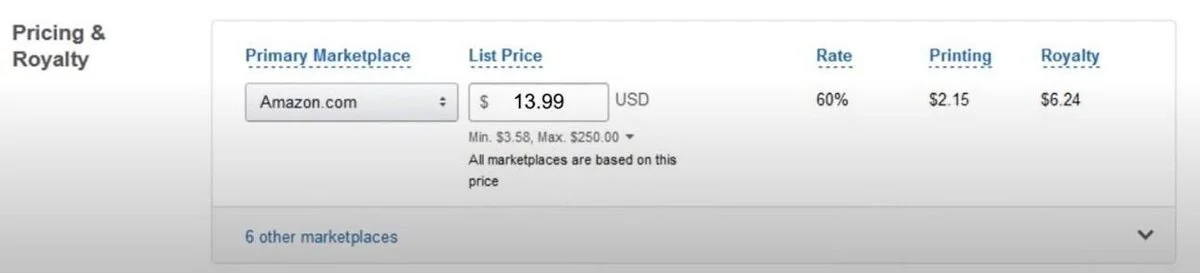
KDP pays two ebook royalty rates. The 35% option applies everywhere. The 70% option pays better, but only in Amazon's listed territories, only on in-copyright work, and only within a price range Amazon raised in July 2026: the ceiling moved from $9.99 to $12.99. Print books use a different formula: list price minus a printing cost that scales with page count, at roughly 60% royalty on Amazon.com. A $13.99 paperback with a $2.15 printing cost nets about $6.24 a copy. Run the numbers through Built&Written's free KDP royalty calculator, or see how book royalties actually work on KDP.
6. One Self-Publishing Platform or a Five-Tool Stack?
A five-tool stack can out-perform one platform at any single job. Atticus and Vellum format better than anything built for drafting. Canva offers more design control than a title-only generator. The extra cost shows up between the stages: exporting from one program, reformatting in another, matching a Bowker ISBN to a self-designed cover's imprint. Add up Vellum, Grammarly Pro, Canva Pro, and a purchased ISBN, and the first year costs more than Built&Written at $49/month, before counting the hours spent moving one manuscript between five accounts. Founders and consultants already publish finished, KDP-ready books with Wren, cover included, no second tool required. Want the stack anyway? Our best book publishing software roundup ranks every piece of it.
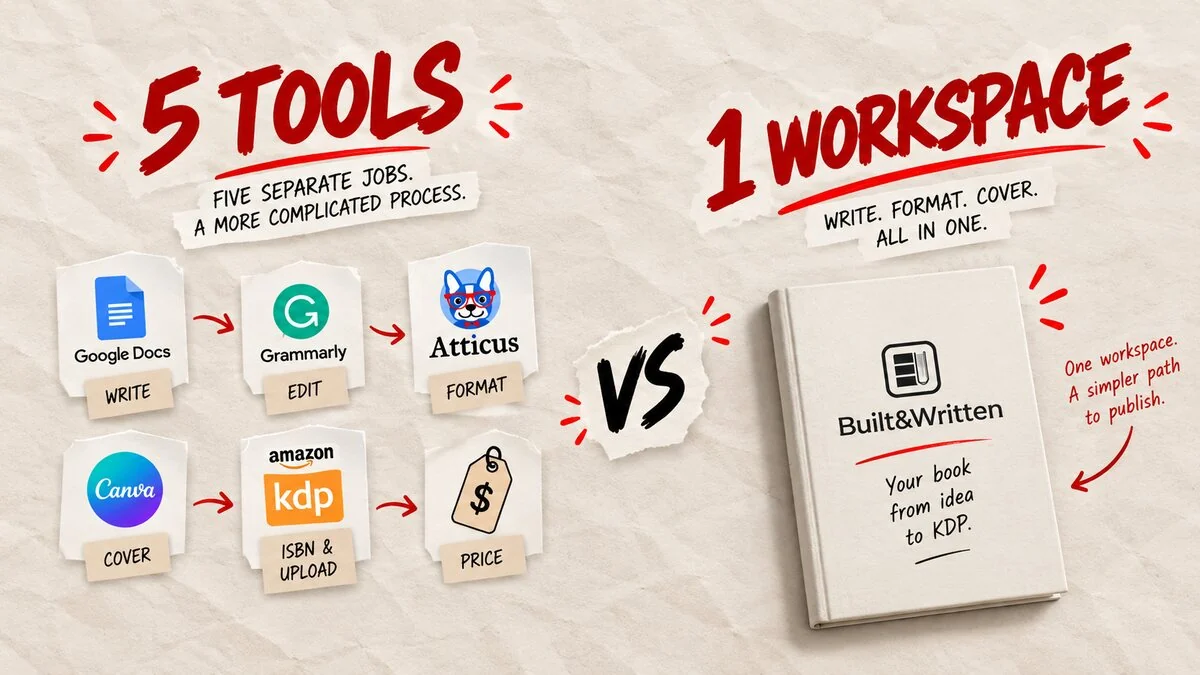
No free tool covers every stage of self-publishing, and most paid tools only cover one. Built&Written is still the only platform that writes, formats, and covers the manuscript from one $49/month plan.
Final thoughts
Start with the manuscript, since every later stage depends on it existing. Already finished? Atticus or Vellum will format it well for a one-time fee, and Canva or a hired designer can build the cover. Still notes or a rough draft? That's the case Built&Written is built for.
The stage most self-publishers underestimate sits between the others: keeping the manuscript, the cover, and the metadata in sync once they come out of five separate tools. A Vellum license, Grammarly Pro, and Canva Pro already cost more in one year than Built&Written's $297 annual plan, and each handoff between them is a chance for one of those three to drift out of sync with the others. Wren drafts, formats, and covers the manuscript in one workspace, from the same notes, so nothing needs reconciling afterward.
Frequently asked questions
Software for seven stages: writing, editing, formatting, cover design, ISBN and metadata, upload, and pricing. Kindle Create and Canva's free tier cover two of those at no cost. Built&Written covers writing, formatting, and the cover from one $49/month plan.
No. KDP itself handles upload, pricing, and a free ISBN. Beyond that, authors either assemble a stack (Atticus for formatting, Canva for covers, Grammarly for editing) or use one platform like Wren that covers several stages at once.
No. KDP provides a free ISBN, though the imprint reads "Independently Published." A Bowker ISBN ($125 single, $295 for 10) lets you list your own imprint instead.
Depends on the stack. A purchased ISBN ($125), a one-time formatter like Vellum ($199.99+), and Canva Pro (about $15/month) add up before a single copy sells. Built&Written's $49/month plan covers writing, formatting, and the cover in one plan.
About the author

Khrystyna Balushka
More in Self-Publishing
Ready to write your book?
Turn your expertise into a professional book with Built&Written.