On July 7, 2026, Amazon changed a number that had stood since 2007. Its 70% ebook royalty used to stop at a list price of $9.99. Now it runs from $2.99 to $12.99 on Amazon.com (KDP Help).
Small rule changes like this decide how much of each sale reaches you. And Amazon is only one place to sell.
So if your ebook is finished and you are wondering where it should go, you are at the right step. This guide shows each store's terms and what one sale pays you there. It also shows how to publish your ebook on the Built&Written Marketplace and sell it to readers yourself.
Skip to the store-by-store table
Where can you sell an ebook?
You can sell an ebook in two kinds of places.
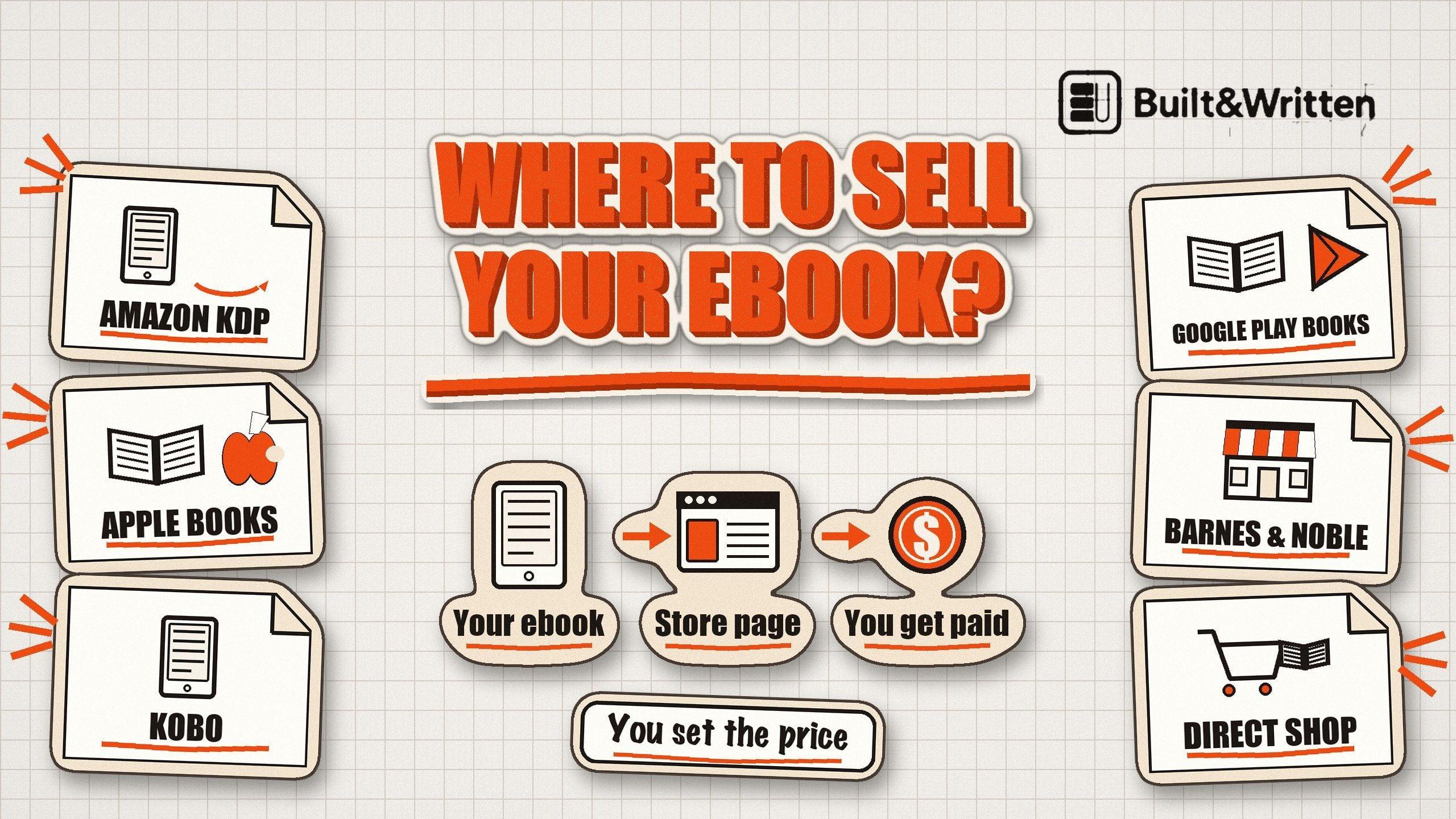
Stores are where readers already browse: Amazon KDP, Apple Books, Kobo, Google Play Books and Barnes & Noble Press. You upload the book, and the store shows it to its shoppers.
Direct shops sell the file from a page you share: the Built&Written Marketplace, Payhip and Gumroad. You keep more of each sale. But the shop finds no readers for you, so the buyers come from your own list, talks and posts.
There is also a middle path. Draft2Digital takes one upload and sends your ebook to many stores for a share of each sale.
You can use both kinds. A store brings strangers, and a direct shop pays more for the readers you already have.
Where to sell ebooks, side by side
Here are the terms each store gives on its own pages, checked on November 26, 2026. The royalty is the share of each sale you keep.
| Where | What you keep | Price rule | When you are paid | The catch |
|---|---|---|---|---|
| Built&Written Marketplace | 80% of the net (price less sales tax and the card fee) | $2.99 to $49.99 | Monthly by PayPal, from $25, after a 30-day hold | Ebooks only; the book cannot be in KDP Select |
| Amazon KDP | 70% less a delivery fee, or 35% | 70% needs $2.99 to $12.99 on Amazon.com | About 60 days after the month ends | KDP Select asks for Amazon only |
| Apple Books | 70% | Any price you set | Within 45 days after the first Friday of the month, from US$40 | Upload through an iTunes Connect account |
| Kobo Writing Life | 70% at $2.99 and up; 45% below | Ebook at least 20% cheaper than your print edition | Within 45 days after the month ends; may wait until $50 CAD | The 20% rule applies if you also sell a paperback |
| Google Play Books | 70% in more than 60 countries | Any price you set | From the 15th of each month, from $1 | Check that the share covers your buyers' countries |
| Barnes & Noble Press | 70% | $0.99 and up | Last Wednesday of the next month, from $25 | Sells on Barnes & Noble |
| Draft2Digital | Each store's royalty, less about 10% of the retail price | Each store's own rules | Around the 15th of each month | $20 activation fee; Amazon by invitation only |
| Payhip | 95% on the free plan, before PayPal or Stripe fees | Any price you set | Through your PayPal or Stripe account | You bring every buyer |
| Gumroad | 90% less $0.50, less card fees | Any price you set | On Gumroad's payout schedule | You bring every buyer |
The sections below link each line to the page it comes from.
Sell your ebook on the Built&Written Marketplace
The Marketplace is the bookstore of Built&Written, a platform for writing and publishing non-fiction books. Independent authors publish their ebooks there, and readers buy them straight from the author's book page.
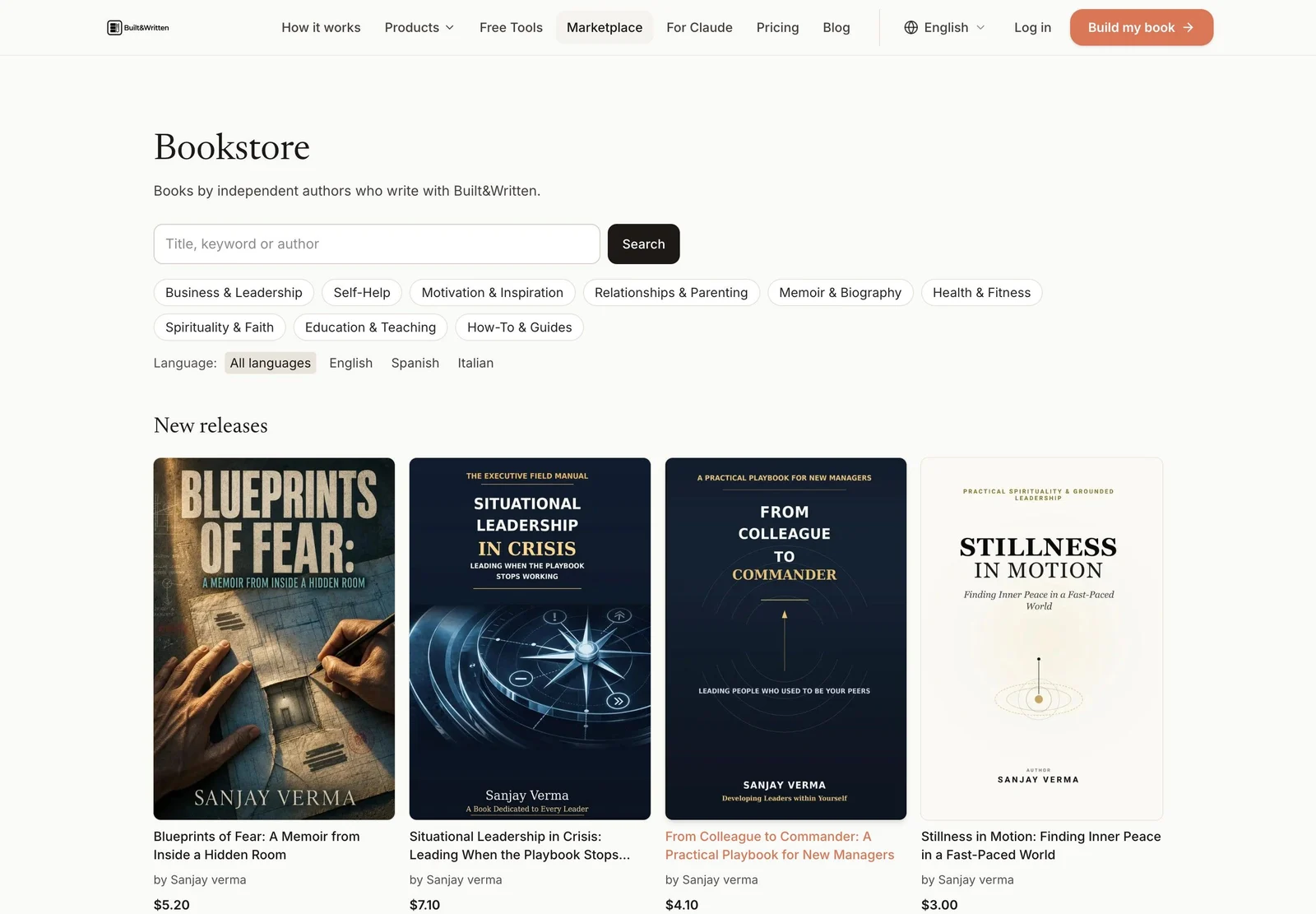
Readers can browse the store by category, such as Business & Leadership, Self-Help, Memoir & Biography or Spirituality & Faith. They open a book, read a free sample and buy the ebook. You can see the books already for sale in the Marketplace.
How to publish your book there
- Finish or import your book. Write it on Built&Written from your own notes, or bring a manuscript you already have.
- Publish in two clicks. The platform fills in the book page from your book. You check it and publish.
- Wait for the review. A person reviews every listing, usually within a day.
- Share your link. The launch kit gives you images for social media, posts to copy and a QR code that opens the book page.
You also get an author page at builtwritten.com/@yourname. Readers can follow you there and hear about your next book. The steps come from the page for authors who sell with us.
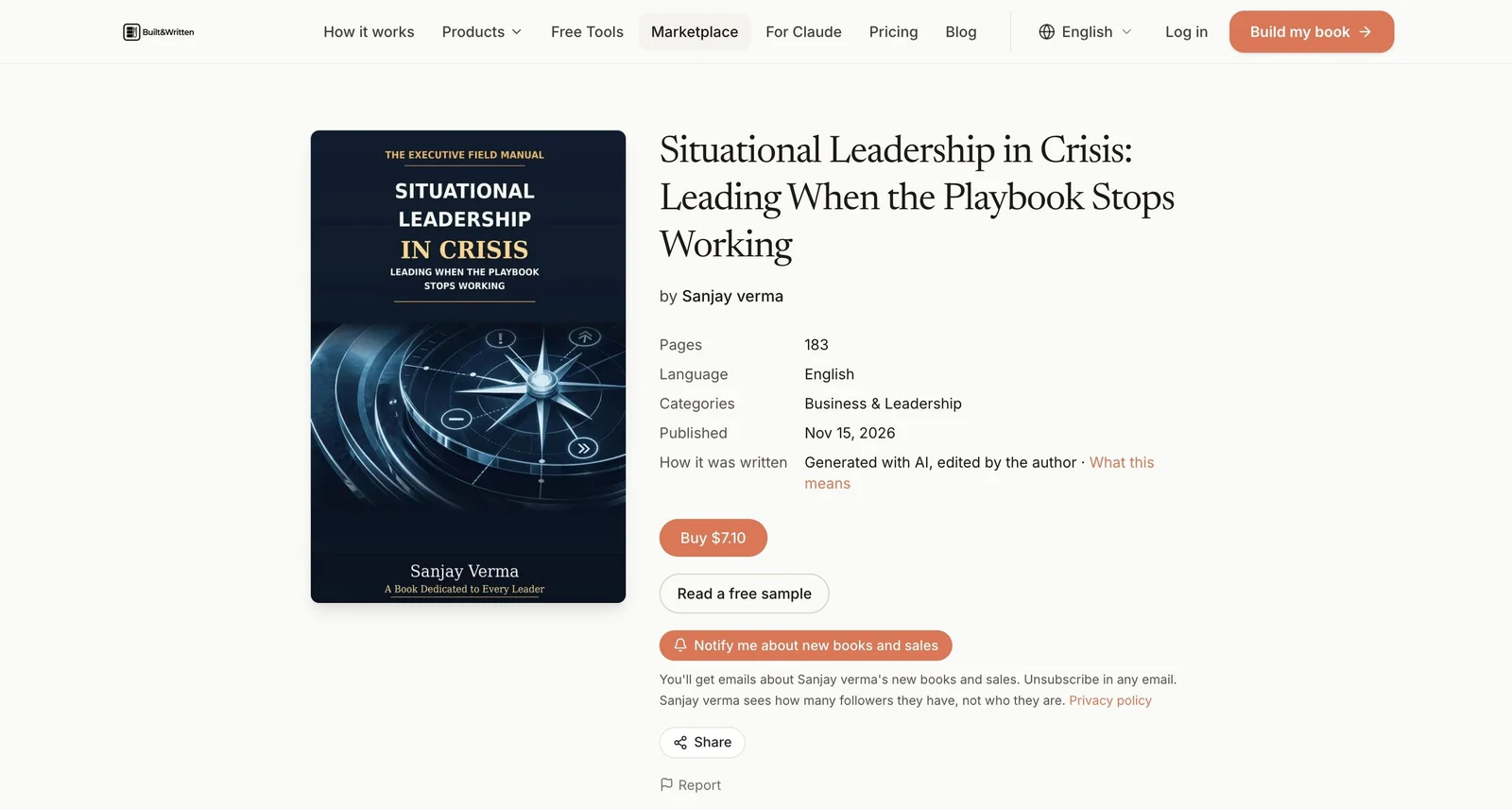
How you earn money
The money terms are in the Seller Terms. You set the price from $2.99 to $49.99. You keep 80% of each sale after sales tax and the card fee. Payouts go out monthly by PayPal once you are owed $25.
Know the limits before you list. The Marketplace sells ebooks only, ePub and PDF. The book must be made or imported in Built&Written, and selling needs a paid plan that downloads the book, or a one-time purchase for that book. The store is new, so share your link to bring readers to it.
Check KDP Select first. Every Marketplace book page shows a free sample of up to 20% of the book, so a listed ebook cannot be enrolled in KDP Select. The same goes for Payhip, Gumroad or your own website.
What a $7.99 ebook pays you at each store
Percentages hide the real money, so here is one sale worked out. The book costs $7.99. The buyer is in the US and pays no sales tax.
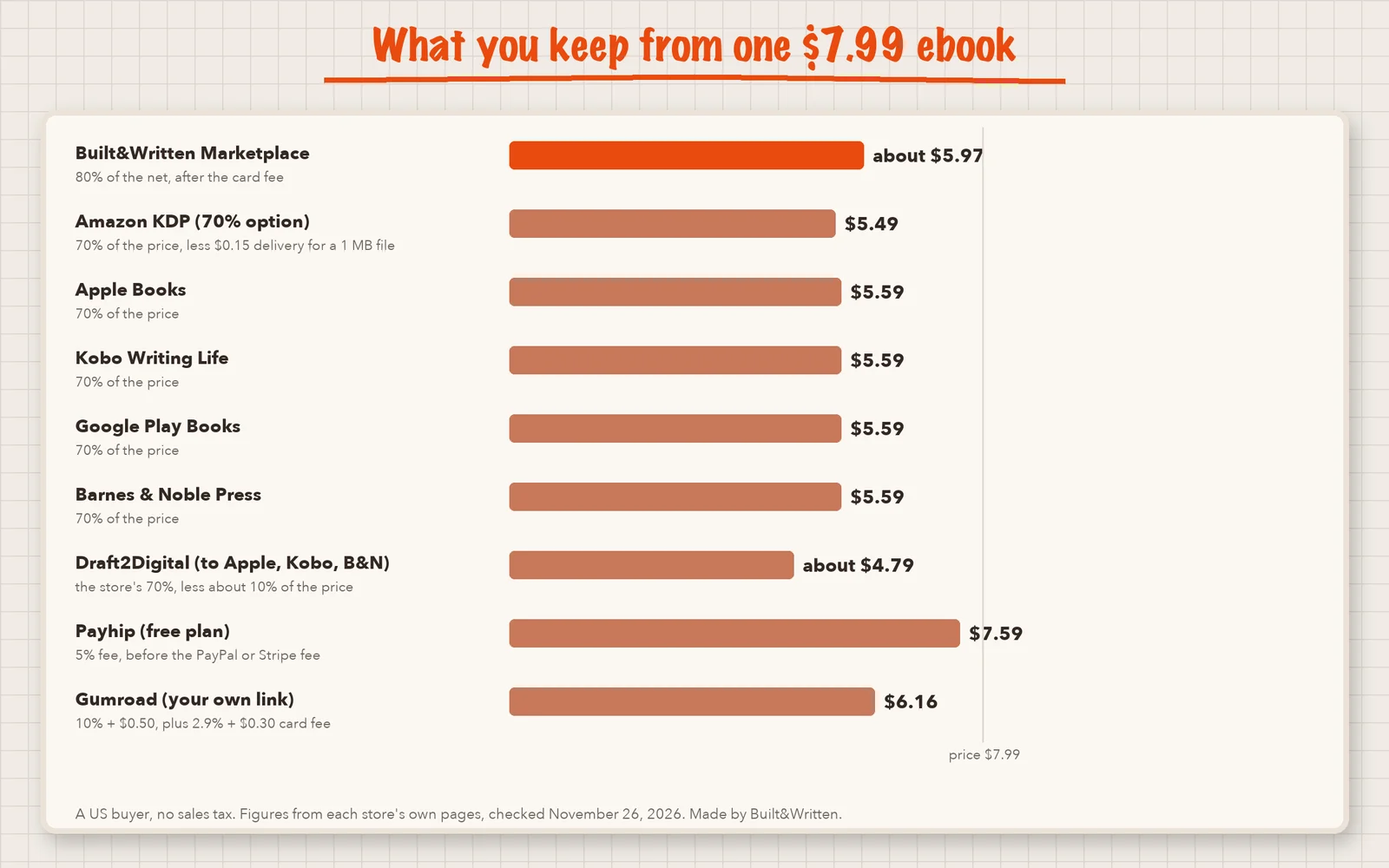
The five big stores land within 10 cents of each other. Amazon pays a little less because of its delivery fee. A 1 MB file costs $0.15 per sale on Amazon.com (KDP pricing page), and KDP's formula takes 70% of the price after that fee (KDP Help). So 70% of $7.84 is $5.49.
Draft2Digital costs you about 80 cents more per sale. It keeps about 10% of the retail price, which on $7.99 is $0.80.
The direct shops pay the most per copy. On the Marketplace, you keep 80% of what is left after the card fee, about $5.97.
Payhip and Gumroad come out higher on this sale. Payhip's free plan takes 5% of each sale, and PayPal or Stripe then take their own fee. Gumroad takes 10% plus $0.50 on sales from your own link, plus a card fee of 2.9% plus $0.30. On $7.99 that leaves $6.16.
Want to try your own price on Amazon? Our free KDP royalty calculator does the math for both royalty options.
Amazon KDP and the one choice that limits everything else
Amazon KDP pays 70% of the list price, less delivery, for ebooks priced $2.99 to $12.99 on Amazon.com. Outside that band you get 35%. Our guide to KDP's 35% and 70% royalty options walks through the choice.
The bigger decision is KDP Select. It is an optional deal: your ebook joins Kindle Unlimited, a reading subscription, and gets Amazon's promotions. In return, the ebook must be exclusive to the Kindle Store for 90 days.
KDP is clear about what exclusive means. While the book is enrolled, you cannot sell the digital version anywhere else, including on your website or blog. Your paperback can still go anywhere.
The 90 days renew on their own unless you turn renewal off. So decide before you upload:
- KDP Select: Amazon only, for the Kindle Unlimited readers.
- Wide: Amazon without Select, plus the other stores and your own direct shop.
Our Draft2Digital review compares the two paths with real numbers.
Selling wide: Apple, Kobo, Google Play and Barnes & Noble
"Going wide" means selling the same ebook in many stores at once. Each store below takes your EPUB file, the standard ebook format.
Apple Books. Apple Books for Authors says you earn 70% "regardless of price", with no file delivery fees. You can change your price anytime. Apple pays no later than 45 days after the first Friday of each month, once you are owed at least US$40.
Kobo Writing Life. Kobo has its own ebook store and the Kobo Plus subscription, which you can opt into. Its terms pay 70% when your US price is $2.99 or more and the ebook costs at least 20% less than any print edition. Otherwise you get 45%. Kobo pays within 45 days after the month ends and may hold small amounts until you are owed $50 CAD.
Google Play Books. The Google Play Books Partner Center offers a 70% share in more than 60 countries and asks for no exclusivity. Google starts payments on the 15th of each month, from $1.
Barnes & Noble Press. B&N Press pays 70% on every ebook sale at $0.99 and up. You are paid on the last Wednesday of the month after the sale, once you have $25.
One upload for many stores
Draft2Digital sends your ebook to Apple Books, Barnes & Noble, Kobo, library apps such as OverDrive and Hoopla, and more. Its FAQ lists the costs: about 10% of each sale, a one-time $20 activation fee, and $12 a year if you earn under $100 a year. Amazon is by invitation only, so upload your Kindle edition to KDP yourself.
Selling direct to your own readers
A direct shop is the place for readers who already know you. Think of the people on your email list, at your talks or in your church group. You share one link, and they buy the file from you.
The Built&Written Marketplace, described above, gives you a book page with a free sample built in. Payhip and Gumroad are two other direct shops.
Payhip has a free plan that takes 5% of each sale, and paid plans at $29 and $99 a month that take 2% and nothing (Payhip pricing). Gumroad charges no monthly fee. It takes 10% plus $0.50 on sales from your own link and a flat 30% on sales through its Discover marketplace (Gumroad Help).
How to sell ebooks in five steps
Still turning notes into a book? Our guide on how to create an ebook from material you already have covers the step before this one. For print and ebook together, see which self-publishing platform to start with.
So where should your ebook go?
Start where your readers already shop. If they read on a Kindle, that is Amazon.
Then make the KDP Select choice on purpose. If you go wide, add Apple, Kobo, Google Play and Barnes & Noble, directly or through Draft2Digital. And give the readers who already know you one page where they can buy from you, such as your book page on the Built&Written Marketplace.
Frequently asked questions
Not on Amazon. KDP's help page says ebooks and low-content books are the only formats where an ISBN is optional. Free ISBNs from KDP are only for paperbacks and hardcovers, and they work only on KDP. Other stores set their own rules, so check each one's upload page.
An EPUB file. It is the standard ebook format, and Apple Books asks for it when you publish through its web portal. The Built&Written Marketplace sells ePub and PDF copies. An EPUB is a reflowable ebook, which means its text resizes to fit any screen, so it reads well on phones and e-readers.
Yes, through a distributor. Draft2Digital lists OverDrive, Hoopla, cloudLibrary and BorrowBox among the places it sends ebooks, next to stores such as Apple Books and Kobo. You upload once, and Draft2Digital keeps about 10% of the retail price of each sale. Its one-time activation fee is $20.
Yes, at the end of a 90-day term. KDP Select renews automatically unless you turn off automatic renewal. Once the term ends without renewal, you are free to sell the ebook in other stores and on your own website. Your paperback was never limited, so it can be sold anywhere the whole time.
Sources & References
- eBook List Price Requirements, KDP Help, checked 2026-11-26
- eBook Royalties, KDP Help, checked 2026-11-26
- Digital Book Pricing Page, KDP Help, checked 2026-11-26
- When will I get paid, KDP Help, checked 2026-11-26
- KDP Select Enrollment, KDP Help, checked 2026-11-26
- Self Publishing and KDP Select, Amazon KDP, checked 2026-11-26
- What is an ISBN and Imprint, KDP Help, checked 2026-11-26
- Apple Books for Authors, checked 2026-11-26
- Payments, Apple Books Partner Support, checked 2026-11-26
- Kobo Writing Life Terms of Service, checked 2026-11-26
- Google Play Books Partner Center, checked 2026-11-26
- Get paid with your earnings, Google Play Books Partner Help, checked 2026-11-26
- Getting Paid for Sales, B&N Press Help, checked 2026-11-26
- Draft2Digital FAQ, checked 2026-11-26
- Payhip Pricing, checked 2026-11-26
- Gumroad's fees, Gumroad Help Center, checked 2026-11-26
- Seller Terms, Built&Written, version 2026-11-07
About the author