

Can You Sell AI Generated Books on Amazon as a Beginner?
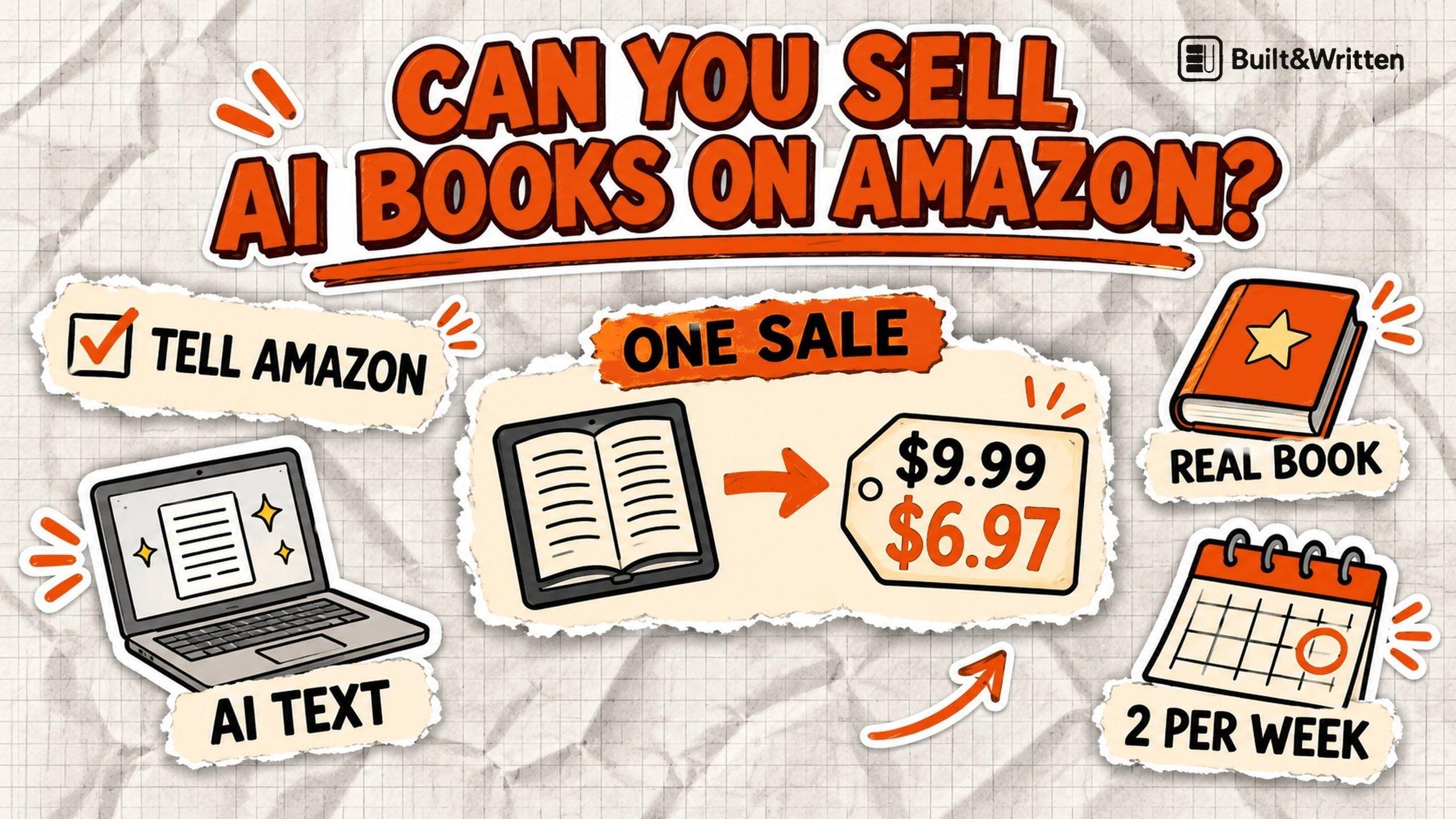
Yes, you can sell AI generated books on Amazon as a beginner. Amazon allows them, and it asks you to say so when you publish.
We read Amazon's rules and went through its real publishing form on November 12, 2026. Then we typed in three prices to see what one sale pays.
What is Built&Written?
Built&Written is a platform for writing nonfiction books and preparing them for publishing. Its AI writes a book from material you already have, like notes, posts and talk transcripts (the typed text of a talk), in your voice. It also formats a book you have already written. You get a print PDF and files for KDP, and you publish the book yourself.
Key takeaways
- Is it allowed? Yes. You must tell Amazon about AI-generated text, images or translations. You do not have to tell it about AI help with editing or ideas.
- What does a sale pay? A $9.99 ebook paid $6.97 in KDP's form. A 150 page paperback at $14.99 pays about $6.19 by KDP's own formula.
- What decides if it sells? Readers decide that. Amazon rejects misleading descriptions and content that disappoints customers, so the book must be real and useful.
How did we check this?
On November 12, 2026, we read three Amazon help pages on KDP: the content guidelines, the royalty pages (a royalty is your share of each sale) and the page that lists KDP's limits. KDP's help pages show no "last updated" date, so we dated our reading instead.
Then we opened the KDP publishing form in a test draft that is not for sale. We looked at every step a beginner fills in and typed three list prices into the pricing step. We saved nothing and published nothing.
This is one account, one day and one made-up book. Amazon can change its rules and screens at any time.
Are AI generated books on Amazon allowed?
Yes. Amazon splits AI use into two groups, and only one needs a note to Amazon.
"We define AI-generated content as text, images, or translations created by an AI-based tool."
Amazon KDP Content Guidelines, read November 12, 2026
AI-generated means an AI tool created the actual content. Amazon says it counts as AI-generated "even if you applied substantial edits afterwards". You must tell Amazon.
AI-assisted means you created the content yourself and used AI to edit, polish, check errors or brainstorm ideas. You do not have to tell Amazon.
In plain words: if an AI tool wrote your text, made your images or translated your book, you tell Amazon when you publish. If you wrote everything yourself and AI only helped you edit, fix mistakes or find ideas, you do not have to.
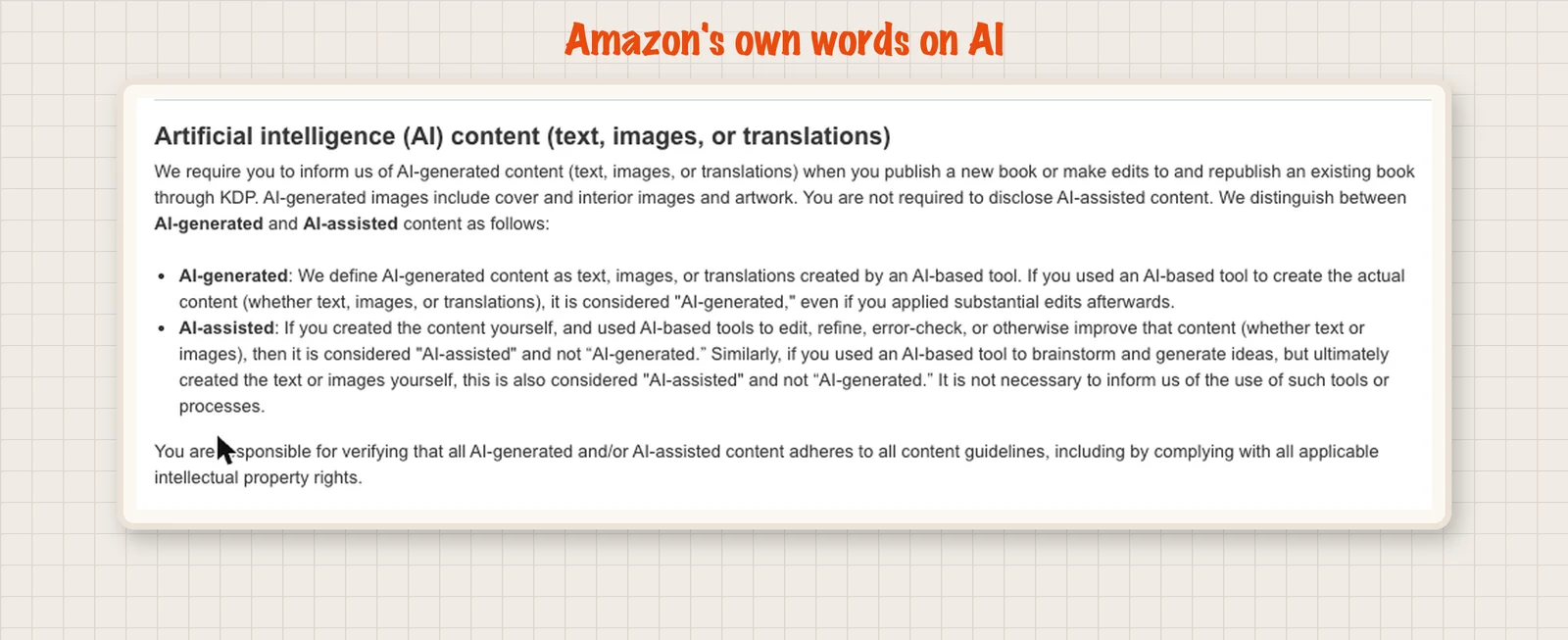
The same page says you are responsible for checking that your content follows all of Amazon's guidelines and respects copyright. AI does not move that duty to anyone else.
KDP's form asks about this too. You pick "I own the copyright and I hold the necessary publishing rights" or "This is a public domain work". So use only text, images and notes you have the right to use. Read AI output for passages that copy other writers, because you answer for every page.
For a longer look at the rule itself, read our guide on whether you have to disclose AI in your book.
Where do you tell Amazon about AI in the form?
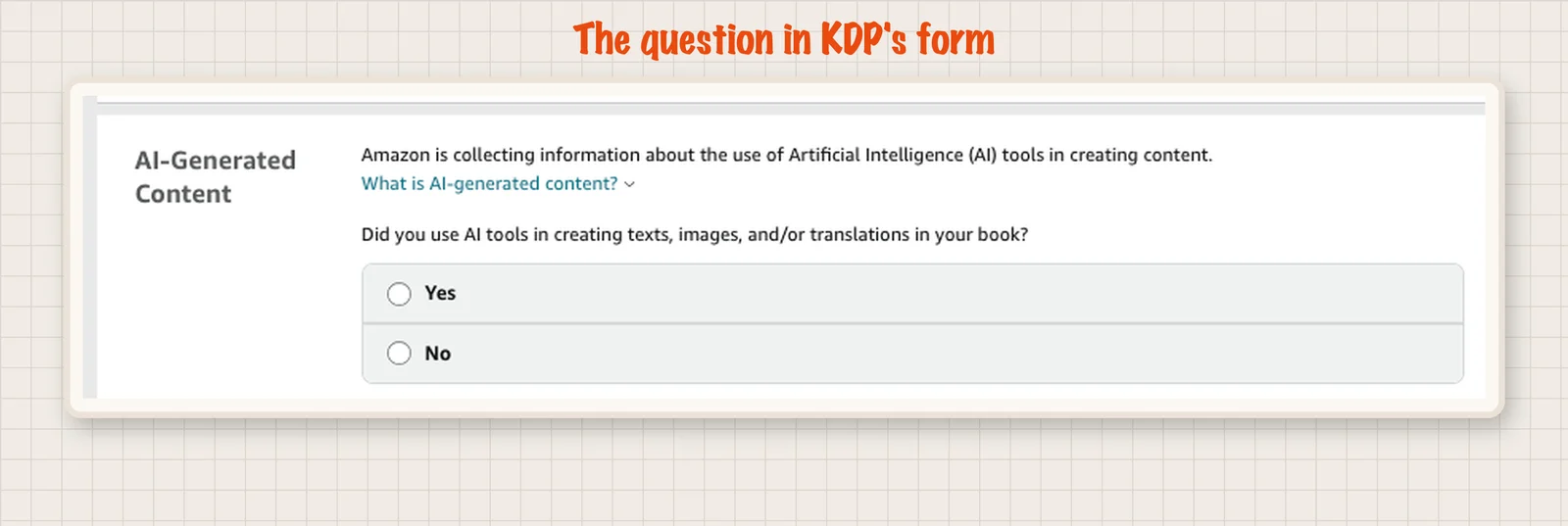
On the second page of the form, called Content. It sits under the manuscript and cover uploads.
KDP asks: "Did you use AI tools in creating texts, images, and/or translations in your book?" You choose Yes or No.
Two things are worth knowing:
- The form asks more than the rule. It asks if you "used AI tools". The rule only requires a note when AI created the content. If AI created any text, image or translation, answer Yes. If AI only helped you edit or brainstorm, the help page says you do not have to disclose it, but Amazon does not say how to answer the form in that case. Check the current wording of both pages before you decide.
- Paperbacks ask more. In our paperback test on November 5, 2026, the form asked how much of the text AI wrote. It also asked how much we edited and which tool we used. Keep those answers ready.
What does a beginner have to do before the first sale?
Have these ready first: your finished manuscript file, your cover file, a title, a description and your author name. Your KDP account also needs tax information and a bank account, so Amazon can pay you. Amazon says all publishers must give valid taxpayer identification.
Here is the path in the order KDP shows it. An ebook needs no ISBN, the number that identifies a book. KDP's form says Kindle eBooks are not required to have one.
- Sign in and finish your account details. Use an Amazon login.
- Fill in the Details page. Add the title and the author name (pen names are allowed). Add a description of up to 4,000 characters, up to three categories and up to seven keywords. Keywords are the phrases readers type into Amazon.
- Upload on the Content page. Add your manuscript file and your cover. Answer the AI question.
- Set the price on the Pricing page. Pick the royalty plan, 35% or 70%.
- Submit. The form says it can take up to 72 hours for your title to be available for purchase.
After you submit, your book goes into review. Amazon checks that it meets its formatting and content guidelines. KDP's Book Status page says a new book takes up to 3 business days to go live. If it goes back to Draft, Amazon found something to fix and sends an email with details.
There is also a limit that matters if you plan to publish many books fast. KDP lets you create up to 2 titles per format each week, and submit up to 2 new titles per format each week. Formats are ebook, paperback and hardcover. The count resets every Sunday at 12:00 AM UTC.
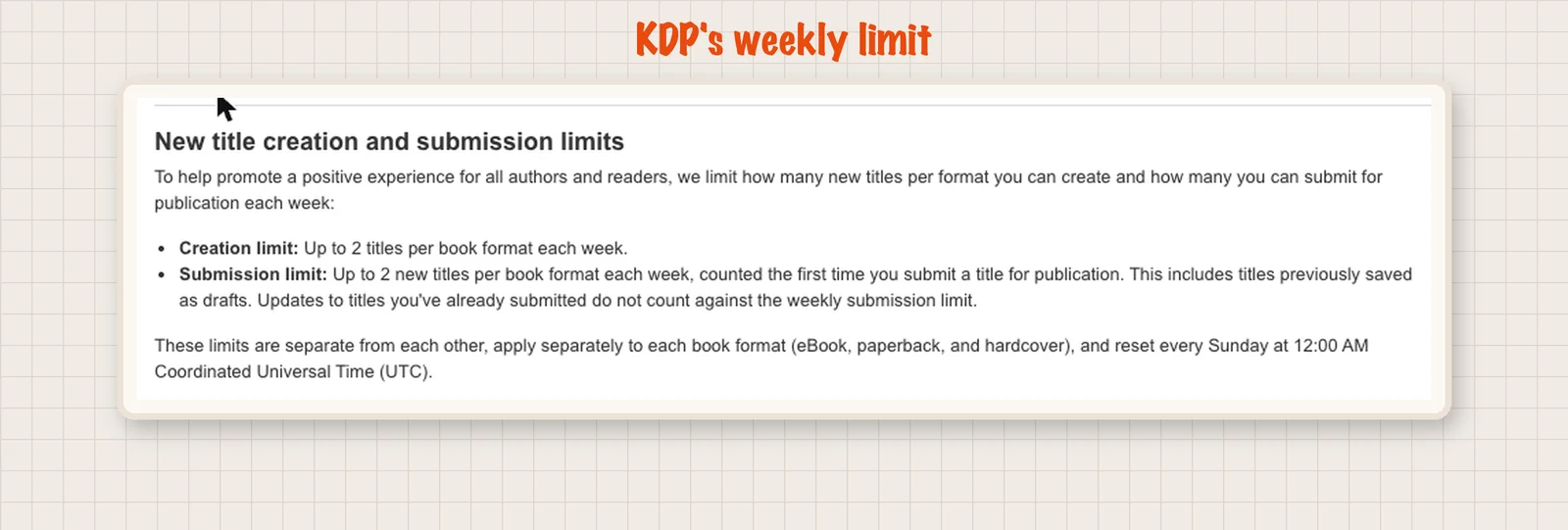
If you have read older advice about "three books a day", that number no longer matches Amazon's page.
How much does one sale pay a beginner?
We typed a list price into KDP's pricing step and read the royalty it showed. The ebook file was 0.21 MB.
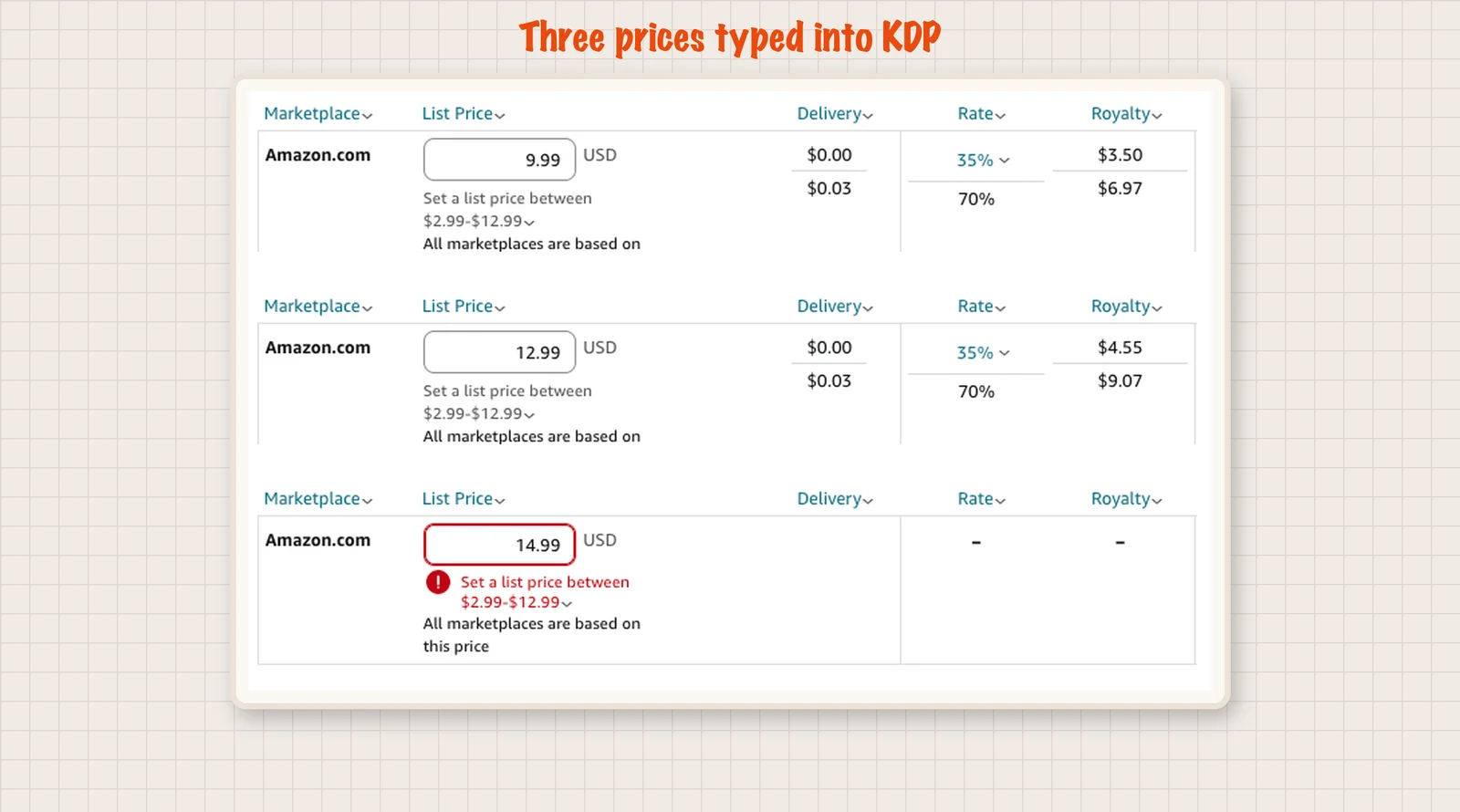
| What we typed | KDP showed |
|---|---|
| Ebook at $9.99, 70% plan | $6.97 per sale (delivery fee $0.03) |
| Ebook at $9.99, 35% plan | $3.50 per sale |
| Ebook at $12.99, 70% plan | $9.07 per sale |
| Ebook at $14.99, 70% plan | Refused: "Set a list price between $2.99 and $12.99" |
KDP gives ebooks two royalty plans, 35% and 70%. Amazon says the 70% plan is only for books still in copyright. In the form, 70% also needed a list price from $2.99 to $12.99. On that plan a small delivery fee, based on file size, comes off each sale: $0.03 for our file. At $14.99 the form did not allow the 70% plan. Our guide to KDP ebook royalties explains the two plans in more detail.
Paperbacks work differently, because the printing cost comes off each sale. KDP's formula is the royalty rate times the list price, minus the printing cost. These numbers are for Amazon.com. Printing a black and white book of 110 to 828 pages on Amazon.com costs $1.00 plus $0.012 per page. For our 150 page book at $14.99:
- Printing: $1.00 + 150 x $0.012 = $2.80
- 60% of $14.99 = $8.99
- You keep about $6.19 per copy
The 60% rate starts at a $9.99 list price on Amazon.com. Below that, KDP pays 50%.
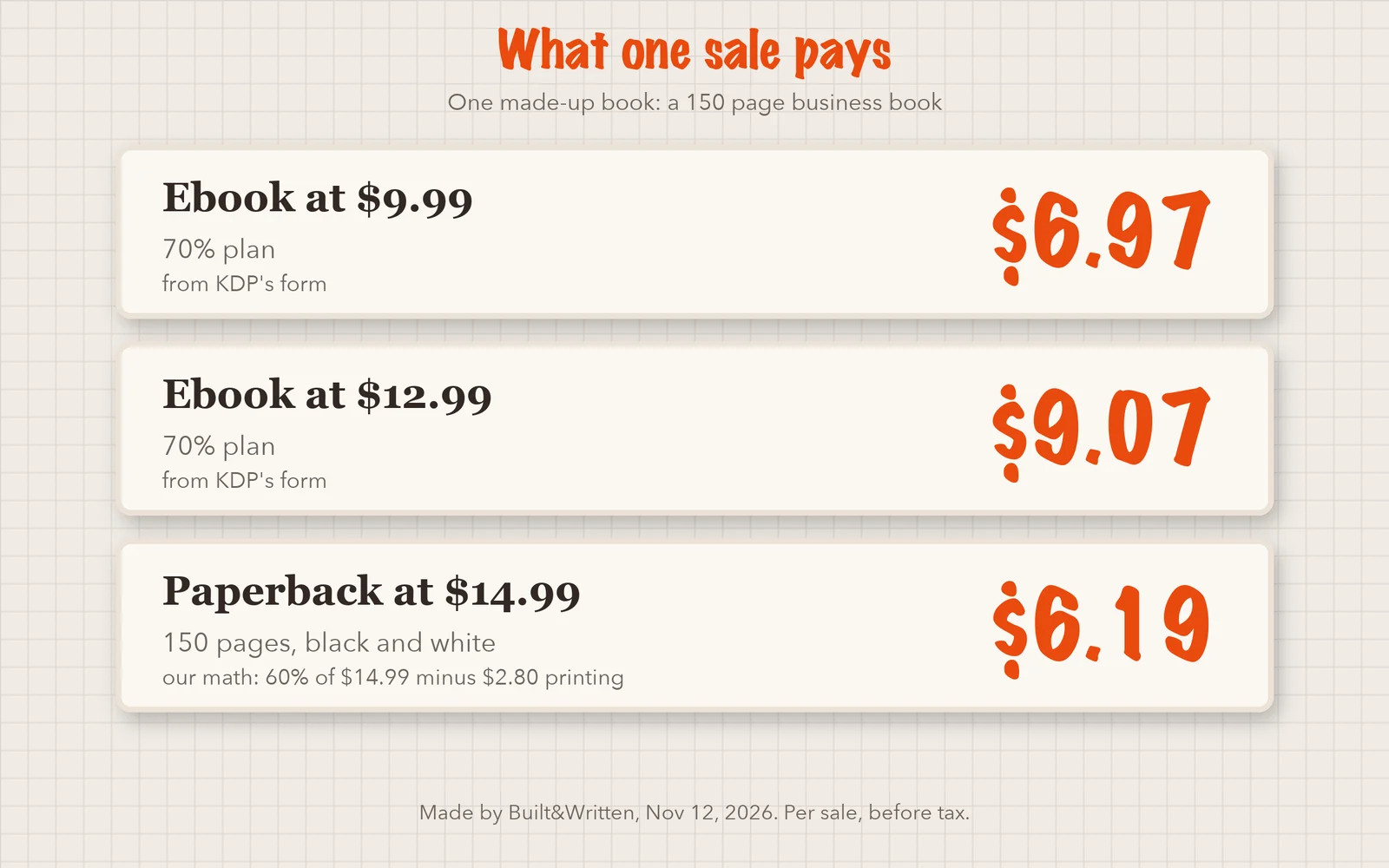
To earn $1,000, you need about 144 ebook sales at $9.99, or about 162 paperback sales at $14.99. That is arithmetic, not a forecast. Amazon does not promise any sales. For what real AI authors have reported, see our post on how much an AI author can earn on KDP.
Will AI generated books on Amazon actually sell?
Sales depend on the topic, the title, the cover, the description, the reviews and the quality of the writing. Using AI does not decide the result on its own. Readers judge the book in front of them.
Amazon's rules push in the same direction. It does not allow a description "meant to mislead customers or that doesn't accurately represent the content of the book". It also bars content that is "typically disappointing to customers". And it will not accept plain copies of public domain books that are free elsewhere in its store. A beginner who fills a book with generic text and a vague promise runs into these rules. Our list of reasons a book is not selling on KDP shows the other common causes.
What helps a beginner sell:
- A narrow topic you know. A book for one kind of reader beats a book for everyone.
- Your own material. Notes, posts and talks carry facts and stories a generic prompt cannot invent.
- Reading every page. AI can state a wrong fact in a calm voice, and you answer for what is printed.
Our post on how readers review books written by AI covers the reader side.
How do you make an AI generated book you can sell?
Built&Written is for people who know their subject but have never turned it into a book. That may be a consultant, an expert, a founder or an author with years of posts, notes, talks and documents. You do not have to start from a blank page.
You have loose material. The path is short:
- You paste or upload your material: posts, notes, talk transcripts or a rough draft.
- The platform turns it into a proposed outline. You change it and approve it.
- Its AI writes the chapters from your material, one chapter at a time.
- You read every chapter, edit it, and change the cover or the formatting with one click.
Amazon's definition says that if an AI tool creates the actual text, it is AI-generated. So in this case you answer Yes in KDP's form. In our November 5 test, we did.
Voice DNA is how the platform tries to match your style. You give it a few pages of your own writing. It reads your tone and habits and uses them when it writes your chapters. The result gets closer to how you write, but not identical, so read every page.
You have a finished or an old manuscript. You upload it (.docx, .epub, .md or .txt work best) and edit it in the platform's editor. You can also format it for print, with KDP page sizes and margins. A book you wrote years ago can be the starting point for a new edition: you decide what to update and what to add. This route has no AI writing unless you ask for it.
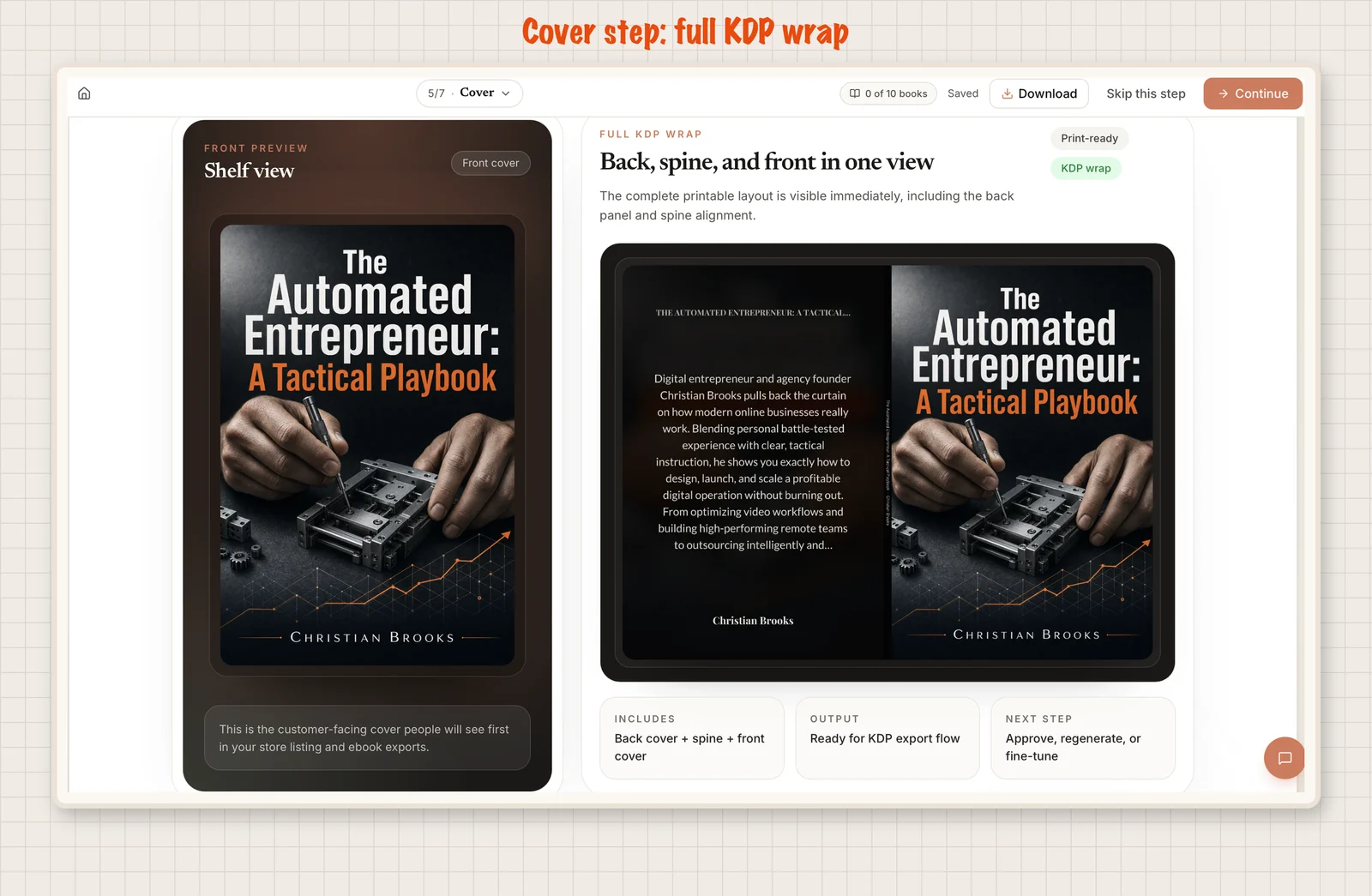
What you get at the end. KDP-ready files means files made to follow KDP's rules: a print PDF with the inside pages, a cover PDF with front, spine and back, and an ePub for an ebook. Which files you can download depends on your plan. You then upload them to KDP in your own account. Built&Written does not upload for you.
Why not ask a general AI chatbot to write the book? You can. Then you gather the material, plan the chapters, keep your style steady and prepare the files yourself. The platform puts those steps in one place, from your material and an outline you approve to the finished files.
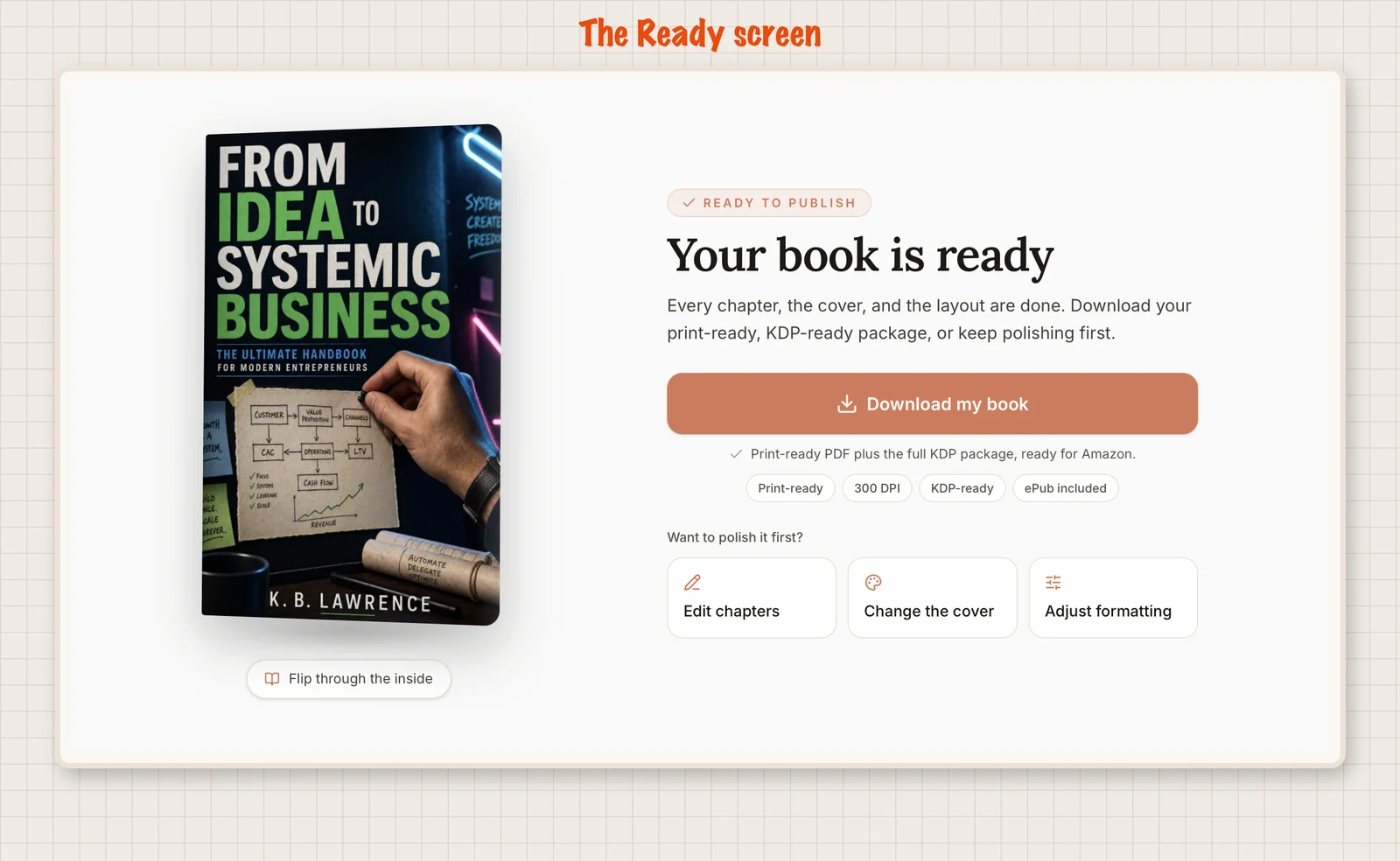
Did the files pass KDP? We tested one book on one account. On November 1, KDP's check on an ebook file made on the platform showed "Manuscript check complete", with no spelling or image problems. On November 5, KDP accepted the paperback interior and cover files with no errors. Nothing was published. That means the files met KDP's technical checks on those days. It does not mean Amazon approves the book, so you still read the content yourself. The full runs are in our ebook file test and our paperback upload test.
These free tools from Built&Written each do one small job, such as checking a cover, picking a title or working out royalties. The platform above is the main product.
- KDP royalty calculator: try prices and page counts.
- KDP cover validator: checks a cover file for format, resolution and color mode.
- Book title generator: gives title ideas to test.
- Book description scorer: checks your description before you paste it.
- KDP keywords generator: suggests phrases for the seven keyword boxes.
What should you check before you press submit?
- Is every sentence true, and does the description match the book?
- Does the cover file meet KDP's rules? Check the size and resolution.
Final thoughts
A beginner can sell AI generated books on Amazon. Say so when AI made the content, keep the description honest, and publish something a reader is glad to have bought. Amazon promises no sales, and the first ones come from a clear topic and a good description.
If you have notes, posts or a talk, Built&Written turns that material into a finished book you can upload to KDP the same day. Here is what you get:
- You start from what you already have and approve the outline before any chapter is written.
- The chapters follow your voice with Voice DNA.
- Layout, cover and KDP checks are done for you: title, author, page count, trim size (the book's page dimensions), margins and cover.
- You download KDP-ready files, depending on your plan, and upload them to Amazon yourself.
- You can edit chapters, change the cover or adjust formatting with one click.
Frequently asked questions
Yes. Amazon allows them through KDP. You must tell Amazon when an AI tool created the text, images or translations. The book also has to follow Amazon's content rules, such as an honest description and respect for copyright, and you are responsible for checking that it does.
If an AI tool created the text, images or translations, yes, even if you edited the result. If you wrote it yourself and used AI only to edit, polish or brainstorm, Amazon says you do not have to tell it. See the section on the form above for how to answer.
Start from your own notes, posts or talks, and pick a narrow topic you know. Read every page and fix wrong facts. Write a description that matches the book, because Amazon does not allow descriptions meant to mislead customers. Amazon also bars content that is typically disappointing to customers.
Amazon's help pages we read on November 12, 2026 do not say how it checks books. We cannot say what Amazon can or cannot detect. The safe step is to answer the form's AI question honestly, because the rule is about what you tell Amazon, not about what it finds.
Amazon's help page does not say whether your answer shows to readers. We read the content guidelines on November 12, 2026 and found no statement either way, so we do not claim one. Check Amazon's current pages before you publish, because the rules can change.
Amazon promises no sales, whoever or whatever wrote the book. Sales depend on the topic, the cover, the description, the reviews and the quality of the writing. In KDP's form, a $9.99 ebook showed $6.97 per sale, so each sale pays something, but you still have to find readers. Our numbers are examples, not a forecast.
Sources & References
About the author

Khrystyna Balushka
More in KDP Publishing
Ready to write your book?
Turn your expertise into a professional book with Built&Written.