

Title Page vs Half Title Page: What Each One Does
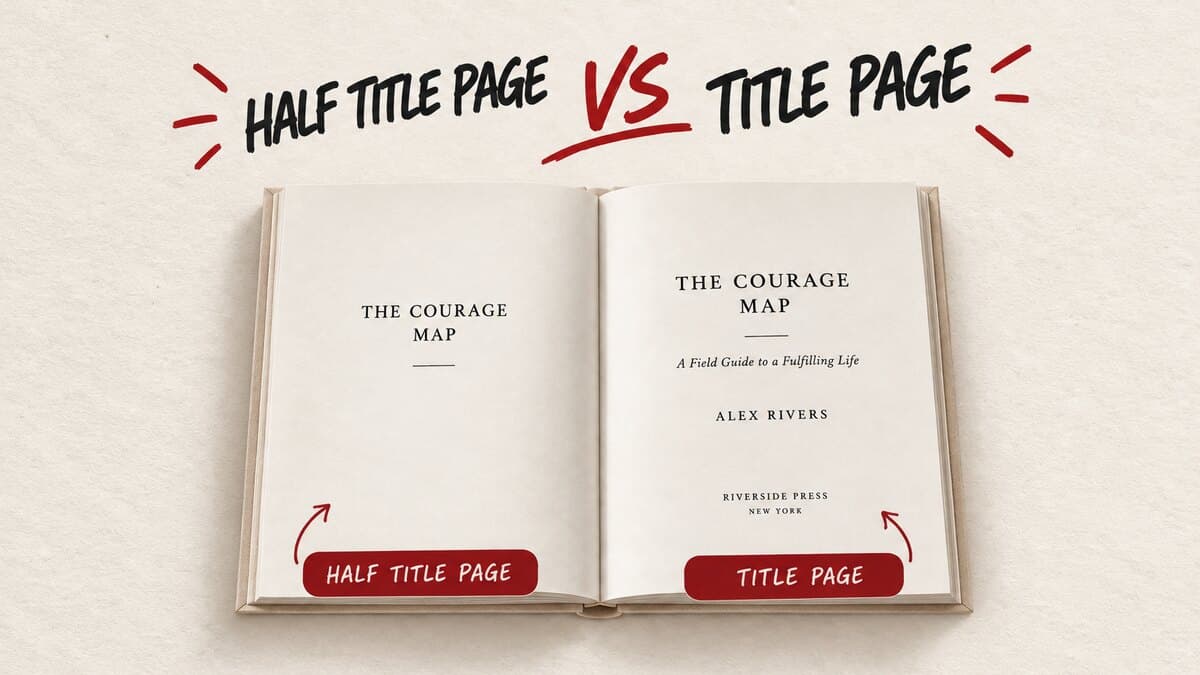
A half title page shows the book's title and nothing else. A title page follows a few pages later and adds the subtitle, the author's name, and the publisher or imprint. They're easy to mix up at a glance, since both are just one line of type on an otherwise blank page. Here's exactly what belongs on each.
Key takeaways
- A half title page shows only the book's title, on its own page, first inside the cover. A title page comes a few pages later and adds the subtitle, the author's name, and the publisher or imprint.
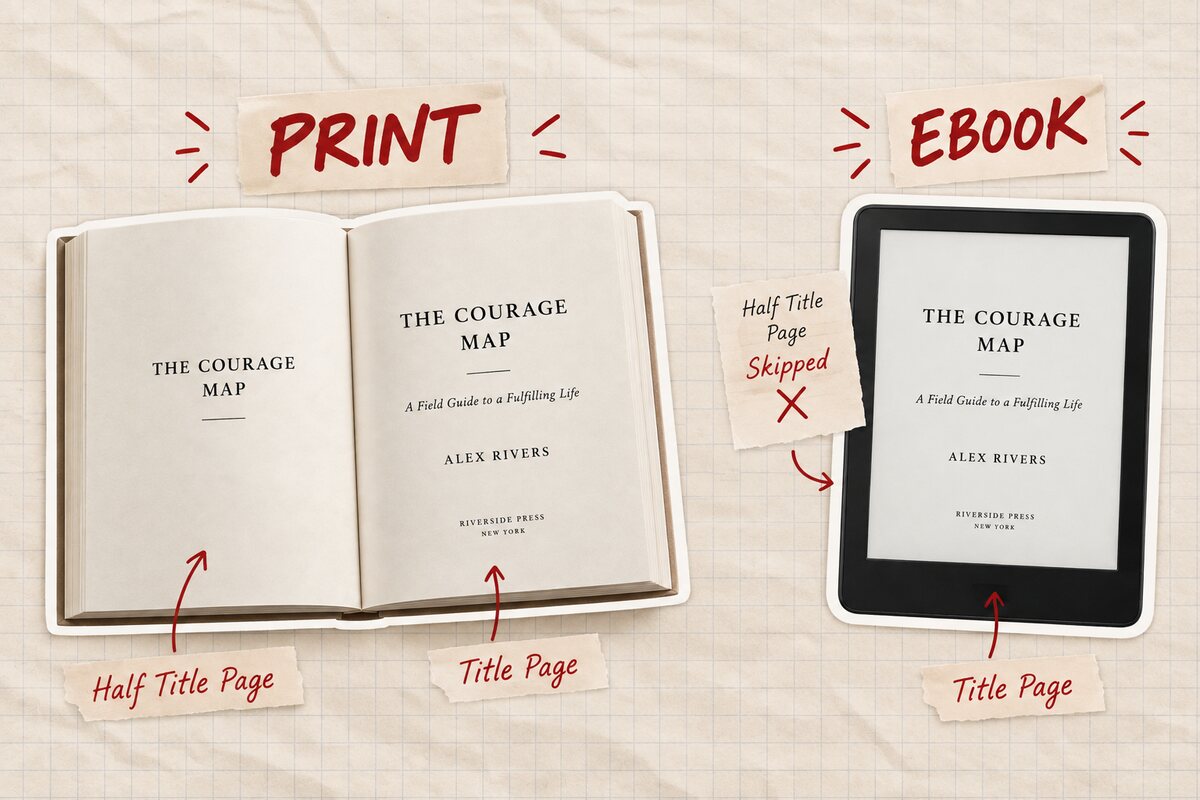
- Every printed book uses both. Ebooks routinely skip the half title, since KDP and most e-readers don't require or display one.
- The title page is the only one of the two with a hard requirement: title, subtitle if there is one, author name, and publisher or imprint, in that order.
- Built&Written's AI assistant, Wren, formats and orders the title page automatically on export, so it isn't something you lay out by hand.
About Built&Written: Built&Written already helps founders and consultants turn notes, calls, and LinkedIn posts into a finished, voice-matched manuscript with Wren, Built&Written's AI writing assistant. Front matter, including the title page, gets built automatically in the correct KDP-ready order. See current plans if that's the part you're weighing.
1. What Is a Half Title Page vs a Title Page?
The half title page is the first printed page inside the front cover. It carries one thing: the book's title, centered, usually in a smaller and plainer setting than the cover itself. No subtitle, no author name, no publisher mark. Some editions leave the facing page blank; others use it for a short list of the author's other books.
The title page sits a few pages further in, after the half title and any blank or "also by" page. It's the full formal statement of the book: title, subtitle (if the book has one), author name, and publisher or imprint, usually in that vertical order, top to bottom. This is the page a librarian, a rights buyer, or an ISBN record treats as the book's true title page, not the cover and not the half title. If you haven't registered one yet, see our guide to getting an ISBN as a self-published author.
Side by side, the difference is just how much information sits on the page: the half title is the title alone, the title page is the title plus everything else that identifies the book and who made it.
| Half Title Page | Title Page | |
| Contains | Title only | Title, subtitle, author, publisher/imprint |
| Position | First page inside the cover | A few pages later, after the half title |
| Required on KDP? | No, optional convention | Effectively yes, for a book to look and register as finished |
| Appears in ebooks? | Usually skipped | Usually kept, often simplified |
Both pages are the opening moves of a longer sequence; our guide to the parts of a book walks through everything that follows them.
2. Why Does a Half Title Page Exist?
It's a leftover from the printing press: early bound books traveled to the binder as loose, unprotected pages, and a plain title-only leaf on top kept the real title page clean during shipping and binding. Print no longer needs that protection, but the convention stuck, and it now serves as a short visual pause before the book properly starts.
3. Does Your Book Need a Half Title Page?
For a printed book, yes, by convention rather than by rule. Amazon's KDP interior guidelines don't reject a paperback or hardcover for skipping one. But every traditionally published book includes it, and its absence reads as a self-published tell, the print equivalent of a document missing its cover page.
For an ebook, no. KDP and most e-readers don't require a half title. Plenty of published ebooks open straight into the title page or even the first chapter, since a Kindle file doesn't have physical pages worth protecting. If you're only shipping an ebook edition, it's safe to drop; see our guide to formatting a book for Kindle for the rest of what changes in a digital edition.
The title page itself isn't optional in either format. It's the page that carries the book's formal identity, and Wren generates it automatically, correctly ordered and formatted, whether the export is a KDP-ready paperback file or an EPUB.
4. What Goes on the Title Page, Exactly
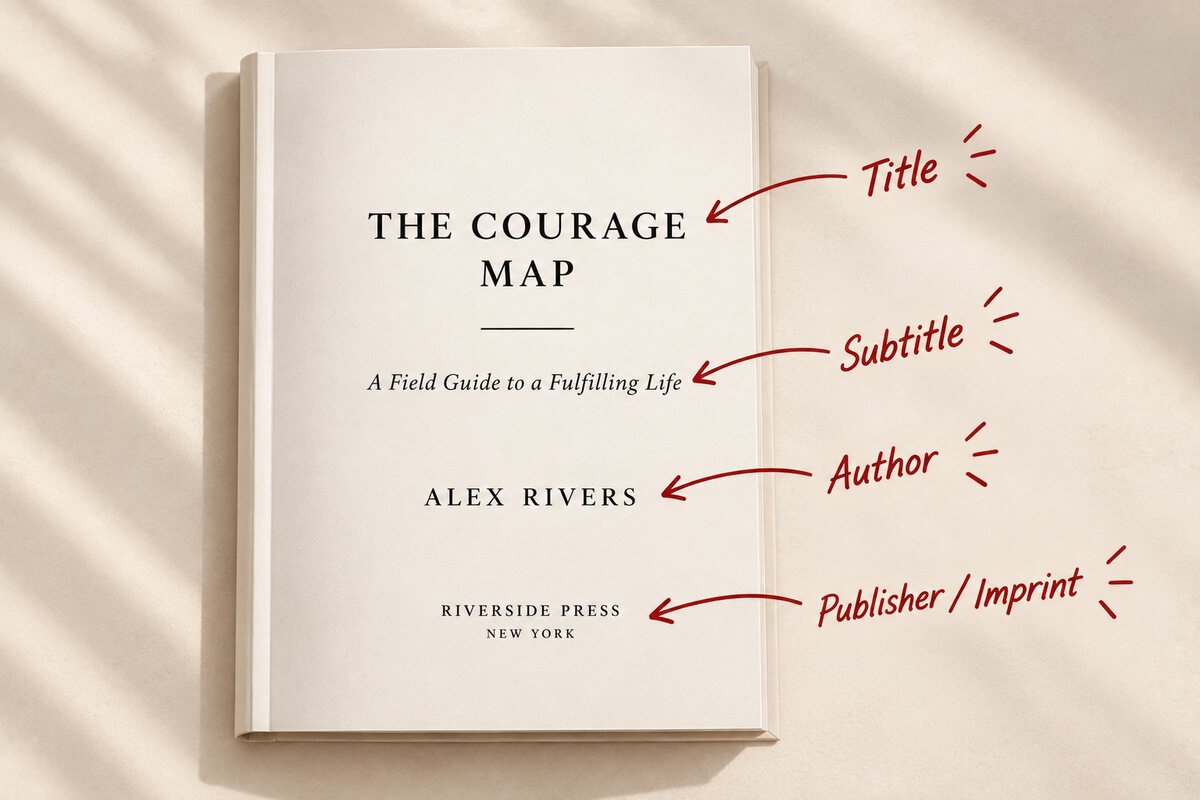
In order, top to bottom: the book's full title, in the largest type on the page. Directly under it, the subtitle, if the book has one, in a smaller size. Below that, roughly centered or in the lower third, the author's name exactly as it appears on the cover; a pen name goes here, not a legal name, if that's what's on the cover. At the bottom, the publisher's name or imprint, or simply left blank if none exists.
What doesn't belong here: cover copy, a dedication, an epigraph, or any marketing language. Those each get their own page later in the front matter, alongside your acknowledgments. A copyright notice sits on the page directly behind the title page, never on the same page as the title itself.
Tip: Choosing an imprint name for the first time? Keep it short. Check copyright.gov and a general web search first, so it doesn't collide with an existing publisher. Our own guide to copyright registration covers what to lock down next.
5. Skip the Formatting Headache: How Built&Written Handles Front Matter
Most of the mistakes on these two pages don't come from not knowing the rules above. They come from laying out the front matter sequence by hand in Word, InDesign, or dedicated book formatting software. A half title on the wrong side of the spread. Margins that aren't mirrored for print. A title page pushed onto an even-numbered page. Page numbers that start counting before chapter one. Any one of these can bounce a file back from KDP's own review, or from the checks in the KDP publishing steps themselves.
Built&Written's Wren handles the whole sequence as part of writing the book, not as a separate formatting pass afterward:
- Notes to finished manuscript: Wren turns voice memos, call recordings, and existing posts into a full manuscript that still sounds like you, not a templated AI voice.
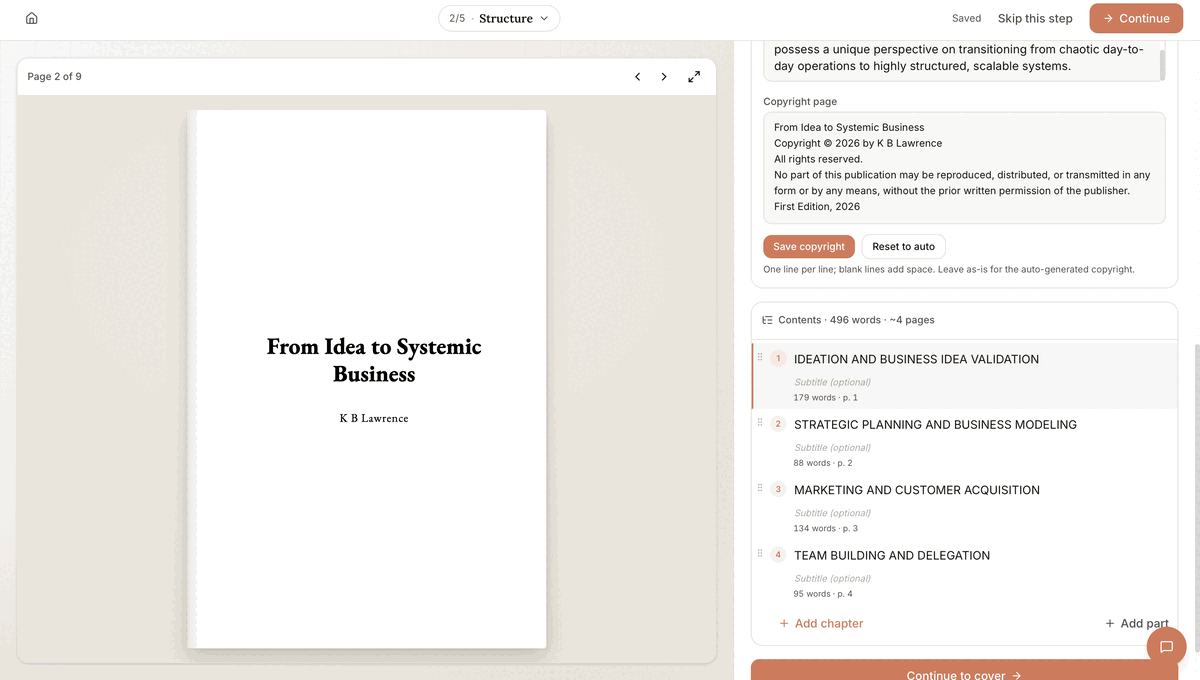
- Automatic typography and structure: the title page, copyright page, and table of contents get generated and aligned on export, with no manual margin measuring.
- KDP and print-ready by default: files export as a print-ready PDF and an EPUB, already formatted to Amazon's own interior requirements, margins, page numbering, and file structure included.
A half title page carries the book's title alone, on the first page inside the cover. A title page, a few pages later, adds the subtitle, the author's name, and the publisher or imprint. Print books use both by convention; ebooks usually skip the half title but keep the title page.
Final thoughts
Both of these pages are small, fixed pieces of a much larger front matter sequence. Getting the order and content right is exactly the kind of detail that's easy to get backward when you're formatting a manuscript by hand for the first time. Get it right once, in the manuscript itself, and it never needs revisiting.
Frequently asked questions
It's the first printed page inside the front cover, showing only the book's title, with no subtitle, author name, or publisher information. It's a pacing convention left over from early printing, not a functional requirement.
No, KDP doesn't require one. Including it is still standard for printed books, since its absence is a common sign of a self-published file that skipped a formatting step. Ebooks routinely leave it out.
The half title page shows only the title. The title page, which comes later, shows the title again along with the subtitle, the author's name, and the publisher or imprint. The title page carries the book's full formal identity; the half title carries only its name.
In order: the full title, the subtitle if there is one, the author's name as it should appear publicly, and the publisher's name or imprint. No cover copy, dedication, or copyright text belongs on this page.
Yes. The title page carries the book's formal title, subtitle, and authorship and is expected in both print and digital editions. Only the half title page is routinely dropped from ebooks.
About the author

Khrystyna Balushka
More in Book Formatting
Ready to write your book?
Turn your expertise into a professional book with Built&Written.