
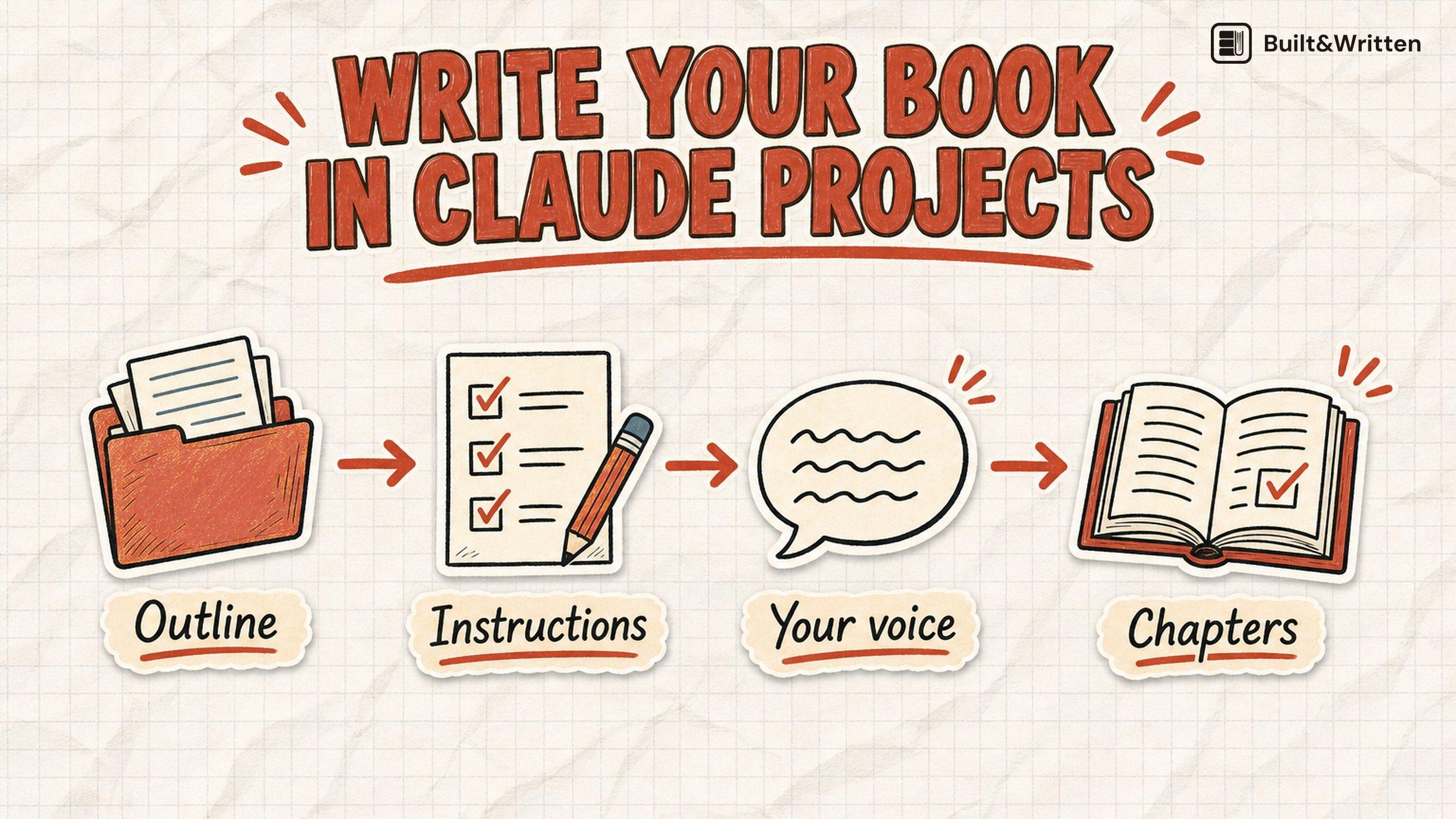

How to Write a Book With Claude Projects and Keep Your Voice
On June 25, 2024, Anthropic added Projects to Claude. The launch post gave each project a 200K context window, "the equivalent of a 500-page book," and let you write custom instructions for it.
For anyone writing a book, that was the feature that mattered. A single chat forgets. By chapter 4 it has lost the tone of chapter 1, renamed your framework, and started telling stories you never told it.
So if you already write with Claude and you want a nonfiction book that still sounds like you at chapter 12, this is the setup. We built it on November 23, 2026, in a real Claude account, and the screenshots below are from that run.
Skip to the project instructions you can copy
What is a Claude Project, and why does a book need one?
A Claude Project is a workspace inside Claude with its own chats, its own instructions and its own files. Anthropic's help center calls it a self-contained workspace with its own chat histories and knowledge base (What are projects?).
That matters for a book for one reason. Chats inside a project do not share what was said in each other. Anthropic is plain about it: context is not shared across chats in a project unless the information is added to the project knowledge (Create and manage projects).
So the files and instructions you put into the project are the book's memory. The chats are just where you work.
| Part of the project | What goes in it | What it does for the book |
|---|---|---|
| Instructions | Your reader, your voice rules, your fact rules | Every chapter chat starts from the same rules |
| Context (files) | Outline, voice samples, notes, finished chapters | Chapter 7 can read chapter 1 |
| Memory | What Claude picks up as you work | Useful, but you do not control what it keeps |
| Chats | One chat per chapter or per task | Short, focused, easy to throw away |
Projects are on every Claude plan. The Claude pricing page lists up to 5 projects on the Free plan. Projects are included on Pro, which is $20 a month billed monthly. On paid plans, Claude switches to a search mode when your files get close to the context limit. Anthropic says that raises a project's capacity up to 10 times (What are projects?).
Step 1. Create the project for one book
One book, one project. Do not mix two books, or your book and your day job, in the same project.
In Claude, open Projects in the left sidebar and click "New project." A box called "Create a project" opens. It asks "What are you working on?" and "What are you trying to achieve?"
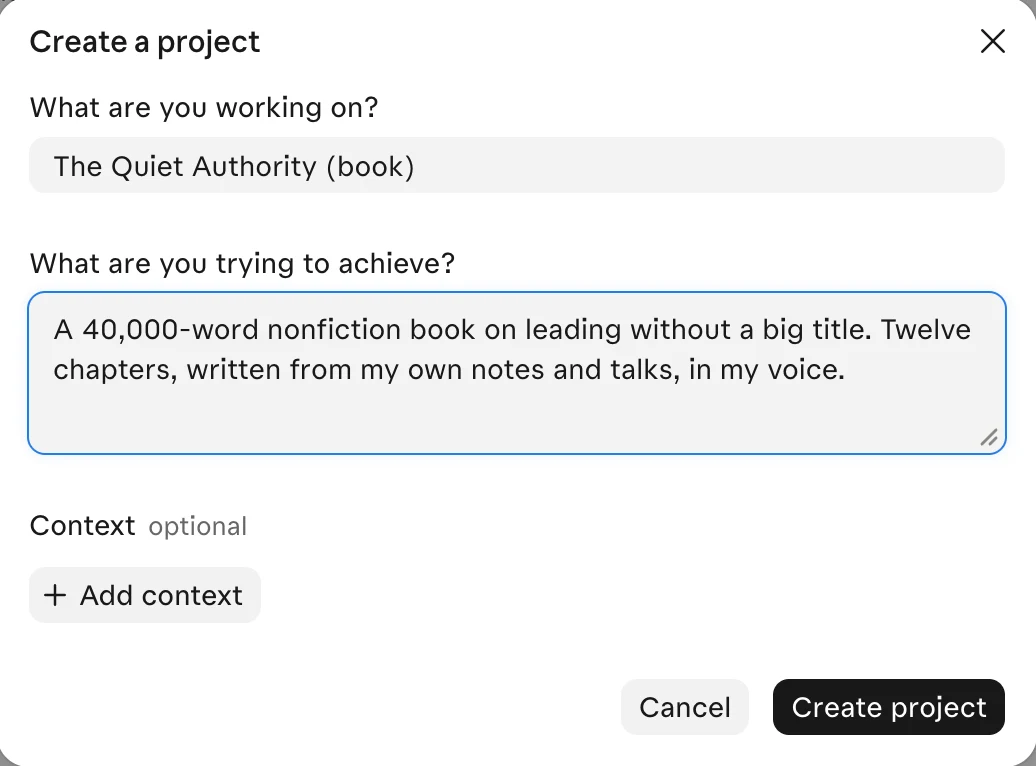
Write the name as the book's working title. Write the goal as the finished book: the length, the number of chapters and whose voice it is in. "The Quiet Authority" in our screenshots is an example made up for this guide.
One caution. Anthropic's help article says Claude does not read the project name and description; they are labels for you (Create and manage projects). So anything Claude must follow goes into Instructions, which is the next step.
Step 2. Write project instructions that protect your voice
Project instructions are the rules Claude reads at the start of every chat in the project. Open the project, find "Instructions" on the right and click "Add." A box called "Set project instructions" opens.
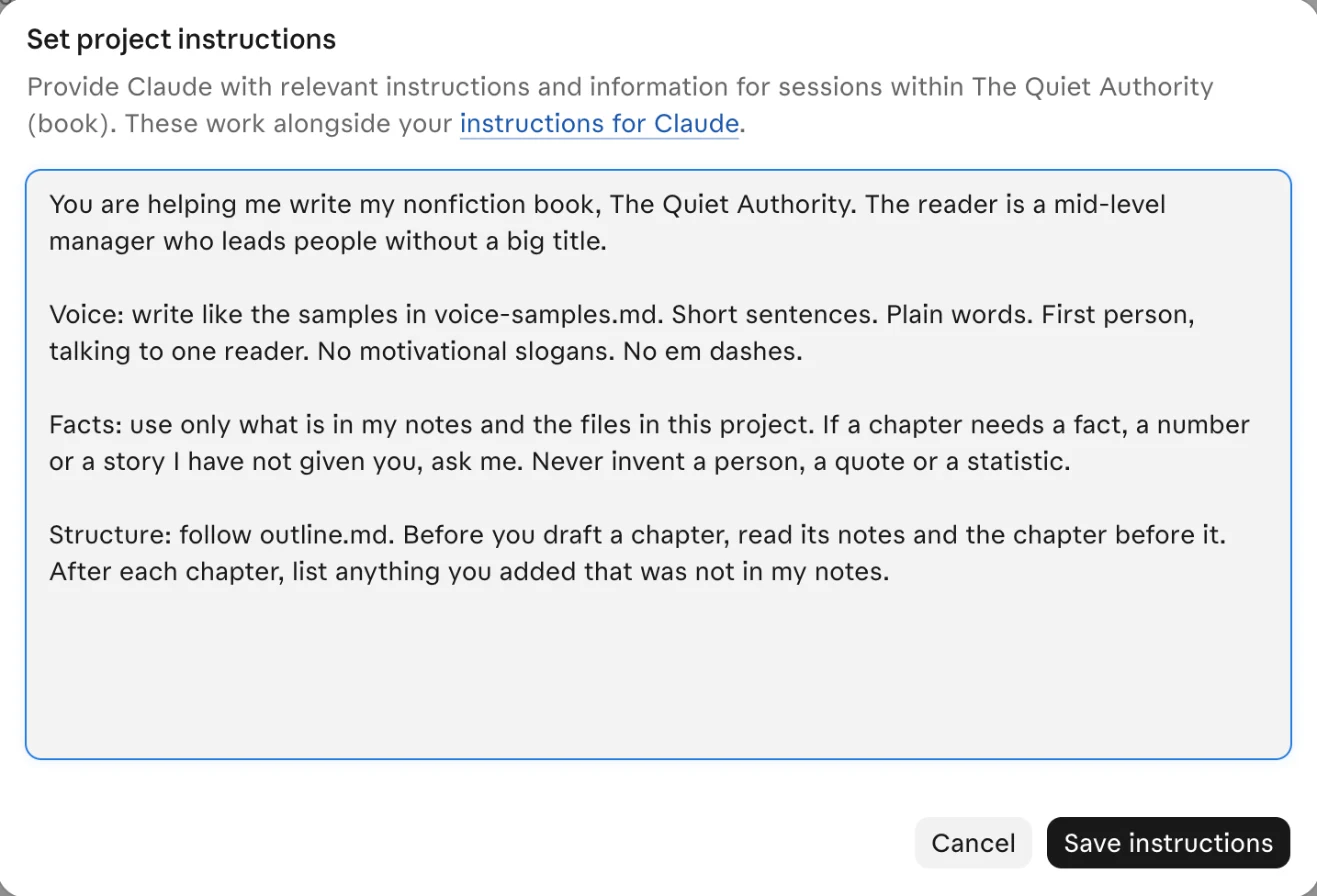
Good instructions for a book cover four things. Keep each one short. Long instructions get followed less closely, not more.
The last rule does the most work. It turns "did Claude make that up?" from a feeling into a list you can check in two minutes.
Describe your voice with rules you can test, not adjectives. "Warm and engaging" means nothing to a model. "Sentences under 20 words, no exclamation marks, I talk to one reader" does. Our guide on what Voice DNA is explains why a few real pages of your writing teach voice better than any description.
Step 3. Add the files that make up the book's memory
Context is where the book lives. On the project page, find "Context" and click "Add." Claude offers "Upload from device," "Add text content," "GitHub" and "Drive."
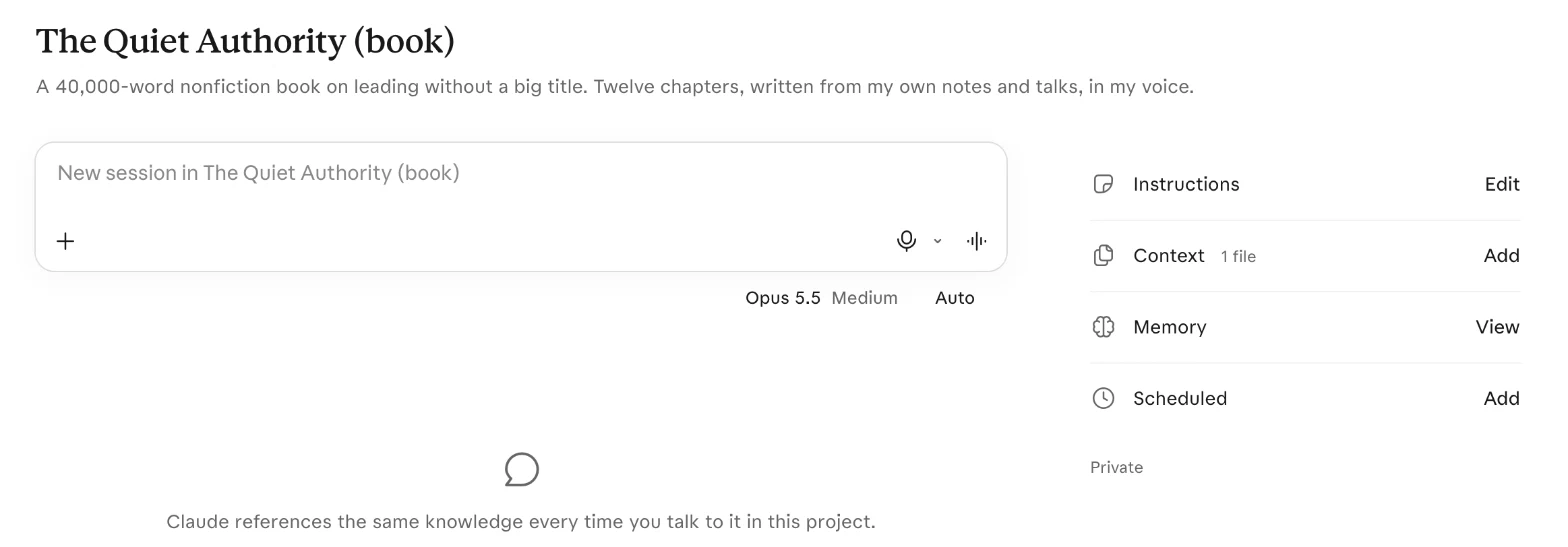
Add these files, in this order:
- outline.md. Parts, chapters and one line per chapter on what it proves. If you do not have one yet, start with our book outline template.
- voice-samples.md. Three to six pieces you wrote yourself and are proud of: posts, emails, a talk transcript. Real writing, not your best attempt at "book voice."
- notes for each chapter. One file per chapter, named by number. Stories, numbers, client examples, quotes you can source.
- finished chapters. Each time you approve a chapter, add it here. This is how chapter 7 knows what chapter 1 said.
Text files are small. Our outline was 360 bytes, and the panel showed "1% of project capacity used." A whole 40,000-word manuscript is roughly 240 KB of plain text. That is far less than the 500-page book Anthropic compares a project to.
Keep one current version of each file. If you rewrite chapter 3, delete the old file and add the new one. Two versions of the same chapter is how a book starts contradicting itself.
Step 4. Draft one chapter per chat
Start a new chat inside the project for each chapter. Short chats stay on task, and a messy chat costs you nothing because the book lives in the files, not the conversation.
A chapter loop that works:
Expect to edit. In our side-by-side test of Claude and ChatGPT on the same notes, Claude wrote the better chapters and also added 8 details that were not in the notes. Your instructions reduce that. They do not remove it.
What happened when we tested the instructions
We asked our test project to "Draft chapter 3" while it held only the outline. The instructions worked on the first try: Claude answered that only the outline was there, with no chapter 3 notes, no chapter 2 and no voice samples.
Then it did something worth knowing. It started searching a meeting-notes app connected to the Claude account, looking for material on its own. We stopped it.
Here is why. Anthropic says each project has its own memory, but Claude also uses your memory from chats outside projects (Create and manage projects). Connected apps can be reached too. For most work that helps. For a book it can pull in material you never meant to use, or details about other people.
Keep the book inside the project. On the project page, open Memory and turn off "Use account memory" so the project's memory stays separate. Turn off connected apps you do not want in the book chats, and tell Claude in your instructions to use only the project files.
How to check that the book still sounds like you
Voice drifts slowly. Chapter 2 sounds like you. Chapter 9 sounds like a polite consultant. Three checks catch it.
Read it out loud. Any sentence you would never say, you would never write. Cut it or say it your way.
Compare against your samples. Ask Claude in a fresh project chat: "Compare chapter 9 with voice-samples.md. List the 10 sentences that sound least like me and why." A list is easier to act on than "make it sound more like me."
Watch for the usual AI tells. The same three-part list in every paragraph, "it's not X, it's Y" lines, a summary at the end of each section, words you never use. Our article on where ChatGPT breaks at book length lists more of them, and most apply to any model.
Then fix the instructions, not just the chapter. If Claude keeps opening chapters with a question, add "Never open a chapter with a question." The next chapter starts better.
Where a Claude Project stops
A Claude Project gets you a manuscript. It does not get you a book on Amazon.
Claude writes text. It does not lay out a print interior, size the spine for your page count or produce a cover file that passes Amazon's checks. Our page on writing a book directly in Claude goes through each gap. You still need a formatted print PDF, an EPUB for Kindle and a cover.
There are two ways to finish.
Bring the finished manuscript to a formatter. If you wrote every chapter in your project, export the text to a tool that formats a finished book. In Built&Written, our book formatter takes a .docx, .md or .txt manuscript. It gives you the print PDF and KDP files on the Author plan, $19/month for your own manuscript.
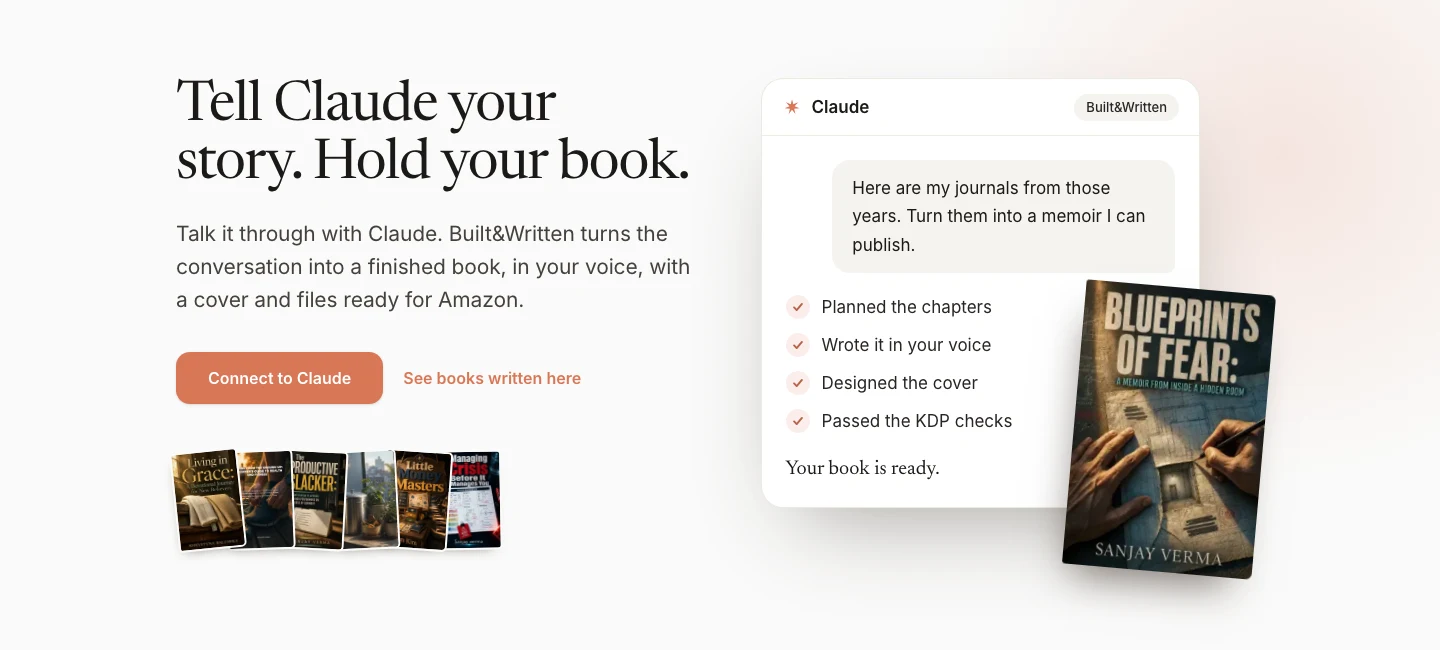
Connect Built&Written to Claude and keep talking. Built&Written works inside Claude as a custom connector, on every Claude plan including Free. You talk to Claude as before. Built&Written plans the chapters and writes them in your voice from a few pages of your writing (about 300 to 1,000 words). It also designs the cover and builds the KDP files.
The book is saved in your account and opens in the editor on our site. Setup takes about two minutes, and the steps are on our Claude page. Writing the book with AI this way is $49/month for AI-written books ($19/month for your own manuscript). Every plan comes with monthly credits for the AI, and you see what a book will cost before Wren, our writing AI, writes it.
Either way, the voice work you did in the project carries over. The rules you wrote and the samples you chose are the same things a formatter or a connector needs from you. And if you plan to publish on Amazon, read KDP's rules on disclosing AI before you upload.
Sources & References
- Anthropic, Collaborate with Claude on Projects (June 25, 2024): https://www.anthropic.com/news/projects
- Claude Help Center, What are projects?: https://support.claude.com/en/articles/9517075-what-are-projects
- Claude Help Center, How can I create and manage projects?: https://support.claude.com/en/articles/9519177-how-can-i-create-and-manage-projects
- Claude Help Center, Project visibility and sharing: https://support.claude.com/en/articles/9519189-project-visibility-and-sharing
- Claude, Plans and pricing: https://claude.com/pricing
Frequently asked questions
Yes. Claude's pricing page lists up to 5 projects on the Free plan, and Projects are included on Pro, which is $20 a month billed monthly. The extra search mode that lets a project hold more files than the context window is only on paid plans, according to Anthropic's help center.
Not by default. Anthropic's help center says context is not shared across chats within a project unless the information is added to the project knowledge. Each project does have its own memory, but for a book the safe rule is simple: anything Claude must know goes into the instructions or the project files.
Anthropic's launch post gave each project a 200K context window, which it compared to a 500-page book. On paid plans, when the files approach that limit, Claude switches to a search mode that Anthropic says raises a project's capacity up to 10 times. A 40,000-word plain-text manuscript is far below that.
On Team and Enterprise plans, yes. Anthropic's help center lists two permission levels, Can view and Can edit, set with the Share button next to the project name. Chats inside a project stay private by default, so an editor sees your instructions and files but not your conversations.
Sources & References
About the author