

What Files Does an AI Book Creator Give You at the End?
An AI book creator gives you a small set of files, and each file has its own job. We opened every file from a real Built&Written download and followed each one to the store that takes it.
A quick word about us
Built&Written is a platform for writing nonfiction books and getting them ready for Amazon KDP. KDP (Kindle Direct Publishing) is Amazon's free service for selling your book. You bring your notes, posts or a finished manuscript. The platform does not stop at the text: it also sets the pages, builds the cover and checks the files, so the book ends as something you can upload yourself. The files in this article came from our test book.
Key takeaways
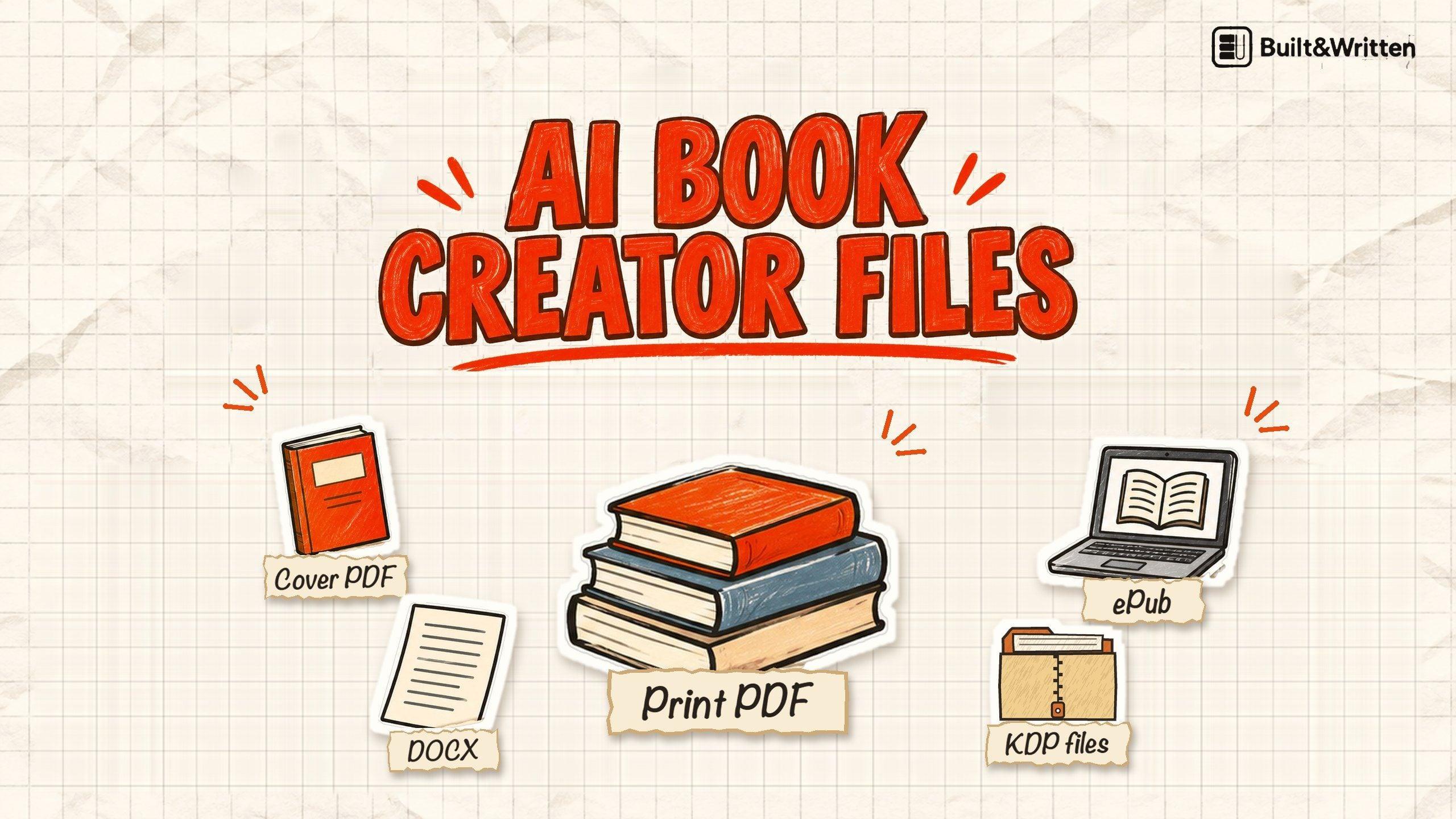
- Five kinds of files, five jobs. The print PDF is the inside, the cover PDF wraps the outside, the ePub is the ebook, the Word file is an editable copy and a JPEG is the ebook cover. They do not arrive in one download: the KDP package we opened held three of them.
- The ePub is separate. The KDP package we downloaded was for the paperback. Its upload guide says to upload the ebook manuscript on its own.
- Each store wants a different mix. The KDP file formats differ from Draft2Digital's and IngramSpark's, and the checks that matter most are fonts, sizes and a valid ePub.
What files does an AI book creator give you at the end?
Five kinds of file matter. Here they are, in plain words, with what you do with each one.
We downloaded the KDP package for our test book and listed everything in it.
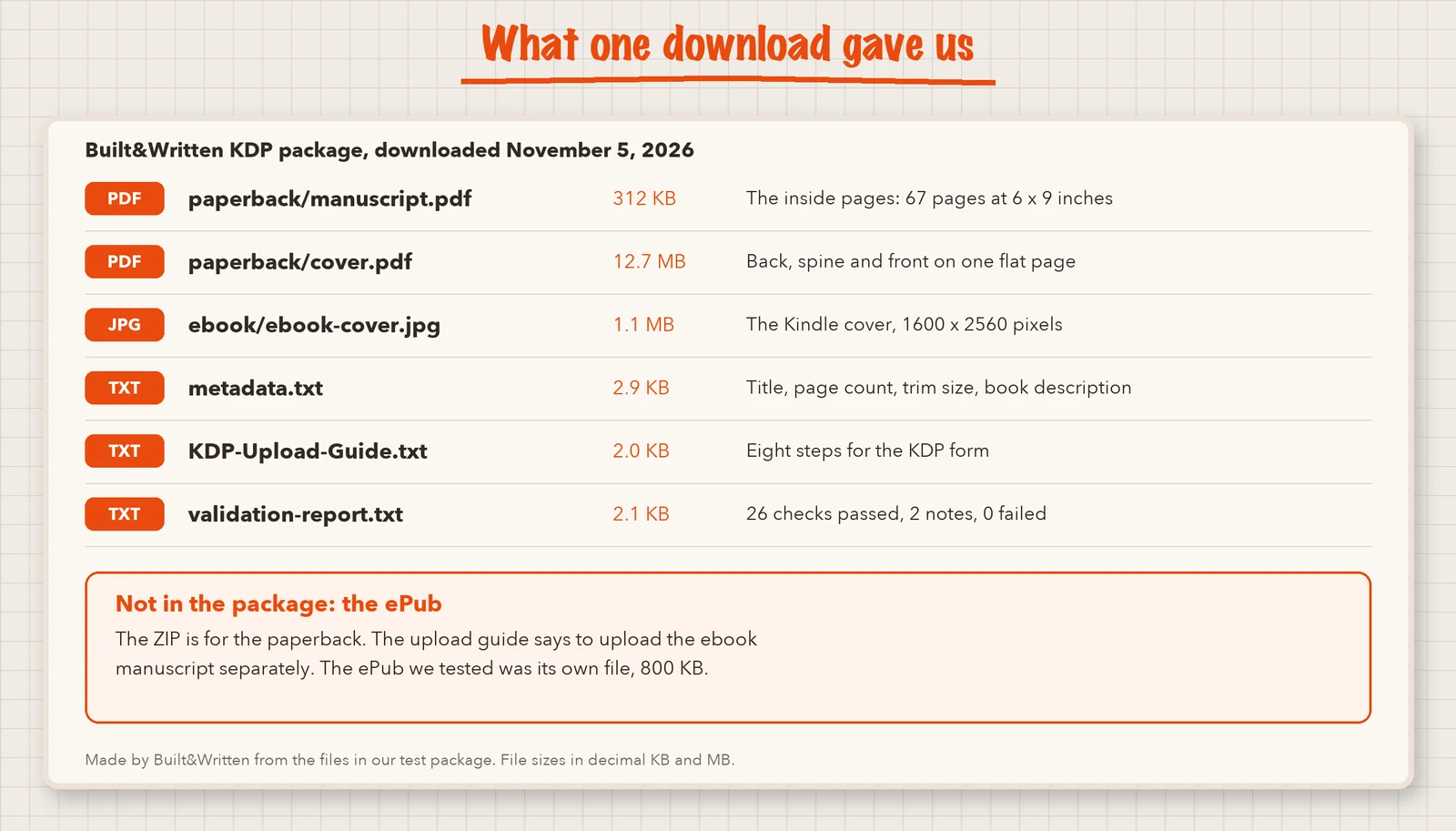
The three text files are helpers for you, not extra book formats. The first one holds what you paste into the KDP form.
Copy these lines into KDP, field by field.
Title. Maximum Prosperity: A Practical Guide to Scientific Management
Print options. 67 pages, trim size 6 by 9 inches, white paper, matte cover.
ISBN. Let KDP assign a free one.
Description. A ready summary of the book and its 7 chapters, to paste into the description box.
The second file, KDP-Upload-Guide.txt, is an eight step guide for the KDP form. The third is a report of 28 checks.
Good to know. The ePub we tested was its own file, not inside the KDP package. If you do not see it in your ZIP, it has not gone missing.
How did we test the files?
How we tested, November 21, 2026. One test book, "Maximum Prosperity": seven chapters, 67 pages at 6 by 9 inches, made in Built&Written from a public-domain text by Frederick Winslow Taylor. We downloaded the KDP package on November 5 and the ePub on November 1. On November 21 we unzipped both and read every file with a short script. We read the help pages of Amazon KDP and Draft2Digital on the same day. We also uploaded these files to draft books in our own KDP account on those earlier dates and never published them. That upload is the subject of We Uploaded an AI-Made Book to Amazon KDP, so here we stay on the files.
The limits: one book, one run, no Word export opened, no separate ePub validator. IngramSpark blocked our reading of its help center, so we read only its FAQ.
What is in the print PDF, and will KDP take it?
KDP says that for the best results you should convert your paperback manuscript to a PDF before you upload. A PDF is required when any picture or color runs to the page edge.
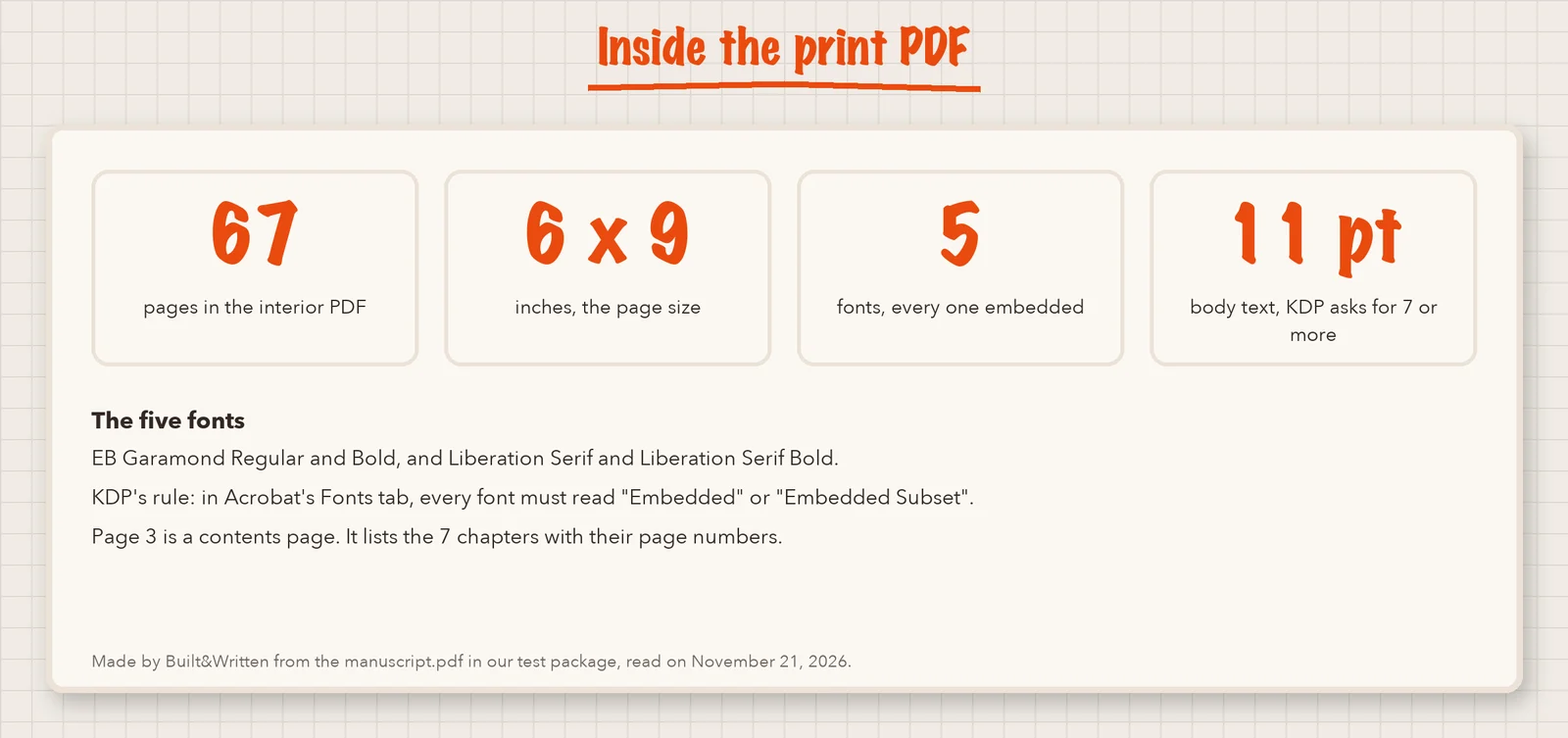
Fonts matter. KDP wants every font stored inside the file, so the printer does not need to find it. Its paperback fonts page says to check this in Adobe Acrobat under File, Properties, Fonts.
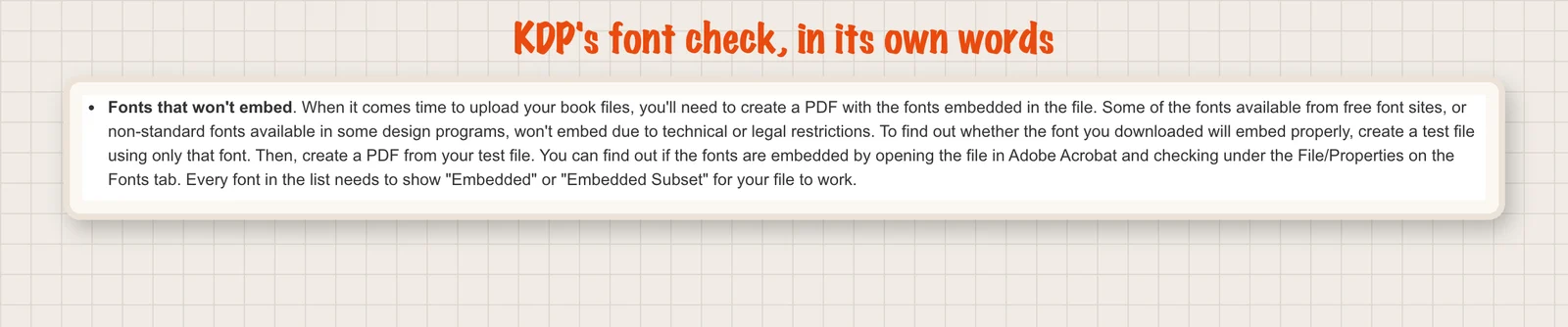
Our PDF had five fonts, each with its font file stored inside. The body text was set at 11 points, and KDP's minimum is 7. On November 5, KDP took the file with "uploaded successfully". Its previewer gave one note, about links in the contents page, which a printed page cannot use. The page itself looked right.
See our guides on AI book formatting and standard book sizes.
What is in the cover PDF?
KDP's paperback cover page asks for a single PDF with the back, spine and front as one image. It adds 0.125 inches of bleed on the top, bottom and outside edges. Bleed is a small extra margin of color that gets trimmed off, so no white edge shows.
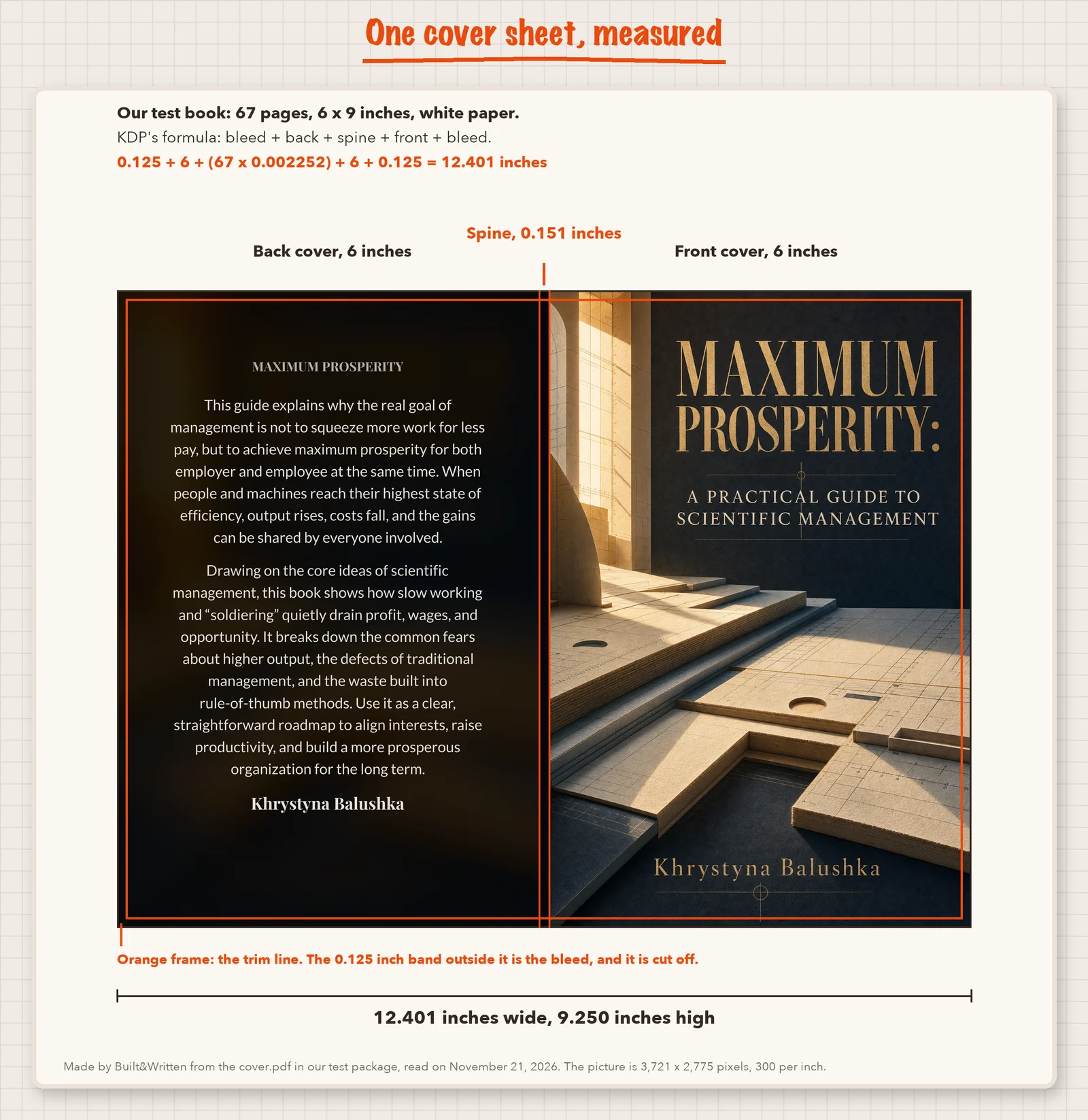
The arithmetic matches the file. Our cover.pdf page measured 12.401 by 9.250 inches, the same as the sum, and our validation report said so too.
Tip. You do not have to do this sum yourself. The platform works it out from your page count. We show it so you can see the size is not a guess.
The cover is one flat picture of 3,721 by 2,775 pixels, 300 dots per inch, so the words on it are part of the picture. To change the title you make the cover again in the platform. The file is 12.7 MB, and KDP recommends 40 MB or less.
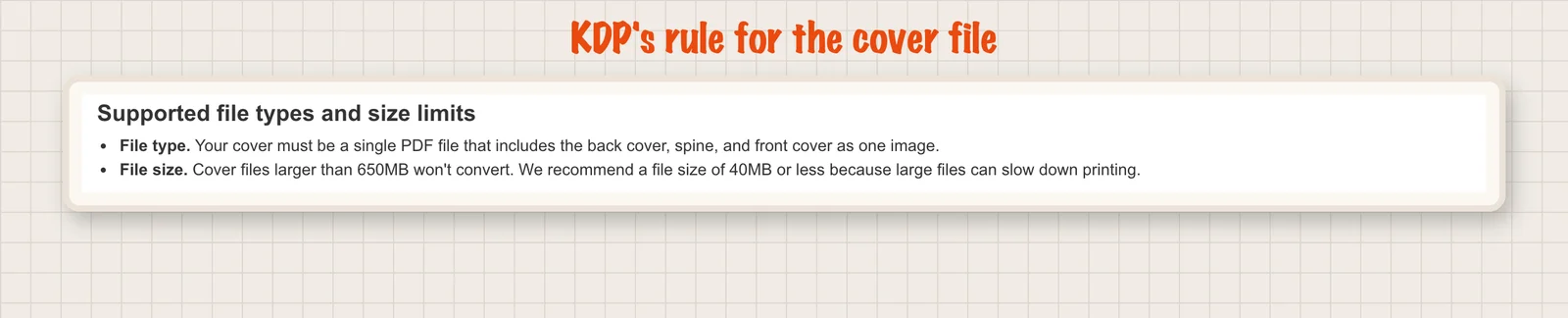
KDP allows spine text only from 79 pages, so our 67-page book has none. KDP took our cover on November 5. Our free spine width calculator does the sum, and the cover validator checks a finished file.
What is in the ePub, and who takes it?
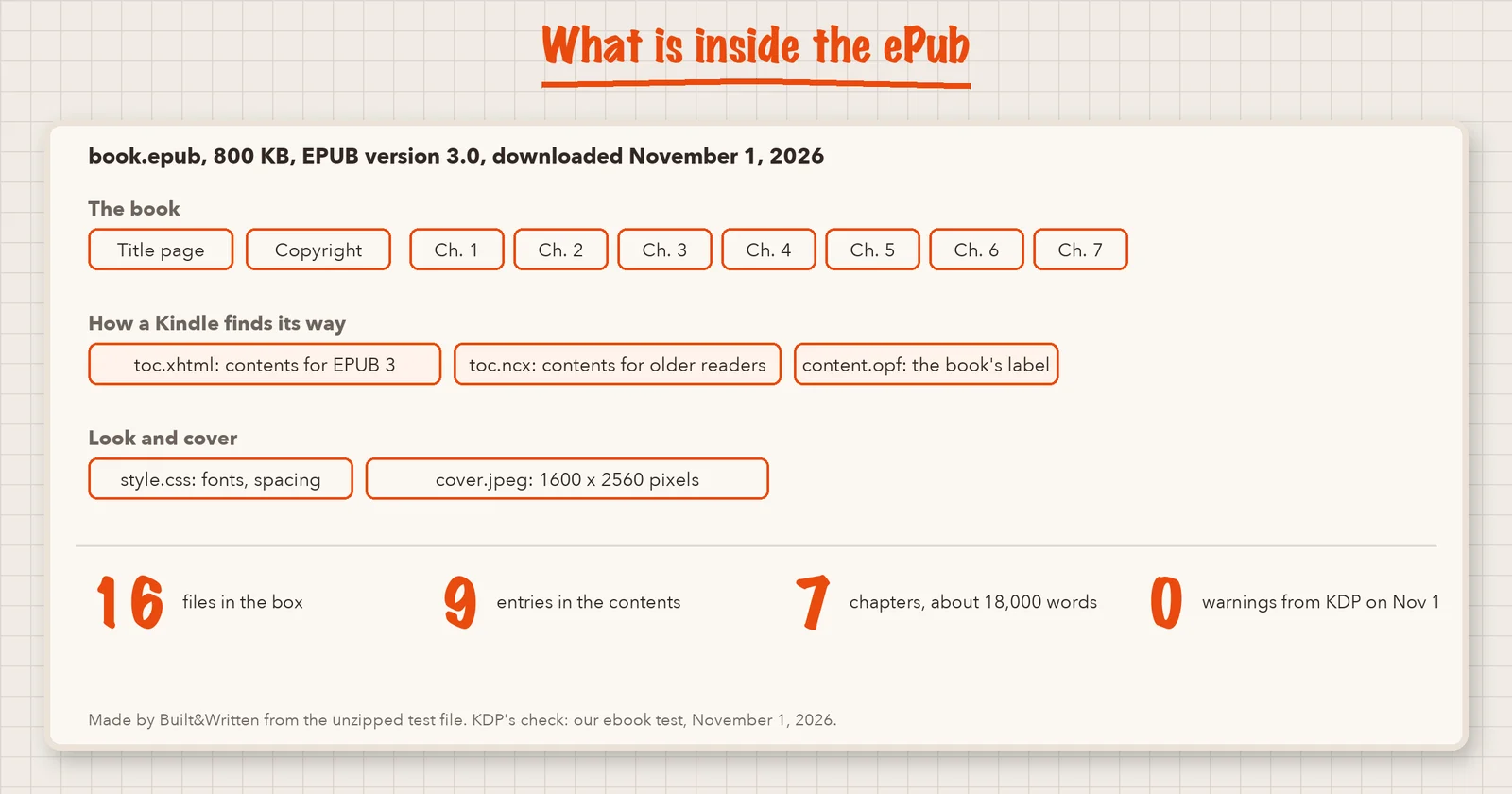
Ours was version 3.0 and 800 KB, with 16 files, including two contents files, one for new readers and one for older ones. The contents are what let a Kindle reader jump to a chapter.
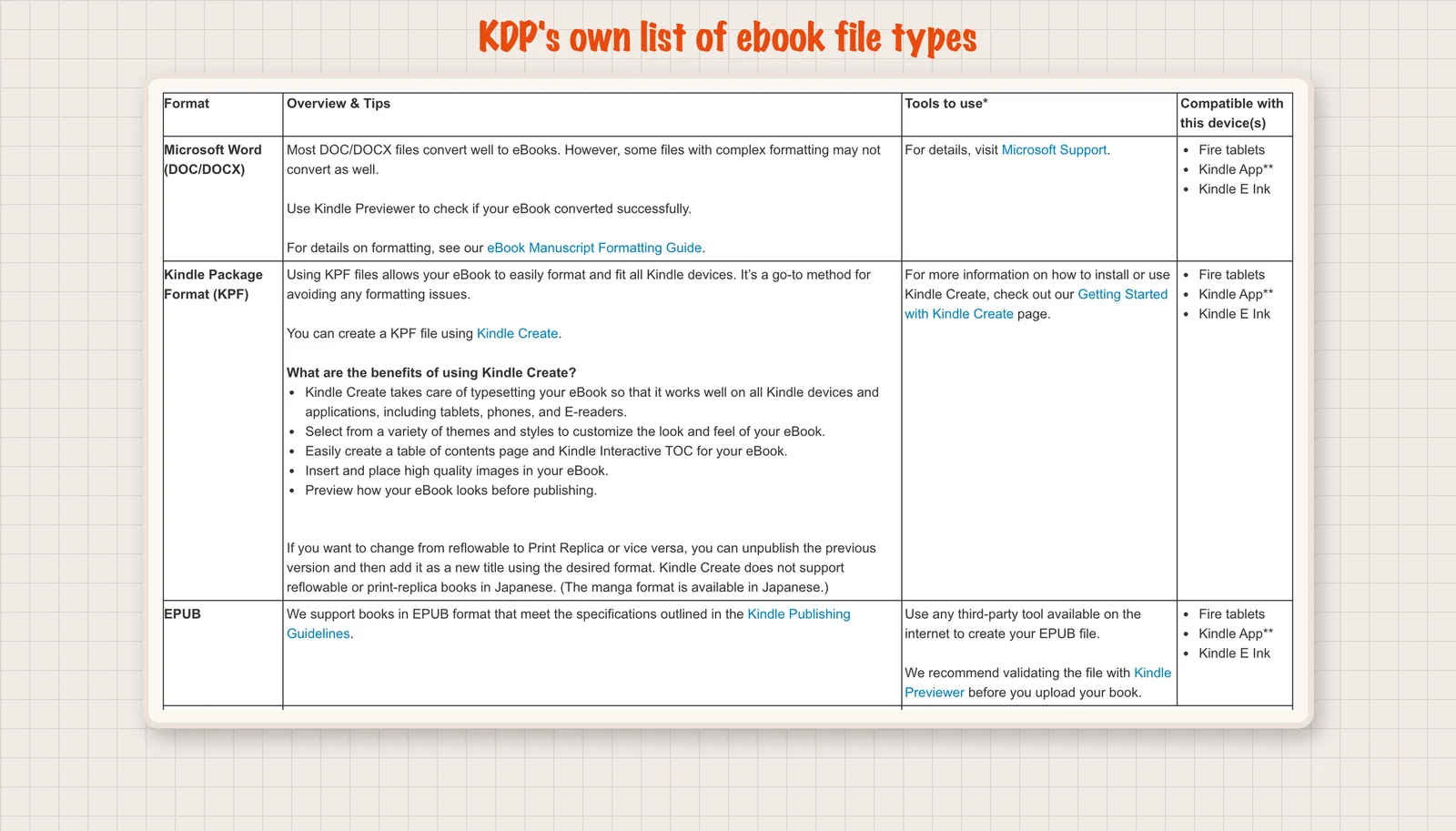
KDP's ebook formats page accepts EPUB files that meet its Kindle Publishing Guidelines and suggests checking the file in Kindle Previewer first. On November 1, KDP read our ePub and showed one green line: no spelling errors and no image issues. In the previewer, all seven chapters were in the Kindle menu. See our full ebook test and EPUB, PDF, or MOBI? Which File Your Book Should Be in Now.
If you plan to sell on other stores, validity matters more. Draft2Digital checks every ePub you upload with a tool called EpubCheck. Its knowledge base says an ePub that fails and cannot be repaired can still be published, but not to Apple Books, Amazon, Tolino, OverDrive, Hoopla, cloudLibrary, Vivlio or BorrowBox, because those stores require valid ePubs.
Our ebook cover JPEG is 1600 by 2560 pixels, the shape KDP calls ideal on its ebook cover page. Draft2Digital asks for 1600 by 2400, says it needs only a tall rectangle and resizes the rest.
Which of the AI book creator files goes where?
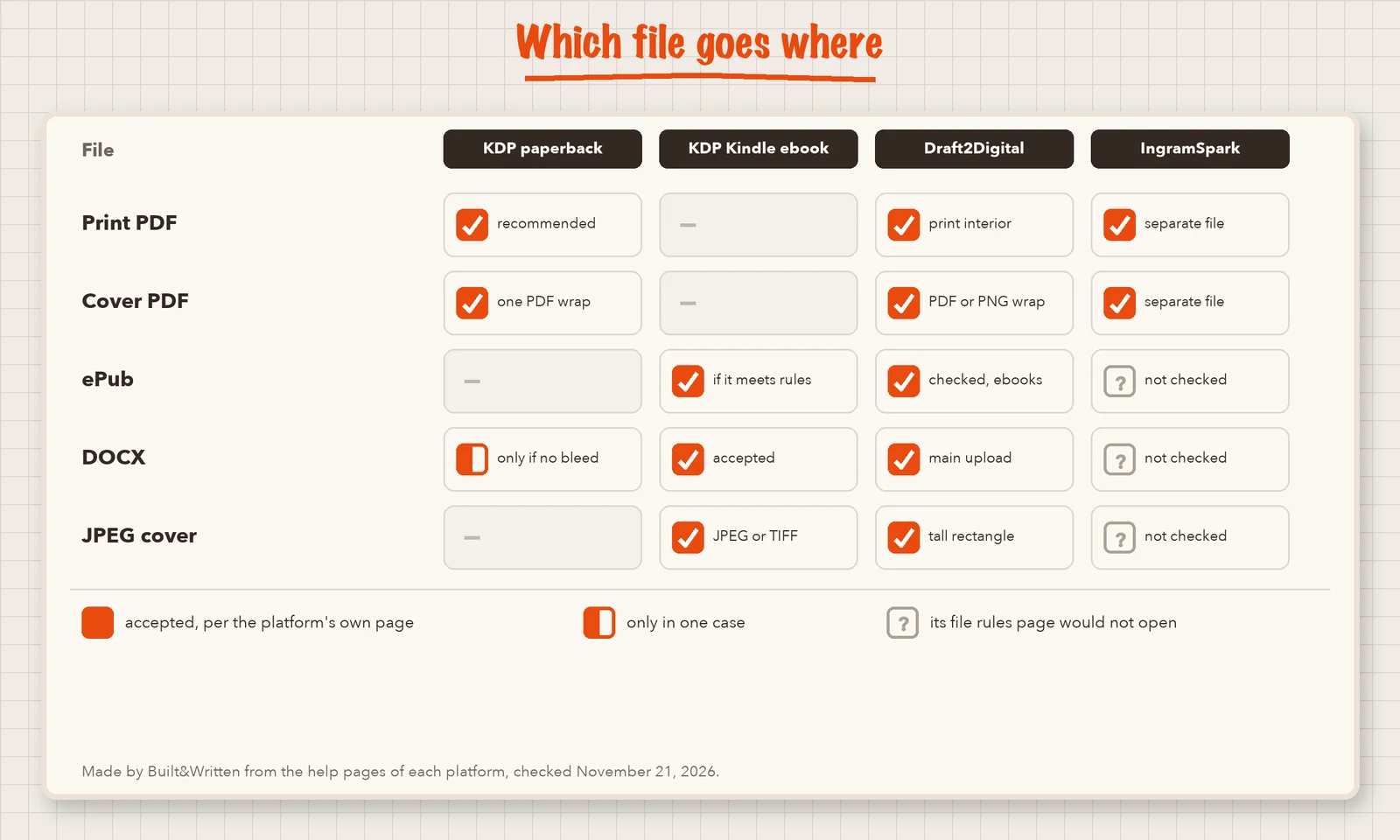
For wide distribution, Draft2Digital takes a Word file or a finished ePub for ebooks, and a PDF interior plus a wraparound cover for print. Our review of Draft2Digital against staying on KDP covers the choice.
IngramSpark, not fully checked. Its FAQ says you upload an interior file and a cover file separately, and that each format needs its own ISBN, the number that identifies a book. We could not read its file specifications, so check them before you upload. Our guide on [whether you need an ISBN](https://www.builtwritten.com/blog/isbn-for-self-published-authors-2026) has the rules.
How do you check AI book creator files before you upload?
How does Built&Written fit as an AI book creator?
It depends on where you start. If you have loose material, such as posts, notes or transcripts, the book generator turns it into chapters you approve and edit. If you already have a finished manuscript, the book formatter sets the pages, builds the cover and runs the checks.
Our test book started as a public-domain text and ended as the six files listed near the top of this article.
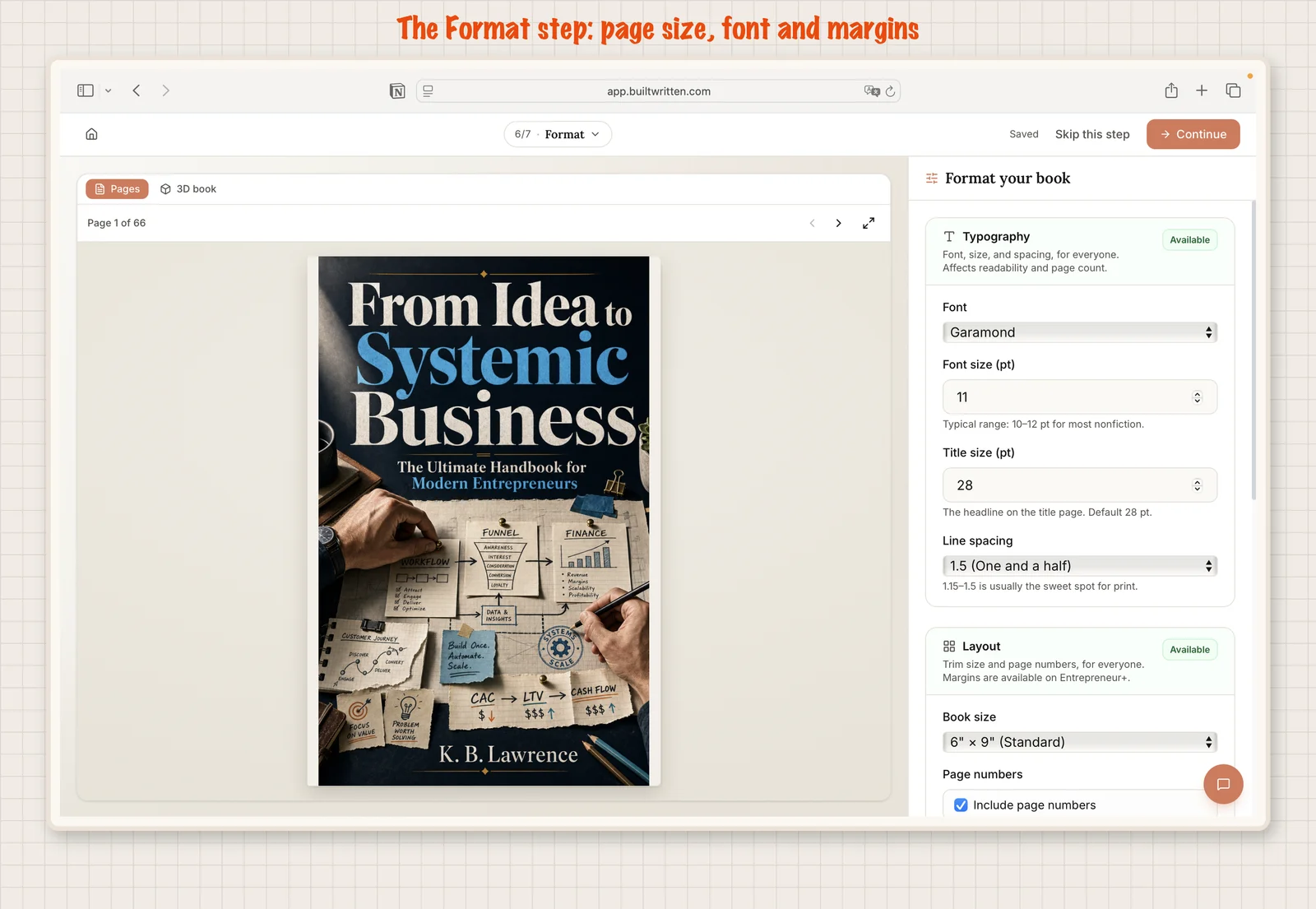
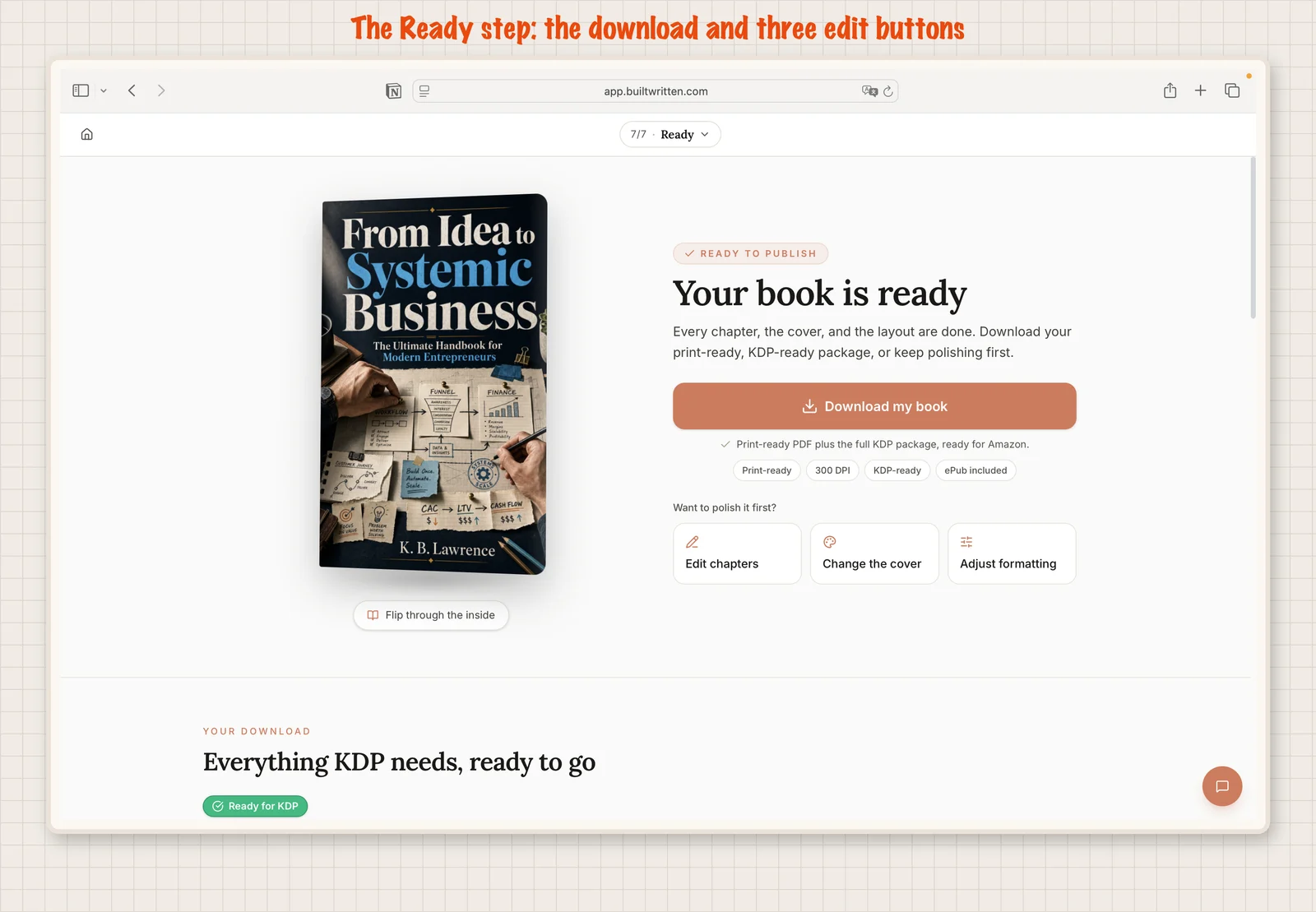
The Author plan exports the print PDF and KDP files for your own manuscript, and the pricing page lists the rest. Our ebook generator page describes the ebook route, and our KDP guide walks through the upload.
Final thoughts
An AI book creator is only as useful as the files at the end: a print PDF that fits KDP's page rules, a cover sized to your page count and an ebook file with a working contents menu. Then you pick the right file for each store and read what the store says back.
Built&Written turns the material you already have into a finished book with files you can upload to KDP in your own account. Here is what you get:
- A start from your own posts, notes, transcripts or a finished manuscript.
- An outline you approve, then chapters in your voice, learned from a few pages of your writing.
- Layout, a cover sized to your page count and a report of checks done for you.
- A print PDF and the KDP files, plus an ePub and a Word file on the Entrepreneur plan.
- One click back to edit chapters, the cover or the formatting.
Frequently asked questions
KPF is Kindle Package Format, the file that Kindle Create makes. Built&Written does not export KPF. It exports PDF, ePub and DOCX, and KDP accepts both EPUB and Word for ebooks, so you can publish on Kindle without a KPF.
IngramSpark's FAQ says each format you distribute through it, such as print and ebook, needs its own ISBN. Other platforms have their own rules, so check each one before you set up a book.
KDP lists PDF among its ebook formats, but only for English, French, German, Italian, Portuguese, Spanish, Catalan, Galician and Basque. A PDF keeps fixed pages, so it does not reflow like an ePub. KDP names Word, KPF and EPUB first, so use one of them when you can.
No. A print cover is a wide PDF with the back, spine and front, sized to your page count. An ebook cover is a tall JPEG of the front only. KDP lists separate rules for each, so you need both files.
Sources & References
- What file formats are supported for eBook manuscripts? KDP Help, checked 2026-11-21
- Save Your Manuscript File, KDP Help, checked 2026-11-21
- Paperback Fonts, KDP Help, checked 2026-11-21
- Create a Paperback Cover, KDP Help, checked 2026-11-21
- What criteria does my eBook's cover image need to meet? KDP Help, checked 2026-11-21
- Draft2Digital Knowledge Base, checked 2026-11-21
- IngramSpark FAQs, checked 2026-11-21
About the author