
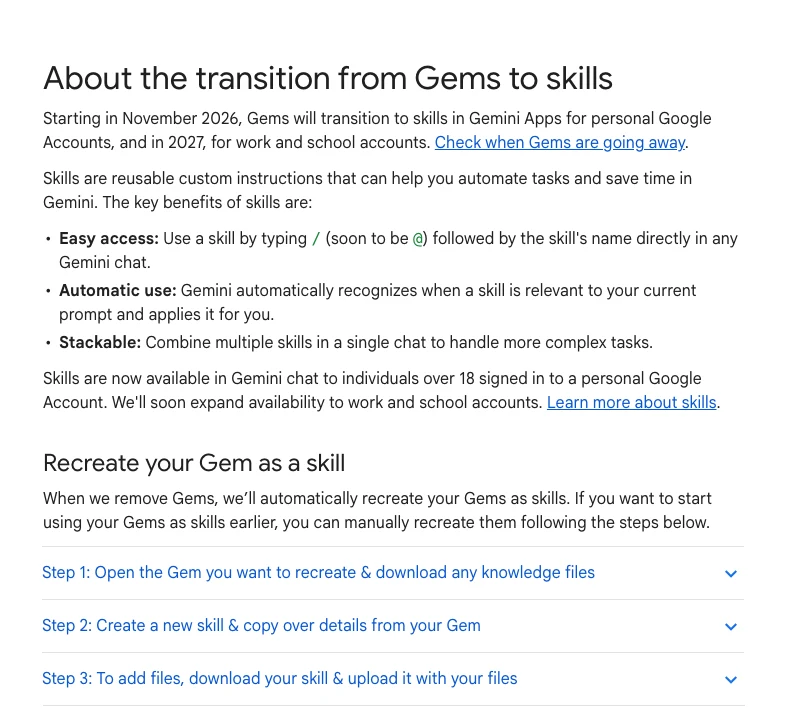
On November 17, 2026, Google made every Gem on a personal account read-only. Gems were Gemini's custom assistants: saved instructions, often with files attached, that you could reuse in any chat. Google's transition page gives the next date too: on December 17, 2026, Gems and their files are removed.
Their replacement is called skills. If you are setting up Gemini to write a book in your voice this month, that change decides how you do it.
It is also a good moment to look at Gemini properly, because book tools are building on it. WriteABookAI, a nonfiction book app, now has this banner on its homepage: "Now running on the latest generation of Google Gemini models."
This guide shows how to set up Gemini yourself for a nonfiction book that still sounds like you at chapter 7. Every feature, limit and price was checked on Google's own pages on November 23, 2026.
Skip to the voice skill you can copy
Can Gemini write a book that sounds like you?
Gemini can draft a nonfiction book that sounds close to you, if you give it real samples of your writing and a short list of rules it can follow. It cannot do it from a description like "warm and direct." And it drifts over a long book unless you check each chapter against your samples.
Gemini is Google's AI assistant, at gemini.google.com. For book work, four of its features matter:
| Feature | What it is | What it does for a book |
|---|---|---|
| Skills | Reusable custom instructions, with files attached | Holds your voice rules and samples for every chat |
| File uploads | Up to 10 files in one prompt | Lets a chapter chat read your outline and notes |
| Canvas | A document space next to the chat | Drafts and edits a chapter you can export to Google Docs |
| Long context | Up to 1 million tokens on paid plans | Holds a whole manuscript in one conversation |
What does Gemini cost for writing a book?
The free plan covers more than most people expect. Google's subscriptions page lists Canvas, Skills and Deep Research on the $0 plan with a Google account.
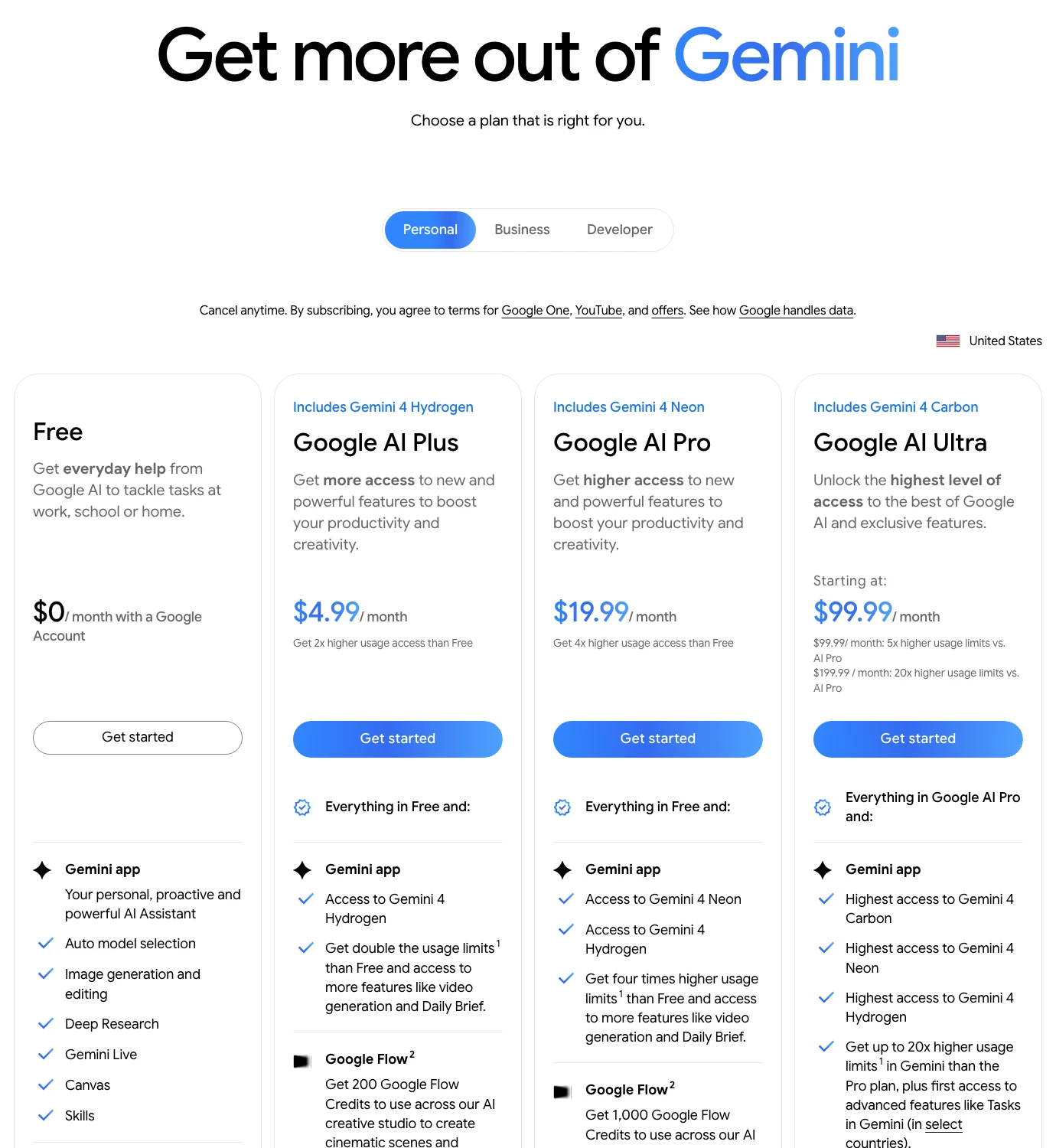
The paid plans, at US prices on that page:
- Google AI Plus, $4.99 a month. About twice the usage of the free plan.
- Google AI Pro, $19.99 a month. About four times the usage of the free plan.
- Google AI Ultra, from $99.99 a month. Five or twenty times the usage of AI Pro, depending on the tier.
The paid feature that matters most for a book is the context window, the amount of text Gemini can hold in mind at once. Google's file upload help page says Pro and Ultra get a 1 million token context window, which it puts at up to 1,500 pages of text. That is enough to load a full manuscript and ask whether chapter 9 contradicts chapter 2.
Gems are gone. Use skills to hold your voice
A skill is a set of reusable custom instructions that Gemini can apply in any chat. Google's help page describes skills as "reusable custom instructions that can help you automate tasks and save time in Gemini."
For a book, a skill is where your voice lives. You write the rules once and call the skill by typing a forward slash and its name, such as /myvoice. Gemini can also apply a skill on its own when it recognizes a matching prompt.
What the help page says skills can and cannot do today:
- Files: a skill can include text files, PDFs and images, up to 100 MB. Audio, video and old .doc files are not supported.
- Not yet: adding files from Google Drive, adding notebooks from Gemini Notebook and sharing a skill are listed as coming soon.
- Not with Canvas: skills do not yet work with Canvas or Deep Research.
That last point catches writers out. If you draft in Canvas, your voice skill is not applied there. The workaround is in step 3 below.
Download its knowledge files before December 17, 2026. Google says Gems turn into skills automatically, but after December 17 the Gems and their files are gone. Keep your own copy of your samples and style guide either way.
How to set up Gemini to write in your voice
This setup uses the same idea that works in any AI: rules you can test, real samples, and a file that remembers what the book has already decided.
Step 1. Gather your voice samples
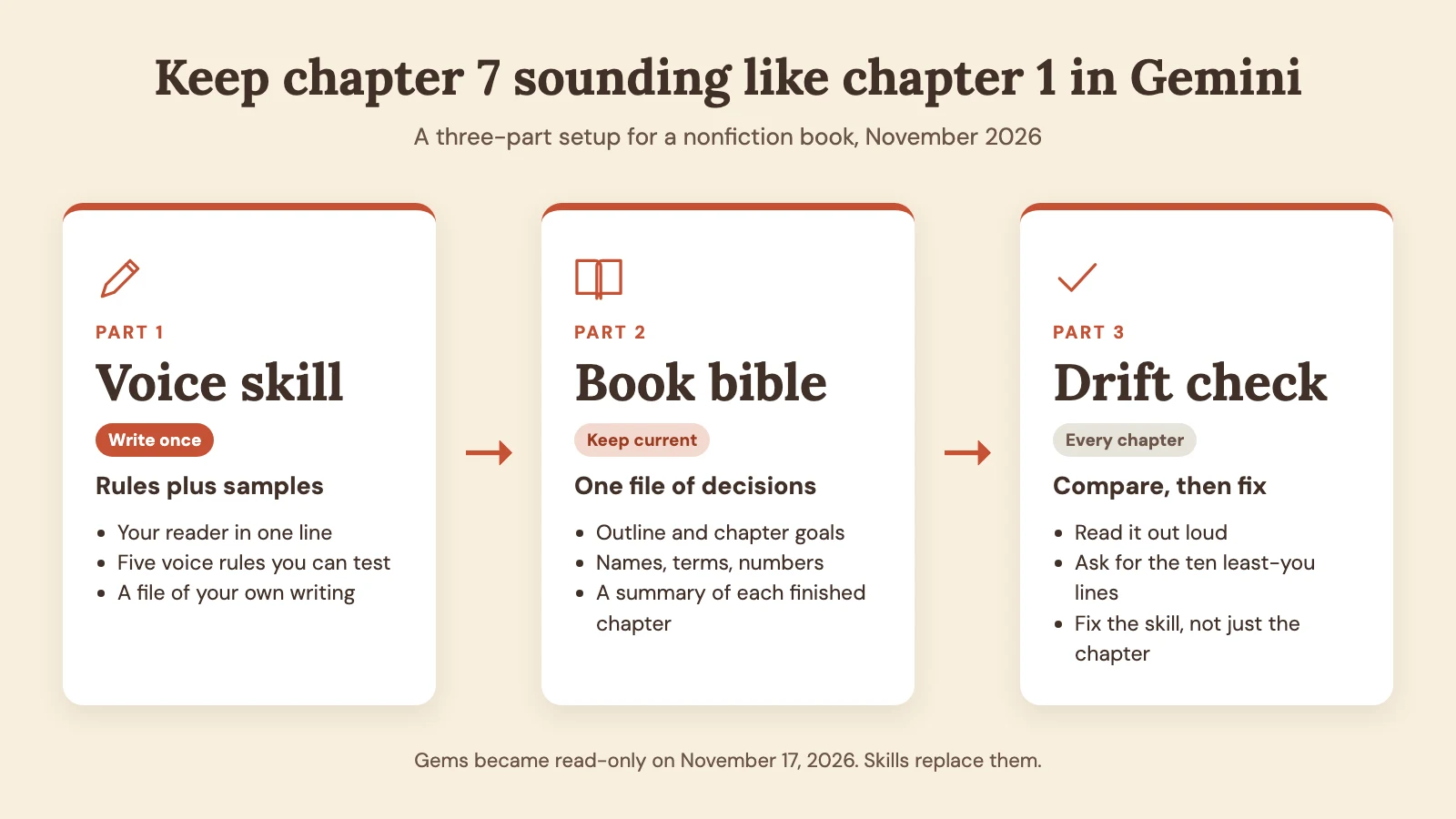
Collect three to six pieces you wrote yourself and are proud of: blog posts, newsletters, a talk transcript, long emails. Put them in one text file or PDF, with the strongest piece first.
Use real writing, not your idea of "book voice."
Our guide to setting an AI writing style that sounds like you explains why a few real pages beat any list of adjectives.
Step 2. Create the voice skill
On gemini.google.com, open the sidebar and click Customize, then Skills. Click Create, then Create manually. Give the skill a name, a one-line description and the instructions below, attach your samples file, then click Create.
The last rule does the most work. It turns "did Gemini make that up?" into a short list you check in two minutes.
Step 3. Keep a book bible and attach it to every chapter
A book bible is one file that holds every decision the book has made. It lists the outline, the name of your framework, recurring terms and key numbers. It also keeps a two or three sentence summary of each finished chapter. If you have no outline yet, start with our book outline template.
Start a new chat for each chapter. Type your skill name, attach the book bible and that chapter's notes, and ask for a section plan before any prose. Gemini accepts up to 10 files in one prompt, at up to 100 MB each, so a chapter's notes fit easily.
If you want to draft in Canvas, paste your voice rules into the first message of that Canvas chat, since skills do not run there yet. Canvas then lets you select a passage and click Suggest edits, change the length or tone, and use Export to Docs when the chapter is done. Google's Canvas help page covers each of these.
How to keep chapter 7 consistent with chapter 1
Drift is slow. Chapter 2 sounds like you, chapter 7 sounds like a polite consultant, and the framework you named "the Three Rooms" has become "the three spaces." Three habits catch it.
Update the book bible after every chapter. Add the chapter summary and any new term. This file is what tells chapter 7 what chapter 1 said.
Run a drift check. In a fresh chat, attach your samples and the new chapter. Then ask Gemini to list the ten sentences that sound least like the samples, and to say why. A list is easier to fix than a vague request to sound more like you.
Use the long context for a full read. On Pro or Ultra, load the whole manuscript and ask Gemini to list contradictions between chapters. Look for a number that changed, a story told twice or a term used two ways.
Then fix the skill, not just the chapter. If Gemini keeps ending sections with a summary, add "Never end a section with a summary." The next chapter starts better. Our guide on how much of an AI-written book you still have to fix covers the editing pass that follows.
Where Gemini stops for a nonfiction book
Gemini is a strong drafting partner. It is not a book production tool, and it has limits worth planning around.
It adds things. Like every model, it fills gaps with plausible details. The fact rule and the "added" list in your skill reduce this; they do not remove it.
Your setup is in flux. Skills replaced Gems on November 17, 2026, and file support from Drive is still listed as coming soon. Expect the screens to change, and keep your samples and book bible as your own files.
It makes no book files. There is no print interior, no EPUB for Kindle, no cover with a spine sized to your page count. Export to Docs gives you a document, not a print-ready file.
If you are choosing between assistants rather than setting one up, our side-by-side of Claude and ChatGPT on the same notes compares how two other models handle book chapters.
Writing the book in your voice with Built&Written
If you would rather not maintain skills, files and a book bible by hand, that is the job Built&Written does.
You paste your notes, posts or transcripts, or upload a .docx, .md or .txt file. Wren, our writing AI, proposes a chapter outline you can edit, then writes each chapter from your material. Voice DNA learns your voice from a few pages of your writing, about 300 to 1,000 words, and keeps it across the book. Our AI book writer page shows the whole flow.
Then the integrated cover designer and the book formatter produce a print PDF with the spine math done, an EPUB and the KDP package. You upload them to Amazon yourself.
Writing a book with AI is $49/month for AI-written books ($19/month for your own manuscript). Every plan comes with monthly credits for the AI, and you see what a book will cost before Wren writes it.
Whichever route you take, the work you put into your samples and voice rules carries over. And before you publish on Amazon, read KDP's rules on disclosing AI.
Sources & References
- Gemini Apps Help, About the transition from Gems to skills: https://support.google.com/gemini/answer/18560919?hl=en
- Google, Let skills in Gemini tackle your most repetitive tasks (September 30, 2026): https://blog.google/products-and-platforms/products/gemini/automate-tasks-with-skills/
- Gemini Apps Help, Use Gems in Gemini Apps: https://support.google.com/gemini/answer/15146780?hl=en
- Gemini Apps Help, Attach and analyze files in Gemini Apps: https://support.google.com/gemini/answer/14903178?hl=en
- Gemini Apps Help, Create docs, apps and more with Canvas: https://support.google.com/gemini/answer/16047321?hl=en
- Google, Gemini subscriptions: https://gemini.google/subscriptions/
- WriteABookAI, homepage: https://writeabookai.com
Frequently asked questions
On personal Google accounts, Gems became read-only on November 17, 2026: you can view them but not use, edit or create them. Google says they turn into skills automatically, and on December 17, 2026 Gems and their files are removed. Work and school accounts move later, in March or June 2027.
Google's subscriptions page lists Skills on the free $0 plan with a Google account, and the transition help page names no plan requirement. Skills are available to people over 18 signed in to a personal Google account, with work and school accounts following later.
Google's help page says up to 10 files can be attached in one prompt, at up to 100 MB each for documents, and up to 2 GB for a video. Files attached to a skill can be text files, PDFs or images up to 100 MB; audio, video and legacy .doc files are not supported there.
On Google AI Pro and Ultra, yes for most books. Google's help page says those plans get a 1 million token context window, which it puts at up to 1,500 pages of text. That is enough to ask Gemini to compare chapters or find contradictions across a full nonfiction manuscript.
WriteABookAI's own homepage carries the banner Now running on the latest generation of Google Gemini models, checked on November 23, 2026. It does not say which Gemini model or plan it uses.
Sources & References
- Gemini Apps Help, About the transition from Gems to skills
- Google, Let skills in Gemini tackle your most repetitive tasks
- Gemini Apps Help, Use Gems in Gemini Apps
- Gemini Apps Help, Attach and analyze files in Gemini Apps
- Gemini Apps Help, Create docs, apps and more with Canvas
- Google, Gemini subscriptions
- WriteABookAI, homepage
About the author