
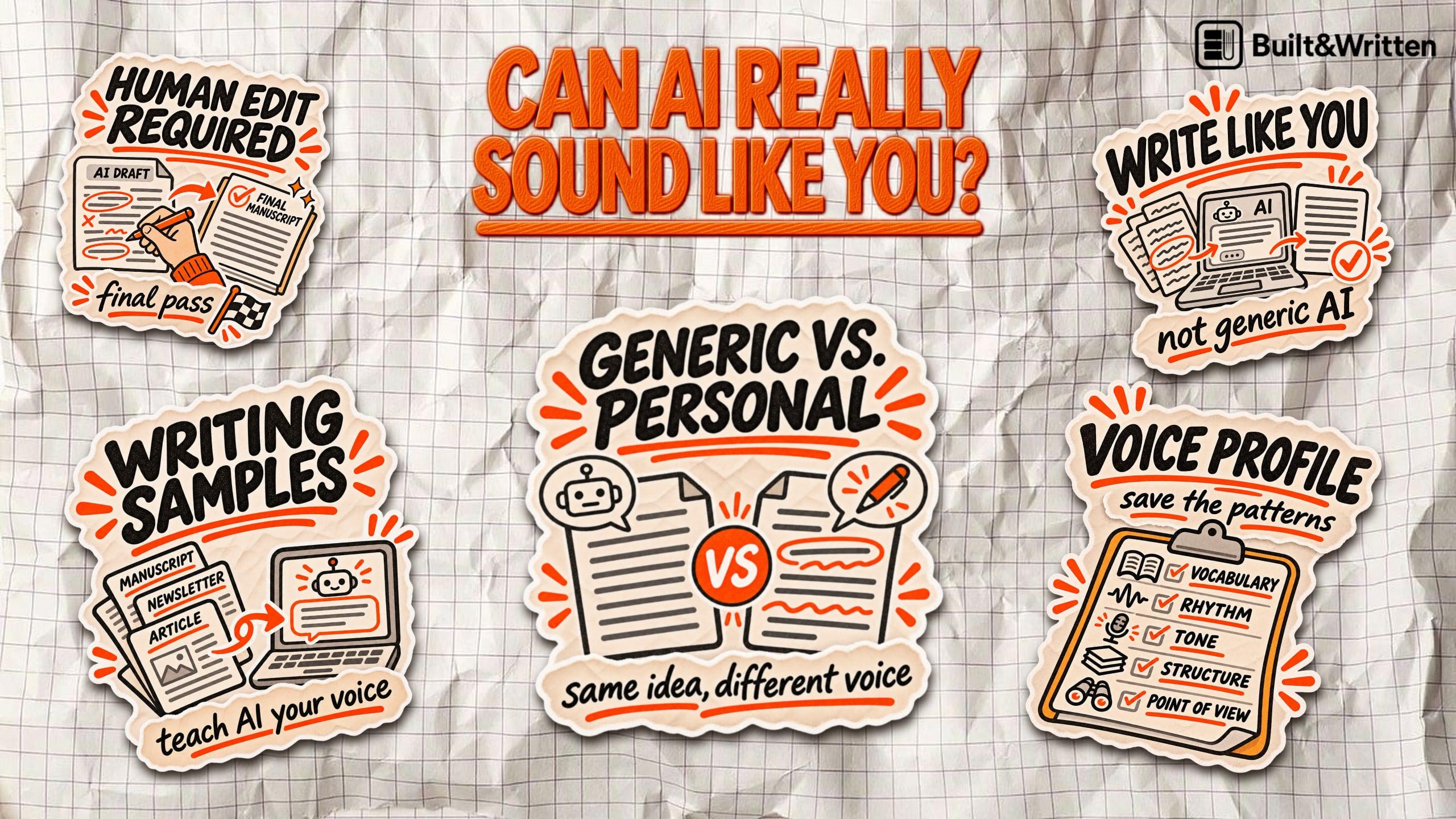

Can You Set an AI Writing Style That Sounds Like You?
AI can write a perfectly polished paragraph and still make you sound like someone else.
The grammar is correct. The sentences flow. Every point makes sense. But the sharp opinions, familiar expressions, and rhythm that make your writing recognizable are missing.
For an entrepreneur or consultant turning years of expertise into a nonfiction book, that's a problem. Readers should hear your voice, not a generic AI assistant.
So, can AI actually learn your writing style, or does it just copy a few surface-level habits?
Can AI really write in your personal style?
Yes, AI can learn to imitate your writing style. But there's a difference between reproducing how you write and knowing what you would actually say.
AI writing-style customization is the process of guiding an AI model to follow a specific writer's vocabulary, sentence rhythm, tone, and explanation habits. It usually relies on writing samples, explicit instructions, and repeated feedback rather than retraining the underlying AI model.
Large language models work by predicting text based on patterns. When you provide examples of your writing, AI can identify recurring habits and use them to guide new content. It can reproduce your preferred vocabulary, sentence length, tone, rhythm, and even how you structure an argument.
The quality of those examples matters. A few paragraphs from a polished LinkedIn post might teach AI to sound like your social media persona, not necessarily how you'd explain a complex idea in a nonfiction book.
That's why prompting ChatGPT to "write in my voice" usually produces disappointing results. Without examples, the model has little evidence of what makes your voice distinctive.
Even with strong samples, imitation has limits. AI might reproduce your direct tone or favorite expressions while missing the reasoning behind your conclusions.
The distinction matters: AI can learn the patterns of your writing. Your experience, opinions, and professional judgment still have to come from you.
What actually makes your writing sound like you?
Your writing style isn't just the words you choose. It's how you explain ideas, build arguments, and communicate what you believe.
Five elements make it recognizable:
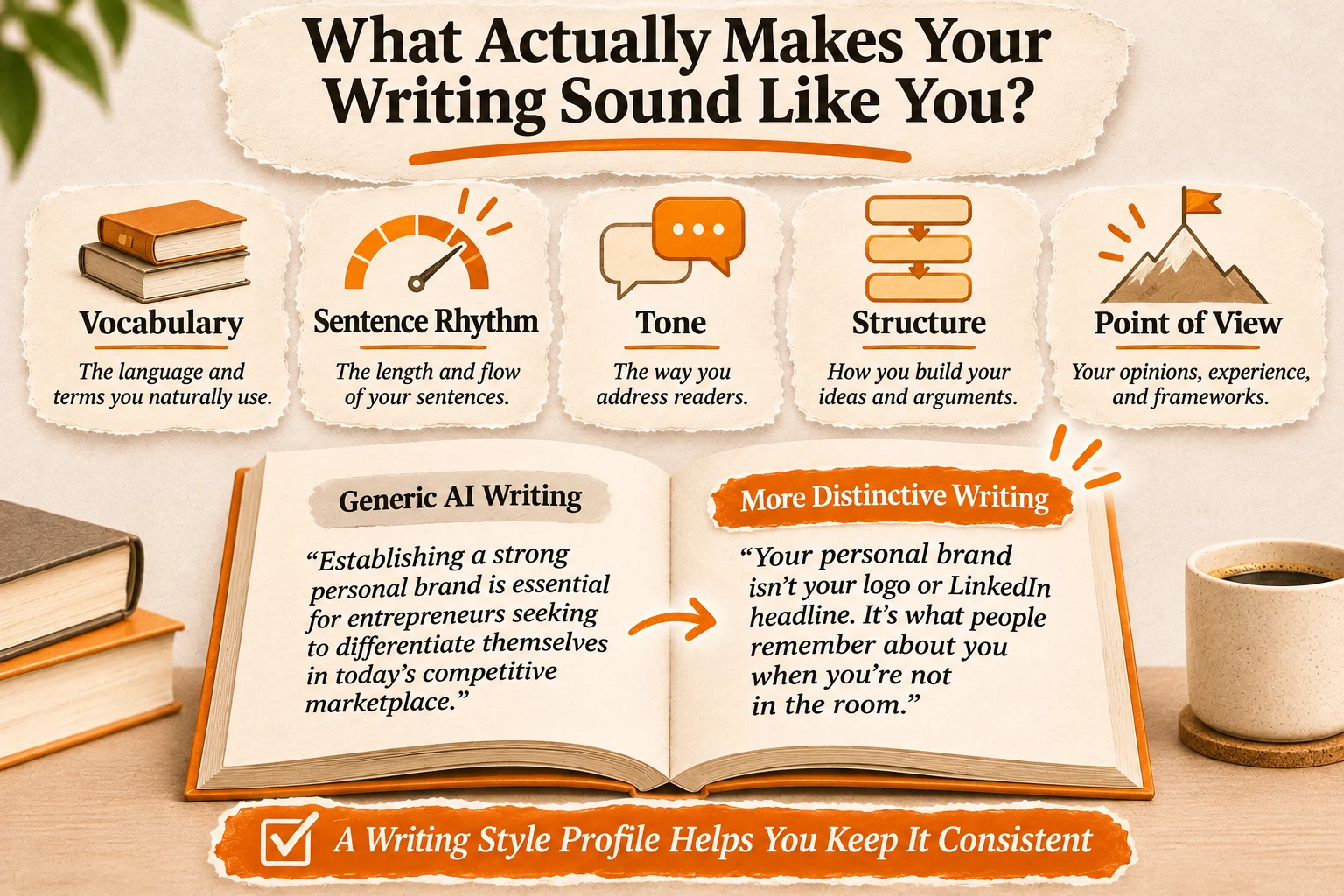
- Vocabulary: The everyday language, industry terminology, and expressions you naturally use.
- Sentence rhythm: Whether you favor short, direct statements or longer explanations that build toward a conclusion.
- Tone: How you address readers, whether analytical, conversational, skeptical, authoritative, or instructional.
- Structure: How you introduce problems, present evidence, develop arguments, and reach conclusions.
- Point of view: Your professional opinions, personal experiences, and frameworks for understanding a subject.
| Element | Generic AI default | Personalized writing |
|---|---|---|
| Vocabulary | Broad, conventional phrasing | Familiar expressions and precise terminology |
| Rhythm | Uniform sentence patterns | The author's natural variation |
| Tone | Neutral and polished | Reflects the author's attitude |
| Structure | Predictable explanations | Preferred argument structure |
| Point of view | Broad, cautious statements | Specific, defensible opinions |
Consider two ways to communicate the same idea.
Generic AI writing:
"Establishing a strong personal brand is essential for entrepreneurs seeking to differentiate themselves in today's competitive marketplace."
More distinctive writing:
"Your personal brand isn't your logo or LinkedIn headline. It's what people remember about you when you're not in the room."
The second version has stronger rhythm and a clearer perspective. But copying catchy phrases alone won't reproduce someone's voice.
A writing style profile documents these patterns, giving AI specific rules for vocabulary, tone, structure, and reasoning. It helps produce more consistent writing without relying on vague instructions like "make it sound more human."
How to teach AI your writing style step by step
You don't need to train a custom AI model to make it sound more like you. Start with writing you've already published, identify what makes it distinctive, and turn those patterns into instructions.
Step 1. Collect representative writing samples
Gather articles, newsletters, essays, or book excerpts that reflect how you naturally communicate. Choose samples you wrote yourself, preferably covering different subjects and levels of complexity.
Avoid heavily edited material that no longer sounds like you.
Step 2. Identify recurring patterns
Give the samples to ChatGPT or another AI tool and ask it to examine your vocabulary, sentence rhythm, tone, and argument structure.
Use this prompt:
Analyze these writing samples and identify my recurring stylistic patterns. Examine vocabulary, sentence length, tone, paragraph structure, transitions, and how I explain complex ideas. Quote examples from the samples. Distinguish consistent habits from occasional choices. Don't rewrite anything yet.
Step 3. Create a writing style guide
Convert the analysis into practical instructions.
For example: "Use short paragraphs. Explain technical concepts through concrete examples. Make direct claims and support them with evidence. Avoid exaggerated language and unnecessary introductions."
Also document expressions, sentence patterns, and tones you want AI to avoid.
Once you've identified your writing patterns, save them as a reusable profile. You can give the profile to ChatGPT, Claude, or another AI assistant whenever you start a new writing task.
Prompt example:
Analyze the writing samples I provide and create a reusable writing style profile.
Identify:
- My typical vocabulary and expressions.
- My sentence length, rhythm, and paragraph structure.
- My tone and level of formality.
- How I introduce ideas, explain concepts, and develop arguments.
- Expressions, structures, and habits I tend to avoid.
Support your observations with examples from my samples. Don't treat occasional stylistic choices as permanent rules.
Then create a concise style guide that another AI assistant could follow.
When drafting new text, use this guide to reproduce my general writing patterns without copying sentences from the originals. Preserve the facts and ideas I provide. Don't invent personal experiences, opinions, or examples to make the writing sound more authentic.
If an instruction conflicts with accuracy or clarity, prioritize accuracy and clarity.
Step 4. Generate a short test passage
Choose a subject you understand well. Provide your style guide, relevant facts, and a clear writing task.
Compare the result with your original material. Does the reasoning sound natural? Would you actually use those words?
Step 5. Refine the instructions
Don't settle for "make it more like me." Identify specific problems.
If sentences are too formal, say so. If the argument lacks your perspective, provide that perspective.
Update the guide after each test.
The goal isn't to teach AI a few favorite phrases. It's to establish repeatable writing patterns that hold up beyond a single paragraph.
How to set your writing style in ChatGPT and Claude
Both ChatGPT and Claude can adapt their writing to your preferences, but neither automatically understands your personal voice. The most effective approach is to provide examples of your writing, create specific instructions, and review the results.
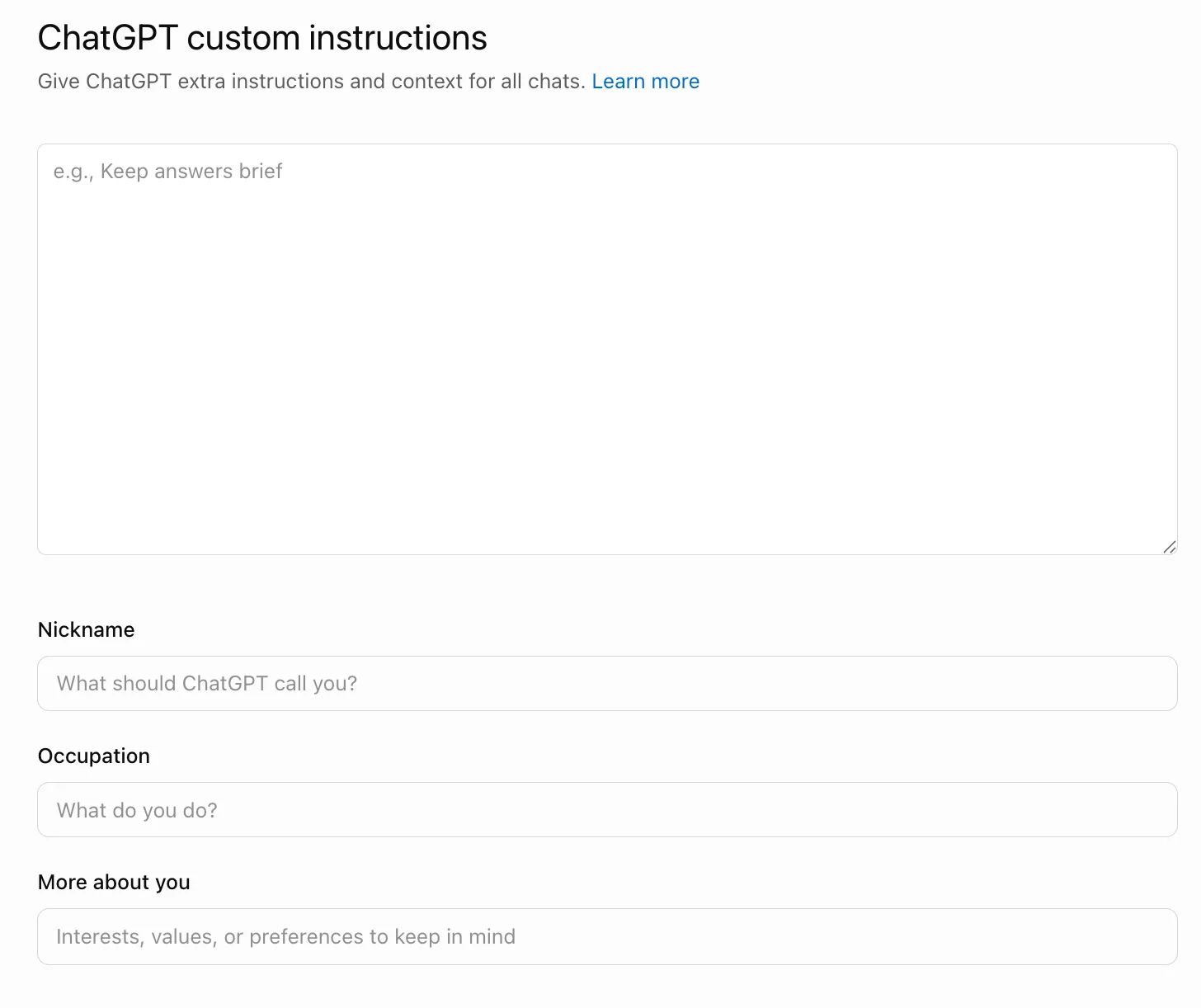
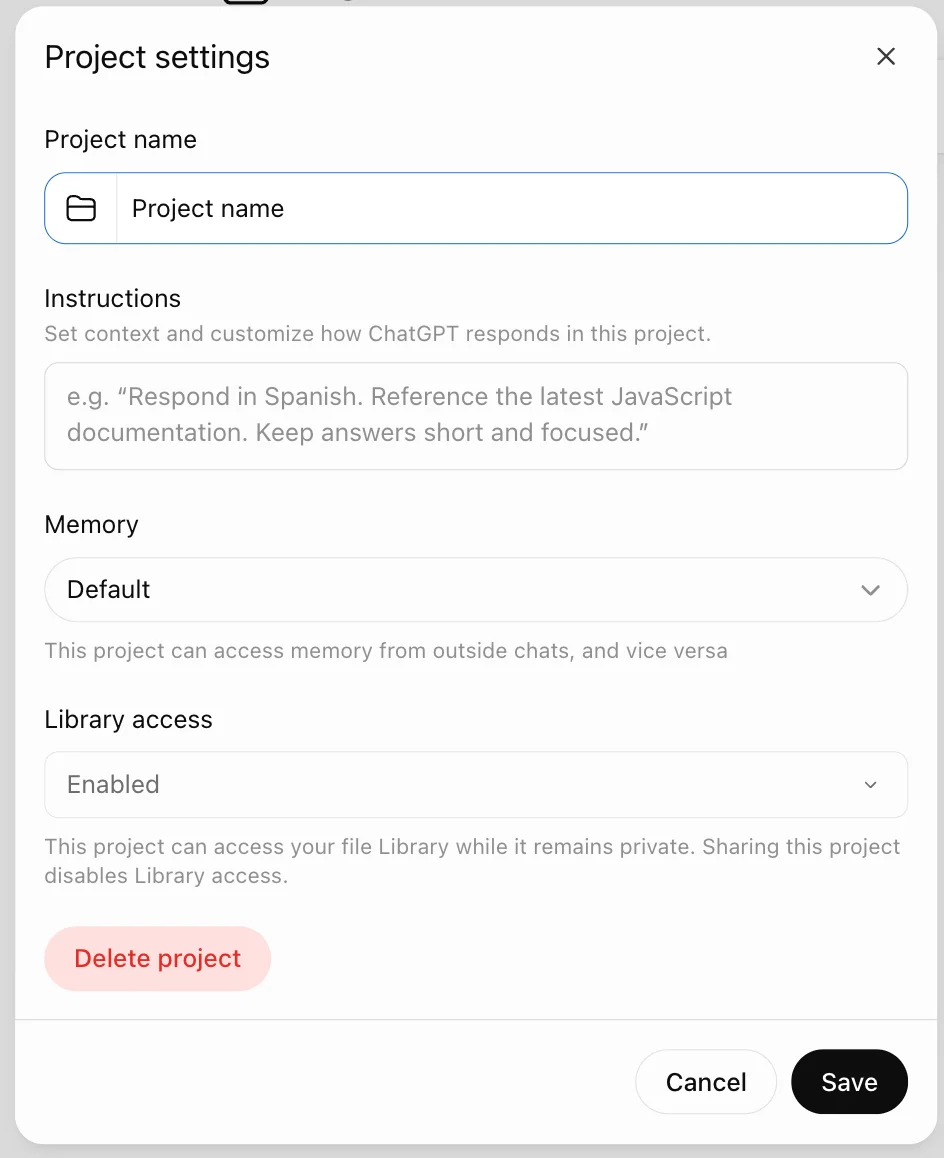
In ChatGPT, you can use Custom Instructions to define preferences such as tone, vocabulary, sentence length, and structure. Projects help you organize writing samples, reference documents, and instructions for related writing tasks.
In Claude, you can provide writing preferences through Instructions for Claude or use project instructions and knowledge files to guide work on a particular manuscript. You can also give Claude examples of your writing and ask it to identify recurring patterns.
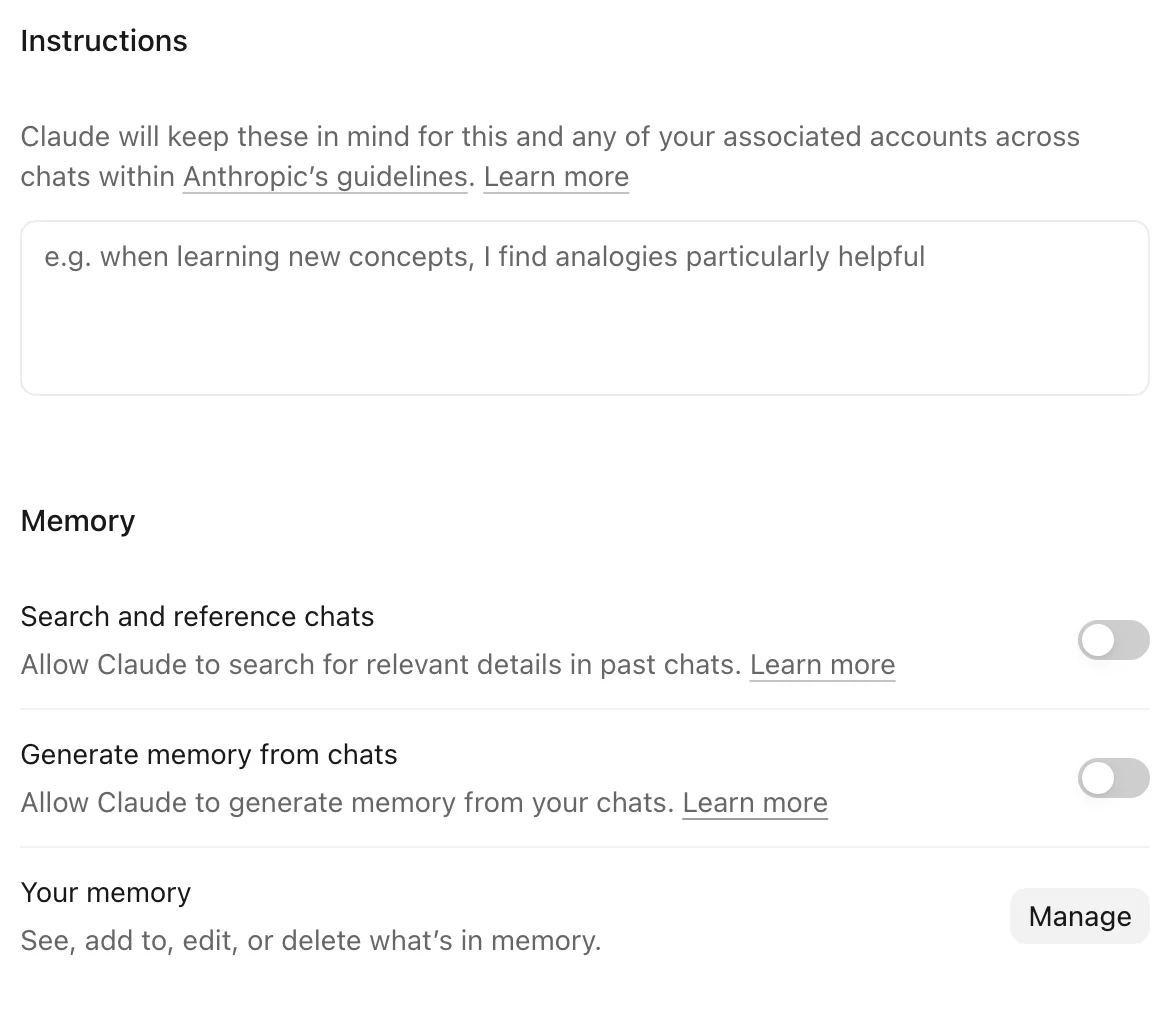
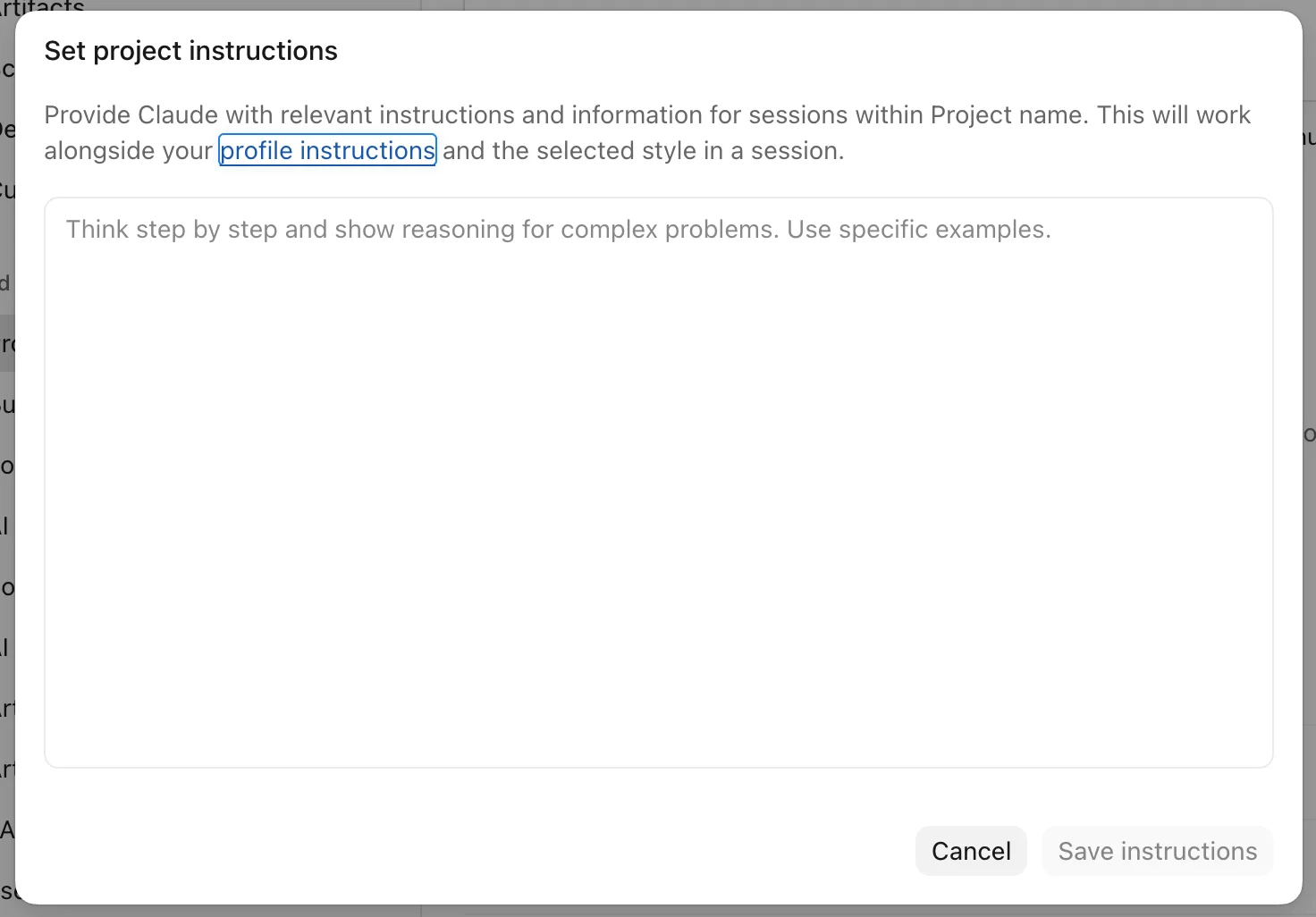
For either tool, a reusable writing style profile is more useful than repeatedly asking AI to "sound like me." The profile should describe how you explain ideas, structure arguments, choose words, and address readers.
These features help guide AI-generated text, but they don't guarantee an exact reproduction of your voice. For a nonfiction book, you'll still need to compare chapters, preserve your terminology, and edit passages that don't reflect your perspective.
The challenge grows with longer manuscripts. Instructions can compete, relevant context may be missed, and chapters generated separately can develop noticeably different voices.
Why does AI lose your writing style across chapters?
Getting AI to sound like you for 300 words is one thing. Keeping that same voice across a 50,000-word nonfiction book is a different challenge.
The problem can become noticeable after several chapters. As our end-to-end AI book-writing experiment showed, individual sections can read well while the complete manuscript still needs editing for repetition, generic language, and consistency.
Common warning signs include:
- Tone drift: One chapter sounds conversational and direct. The next reads like an academic paper.
- Repeated AI phrasing: Familiar expressions such as "in today's fast-paced world" or "it's important to note" keep appearing.
- Inconsistent terminology: The same concept gets different names across chapters, confusing readers.
- Lost perspective: Your specific opinions and professional insights get replaced by safe, generic explanations.
- Uneven structure: Some chapters build clear arguments, while others become collections of loosely connected advice.
This happens partly because AI generates text from the context available during each task. If your original writing samples, preferences, or previous chapters aren't included, the model may fall back on more generic patterns.
A convincing paragraph doesn't guarantee a consistent manuscript.
The practical solution is a stable manuscript reference document containing your writing style rules, approved terminology, recurring frameworks, and examples of your authentic voice.
Use it throughout drafting and editing, not just when generating the first chapter.
How to keep your writing style consistent throughout a nonfiction book
A consistent AI writing style doesn't come from repeating the same prompt for every chapter. It comes from building a process that keeps your voice, ideas, and terminology connected throughout the manuscript.
Here's a practical six-step workflow:
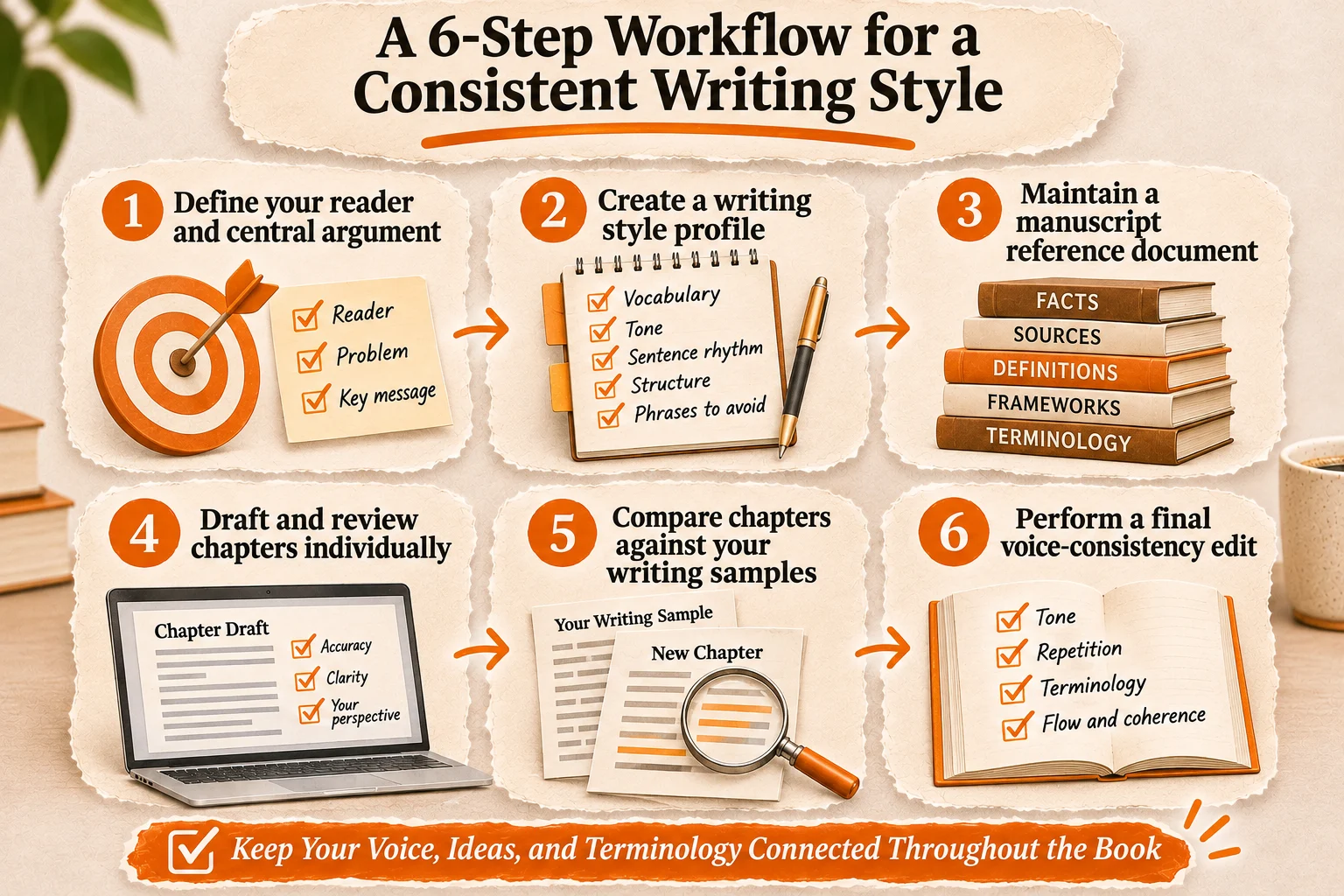
- Define your reader and central argument. Decide who the book is for, what problem it addresses, and what you want readers to understand. These decisions should guide every chapter.
- Create a writing style profile. Document your preferred vocabulary, tone, sentence rhythm, paragraph structure, and expressions to avoid. Include examples from your existing work.
- Maintain a manuscript reference document. Record approved facts, sources, definitions, recurring frameworks, and terminology. This helps prevent AI from changing how important concepts are explained.
- Draft and review chapters individually. Give AI the relevant outline, source material, and style instructions. Review each chapter for accuracy, clarity, and whether it reflects your actual perspective.
- Compare chapters against your writing samples. Check whether the vocabulary, reasoning, and sentence patterns still resemble your authentic work. Correct specific differences rather than requesting vague stylistic improvements.
- Perform a final voice-consistency edit. Read chapters together. Look for sudden tone changes, repetitive expressions, inconsistent terminology, and arguments that don't sound like yours.
Consistency doesn't mean every chapter should sound identical. An introduction may be conversational, while a technical explanation needs more precision. Both can preserve your recognizable voice.
AI can assist with drafting and consistency checks, but you're still responsible for the facts, examples, professional judgment, and final editorial decisions.
How Built&Written's Voice DNA helps preserve your writing style
You can teach ChatGPT your writing preferences, but managing those instructions across an entire book takes work. Built&Written's Voice DNA takes a different approach by connecting your writing style directly to the nonfiction book creation process.
Instead of starting with generic AI-generated text, the platform uses material you've already written to build a personalized voice profile.
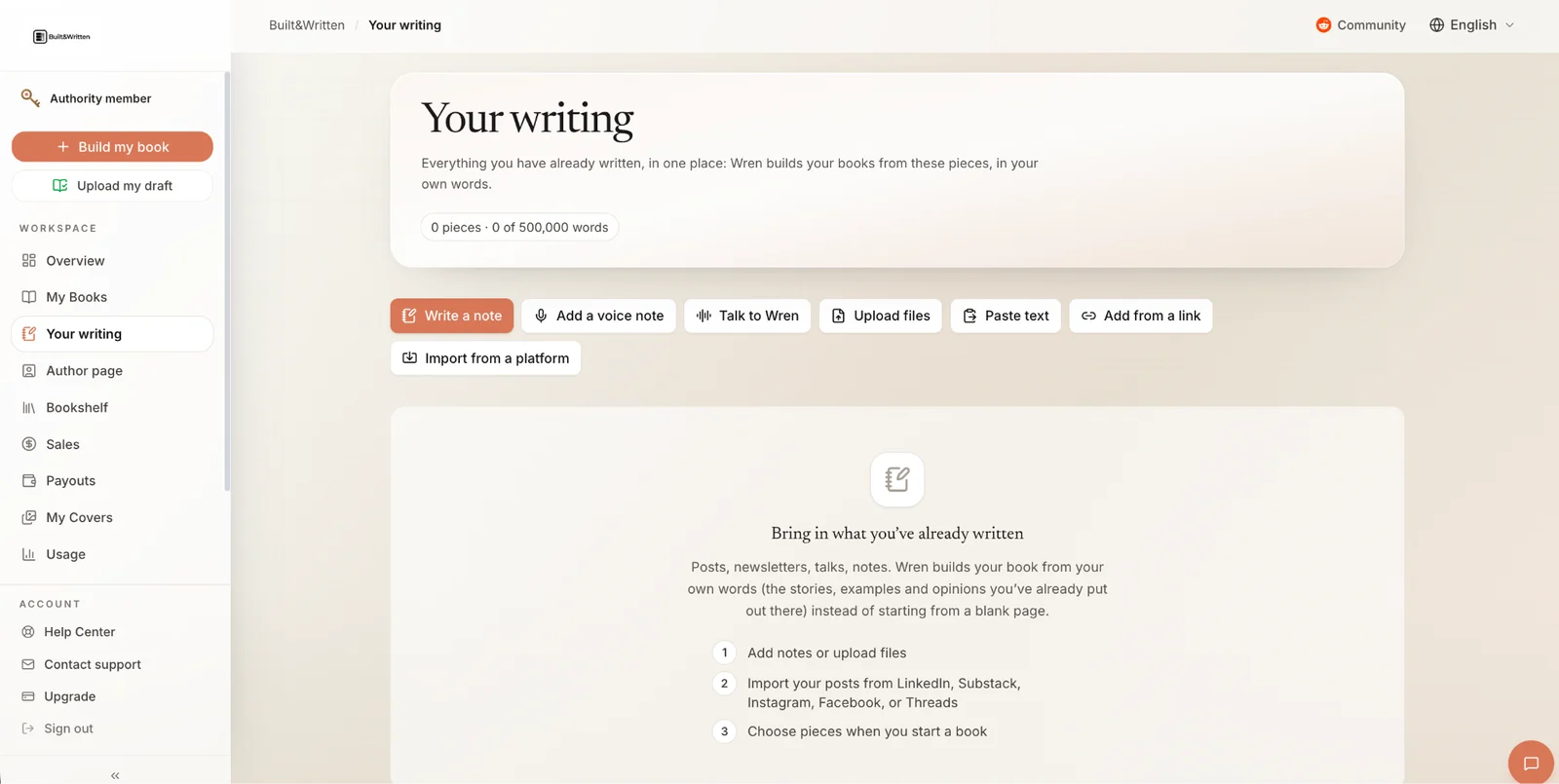
Here's how the workflow works:
- Provide your writing samples. Paste original LinkedIn posts, articles, or newsletter excerpts, or upload supported text documents. Choose material that reflects the voice you want your book to have. Built&Written recommends a few pages of representative writing for Voice DNA.
- Build your Voice DNA profile. The system analyzes sentence rhythm, vocabulary, and how you explain ideas to identify recurring stylistic patterns.
- Develop your manuscript. Create an editable book outline and generate chapters with AI assistance while using your voice profile as a reference.
- Review and edit. Use the integrated editor to refine arguments, correct wording, and make sure each chapter reflects your perspective.
- Prepare for publication. Format the manuscript and export files for Amazon KDP, including print PDF and EPUB.
Unlike configuring a general-purpose chatbot for separate writing tasks, Built&Written brings voice customization, manuscript development, and editing into one workflow.
But Voice DNA isn't a guarantee of perfect imitation or factual accuracy. It can't independently supply the experience, original insights, or judgment behind your ideas.
A recognizable AI writing style starts with your own material. The final editorial decisions should remain yours.
Frequently asked questions
Not exactly. AI can reproduce recognizable patterns in your vocabulary, tone, sentence rhythm, and structure. But matching those characteristics doesn't mean it understands your experiences or opinions. Think of it as stylistic imitation, not an exact replica of your voice.
There's no universal minimum. Several substantial, representative samples are more useful than dozens of short, generic posts. Include articles, newsletters, or book excerpts that demonstrate how you explain ideas, build arguments, and address readers.
Yes. You can use Custom Instructions to save writing preferences and Projects to organize relevant writing samples and instructions. These features help ChatGPT reference your preferred style across writing tasks, but they do not permanently retrain the underlying model to write exactly like you.
Yes. Claude can analyze samples of your writing and use them to guide its responses. You can provide examples directly in a conversation or save a writing style guide and reference materials in a Claude Project. Project instructions can help maintain your preferred vocabulary, tone, and sentence structure across related writing tasks. However, Claude doesn't permanently retrain itself on your samples, and you'll still need to review the results for consistency.
Yes. AI can adjust the complexity, terminology, and level of explanation for different readers while preserving your recognizable tone. For example, a consultant might explain the same business framework differently to startup founders and corporate executives. The key is to specify the audience without replacing your personal voice with generic language.
Not reliably. AI detection tools analyze statistical patterns, but they cannot consistently determine whether a passage was written by a human or generated with AI. Even heavily edited or AI-assisted text may receive misleading scores. Focus on originality, factual accuracy, and whether the finished content genuinely reflects your expertise.
Yes, with ongoing supervision. Keep a stable style reference, review chapters individually, and compare the completed manuscript against authentic writing samples. Don't assume consistency will happen automatically.
Replace vague instructions like "sound professional" with specific rules. Provide original examples, identify repetitive expressions, and edit passages that lack your perspective. The strongest improvements usually come from precise feedback, not another general rewrite.
Sources & References
About the author

Polina Karlashchuk
More in informational
Ready to write your book?
Turn your expertise into a professional book with Built&Written.