
What Should You Prepare Before You Start AI Book Writing?
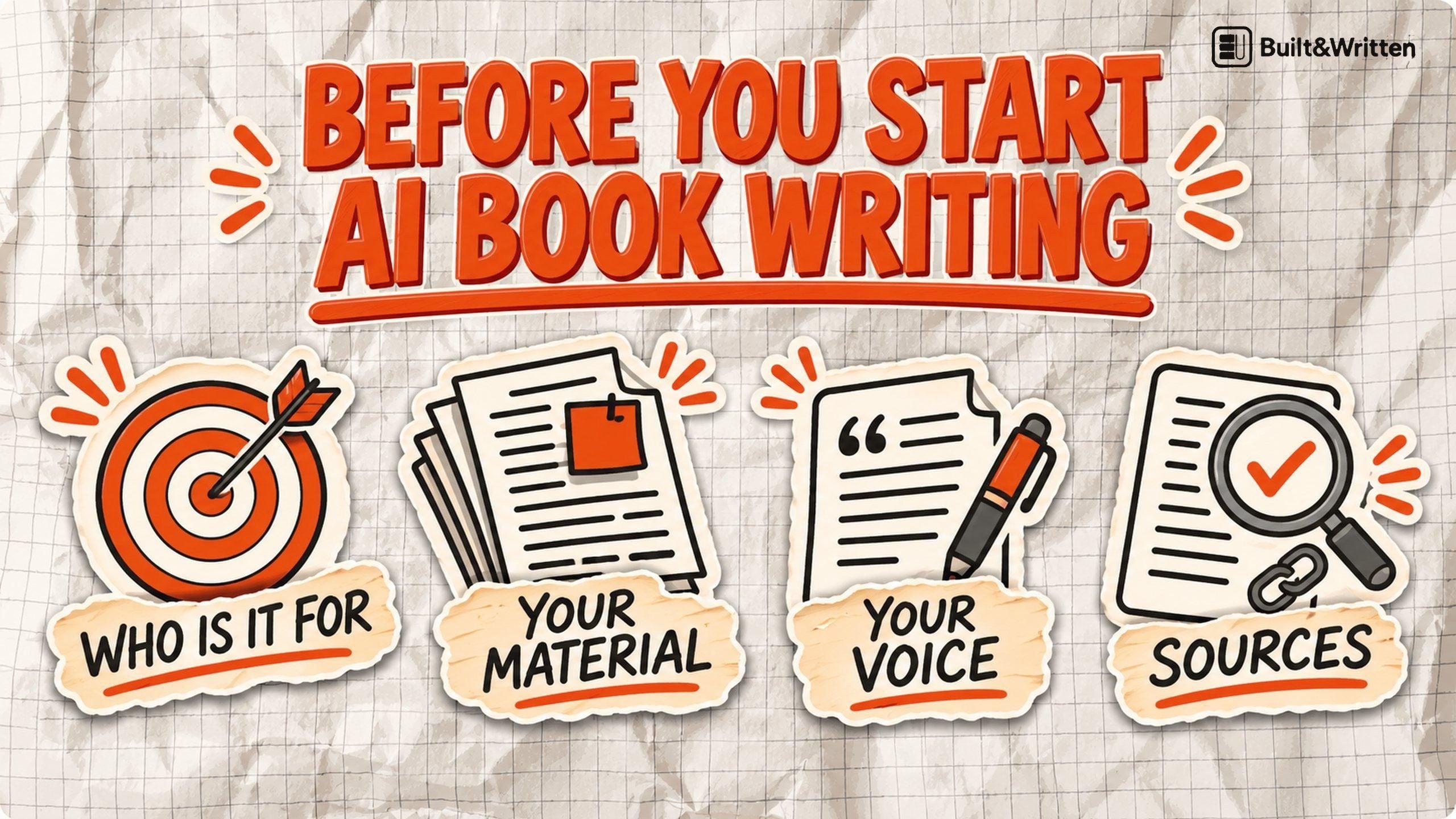
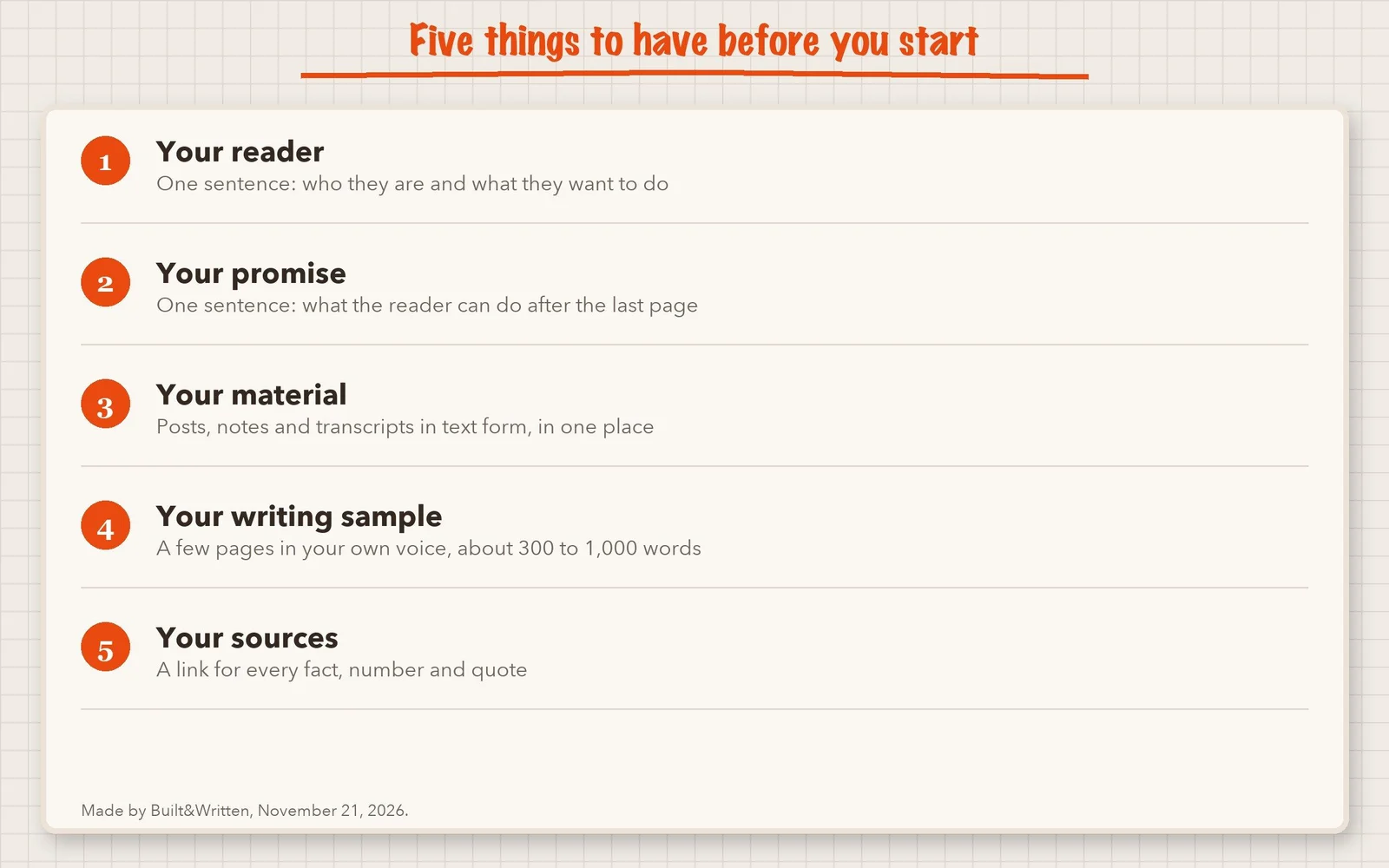
Prepare five things: your reader, one promise for the book, your existing material, a few pages of your own writing, and a source for every fact. Getting them ready before AI book writing begins gives the AI your audience, your ideas and your material to build on. Below is each item, how to know it is done, and the two rules about AI that you should read before you publish.
A quick word about us. Built&Written is a platform that helps nonfiction authors turn their own posts, notes and transcripts into a structured book.
Key takeaways
- Two sentences help shape the whole book: who it is for, and what the reader should be able to do after the last page.
- The more useful material you give the AI, the more it can build on your own knowledge and experience. Your material, one writing sample and a list of sources are the three things it cannot invent for you.
What do you need before you start AI book writing?
You need five things. Each one takes from ten minutes to an afternoon. You do not need a finished outline or a single chapter.
1. Who is the reader of your book?
The reader is the person you picture while you write. Describe them in one sentence. Include what they do for work or life and what they want to get done.
An AI tool writes for the reader you describe. If you say "everyone who wants to grow," it will write for nobody in particular. A narrow reader gives it the right words, level of detail and examples.
2. What is the one promise of your book?
The promise is what the reader can do after they finish. Write it as one sentence with a result you can check.
Every chapter should serve this sentence. When you later ask the AI for an outline, the promise tells it which chapters belong and which do not. A book without a promise turns into a pile of good posts.
| A weak promise | A strong promise |
|---|---|
| Learn about pricing | Set a project price you can defend in a client call |
| Understand your finances | Build a monthly cash plan in one weekend |
| Become a better leader | Run a weekly one-to-one that your team finds useful |
Tip. Test the promise with one question: "Can the reader tell if it worked?" If the answer is no, make the result smaller and more concrete.
3. What material do you already have?
Most authors have more than they think. Look for anything you wrote or said that teaches your subject. Think of blog posts, newsletters, notes, slides, emails and talk transcripts.
The platform works from text. If it is a recording, you need a transcript first, because Built&Written does not turn audio into text. If it is a post on LinkedIn or a blog, paste the text in. The platform does not pull posts from other sites for you.
| What you have | What to do before you start |
|---|---|
| Blog posts and newsletters | Copy the text into one document. Keep the dates, so you can drop outdated posts. |
| Notes and slides | Type or export the text. Short bullets are fine. |
| Recordings of talks or calls | Get a transcript first. Fix names and numbers. |
| An old manuscript | Keep it as .docx, .md or .txt, which import best. A .pdf or .rtf also works, with less exact formatting. |
| Nothing yet | Write 500 words on your subject in your own words. Start there. |
Do not clean the material up first. Gather it. Delete only what is clearly out of date. Before you upload anything, make sure you have the right to use it, and remove private or confidential details such as client names. If you want to see how a pile of posts becomes a book, our guide on turning blog posts into a book shows the steps. A diary works the same way: see turning years of journaling into a book.
4. Which pages of your own writing should the AI learn from?
Pick a few pages that sound like you at your best. This is your writing sample. The AI uses it to match your sentence length, your word choices and the way you explain things.
Built&Written's Voice DNA learns from a few pages of your writing. We suggest about 300 to 1,000 words. The platform reads about the first 1,300 words at most, so put your strongest piece first.
For more, read what Voice DNA is.
5. How do you keep a source for every fact?
Start a source list before you start writing. For each fact, number or quote, write down where it came from and add the link. An AI tool can write a sentence that sounds right and has no source behind it. You check it.
Keep three columns: the claim, the link, and the date you opened the page.
Check every number. If you cannot verify a claim, find a reliable source for it or leave it out. Never keep a number because it "sounds about right."
Your own experience needs no link. Mark it as yours in the notes, so you can tell it apart from facts you need to prove. Numbers and general claims still need a source, even when they come from what you have seen.
Which rules for AI book writing should you read before you publish?
Two rules matter for a book you plan to sell. We opened both sources on November 21, 2026.
Amazon KDP's content guidelines. Amazon KDP (Kindle Direct Publishing, Amazon's self-publishing service) requires you to tell it about AI-generated text, images and translations when you publish a new book or republish an edited one. You do not need to tell it about AI-assisted content. If an AI tool created the actual content, it counts as AI-generated "even if you applied substantial edits afterwards." If you wrote the content and used AI to edit it or to brainstorm ideas, it counts as AI-assisted. You are responsible for checking that all of it follows the guidelines.
The U.S. Copyright Office. The Copyright Office published its report on the copyrightability of AI outputs on January 29, 2025. It says copyright does not extend to purely AI-generated material, and that prompts alone do not give enough control to make a person the author of the output. A person's original selection, arrangement or changes can qualify, if the creative contribution is enough.
Keeping your notes, writing sample and drafts can help document your own contribution. They do not make AI-generated text copyrightable by themselves. The Copyright Office speaks for the United States, so check your own country's law. This is general information, not legal advice.
Are you ready to start?
- You can say who the book is for in one sentence.
- You can say what the reader can do after the last page.
- Your material is in text form and in one place.
- You have 300 to 1,000 words that sound like you.
- You have started a source list.
- Your reader is "everyone."
- Your promise is a topic, such as "pricing."
- Your material is in audio files with no transcript yet.
- Your only sample was written by someone else.
- You plan to add the facts later.
Where does Built&Written fit in AI book writing?
Items 3 and 4 can be hard. Many authors have plenty of material and still wonder how to turn it into a book that sounds like them. Built&Written is made for this problem. Below is what happens to your five items, with real screens. The books shown are team demo books.
What does the platform do with your five items?
What does the platform ask you at the start?
The first screen is one box. You describe your idea, paste text or drop in a document.
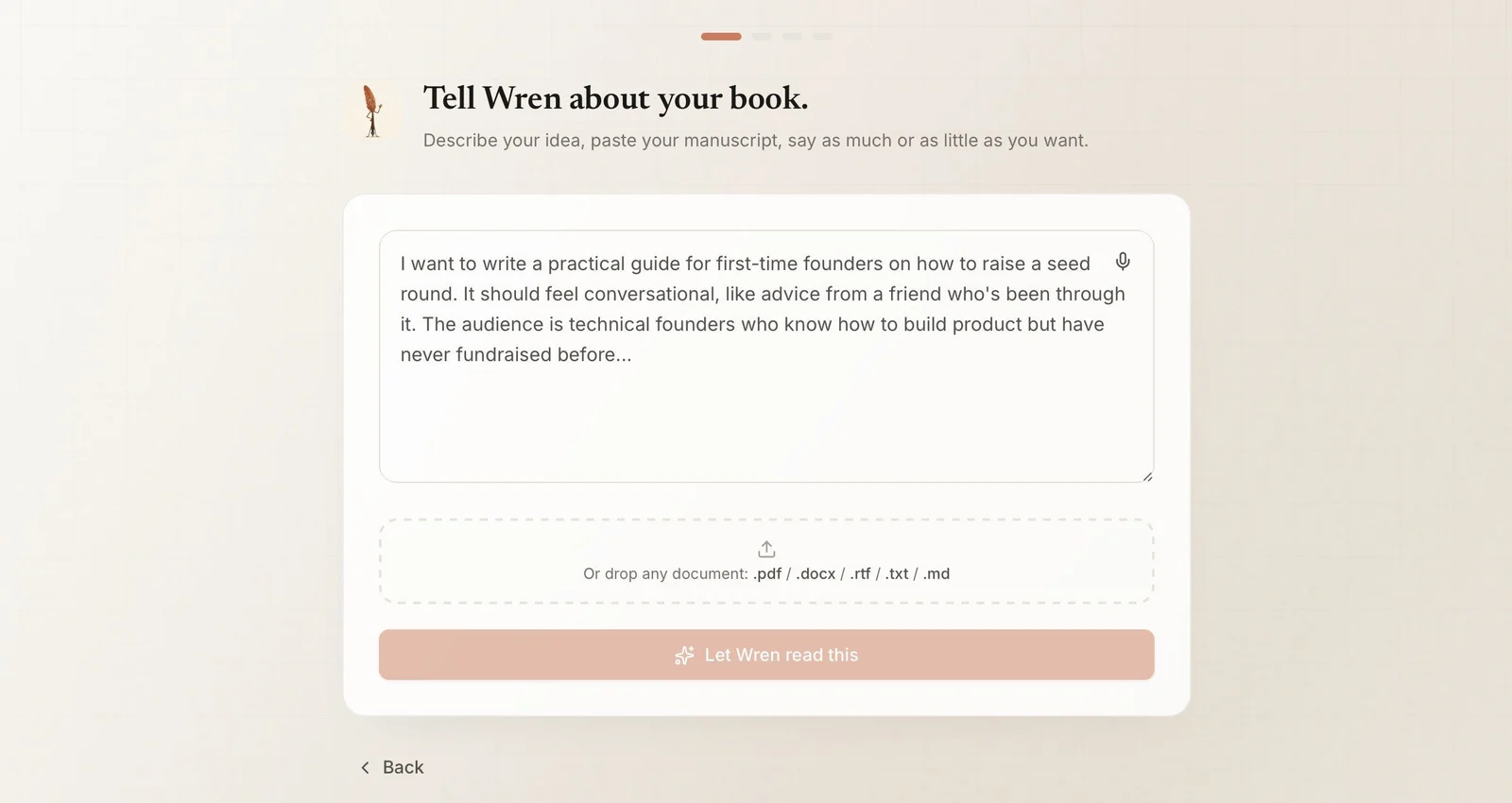
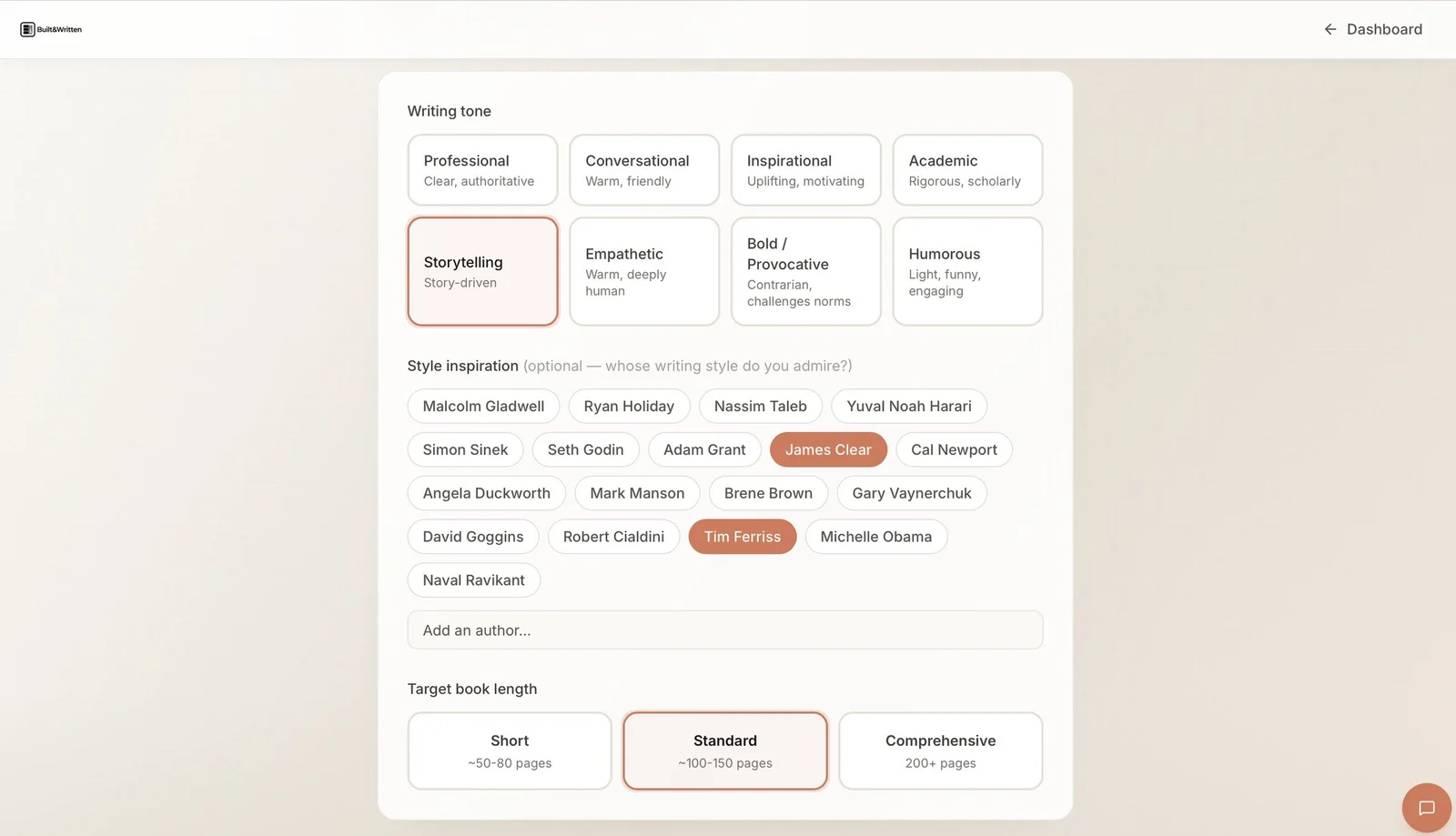
The next screen sets the tone. You pick one writing tone, such as Professional, Conversational or Storytelling. You can add authors whose style you admire. You also pick a target length: Short is about 50 to 80 pages, Standard about 100 to 150, and Comprehensive 200 or more.
How do you check the outline and the chapters?
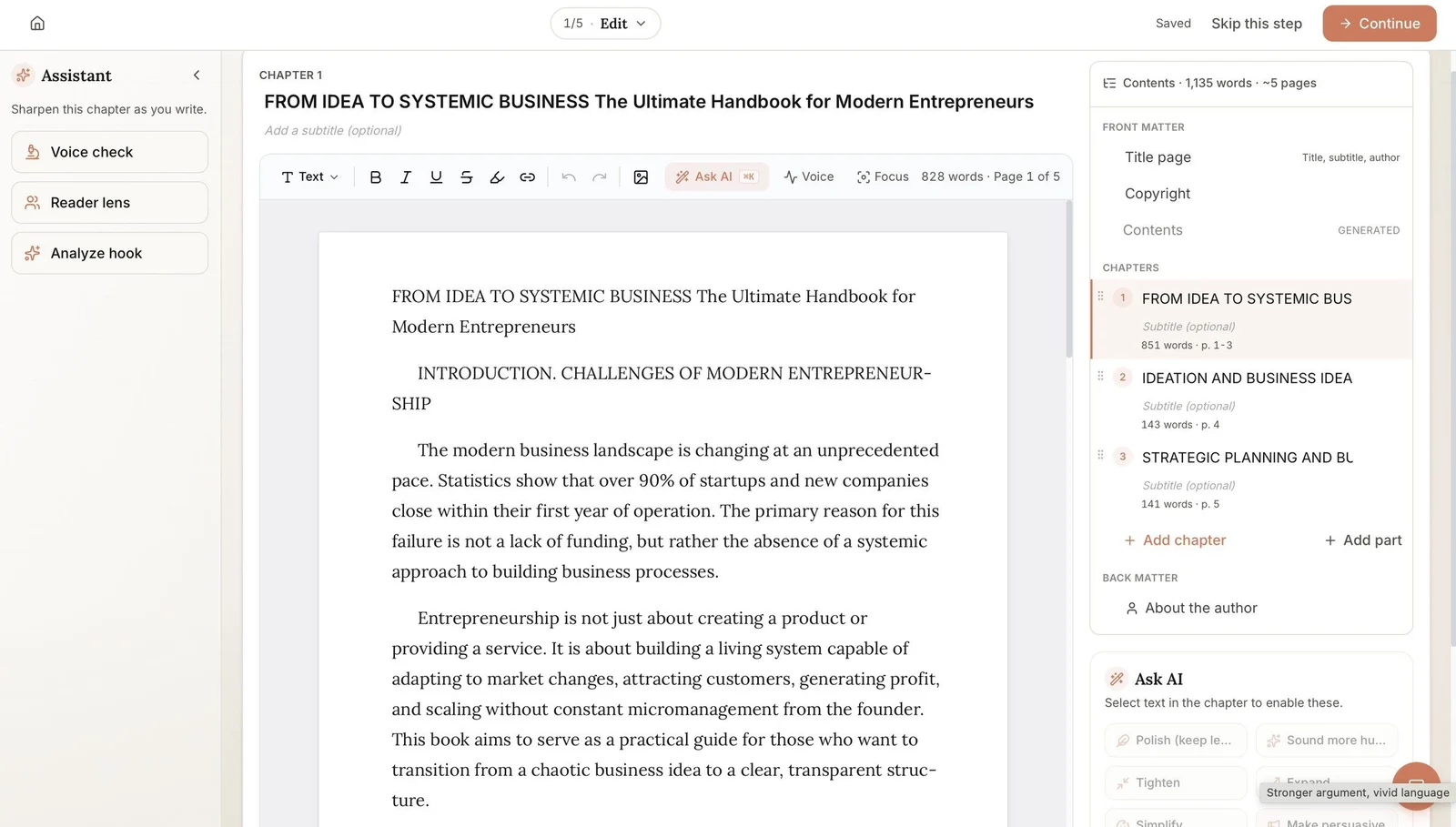
After the outline, you work in an editor. The contents panel on the right lists the front matter (title page, copyright page and contents), then the chapters, then the about-the-author page. You can add a chapter or a part, and drag chapters into a new order.
Here your source list matters. Read each chapter next to it, and change what you cannot support.
What do you get at the end?
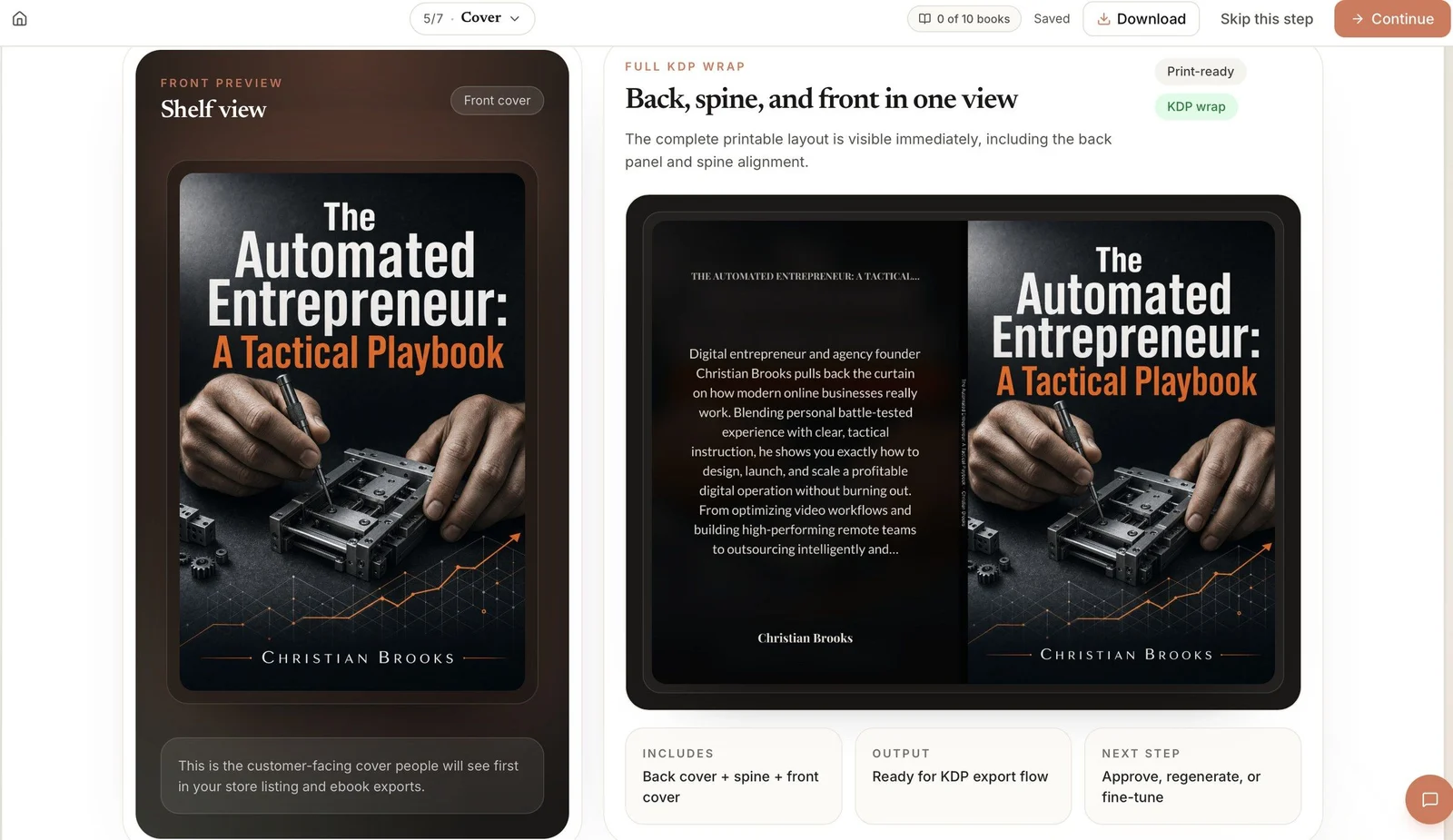
The cover step shows your front cover and a full wrap, with the back cover, spine and front in one view. The platform builds the spine from your page count.
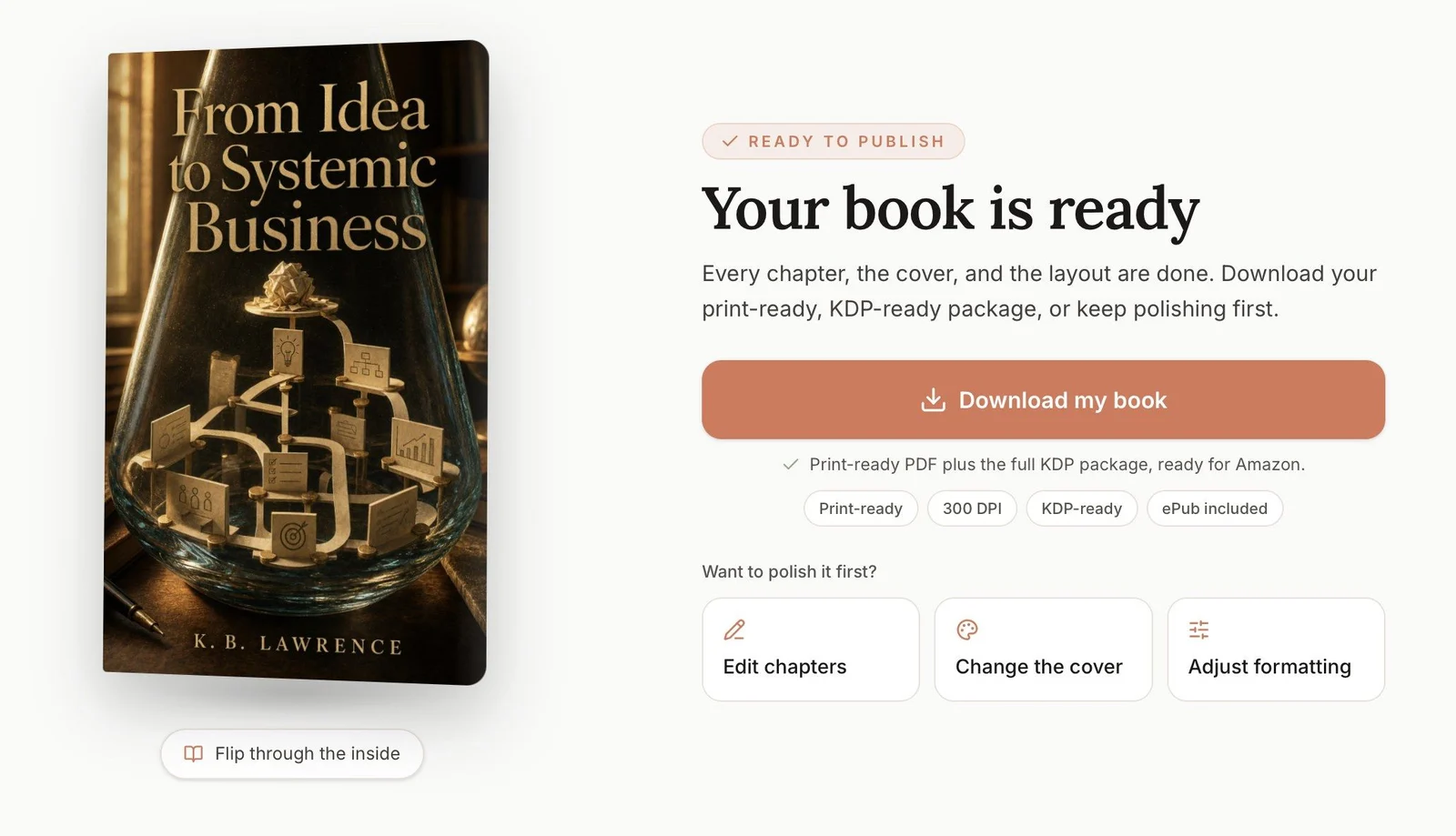
When every step is done, you reach a ready screen. From there you download a print-ready PDF and the KDP files. You can still go back to edit chapters, change the cover or adjust the formatting.
Downloading an AI-written book needs the Entrepreneur plan or higher. The pricing page shows what each plan includes.
Where do you read more on each step?
| If you want to know more about | Read |
|---|---|
| Turning a pile of posts into chapters | How to turn blog posts into a book |
| Planning the chapters yourself | A book outline template |
| What happened when we uploaded an AI-made book to KDP | We uploaded an AI-made book to Amazon KDP |
| Trim size and page size | Standard book sizes |
| The back cover | What goes on the back cover of a book |
If your goal is to turn what you have written into a book, the AI book generator page shows the whole path. Two free tools help with the cover: the KDP cover validator and the spine width calculator.
Final thoughts
Start with two sentences: who the book is for, and what the reader can do after the last page. Write them today. If you can answer both clearly, you have a solid starting point.
Frequently asked questions
Using AI is not automatically a violation of Amazon KDP's rules. KDP separates AI-generated content, which you must disclose, from AI-assisted content, which you do not. You must also make sure the book follows all other content guidelines. Whether readers value it depends on whether the book helps them.
You own the parts you wrote yourself. The U.S. Copyright Office says purely AI-generated material is not protected by copyright. Your own notes and voice matter for that reason. Rules differ by country, so for a case you are unsure about, ask a copyright lawyer.
You can start with an idea alone, and Built&Written can propose an outline from it. An idea gives the AI little to work with, so the book may lean on general knowledge instead of your own experience. Adding your posts or notes gives it your material to build from.
Get a transcript first. Built&Written works from text and does not transcribe audio. Once you have the transcript, read it through once and fix any names, numbers and product names it got wrong, because transcripts often do. Then paste the text in like any other material.
Sources & References
About the author