
OpenAI's own help center sums up prompting in one line. Its guide to prompt engineering for ChatGPT says to make prompts "clear, specific, and provide enough context for the model to understand what you are asking."
That sounds obvious until you try to write a book. "Write chapter 3 of my book about hiring" is not clear, not specific and has no context. So ChatGPT fills the gaps with whatever sounds right.
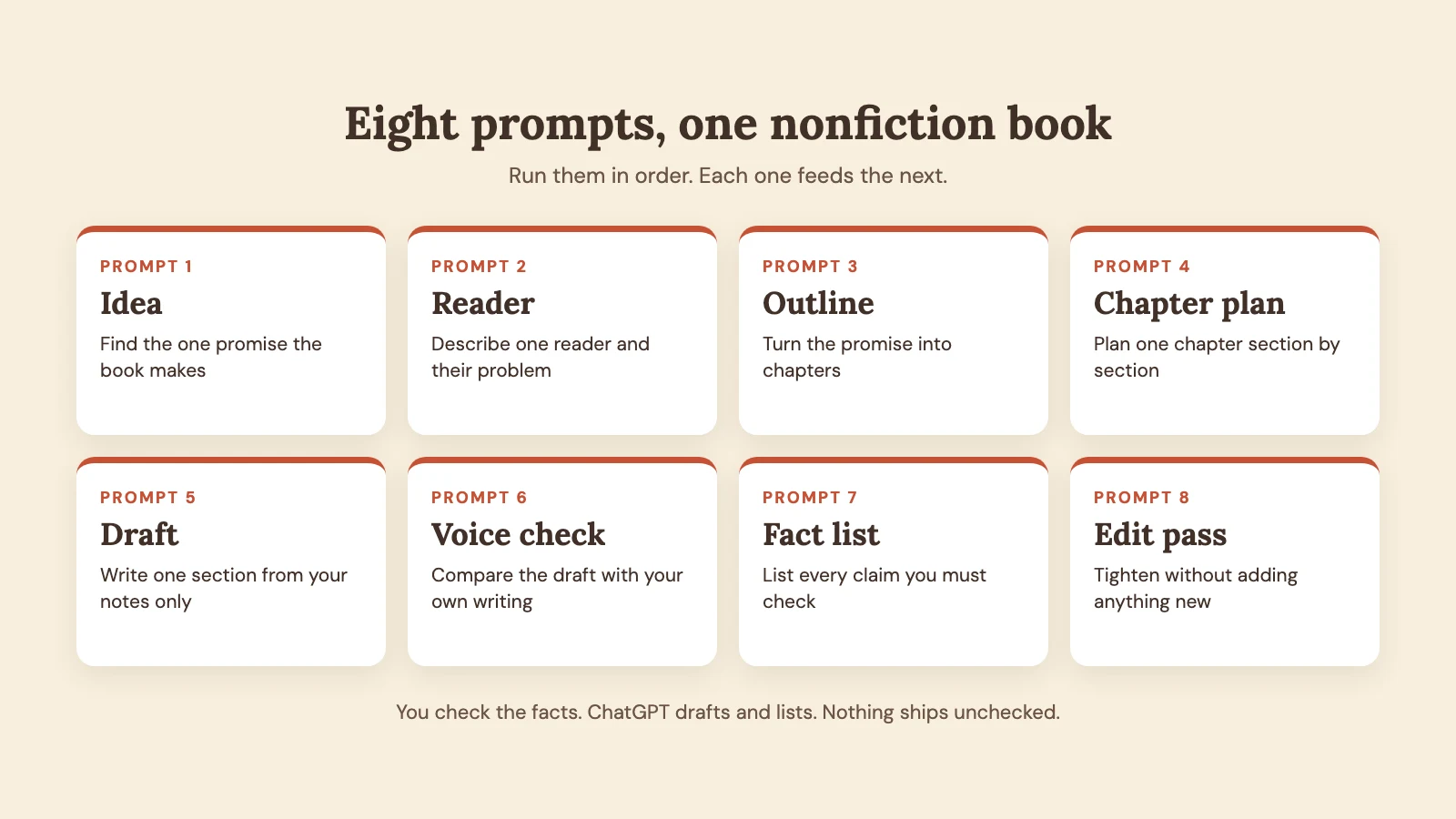
If you are writing a nonfiction book and you already use ChatGPT, these are the prompts we would give you. There are eight, one per stage, from the first idea to the last edit. Each one comes with why it works and what to watch for.
Skip to the filled-in drafting prompt
What makes a ChatGPT prompt work for a book?
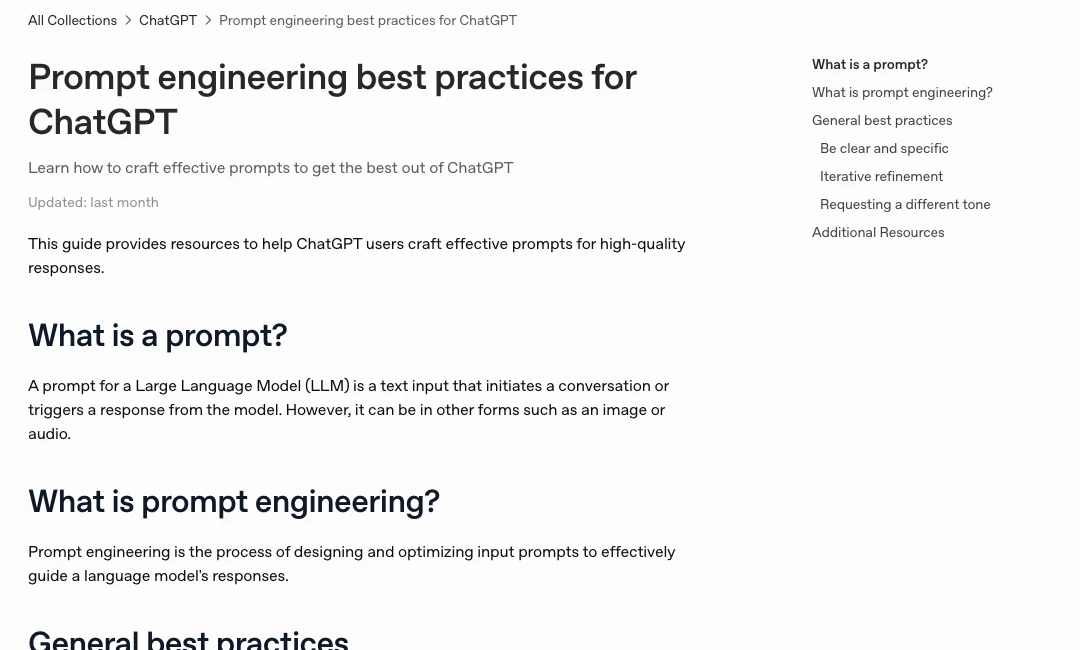
A prompt is the text you type to start or steer a ChatGPT answer. OpenAI's help article defines prompt engineering as "designing and optimizing input prompts to effectively guide a language model's responses."
OpenAI's guidance comes down to three habits, and each one matters more for a book than for an email.
Be specific. OpenAI's developer guide to prompting says GPT models "benefit from precise instructions that explicitly provide the logic and data required." For a book, the data is your notes. A prompt without your notes gets an answer without your ideas.
Give the context, and put it last. The same guide says extra context "is usually best positioned near the end of your prompt." So write the task first, then paste the notes under it.
Iterate. The help article tells you to start with a first prompt, read the answer, and refine the prompt. A book is a long run of that loop, not one perfect request.
The guide also suggests using Markdown headers or XML tags to mark where one piece of content starts and ends. That is useful when you paste notes, an outline and a sample chapter into one message. Label each part so ChatGPT does not mix them up.
Set up ChatGPT before the first prompt
Prompts work better when ChatGPT already knows the book. Two features do that.
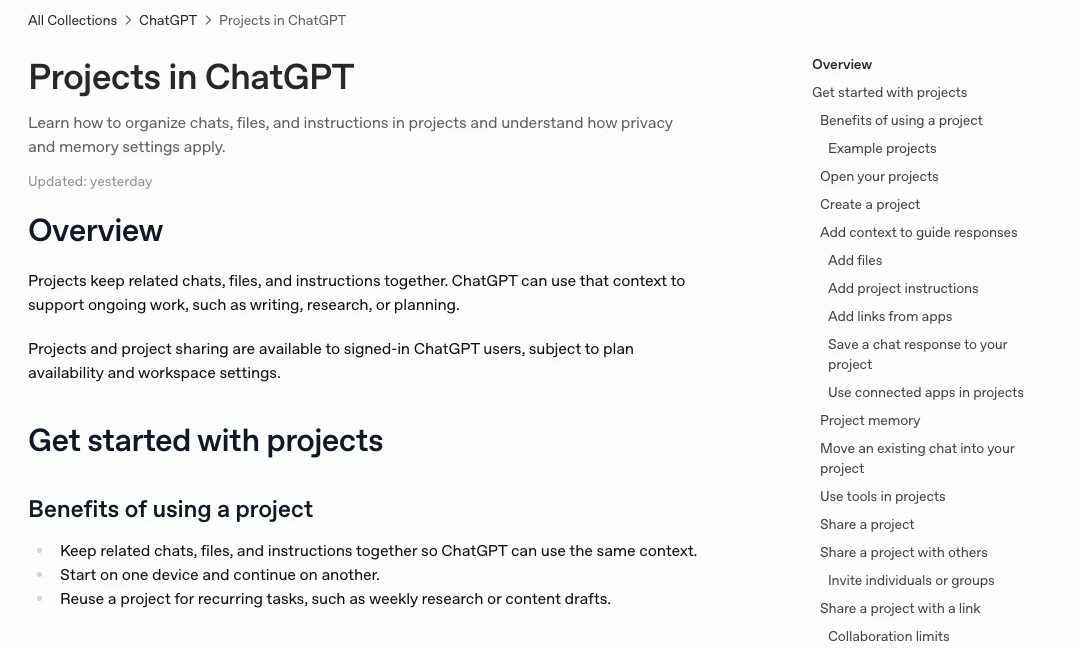
A project. A project in ChatGPT keeps related chats, files and instructions together. OpenAI's Projects help article says project instructions "apply only within that project and override your global custom instructions." Make one project per book. Put your reader, your voice rules and your fact rules in the project instructions.
Files. Add your outline and your notes as files in the project. OpenAI lists the limits per project: 5 files on Free, 25 on Go and Plus, and 40 on Pro, Business, Enterprise and Edu. Free users can upload 3 files a day, according to the file uploads FAQ.
Memory, carefully. ChatGPT's memory can pull in details from your other chats. A project has a "project-only memory" setting where saved memories are not used and chats cannot reach conversations outside the project. For a book, that is the safer choice, because a chapter should come from your notes, not from a chat about your taxes. To switch memory off for your whole account instead, the Memory FAQ points to Settings, then Personalization, then Memory.
Custom instructions, kept short. Custom instructions apply to all your chats, and project instructions override them inside a project. OpenAI's custom instructions article allows 1,500 characters on Free and Go and 5,000 on Plus and up. Leave book rules out of them, so they stay inside the book's project.
Projects are on the Free plan too. On ChatGPT's pricing page, checked November 24, 2026, Free is $0, Go is $8 a month, Plus is $20 a month and Pro starts at $100 a month. If you would rather set this up in Claude, our guide to Claude Projects for writing a book walks through the same idea there.
The eight prompts, stage by stage
Copy each prompt, replace the parts in square brackets, and paste your own material under it. Run them in order. Keep each stage in its own chat inside the project.
Prompt 1. The idea
I want to write a nonfiction book about [topic]. Below are my notes. Do not add ideas of your own yet. Read the notes and give me five possible one-sentence promises the book could make to a reader. For each one, say which notes support it and which notes do not fit.
Why it works. It asks ChatGPT to sort your ideas, not invent new ones. The "which notes support it" line forces it to point back to your material.
Watch for. Promises that sound bigger than your notes. If a promise has only one note behind it, it is not a book yet.
Prompt 2. The reader
Here is my book's promise: [promise]. Describe the one reader who needs this book most. Give their situation, what they already know, the words they would type into Google, and the worry that could stop them buying. Then ask me five questions to check whether you got the reader right.
Why it works. A named reader gives every later prompt a target. The five questions turn it into a conversation, which is the iteration OpenAI recommends.
Watch for. A reader who is everyone. "Busy professionals" is not a reader. "A nurse manager writing her first book about scheduling" is.
Prompt 3. The outline
Using the promise and reader in this project, propose an outline of 8 to 12 chapters. For each chapter give a working title, one sentence on what it proves, and which of my notes belong in it. List any note that fits no chapter. Do not write any chapter text.
Why it works. "Do not write any chapter text" stops ChatGPT from racing ahead. Matching notes to chapters shows you the gaps before you draft.
Watch for. Chapters with no notes under them. Those are the chapters where ChatGPT will make things up later. If you want a structure to start from, our book outline template gives you one.
Prompt 4. The chapter plan
Read the outline file and my notes for chapter [number]. Plan this chapter section by section. For each section give a heading, the point it makes, and the exact notes it uses. Mark any section that needs a fact, example or number I have not given you.
Why it works. Fixing a plan takes seconds. Fixing 4,000 words takes an hour. The marking step shows you what to research before drafting.
Watch for. Marked sections. Fill them with your own material first, or cut them.
Prompt 5. Drafting a section from your notes
This is the prompt that writes the book, so it carries the most rules.
Write section [number] of chapter [number], about [length] words. Use only the notes below and the files in this project. Write in first person, in plain words, with sentences under 20 words on average. Do not invent people, quotes, studies, statistics or stories. If the section needs something that is not in my notes, write [NEED: what is missing] instead and keep going. At the end, list every sentence that is not directly based on my notes.
NOTES:
[paste notes]
Why it works. It names the source, the length and the voice rules. The "NEED" marker gives ChatGPT a way out other than guessing. The final list makes every addition visible.
Watch for. The list at the end. OpenAI's own page on whether ChatGPT tells the truth names "fabricated quotes, studies, citations or references to non-existent sources" as a form of hallucination. Your rules lower that risk. They do not remove it.
Here is what a short filled-in version looks like. It is an example written for this guide, not a real author's notes.
Chapter 4 of a made-up book on hiring for small teams.
Task. Write section 2 of chapter 4, about 600 words. Use only the notes below. First person, plain words. Do not invent people, quotes or numbers. Write [NEED: ...] where something is missing.
Notes. Hired 3 people from referrals in 2023, all still here. Job ads got 140 applicants, 2 hires, both left within a year. My rule now: ask the team before posting anything.
Notice what the notes give ChatGPT: real numbers, a real rule and a real result. That is what a chapter is made of. Our guide to writing nonfiction with AI without making up facts goes deeper on keeping drafts tied to sources.
Prompt 6. The voice check
Below are three pieces I wrote myself, then a draft section. Compare them. List the 10 sentences in the draft that sound least like me, explain why for each, and rewrite each one in my style. Do not change any facts.
Why it works. A list of 10 sentences is something you can act on. "Make it sound more like me" is not.
Watch for. Rewrites that drift back to the same habits: three-part lists, "it's not X, it's Y" lines, a summary at the end of each section. Our list of signs your writing sounds like AI covers the rest. OpenAI's help article also suggests naming the tone you want with plain adjectives, so add one or two from your own samples.
Prompt 7. The fact list
Read the chapter below. List every factual claim in it: every number, date, name, quote, study and statement about how something works. For each claim, say whether it came from my notes or not. Do not judge whether the claims are true.
Why it works. ChatGPT is good at finding claims and bad at being trusted on them. This prompt uses the first skill and avoids the second. The "do not judge" line stops it from telling you a made-up number is correct.
Watch for. Claims marked "not from notes." Each one gets a real source from you, or it gets cut.
You check every fact yourself. ChatGPT can list your claims, but it cannot be the source for them. Open the study, the article or the page behind every number and quote before the chapter is final.
Prompt 8. The editing pass
Edit the chapter below for clarity. Cut repetition, split sentences over 30 words and fix grammar. Do not add new information, examples or sentences. Do not change any number, name or quote. Show the edited text, then list every change you made.
Why it works. An editing pass is where new material sneaks in. Banning additions and asking for a change list keeps the edit honest.
Watch for. Changes to meaning. Read the change list against your original, not just the clean new version.
Why these prompts are written the way they are
Every prompt above follows the same pattern, and it comes from OpenAI's own advice.
- The task comes first. One job per prompt: plan, draft, check or edit. Never two.
- The source is named. "Use only the notes below" tells ChatGPT where the facts live.
- There is a safe way out. "Write [NEED]" or "list any note that fits no chapter" gives the model an option other than inventing.
- There is a report at the end. Every prompt ends with a list you can check in two minutes.
- Your material goes last. OpenAI's guide says context works best near the end of the prompt.
If a prompt gives a weak answer, change one thing at a time. Add a rule, cut a rule, or give a short example of what you want. OpenAI's developer guide calls this few-shot prompting: "including a handful of input/output examples in the prompt."
Where ChatGPT stops, even with good prompts
Good prompts get you a manuscript. They do not get you a book. ChatGPT writes text in a chat. It does not lay out a print interior, size a spine or build a cover file for Amazon.
There are also limits that prompts cannot fix at book length. Our article on where ChatGPT breaks when you write a book covers them: drift between chapters, lost context and repeated ideas. If you are choosing a model, our side-by-side test of Claude and ChatGPT on the same notes shows how each one handled the same material.
Our page on writing a book directly in ChatGPT lists what you still need after the last chapter: a formatted print PDF, an EPUB for Kindle and a cover.
Finishing the book after the prompts
Once every chapter is checked, you have two ways to turn it into a book.
Bring the finished manuscript to a formatter. Paste the chapters into one document and export it as a .docx. Built&Written takes a finished .docx, .md or .txt manuscript in our book formatter. It gives you the print PDF and KDP files on the Author plan, $19/month for your own manuscript.
Let an AI built for books do the drafting. Maybe you would rather not run eight prompts per chapter. Built&Written's AI nonfiction book writer plans the chapters from your notes. It writes them in your voice, learned from a few pages of your writing (about 300 to 1,000 words).
It also designs the cover and builds the KDP files. That is $49/month for AI-written books ($19/month for your own manuscript). Every plan comes with monthly credits for the AI, and you see what a book will cost before Wren, our writing AI, writes it.
You still read every page and check every fact. No tool, ours included, knows which of your stories are true.
A Built&Written app inside ChatGPT is on the way, but it is not live yet. Our ChatGPT page has the waitlist. And if you plan to sell on Amazon, read KDP's rules on disclosing AI before you upload.
Sources & References
- OpenAI Help Center, Prompt engineering best practices for ChatGPT: https://help.openai.com/en/articles/10032626-prompt-engineering-best-practices-for-chatgpt
- OpenAI, Prompt engineering (developer guide): https://developers.openai.com/api/docs/guides/prompt-engineering
- OpenAI Help Center, Projects in ChatGPT: https://help.openai.com/en/articles/10169521-projects-in-chatgpt
- OpenAI Help Center, File uploads FAQ: https://help.openai.com/en/articles/8555545-file-uploads-faq
- OpenAI Help Center, Does ChatGPT tell the truth?: https://help.openai.com/en/articles/8313428-does-chatgpt-tell-the-truth
- OpenAI Help Center, Custom instructions for ChatGPT: https://help.openai.com/en/articles/8096356-custom-instructions-for-chatgpt
- OpenAI Help Center, Memory FAQ: https://help.openai.com/en/articles/8590148-memory-faq
- ChatGPT, Pricing: https://openai.com/chatgpt/pricing/
- Amazon KDP, Content Guidelines: https://kdp.amazon.com/en_US/help/topic/G200672390
Frequently asked questions
It can produce a lot of text from one prompt, but not a book you can trust. OpenAI's own help center says ChatGPT can produce responses that are not factually accurate, including fabricated quotes and citations, and recommends treating output as a first draft. A book needs a plan, chapters drafted from your notes, and every fact checked, which takes many prompts.
Only through the features you set up. Inside a ChatGPT project, chats can draw on other conversations in the same project, and files and project instructions are shared. With project-only memory, saved memories are not used and chats cannot reach conversations outside the project. Anything ChatGPT must always know belongs in the project instructions or files.
OpenAI's help center lists 5 files per project on Free, 25 on Go and Plus, and 40 on Pro, Business, Enterprise and Edu. Only 10 files can be uploaded at the same time, and Free users are limited to 3 file uploads per day. Text and document files can hold up to 2 million tokens each.
No. Projects, memory and file uploads are listed on the Free plan, with lower limits. On the pricing page checked November 24, 2026, Go was $8 a month and Plus $20 a month. A paid plan mainly raises limits, such as 25 files per project instead of 5 and 5,000 characters of custom instructions instead of 1,500.
Yes, if you follow Amazon's rules. KDP's content guidelines require you to tell KDP about AI-generated text, images or translations when you publish a new book, even if you edited them heavily afterwards. AI-assisted content, where you wrote the text and used AI to edit or brainstorm, does not have to be disclosed. ChatGPT gives you text only, so you still need an interior file, an ebook file and a cover.
Sources & References
- OpenAI Help Center, Prompt engineering best practices for ChatGPT
- OpenAI, Prompt engineering (developer guide)
- OpenAI Help Center, Projects in ChatGPT
- OpenAI Help Center, File uploads FAQ
- OpenAI Help Center, Does ChatGPT tell the truth?
- OpenAI Help Center, Custom instructions for ChatGPT
- OpenAI Help Center, Memory FAQ
- ChatGPT, Pricing
- Amazon KDP, Content Guidelines
About the author